SpringCloud之gateway——流量控制组件Sentinel实战
在微服务应用中,保证服务和服务之间的稳定性是至关重要的。目前在springcloud技术栈中,最常见的俩种服务保护组件就是Netflix公司的hytrix和阿里巴巴出品的Sentinel。本节我们主要介绍一下Sentinel这款功能强大的精品组件。Sentinel 是面向分布式服务架构的流量控制组件,主要以流量为切入点,从限流、流量整形、熔断降级、系统负载保护、热点防护等多个维度来帮助开发者保障微
前言
在微服务应用中,保证服务和服务之间的稳定性是至关重要的。目前在springcloud技术栈中,最常见的俩种服务保护组件就是Netflix公司的hytrix和阿里巴巴出品的Sentinel。本节我们主要介绍一下Sentinel这款功能强大的精品组件。Sentinel 是面向分布式服务架构的流量控制组件,主要以流量为切入点,从限流、流量整形、熔断降级、系统负载保护、热点防护等多个维度来帮助开发者保障微服务的稳定性。看到这一段官方描述我们大概就对Sentinel组件能够干什么,有了一个初步的认识,具体的官方文档说明,请参考官方地址:https://github.com/alibaba/Sentinel/wiki/%E4%B8%BB%E9%A1%B5
正文
- 安装sentinel客户端
①下载sentinel客户端
地址:Releases · alibaba/Sentinel · GitHub

②安装sentinel客户端命令:java -Dserver.port=8081 -Dcsp.sentinel.dashboard.server=localhost:8081 -Dproject.name=sentinel-dashboard -jar sentinel-dashboard-1.8.1.jar -Dcsp.sentinel.app.type=1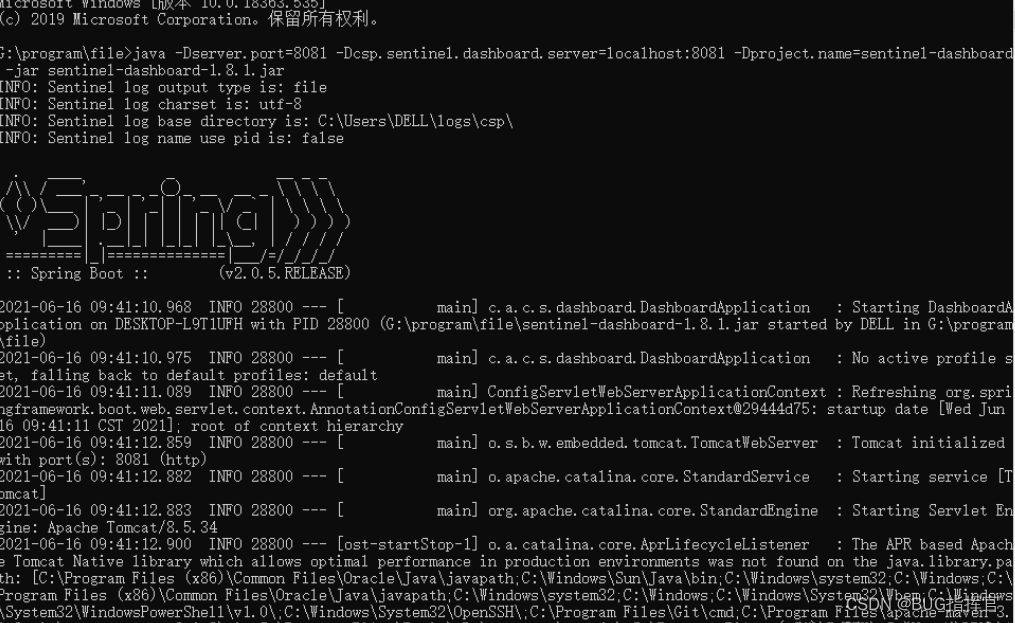
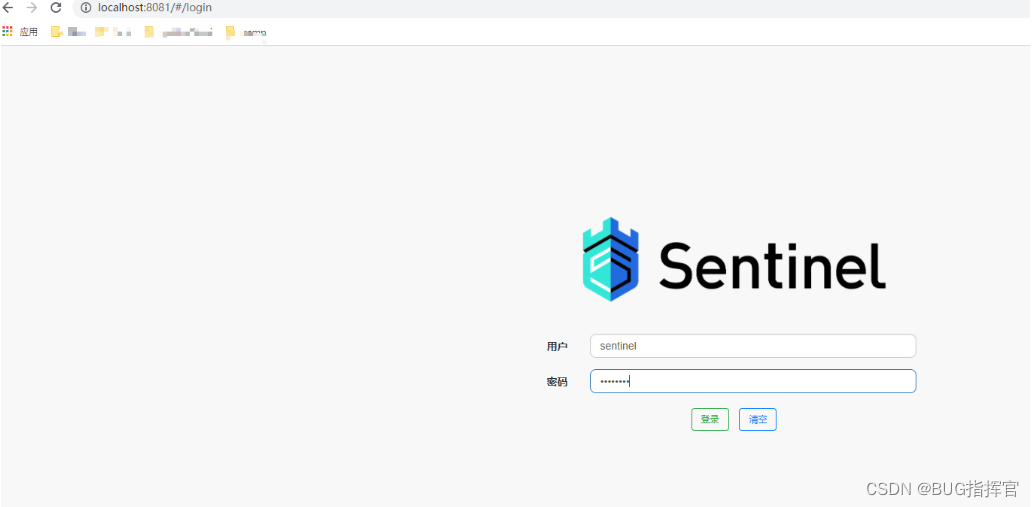
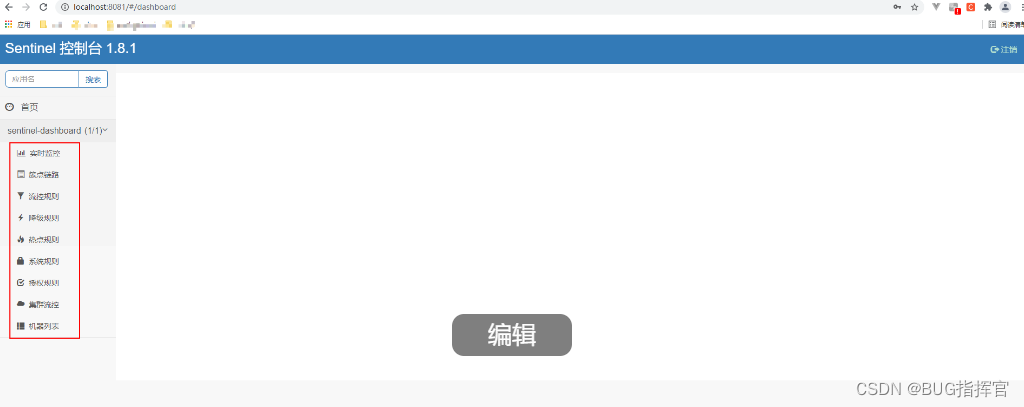
③登录sentinel客户端,默认用户名和密码都是sentinel
- 微服务集成sentinel
说明:使用nacos作为sentinel相关规则配置数据的持久化存储中心,在网关层实现服务的限流、降级等操作,分别通过router和API俩种方式实现微服务限流的实战案例。
①引入 sentinel的pom依赖
<!--sentinel配置数据源nacos-->
<dependency>
	<groupId>com.alibaba.csp</groupId>
	<artifactId>sentinel-datasource-nacos</artifactId>
</dependency>
<dependency>
	<groupId>com.alibaba.cloud</groupId>
	<artifactId>spring-cloud-starter-alibaba-sentinel</artifactId>
</dependency>
② 引入gateway网关整合sentinel的相关pom依赖
<!-- https://mvnrepository.com/artifact/com.alibaba.cloud/spring-cloud-alibaba-sentinel-gateway -->
<dependency>
	<groupId>com.alibaba.cloud</groupId>
	<artifactId>spring-cloud-alibaba-sentinel-gateway</artifactId>
	<version>2.2.5.RELEASE</version>
</dependency>


<!-- https://mvnrepository.com/artifact/org.springframework.cloud/spring-cloud-starter-gateway -->
<dependency>
	<groupId>org.springframework.cloud</groupId>
	<artifactId>spring-cloud-starter-gateway</artifactId>
	<version>2.2.5.RELEASE</version>
</dependency>
③配置网关的相关sentinel配置
spring:
  cloud:
    gateway:
      routes:
        - id: xxx_manager_router #路由ID
          uri: lb://xxx-manager #负载均衡到转发的微服务地址
          predicates:
            - Path=/api/manager/** #路由断言,以/api/manager/开头的访问请求使用该路由策略转发,转发到上面配置的微服务
          filters:
            - RewritePath=/api/manager/(?<segment>.*),/$\{segment} #路径改写,将网关的请求地址改写为真实的微服务地址

    #sentinel配置
    sentinel:
      transport:
        dashboard: localhost:8081
        port: 8719
      filter:
        enabled: true
      scg: #配置限流之后,响应内容
        fallback:
          mode: response
          response-status: 200
          response-body: "服务繁忙,请稍后重试!"
          content-type: "application/json"
      #数据源配置
      datasource:
        gw-router-group:
          nacos:
            server-addr: ${spring.cloud.nacos.server-addr}
            dataId: ${spring.application.name}-gw-router-group-flow-rules
            groupid: DEFAULT_GROUP
            data-type: json
            rule-type: gw-flow
        gw-api-group:
          nacos:
            server-addr: ${spring.cloud.nacos.server-addr}
            dataId: ${spring.application.name}-gw-api-group-flow-rules
            groupid: DEFAULT_GROUP
            data-type: json
            rule-type: gw-api-group
④在nacos配置限流策略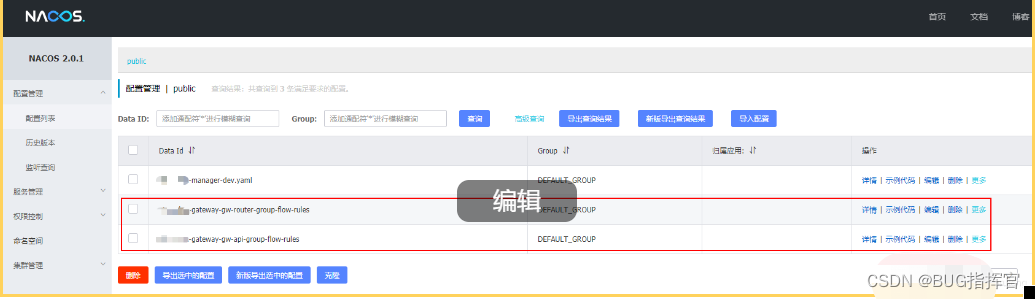
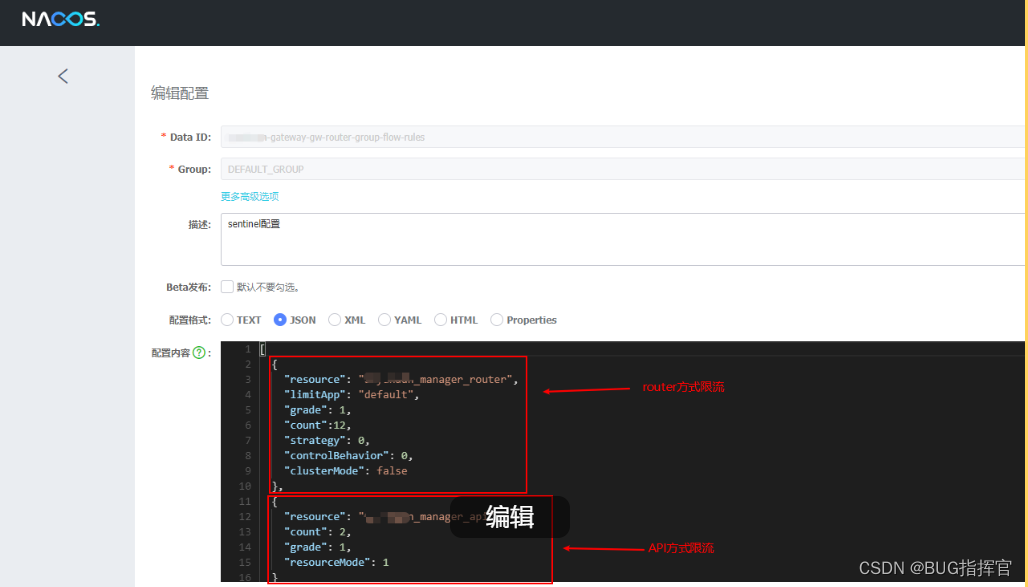
(1)xxx-gw-router-group-flow-rules配置
[
  {
    "resource": "xxx_manager_router",
    "limitApp": "default",
    "grade": 1,
    "count":12,
    "strategy": 0,
    "controlBehavior": 0,
    "clusterMode": false
  },
  {
    "resource": "xxx_manager_api",
    "count": 2,
    "grade": 1,
    "resourceMode": 1
  }
] 
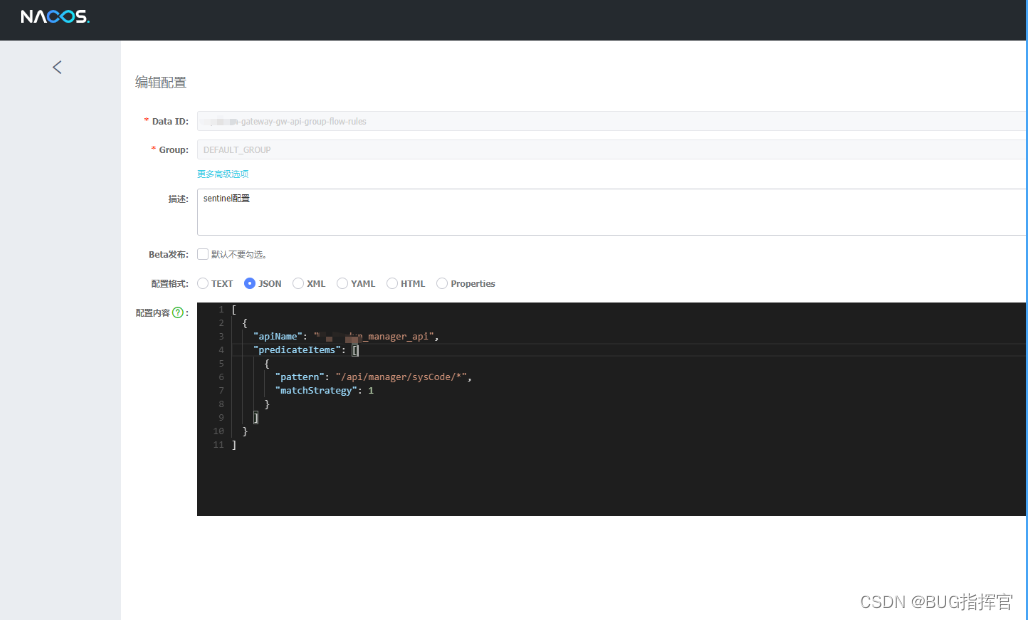
(2)xxx-gw-api-group-flow-rules配置
[
  {
    "apiName": "xxx_manager_api",
    "predicateItems": [
      {
        "pattern": "/api/manager/sysCode/*",
        "matchStrategy": 1
      }
    ]
  }
]
说明:具体的配置参数说明请参考官网地址https://github.com/alibaba/Sentinel/wiki/%E7%BD%91%E5%85%B3%E9%99%90%E6%B5%81
⑤测试验证
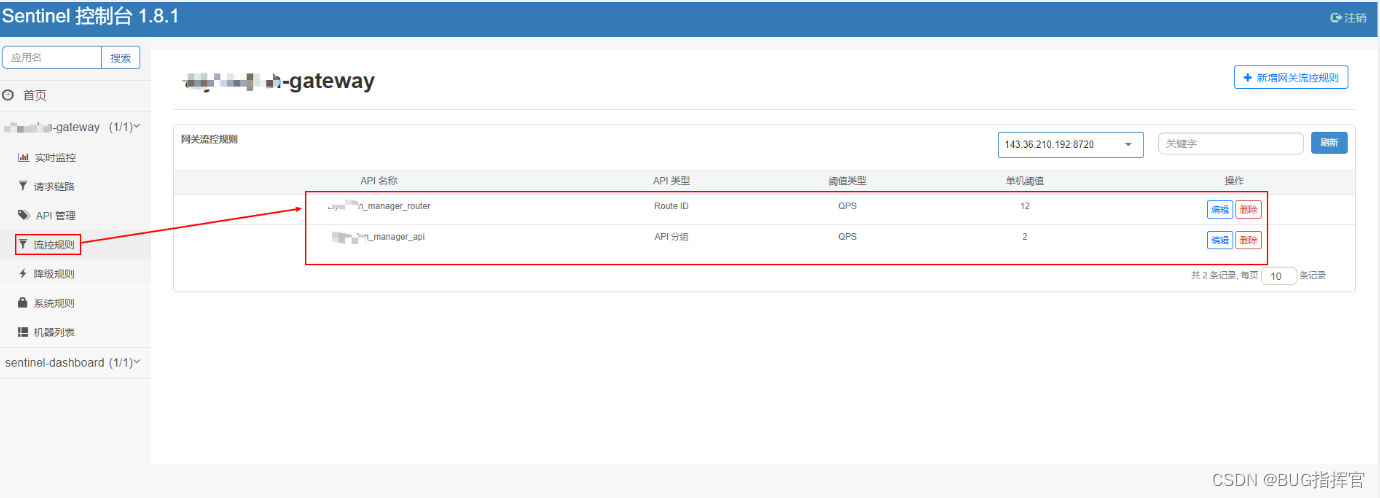
说明:通过网关访问以/api/manager/sysCode/*的请求,可以看到,频繁调用,会出现配置限流的提示,这里的API限流配置的是每秒钟2次就会限流,router限流配置是每秒钟12次就会限流,可以通过修改nacos配置中心的count参数动态修改限流的策略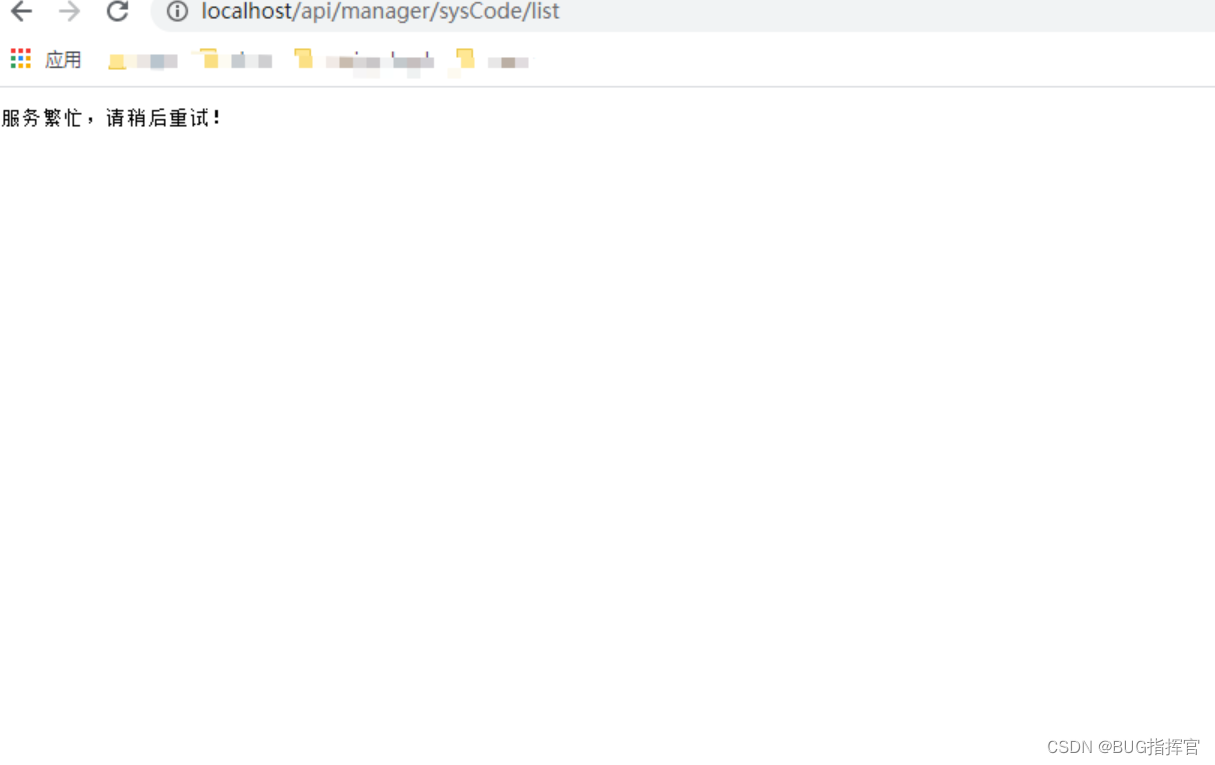
⑥sentinel控制台可以查看流控配置以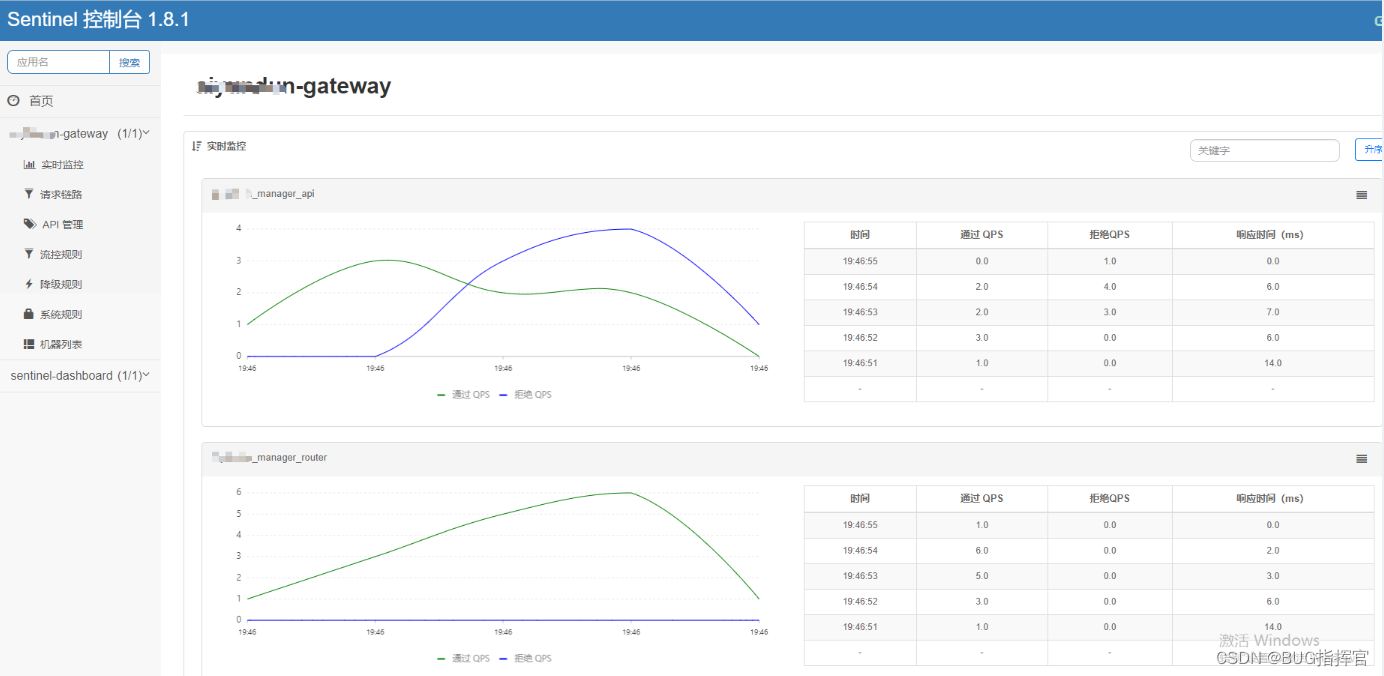 及具体的访问请求流量等信息

讨论HarmonyOS开发技术,专注于API与组件、DevEco Studio、测试、元服务和应用上架分发等。
更多推荐



 0
0 0
0- 0


 已为社区贡献3条内容

所有评论(0)