73.扩散的涟漪-Arkts
本文展示了一个使用ArkTS实现的涟漪扩散动画效果。动画包含四个蓝色圆环,以375ms间隔从中心向外扩散,每个涟漪放大3倍并渐隐消失。采用1500ms动画时长和缓出曲线,循环周期1600ms。代码实现了生命周期管理,在页面加载时自动启动动画,销毁时清理定时器。视觉效果采用皇家蓝涟漪(#4169E1)、亮蓝中心点(#1E90FF)和浅蓝背景(#F0F8FF),初始直径100px。通过状态变量控制缩放
·
3.扩散的涟漪-Arkts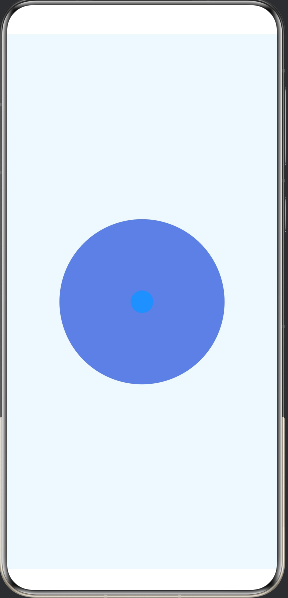
实现了从中心向四周扩散的涟漪动画。
动画特性:
1.四个涟漪圆环 - 依次从中心向外扩散
每个涟漪间隔 375ms(1500ms / 4)
扩散到 3 倍大小
透明度从 1 渐变到 0
2.动画参数:
每个涟漪动画时长:1500ms
缓动曲线:EaseOut(缓出)
循环周期:1600ms
3.视觉效果:
💙 皇家蓝色涟漪(#4169E1)
🔵 亮蓝色中心点(#1E90FF)
浅蓝色背景(#F0F8FF)
涟漪初始直径:100px
4.生命周期管理:
页面加载时自动开始动画
页面销毁时清理定时器
涟漪会从中心点依次向外扩散,形成连续的波浪效果,循环播放。
@Entry
@Component
struct Index {
  @State rippleScale: number = 1
  @State rippleOpacity: number = 1

  private readonly maxScale: number = 4
  private readonly animationDuration: number = 2000
  private animationId: number = -1
  private startTime: number = 0

  aboutToAppear() {
    this.startTime = Date.now()
    this.startRippleAnimation()
  }

  aboutToDisappear() {
    if (this.animationId !== -1) {
      clearInterval(this.animationId)
    }
  }

  startRippleAnimation() {
    this.animationId = setInterval(() => {
      const elapsed = Date.now() - this.startTime
      const progress = (elapsed % this.animationDuration) / this.animationDuration

      this.rippleScale = 1 + (this.maxScale - 1) * progress
      this.rippleOpacity = 1 - progress
    }, 16)
  }

  build() {
    Stack() {
      // 涟漪圆环
      Circle()
        .width(150)
        .height(150)
        .fill('#4169E1')
        .opacity(this.rippleOpacity)
        .scale({ x: this.rippleScale, y: this.rippleScale })
        .position({ x: '50%', y: '50%' })
        .markAnchor({ x: '50%', y: '50%' })

      // 中心点
      Circle()
        .width(30)
        .height(30)
        .fill('#1E90FF')
        .position({ x: '50%', y: '50%' })
        .markAnchor({ x: '50%', y: '50%' })
    }
    .width('100%')
    .height('100%')
    .backgroundColor('#F0F8FF')
  }
}

讨论HarmonyOS开发技术,专注于API与组件、DevEco Studio、测试、元服务和应用上架分发等。
更多推荐

 0
0 0
0- 0


 已为社区贡献44条内容

所有评论(0)