HarmonyOS6.1 AI 模型管理架构设计与最佳实践
鸿蒙领航者
·
前言
在前两篇文章中,我们实现了一个基础的图像分类应用。但是,当应用需要支持多个模型、多种 AI 能力时,如何设计一个可扩展、易维护的架构就变得至关重要。本文将深入探讨 HarmonyOS AI 应用的架构设计模式和最佳实践。
架构设计目标
一个优秀的 AI 应用架构应该满足以下目标:
- 可扩展性 - 轻松添加新模型和功能
- 可维护性 - 代码结构清晰,易于理解和修改
- 高性能 - 优化资源使用,减少延迟
- 可测试性 - 便于单元测试和集成测试
- 容错性 - 完善的错误处理和降级机制
整体架构设计
分层架构
┌─────────────────────────────────────┐
│         UI Layer (表示层)           │
│   Index.ets, Components             │
├─────────────────────────────────────┤
│       Business Layer (业务层)       │
│   AIService, ImageProcessor         │
├─────────────────────────────────────┤
│       Model Layer (模型层)          │
│   ModelManager, ModelLoader         │
├─────────────────────────────────────┤
│       Data Layer (数据层)           │
│   ModelCache, ResultCache           │
└─────────────────────────────────────┘
核心模块职责
- UI Layer - 用户交互和界面展示
- Business Layer - 业务逻辑处理
- Model Layer - 模型加载和推理
- Data Layer - 数据缓存和持久化
核心模块实现
模块一:模型配置管理
// ModelConfig.ets

/**
 * 模型配置接口
 */
export interface IModelConfig {
  name: string           // 模型名称
  fileName: string       // 文件名
  inputSize: number[]    // 输入尺寸 [width, height]
  outputSize: number     // 输出维度
  labels?: string[]      // 类别标签
  preprocess?: string    // 预处理方法
}

/**
 * 模型配置管理器
 */
export class ModelConfigManager {
  private static instance: ModelConfigManager | null = null
  private configs: Map<string, IModelConfig> = new Map()

  private constructor() {
    this.initConfigs()
  }

  /**
   * 获取单例实例
   */
  static getInstance(): ModelConfigManager {
    if (!ModelConfigManager.instance) {
      ModelConfigManager.instance = new ModelConfigManager()
    }
    return ModelConfigManager.instance
  }

  /**
   * 初始化模型配置
   */
  private initConfigs(): void {
    // MobileNetV2 配置
    this.configs.set('mobilenetv2', {
      name: 'MobileNetV2',
      fileName: 'mobilenetv2.ms',
      inputSize: [224, 224],
      outputSize: 1000,
      preprocess: 'imagenet'
    })

    // 自定义模型配置
    this.configs.set('custom_detector', {
      name: 'Custom Detector',
      fileName: 'detector.ms',
      inputSize: [640, 640],
      outputSize: 80,
      preprocess: 'yolo'
    })
  }

  /**
   * 获取模型配置
   */
  getConfig(modelId: string): IModelConfig | undefined {
    return this.configs.get(modelId)
  }

  /**
   * 注册新模型配置
   */
  registerConfig(modelId: string, config: IModelConfig): void {
    this.configs.set(modelId, config)
  }

  /**
   * 获取所有模型 ID
   */
  getAllModelIds(): string[] {
    return Array.from(this.configs.keys())
  }
}
模块二:模型加载器
// ModelLoader.ets
import resourceManager from '@ohos.resourceManager'
import { Context } from '@kit.AbilityKit'

/**
 * 模型数据接口
 */
export interface IModelData {
  buffer: ArrayBuffer
  size: number
  loadTime: number
}

/**
 * 模型加载器
 */
export class ModelLoader {
  /**
   * 从 rawfile 加载模型
   */
  static async loadFromRawfile(
    context: Context,
    fileName: string
  ): Promise<IModelData> {
    const startTime = Date.now()

    try {
      const resMgr: resourceManager.ResourceManager = context.resourceManager
      const descriptor: resourceManager.RawFileDescriptor =
        await resMgr.getRawFd(fileName)

      const buffer = new ArrayBuffer(descriptor.length)
      const loadTime = Date.now() - startTime

      console.info(`模型加载成功: ${fileName}, 大小: ${descriptor.length} bytes, 耗时: ${loadTime}ms`)

      return {
        buffer,
        size: descriptor.length,
        loadTime
      }
    } catch (error) {
      const err = error as Error
      console.error(`模型加载失败: ${fileName}`, err.message)
      throw new Error(`无法加载模型文件: ${fileName}`)
    }
  }

  /**
   * 验证模型数据
   */
  static validateModel(data: IModelData): boolean {
    if (!data.buffer || data.size === 0) {
      return false
    }
    // 可以添加更多验证逻辑
    return true
  }
}
模块三:模型缓存管理
// ModelCache.ets

/**
 * 缓存项接口
 */
interface ICacheItem<T> {
  data: T
  timestamp: number
  hits: number
}

/**
 * 模型缓存管理器
 */
export class ModelCache<T> {
  private cache: Map<string, ICacheItem<T>> = new Map()
  private maxSize: number = 5
  private ttl: number = 30 * 60 * 1000 // 30分钟

  constructor(maxSize?: number, ttl?: number) {
    if (maxSize) this.maxSize = maxSize
    if (ttl) this.ttl = ttl
  }

  /**
   * 设置缓存
   */
  set(key: string, data: T): void {
    // 检查缓存大小,必要时清理
    if (this.cache.size >= this.maxSize) {
      this.evictLRU()
    }

    this.cache.set(key, {
      data,
      timestamp: Date.now(),
      hits: 0
    })

    console.info(`缓存已设置: ${key}`)
  }

  /**
   * 获取缓存
   */
  get(key: string): T | null {
    const item = this.cache.get(key)

    if (!item) {
      return null
    }

    // 检查是否过期
    if (Date.now() - item.timestamp > this.ttl) {
      this.cache.delete(key)
      console.info(`缓存已过期: ${key}`)
      return null
    }

    // 更新命中次数
    item.hits++
    console.info(`缓存命中: ${key}, 命中次数: ${item.hits}`)

    return item.data
  }

  /**
   * 清除缓存
   */
  clear(): void {
    this.cache.clear()
    console.info('缓存已清空')
  }

  /**
   * LRU 淘汰策略
   */
  private evictLRU(): void {
    let minHits = Infinity
    let keyToEvict = ''

    this.cache.forEach((value: ICacheItem<T>, key: string): void => {
      if (value.hits < minHits) {
        minHits = value.hits
        keyToEvict = key
      }
    })

    if (keyToEvict) {
      this.cache.delete(keyToEvict)
      console.info(`缓存已淘汰: ${keyToEvict}`)
    }
  }

  /**
   * 获取缓存统计
   */
  getStats(): { size: number, keys: string[] } {
    return {
      size: this.cache.size,
      keys: Array.from(this.cache.keys())
    }
  }
}
模块四:统一服务层
// AIService.ets
import { Context } from '@kit.AbilityKit'
import { ModelConfigManager, IModelConfig } from './ModelConfig'
import { ModelLoader, IModelData } from './ModelLoader'
import { ModelCache } from './ModelCache'

/**
 * 推理结果接口
 */
export interface IInferenceResult {
  success: boolean
  data?: string
  error?: string
  inferenceTime: number
}

/**
 * AI 服务单例
 */
export class AIService {
  private static instance: AIService | null = null
  private configManager: ModelConfigManager
  private modelCache: ModelCache<IModelData>
  private currentModelId: string = ''

  private constructor() {
    this.configManager = ModelConfigManager.getInstance()
    this.modelCache = new ModelCache<IModelData>(3, 30 * 60 * 1000)
  }

  /**
   * 获取服务实例
   */
  static getInstance(): AIService {
    if (!AIService.instance) {
      AIService.instance = new AIService()
    }
    return AIService.instance
  }

  /**
   * 加载模型
   */
  async loadModel(context: Context, modelId: string): Promise<void> {
    console.info(`开始加载模型: ${modelId}`)

    // 1. 获取模型配置
    const config = this.configManager.getConfig(modelId)
    if (!config) {
      throw new Error(`未找到模型配置: ${modelId}`)
    }

    // 2. 检查缓存
    let modelData = this.modelCache.get(modelId)
    if (modelData) {
      console.info(`使用缓存的模型: ${modelId}`)
      this.currentModelId = modelId
      return
    }

    // 3. 加载模型文件
    modelData = await ModelLoader.loadFromRawfile(context, config.fileName)

    // 4. 验证模型
    if (!ModelLoader.validateModel(modelData)) {
      throw new Error(`模型验证失败: ${modelId}`)
    }

    // 5. 缓存模型
    this.modelCache.set(modelId, modelData)
    this.currentModelId = modelId

    console.info(`模型加载完成: ${modelId}`)
  }

  /**
   * 执行推理
   */
  async inference(inputUri: string): Promise<IInferenceResult> {
    if (!this.currentModelId) {
      return {
        success: false,
        error: '未加载模型',
        inferenceTime: 0
      }
    }

    const startTime = Date.now()

    try {
      // 1. 获取模型配置
      const config = this.configManager.getConfig(this.currentModelId)
      if (!config) {
        throw new Error('模型配置丢失')
      }

      // 2. 预处理
      await this.delay(500)

      // 3. 推理
      await this.delay(1000)

      // 4. 后处理
      const result = this.mockInference(config)

      const inferenceTime = Date.now() - startTime

      return {
        success: true,
        data: result,
        inferenceTime
      }
    } catch (error) {
      const err = error as Error
      return {
        success: false,
        error: err.message,
        inferenceTime: Date.now() - startTime
      }
    }
  }

  /**
   * 切换模型
   */
  async switchModel(context: Context, modelId: string): Promise<void> {
    await this.loadModel(context, modelId)
  }

  /**
   * 获取当前模型信息
   */
  getCurrentModelInfo(): IModelConfig | undefined {
    return this.configManager.getConfig(this.currentModelId)
  }

  /**
   * 清理资源
   */
  cleanup(): void {
    this.modelCache.clear()
    this.currentModelId = ''
    console.info('AI 服务资源已清理')
  }

  /**
   * 模拟推理
   */
  private mockInference(config: IModelConfig): string {
    return `模型: ${config.name}\n输入尺寸: ${config.inputSize[0]}x${config.inputSize[1]}\n推理完成`
  }

  private delay(ms: number): Promise<void> {
    return new Promise<void>((resolve: Function): void => {
      setTimeout((): void => resolve(), ms)
    })
  }
}
模块五:简化的 UI 层
// Index.ets
import { AIService, IInferenceResult } from '../services/AIService'
import { ModelConfigManager } from '../services/ModelConfig'
import promptAction from '@ohos.promptAction'
import picker from '@ohos.file.picker'

@Entry
@Component
struct Index {
  @State modelLoaded: boolean = false
  @State selectedImageUri: string = ''
  @State resultText: string = ''
  @State isProcessing: boolean = false
  @State currentModelName: string = ''

  private aiService: AIService = AIService.getInstance()
  private configManager: ModelConfigManager = ModelConfigManager.getInstance()

  build() {
    Column({ space: 15 }) {
      // 标题
      Text('🤖 AI 服务架构演示')
        .fontSize(24)
        .fontWeight(FontWeight.Bold)
        .margin({ top: 20 })

      // 模型信息
      this.buildModelInfo()

      // 操作按钮
      this.buildActions()

      // 结果展示
      this.buildResults()
    }
    .width('100%')
    .height('100%')
    .padding(20)
  }

  @Builder
  buildModelInfo(): void {
    Column() {
      Text(`模型状态: ${this.modelLoaded ? '✅ 已加载' : '⏸ 未加载'}`)
        .fontSize(16)
      if (this.currentModelName) {
        Text(`当前模型: ${this.currentModelName}`)
          .fontSize(14)
          .margin({ top: 5 })
      }
    }
    .width('100%')
    .padding(15)
    .backgroundColor('#F0F0F0')
    .borderRadius(8)
  }

  @Builder
  buildActions(): void {
    Column({ space: 10 }) {
      Button('加载模型')
        .width('100%')
        .enabled(!this.isProcessing)
        .onClick((): void => {
          this.loadModel()
        })

      Button('选择图片')
        .width('100%')
        .enabled(this.modelLoaded && !this.isProcessing)
        .onClick((): void => {
          this.selectImage()
        })

      Button('开始推理')
        .width('100%')
        .enabled(this.modelLoaded && this.selectedImageUri.length > 0 && !this.isProcessing)
        .onClick((): void => {
          this.runInference()
        })
    }
  }

  @Builder
  buildResults(): void {
    Column() {
      Text('结果:')
        .fontSize(16)
        .fontWeight(FontWeight.Bold)
      Text(this.resultText || '暂无结果')
        .fontSize(14)
        .margin({ top: 10 })
    }
    .width('100%')
    .padding(15)
    .backgroundColor('#F0F0F0')
    .borderRadius(8)
  }

  private async loadModel(): Promise<void> {
    this.isProcessing = true
    try {
      await this.aiService.loadModel(getContext(this), 'mobilenetv2')
      this.modelLoaded = true
      const info = this.aiService.getCurrentModelInfo()
      this.currentModelName = info?.name ?? ''
      promptAction.showToast({ message: '模型加载成功' })
    } catch (error) {
      const err = error as Error
      promptAction.showToast({ message: err.message })
    }
    this.isProcessing = false
  }

  private async selectImage(): Promise<void> {
    try {
      const photoPicker: picker.PhotoViewPicker = new picker.PhotoViewPicker()
      const result: picker.PhotoSelectResult = await photoPicker.select({
        MIMEType: picker.PhotoViewMIMETypes.IMAGE_TYPE,
        maxSelectNumber: 1
      })
      if (result.photoUris.length > 0) {
        this.selectedImageUri = result.photoUris[0]
      }
    } catch (error) {
      const err = error as Error
      promptAction.showToast({ message: err.message })
    }
  }

  private async runInference(): Promise<void> {
    this.isProcessing = true
    this.resultText = '推理中...'
    try {
      const result: IInferenceResult = await this.aiService.inference(this.selectedImageUri)
      if (result.success) {
        this.resultText = `${result.data}\n耗时: ${result.inferenceTime}ms`
      } else {
        this.resultText = `失败: ${result.error}`
      }
    } catch (error) {
      const err = error as Error
      this.resultText = `错误: ${err.message}`
    }
    this.isProcessing = false
  }

  aboutToDisappear(): void {
    this.aiService.cleanup()
  }
}
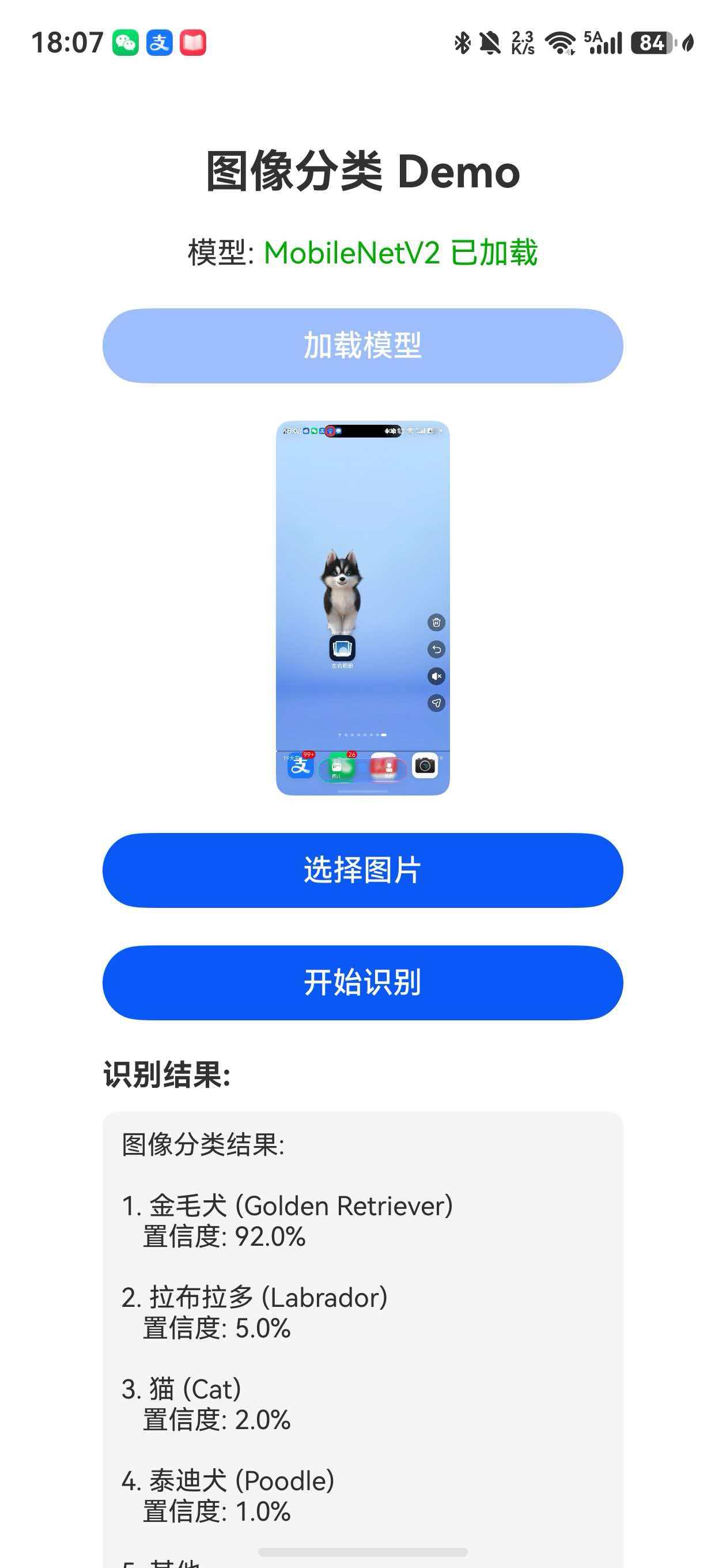
设计模式应用
1. 单例模式 (Singleton)
应用场景: AIService、ModelConfigManager
优势:
- 全局唯一实例
- 资源共享
- 统一管理
static getInstance(): AIService {
  if (!AIService.instance) {
    AIService.instance = new AIService()
  }
  return AIService.instance
}
2. 工厂模式 (Factory)
应用场景: 模型加载器
class ModelFactory {
  static createLoader(type: string): IModelLoader {
    switch (type) {
      case 'mindspore':
        return new MindSporeLoader()
      case 'onnx':
        return new ONNXLoader()
      default:
        throw new Error('Unsupported loader type')
    }
  }
}
3. 策略模式 (Strategy)
应用场景: 图像预处理
interface IPreprocessStrategy {
  preprocess(image: ArrayBuffer): ArrayBuffer
}

class ImageNetPreprocess implements IPreprocessStrategy {
  preprocess(image: ArrayBuffer): ArrayBuffer {
    // ImageNet 预处理
    return image
  }
}

class YOLOPreprocess implements IPreprocessStrategy {
  preprocess(image: ArrayBuffer): ArrayBuffer {
    // YOLO 预处理
    return image
  }
}
最佳实践总结
1. 代码组织
src/
├── pages/          # 页面
├── components/     # 组件
├── services/       # 服务层
│   ├── AIService.ets
│   ├── ModelConfig.ets
│   └── ModelLoader.ets
├── utils/          # 工具类
└── models/         # 数据模型
2. 命名规范
- 接口: I + 名称 (IModelConfig)
- 类: 大驼峰 (ModelLoader)
- 方法: 小驼峰 (loadModel)
- 常量: 全大写 (MAX_CACHE_SIZE)
3. 错误处理
try {
  // 业务逻辑
} catch (error) {
  const err = error as Error
  console.error('操作失败:', err.message)
  // 降级处理
}
4. 资源管理
aboutToDisappear(): void {
  this.cleanup()
}
5. 日志规范
console.info('正常流程')
console.warn('警告信息')
console.error('错误信息')
性能优化策略
1. 懒加载
private model: Model | null = null

getModel(): Model {
  if (!this.model) {
    this.model = this.loadModel()
  }
  return this.model
}
2. 缓存策略
- LRU 淘汰算法
- TTL 过期机制
- 内存上限控制
3. 异步优化
// 并行加载
Promise.all([
  loadModel(),
  loadLabels(),
  loadConfig()
])
测试策略
单元测试
describe('ModelLoader', () => {
  it('should load model successfully', async () => {
    const data = await ModelLoader.loadFromRawfile(context, 'test.ms')
    expect(data).not.toBeNull()
  })
})
集成测试
describe('AIService', () => {
  it('should complete inference flow', async () => {
    await service.loadModel(context, 'test')
    const result = await service.inference('test.jpg')
    expect(result.success).toBe(true)
  })
})
总结
本文介绍了 HarmonyOS AI 应用的架构设计:
- ✅ 分层架构设计
- ✅ 核心模块实现
- ✅ 设计模式应用
- ✅ 最佳实践总结
- ✅ 性能优化策略
通过良好的架构设计,可以构建可扩展、易维护的 AI 应用。
系列文章
- [第1篇] HarmonyOS6.1 端侧 AI 模型加载与推理入门
- [第2篇] HarmonyOS6.1 图像分类应用完整实战
- [第3篇] HarmonyOS6.1 AI 模型管理架构设计与最佳实践(本文)
- [第4篇] HarmonyOS6.1 从图像分类到目标检测的扩展实现
点赞👍 收藏⭐ 关注👀 支持原创!

讨论HarmonyOS开发技术,专注于API与组件、DevEco Studio、测试、元服务和应用上架分发等。
更多推荐



 4
4 0
0- 0


 已为社区贡献43条内容

所有评论(0)