HarmonyOS 6 语音朗读能力实现详解
金牌创作者
·
引言
本文旨在为开发者提供HarmonyOS Next应用中实现语音朗读能力的实用指南。我们将详细介绍如何利用HarmonyOS Next的textToSpeech API,为您的应用集成高效的文本转语音功能。
效果展示
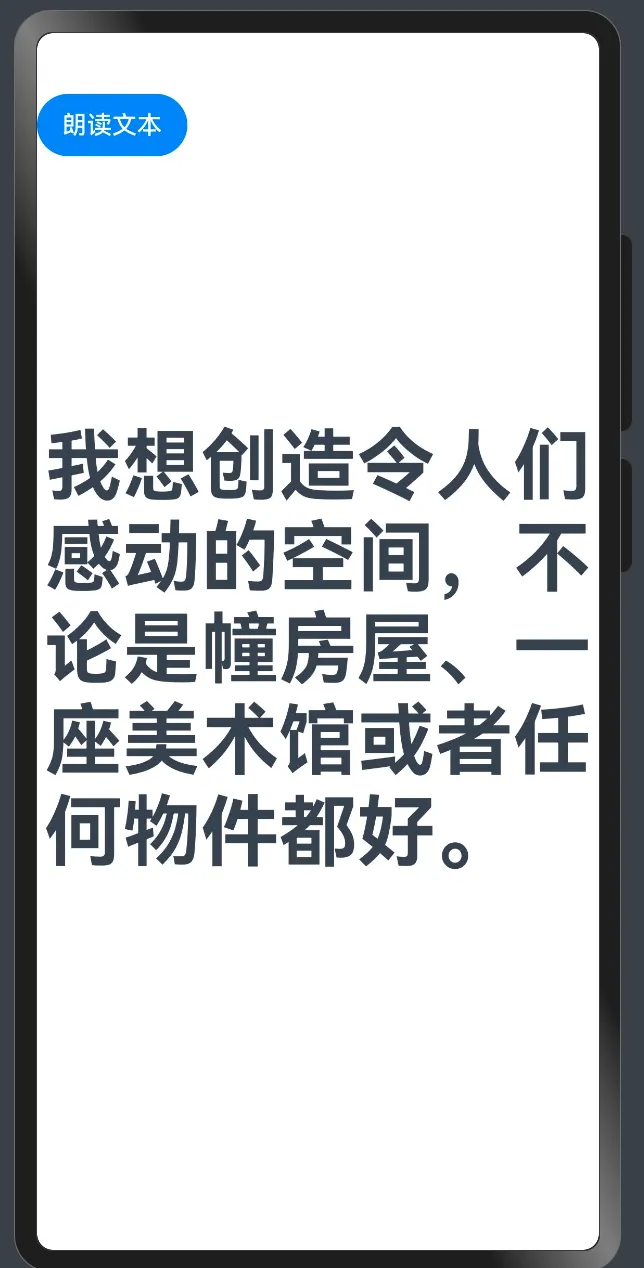
通过以下演示,您可以直观了解点击"朗读文本"按钮后,应用如何将页面内容转换为语音进行播报:
语音朗读功能封装
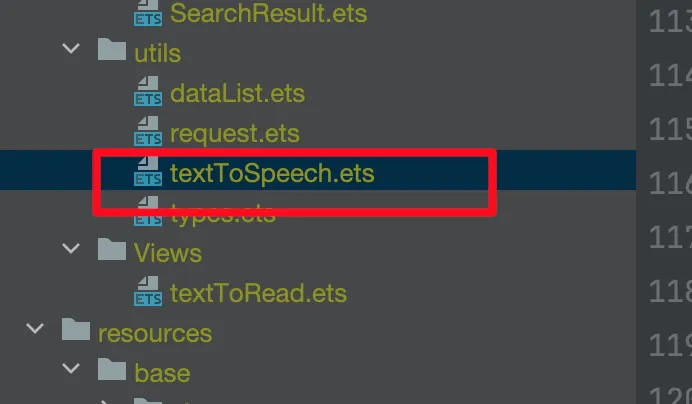
为提升代码的复用性和可维护性,建议在项目utils目录下创建textToSpeech.ets文件,集中管理语音朗读相关功能:
TextToSpeechManager 核心工具类
以下是采用单例模式设计的TextToSpeechManager工具类完整实现,可直接集成到您的项目中:
import { textToSpeech } from '@kit.CoreSpeechKit';
import { BusinessError } from '@kit.BasicServicesKit';


/**
 * 文本转语音
 * 使用:Core Speech Kit
 * 支持将一篇不超过10000字数的中英文文本(简体中文、繁体中文、数字、英文)合成为语音,并以选定音色进行播报。
 * 场景支持
 * 手机/平板等设备在无网状态下,系统应用无障碍(屏幕朗读)接入文本转语音能力,为视障人士或不方便阅读场景提供播报能力。
 */
export class TextToSpeechManager{
    private static instance: TextToSpeechManager;

    private constructor() {}

    public static getInstance(): TextToSpeechManager {
        if (!TextToSpeechManager.instance) {
            TextToSpeechManager.instance = new TextToSpeechManager();
        }
        return TextToSpeechManager.instance;
    }

    // 创建TextToSpeechEngine实例
    private ttsEngine: textToSpeech.TextToSpeechEngine|null = null;

    // 设置播报相关参数
    private extraParam: Record<string, Object>|null = null;

    // 实例化SpeakParams对象
    private speakParams: textToSpeech.SpeakParams|null = null;

    // SpeakListener对象,设置speak的回调信息
    private  speakListener: textToSpeech.SpeakListener|null = null;


    /**
     * 调用createEngine接口,创建TextToSpeechEngine实例。
     * createEngine接口提供了两种调用形式,当前以其中一种作为示例,其他方式可参考API参考。
     * 其他创建方式:https://developer.huawei.com/consumer/cn/doc/harmonyos-references/hms-ai-texttospeech
     */
    createEngine(){
        // 设置创建引擎参数
        let extraParam: Record<string, Object> = {"style": 'interaction-broadcast', "locate": 'CN', "name": 'EngineName'};
        let initParamsInfo: textToSpeech.CreateEngineParams = {
            language: 'zh-CN',
            person: 0,
            online: 1,
            extraParams: extraParam
        };

        // 调用createEngine方法
        textToSpeech.createEngine(initParamsInfo, (err: BusinessError, textToSpeechEngine: textToSpeech.TextToSpeechEngine) => {
            if (!err) {
                console.info('Succeeded in creating engine');
                // 接收创建引擎的实例
                this.ttsEngine = textToSpeechEngine;
            } else {
                console.error(`Failed to create engine. Code: ${err.code}, message: ${err.message}.`);
            }
        });
    }

    /**
     * 得到TextToSpeechEngine实例对象后,实例化SpeakParams对象、SpeakListener对象,并传入待合成及播报的文本originalText,调用speak接口进行播报。
     */
    initParam(){
        // 设置speak的回调信息
        this.speakListener = {
            // 开始播报回调
            onStart(requestId: string, response: textToSpeech.StartResponse) {
                console.info(`onStart, requestId: ${requestId} response: ${JSON.stringify(response)}`);
            },
            // 合成完成及播报完成回调
            onComplete(requestId: string, response: textToSpeech.CompleteResponse) {
                console.info(`onComplete, requestId: ${requestId} response: ${JSON.stringify(response)}`);
            },
            // 停止播报回调
            onStop(requestId: string, response: textToSpeech.StopResponse) {
                console.info(`onStop, requestId: ${requestId} response: ${JSON.stringify(response)}`);
            },
            // 返回音频流
            onData(requestId: string, audio: ArrayBuffer, response: textToSpeech.SynthesisResponse) {
                console.info(`onData, requestId: ${requestId} sequence: ${JSON.stringify(response)} audio: ${JSON.stringify(audio)}`);
            },
            // 错误回调
            onError(requestId: string, errorCode: number, errorMessage: string) {
                console.error(`onError, requestId: ${requestId} errorCode: ${errorCode} errorMessage: ${errorMessage}`);
            }
        };

        // 设置回调
        this.ttsEngine?.setListener(this.speakListener);

    }

    /**
     * 调用播报方法
     * 开发者可以通过修改speakParams主动设置播报策略
     */
    speak(text:string){

        // 设置播报相关参数
        this.extraParam= {"queueMode": 0, "speed": 1, "volume": 0.1, "pitch": 1, "languageContext": 'zh-CN',
            "audioType": "pcm", "soundChannel": 3, "playType": 1 };

        this.speakParams = {
            requestId: new Date().getTime().toString(),  //'123456', // requestId在同一实例内仅能用一次,请勿重复设置
            extraParams: this.extraParam
        };

        // 调用播报方法
        // 开发者可以通过修改speakParams主动设置播报策略
        this.ttsEngine?.speak(text, this.speakParams);
    }

    /**
     * 停止调用播报方法
     * 当需要停止合成及播报时,可调用stop接口。
     */
    stop(){
        // 当需要查询文本转语音服务是否处于忙碌状态时
        // 才停止播报
        if(this.ttsEngine?.isBusy()){
            this.ttsEngine?.stop();
        }
    }
}
集成与使用
1. 导入工具类
在需要集成语音朗读功能的页面中,首先导入已封装的工具类:
import {TextToSpeechManager} from "../utils/textToSpeech"
2. 初始化 TTS 引擎
在页面生命周期方法中执行初始化操作。页面加载时需创建TextToSpeechEngine实例并配置相关参数:
   private textToSpeechManger = TextToSpeechManager.getInstance();
  aboutToAppear(): void {
        this.textToSpeechManger.createEngine();
        this.textToSpeechManger.initParam();
    }
3. 实现文本朗读
编写语音朗读业务逻辑。当用户触发按钮事件时,将待播报文本传入函数即可实现语音朗读:
    // 语音朗读
    textToSpeech(txt:string){
        this.textToSpeechManger.speak(txt);
    }
功能亮点
- 多语言支持:支持中英文混合文本的朗读。
- 离线能力:无需网络连接即可提供语音朗读服务。
- 文本处理:单次朗读最大支持10,000字符。
- 个性化音色:提供多种音色选择,满足不同需求。
- 参数可调:可灵活调节语速、音量、音调等播报参数。
- 状态反馈:提供全面的播放状态回调监听。
使用注意事项与最佳实践
- 资源释放:为避免资源泄露,建议在页面销毁时调用
stop()方法释放相关资源。 - 异常处理:根据回调函数中返回的错误信息,进行适当的错误处理和用户提示。
- 用户体验优化:对于较长的文本内容,建议进行分段朗读,以提升用户体验并减少等待时间。
- 权限管理:请确保应用已获取必要的音频播放权限,以保证语音朗读功能正常运行。
总结
本文详细阐述了在HarmonyOS Next应用中实现语音朗读功能的关键步骤:
- 工具类封装:采用单例模式设计
TextToSpeechManager,确保全局统一管理。 - 引擎初始化:通过
createEngine()方法创建并配置TTS引擎实例。 - 参数配置:利用
initParam()方法设置播报参数及回调监听。 - 朗读功能:通过
speak()方法实现文本到语音的转换与播报。 - 资源管理:通过
stop()方法有效控制播放状态及资源释放。
这套方案具备良好的封装性和易用性,能够帮助开发者快速将语音朗读能力集成到HarmonyOS Next项目中,从而在新闻阅读、学习辅助、无障碍等场景中提供卓越的用户体验。

讨论HarmonyOS开发技术,专注于API与组件、DevEco Studio、测试、元服务和应用上架分发等。
更多推荐
 1
1 0
0- 0


 已为社区贡献317条内容

所有评论(0)