2025我的鸿蒙开发学习笔记1
·
目前5.0 release版本
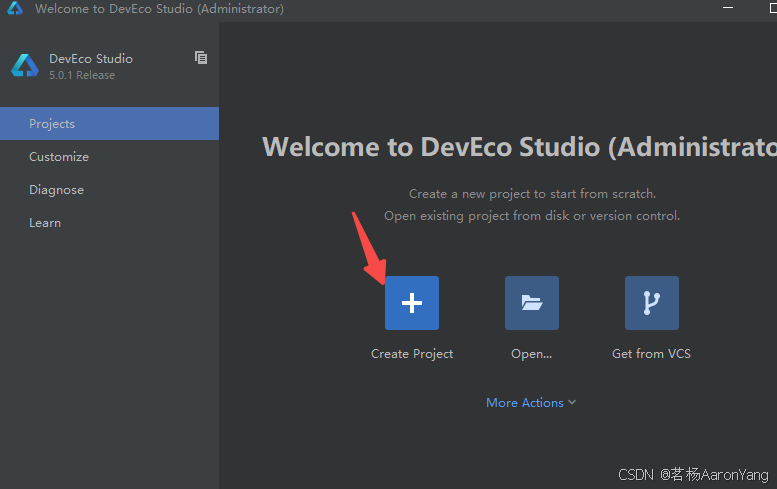
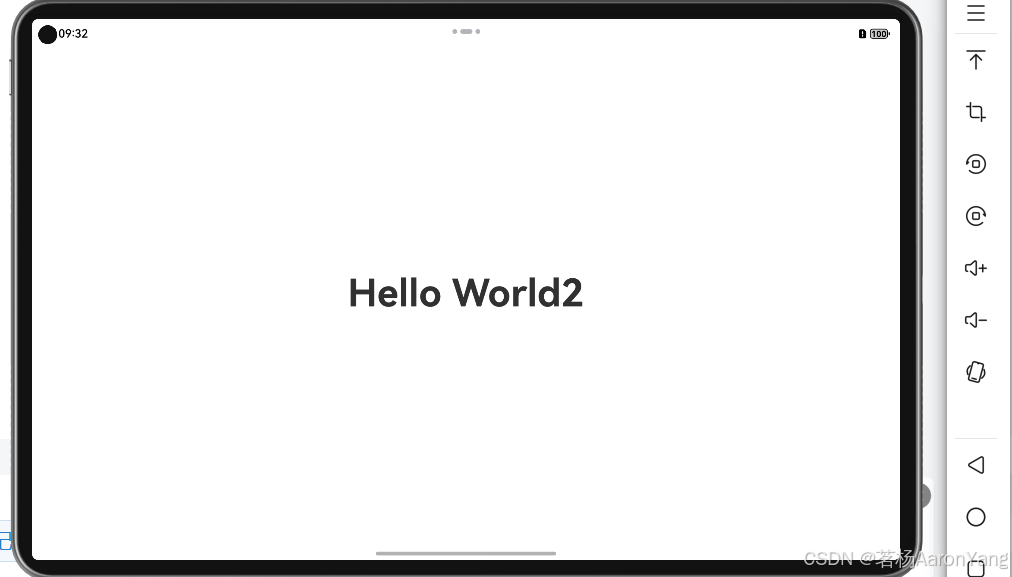
保持默认,创建完项目,点击设备管理器,创建你的模拟器(手机,折叠屏,平板),运行项目就会安装到虚拟机
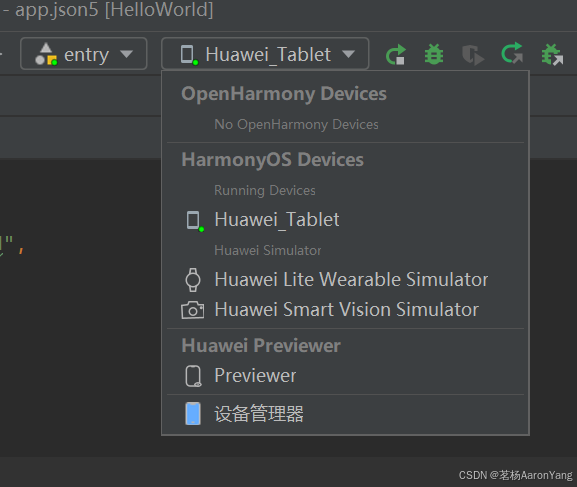
我选择了平板
项目源码结构:
- AppScope > app.json5:应用的全局配置信息,详见app.json5配置文件。
- entry:HarmonyOS工程模块,编译构建生成一个HAP包。
- src > main > ets:用于存放ArkTS源码。
- src > main > ets > entryability:应用/服务的入口。
- src > main > ets > entrybackupability:应用提供扩展的备份恢复能力。
- src > main > ets > pages:应用/服务包含的页面。
- src > main > resources:用于存放应用/服务所用到的资源文件,如图形、多媒体、字符串、布局文件等。关于资源文件,详见资源分类与访问。
- src > main > module.json5:模块配置文件。主要包含HAP包的配置信息、应用/服务在具体设备上的配置信息以及应用/服务的全局配置信息。具体的配置文件说明,详见module.json5配置文件。
- build-profile.json5:当前的模块信息 、编译信息配置项,包括buildOption、targets配置等。
- hvigorfile.ts:模块级编译构建任务脚本。
- obfuscation-rules.txt:混淆规则文件。混淆开启后,在使用Release模式进行编译时,会对代码进行编译、混淆及压缩处理,保护代码资产。详见开启代码混淆。
- oh-package.json5:用来描述包名、版本、入口文件(类型声明文件)和依赖项等信息。
- oh_modules:用于存放三方库依赖信息。
-
build-profile.json5:工程级配置信息,包括签名signingConfigs、产品配置products等。其中products中可配置当前运行环境,默认为HarmonyOS。
-
hvigorfile.ts:工程级编译构建任务脚本。
- oh-package.json5:主要用来描述全局配置,如:依赖覆盖(overrides)、依赖关系重写(overrideDependencyMap)和参数化配置(parameterFile)等。
默认Index.ets代码:
@Entry
@Component
struct Index {
  @State message: string = 'Hello World';

  build() {
    RelativeContainer() {
      Text(this.message)
        .id('HelloWorld')
        .fontSize(50)
        .fontWeight(FontWeight.Bold)
        .alignRules({
          center: { anchor: '__container__', align: VerticalAlign.Center },
          middle: { anchor: '__container__', align: HorizontalAlign.Center }
        })
    }
    .height('100%')
    .width('100%')
  }
}
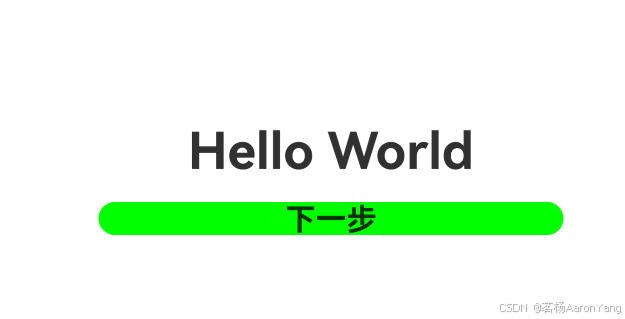
修改使用行列,和wpf的行列方向是相反的
@Entry
@Component
struct Index {
  @State message: string = 'Hello World';

  build() {
    Row() {
      Column() {
        Text(this.message)
          .id('HelloWorld')
          .fontSize(50)
          .fontWeight(FontWeight.Bold)
        Button() {
          Text('下一步')
            .fontSize(30)
            .fontWeight(FontWeight.Bold)
        }
        .type(ButtonType.Capsule)
        .margin({ top: 20 })
        .backgroundColor('#00FF00')
        .width('40%')
        .height('5%')
      }.width('100%')

    }
    .height('100%')
  }
}
添加第二个页面
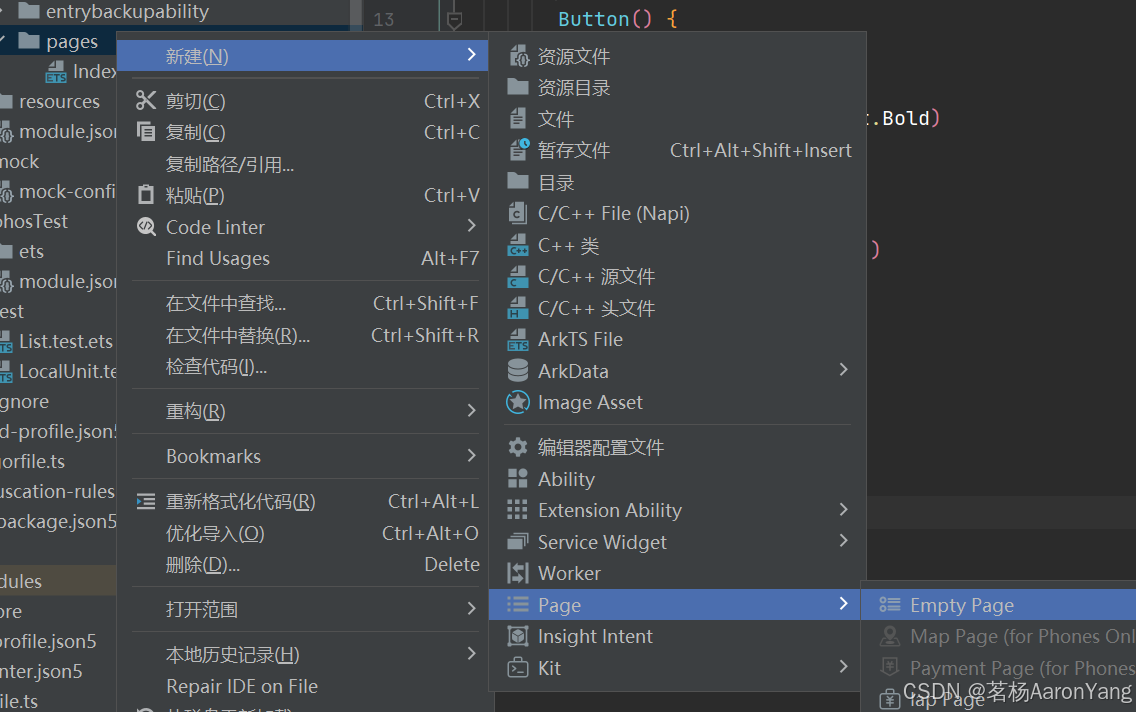
第一种右键pages文件夹,添加ArkTSFile,需要手动配置路由,也可以直接Empty Page不需要手动配置。
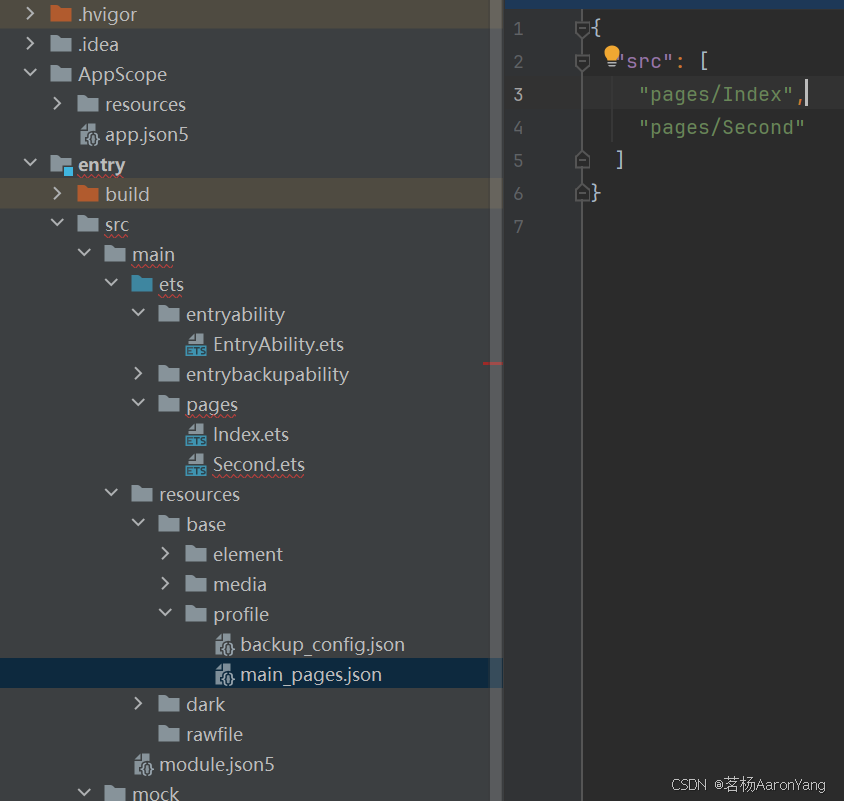
如果需要配置entry > src > main > resources > base > profile
接下来需要引入自带的库,比如路由,日志,给按钮增加onClick
// 导入页面路由模块
import { router } from '@kit.ArkUI';
import { BusinessError } from '@kit.BasicServicesKit';

@Entry
@Component
struct Index {
  @State message: string = 'Hello World';

  build() {
    Row() {
      Column() {
        Text(this.message)
          .id('HelloWorld')
          .fontSize(50)
          .fontWeight(FontWeight.Bold)
        Button() {
          Text('下一步')
            .fontSize(30)
            .fontWeight(FontWeight.Bold)
        }
        .type(ButtonType.Capsule)
        .margin({ top: 20 })
        .backgroundColor('#00FF00')
        .width('40%')
        .height('5%')
        // 跳转按钮绑定onClick事件,点击时跳转到第二页
        .onClick(() => {
          console.info(`点击下一步成功`)
          // 跳转到第二页
          router.pushUrl({ url: 'pages/Second' }).then(() => {
            console.info('跳转到第二页成功')

          }).catch((err: BusinessError) => {
            console.error(`跳转失败. Code is ${err.code}, message is ${err.message}`)
          })
        })
      }.width('100%')

    }
    .height('100%')
  }
}
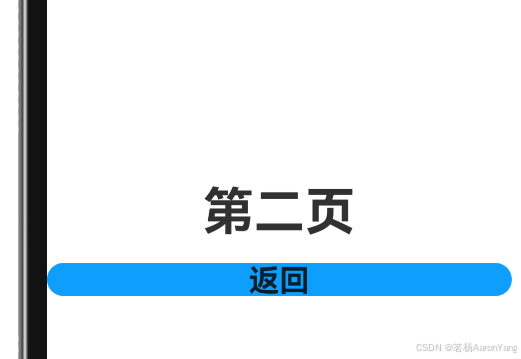
第二页点击返回,跳转到第一页,调用router.back()
import { router } from '@kit.ArkUI';
import { BusinessError } from '@kit.BasicServicesKit';
@Entry
@Component
struct Second {
  @State message: string = '第二页'

  build() {
    Row() {
      Column() {

        Text(this.message)
          .fontSize(50)
          .fontWeight(FontWeight.Bold)
        Button() {
          Text('返回')
            .fontSize(30)
            .fontWeight(FontWeight.Bold)
        }
        .type(ButtonType.Capsule)
        .margin({
          top: 20
        })
        .backgroundColor('#0D9FFB')
        .width('40%')
        .height('5%')
        // 返回按钮绑定onClick事件,点击按钮时返回到第一页
        .onClick(() => {
          console.info(`Succeeded in clicking the 'Back' button.`)
          try {
            // 返回第一页
            router.back()
            console.info('Succeeded in returning to the first page.')
          } catch (err) {
            let code = (err as BusinessError).code;
            let message = (err as BusinessError).message;
            console.error(`Failed to return to the first page. Code is ${code}, message is ${message}`)
          }
        })
      }
    }.height('100%')
  }
}
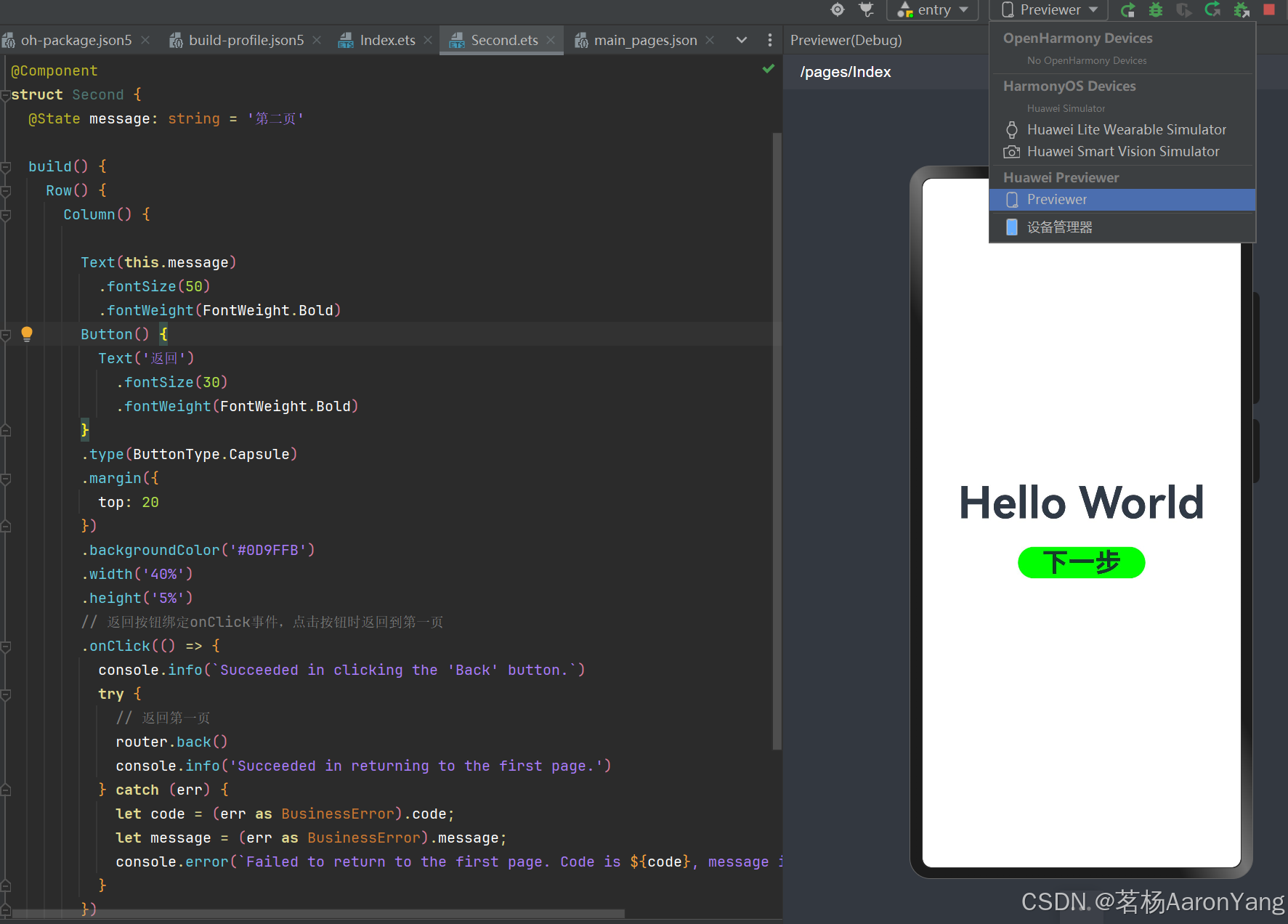
你也可以开启Previewer界面实时预览
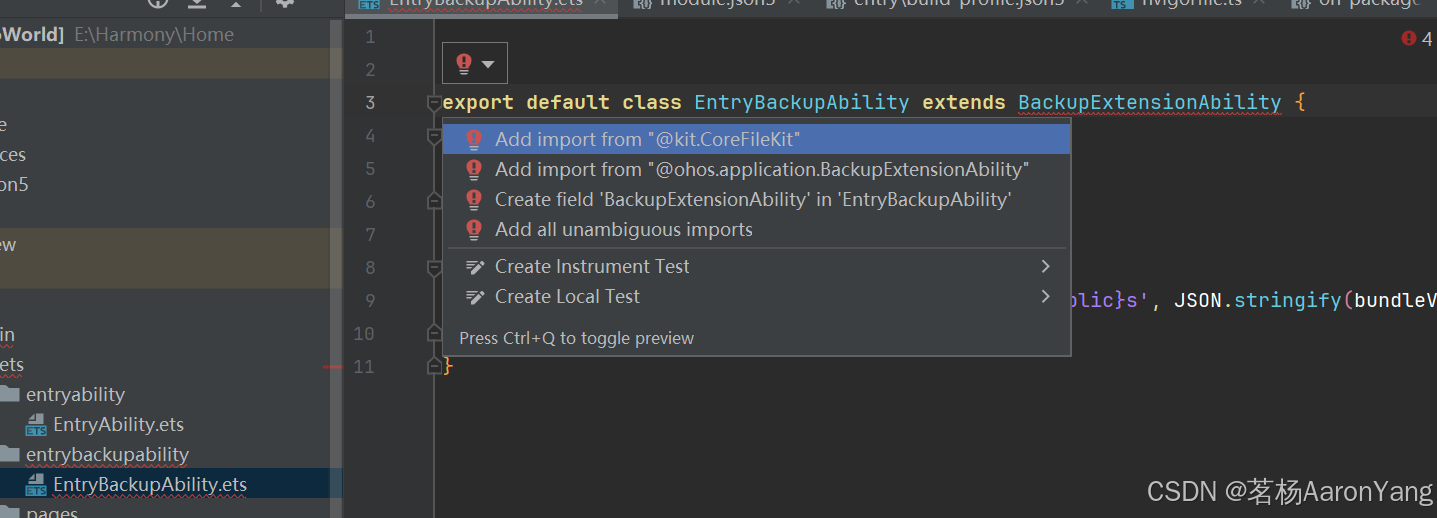
自动导包,类似C#导入命名空间
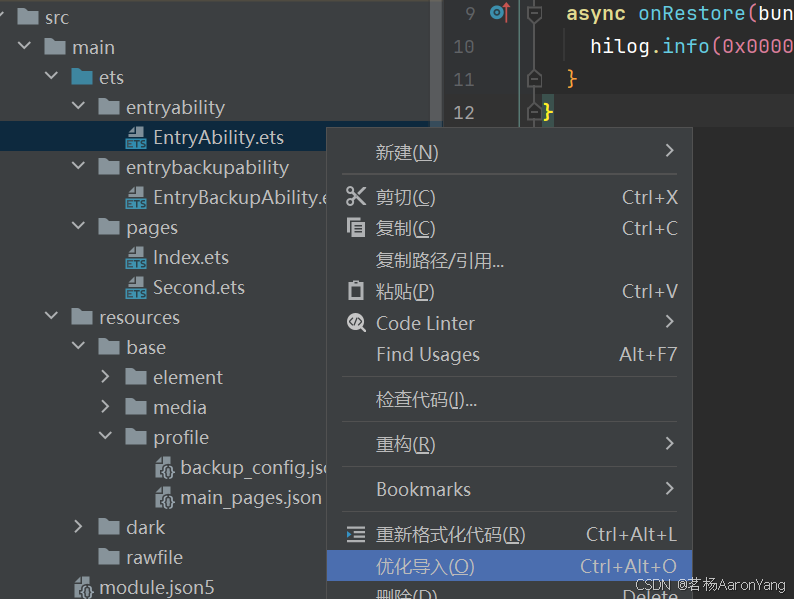
移除没用到的导入的包
连续按2下shift键,可以快速查找需要的方法,定位过去
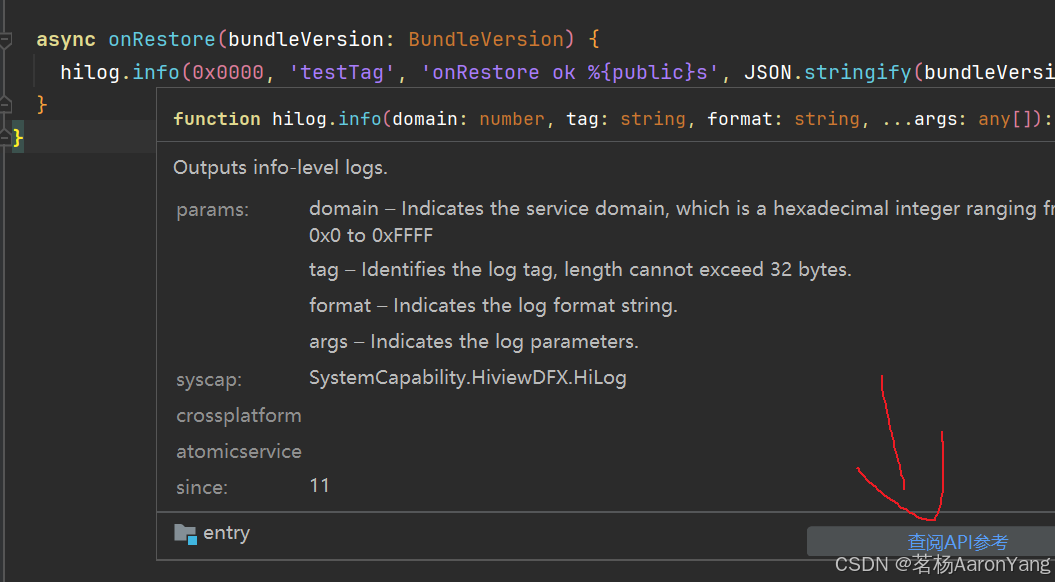
查看API
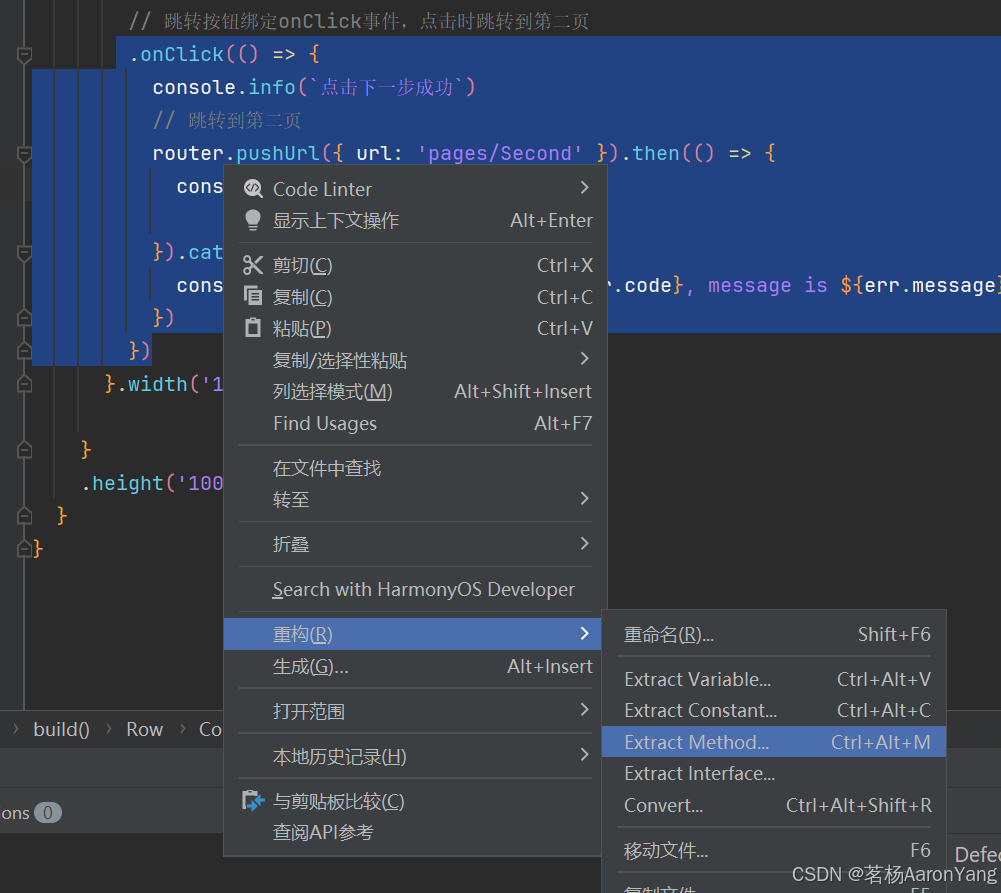
提取方法,重复使用

讨论HarmonyOS开发技术,专注于API与组件、DevEco Studio、测试、元服务和应用上架分发等。
更多推荐


 25
25 0
0- 0


 已为社区贡献6条内容

所有评论(0)