服务文档1
集成网址:
https://developer.huawei.com/consumer/cn/codelabsPortal/serviceTypes/hmscore-cn
文档网址:
https://developer.huawei.com/consumer/cn/hms
定位服务:
定位文档:
操作文档:
https://developer.huawei.com/consumer/cn/codelabsPortal/carddetails/HMSLocationKit
RequestLocationPermission.java
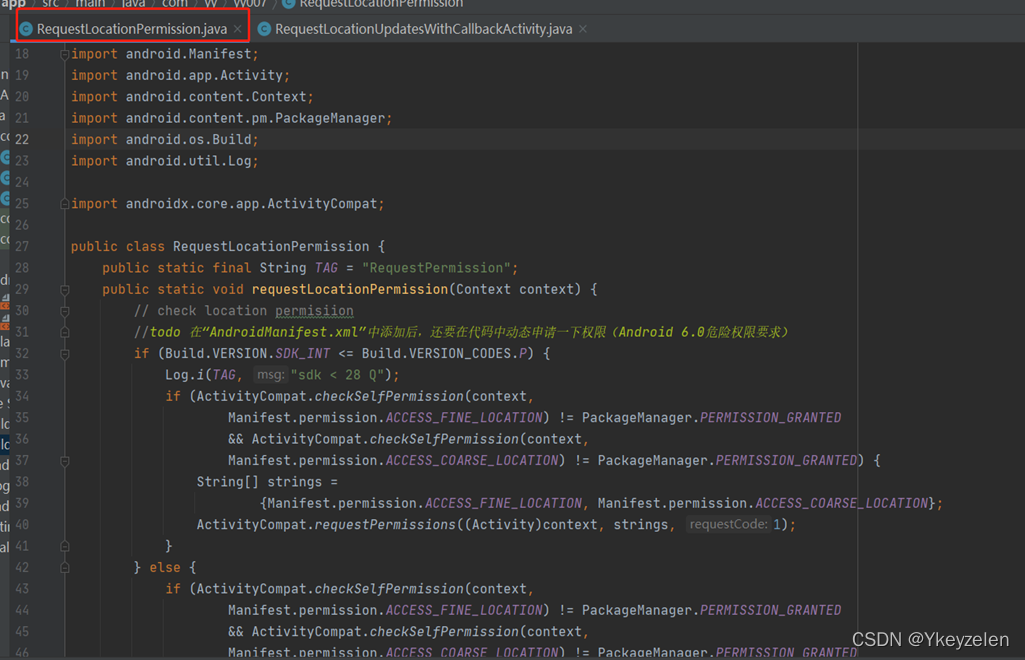
public class RequestLocationPermission {
public static final String TAG = "RequestPermission";
public static void requestLocationPermission(Context context) {
// check location permisiion
if (Build.VERSION.SDK_INT <= Build.VERSION_CODES.P) {
Log.i(TAG, "sdk < 28 Q");
if (ActivityCompat.checkSelfPermission(context,
Manifest.permission.ACCESS_FINE_LOCATION) != PackageManager.PERMISSION_GRANTED
&& ActivityCompat.checkSelfPermission(context,
Manifest.permission.ACCESS_COARSE_LOCATION) != PackageManager.PERMISSION_GRANTED) {
String[] strings =
{Manifest.permission.ACCESS_FINE_LOCATION, Manifest.permission.ACCESS_COARSE_LOCATION};
ActivityCompat.requestPermissions((Activity)context, strings, 1);
}
} else {
if (ActivityCompat.checkSelfPermission(context,
Manifest.permission.ACCESS_FINE_LOCATION) != PackageManager.PERMISSION_GRANTED
&& ActivityCompat.checkSelfPermission(context,
Manifest.permission.ACCESS_COARSE_LOCATION) != PackageManager.PERMISSION_GRANTED
&& ActivityCompat.checkSelfPermission(context,
"android.permission.ACCESS_BACKGROUND_LOCATION") != PackageManager.PERMISSION_GRANTED) {
String[] strings = {Manifest.permission.ACCESS_FINE_LOCATION,
Manifest.permission.ACCESS_COARSE_LOCATION,
"android.permission.ACCESS_BACKGROUND_LOCATION"};
ActivityCompat.requestPermissions((Activity)context, strings, 2);
}
}
}
}
RequestLocationUpdatesWithCallbackActivity.java
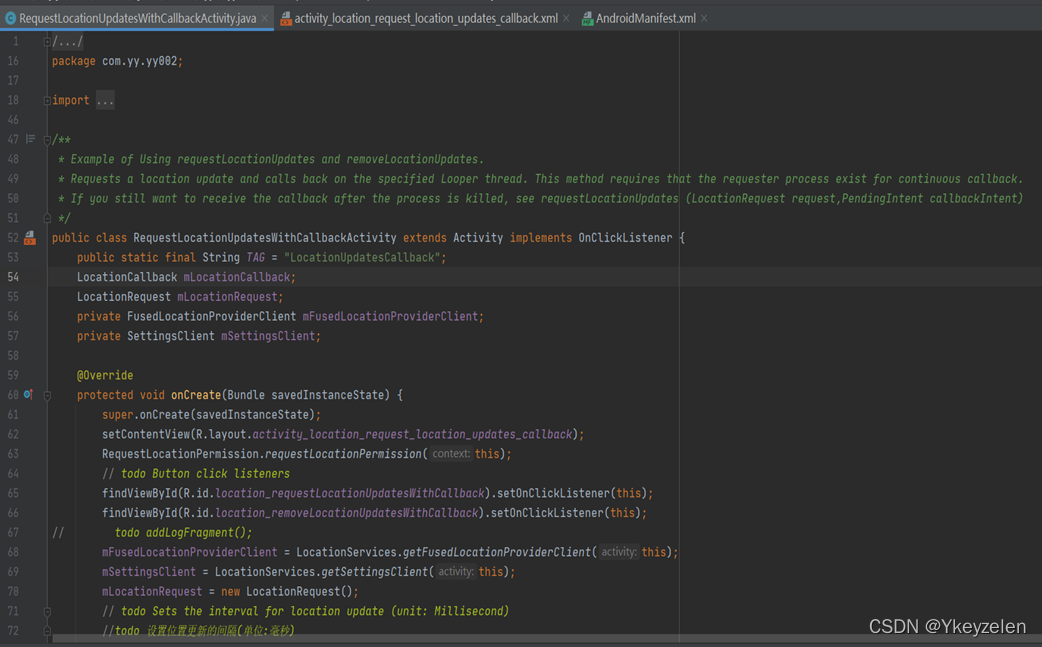
/**
* Example of Using requestLocationUpdates and removeLocationUpdates.
* Requests a location update and calls back on the specified Looper thread. This method requires that the requester process exist for continuous callback.
* If you still want to receive the callback after the process is killed, see requestLocationUpdates (LocationRequest request,PendingIntent callbackIntent)
*/
/**使用requestLocationUpdates和removeLocationUpdates的示例。
* 请求位置更新并在指定的循环线程上回调。 此方法要求存在用于持续回调的请求者流程。
* 如果你仍然想在进程被杀死后收到回调,参见requestLocationUpdates (LocationRequest request,PendingIntent callbackIntent)*/
public class RequestLocationUpdatesWithCallbackActivity extends Activity implements OnClickListener {
public static final String TAG = "LocationUpdatesCallback";
LocationCallback mLocationCallback;
LocationRequest mLocationRequest;
private FusedLocationProviderClient mFusedLocationProviderClient;
private SettingsClient mSettingsClient;
@Override
protected void onCreate(Bundle savedInstanceState) {
super.onCreate(savedInstanceState);
setContentView(R.layout.activity_location_request_location_updates_callback);
RequestLocationPermission.requestLocationPermission(this);
// todo Button click listeners
findViewById(R.id.location_requestLocationUpdatesWithCallback).setOnClickListener(this);
findViewById(R.id.location_removeLocationUpdatesWithCallback).setOnClickListener(this);
// todo addLogFragment();
mFusedLocationProviderClient = LocationServices.getFusedLocationProviderClient(this);
mSettingsClient = LocationServices.getSettingsClient(this);
mLocationRequest = new LocationRequest();
// todo Sets the interval for location update (unit: Millisecond)
//todo 设置位置更新的间隔(单位:毫秒)
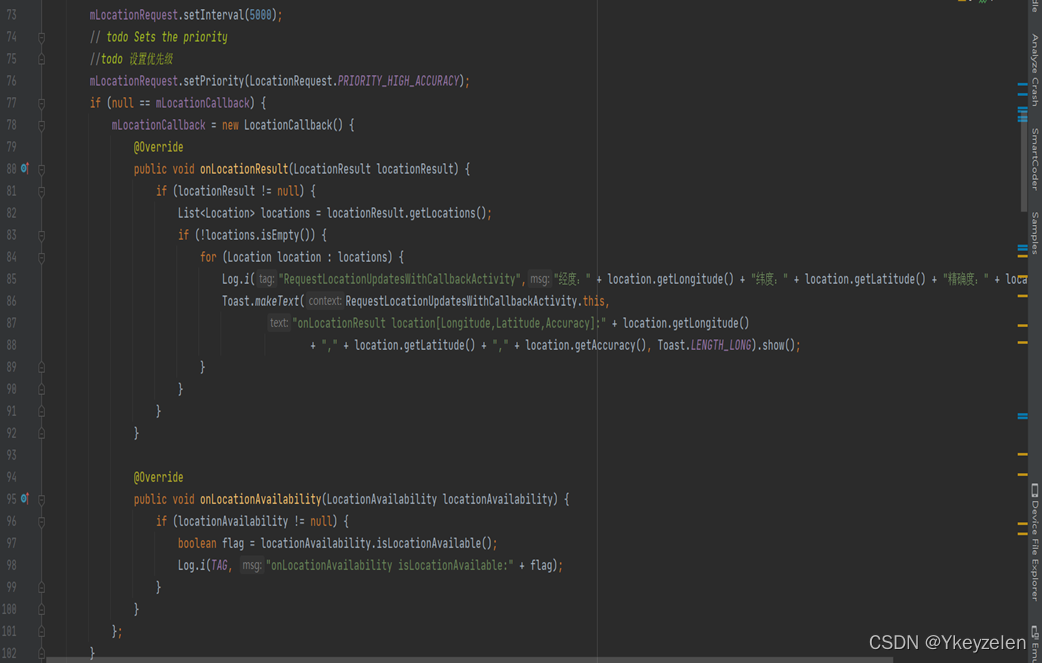
mLocationRequest.setInterval(5000);
// todo Sets the priority
//todo 设置优先级
mLocationRequest.setPriority(LocationRequest.PRIORITY_HIGH_ACCURACY);
if (null == mLocationCallback) {
mLocationCallback = new LocationCallback() {
@Override
public void onLocationResult(LocationResult locationResult) {
if (locationResult != null) {
List<Location> locations = locationResult.getLocations();
if (!locations.isEmpty()) {
for (Location location : locations) {
Log.i("RequestLocationUpdatesWithCallbackActivity","经度:" + location.getLongitude() + "纬度:" + location.getLatitude() + "精确度:" + location.getAccuracy());
Toast.makeText(RequestLocationUpdatesWithCallbackActivity.this,
"onLocationResult location[Longitude,Latitude,Accuracy]:" + location.getLongitude()
+ "," + location.getLatitude() + "," + location.getAccuracy(), Toast.LENGTH_LONG).show();
}
}
}
}
@Override
public void onLocationAvailability(LocationAvailability locationAvailability) {
if (locationAvailability != null) {
boolean flag = locationAvailability.isLocationAvailable();
Log.i(TAG, "onLocationAvailability isLocationAvailable:" + flag);
}
}
};
}
}
/**
* Requests a location update and calls back on the specified Looper thread.
*/
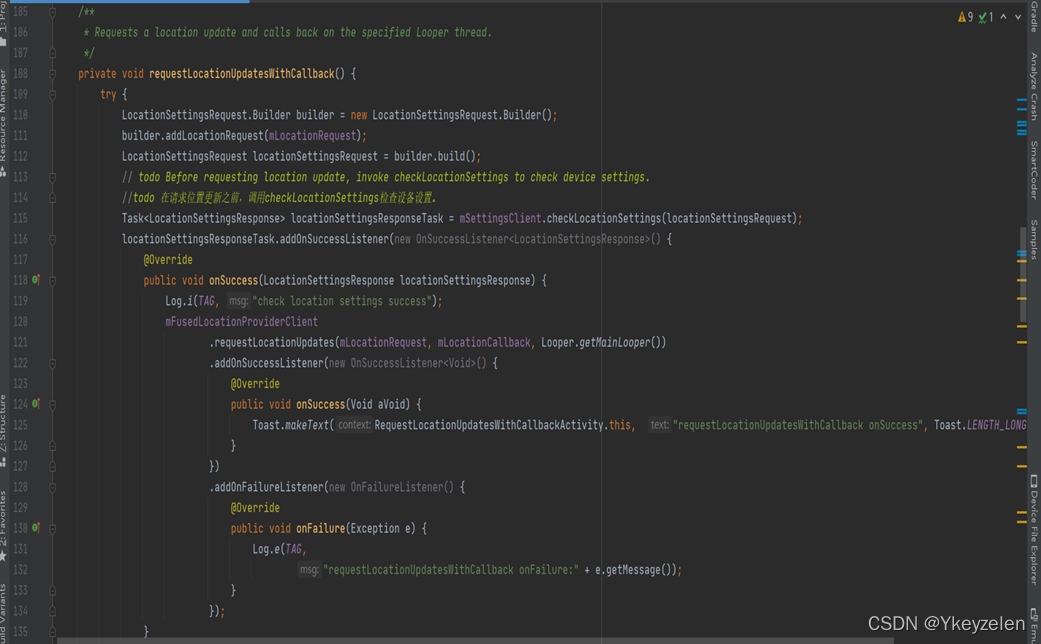
private void requestLocationUpdatesWithCallback() {
try {
LocationSettingsRequest.Builder builder = new LocationSettingsRequest.Builder();
builder.addLocationRequest(mLocationRequest);
LocationSettingsRequest locationSettingsRequest = builder.build();
// todo Before requesting location update, invoke checkLocationSettings to check device settings.
//todo 在请求位置更新之前,调用checkLocationSettings检查设备设置。
Task<LocationSettingsResponse> locationSettingsResponseTask = mSettingsClient.checkLocationSettings(locationSettingsRequest);
locationSettingsResponseTask.addOnSuccessListener(new OnSuccessListener<LocationSettingsResponse>() {
@Override
public void onSuccess(LocationSettingsResponse locationSettingsResponse) {
Log.i(TAG, "check location settings success");
mFusedLocationProviderClient
.requestLocationUpdates(mLocationRequest, mLocationCallback, Looper.getMainLooper())
.addOnSuccessListener(new OnSuccessListener<Void>() {
@Override
public void onSuccess(Void aVoid) {
Toast.makeText(RequestLocationUpdatesWithCallbackActivity.this, "requestLocationUpdatesWithCallback onSuccess", Toast.LENGTH_LONG).show();
}
})
.addOnFailureListener(new OnFailureListener() {
@Override
public void onFailure(Exception e) {
Log.e(TAG,
"requestLocationUpdatesWithCallback onFailure:" + e.getMessage());
}
});
}
})
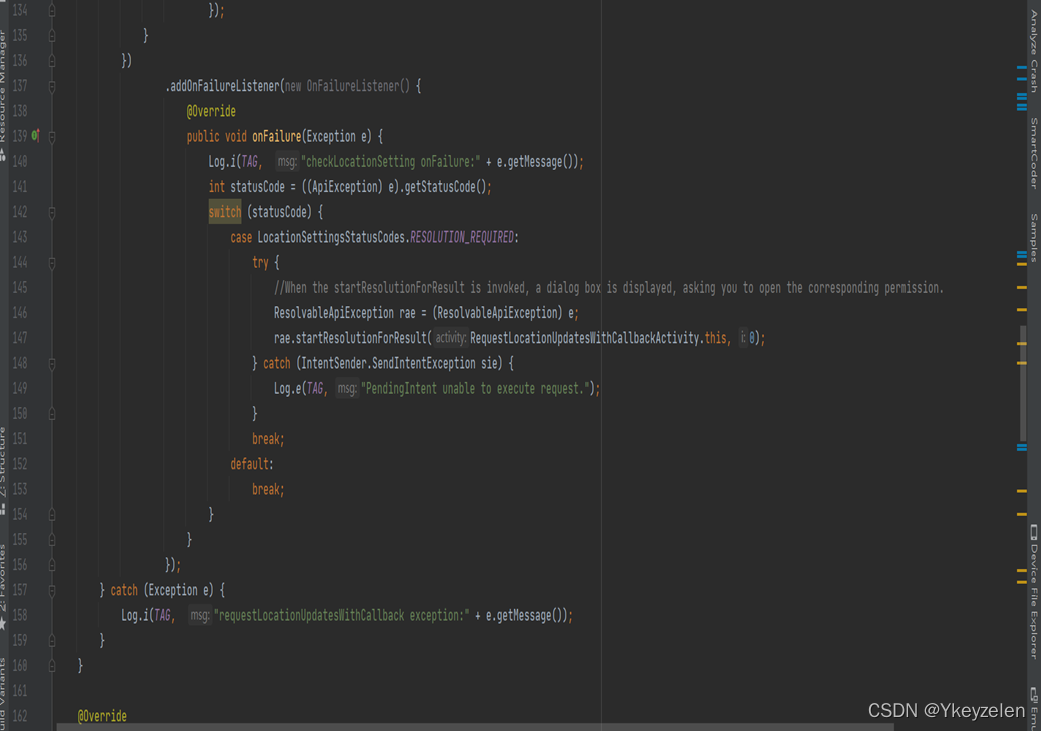
.addOnFailureListener(new OnFailureListener() {
@Override
public void onFailure(Exception e) {
Log.i(TAG, "checkLocationSetting onFailure:" + e.getMessage());
int statusCode = ((ApiException) e).getStatusCode();
switch (statusCode) {
case LocationSettingsStatusCodes.RESOLUTION_REQUIRED:
try {
//When the startResolutionForResult is invoked, a dialog box is displayed, asking you to open the corresponding permission.
ResolvableApiException rae = (ResolvableApiException) e;
rae.startResolutionForResult(RequestLocationUpdatesWithCallbackActivity.this, 0);
} catch (IntentSender.SendIntentException sie) {
Log.e(TAG, "PendingIntent unable to execute request.");
}
break;
default:
break;
}
}
});
} catch (Exception e) {
Log.i(TAG, "requestLocationUpdatesWithCallback exception:" + e.getMessage());
}
}
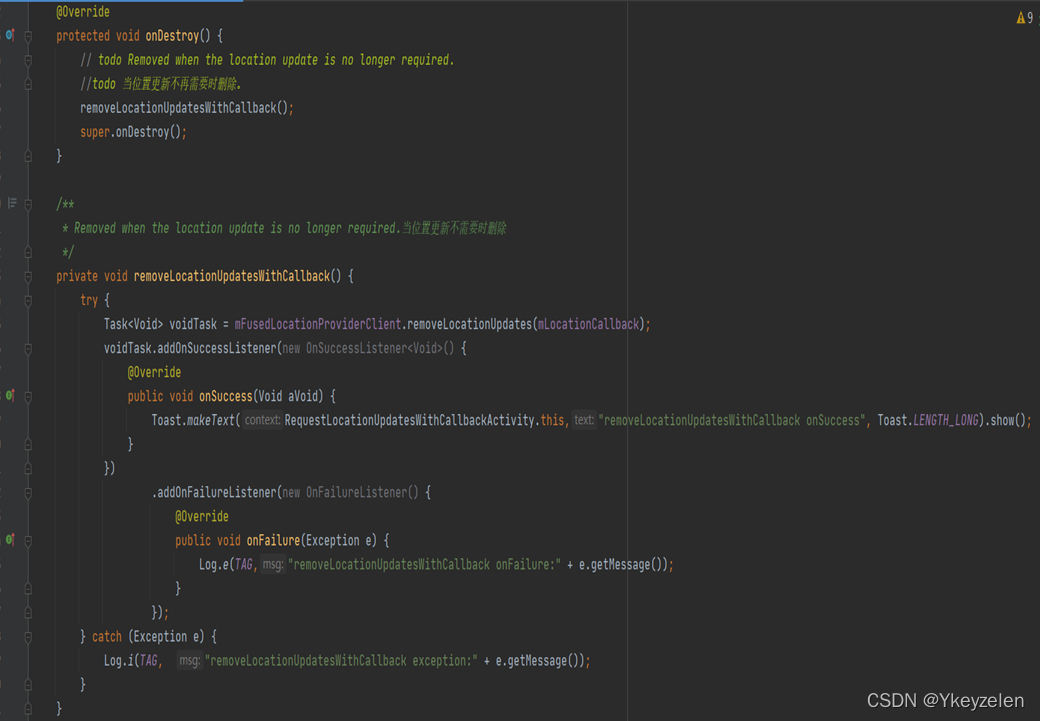
@Override
protected void onDestroy() {
// todo Removed when the location update is no longer required.
//todo 当位置更新不再需要时删除。
removeLocationUpdatesWithCallback();
super.onDestroy();
}
/**
* Removed when the location update is no longer required.当位置更新不需要时删除
*/
private void removeLocationUpdatesWithCallback() {
try {
Task<Void> voidTask = mFusedLocationProviderClient.removeLocationUpdates(mLocationCallback);
voidTask.addOnSuccessListener(new OnSuccessListener<Void>() {
@Override
public void onSuccess(Void aVoid) {
Toast.makeText(RequestLocationUpdatesWithCallbackActivity.this,"removeLocationUpdatesWithCallback onSuccess", Toast.LENGTH_LONG).show();
}
})
.addOnFailureListener(new OnFailureListener() {
@Override
public void onFailure(Exception e) {
Log.e(TAG,"removeLocationUpdatesWithCallback onFailure:" + e.getMessage());
}
});
} catch (Exception e) {
Log.i(TAG, "removeLocationUpdatesWithCallback exception:" + e.getMessage());
}
}
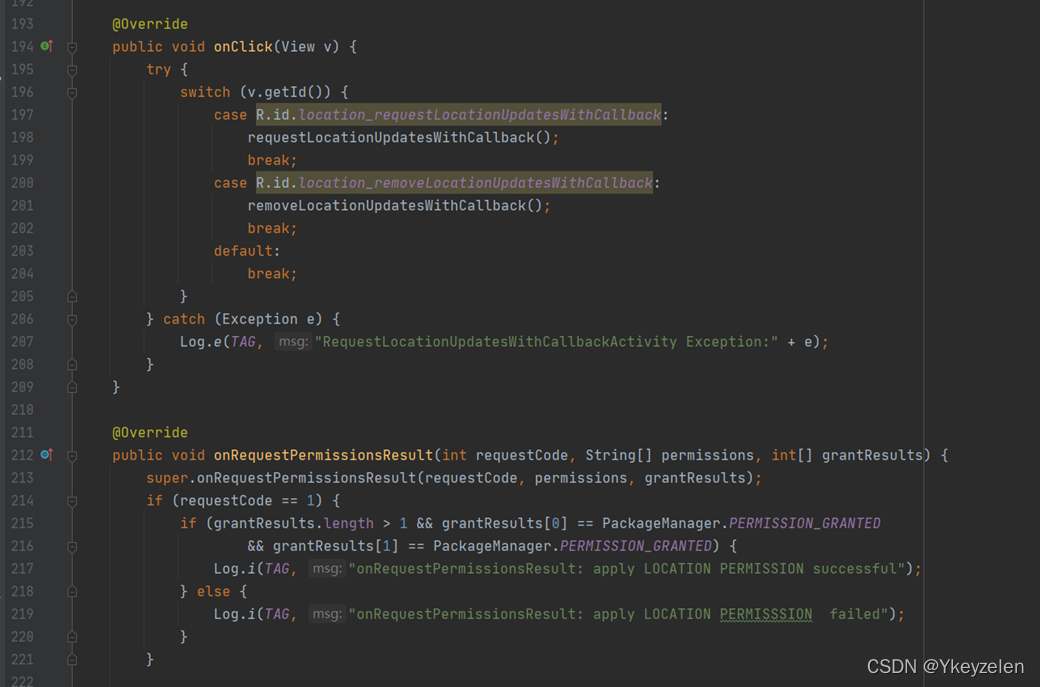
@Override
public void onClick(View v) {
try {
switch (v.getId()) {
case R.id.location_requestLocationUpdatesWithCallback:
requestLocationUpdatesWithCallback();
break;
case R.id.location_removeLocationUpdatesWithCallback:
removeLocationUpdatesWithCallback();
break;
default:
break;
}
} catch (Exception e) {
Log.e(TAG, "RequestLocationUpdatesWithCallbackActivity Exception:" + e);
}
}
@Override
public void onRequestPermissionsResult(int requestCode, String[] permissions, int[] grantResults) {
super.onRequestPermissionsResult(requestCode, permissions, grantResults);
if (requestCode == 1) {
if (grantResults.length > 1 && grantResults[0] == PackageManager.PERMISSION_GRANTED
&& grantResults[1] == PackageManager.PERMISSION_GRANTED) {
Log.i(TAG, "onRequestPermissionsResult: apply LOCATION PERMISSION successful");
} else {
Log.i(TAG, "onRequestPermissionsResult: apply LOCATION PERMISSSION failed");
}
}
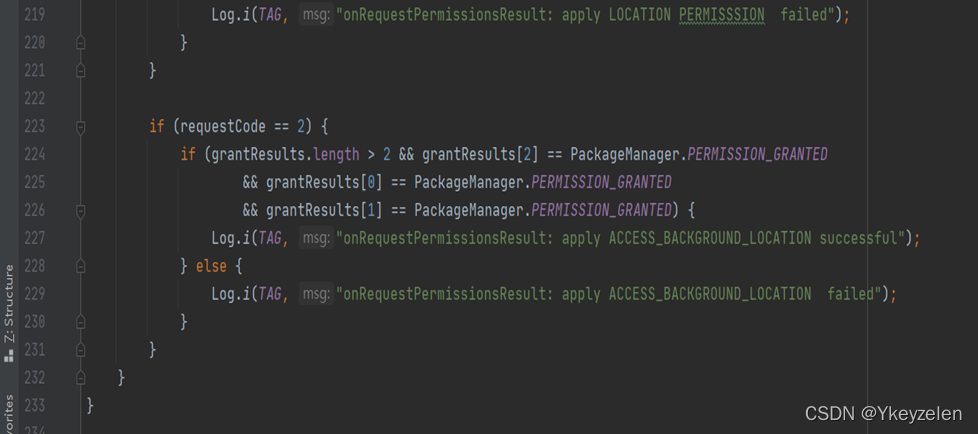
if (requestCode == 2) {
if (grantResults.length > 2 && grantResults[2] == PackageManager.PERMISSION_GRANTED
&& grantResults[0] == PackageManager.PERMISSION_GRANTED
&& grantResults[1] == PackageManager.PERMISSION_GRANTED) {
Log.i(TAG, "onRequestPermissionsResult: apply ACCESS_BACKGROUND_LOCATION successful");
} else {
Log.i(TAG, "onRequestPermissionsResult: apply ACCESS_BACKGROUND_LOCATION failed");
}
}
}
}
布局:
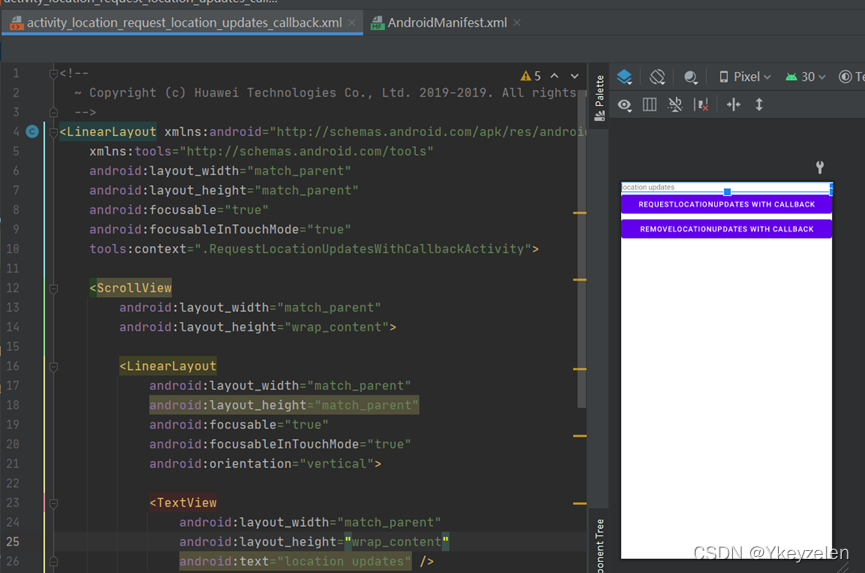
<!--
~ Copyright (c) Huawei Technologies Co., Ltd. 2019-2019. All rights reserved.
-->
<LinearLayout xmlns:android="http://schemas.android.com/apk/res/android"
xmlns:tools="http://schemas.android.com/tools"
android:layout_width="match_parent"
android:layout_height="match_parent"
android:focusable="true"
android:focusableInTouchMode="true"
tools:context=".RequestLocationUpdatesWithCallbackActivity">
<ScrollView
android:layout_width="match_parent"
android:layout_height="wrap_content">
<LinearLayout
android:layout_width="match_parent"
android:layout_height="match_parent"
android:focusable="true"
android:focusableInTouchMode="true"
android:orientation="vertical">
<TextView
android:layout_width="match_parent"
android:layout_height="wrap_content"
android:text="location updates" />
<Button
android:id="@+id/location_requestLocationUpdatesWithCallback"
android:layout_width="match_parent"
android:layout_height="wrap_content"
android:text="requestLocationUpdates with callback" />
<Button
android:id="@+id/location_removeLocationUpdatesWithCallback"
android:layout_width="match_parent"
android:layout_height="wrap_content"
android:text="removeLocationUpdates with callback" />
</LinearLayout>
</ScrollView>
</LinearLayout>
文本识别服务:
文本文档:
钉钉培训:
MainActivity.java
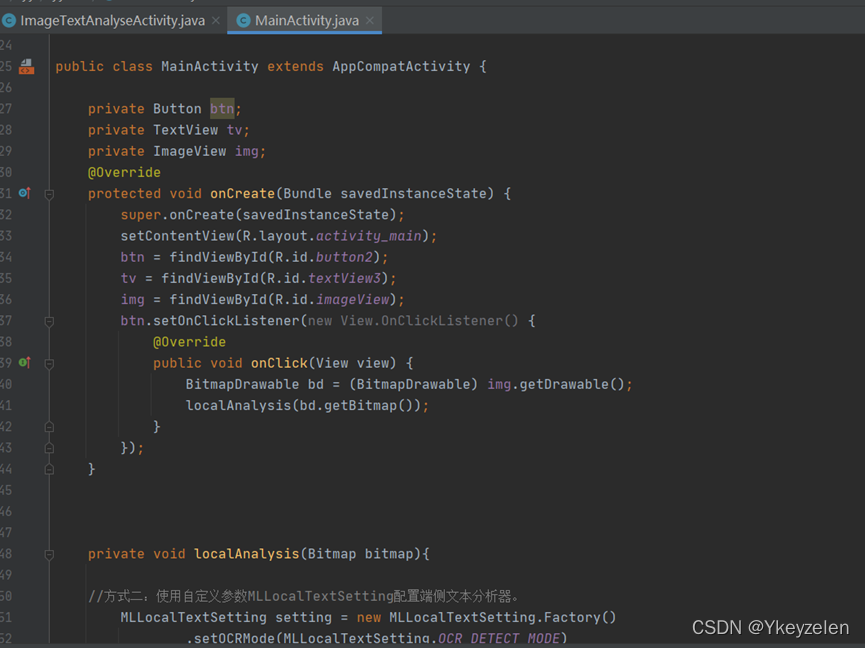
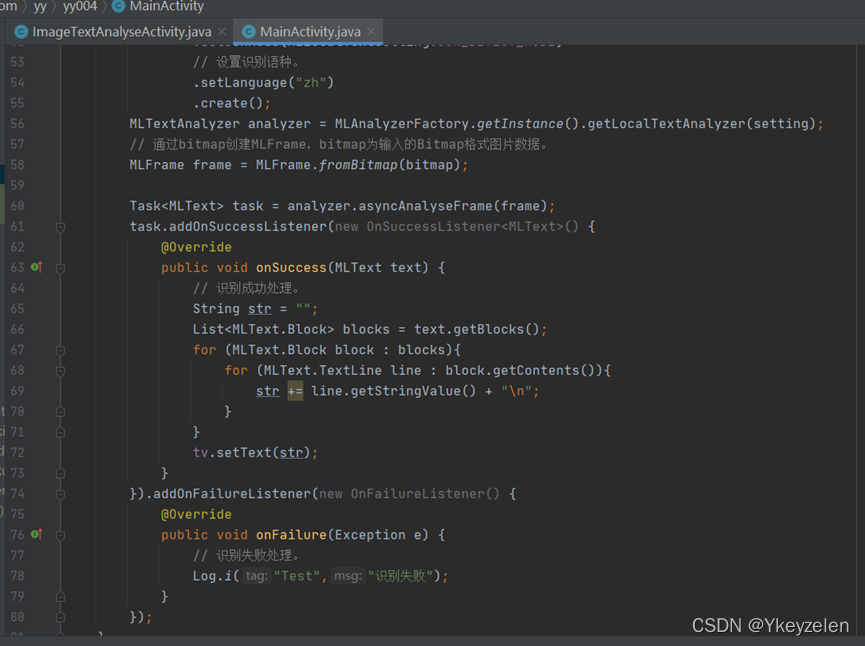
public class MainActivity extends AppCompatActivity {
private Button btn;
private TextView tv;
private ImageView img;
@Override
protected void onCreate(Bundle savedInstanceState) {
super.onCreate(savedInstanceState);
setContentView(R.layout.activity_main);
btn = findViewById(R.id.button2);
tv = findViewById(R.id.textView3);
img = findViewById(R.id.imageView);
btn.setOnClickListener(new View.OnClickListener() {
@Override
public void onClick(View view) {
BitmapDrawable bd = (BitmapDrawable) img.getDrawable();
localAnalysis(bd.getBitmap());
}
});
}
private void localAnalysis(Bitmap bitmap){
//方式二:使用自定义参数MLLocalTextSetting配置端侧文本分析器。
MLLocalTextSetting setting = new MLLocalTextSetting.Factory()
.setOCRMode(MLLocalTextSetting.OCR_DETECT_MODE)
// 设置识别语种。
.setLanguage("zh")
.create();
MLTextAnalyzer analyzer = MLAnalyzerFactory.getInstance().getLocalTextAnalyzer(setting);
// 通过bitmap创建MLFrame,bitmap为输入的Bitmap格式图片数据。
MLFrame frame = MLFrame.fromBitmap(bitmap);
//将生成的MLFrame对象传递给asyncAnalyseFrame方法进行文字识别。
Task<MLText> task = analyzer.asyncAnalyseFrame(frame);
task.addOnSuccessListener(new OnSuccessListener<MLText>() {
@Override
public void onSuccess(MLText text) {
// 识别成功处理。
String str = "";
List<MLText.Block> blocks = text.getBlocks();
for (MLText.Block block : blocks){
for (MLText.TextLine line : block.getContents()){
str += line.getStringValue() + "\n";
}
}
tv.setText(str);
}
}).addOnFailureListener(new OnFailureListener() {
@Override
public void onFailure(Exception e) {
// 识别失败处理。
Log.i("Test","识别失败");
}
});
}
}
ImageTextAnalyseActivity.java
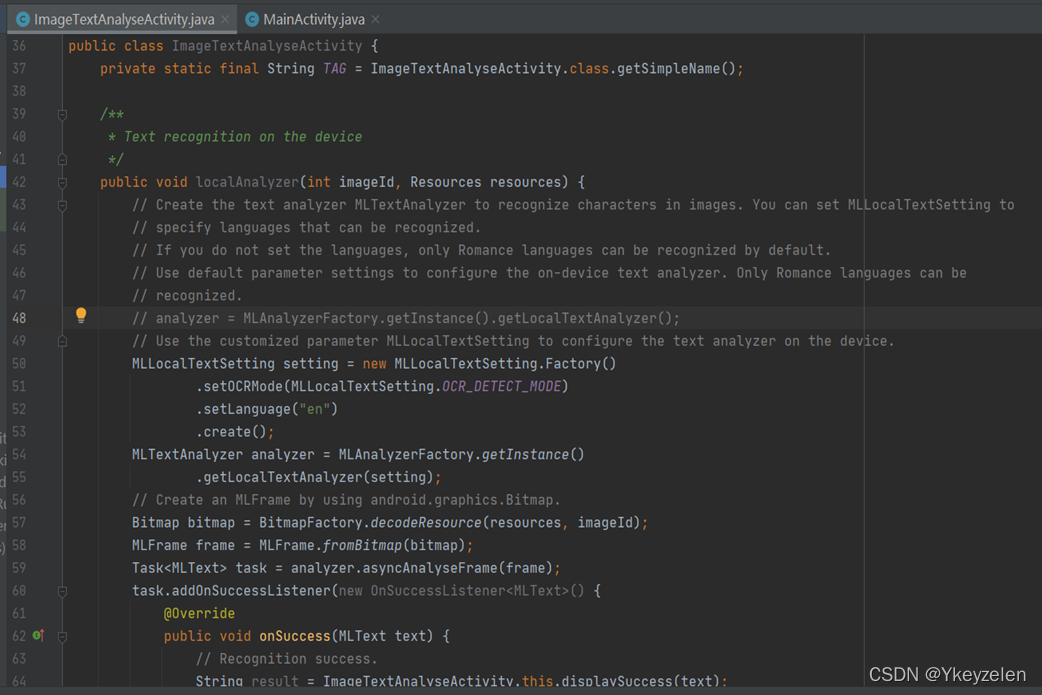
public class ImageTextAnalyseActivity {
private static final String TAG = ImageTextAnalyseActivity.class.getSimpleName();
/**
* Text recognition on the device
*/
public void localAnalyzer(int imageId, Resources resources) {
// Create the text analyzer MLTextAnalyzer to recognize characters in images. You can set MLLocalTextSetting to
// specify languages that can be recognized.
// If you do not set the languages, only Romance languages can be recognized by default.
// Use default parameter settings to configure the on-device text analyzer. Only Romance languages can be
// recognized.
// analyzer = MLAnalyzerFactory.getInstance().getLocalTextAnalyzer();
// Use the customized parameter MLLocalTextSetting to configure the text analyzer on the device.
MLLocalTextSetting setting = new MLLocalTextSetting.Factory()
.setOCRMode(MLLocalTextSetting.OCR_DETECT_MODE)
.setLanguage("en")
.create();
MLTextAnalyzer analyzer = MLAnalyzerFactory.getInstance()
.getLocalTextAnalyzer(setting);
// Create an MLFrame by using android.graphics.Bitmap.
Bitmap bitmap = BitmapFactory.decodeResource(resources, imageId);
MLFrame frame = MLFrame.fromBitmap(bitmap);
Task<MLText> task = analyzer.asyncAnalyseFrame(frame);
task.addOnSuccessListener(new OnSuccessListener<MLText>() {
@Override
public void onSuccess(MLText text) {
// Recognition success.
String result = ImageTextAnalyseActivity.this.displaySuccess(text);
}
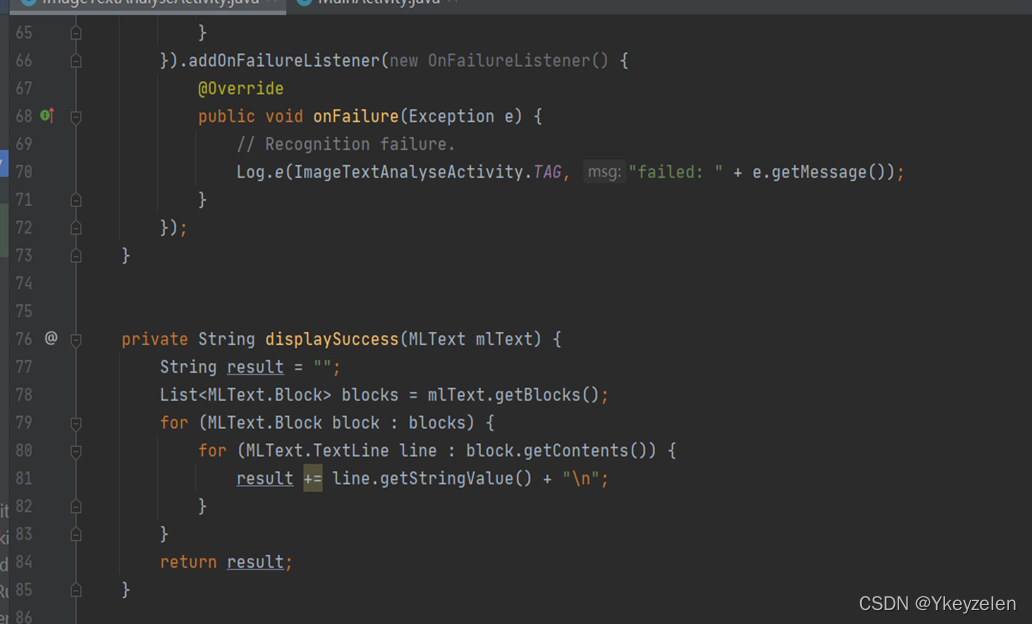
}).addOnFailureListener(new OnFailureListener() {
@Override
public void onFailure(Exception e) {
// Recognition failure.
Log.e(ImageTextAnalyseActivity.TAG, "failed: " + e.getMessage());
}
});
}
private String displaySuccess(MLText mlText) {
String result = "";
List<MLText.Block> blocks = mlText.getBlocks();
for (MLText.Block block : blocks) {
for (MLText.TextLine line : block.getContents()) {
result += line.getStringValue() + "\n";
}
}
return result;
}
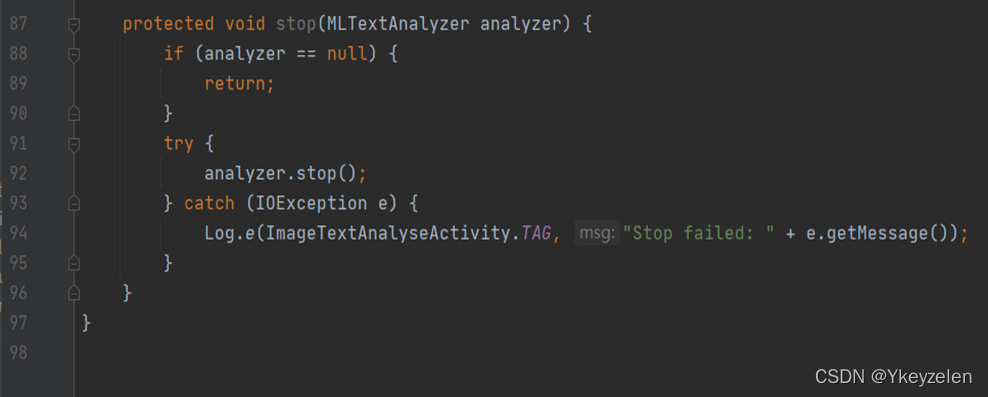
protected void stop(MLTextAnalyzer analyzer) {
if (analyzer == null) {
return;
}
try {
analyzer.stop();
} catch (IOException e) {
Log.e(ImageTextAnalyseActivity.TAG, "Stop failed: " + e.getMessage());
}
}
}
布局:
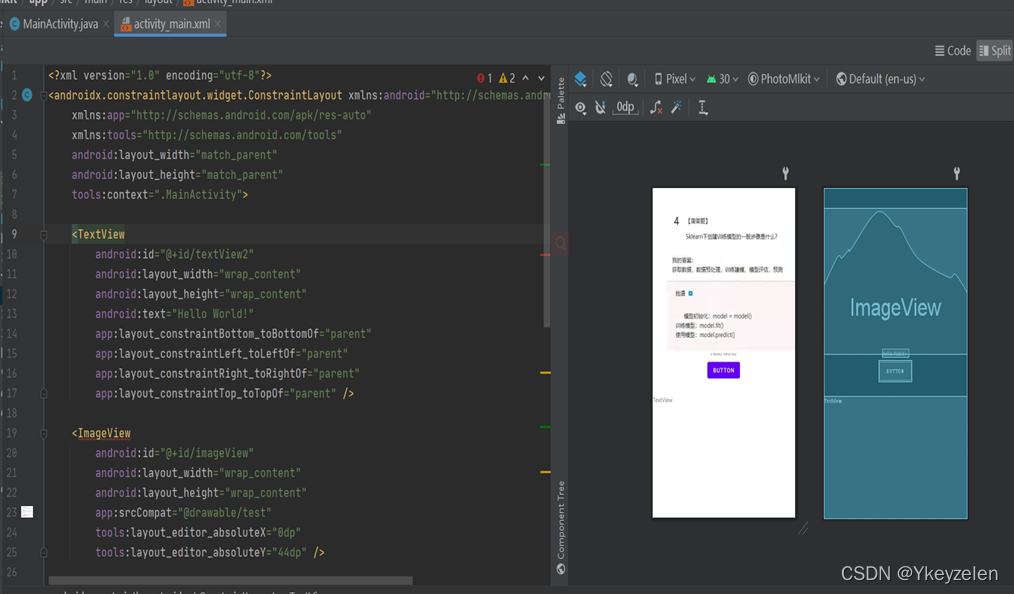
<?xml version="1.0" encoding="utf-8"?>
<androidx.constraintlayout.widget.ConstraintLayout xmlns:android="http://schemas.android.com/apk/res/android"
xmlns:app="http://schemas.android.com/apk/res-auto"
xmlns:tools="http://schemas.android.com/tools"
android:layout_width="match_parent"
android:layout_height="match_parent"
tools:context=".MainActivity">
<TextView
android:id="@+id/textView2"
android:layout_width="wrap_content"
android:layout_height="wrap_content"
android:text="Hello World!"
app:layout_constraintBottom_toBottomOf="parent"
app:layout_constraintLeft_toLeftOf="parent"
app:layout_constraintRight_toRightOf="parent"
app:layout_constraintTop_toTopOf="parent" />
<ImageView
android:id="@+id/imageView"
android:layout_width="wrap_content"
android:layout_height="wrap_content"
app:srcCompat="@drawable/test"
tools:layout_editor_absoluteX="0dp"
tools:layout_editor_absoluteY="44dp" />
<Button
android:id="@+id/button2"
android:layout_width="wrap_content"
android:layout_height="wrap_content"
android:layout_marginTop="12dp"
android:text="Button"
app:layout_constraintEnd_toEndOf="parent"
app:layout_constraintHorizontal_bias="0.498"
app:layout_constraintStart_toStartOf="parent"
app:layout_constraintTop_toBottomOf="@+id/imageView" />
<TextView
android:id="@+id/textView3"
android:layout_width="0dp"
android:layout_height="0dp"
android:layout_marginTop="32dp"
android:text="TextView"
app:layout_constraintBottom_toBottomOf="parent"
app:layout_constraintEnd_toEndOf="parent"
app:layout_constraintStart_toStartOf="parent"
app:layout_constraintTop_toBottomOf="@+id/button2" />
</androidx.constraintlayout.widget.ConstraintLayout>
机构培训:
(1)MainActivity.java
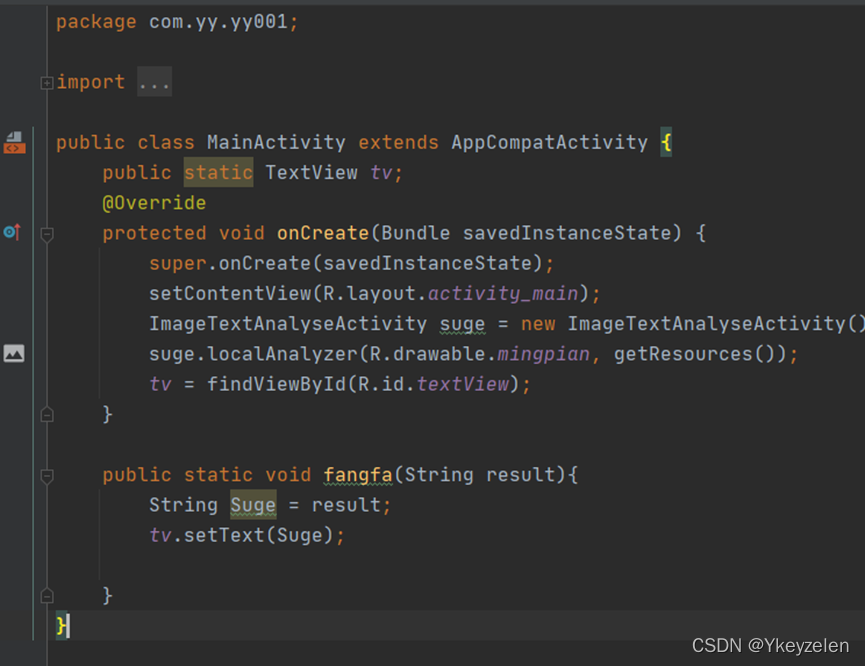
public class MainActivity extends AppCompatActivity {
public static TextView tv;
@Override
protected void onCreate(Bundle savedInstanceState) {
super.onCreate(savedInstanceState);
setContentView(R.layout.activity_main);
ImageTextAnalyseActivity suge = new ImageTextAnalyseActivity();
suge.localAnalyzer(R.drawable.mingpian, getResources());
tv = findViewById(R.id.textView);
}
public static void fangfa(String result){
String Suge = result;
tv.setText(Suge);
}
}
(1)ImageTextAnalyseActivity.java
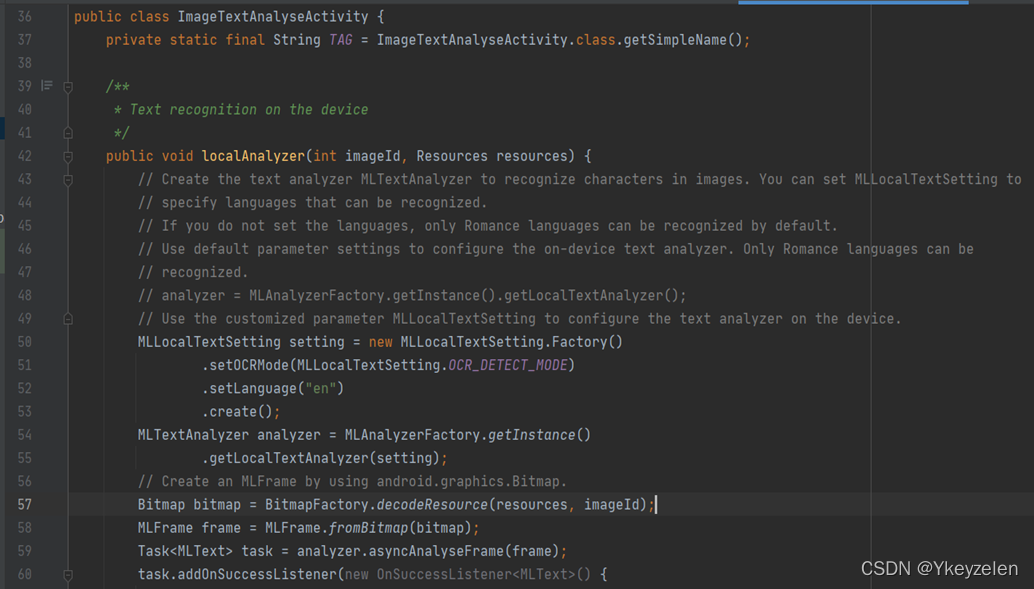
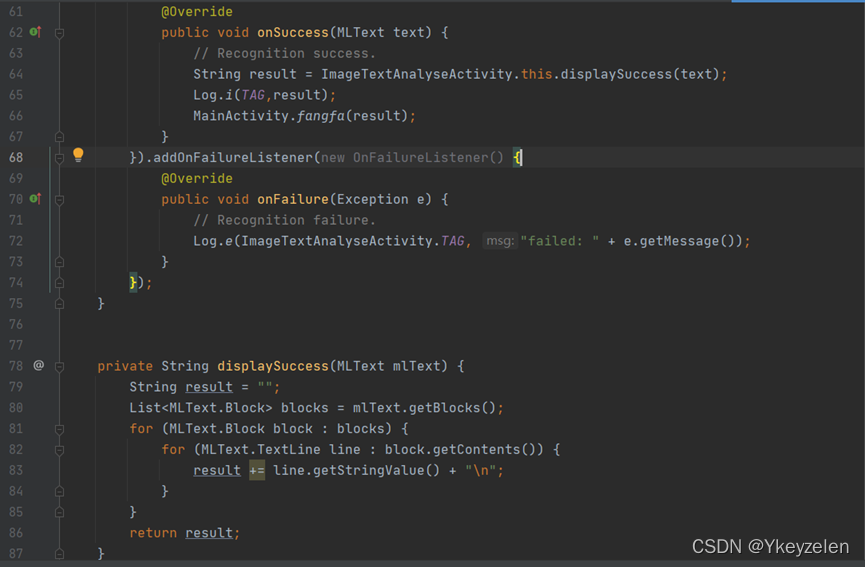
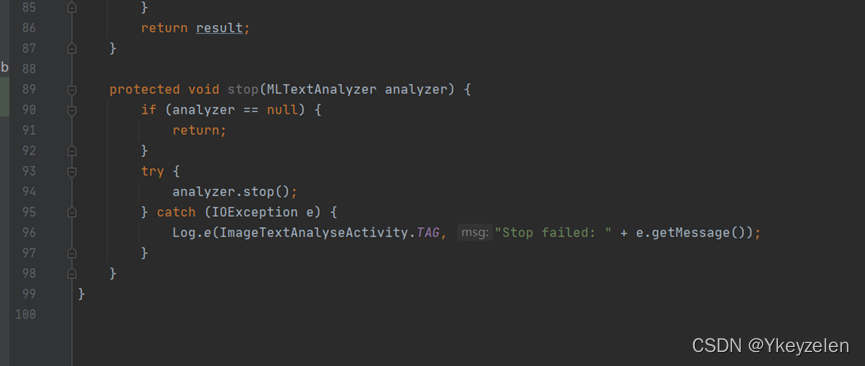
public class ImageTextAnalyseActivity {
private static final String TAG = ImageTextAnalyseActivity.class.getSimpleName();
/**
* Text recognition on the device
*/
public void localAnalyzer(int imageId, Resources resources) {
// Create the text analyzer MLTextAnalyzer to recognize characters in images. You can set MLLocalTextSetting to
// specify languages that can be recognized.
// If you do not set the languages, only Romance languages can be recognized by default.
// Use default parameter settings to configure the on-device text analyzer. Only Romance languages can be
// recognized.
// analyzer = MLAnalyzerFactory.getInstance().getLocalTextAnalyzer();
// Use the customized parameter MLLocalTextSetting to configure the text analyzer on the device.
MLLocalTextSetting setting = new MLLocalTextSetting.Factory()
.setOCRMode(MLLocalTextSetting.OCR_DETECT_MODE)
.setLanguage("en")
.create();
MLTextAnalyzer analyzer = MLAnalyzerFactory.getInstance()
.getLocalTextAnalyzer(setting);
// Create an MLFrame by using android.graphics.Bitmap.
Bitmap bitmap = BitmapFactory.decodeResource(resources, imageId);
MLFrame frame = MLFrame.fromBitmap(bitmap);
Task<MLText> task = analyzer.asyncAnalyseFrame(frame);
task.addOnSuccessListener(new OnSuccessListener<MLText>() {
@Override
public void onSuccess(MLText text) {
// Recognition success.
String result = ImageTextAnalyseActivity.this.displaySuccess(text);
Log.i(TAG,result);
MainActivity.fangfa(result);
}
}).addOnFailureListener(new OnFailureListener() {
@Override
public void onFailure(Exception e) {
// Recognition failure.
Log.e(ImageTextAnalyseActivity.TAG, "failed: " + e.getMessage());
}
});
}
private String displaySuccess(MLText mlText) {
String result = "";
List<MLText.Block> blocks = mlText.getBlocks();
for (MLText.Block block : blocks) {
for (MLText.TextLine line : block.getContents()) {
result += line.getStringValue() + "\n";
}
}
return result;
}
protected void stop(MLTextAnalyzer analyzer) {
if (analyzer == null) {
return;
}
try {
analyzer.stop();
} catch (IOException e) {
Log.e(ImageTextAnalyseActivity.TAG, "Stop failed: " + e.getMessage());
}
}
}
(2)MainActivity.java
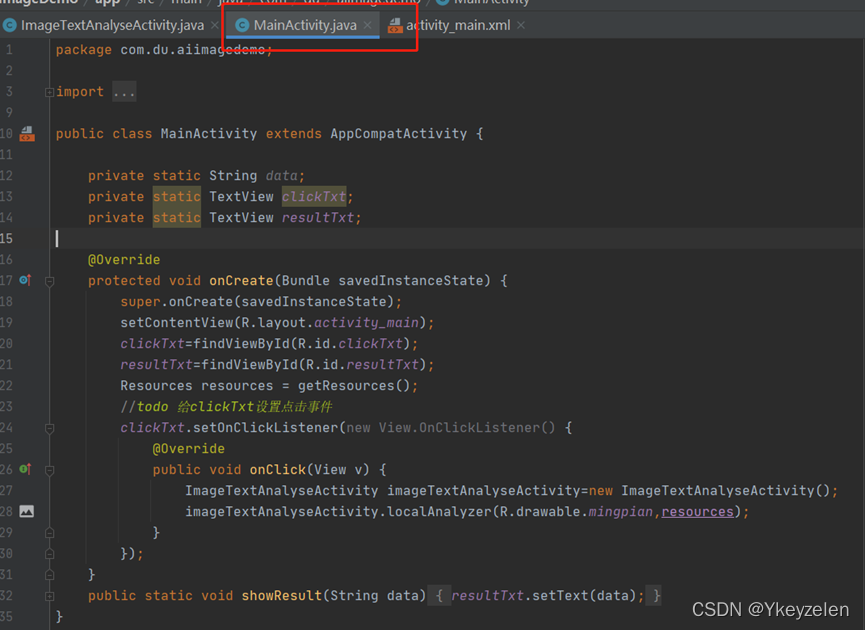
public class MainActivity extends AppCompatActivity {
private static String data;
private static TextView clickTxt;
private static TextView resultTxt;
@Override
protected void onCreate(Bundle savedInstanceState) {
super.onCreate(savedInstanceState);
setContentView(R.layout.activity_main);
clickTxt=findViewById(R.id.clickTxt);
resultTxt=findViewById(R.id.resultTxt);
Resources resources = getResources();
//todo 给clickTxt设置点击事件
clickTxt.setOnClickListener(new View.OnClickListener() {
@Override
public void onClick(View v) {
ImageTextAnalyseActivity imageTextAnalyseActivity=new ImageTextAnalyseActivity();
imageTextAnalyseActivity.localAnalyzer(R.drawable.mingpian,resources);
}
});
}
public static void showResult(String data){
resultTxt.setText(data);
}
}
(2)ImageTextAnalyseActivity.java和(1)差不多
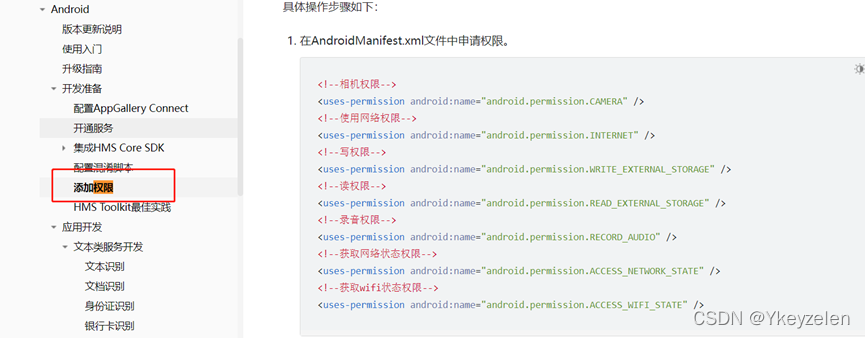
权限在文档中有
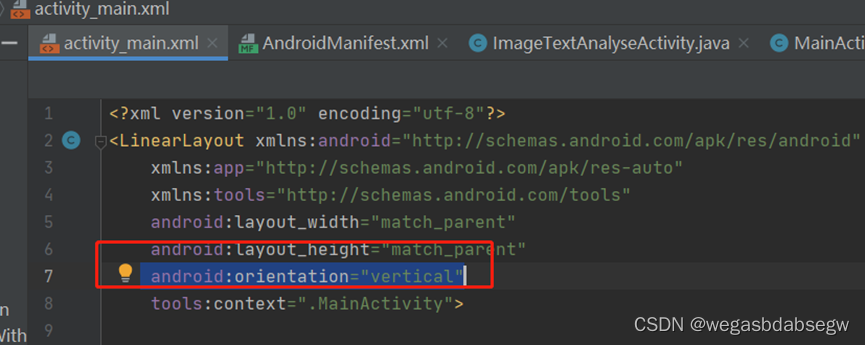
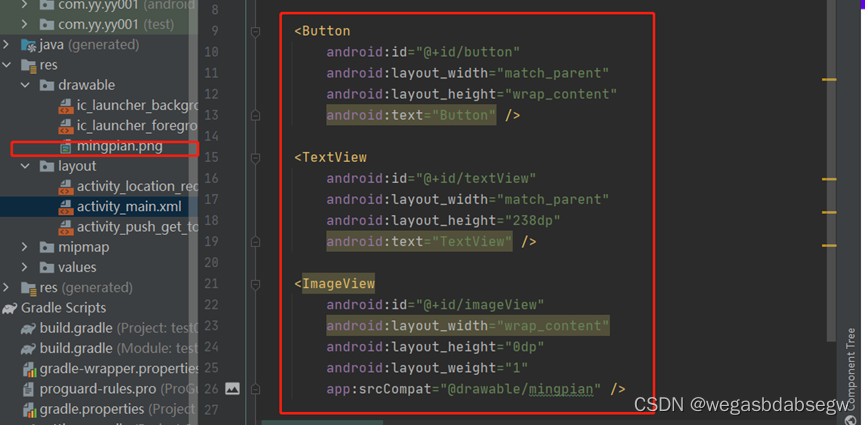
布局:
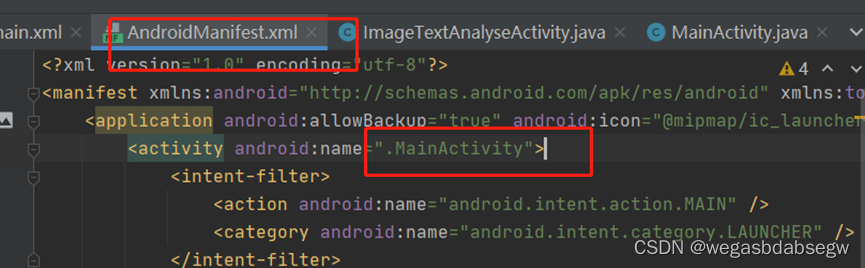
支付服务:
支付文档:
操作文档(应该没什么用):
展示商品详情信息,技术文档多了一句↓
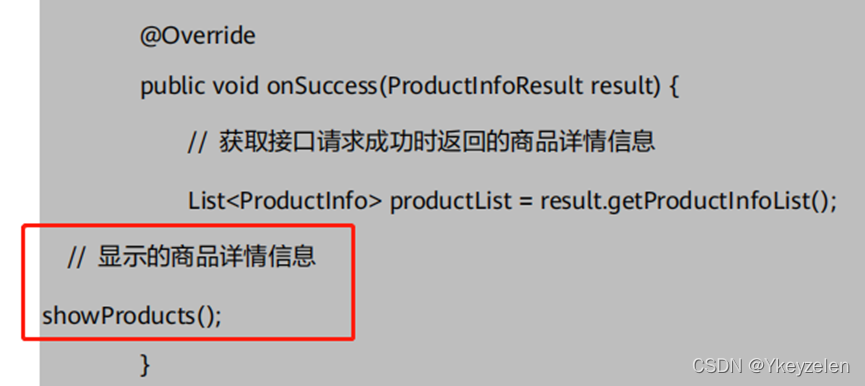
技术文档在展示商品信息后和购买商品前有↓
(4)、新建 ProductListAdapter 适配器。
public class ProductListAdapter extends
RecyclerView.Adapter<ProductListAdapter.DataSeachHolder> {
private List<ProductInfo> productInfos;
private Context mContext;
private OnItemClickListener listener;
public ProductListAdapter(Context context, List<ProductInfo>
productInfos) {
super();
this.mContext = context;
this.productInfos = productInfos;
}
/**
* 用来引入布局的方法
*/
@NonNull
@Override
public DataSeachHolder onCreateViewHolder(@NonNull ViewGroup
parent, int viewType) {
View view = LayoutInflater.from(parent.getContext()).
inflate(R.layout.item_layout, parent, false);
return new DataSeachHolder(view);
}
@Override
public int getItemViewType(int position) {
return position;
}
@Override
public void onBindViewHolder(@NonNull final DataSeachHolder holder,
final int position) {
ProductInfo productInfo = productInfos.get(position);
holder.productName.setText(productInfo.getProductName());
holder.productPrice.setText(productInfo.getPrice());
holder.itemView.setOnClickListener(new View.OnClickListener() {
@Override
public void onClick(View view) {
if (listener != null) {
listener.onItemClick(holder.itemView,
productInfo.getProductId());
}
}
});
}
@Override
public int getItemCount() {
return productInfos.size();
}
class DataSeachHolder extends RecyclerView.ViewHolder {
TextView productName;
TextView productPrice;
ImageView imageView;
DataSeachHolder(View itemView) {
super(itemView);
productName = itemView.findViewById(R.id.item_name);
productPrice = itemView.findViewById(R.id.item_price);
imageView = itemView.findViewById(R.id.item_image);
}
}
/**
* 创建一个回调接口
*/
public interface OnItemClickListener {
void onItemClick(View itemView, String productId);
}
/**
* 在 activity 里面 adapter 就是调用的这个方法,将点击事件监听传递过来,
并赋值给全局的监听
*
* @param listener
*/
public void setOnItemClickListener(OnItemClickListener listener) {
this.listener = listener;
} }
账号登录服务:
Idtoken登录文档:
AuthWithIDTokenActivity.java
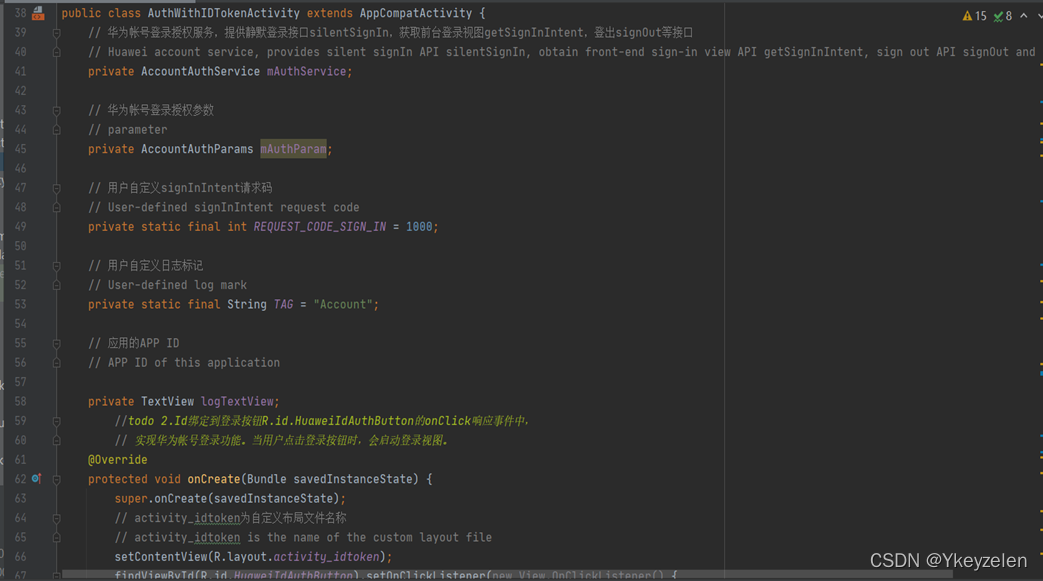
public class AuthWithIDTokenActivity extends AppCompatActivity {
// 华为帐号登录授权服务,提供静默登录接口silentSignIn,获取前台登录视图getSignInIntent,登出signOut等接口
// Huawei account service, provides silent signIn API silentSignIn, obtain front-end sign-in view API getSignInIntent, sign out API signOut and other APIs
private AccountAuthService mAuthService;
// 华为帐号登录授权参数
// parameter
private AccountAuthParams mAuthParam;
// 用户自定义signInIntent请求码
// User-defined signInIntent request code
private static final int REQUEST_CODE_SIGN_IN = 1000;
// 用户自定义日志标记
// User-defined log mark
private static final String TAG = "Account";
// 应用的APP ID
// APP ID of this application
private TextView logTextView;
//todo 2.Id绑定到登录按钮R.id.HuaweiIdAuthButton的onClick响应事件中,
// 实现华为帐号登录功能。当用户点击登录按钮时,会启动登录视图。
@Override
protected void onCreate(Bundle savedInstanceState) {
super.onCreate(savedInstanceState);
// activity_idtoken为自定义布局文件名称
// activity_idtoken is the name of the custom layout file
setContentView(R.layout.activity_idtoken);
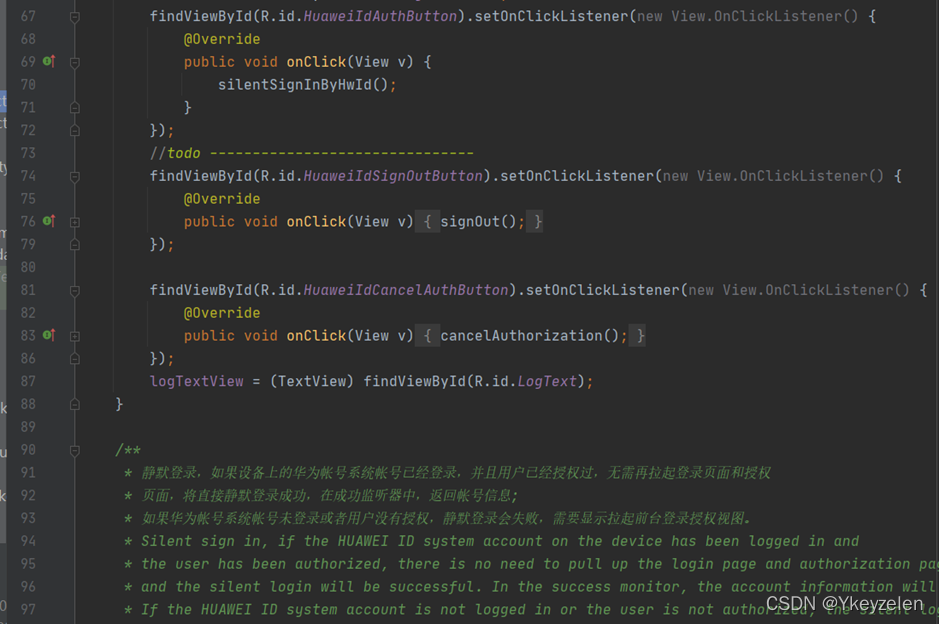
findViewById(R.id.HuaweiIdAuthButton).setOnClickListener(new View.OnClickListener() {
@Override
public void onClick(View v) {
silentSignInByHwId();
}
});
//todo -------------------------------
findViewById(R.id.HuaweiIdSignOutButton).setOnClickListener(new View.OnClickListener() {
@Override
public void onClick(View v) {
signOut();
}
});
findViewById(R.id.HuaweiIdCancelAuthButton).setOnClickListener(new View.OnClickListener() {
@Override
public void onClick(View v) {
cancelAuthorization();
}
});
logTextView = (TextView) findViewById(R.id.LogText);
}
/**
* 静默登录,如果设备上的华为帐号系统帐号已经登录,并且用户已经授权过,无需再拉起登录页面和授权
* 页面,将直接静默登录成功,在成功监听器中,返回帐号信息;
* 如果华为帐号系统帐号未登录或者用户没有授权,静默登录会失败,需要显示拉起前台登录授权视图。
*/
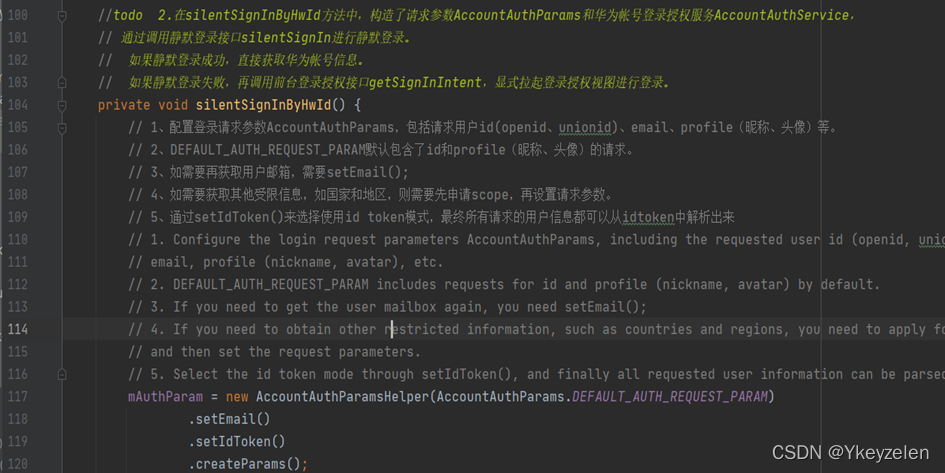
//todo 2.在silentSignInByHwId方法中,构造了请求参数AccountAuthParams和华为帐号登录授权服务AccountAuthService,
// 通过调用静默登录接口silentSignIn进行静默登录。
// 如果静默登录成功,直接获取华为帐号信息。
// 如果静默登录失败,再调用前台登录授权接口getSignInIntent,显式拉起登录授权视图进行登录。
private void silentSignInByHwId() {
// 1、配置登录请求参数AccountAuthParams,包括请求用户id(openid、unionid)、email、profile(昵称、头像)等。
// 2、DEFAULT_AUTH_REQUEST_PARAM默认包含了id和profile(昵称、头像)的请求。
// 3、如需要再获取用户邮箱,需要setEmail();
// 4、如需要获取其他受限信息,如国家和地区,则需要先申请scope,再设置请求参数。
// 5、通过setIdToken()来选择使用id token模式,最终所有请求的用户信息都可以从idtoken中解析出来
mAuthParam = new AccountAuthParamsHelper(AccountAuthParams.DEFAULT_AUTH_REQUEST_PARAM)
.setEmail()
.setIdToken()
.createParams();
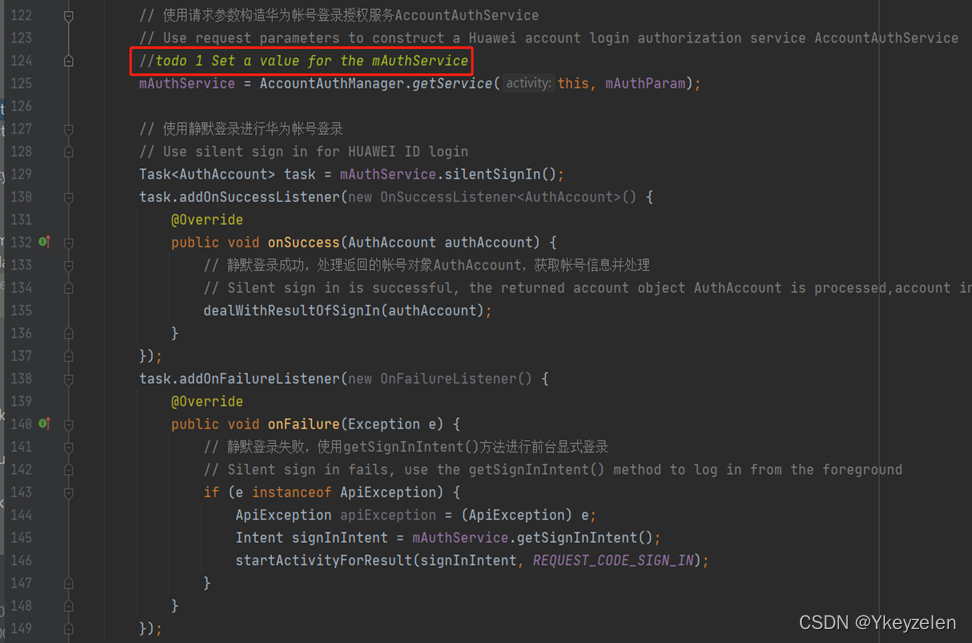
// 使用请求参数构造华为帐号登录授权服务AccountAuthService
// Use request parameters to construct a Huawei account login authorization service AccountAuthService
//todo 1 Set a value for the mAuthService
mAuthService = AccountAuthManager.getService(this, mAuthParam);
// 使用静默登录进行华为帐号登录
// Use silent sign in for HUAWEI ID login
Task<AuthAccount> task = mAuthService.silentSignIn();
task.addOnSuccessListener(new OnSuccessListener<AuthAccount>() {
@Override
public void onSuccess(AuthAccount authAccount) {
// 静默登录成功,处理返回的帐号对象AuthAccount,获取帐号信息并处理
// Silent sign in is successful, the returned account object AuthAccount is processed,account information is obtained and processed
dealWithResultOfSignIn(authAccount);
}
});
task.addOnFailureListener(new OnFailureListener() {
@Override
public void onFailure(Exception e) {
// 静默登录失败,使用getSignInIntent()方法进行前台显式登录
// Silent sign in fails, use the getSignInIntent() method to log in from the foreground
if (e instanceof ApiException) {
ApiException apiException = (ApiException) e;
Intent signInIntent = mAuthService.getSignInIntent();
startActivityForResult(signInIntent, REQUEST_CODE_SIGN_IN);
}
}
});
}
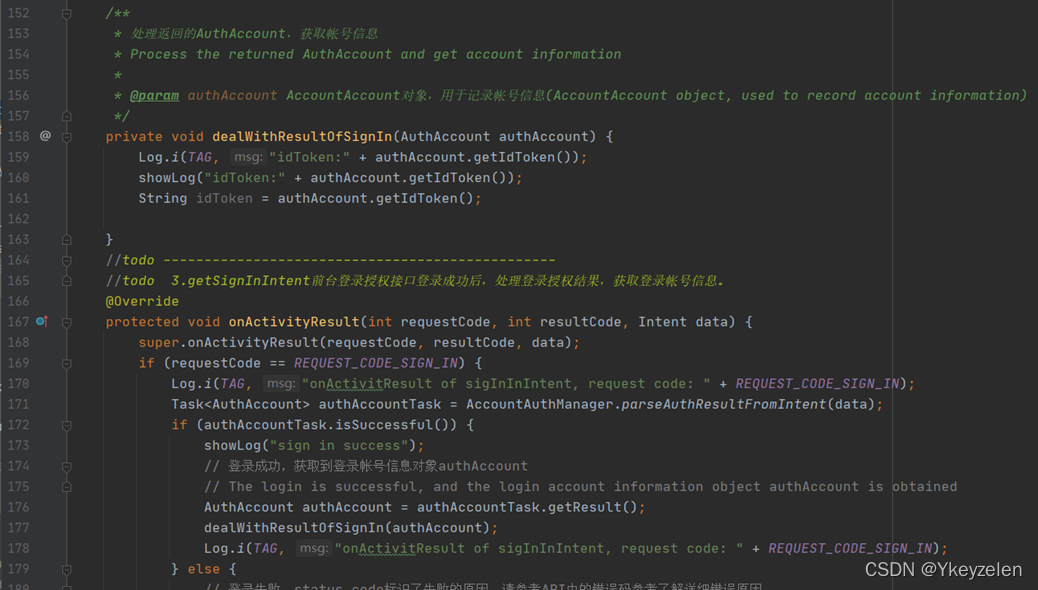
/**
* 处理返回的AuthAccount,获取帐号信息
* Process the returned AuthAccount and get account information
*
* @param authAccount AccountAccount对象,用于记录帐号信息(AccountAccount object, used to record account information)
*/
private void dealWithResultOfSignIn(AuthAccount authAccount) {
Log.i(TAG, "idToken:" + authAccount.getIdToken());
showLog("idToken:" + authAccount.getIdToken());
String idToken = authAccount.getIdToken();
}
//todo ------------------------------------------------
//todo 3.getSignInIntent前台登录授权接口登录成功后,处理登录授权结果,获取登录帐号信息。
@Override
protected void onActivityResult(int requestCode, int resultCode, Intent data) {
super.onActivityResult(requestCode, resultCode, data);
if (requestCode == REQUEST_CODE_SIGN_IN) {
Log.i(TAG, "onActivitResult of sigInInIntent, request code: " + REQUEST_CODE_SIGN_IN);
Task<AuthAccount> authAccountTask = AccountAuthManager.parseAuthResultFromIntent(data);
if (authAccountTask.isSuccessful()) {
showLog("sign in success");
// 登录成功,获取到登录帐号信息对象authAccount
// The login is successful, and the login account information object authAccount is obtained
AuthAccount authAccount = authAccountTask.getResult();
dealWithResultOfSignIn(authAccount);
Log.i(TAG, "onActivitResult of sigInInIntent, request code: " + REQUEST_CODE_SIGN_IN);
} else {
// 登录失败,status code标识了失败的原因,请参考API中的错误码参考了解详细错误原因
// Login failed. The status code identifies the reason for the failure. Please refer to the error
// code reference in the API for detailed error reasons.
Log.e(TAG, "sign in failed : " + ((ApiException) authAccountTask.getException()).getStatusCode());
showLog("sign in failed : " + ((ApiException) authAccountTask.getException()).getStatusCode());
}
}
}
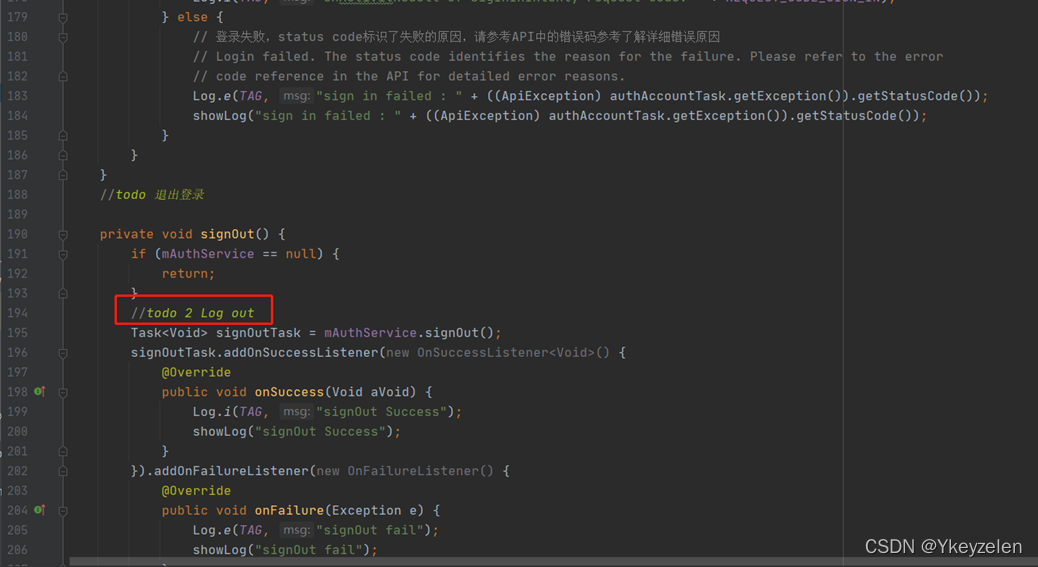
//todo 退出登录
private void signOut() {
if (mAuthService == null) {
return;
}
//todo 2 Log out
Task<Void> signOutTask = mAuthService.signOut();
signOutTask.addOnSuccessListener(new OnSuccessListener<Void>() {
@Override
public void onSuccess(Void aVoid) {
Log.i(TAG, "signOut Success");
showLog("signOut Success");
}
}).addOnFailureListener(new OnFailureListener() {
@Override
public void onFailure(Exception e) {
Log.e(TAG, "signOut fail");
showLog("signOut fail");
}
});
}
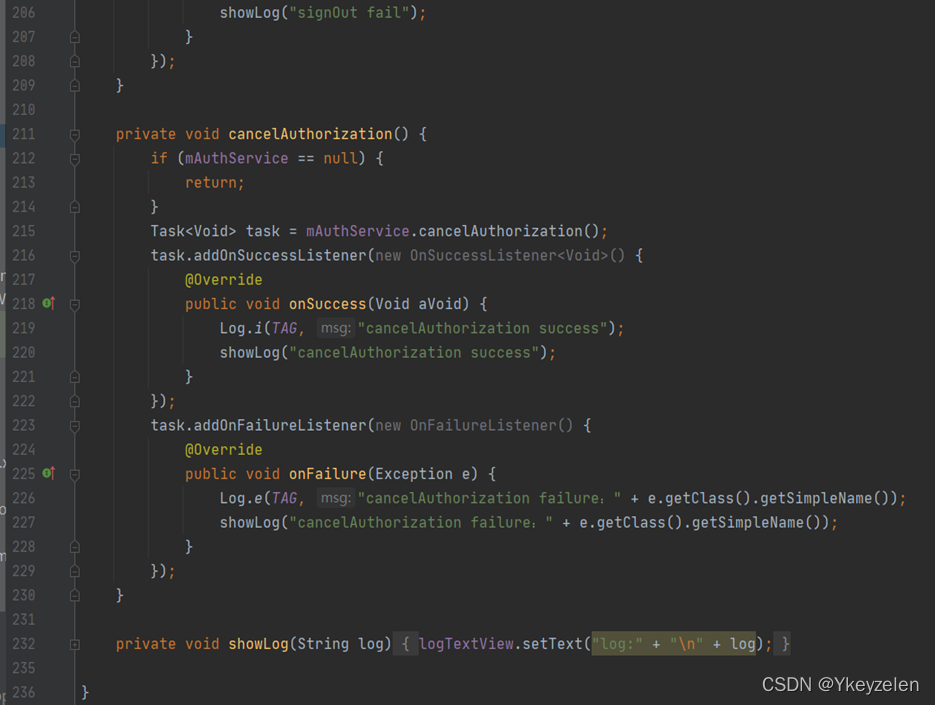
private void cancelAuthorization() {
if (mAuthService == null) {
return;
}
Task<Void> task = mAuthService.cancelAuthorization();
task.addOnSuccessListener(new OnSuccessListener<Void>() {
@Override
public void onSuccess(Void aVoid) {
Log.i(TAG, "cancelAuthorization success");
showLog("cancelAuthorization success");
}
});
task.addOnFailureListener(new OnFailureListener() {
@Override
public void onFailure(Exception e) {
Log.e(TAG, "cancelAuthorization failure:" + e.getClass().getSimpleName());
showLog("cancelAuthorization failure:" + e.getClass().getSimpleName());
}
});
}
private void showLog(String log) {
logTextView.setText("log:" + "\n" + log);
}
}
人脸识别服务:
人脸文档:
https://developer.huawei.com/consumer/cn/doc/development/hiai-Guides/face-detection-0000001050038170
FaceAnalyzerTransactor.java
public class FaceAnalyzerTransactor implements MLAnalyzer.MLTransactor<MLFace> {
private GraphicOverlay mGraphicOverlay;
FaceAnalyzerTransactor(GraphicOverlay ocrGraphicOverlay) {
this.mGraphicOverlay = ocrGraphicOverlay;
}
@Override
public void transactResult(MLAnalyzer.Result<MLFace> result) {
this.mGraphicOverlay.clear();
SparseArray<MLFace> faceSparseArray = result.getAnalyseList();
for (int i = 0; i < faceSparseArray.size(); i++) {
// todo step 4: add on-device face graphic
mGraphicOverlay.add(new MLFaceGraphic(mGraphicOverlay,faceSparseArray.get(i)));
// finish
}
}
@Override
public void destroy() {
this.mGraphicOverlay.clear();
}
}
LiveImageDetectionActivity.java
public class LiveImageDetectionActivity extends AppCompatActivity implements CompoundButton.OnCheckedChangeListener {
private static final String TAG = "LiveImageDetection";
private static final int CAMERA_PERMISSION_CODE = 2;
MLFaceAnalyzer analyzer;
private LensEngine mLensEngine;
private CameraSourcePreview mPreview;
private GraphicOverlay mOverlay;
private int lensType = LensEngine.BACK_LENS;
@Override
public void onCreate(Bundle savedInstanceState) {
super.onCreate(savedInstanceState);
this.setContentView(R.layout.activity_live_image_detection);
this.mPreview = this.findViewById(R.id.preview);
this.mOverlay = this.findViewById(R.id.overlay);
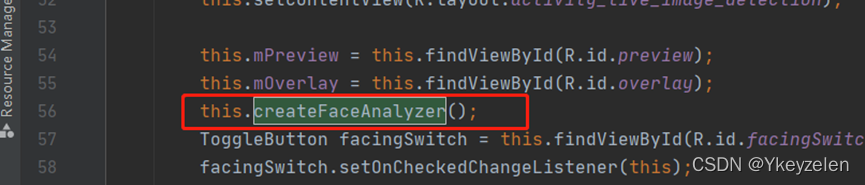
this.createFaceAnalyzer();//创建人脸分析器
ToggleButton facingSwitch = this.findViewById(R.id.facingSwitch);
facingSwitch.setOnCheckedChangeListener(this);
// Checking Camera Permissions,检查是否授予相机权限,如果没有就请求权限。
if (ActivityCompat.checkSelfPermission(this, Manifest.permission.CAMERA) == PackageManager.PERMISSION_GRANTED) {
this.createLensEngine();
} else {
this.requestCameraPermission();
}
}
private void requestCameraPermission() {
final String[] permissions = new String[]{Manifest.permission.CAMERA};
//未授权,启动一个activity来让你授予权限,在103行回调
if (!ActivityCompat.shouldShowRequestPermissionRationale(this,
Manifest.permission.CAMERA)) {
ActivityCompat.requestPermissions(this, permissions, LiveImageDetectionActivity.CAMERA_PERMISSION_CODE);
return;
}
}
@Override
protected void onResume() {
super.onResume();
this.startLensEngine();
}
@Override
protected void onPause() {
super.onPause();
this.mPreview.stop();
}
@Override
protected void onDestroy() {
super.onDestroy();
if (this.mLensEngine != null) {
this.mLensEngine.release();
}
if (this.analyzer != null) {
this.analyzer.destroy();
}
}
@Override
//返回用户选择的结果(同意授予相机权限/不同意)
public void onRequestPermissionsResult(int requestCode, @NonNull String[] permissions,
@NonNull int[] grantResults) {
//不同意,继续发送授权请求
if (requestCode != LiveImageDetectionActivity.CAMERA_PERMISSION_CODE) {
super.onRequestPermissionsResult(requestCode, permissions, grantResults);
return;
}
if (grantResults.length != 0 && grantResults[0] == PackageManager.PERMISSION_GRANTED) {
this.createLensEngine();
return;
}
}
@Override
public void onSaveInstanceState(Bundle savedInstanceState) {
super.onSaveInstanceState(savedInstanceState);
}
@Override
public void onCheckedChanged(CompoundButton buttonView, boolean isChecked) {
if (this.mLensEngine != null) {
if (isChecked) {
this.lensType = LensEngine.FRONT_LENS;
} else {
this.lensType = LensEngine.BACK_LENS;
}
}
this.mLensEngine.close();
this.createLensEngine();
this.startLensEngine();
}
private MLFaceAnalyzer createFaceAnalyzer() {
// todo step 2: add on-device face analyzer
this.analyzer = MLAnalyzerFactory.getInstance().getFaceAnalyzer();
// finish
this.analyzer.setTransactor(new FaceAnalyzerTransactor(this.mOverlay));
return this.analyzer;
}
private void createLensEngine() {
Context context = this.getApplicationContext();
// todo step 3: add on-device lens engine
this.mLensEngine = new LensEngine.Creator(context, this.analyzer)
.setLensType(this.lensType)
.applyDisplayDimension(640, 480)
.applyFps(25.0f)
.enableAutomaticFocus(true)
.create();
// finish
}
private void startLensEngine() {
if (this.mLensEngine != null) {
try {
this.mPreview.start(this.mLensEngine, this.mOverlay);
} catch (IOException e) {
Log.e(LiveImageDetectionActivity.TAG, "Failed to start lens engine.", e);
this.mLensEngine.release();
this.mLensEngine = null;
}
}
}
}
人脸识别答案:
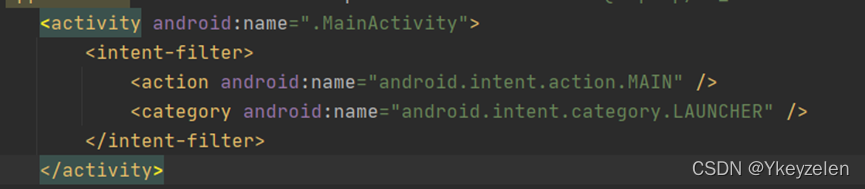
AndroidManifest的区别

LiveImageDetectionActivity的区别
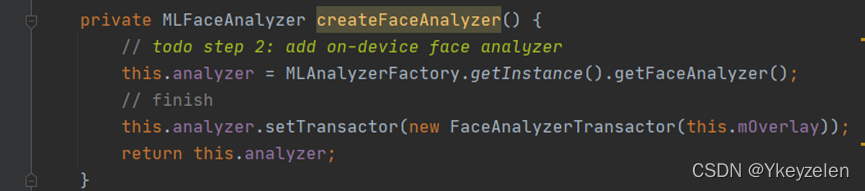
private MLFaceAnalyzer createFaceAnalyzer() {
// todo step 2: add on-device face analyzer
this.analyzer = MLAnalyzerFactory.getInstance().getFaceAnalyzer();
// finish
this.analyzer.setTransactor(new FaceAnalyzerTransactor(this.mOverlay));
return this.analyzer;
}
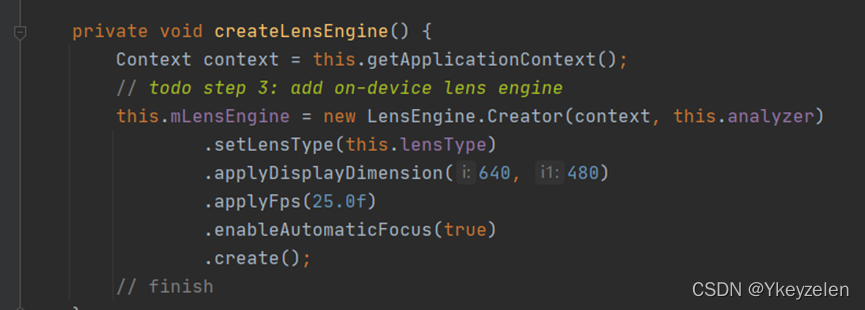
private void createLensEngine() {
Context context = this.getApplicationContext();
// todo step 3: add on-device lens engine
this.mLensEngine = new LensEngine.Creator(context, this.analyzer)
.setLensType(this.lensType)
.applyDisplayDimension(640, 480)
.applyFps(25.0f)
.enableAutomaticFocus(true)
.create();
// finish
}
FaceAnalyzerTransactor的区别:
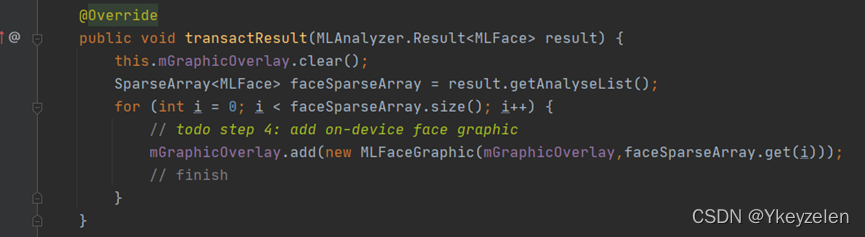
public void transactResult(MLAnalyzer.Result<MLFace> result) {
this.mGraphicOverlay.clear();
SparseArray<MLFace> faceSparseArray = result.getAnalyseList();
for (int i = 0; i < faceSparseArray.size(); i++) {
// todo step 4: add on-device face graphic
mGraphicOverlay.add(new MLFaceGraphic(mGraphicOverlay,faceSparseArray.get(i)));
// finish
}
}

讨论HarmonyOS开发技术,专注于API与组件、DevEco Studio、测试、元服务和应用上架分发等。
更多推荐



 1
1 0
0- 0


 已为社区贡献2条内容

所有评论(0)