鸿蒙HarmonyOS实战-Stage模型(信息传递载体Want)_want标签匹配规则
onClick(this.explicitStartAbility) // explicitStartAbility见下面示例代码。| 不为空 | 不完全包含调用方传入的entities | 失败 || 不为空 | 包含调用方传入的entities | 成功 |表示目标Ability的类别信息(如浏览器、视频播放器)表示调用方要执行的通用操作(如查看、分享、应用详情)| 不为空 | 为空 | 失败
先自我介绍一下,小编浙江大学毕业,去过华为、字节跳动等大厂,目前阿里P7
深知大多数程序员,想要提升技能,往往是自己摸索成长,但自己不成体系的自学效果低效又漫长,而且极易碰到天花板技术停滞不前!
因此收集整理了一份《2024年最新HarmonyOS鸿蒙全套学习资料》,初衷也很简单,就是希望能够帮助到想自学提升又不知道该从何学起的朋友。
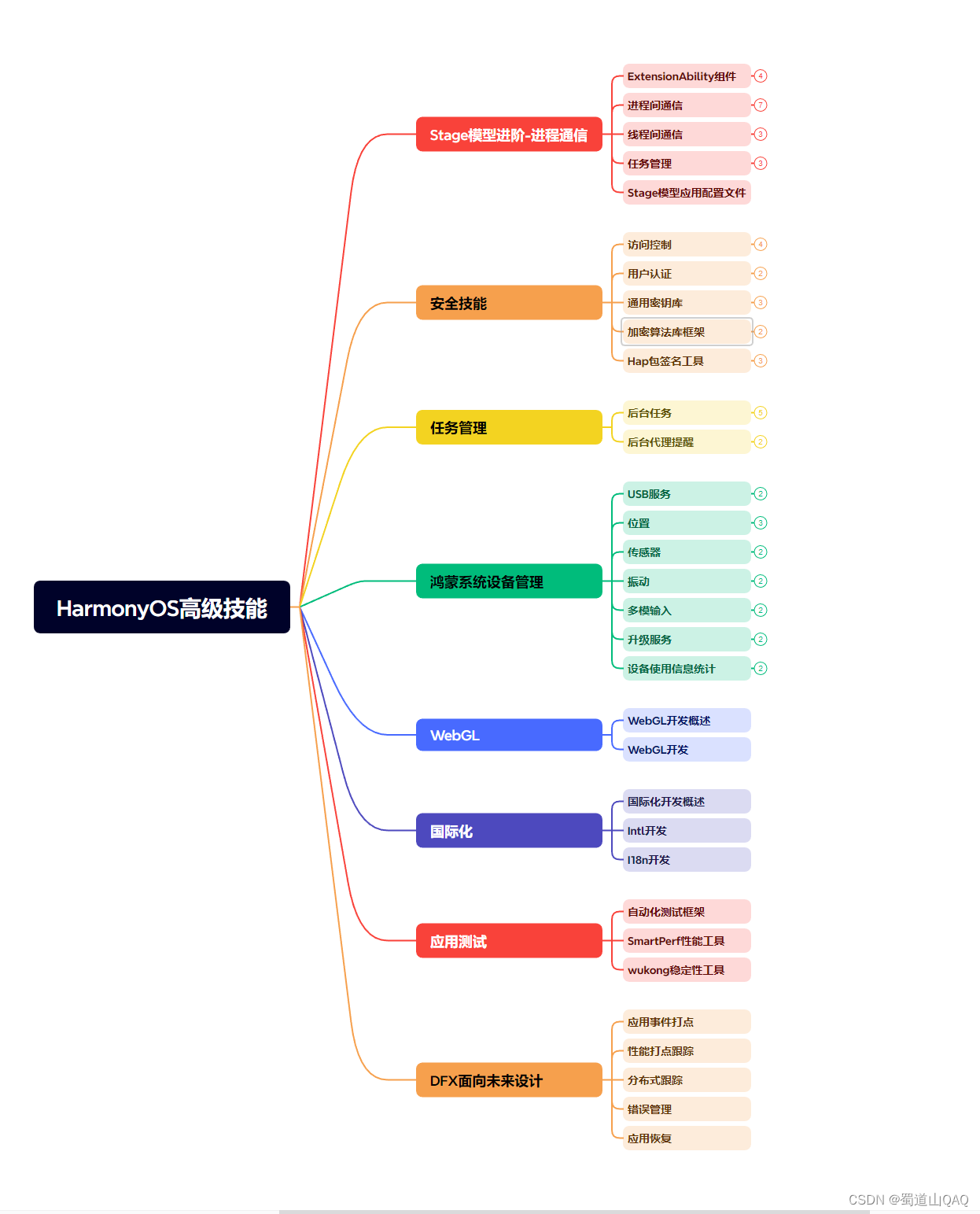

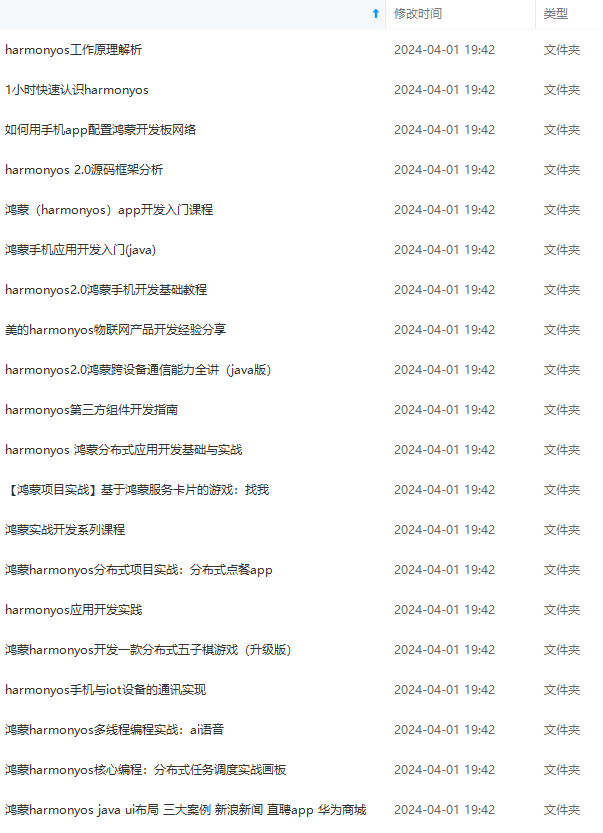
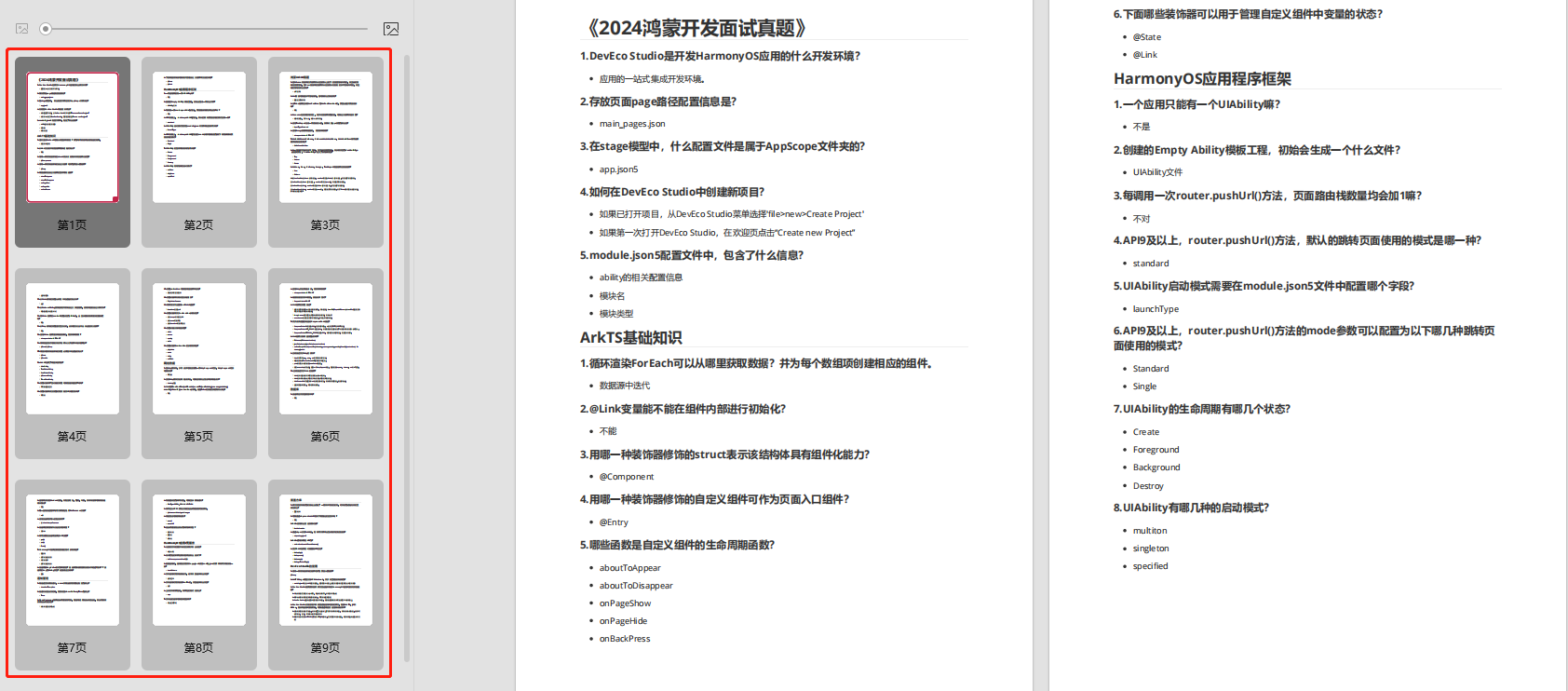
既有适合小白学习的零基础资料,也有适合3年以上经验的小伙伴深入学习提升的进阶课程,涵盖了95%以上鸿蒙开发知识点,真正体系化!
由于文件比较多,这里只是将部分目录截图出来,全套包含大厂面经、学习笔记、源码讲义、实战项目、大纲路线、讲解视频,并且后续会持续更新
如果你需要这些资料,可以添加V获取:vip204888 (备注鸿蒙)
正文
| 不为空 | 为空 | 失败 |
| 不为空 | 包含调用方传入的entities | 成功 |
| 不为空 | 不完全包含调用方传入的entities | 失败 |

☀️2.1.3 want参数的uri和type匹配规则

| 调用方传入的want参数 | 待匹配Ability的skills配置中的uris数组 | 匹配结果 |
|---|---|---|
| uri为空,type为空 | uris为空 | 匹配成功 |
| uri为空,type为空 | uris存在uri的scheme和type都为空的元素 | 匹配成功 |
| uri为空,type为空 | 其他情况 | 匹配失败 |
| uri不为空,type为空 | uris为空 | 匹配失败 |
| uri不为空,type为空 | uris存在一条数据uri匹配成功且type为空 | 匹配成功 |
| uri为空,type不为空 | uris为空 | 匹配失败 |
| uri为空,type不为空 | uris存在一条数据uri的scheme为空且type匹配成功 | 匹配成功 |
| uri不为空,type不为空 | uris为空 | 匹配失败 |
| uri不为空,type不为空 | uris存在一条数据uri匹配和type匹配需要均匹配成功 | 匹配成功 |
| uri不为空,type不为空 | 其他情况 | 匹配失败 |

☀️2.1.4 uri匹配规则
以下是根据给定匹配规则展示的表格:
| s_uri.scheme | s_uri.host | s_uri.path | s_uri.pathStartWith | s_uri.pathRegex | w_uri | 匹配结果 |
|---|---|---|---|---|---|---|
| abc://def | 成功 | |||||
| 失败 | ||||||
| abc://def | abc://def | 成功 | ||||
| abc://def | def://abc | 失败 | ||||
| /path | /path | 成功 | ||||
| /path | /path/123 | 失败 | ||||
| /pathStart | /pathStart | 成功 | ||||
| /pathStart | /pathStart2 | 失败 | ||||
| ^/regex$ | /regex | 成功 | ||||
| ^/regex$ | /path/regex | 失败 | ||||
| abc://def | /path | abc://def/path | 成功 | |||
| abc://def | /path | abc://def/path/123 | 失败 | |||
| /pathStart | /pathStart2/test | 失败 | ||||
| ^/regex$ | /path/regex/test | 失败 |
待匹配Ability的skills配置的uris中scheme、host、port、path、pathStartWith和pathRegex属性拼接,如果依次声明了path、pathStartWith和pathRegex属性时,uris将分别拼接为如下三种表达式:
- 全路径表达式:scheme://host:port/path
- 前缀表达式:scheme://host:port/pathStartWith
- 正则表达式:scheme://host:port/pathRegex
☀️2.1.5 type匹配规则
| Ability Skills Regex匹配规则 | w_type匹配规则 | 匹配结果 |
|---|---|---|
| s_type为空 | 任意 | 失败 |
| s_type为通配符"/" | 任意 | 成功 |
| s_type为通配符"prefixType/*" | 含有"prefixType/" | 成功 |
| s_type为通配符"prefixType/*" | 不含有"prefixType/" | 失败 |
| w_type为通配符"/" | 任意 | 成功 |
| w_type为通配符"prefixType/*" | 含有"prefixType/" | 成功 |
| w_type为通配符"prefixType/*" | 不含有"prefixType/" | 失败 |
3.常见action与entities
🦋3.1 action
表示调用方要执行的通用操作(如查看、分享、应用详情)
| Action(动作) | 描述 |
|---|---|
| ACTION_HOME | 启动应用入口组件的动作,需要和ENTITY_HOME配合使用;系统桌面应用图标就是显式的入口组件,点击也是启动入口组件;入口组件可以配置多个。 |
| ACTION_CHOOSE | 选择本地资源数据,例如联系人、相册等;系统一般对不同类型的数据有对应的Picker应用,例如联系人和图库。 |
| ACTION_VIEW_DATA | 查看数据,当使用网址uri时,则表示显示该网址对应的内容。 |
| ACTION_VIEW_MULTIPLE_DATA | 发送多个数据记录的操作。 |
🦋3.2 entities
表示目标Ability的类别信息(如浏览器、视频播放器)
| 类别名称 | 描述 |
|---|---|
| ENTITY_DEFAULT | 默认类别,没有实际意义。 |
| ENTITY_HOME | 主屏幕有图标点击入口类别。 |
| ENTITY_BROWSABLE | 指示浏览器类别。 |
4.使用显式Want启动Ability
1、启动方
新建callerAbility
2、被启动方
同理新建calleeAbility
3、启动方UI
import common from ‘@ohos.app.ability.common’;
@Entry
@Component
struct Index {
@State message: string = ‘callerAbility’
build() {
Row() {
Column() {
Text(‘hello’)
.fontSize(50)
.fontWeight(FontWeight.Bold)
// A new button with will call explicitStartAbility() when clicked.
Button(“CLICKME”)
.onClick(this.explicitStartAbility) // explicitStartAbility见下面示例代码
// …
}
.width(‘100%’)
}
.height(‘100%’)
}
async explicitStartAbility() {
try {
// Explicit want with abilityName specified.
let want = {
deviceId: “”,
bundleName: “com.example.myapplication”,
abilityName: “calleeAbility”
};
let context = getContext(this) as common.UIAbilityContext;
await context.startAbility(want);
console.info(explicit start ability succeed);
} catch (error) {
console.info(explicit start ability failed with ${error.code});
}
}
}
4、执行
5.使用隐式Want打开网址
1、module.json5配置
“skills”: [
{
“entities”: [
“entity.system.browsable”
// …
],
“actions”: [
“ohos.want.action.viewData”
// …
],
“uris”: [
{
“scheme”: “https”,
“host”: “www.test.com”,
“port”: “8080”,
// prefix matching
“pathStartWith”: “query”,
“type”: “text/*”
},
{
“scheme”: “http”,
// …
}
// …
]
},
]

2、定义跳转函数
async implicitStartAbility() {
try {
let want = {
// uncomment line below if wish to implicitly query only in the specific bundle.
// bundleName: “com.example.myapplication”,
“action”: “ohos.want.action.viewData”,
// entities can be omitted.
“entities”: [ “entity.system.browsable” ],
“uri”: “https://www.test.com:8080/query/student”,
“type”: “text/plain”
}
let context = getContext(this) as common.UIAbilityContext;
await context.startAbility(want)
console.info(explicit start ability succeed)
} catch (error) {
console.info(explicit start ability failed with ${error.code})
}
}
| 匹配条件 | 匹配结果 |
|---|---|
want内action不为空,且被skills内action包括 |
匹配成功 |
want内entities不为空,且被skills内entities包括 |
匹配成功 |
skills内uris拼接为https://www.test.com:8080/query* ( *为通配符)包含want内uri,匹配成功 |
|
want内type不为空,且被skills内type包含 |
匹配成功 |

3、运行

6.应用间使用Want分享数据
1、分享方
读取文件
import fileIO from ‘@ohos.fileio’;
// let path = …
// file open where path is a variable contains the file path.
let fileFd = fileIO.openSync(path, 0o102, 0o666);
传输文件信息构造
import wantConstant from ‘@ohos.ability.wantConstant’;
// let path = …
// let fileFd = …
// let fileSize = …
let want = {
// This action is used to implicitly match the application selctor.
action: wantConstant.Action.ACTION_SELECT,
// This is the custom parameter in the first layer of want
网上学习资料一大堆,但如果学到的知识不成体系,遇到问题时只是浅尝辄止,不再深入研究,那么很难做到真正的技术提升。
需要这份系统化的资料的朋友,可以添加V获取:vip204888 (备注鸿蒙)
一个人可以走的很快,但一群人才能走的更远!不论你是正从事IT行业的老鸟或是对IT行业感兴趣的新人,都欢迎加入我们的的圈子(技术交流、学习资源、职场吐槽、大厂内推、面试辅导),让我们一起学习成长!
_SELECT,
// This is the custom parameter in the first layer of want
网上学习资料一大堆,但如果学到的知识不成体系,遇到问题时只是浅尝辄止,不再深入研究,那么很难做到真正的技术提升。
需要这份系统化的资料的朋友,可以添加V获取:vip204888 (备注鸿蒙)
[外链图片转存中…(img-xmIQMJ0z-1713651414233)]
一个人可以走的很快,但一群人才能走的更远!不论你是正从事IT行业的老鸟或是对IT行业感兴趣的新人,都欢迎加入我们的的圈子(技术交流、学习资源、职场吐槽、大厂内推、面试辅导),让我们一起学习成长!

讨论HarmonyOS开发技术,专注于API与组件、DevEco Studio、测试、元服务和应用上架分发等。
更多推荐


 27
27 0
0- 0


 已为社区贡献6条内容

所有评论(0)