HarmonyOS使用Devtools工具调试前端页面
前言
关于“使用Devtools工具调试前端页面”,鸿蒙官网有详细文档,这里自己记录一下我是如何参照文档实现的,按照官网文档行不通可以试一下
注:我是mac系统,devecostudio版本是5.0.3.502
一、打开模拟器及Web页面
打开鸿蒙模拟器,打开对应的Web页面
二、新建脚本
根据操作系统从官网复制脚本到本地,新建.sh脚本文件(比如命名为myscript.sh)。mac脚本内容如下,windows可去官网查最新脚本
#!/bin/bash

# Initial port number
INITIAL_PORT=9222

# Get the current port number, use initial port number if not set previously
CURRENT_PORT=${PORT:-$INITIAL_PORT}

# Get the list of all PIDs that match the condition
PID_LIST=$(hdc shell cat /proc/net/unix | grep webview_devtools_remote_ | awk -F '_' '{print $NF}')

if [ -z "$PID_LIST" ]; then
    echo "Failed to retrieve PID from the device"
    exit 1
fi

# Increment the port number
PORT=$CURRENT_PORT

# Forward ports for each application one by one
for PID in $PID_LIST; do
    # Increment the port number
    PORT=$((PORT + 1))

    # Execute the hdc fport command
    hdc fport tcp:$PORT localabstract:webview_devtools_remote_$PID

    # Check if the command executed successfully
    if [ $? -ne 0 ]; then
        echo "Failed to execute hdc fport command"
        exit 1
    fi
done

# List all forwarded ports
hdc fport ls
三、执行脚本
1.打开命令行终端
2.定位到myscript.sh所在目录
3.将脚本标记为可执行文件
chmod +x myscript.sh
4.执行该脚本
./myscript.sh
5.此时如果报错hdc command not fund之类的错误就装一下hdc再执行该脚本。
hdc安装参考其他作者文档https://blog.csdn.net/yaoliang_cui/article/details/136513376
四、打开浏览器调试
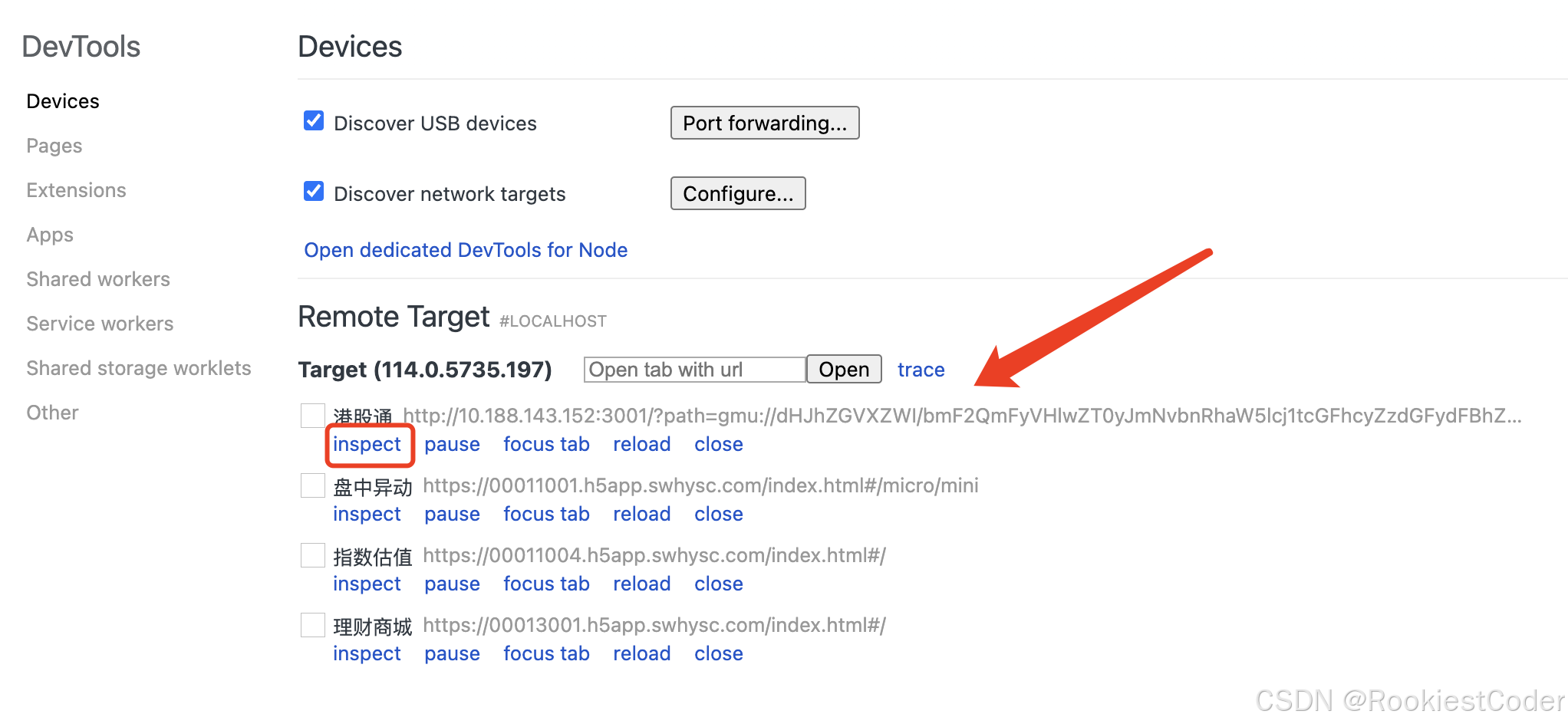
我是用的谷歌浏览器,浏览器打开chrome://inspect/#devices页面,即可在浏览器中查看到对应的目标web页面,点击inspect即可用浏览器打开对应页面
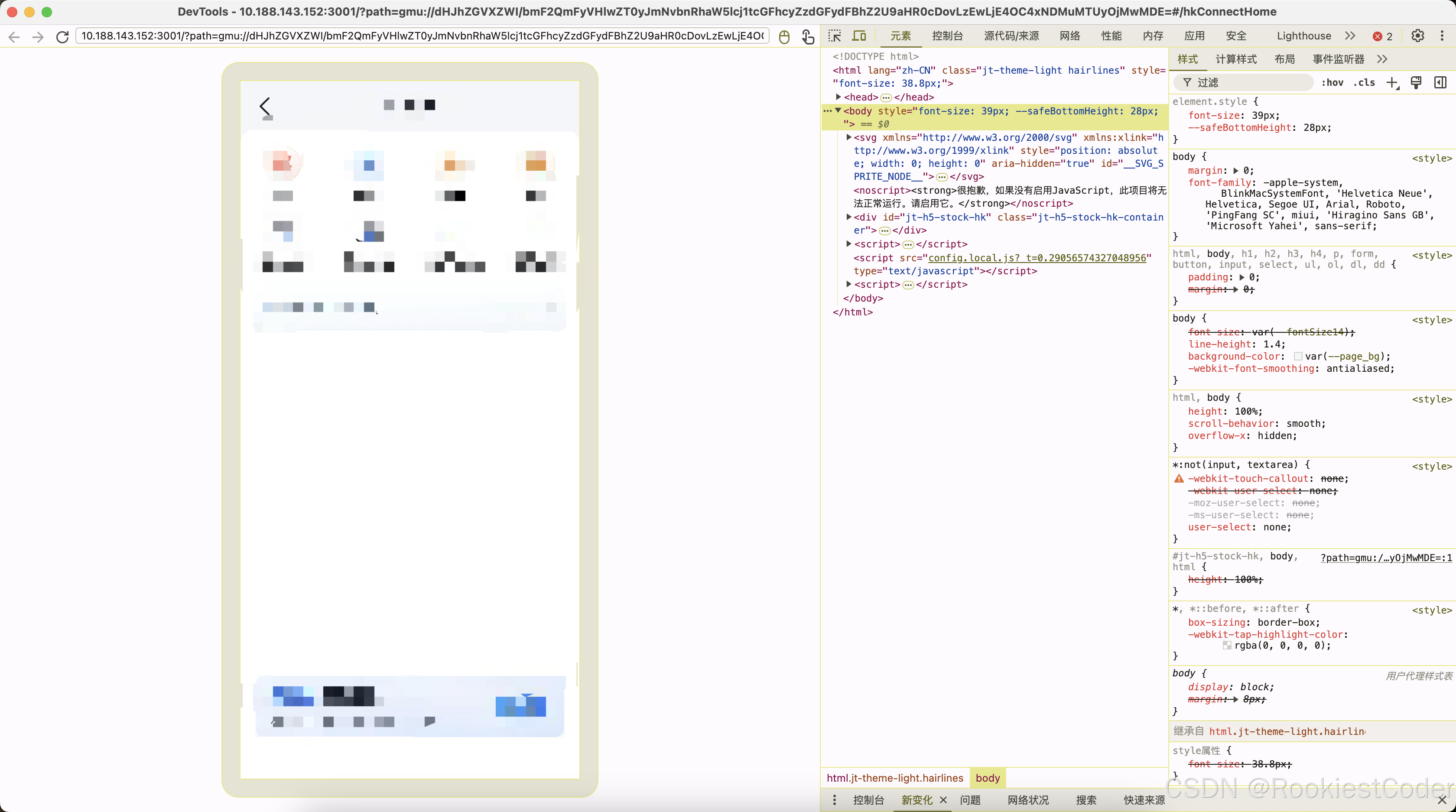
打开页面如下,就可以调试啦
总结
我自己弄的时候还是比较顺利的,没有出奇怪的问题。需要注意的是调试web页面的时候需要先在模拟器里把这个页面打开哈,否则识别不到。
补充(2024-11-15)
现在手机又出了折叠屏了,发现浏览器打开chrome://inspect/#devices后识别不到webview,尝试后发现在应用代码中开启Web调试开关即可
// 配置Web开启调试模式
    webview.WebviewController.setWebDebuggingAccess(true);
官网demo如下
// xxx.ets
import { webview } from '@kit.ArkWeb';

@Entry
@Component
struct WebComponent {
  controller: webview.WebviewController = new webview.WebviewController();

  aboutToAppear() {
    // 配置Web开启调试模式
    webview.WebviewController.setWebDebuggingAccess(true);
  }

  build() {
    Column() {
      Web({ src: 'www.example.com', controller: this.controller })
    }
  }
}
遇到其他问题也可以参考官网https://developer.huawei.com/consumer/cn/doc/harmonyos-guides-V5/web-debugging-with-devtools-V5

讨论HarmonyOS开发技术,专注于API与组件、DevEco Studio、测试、元服务和应用上架分发等。
更多推荐

 4
4 0
0- 0


 已为社区贡献2条内容

所有评论(0)