鸿蒙OS应用开发之——Java UI框架-常用组件ScrollView
一 概述ScrollView是一种带滚动功能的组件,它采用滑动的方式在有限的区域内显示更多的内容。创建ScrollView设置ScrollView二 创建ScrollView2.1 XML创建ScrollView<?xml version="1.0" encoding="utf-8"?><DirectionalLayoutxmlns:ohos="http://schemas.hu
·
一 概述
ScrollView是一种带滚动功能的组件,它采用滑动的方式在有限的区域内显示更多的内容。
- 创建ScrollView
- 设置ScrollView
二 创建ScrollView
2.1 XML创建ScrollView
<?xml version="1.0" encoding="utf-8"?>
<DirectionalLayout
    xmlns:ohos="http://schemas.huawei.com/res/ohos"
    ohos:height="match_content"
    ohos:width="match_parent"
    ohos:orientation="vertical">

    <ScrollView
        xmlns:ohos="http://schemas.huawei.com/res/ohos"
        ohos:id="$+id:scrollview"
        ohos:height="300vp"
        ohos:width="300vp"
        ohos:background_element="#FFDEAD"
        ohos:bottom_padding="16vp"
        ohos:layout_alignment="horizontal_center"
        ohos:top_margin="32vp">

        <DirectionalLayout
            ohos:height="match_content"
            ohos:width="match_content">

            <Image
                ohos:id="$+id:img_1"
                ohos:height="match_content"
                ohos:width="match_parent"
                ohos:image_src="$media:dog.jpg"
                ohos:top_margin="16vp"/>
            <!--    放置任意需要展示的组件-->
            <Image
                ohos:id="$+id:img_2"
                ohos:height="match_content"
                ohos:width="match_parent"
                ohos:image_src="$media:cat.jpg"
                ohos:top_margin="16vp"/>

            <Image
                ohos:id="$+id:img_3"
                ohos:height="match_content"
                ohos:width="match_parent"
                ohos:image_src="$media:dog.jpg"
                ohos:top_margin="16vp"/>
            <!--    放置任意需要展示的组件-->
            <Image
                ohos:id="$+id:img_4"
                ohos:height="match_content"
                ohos:width="match_parent"
                ohos:image_src="$media:cat.jpg"
                ohos:top_margin="16vp"/>
        </DirectionalLayout>
    </ScrollView>

    <DirectionalLayout
        xmlns:ohos="http://schemas.huawei.com/res/ohos"
        ohos:height="match_content"
        ohos:width="match_parent"
        ohos:orientation="horizontal">

        <Button
            ohos:id="$+id:btnScroll"
            ohos:height="match_content"
            ohos:width="match_content"
            ohos:background_element="$graphic:background_button"
            ohos:bottom_margin="15vp"
            ohos:left_margin="15vp"
            ohos:left_padding="8vp"
            ohos:right_padding="8vp"
            ohos:text="Scroll By Y:300"
            ohos:text_color="#ffffff"
            ohos:text_size="27fp"
            ohos:top_margin="30vp"/>

        <Button
            ohos:id="$+id:btnScrollTo"
            ohos:height="match_content"
            ohos:width="match_content"
            ohos:background_element="$graphic:background_button"
            ohos:bottom_margin="15vp"
            ohos:left_margin="15vp"
            ohos:left_padding="8vp"
            ohos:right_padding="8vp"
            ohos:text="Scroll To Y:500"
            ohos:text_color="#ffffff"
            ohos:text_size="27fp"
            ohos:top_margin="30vp"/>
    </DirectionalLayout>
</DirectionalLayout>
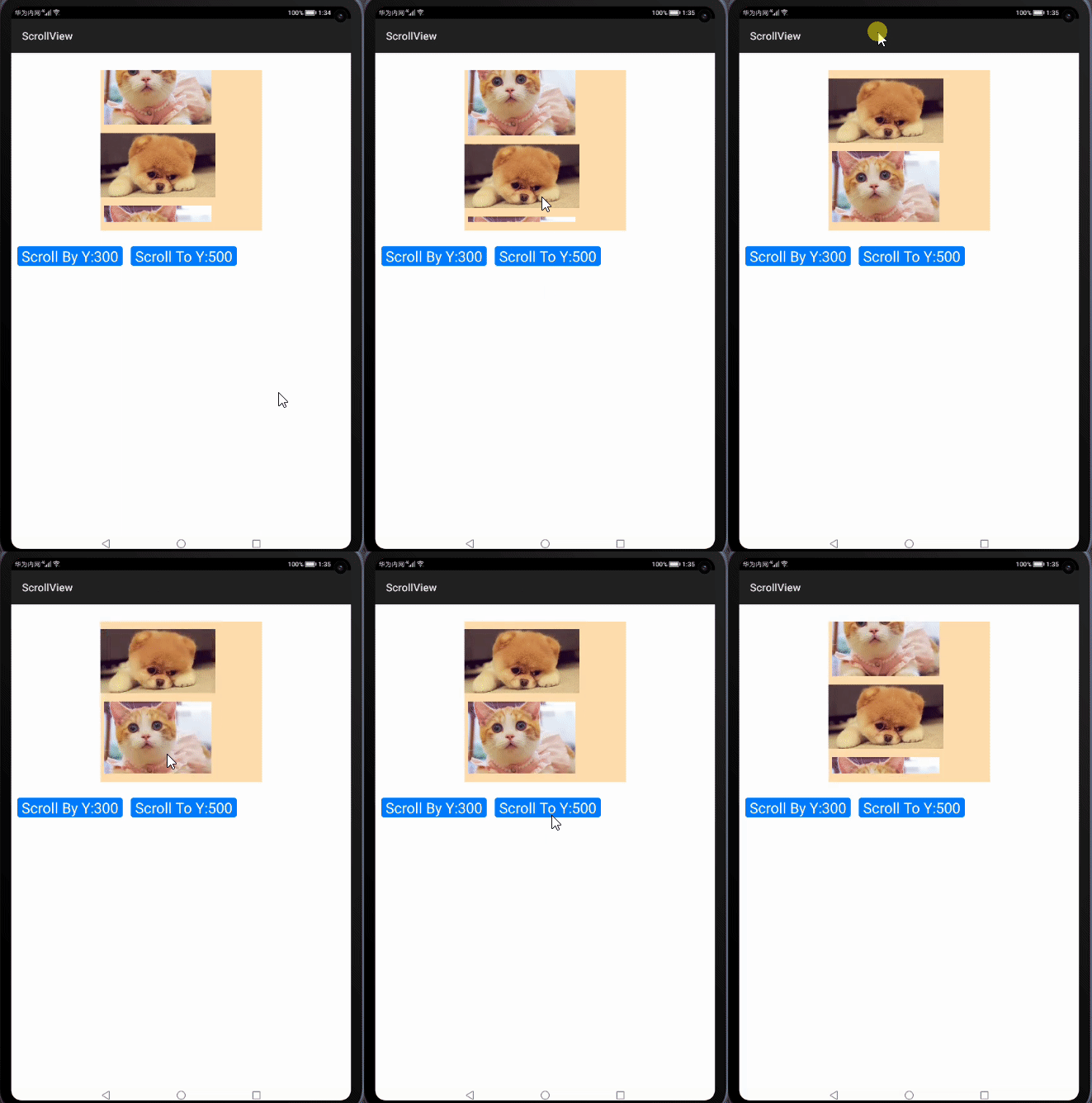
2.2 ScrollView效果图
三 设置ScrollView
ScrollView的速度、滚动、回弹等常用接口如下
| 方法 | 作用 |
|---|---|
| doFling(int velocityX, int velocityY) doFlingX(int velocityX) doFlingY(int velocityY) |
设置X轴和Y轴滚动的初始速度,单位(px) |
| fluentScrollBy(int dx, int dy) fluentScrollByX(int dx) fluentScrollByY(int dy) |
根据像素数平滑滚动到指定位置,单位(px) |
| fluentScrollTo(int x, int y) fluentScrollXTo(int x) fluentScrollYTo(int y) |
根据指定坐标平滑滚动到指定位置,单位(px) |
| setReboundEffect(boolean enabled) | 设置是否启用回弹效果,默认false |
| setReboundEffectParams(int overscrollPercent, float overscrollRate, int remainVisiblePercent) setReboundEffectParams(ReboundEffectParams reboundEffectParams) setOverscrollPercent(int overscrollPercent) setOverscrollRate(float overscrollRate) setRemainVisiblePercent(int remainVisiblePercent) |
配置回弹效果 overscrollPercent:过度滚动百分比,默认值40 overscrollRate:过度滚动率,默认值0.6 remainVisiblePercent:应保持可见内容的最小百分比,默认值20 |
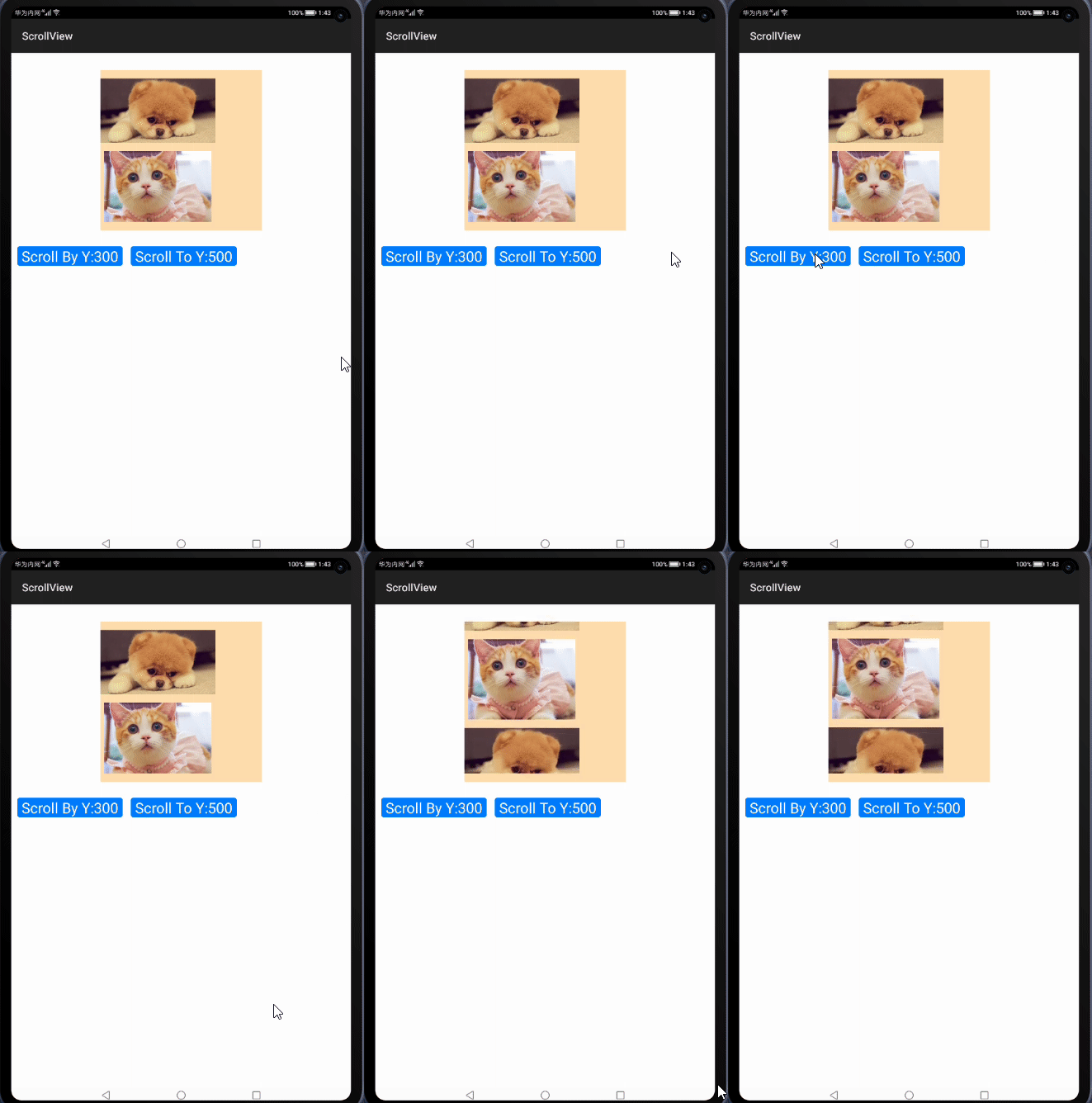
3.1 根据像素数平滑滚动
代码
Button btnScroll= (Button) findComponentById(ResourceTable.Id_btnScroll);
ScrollView scrollView= (ScrollView) findComponentById(ResourceTable.Id_scrollview);
btnScroll.setClickedListener(new Component.ClickedListener() {
      @Override
      public void onClick(Component component) {
             scrollView.fluentScrollByY(300);
      }
});
根据像素数平滑滚动效果
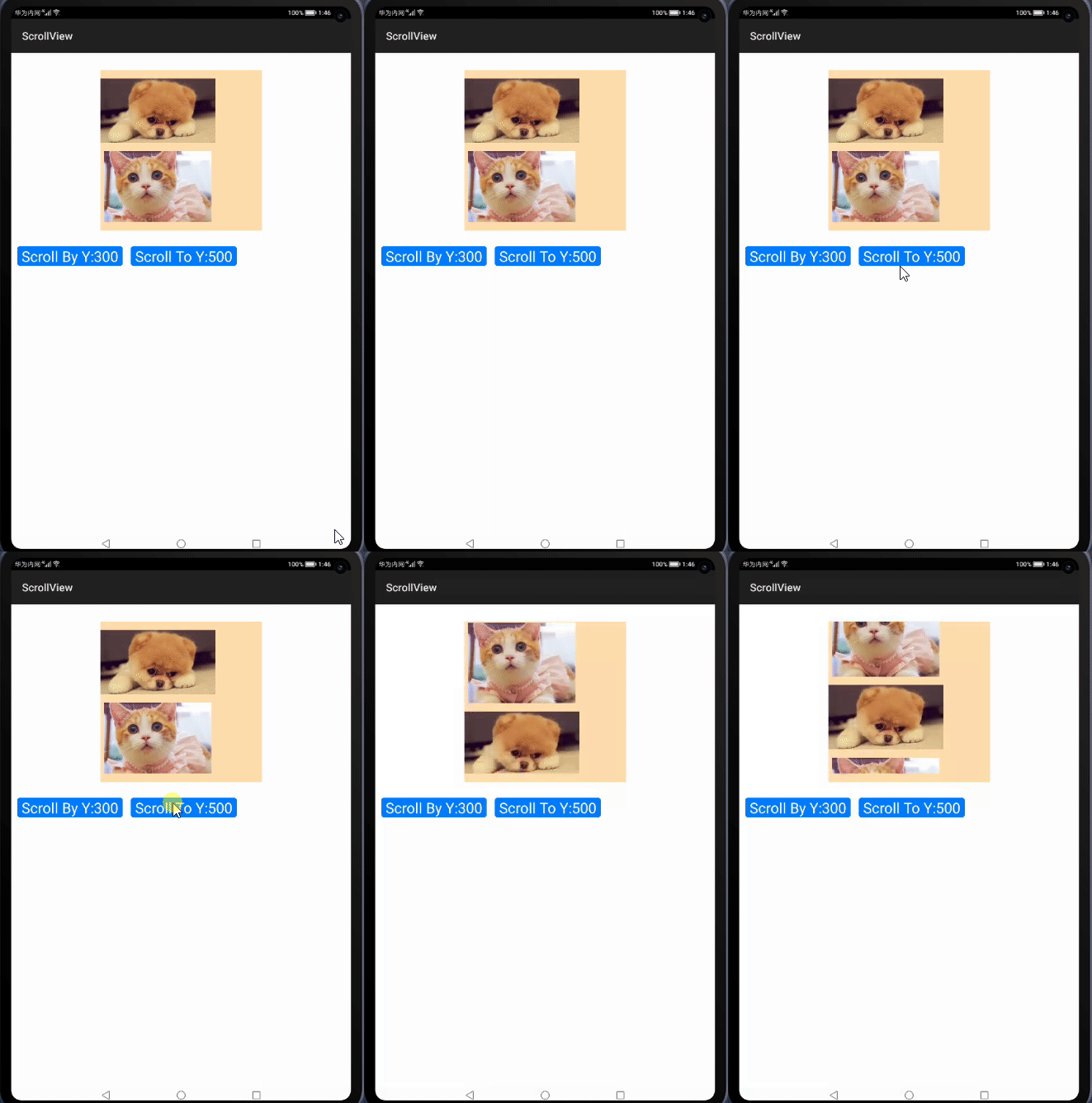
3.2 平滑滚动到指定位置
代码
Button btnScrollTo= (Button) findComponentById(ResourceTable.Id_btnScrollTo);
ScrollView scrollView= (ScrollView) findComponentById(ResourceTable.Id_scrollview);
btnScrollTo.setClickedListener(new Component.ClickedListener() {
         @Override
         public void onClick(Component component) {
              scrollView.fluentScrollYTo(500);
          }
});
平滑滚动到指定位置效果
3.3 设置布局方向
ScrollView自身没有设置布局方向的属性,所以需要在其子布局中设置。以横向布局horizontal为例
xml中配置
<ScrollView
    ...
    >
    <DirectionalLayout
        ...
        ohos:orientation="horizontal">
        ...
    </DirectionalLayout>
</Scrollview>
设置布局方向为横向布局效果

3.4 设置回弹效果
在xml中设置
<ScrollView
    ...
    ohos:rebound_effect="true">
        ...
</ScrollView>
Java代码中设置
scrollView.setReboundEffect(true);
开启回弹效果

3.5 设置缩放匹配效果
xml中设置
<ScrollView
    ...
    ohos:match_viewport="true">
        ...
</ScrollView>
Java代码中设置
scrollView.setMatchViewportEnabled(true);
设置缩放匹配效果


讨论HarmonyOS开发技术,专注于API与组件、DevEco Studio、测试、元服务和应用上架分发等。
更多推荐

 2
2 0
0- 0


 已为社区贡献16条内容

所有评论(0)