鸿蒙NEXT开发动画案例6
本文介绍了如何在鸿蒙系统中创建一个包含上下弹跳和旋转动画的组件。首先,在Page文件夹下新建Spin.ets文件,定义了一个名为SpinSix的组件,该组件包含两个Canvas元素,分别用于实现上下弹跳和旋转动画。通过startBounceAnimation和startRotateAnimation方法分别启动弹跳和旋转动画,并使用bounceStyle方法定义公共样式。接着,修改Index.et
·
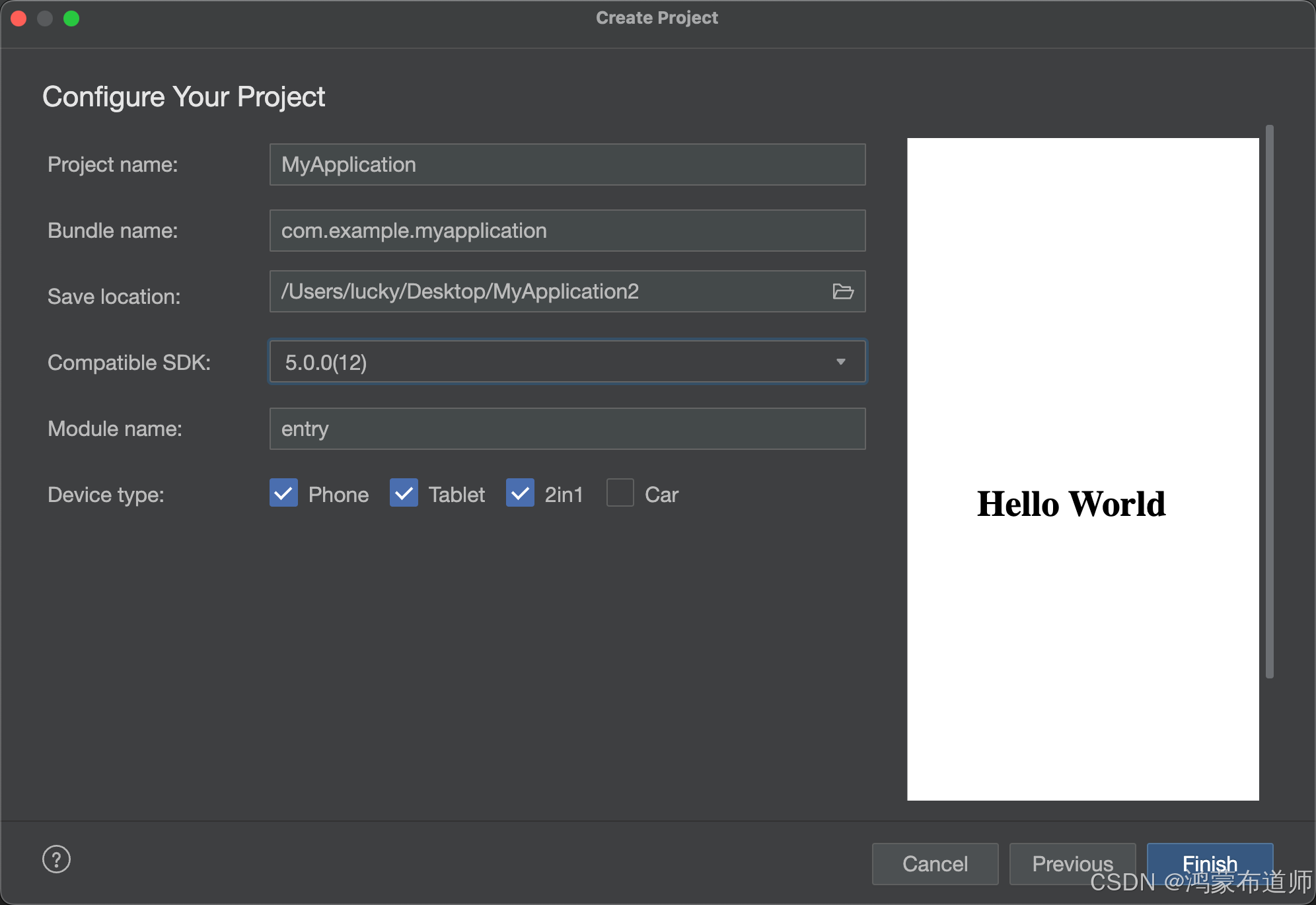
1.创建空白项目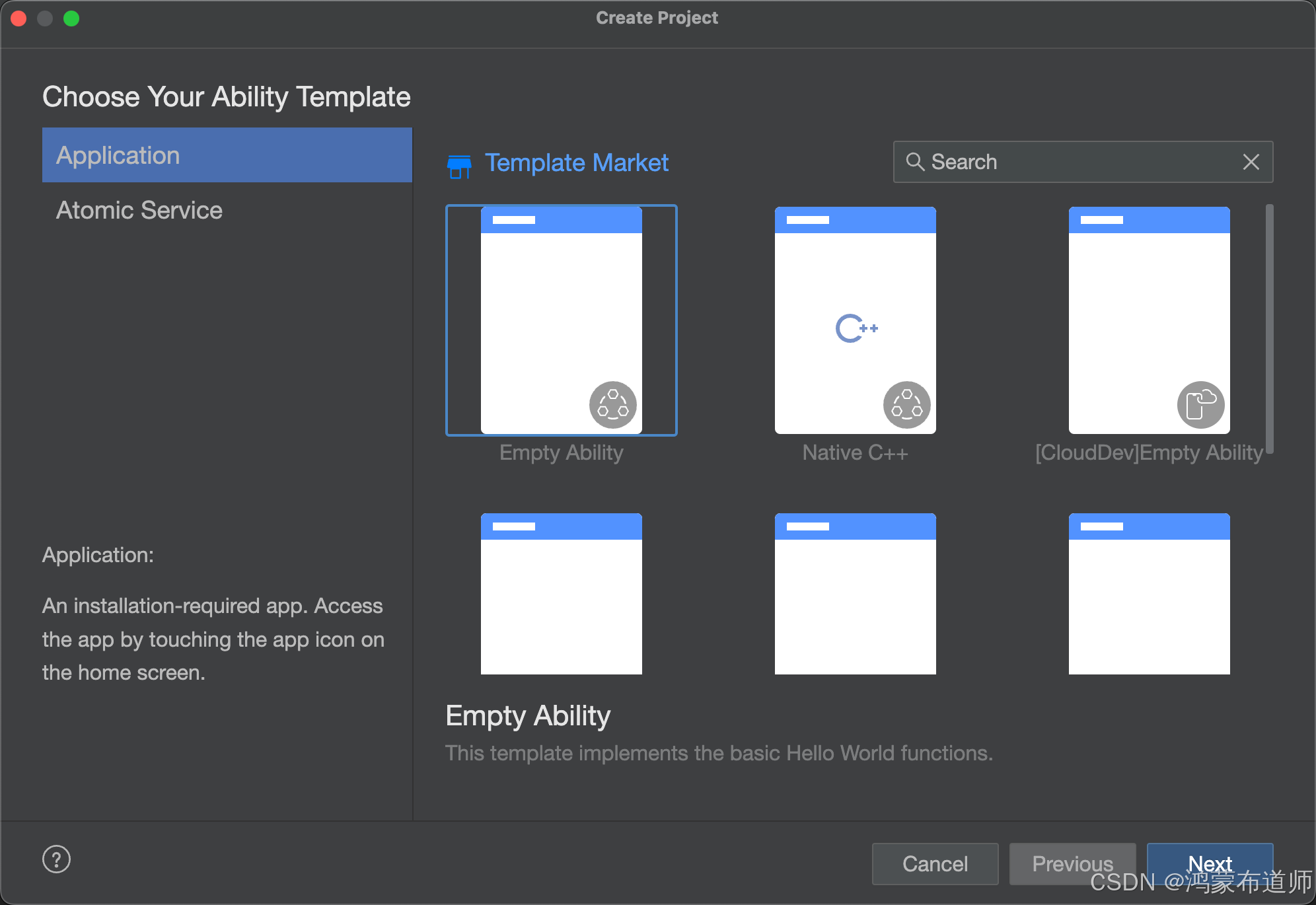
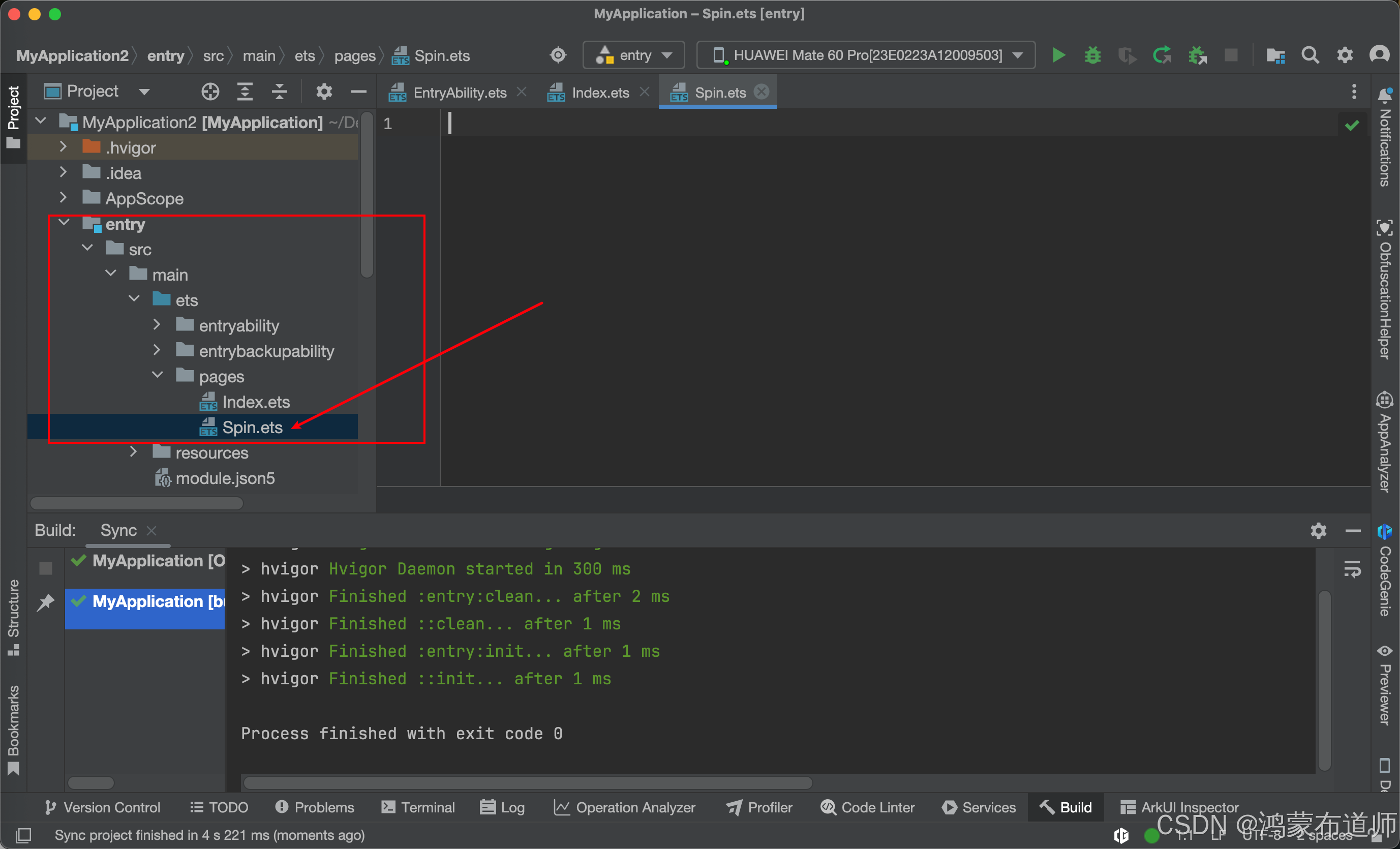
2.Page文件夹下面新建Spin.ets文件,代码如下:
/**
 * TODO SpinKit动画组件 - 上下弹跳+旋转动画
 * author: 鸿蒙布道师
 * since: 2025/05/12
 */
@ComponentV2
export struct SpinSix {
  // 参数定义
  @Require @Param spinSize: number = 48;
  @Require @Param spinColor: ResourceColor = '#209ED8';

  // 局部状态
  @Local scale1: number = 0; // 上方小球缩放
  @Local scale2: number = 1; // 下方小球缩放
  @Local angle1: number = 0; // 整体旋转角度

  build() {
    RelativeContainer() {
      Canvas()
        .alignRules({
          top: { anchor: '__container__', align: VerticalAlign.Top },
          middle: { anchor: '__container__', align: HorizontalAlign.Center },
        })
        .scale({ x: this.scale1, y: this.scale1 })
        .bounceStyle()

      Canvas()
        .alignRules({
          bottom: { anchor: '__container__', align: VerticalAlign.Bottom },
          middle: { anchor: '__container__', align: HorizontalAlign.Center },
        })
        .scale({ x: this.scale2, y: this.scale2 })
        .bounceStyle()
    }
    .width(this.spinSize)
    .height(this.spinSize)
    .rotate({ angle: this.angle1 })
    .onAppear(() => {
      this.startBounceAnimation();
      this.startRotateAnimation();
    });
  }

  /**
   * 启动弹跳动画
   */
  private startBounceAnimation(): void {
    const uiContext = this.getUIContext();
    if (!uiContext) return;

    const keyframes: Array<KeyframeState> = [
      {
        duration: 1000,
        curve: Curve.EaseInOut,
        event: (): void => {
          this.scale1 = 1;
          this.scale2 = 0;
        }
      },
      {
        duration: 1000,
        curve: Curve.EaseInOut,
        event: (): void => {
          this.scale1 = 0;
          this.scale2 = 1;
        }
      }
    ];

    uiContext.keyframeAnimateTo(
      { iterations: -1, delay: 0 },
      keyframes
    );
  }

  /**
   * 启动整体旋转动画
   */
  private startRotateAnimation(): void {
    const uiContext = this.getUIContext();
    if (!uiContext) return;

    const keyframes: Array<KeyframeState> = [
      {
        duration: 2000,
        curve: Curve.Linear,
        event: (): void => {
          this.angle1 = 360;
        }
      }
    ];

    uiContext.keyframeAnimateTo(
      { iterations: -1, delay: 0 },
      keyframes
    );
  }

  /**
   * 公共样式
   */
  @Styles
  bounceStyle() {
    .width('60%')
    .height('60%')
    .borderRadius(this.spinSize)
    .backgroundColor(this.spinColor)
    .shadow(ShadowStyle.OUTER_DEFAULT_XS)
  }
}
代码如下:
/**
 * TODO SpinKit动画组件 - 上下弹跳+旋转动画
 * author: 鸿蒙布道师
 * since: 2025/05/12
 */
@ComponentV2
export struct SpinSix {
  // 参数定义
  @Require @Param spinSize: number = 48;
  @Require @Param spinColor: ResourceColor = '#209ED8';

  // 局部状态
  @Local scale1: number = 0; // 上方小球缩放
  @Local scale2: number = 1; // 下方小球缩放
  @Local angle1: number = 0; // 整体旋转角度

  build() {
    RelativeContainer() {
      Canvas()
        .alignRules({
          top: { anchor: '__container__', align: VerticalAlign.Top },
          middle: { anchor: '__container__', align: HorizontalAlign.Center },
        })
        .scale({ x: this.scale1, y: this.scale1 })
        .bounceStyle()

      Canvas()
        .alignRules({
          bottom: { anchor: '__container__', align: VerticalAlign.Bottom },
          middle: { anchor: '__container__', align: HorizontalAlign.Center },
        })
        .scale({ x: this.scale2, y: this.scale2 })
        .bounceStyle()
    }
    .width(this.spinSize)
    .height(this.spinSize)
    .rotate({ angle: this.angle1 })
    .onAppear(() => {
      this.startBounceAnimation();
      this.startRotateAnimation();
    });
  }

  /**
   * 启动弹跳动画
   */
  private startBounceAnimation(): void {
    const uiContext = this.getUIContext();
    if (!uiContext) return;

    const keyframes: Array<KeyframeState> = [
      {
        duration: 1000,
        curve: Curve.EaseInOut,
        event: (): void => {
          this.scale1 = 1;
          this.scale2 = 0;
        }
      },
      {
        duration: 1000,
        curve: Curve.EaseInOut,
        event: (): void => {
          this.scale1 = 0;
          this.scale2 = 1;
        }
      }
    ];

    uiContext.keyframeAnimateTo(
      { iterations: -1, delay: 0 },
      keyframes
    );
  }

  /**
   * 启动整体旋转动画
   */
  private startRotateAnimation(): void {
    const uiContext = this.getUIContext();
    if (!uiContext) return;

    const keyframes: Array<KeyframeState> = [
      {
        duration: 2000,
        curve: Curve.Linear,
        event: (): void => {
          this.angle1 = 360;
        }
      }
    ];

    uiContext.keyframeAnimateTo(
      { iterations: -1, delay: 0 },
      keyframes
    );
  }

  /**
   * 公共样式
   */
  @Styles
  bounceStyle() {
    .width('60%')
    .height('60%')
    .borderRadius(this.spinSize)
    .backgroundColor(this.spinColor)
    .shadow(ShadowStyle.OUTER_DEFAULT_XS)
  }
}
3.修改Index.ets文件,代码如下:
import { SpinSix } from './Spin';

@Entry
@Component
struct Index {
  @State message: string = 'Hello World';

  build() {
    Column() {
      SpinSix({
        spinSize: 60,
        spinColor: '#FF0000'
      })
    }
    .alignItems(HorizontalAlign.Center)
    .justifyContent(FlexAlign.Center)
    .height('100%')
    .width('100%')
  }
}
代码如下:
import { SpinSix } from './Spin';

@Entry
@Component
struct Index {
  @State message: string = 'Hello World';

  build() {
    Column() {
      SpinSix({
        spinSize: 60,
        spinColor: '#FF0000'
      })
    }
    .alignItems(HorizontalAlign.Center)
    .justifyContent(FlexAlign.Center)
    .height('100%')
    .width('100%')
  }
}
4.运行项目,登录华为账号,需进行签名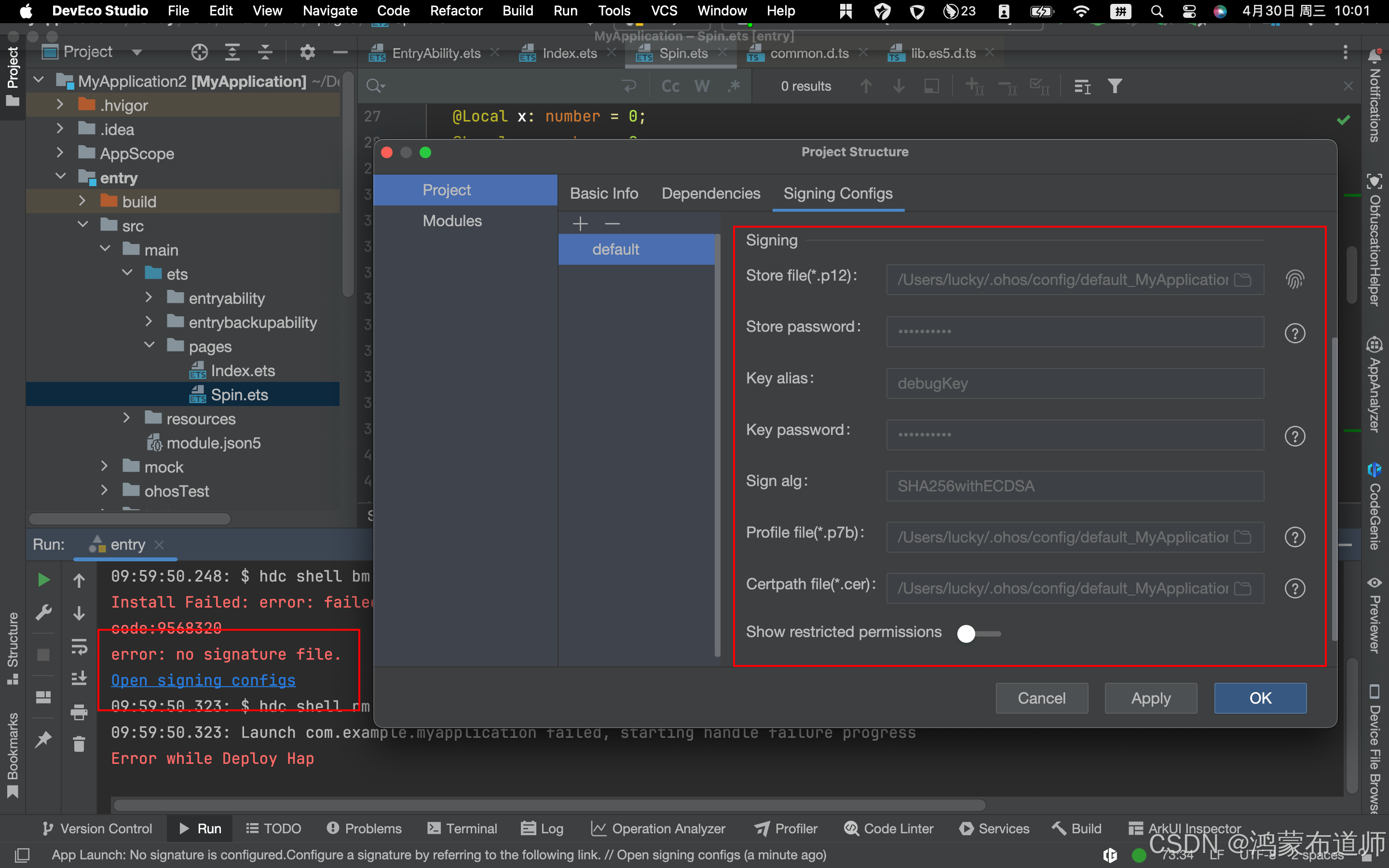
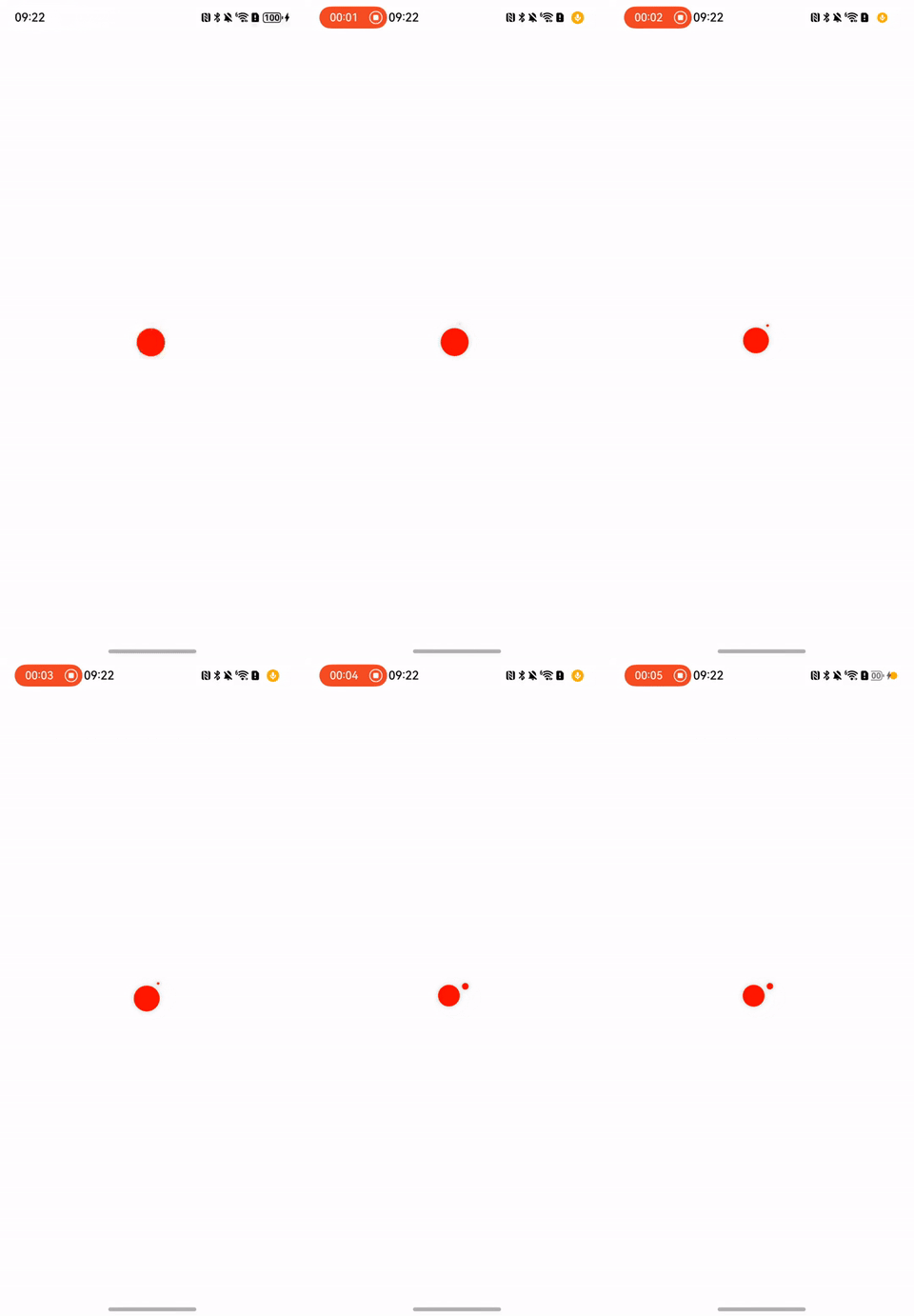
5.动画效果如下:

讨论HarmonyOS开发技术,专注于API与组件、DevEco Studio、测试、元服务和应用上架分发等。
更多推荐

 37
37 0
0- 0



 已为社区贡献21条内容

所有评论(0)