HarmonyOS 输入框TextField的使用
TextField 是什么TextField是HarmonyOS 里面的输入框TextField 的属性TextField 继承Text 所以Text的属行也适用TextField ,需要记住的几种属性有hint 提示文本hint_color 提示语字体的颜色text_size 字体的大小,即使提示语字体的大小也是输入文本字体的大小TextField 自有的属性basement :输入框基线下面认
TextField 是什么
TextField是HarmonyOS 里面的输入框
TextField 的属性
TextField 继承Text 所以Text的属行也适用TextField ,需要记住的几种属性有
hint 提示文本
hint_color 提示语字体的颜色
text_size 字体的大小,即使提示语字体的大小也是输入文本字体的大小
TextField 自有的属性basement : 输入框基线
下面认识下这个basement
没有使用basement的情况

使用basement的情况

颜色可以自己设置
使用背景色的情况
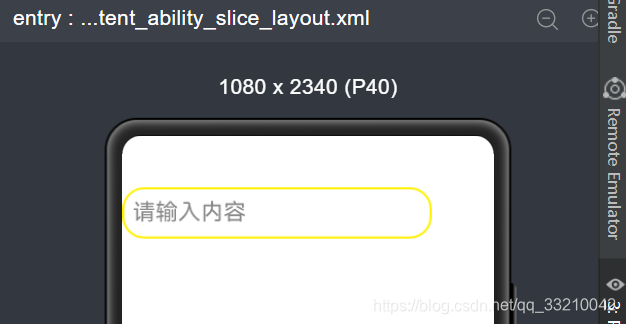
当然有时候底部线并不是我们想要的,我们可以不使用basement,使用 background_element
例如
    <TextField
        ohos:id="$+id:text_field"
        ohos:height="match_content"
        ohos:width="300vp"
        ohos:hint="请输入内容"
        ohos:text_size="22fp"
        ohos:padding="10vp"
        ohos:background_element="$graphic:background_ability_main"
        ohos:top_margin="50vp"/>
实现的效果图如下
TextField 获取输入框里面的文本
TextField 获取输入框里面的文本可以使用getText
例如在文本框里面输入
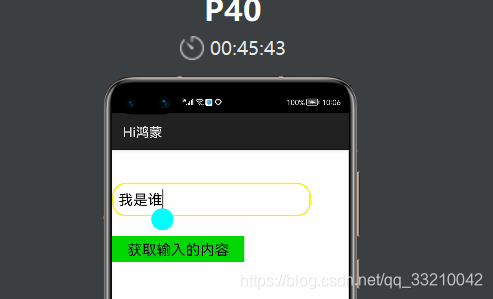
java 代码获取输入框的内容
public class IntentAbilitySlice extends AbilitySlice {
    private static final HiLogLabel hilog = new HiLogLabel(HiLog.DEBUG ,0x0000, "Log");
    private TextField textField;
    private Button button;

    @Override
    protected void onStart(Intent intent) {
        super.onStart(intent);
        super.setUIContent(ResourceTable.Layout_intent_ability_slice_layout);

        textField = (TextField) findComponentById(ResourceTable.Id_text_field);

        button = (Button) findComponentById(ResourceTable.Id_button);
        button.setClickedListener(new Component.ClickedListener() {
            @Override
            public void onClick(Component component) {
                HiLog.error(hilog,textField.getText());
            }
        });


    }
}
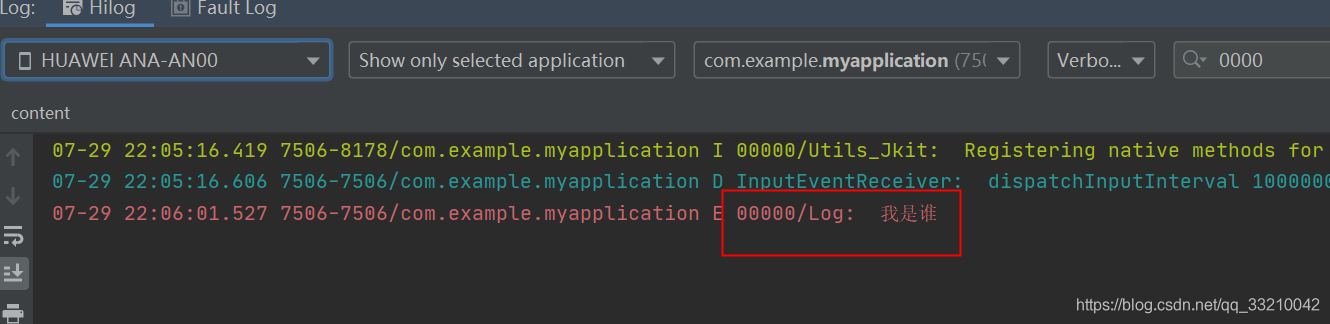
打印结果
TextField 显示输入的类型
使用text_input_type ,当 text_input_type="pattern_text"表示文本输入类型为普通文本模式
当 ohos:text_input_type="pattern_number"表示文本输入类型为数字
当 ohos:text_input_type="pattern_password"表示文本输入类型为密码
TextField 设置光标是否随着输入文字显示
当 ohos:text_cursor_visible="true"的时候光标随着输入的文本移动
当 ohos:text_cursor_visible="false"的时候光标隐藏.

讨论HarmonyOS开发技术,专注于API与组件、DevEco Studio、测试、元服务和应用上架分发等。
更多推荐


 0
0 0
0- 0


 已为社区贡献20条内容

所有评论(0)