鸿蒙webView开发h5端调用鸿蒙系统能力导致白屏问题解决方案(其他跳转导致白屏同理)
在开发过程中h5端需要通过一个herf链接去直接调用鸿蒙系统能力,这个操作会导致点击之后web页面白屏,出现这种情况我们需要通过web组件的onLoadIntercept钩子函数去拦截这个跳转,在鸿蒙端自行处理这部分系统能力。这里以h5调用系统打电话的能力为例,附上效果图和完整代码。这里介绍了onLoadIntercept的用法。
问题描述
在开发过程中h5端需要通过一个herf链接去直接调用鸿蒙系统能力,这个操作会导致点击之后web页面白屏,出现这种情况我们需要通过web组件的onLoadIntercept钩子函数去拦截这个跳转,在鸿蒙端自行处理这部分系统能力。这里以h5调用系统打电话的能力为例,附上效果图和完整代码。
官方文档:Web-ArkTS 组件-ArkWeb(方舟Web)-应用框架 - 华为HarmonyOS开发者 这里介绍了onLoadIntercept的用法
端调用鸿蒙侧系统能力(拉起打电话页面)
这里有一个简单的例子,点击一个按钮后会通过tell:// 协议跳转
<h1 id="phoneNumberDisplay">电话号码: 13455554444</h1>
<button onclick="makePhoneCall()">拨打电话</button>

<script>
    // 电话号码
    const phoneNumber = '13455554444';

    // 更新h1标签显示电话号码
    document.getElementById('phoneNumberDisplay').textContent = `电话号码: ${phoneNumber}`;

    function makePhoneCall() {
      window.location.href = `tel://${phoneNumber}`;
    }
</script>
鸿蒙中引用这个index.html文件
若是直接引用这个文件,则我们点击按钮时web页面会直接白屏X
    Web({
      src:$rawfile('index.html'),
      controller:this.controller
    })
      .height('100%')
      .width('100%')
加上onLoadIntercept拦截这个跳转,转为鸿蒙自行处理
在onLoadIntercept函数的事件对象上面可获取到被拦截的链接
const url = event.data.getRequestUrl();这个url就是原链接,判断这个链接是否放行,这个链接放行会导致web组件白屏,显然不能放行,在鸿蒙端做完处理之后,直接return true ,表示不放行,操作如下:
  Web({
      src:$rawfile('index.html'),
      controller:this.controller
    })
      .onLoadIntercept((event) => {
        const url = event.data.getRequestUrl();
        // 判断链接是否为拨号链接
        if (url.indexOf('tel:') === 0) {
          // 跳转拨号界面
          call.makeCall(url.replace('tel://', ''), (err) => {
            if (!err) {
              console.info('make call succeeded.');
            } else {
              console.info('make call fail, err is:' + JSON.stringify(err));
            }
          });
          return true;
        }
        return false;
      })
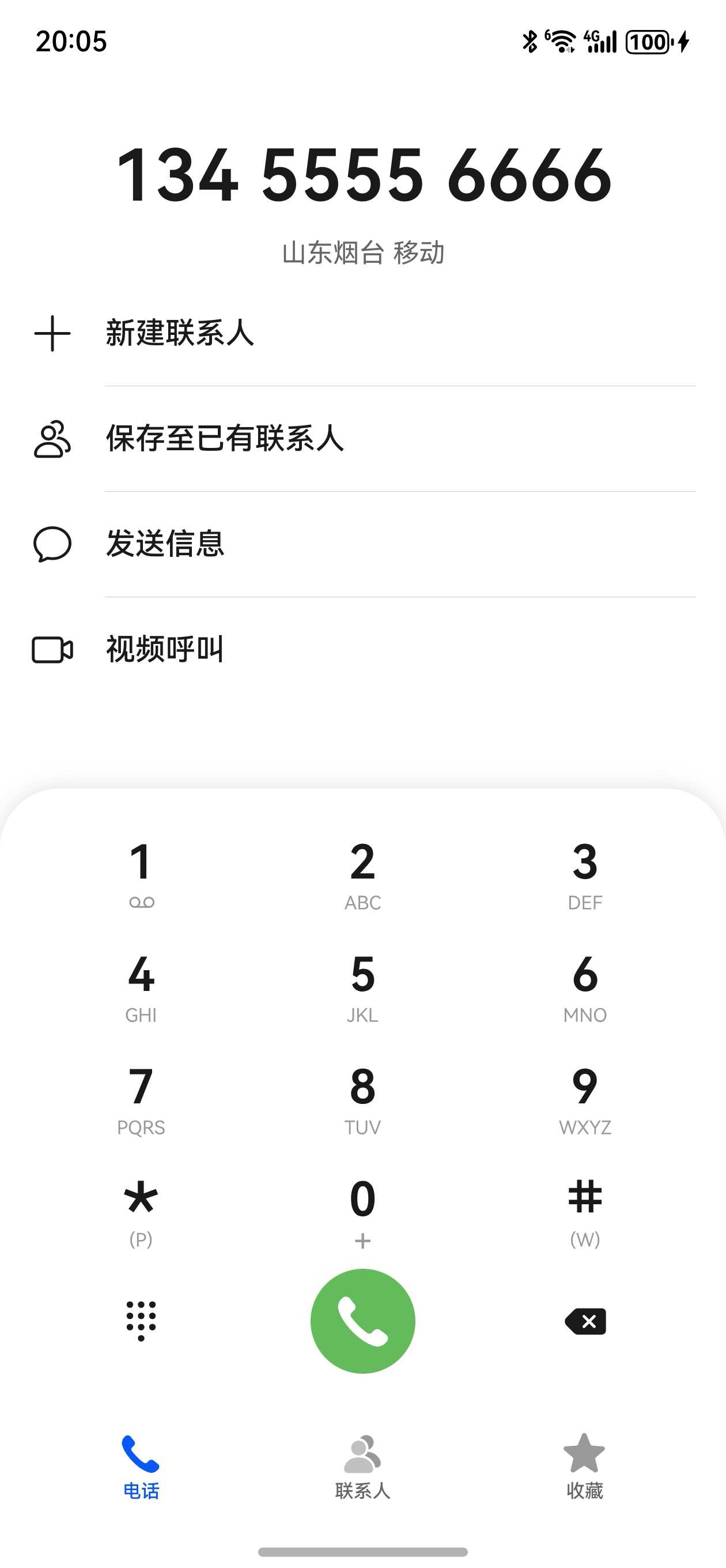
做完这些处理之后就可以解决白屏问题,并成功跳转拨号页面
效果如下:
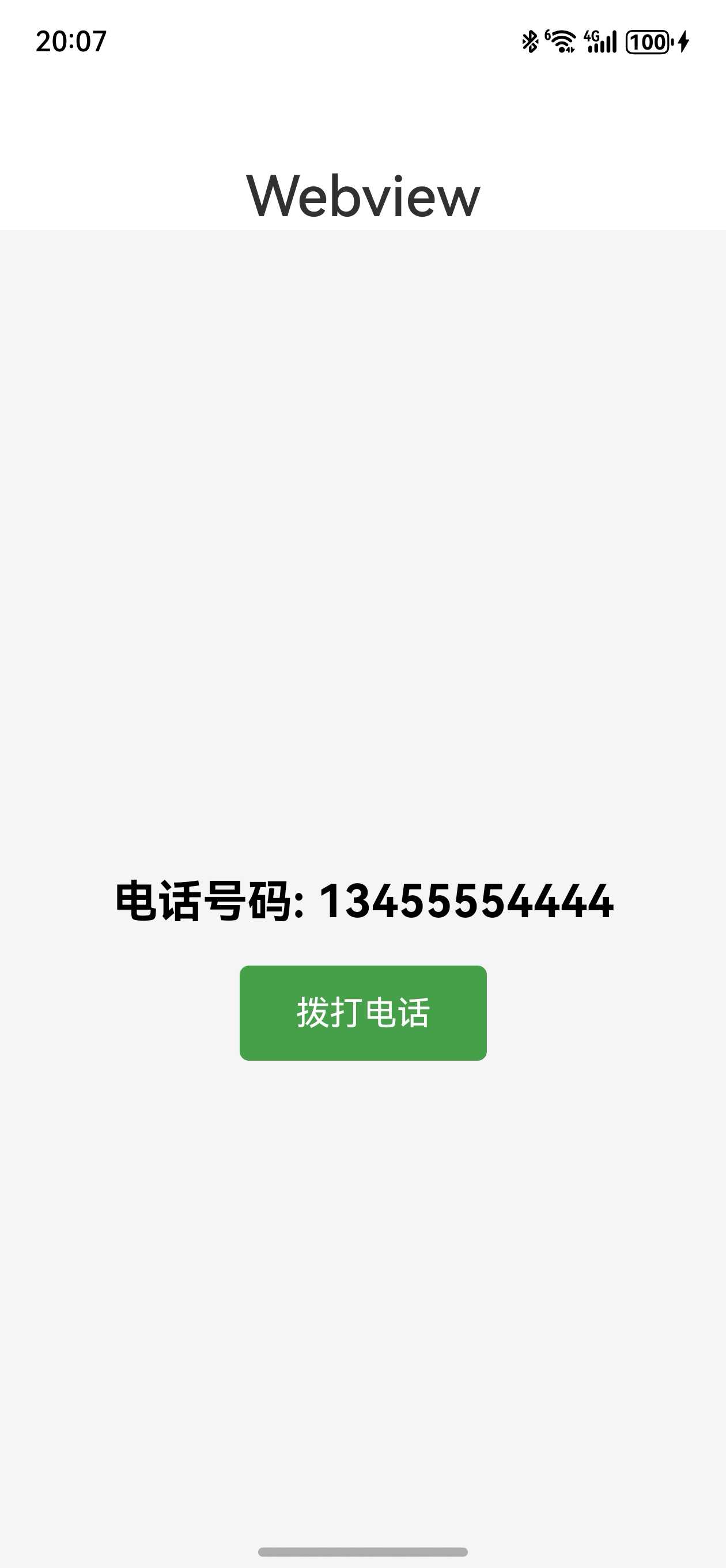
点击按钮跳转到拨号页面
下面附上完整代码:
h5端网页代码
<!DOCTYPE html>
<html lang="en">
<head>
    <meta charset="UTF-8">
    <meta name="viewport" content="width=device-width, initial-scale=1.0">
    <title>拨号示例</title>
    <style>
        body {
          font-family: Arial, sans-serif;
          display: flex;
          flex-direction: column;
          justify-content: center;
          align-items: center;
          height: 100vh;
          margin: 0;
          background-color: #f5f5f5;
        }
        h1 {
          font-size: 24px;
          margin-bottom: 20px;
        }
        button {
          padding: 15px 30px;
          font-size: 18px;
          background-color: #4CAF50;
          color: white;
          border: none;
          border-radius: 5px;
          cursor: pointer;
          transition: background-color 0.3s;
        }
        button:hover {
          background-color: #45a049;
        }
    </style>
</head>
<body>
<h1 id="phoneNumberDisplay">电话号码: 13455554444</h1>
<button onclick="makePhoneCall()">拨打电话</button>

<script>
    // 电话号码
    const phoneNumber = '13455554444';

    // 更新h1标签显示电话号码
    document.getElementById('phoneNumberDisplay').textContent = `电话号码: ${phoneNumber}`;

    function makePhoneCall() {
      window.location.href = `tel://${phoneNumber}`;
    }
</script>
</body>
</html>
鸿蒙端代码:
import webview from '@ohos.web.webview'
import { call } from '@kit.TelephonyKit';

@Entry
@Component
struct Index {
 controller: webview.WebviewController = new webview.WebviewController()

  build() {
    Column() {
      Text('Webview')
        .fontSize(30)
        .fontWeight(500)
        .margin({ top: 50 })
    Web({
      src:$rawfile('index.html'),
      controller:this.controller
    })
      .onLoadIntercept((event) => {
        const url = event.data.getRequestUrl();
        // 判断链接是否为拨号链接
        if (url.indexOf('tel:') === 0) {
          // 跳转拨号界面
          call.makeCall(url.replace('tel://', ''), (err) => {
            if (!err) {
              console.info('make call succeeded.');
            } else {
              console.info('make call fail, err is:' + JSON.stringify(err));
            }
          });
          return true;
        }
        return false;
      })
      .height('100%')
      .width('100%')
    }
    .height('100%')
    .width('100%')
  }
}

讨论HarmonyOS开发技术,专注于API与组件、DevEco Studio、测试、元服务和应用上架分发等。
更多推荐

 8
8 0
0- 0


 已为社区贡献17条内容

所有评论(0)