鸿蒙API14开发【@ohos.enterprise.bluetoothManager(蓝牙管理)】短距通信服务
本模块提供设备蓝牙管理的能力,包括设置和查询蓝牙信息等。
本模块提供设备蓝牙管理的能力,包括设置和查询蓝牙信息等。
说明
本模块首批接口从API version 12开始支持。后续版本的新增接口,采用上角标单独标记接口的起始版本。
本模块接口仅可在Stage模型下使用。
全局通用限制类策略由restrictions统一提供,若要全局禁用蓝牙
导入模块
import { bluetoothManager } from '@kit.MDMKit';
bluetoothManager.getBluetoothInfo
getBluetoothInfo(admin: Want): BluetoothInfo
查询设备蓝牙信息。
需要权限: ohos.permission.ENTERPRISE_MANAGE_BLUETOOTH
系统能力: SystemCapability.Customization.EnterpriseDeviceManager
参数:
| 参数名 | 类型 | 必填 | 说明 |
|---|---|---|---|
| admin | [Want] | 是 | 企业设备管理扩展组件。 |
返回值:
| 类型 | 说明 |
|---|---|
| [BluetoothInfo] | 蓝牙信息,包含蓝牙名称、蓝牙状态和蓝牙连接状态。 |
| 错误码ID | 错误信息 |
|---|---|
| 9200001 | The application is not an administrator application of the device. |
| 9200002 | The administrator application does not have permission to manage the device. |
| 201 | Permission verification failed. The application does not have the permission required to call the API. |
| 401 | Parameter error. Possible causes: 1. Mandatory parameters are left unspecified; 2. Incorrect parameter types; 3. Parameter verification failed. |
示例:
import { Want } from '@kit.AbilityKit';
import { bluetoothManager } from '@kit.MDMKit';
let wantTemp: Want = {
  bundleName: 'com.example.myapplication',
  abilityName: 'EntryAbility',
};

try {
    let result: bluetoothManager.BluetoothInfo = bluetoothManager.getBluetoothInfo(wantTemp);
    console.info(`Succeeded in getting bluetooth info: ${JSON.stringify(result)}`);
} catch(err) {
    console.error(`Failed to get bluetooth info. Code: ${err.code}, message: ${err.message}`);
}
bluetoothManager.addAllowedBluetoothDevices
addAllowedBluetoothDevices(admin: Want, deviceIds: Array): void
添加蓝牙设备可用白名单。如果调用[setDisallowedPolicy]接口禁用了蓝牙,就无法调用此接口,否则会冲突;如果调用此接口后再全局禁用,则可以禁用成功。
需要权限: ohos.permission.ENTERPRISE_MANAGE_BLUETOOTH
系统能力: SystemCapability.Customization.EnterpriseDeviceManager
参数:
| 参数名 | 类型 | 必填 | 说明 |
|---|---|---|---|
| admin | [Want] | 是 | 企业设备管理扩展组件。 |
| deviceIds | Array | 是 | 蓝牙设备MAC地址的数组。添加后的数组长度上限为1000。 |
| 错误码ID | 错误信息 |
|---|---|
| 9200001 | The application is not an administrator application of the device. |
| 9200002 | The administrator application does not have permission to manage the device. |
| 9200010 | A conflict policy has been configured. |
| 201 | Permission verification failed. The application does not have the permission required to call the API. |
| 401 | Parameter error. Possible causes: 1. Mandatory parameters are left unspecified; 2. Incorrect parameter types; 3. Parameter verification failed. |
示例:
import { Want } from '@kit.AbilityKit';
import { bluetoothManager } from '@kit.MDMKit';
let wantTemp: Want = {
  bundleName: 'com.example.myapplication',
  abilityName: 'EntryAbility',
};
let deviceIds: Array<string> = ["00:1A:2B:3C:4D:5E","AA:BB:CC:DD:EE:FF"];
try {
    bluetoothManager.addAllowedBluetoothDevices(wantTemp,deviceIds);
    console.info(`Succeeded in adding allowed bluetooth devices.`);
} catch(err) {
    console.error(`Failed to add allowed bluetooth devices. Code: ${err.code}, message: ${err.message}`);
}
bluetoothManager.removeAllowedBluetoothDevices
removeAllowedBluetoothDevices(admin: Want, deviceIds: Array): void
移除蓝牙设备可用白名单。
需要权限: ohos.permission.ENTERPRISE_MANAGE_BLUETOOTH
系统能力: SystemCapability.Customization.EnterpriseDeviceManager
参数:
| 参数名 | 类型 | 必填 | 说明 |
|---|---|---|---|
| admin | [Want] | 是 | 企业设备管理扩展组件。 |
| deviceIds | Array | 是 | 蓝牙设备MAC地址的数组。 |
| 错误码ID | 错误信息 |
|---|---|
| 9200001 | The application is not an administrator application of the device. |
| 9200002 | The administrator application does not have permission to manage the device. |
| 201 | Permission verification failed. The application does not have the permission required to call the API. |
| 401 | Parameter error. Possible causes: 1. Mandatory parameters are left unspecified; 2. Incorrect parameter types; 3. Parameter verification failed. |
示例:
import { Want } from '@kit.AbilityKit';
import { bluetoothManager } from '@kit.MDMKit';
let wantTemp: Want = {
  bundleName: 'com.example.myapplication',
  abilityName: 'EntryAbility',
};
let deviceIds: Array<string> = ["00:1A:2B:3C:4D:5E","AA:BB:CC:DD:EE:FF"];
try {
    bluetoothManager.removeAllowedBluetoothDevices(wantTemp,deviceIds);
    console.info(`Succeeded in removing allowed bluetooth devices.`);
} catch(err) {
    console.error(`Failed to remove allowed bluetooth devices. Code: ${err.code}, message: ${err.message}`);
}
bluetoothManager.getAllowedBluetoothDevices
getAllowedBluetoothDevices(admin: Want): Array;
获取蓝牙设备可用白名单。
需要权限: ohos.permission.ENTERPRISE_MANAGE_BLUETOOTH
系统能力: SystemCapability.Customization.EnterpriseDeviceManager
参数:
| 参数名 | 类型 | 必填 | 说明 |
|---|---|---|---|
| admin | [Want] | 是 | 企业设备管理扩展组件。 |
返回值:
| 类型 | 说明 |
|---|---|
| Array | 可用白名单中蓝牙设备MAC地址的数组。 |
| 错误码ID | 错误信息 |
|---|---|
| 9200001 | The application is not an administrator application of the device. |
| 9200002 | The administrator application does not have permission to manage the device. |
| 201 | Permission verification failed. The application does not have the permission required to call the API. |
| 401 | Parameter error. Possible causes: 1. Mandatory parameters are left unspecified; 2. Incorrect parameter types; 3. Parameter verification failed. |
示例:
import { Want } from '@kit.AbilityKit';
import { bluetoothManager } from '@kit.MDMKit';
let wantTemp: Want = {
  bundleName: 'com.example.myapplication',
  abilityName: 'EntryAbility',
};
try {
    let result: Array<string> = bluetoothManager.getAllowedBluetoothDevices(wantTemp);
    console.info(`Succeeded in getting allowed bluetooth devices. Result: ${JSON.stringify(result)}`);
} catch(err) {
    console.error(`Failed to get allowed bluetooth devices. Code: ${err.code}, message: ${err.message}`);
}
BluetoothInfo
设备的蓝牙信息。
系统能力: SystemCapability.Customization.EnterpriseDeviceManager
模型约束: 此接口仅可在Stage模型下使用
| 名称 | 类型 | 必填 | 说明 |
|---|---|---|---|
| name | string | 是 | 表示设备的蓝牙名称。 |
| state | [access.BluetoothState] | 是 | 表示设备的蓝牙状态。 |
| connectionState | [constant.ProfileConnectionState] | 是 | 表示设备的蓝牙连接状态。 |
最后呢
很多开发朋友不知道需要学习那些鸿蒙技术?鸿蒙开发岗位需要掌握那些核心技术点?为此鸿蒙的开发学习必须要系统性的进行。
而网上有关鸿蒙的开发资料非常的少,假如你想学好鸿蒙的应用开发与系统底层开发。你可以参考这份资料,少走很多弯路,节省没必要的麻烦。由两位前阿里高级研发工程师联合打造的《鸿蒙NEXT星河版OpenHarmony开发文档》里面内容包含了(ArkTS、ArkUI开发组件、Stage模型、多端部署、分布式应用开发、音频、视频、WebGL、OpenHarmony多媒体技术、Napi组件、OpenHarmony内核、Harmony南向开发、鸿蒙项目实战等等)鸿蒙(Harmony NEXT)技术知识点
如果你是一名Android、Java、前端等等开发人员,想要转入鸿蒙方向发展。可以直接领取这份资料辅助你的学习。下面是鸿蒙开发的学习路线图。
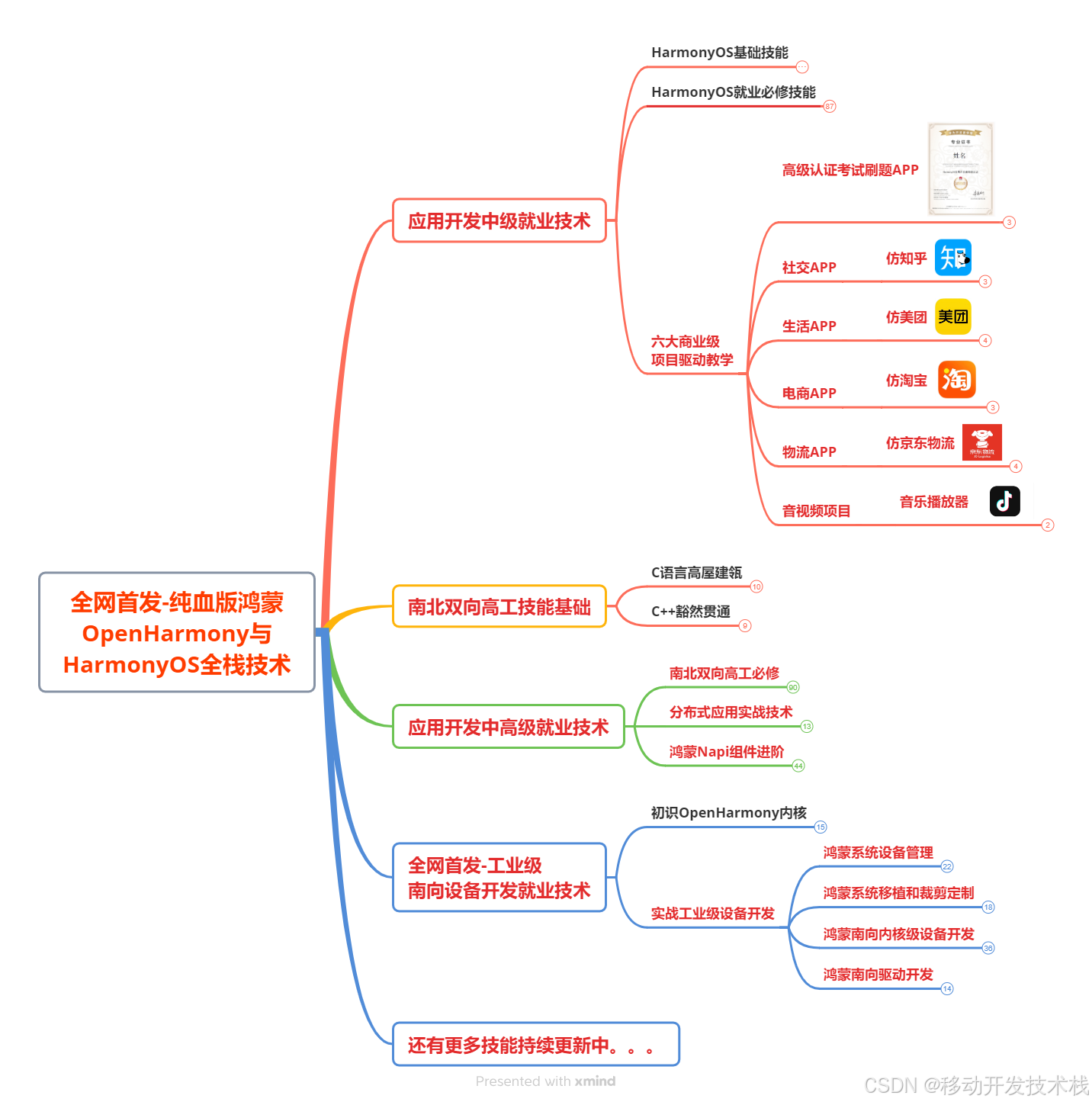
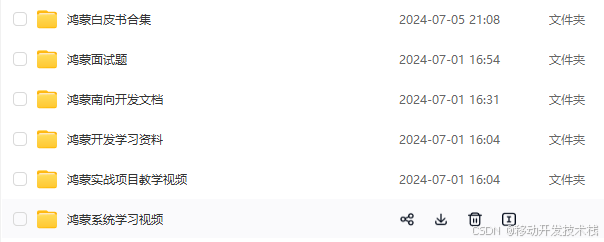
针对鸿蒙成长路线打造的鸿蒙学习文档。话不多说,我们直接看详细鸿蒙(OpenHarmony )手册(共计1236页)与鸿蒙(OpenHarmony )开发入门视频,帮助大家在技术的道路上更进一步。
- 《鸿蒙 (OpenHarmony)开发学习视频》
- 《鸿蒙生态应用开发V2.0白皮书》
- 《鸿蒙 (OpenHarmony)开发基础到实战手册》
- OpenHarmony北向、南向开发环境搭建
- 《鸿蒙开发基础》
- 《鸿蒙开发进阶》
- 《鸿蒙开发实战》
总结
鸿蒙—作为国家主力推送的国产操作系统。部分的高校已经取消了安卓课程,从而开设鸿蒙课程;企业纷纷跟进启动了鸿蒙研发。
并且鸿蒙是完全具备无与伦比的机遇和潜力的;预计到年底将有 5,000 款的应用完成原生鸿蒙开发,未来将会支持 50 万款的应用。那么这么多的应用需要开发,也就意味着需要有更多的鸿蒙人才。鸿蒙开发工程师也将会迎来爆发式的增长,学习鸿蒙势在必行! 自↓↓↓拿

讨论HarmonyOS开发技术,专注于API与组件、DevEco Studio、测试、元服务和应用上架分发等。
更多推荐
 9
9 0
0- 0


 已为社区贡献618条内容

所有评论(0)