鸿蒙应用程序中在线网络功能的实现
·
鸿蒙应用赋予在线网络访问功能
在首次开发的简单应用中有两个跳转功能:
1、跳转至另一个页面
2、跳转至百度首页
应用首页代码:
<!--index.html应用程序首页-->
<!DOCTYPE html>
<html lang="zh-CN">
<head>
<meta charset="UTF-8">
<meta name="viewport" content="width=device-width, initial-scale=1.0">
<title>Harmony Cordova使用指南</title>
<link rel="stylesheet" href="css/index.css">
</head>
<body>
<header>
<h1>Harmony Cordova使用指南</h1>
<p>使用Harmony Cordova将Web应用转换为移动应用</p>
</header>
<main>
<section id="intro">
<h2>什么是Cordova?</h2>
<div class="card">
<p>Apache Cordova是一个开源的移动开发框架,允许您使用标准的Web技术(HTML5, CSS3和JavaScript)进行跨平台开发。</p>
<p>使用Harmony Cordova,您可以构建一个鸿蒙应用程序。</p>
<p><h3><a href="index2.html">下一页</a></h3></p>
<p><h3><a href="https://www.baidu.com" target="_blank">百度</a></h3></p>
</div>
</section>
</main>
<footer>
<p>© 2025 Cordova指南 | 使用Web技术构建移动应用</p>
</footer>
<script type="text/javascript" src="js/index.js"></script>
<script type="text/javascript" src="cordova.js"></script>
</body>
</html>
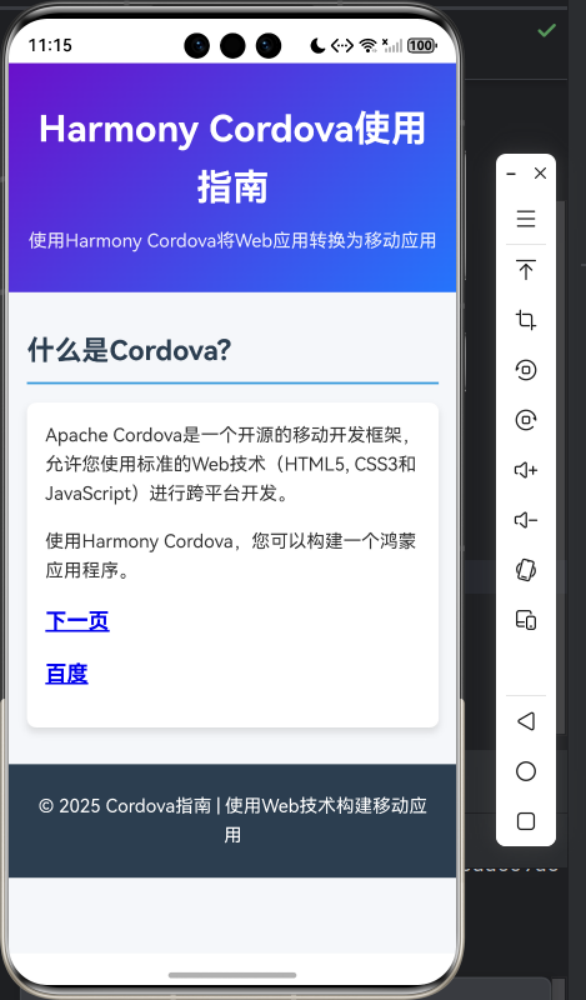
应用首页效果:
应用下一页代码:
<!--index2.html下一页的代码-->
<!doctype html>
<html lang="zh-CN">
<head>
    <meta charset="UTF-8">
    <meta name="viewport"
          content="width=device-width, user-scalable=no, initial-scale=1.0, maximum-scale=1.0, minimum-scale=1.0">
    <meta http-equiv="X-UA-Compatible" content="ie=edge">
    <link rel="stylesheet" href="css/index2.css">
    <title>鸿蒙跨平台开发DAY1</title>
</head>
<body>
    <h1>你好,鸿蒙!</h1>
    <h3>鸿蒙初升,大有可为!</h3>
    <img src="img/come.png">
    <h2><a href="index.html">返回</a></h2>
</body>
</html>
/*index2.css下一页的CSS*/
* {
    margin: 0;
    padding: 0;
    box-sizing: border-box;
}

body {
    font-family: 'Segoe UI', Tahoma, Geneva, Verdana, sans-serif;
    line-height: 1.6;
    color: #2980b9;
    background-color: #6a11cb;
    display: grid;
    place-items: center
}

h1 {
    font-size: 3.0rem;
    text-align:center;
    margin-bottom: 0.5rem;
    border:2px solid #a1a1a1;
    padding:10px 40px;
    background:#dddddd;
    width:500px;
    border-radius:25px;
}
h2 {
    font-size: 1.8rem;
    text-align:center;
    margin-bottom: 0.5rem;
    border:2px solid #fff81a1a;
    padding:10px 40px;
    background:#dddddd;
    width:500px;
    border-radius:25px;
}
h3 {
    font-size: 1.8rem;
    text-align:center;
    margin-bottom: 0.5rem;
    border:2px solid #fff81a1a;
    padding:10px 40px;
    background:#dddddd;
    width:500px;
    border-radius:25px;
}
下一页的效果:

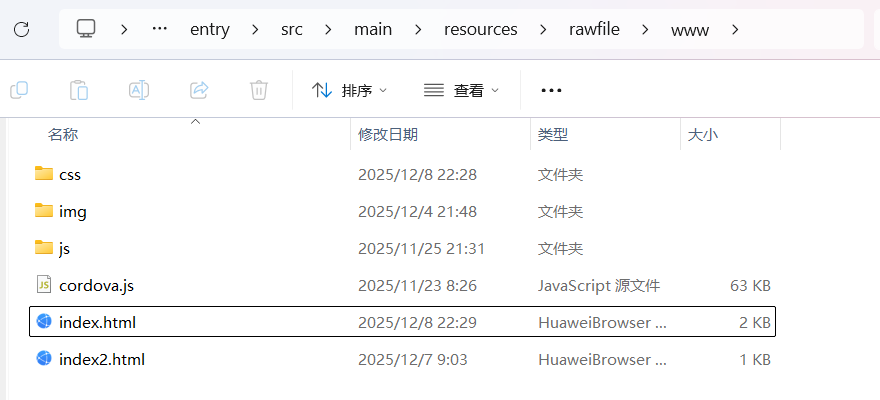
目录结构:
调试结果:
1、页面间的跳转可以在模拟器和真机中实现
2、无法实现在线网络访问(界面空白),即不能跳转至百度首页
原因分析:
应用没有访问 Internet 网络的权限,无法执行 HTTP/HTTPS 请求等网络通信操作
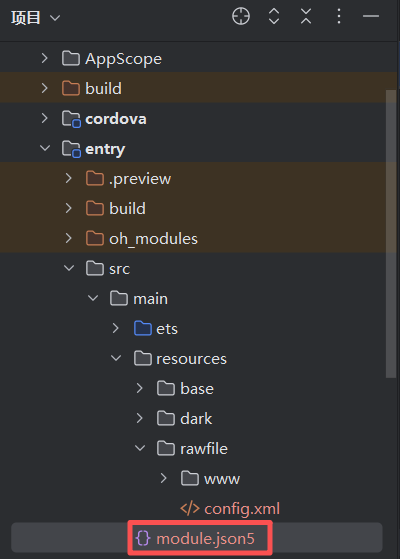
配置网络权限:
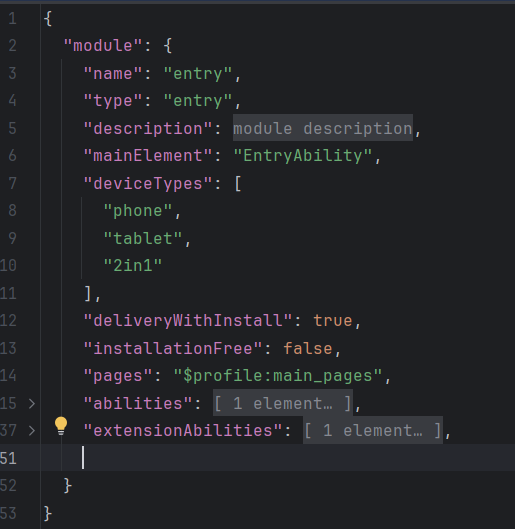
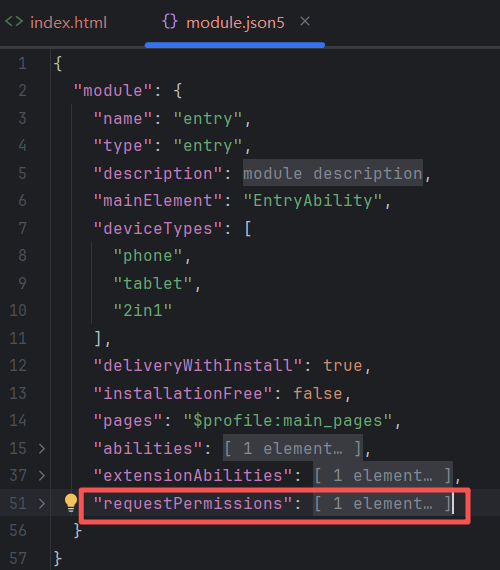
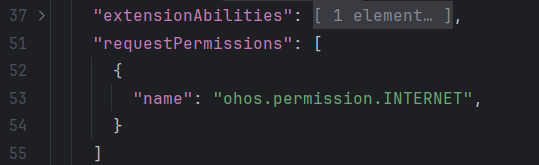
"requestPermissions": [
      {
        "name": "ohos.permission.INTERNET",
      }
    ]
问题解决,最终实现网络访问:


讨论HarmonyOS开发技术,专注于API与组件、DevEco Studio、测试、元服务和应用上架分发等。
更多推荐



 4
4 0
0- 0


 已为社区贡献6条内容

所有评论(0)