从入门小白到精通,玩转React Native鸿蒙跨平台开发:TouchableWithoutFeedback(没有任何视觉反馈)
React Native中的TouchableWithoutFeedback组件是一个特殊触摸处理工具,它允许响应触摸事件但不显示任何视觉反馈。该组件适用于需要触摸交互但不需要视觉变化的场景,如点击空白处触发操作。其核心原理是捕获原生触摸事件并通过桥接层转换为JavaScript事件。与TouchableHighlight等组件不同,它不会修改子视图样式。使用时需注意仅支持单一子节点,且应谨慎使用
TouchableWithoutFeedback
If you’re looking for a more extensive and future-proof way to handle touch-based input, check out the Pressable API.
除非你有一个很好的理由,否则不要用这个组件。所有能够响应触屏操作的元素在触屏后都应该有一个视觉上的反馈(然而本组件没有任何视觉反馈),这也是为什么一个"web"应用总是显得不够"原生"的主要原因之一。
注意TouchableWithoutFeedback只支持一个子节点(不能没有子节点也不能多于一个)。如果你希望包含多个子组件,可以用一个 View 来包装它们。
译注:常见的使用场景比如想实现点击空白处触发某个操作,那么就可以把空白部分用TouchableWithoutFeedback包起来,或者绝对定位覆盖住。
在React Native中,在处理触摸事件时,TouchableWithoutFeedback是一个非常有用的组件,因为它允许你对触摸事件作出响应但不显示任何视觉反馈(例如高亮或按下效果)。这对于需要触摸但不希望有视觉干扰的场景非常有用,比如在触摸时显示一个菜单或者弹出框时。
基础用法
TouchableWithoutFeedback的基本用法如下:
import React from 'react';
import { TouchableWithoutFeedback, Text, View } from 'react-native';

const MyComponent = () => {
  const handlePress = () => {
    console.log('Pressed!');
  };

  return (
    <TouchableWithoutFeedback onPress={handlePress}>
      <View>
        <Text>Press me</Text>
      </View>
    </TouchableWithoutFeedback>
  );
};

export default MyComponent;
在这个例子中,当用户触摸区域时,handlePress函数会被调用,但是不会有任何视觉上的反馈(比如高亮或按下效果)。
属性
TouchableWithoutFeedback支持以下一些属性:
- onPress: 当按下并释放时触发。
- onLongPress: 当用户长按时触发。
- onPressIn: 当按下时触发。
- onPressOut: 当手指离开屏幕时触发。
- accessible: 是否启用无障碍功能,默认为
true。 - delayLongPress: 长按延迟时间(毫秒),默认为500毫秒。
- delayPressIn: 按下延迟时间(毫秒),默认为0毫秒。
- delayPressOut: 松开延迟时间(毫秒),默认为0毫秒。
- pressRetentionOffset: 在判定是否触发
onPress之前,手指移动的距离限制。默认情况下,如果手指移动超过10px,则不会触发onPress。
高级用法
阻止默认行为
有时候你可能需要阻止某些默认行为,比如阻止链接的默认打开行为或者在触摸时阻止滚动视图滚动。你可以通过返回false或者调用event.preventDefault()来实现:
const handlePress = (event) => {
  event.preventDefault(); // 阻止默认行为
  console.log('Pressed!');
  return false; // 或者这样返回false也可以阻止默认行为
};
使用其他手势响应器
如果你需要更复杂的手势处理,比如滑动或者捏合(pinch),你可以使用PanResponder或者React Native的GestureResponderHandler。但是要注意,这些通常用在更复杂的交互场景中,并且可能需要结合使用TouchableWithoutFeedback来管理触摸事件的生命周期。例如:
import { PanResponder } from 'react-native';

const panResponder = PanResponder.create({
  onMoveShouldSetPanResponder: (evt, gestureState) => true,
  onPanResponderMove: (evt, gestureState) => {
    // 处理滑动事件
  },
});
然后在你的组件中使用它:
<TouchableWithoutFeedback {...panResponder.panHandlers}>
  <View>...</View>
</TouchableWithoutFeedback>
总结
TouchableWithoutFeedback是React Native中处理触摸事件而不显示任何视觉反馈的强大工具。通过合理使用其属性和高级技巧,你可以创建出既响应又优雅的用户界面。
真实实际案例演示:
这段代码展示了React Native中TouchableWithoutFeedback组件的核心实现原理,这是一种特殊的触摸处理机制,与常规的触摸反馈组件有本质区别。
TouchableWithoutFeedback组件的设计初衷是在需要处理触摸事件但不需要视觉反馈的场景中使用。其底层实现避开了标准的触摸高亮效果,而是直接传递触摸事件到JavaScript层。当用户触摸屏幕时,原生层的触摸事件被捕获,通过React Native的桥接层转换为JavaScript事件对象,最终触发onPress回调函数。
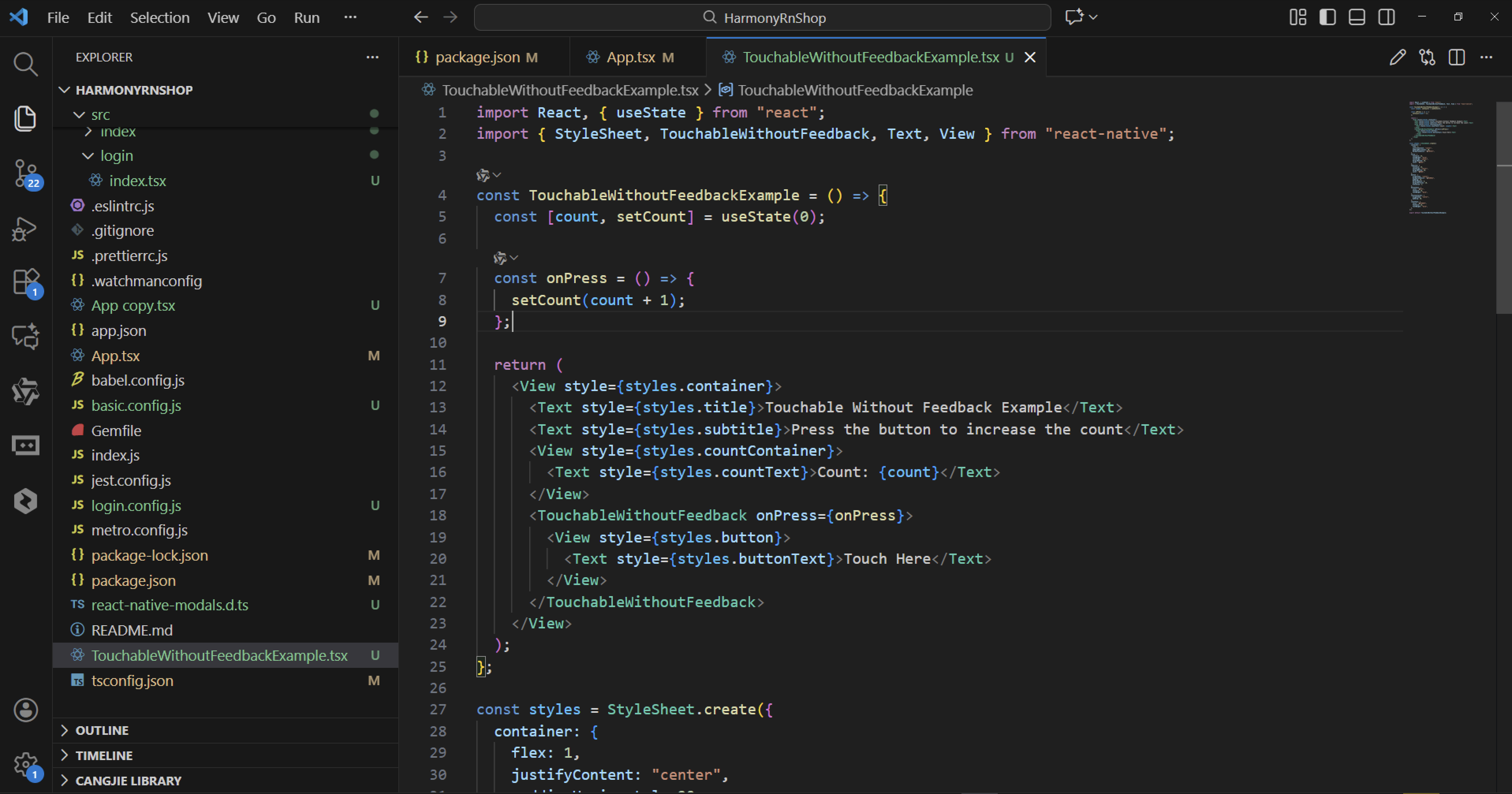
import React, { useState } from "react";
import { StyleSheet, TouchableWithoutFeedback, Text, View } from "react-native";

const TouchableWithoutFeedbackExample = () => {
  const [count, setCount] = useState(0);

  const onPress = () => {
    setCount(count + 1);
  };

  return (
    <View style={styles.container}>
      <Text style={styles.title}>Touchable Without Feedback Example</Text>
      <Text style={styles.subtitle}>Press the button to increase the count</Text>
      <View style={styles.countContainer}>
        <Text style={styles.countText}>Count: {count}</Text>
      </View>
      <TouchableWithoutFeedback onPress={onPress}>
        <View style={styles.button}>
          <Text style={styles.buttonText}>Touch Here</Text>
        </View>
      </TouchableWithoutFeedback>
    </View>
  );
};

const styles = StyleSheet.create({
  container: {
    flex: 1,
    justifyContent: "center",
    paddingHorizontal: 20,
    backgroundColor: "#f0f8ff",
  },
  title: {
    fontSize: 24,
    fontWeight: "bold",
    textAlign: "center",
    marginBottom: 10,
    color: "#333",
  },
  subtitle: {
    fontSize: 16,
    textAlign: "center",
    marginBottom: 20,
    color: "#666",
  },
  button: {
    alignItems: "center",
    backgroundColor: "#6200ee",
    padding: 15,
    borderRadius: 8,
    marginVertical: 10,
    elevation: 3,
  },
  buttonText: {
    color: "#fff",
    fontSize: 16,
    fontWeight: "bold",
  },
  countContainer: {
    alignItems: "center",
    padding: 20,
  },
  countText: {
    color: "#FF00FF",
    fontSize: 18,
    fontWeight: "bold",
  },
});

export default TouchableWithoutFeedbackExample;
状态管理方面,使用useState Hook来跟踪count变量的状态变化。当onPress被调用时,setCount函数会更新状态,触发组件的重新渲染。这种机制确保了UI与状态的同步,但不会产生任何视觉上的按压效果。
TouchableWithoutFeedback的工作原理基于平台原生的触摸事件系统。在iOS上,它使用UITouch事件和UIGestureRecognizer来处理触摸,而在Android上则通过View的onTouchEvent方法。与TouchableHighlight或TouchableOpacity不同,它不会修改子视图的透明度或背景色,而是直接将事件传递给JavaScript层。
事件传递链的工作流程是:用户触摸→原生触摸事件→桥接层转换→JavaScript事件处理器→状态更新→重新渲染。这个过程虽然看起来简单,但涉及到了React Native架构的多个核心模块。
样式系统通过StyleSheet.create方法创建,这些样式在编译阶段会被优化,转换为平台特定的原生样式属性。container的flex: 1确保组件占据整个可用空间,justifyContent控制内容的垂直居中布局。
打包
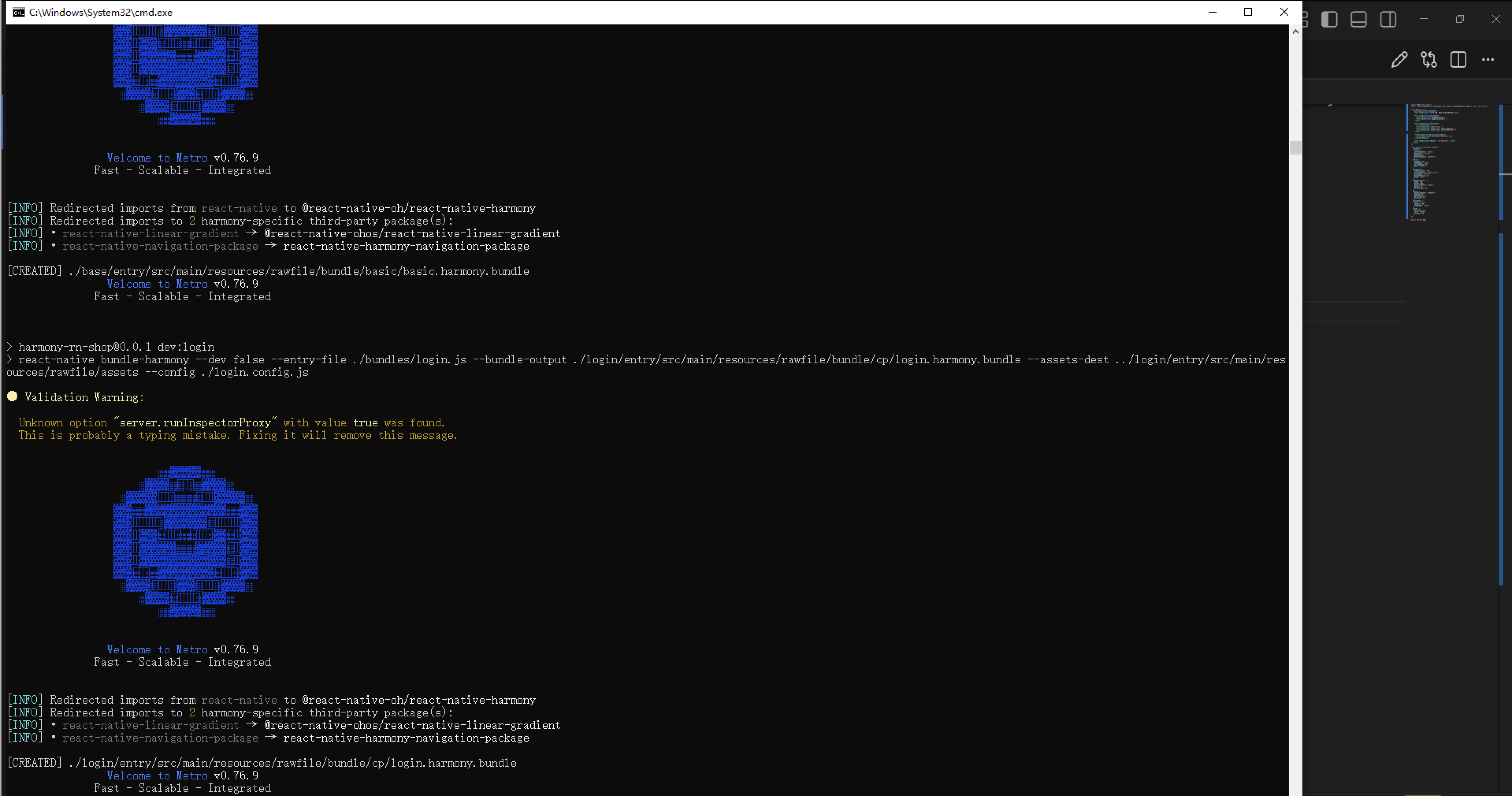
接下来通过打包命令npn run harmony将reactNative的代码打包成为bundle,这样可以进行在开源鸿蒙OpenHarmony中进行使用。
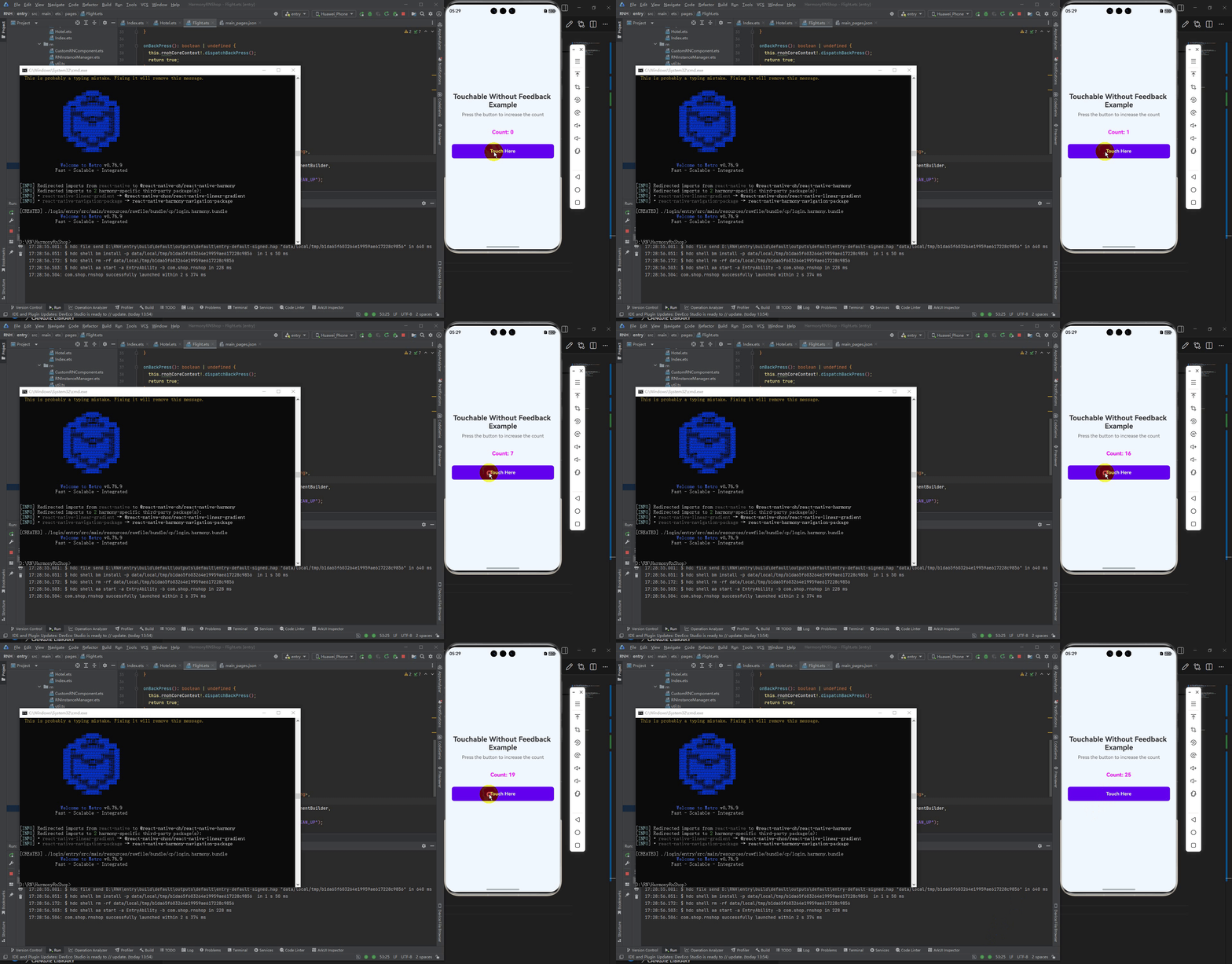
最后运行效果图如下显示:

讨论HarmonyOS开发技术,专注于API与组件、DevEco Studio、测试、元服务和应用上架分发等。
更多推荐


 6
6 0
0- 0


 已为社区贡献27条内容

所有评论(0)