ArkTS入门级教程2——静态和动态快捷方式
·
1.创建应用静态快捷方式
https://developer.huawei.com/consumer/cn/doc/harmonyos-guides/typical-scenario-configuration
官方文档中已有最简单的创建应用快捷方式,这里还引入了多个Ability以及AppStorage.
1.1 在entry/src/main/resources/base/element/string.json配置资源文件如下。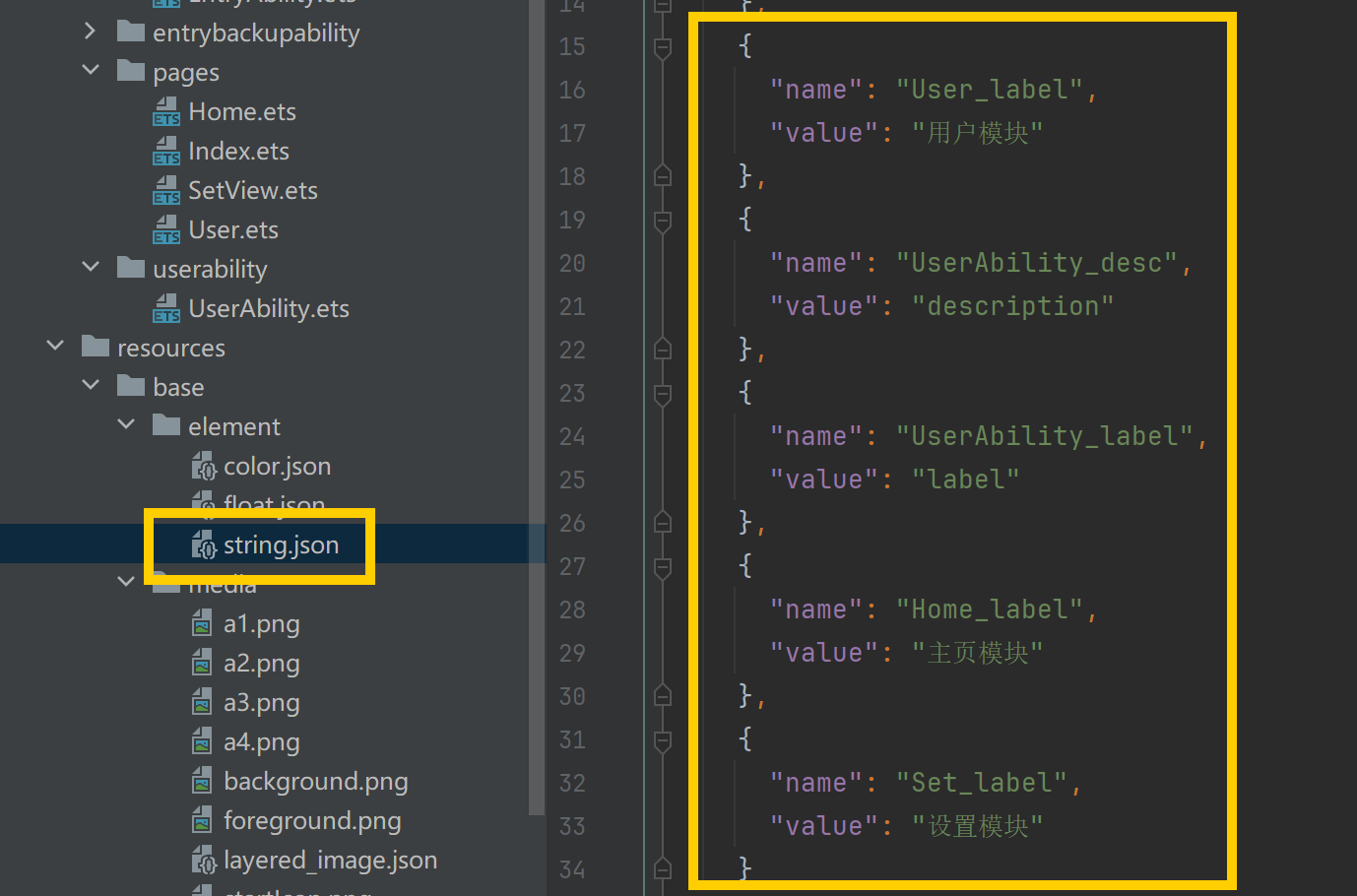
{
  "string": [
    {
      "name": "module_desc",
      "value": "module description"
    },
    {
      "name": "EntryAbility_desc",
      "value": "description"
    },
    {
      "name": "EntryAbility_label",
      "value": "label"
    },
    {
      "name": "User_label",
      "value": "用户模块"
    },
    {
      "name": "UserAbility_desc",
      "value": "description"
    },
    {
      "name": "UserAbility_label",
      "value": "label"
    },
    {
      "name": "Home_label",
      "value": "主页模块"
    },
    {
      "name": "Set_label",
      "value": "设置模块"
    }
  ]
}
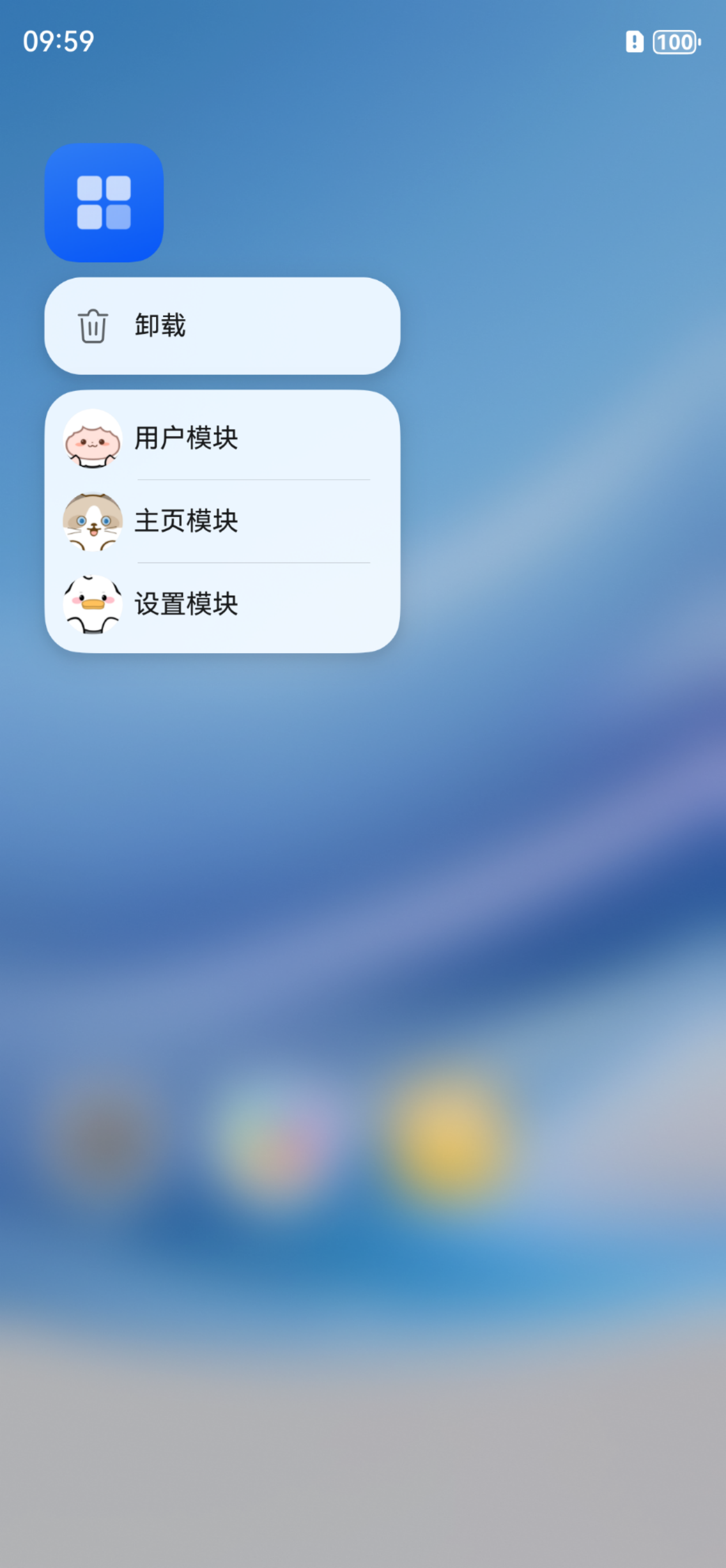
1.2 配置快捷方式文件。
在模块的/resources/base/profile/目录下配置快捷方式的配置文件,如shortcuts_config.json,拷贝示例代码需要删除注释。(快捷方式的图标需放置在media文件下)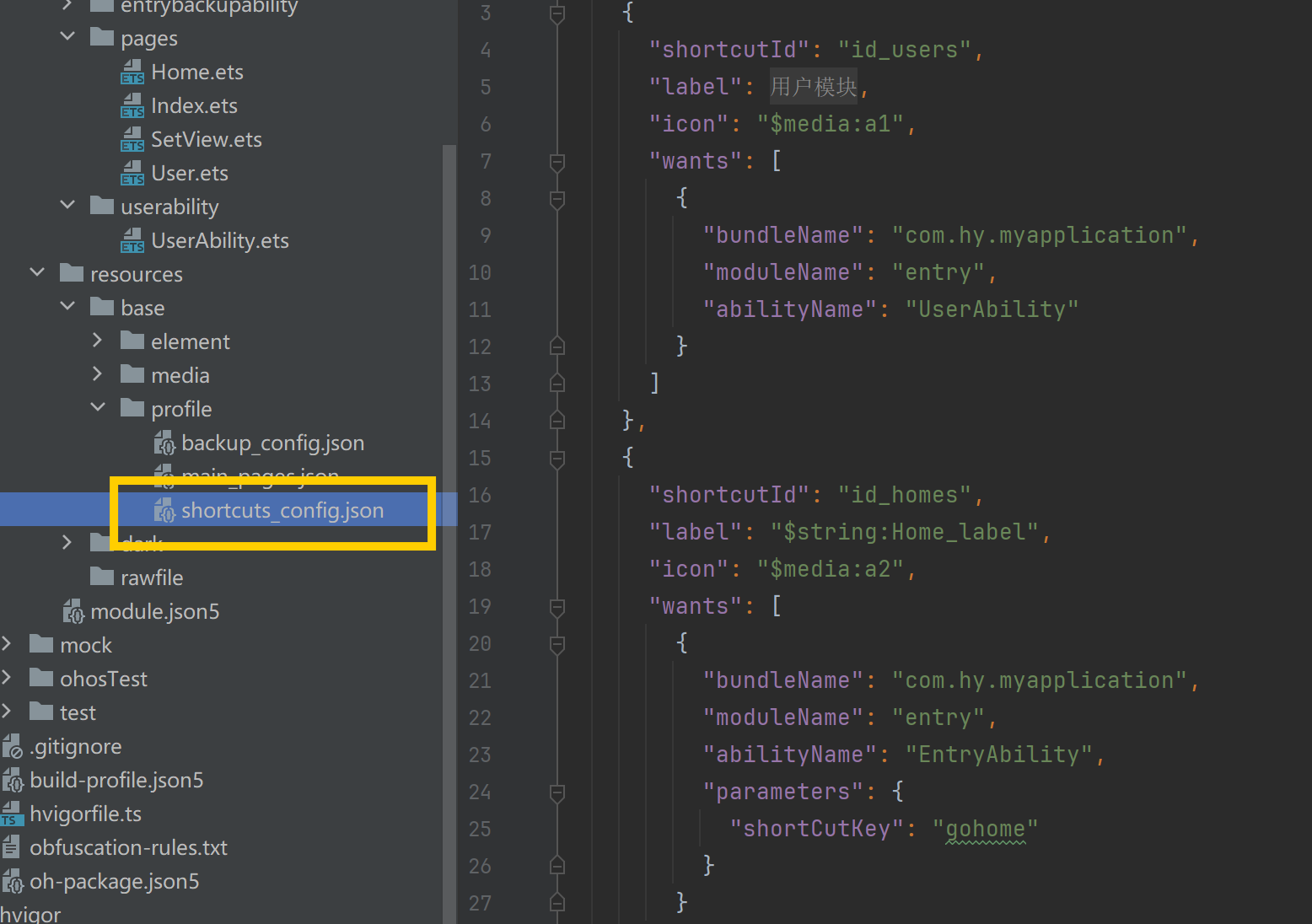
{
  "shortcuts": [
    {
      "shortcutId": "id_users",
      "label": "$string:User_label",
      "icon": "$media:a1",
      "wants": [
        {
          "bundleName": "com.hy.myapplication",
          "moduleName": "entry",
          "abilityName": "UserAbility"
        }
      ]
    },
    {
      "shortcutId": "id_homes",
      "label": "$string:Home_label",
      "icon": "$media:a2",
      "wants": [
        {
          "bundleName": "com.hy.myapplication",
          "moduleName": "entry",
          "abilityName": "EntryAbility",
          "parameters": {
            "shortCutKey": "gohome"
          }
        }
      ]
    },
    {
      "shortcutId": "id_sets",
      "label": "$string:Set_label",
      "icon": "$media:a3",
      "wants": [
        {
          "bundleName": "com.hy.myapplication",
          "moduleName": "entry",
          "abilityName": "EntryAbility",
          "parameters": {
            "shortCutKey": "goset"
          }
        }
      ]
    }
  ]
}
1.3 在应用的module.json5文件中配置metadata,指向快捷方式的配置文件。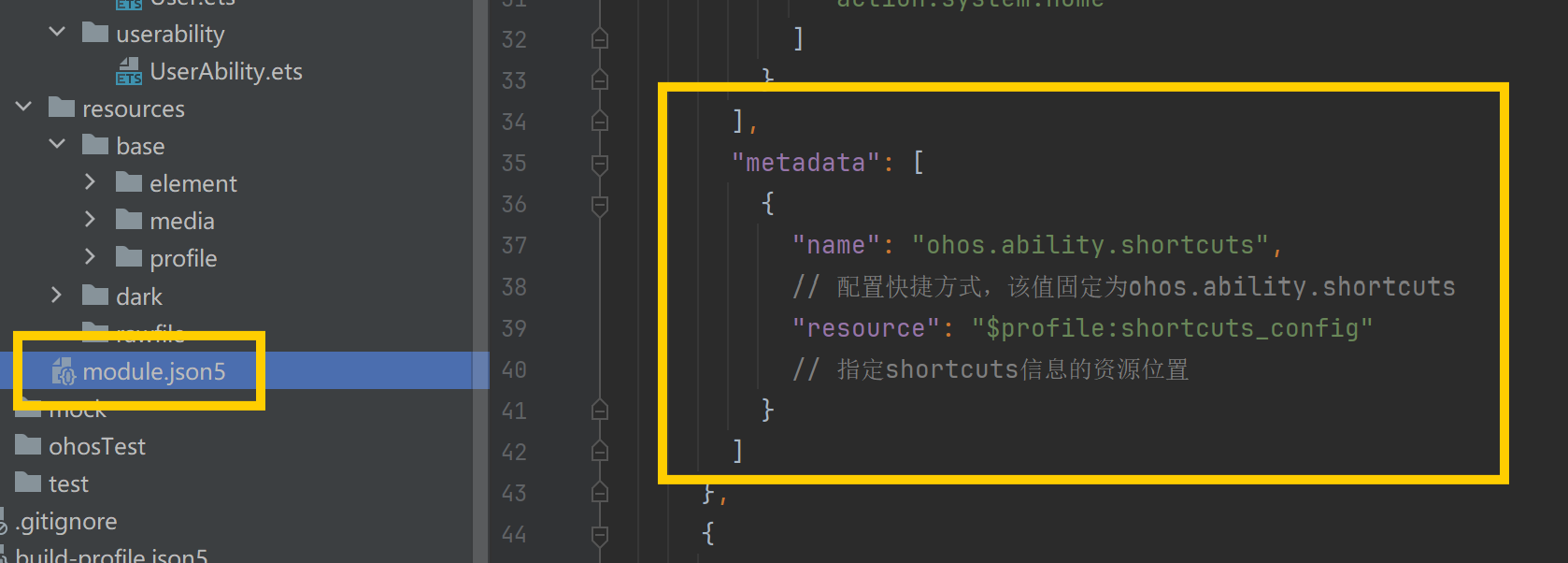
{
  "module": {
    "name": "entry",
    "type": "entry",
    "description": "$string:module_desc",
    "mainElement": "EntryAbility",
    "deviceTypes": [
      "phone",
      "tablet",
      "2in1"
    ],
    "deliveryWithInstall": true,
    "installationFree": false,
    "pages": "$profile:main_pages",
    "abilities": [
      {
        "name": "EntryAbility",
        "srcEntry": "./ets/entryability/EntryAbility.ets",
        "description": "$string:EntryAbility_desc",
        "icon": "$media:layered_image",
        "label": "$string:EntryAbility_label",
        "startWindowIcon": "$media:startIcon",
        "startWindowBackground": "$color:start_window_background",
        "exported": true,
        "skills": [
          {
            "entities": [
              "entity.system.home"
            ],
            "actions": [
              "action.system.home"
            ]
          }
        ],
        "metadata": [
          {
            "name": "ohos.ability.shortcuts",
            // 配置快捷方式,该值固定为ohos.ability.shortcuts
            "resource": "$profile:shortcuts_config"
            // 指定shortcuts信息的资源位置
          }
        ]
      },
      {
        "name": "UserAbility",
        "srcEntry": "./ets/userability/UserAbility.ets",
        "description": "$string:UserAbility_desc",
        "icon": "$media:layered_image",
        "label": "$string:UserAbility_label",
        "startWindowIcon": "$media:startIcon",
        "startWindowBackground": "$color:start_window_background"
      }
    ],
    "extensionAbilities": [
      {
        "name": "EntryBackupAbility",
        "srcEntry": "./ets/entrybackupability/EntryBackupAbility.ets",
        "type": "backup",
        "exported": false,
        "metadata": [
          {
            "name": "ohos.extension.backup",
            "resource": "$profile:backup_config"
          }
        ],
      }
    ]
  }
}
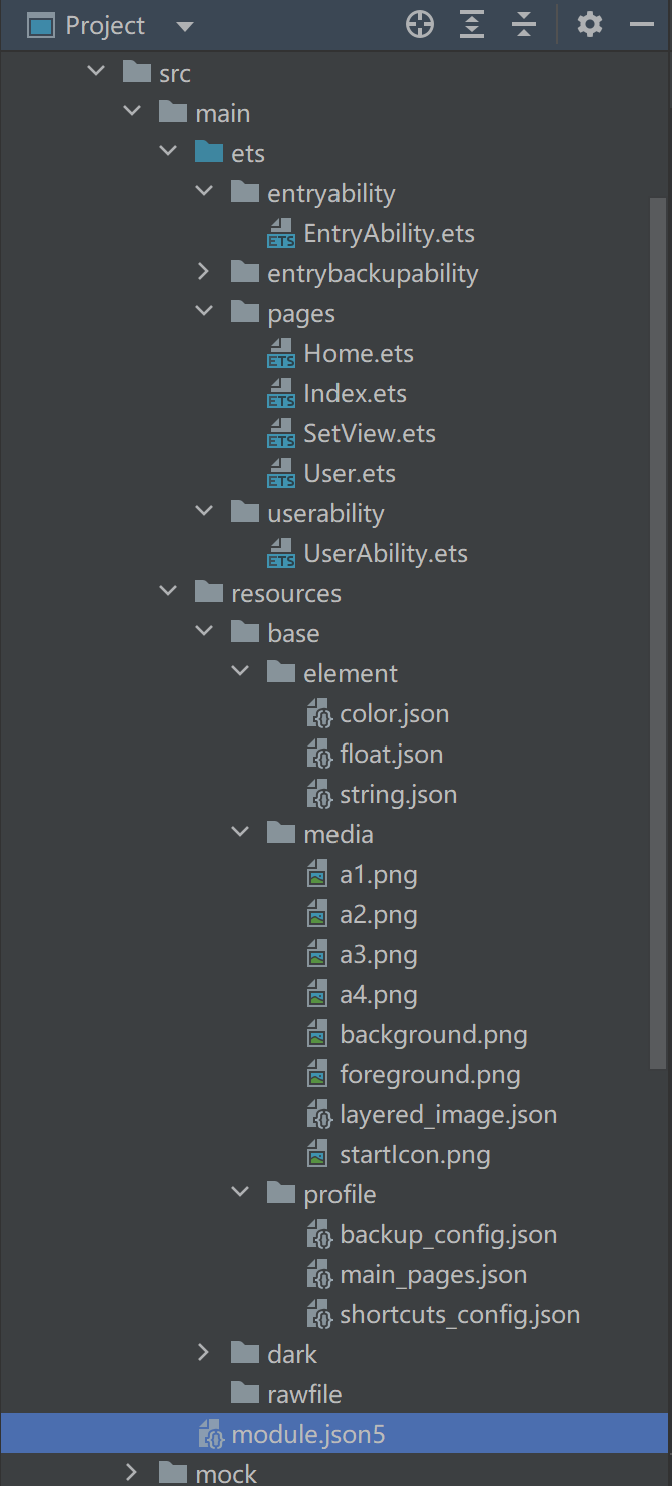
1.4 附:工程目录结构
1.4.1 EntryAbility.ets
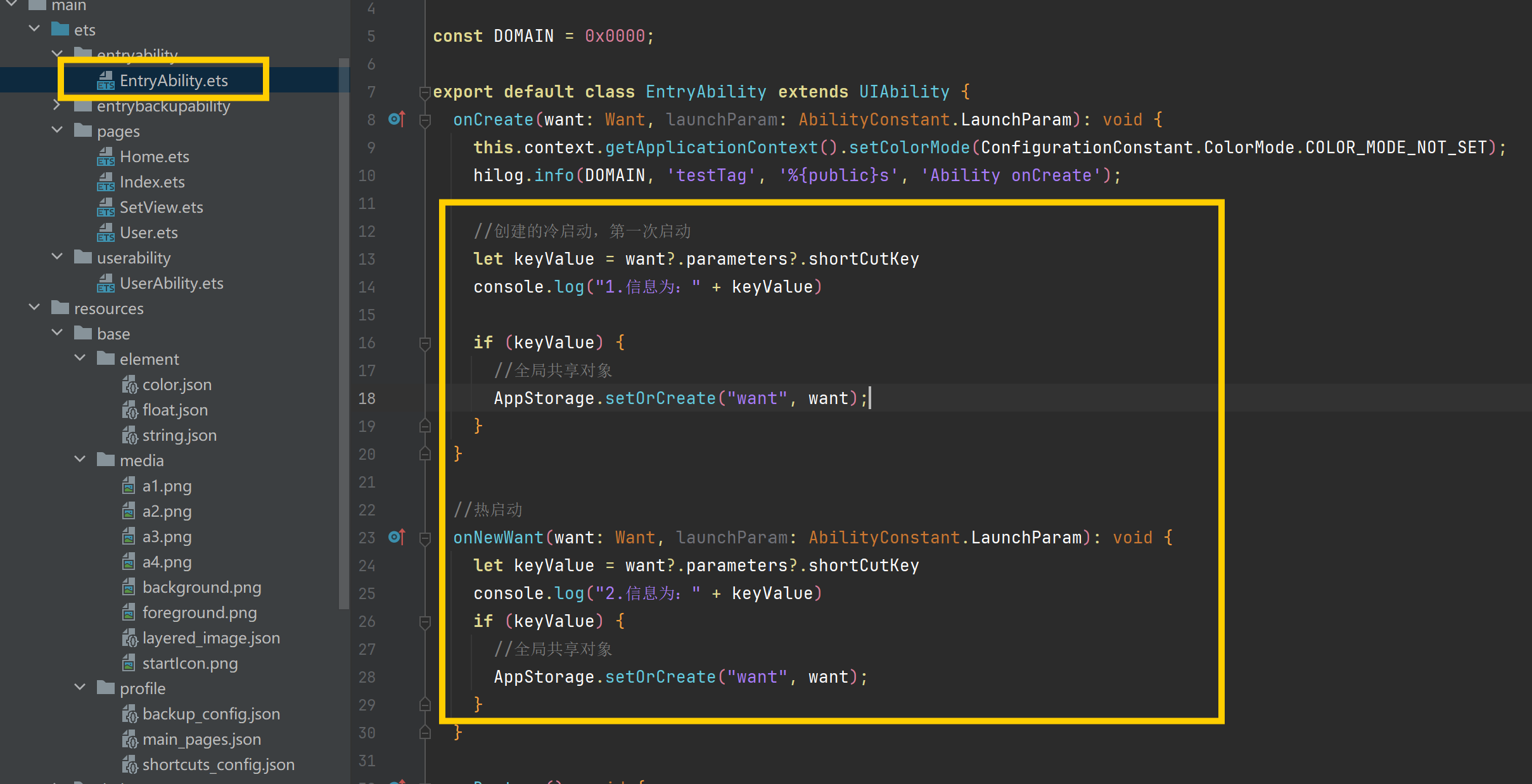
import { AbilityConstant, ConfigurationConstant, UIAbility, Want } from '@kit.AbilityKit';
import { hilog } from '@kit.PerformanceAnalysisKit';
import { window } from '@kit.ArkUI';

const DOMAIN = 0x0000;

export default class EntryAbility extends UIAbility {
  onCreate(want: Want, launchParam: AbilityConstant.LaunchParam): void {
    this.context.getApplicationContext().setColorMode(ConfigurationConstant.ColorMode.COLOR_MODE_NOT_SET);
    hilog.info(DOMAIN, 'testTag', '%{public}s', 'Ability onCreate');

    //创建的冷启动,第一次启动
    let keyValue = want?.parameters?.shortCutKey
    console.log("1.信息为:" + keyValue)

    if (keyValue) {
      //全局共享对象
      AppStorage.setOrCreate("want", want);
    }
  }

  //热启动
  onNewWant(want: Want, launchParam: AbilityConstant.LaunchParam): void {
    let keyValue = want?.parameters?.shortCutKey
    console.log("2.信息为:" + keyValue)
    if (keyValue) {
      //全局共享对象
      AppStorage.setOrCreate("want", want);
    }
  }

  onDestroy(): void {
    hilog.info(DOMAIN, 'testTag', '%{public}s', 'Ability onDestroy');
  }

  onWindowStageCreate(windowStage: window.WindowStage): void {
    // Main window is created, set main page for this ability
    hilog.info(DOMAIN, 'testTag', '%{public}s', 'Ability onWindowStageCreate');

    windowStage.loadContent('pages/Index', (err) => {
      if (err.code) {
        hilog.error(DOMAIN, 'testTag', 'Failed to load the content. Cause: %{public}s', JSON.stringify(err));
        return;
      }
      hilog.info(DOMAIN, 'testTag', 'Succeeded in loading the content.');
    });
  }

  onWindowStageDestroy(): void {
    // Main window is destroyed, release UI related resources
    hilog.info(DOMAIN, 'testTag', '%{public}s', 'Ability onWindowStageDestroy');
  }

  onForeground(): void {
    // Ability has brought to foreground
    hilog.info(DOMAIN, 'testTag', '%{public}s', 'Ability onForeground');
  }

  onBackground(): void {
    // Ability has back to background
    hilog.info(DOMAIN, 'testTag', '%{public}s', 'Ability onBackground');
  }
}
1.4.2 UserAbility.ets
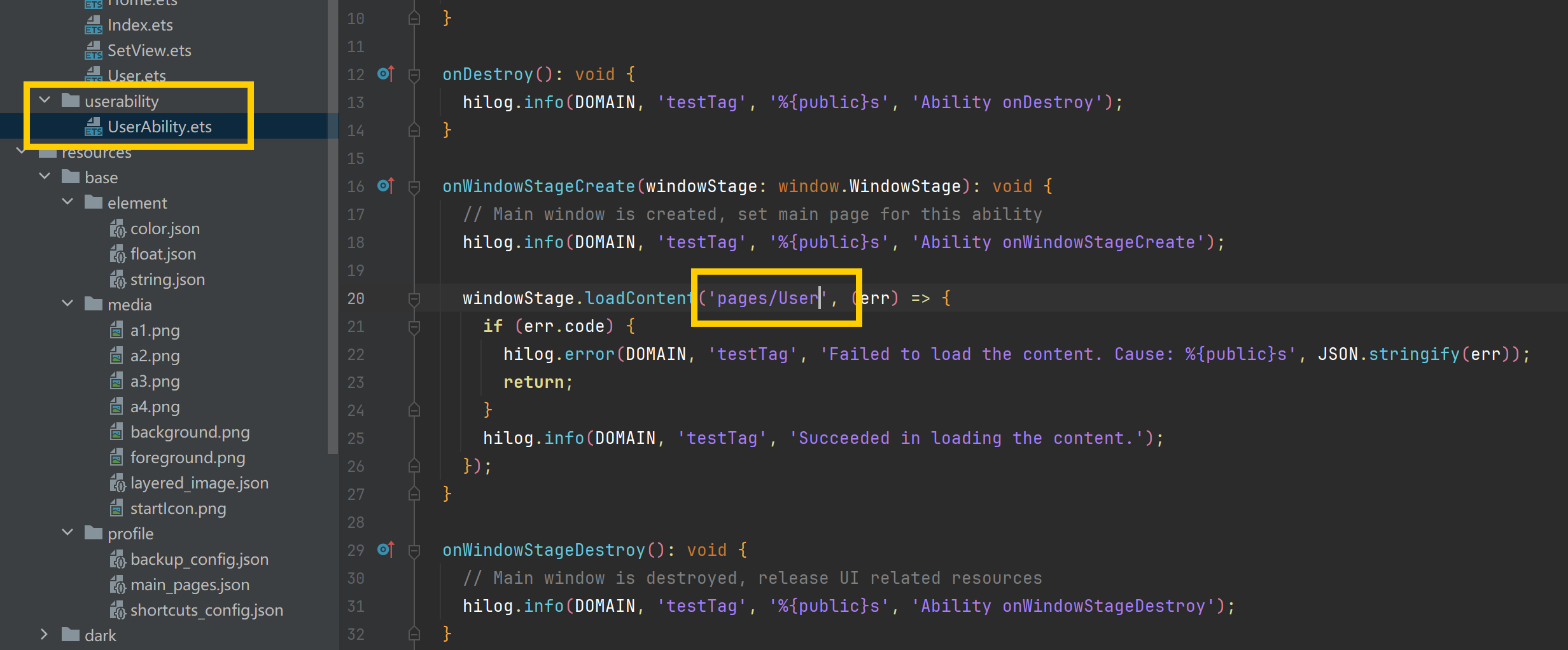
import { AbilityConstant, UIAbility, Want } from '@kit.AbilityKit';
import { hilog } from '@kit.PerformanceAnalysisKit';
import { window } from '@kit.ArkUI';

const DOMAIN = 0x0000;

export default class UserAbility extends UIAbility {
  onCreate(want: Want, launchParam: AbilityConstant.LaunchParam): void {
    hilog.info(DOMAIN, 'testTag', '%{public}s', 'Ability onCreate');
  }

  onDestroy(): void {
    hilog.info(DOMAIN, 'testTag', '%{public}s', 'Ability onDestroy');
  }

  onWindowStageCreate(windowStage: window.WindowStage): void {
    // Main window is created, set main page for this ability
    hilog.info(DOMAIN, 'testTag', '%{public}s', 'Ability onWindowStageCreate');

    windowStage.loadContent('pages/User', (err) => {
      if (err.code) {
        hilog.error(DOMAIN, 'testTag', 'Failed to load the content. Cause: %{public}s', JSON.stringify(err));
        return;
      }
      hilog.info(DOMAIN, 'testTag', 'Succeeded in loading the content.');
    });
  }

  onWindowStageDestroy(): void {
    // Main window is destroyed, release UI related resources
    hilog.info(DOMAIN, 'testTag', '%{public}s', 'Ability onWindowStageDestroy');
  }

  onForeground(): void {
    // Ability has brought to foreground
    hilog.info(DOMAIN, 'testTag', '%{public}s', 'Ability onForeground');
  }

  onBackground(): void {
    // Ability has back to background
    hilog.info(DOMAIN, 'testTag', '%{public}s', 'Ability onBackground');
  }
}
1.4.3 Index.ets
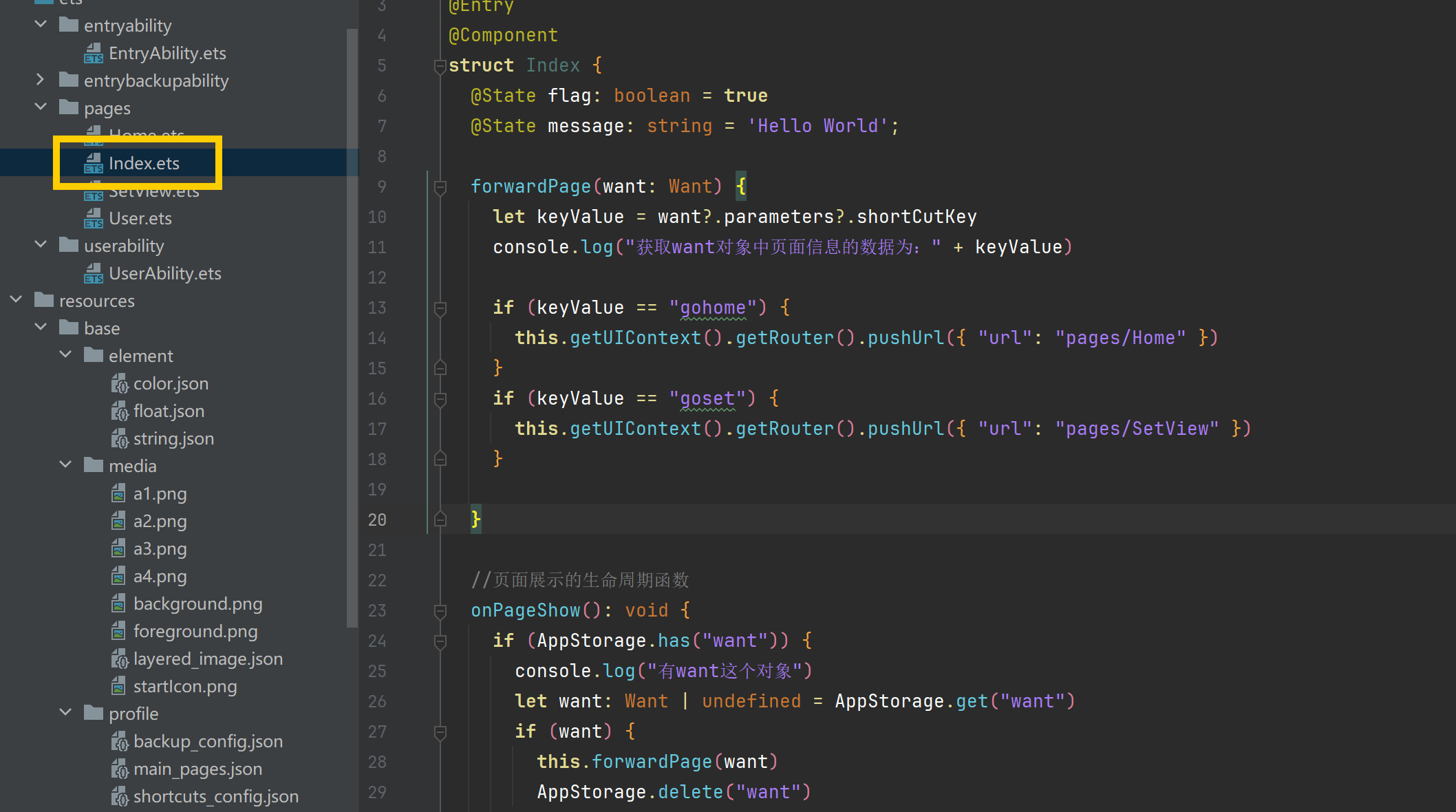
import { Want } from '@kit.AbilityKit'

@Entry
@Component
struct Index {
  @State flag: boolean = true
  @State message: string = 'Hello World';

  forwardPage(want: Want) {
    let keyValue = want?.parameters?.shortCutKey
    console.log("获取want对象中页面信息的数据为:" + keyValue)

    if (keyValue == "gohome") {
      this.getUIContext().getRouter().pushUrl({ "url": "pages/Home" })
    }
    if (keyValue == "goset") {
      this.getUIContext().getRouter().pushUrl({ "url": "pages/SetView" })
    }

  }

  //页面展示的生命周期函数
  onPageShow(): void {
    if (AppStorage.has("want")) {
      console.log("有want这个对象")
      let want: Want | undefined = AppStorage.get("want")
      if (want) {
        this.forwardPage(want)
        AppStorage.delete("want")
      }
      this.flag = true
    } else {
      console.log("没有want这个对象")
      this.flag = false
    }
  }

  build() {
    if (this.flag) {
      Column() {

      }
      .width("100%").height("100%")
      .backgroundColor("#cdcdcd")

    } else {
      Column() {
        Button("这是Index页面中的按钮").width("100%")
      }
      .width("100%").height("100%")
      .backgroundColor("#aabbcc")
      .justifyContent(FlexAlign.Center)
    }
  }
}
1.4.4 User.ets
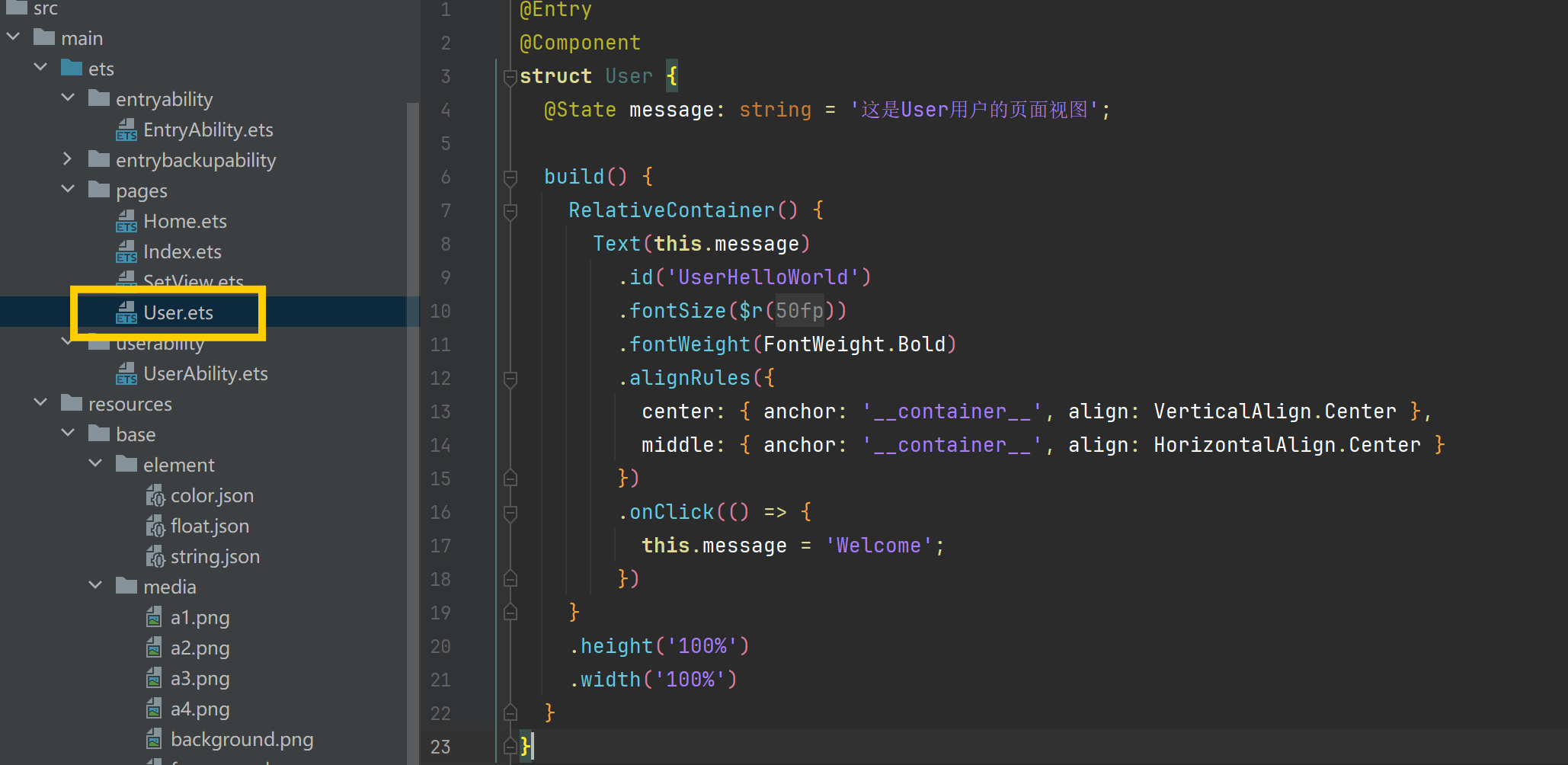
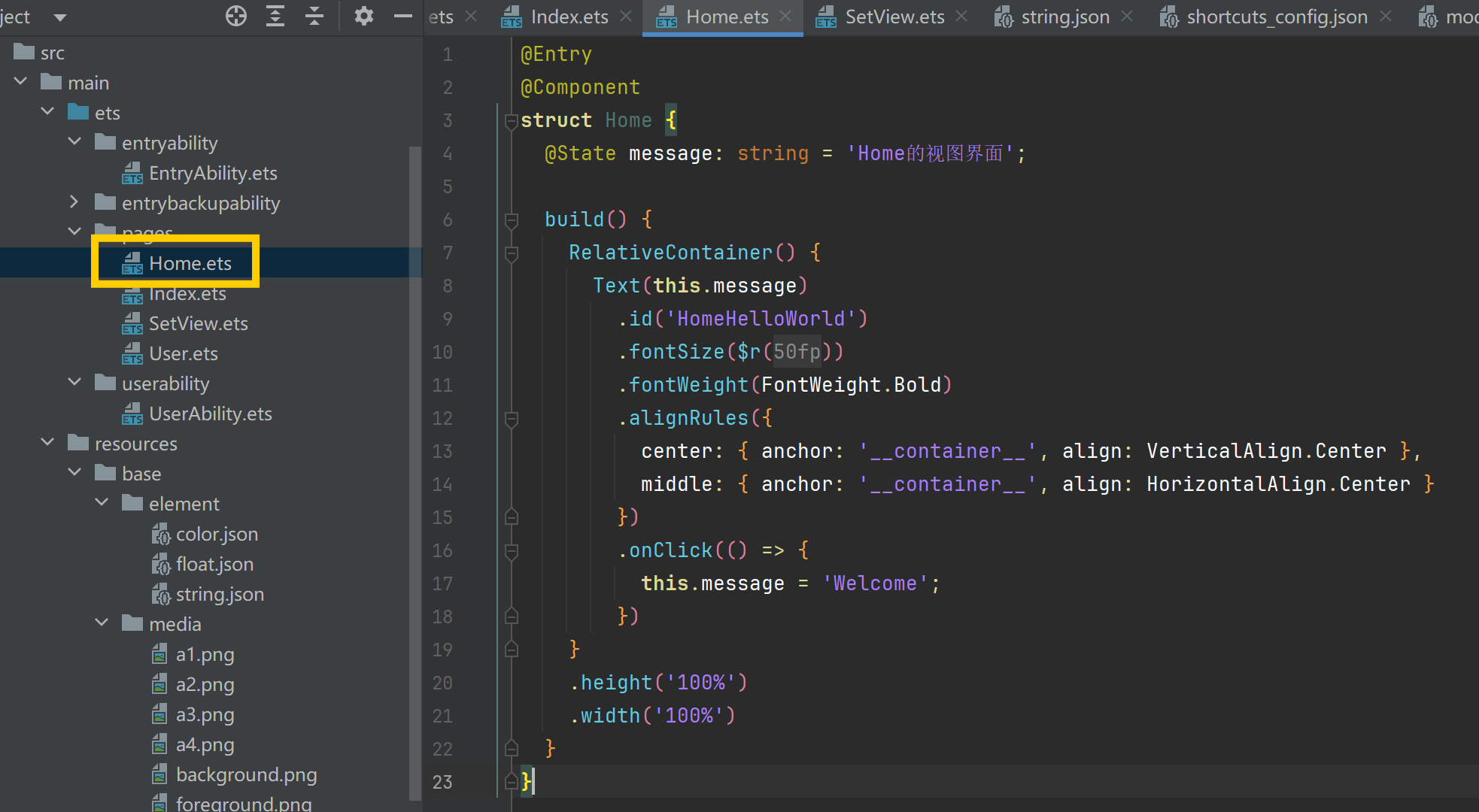
1.4.5 Home.ets
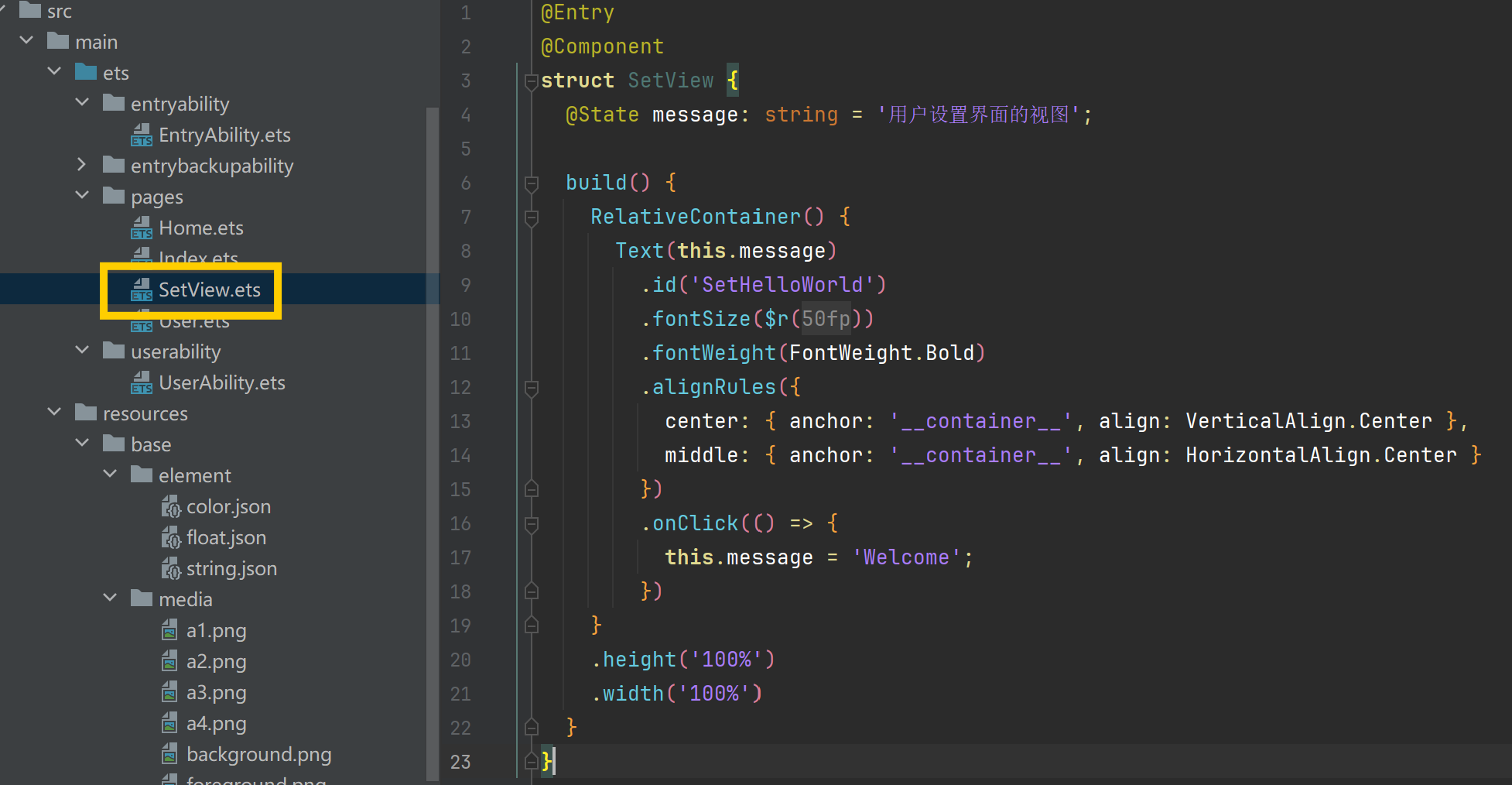
1.4.6 SetView.ets
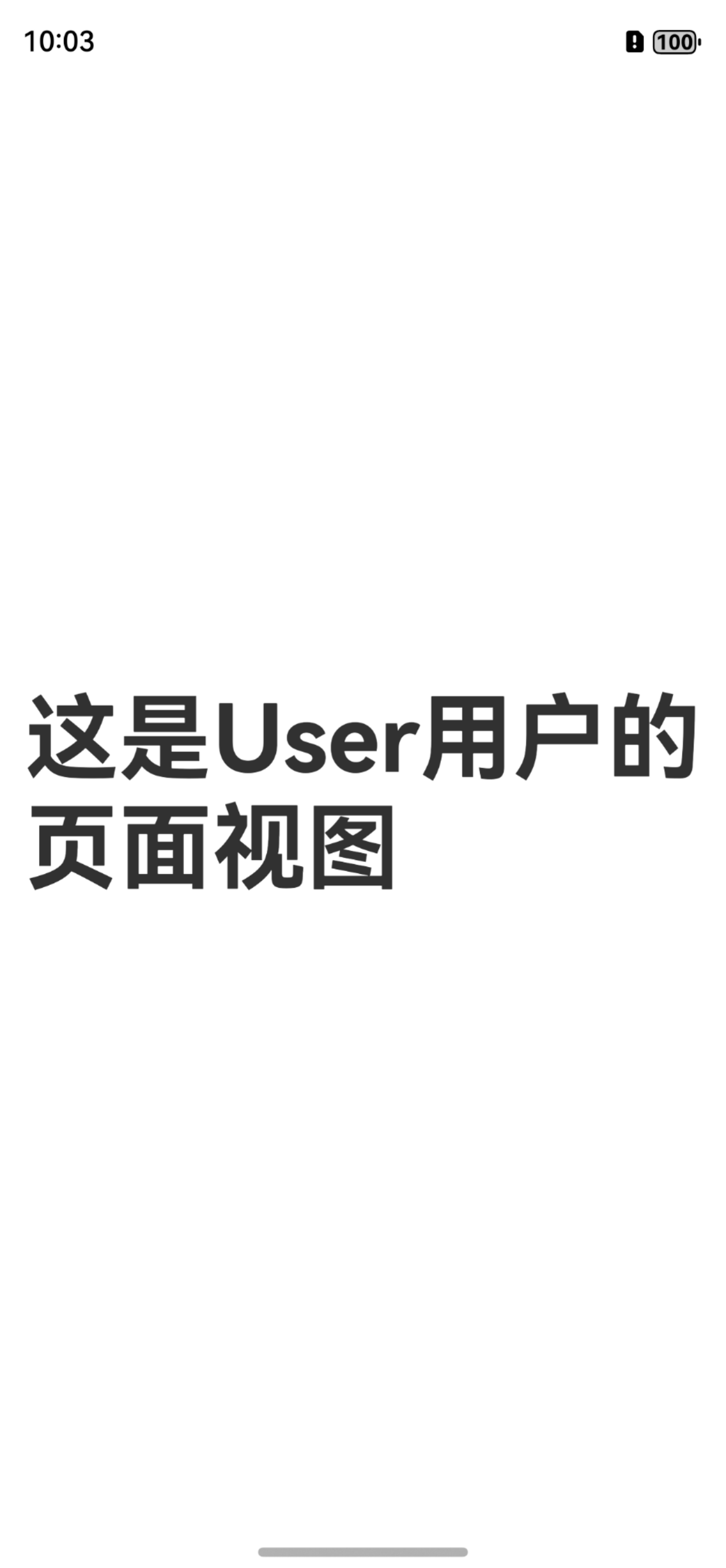
1.5 运行效果

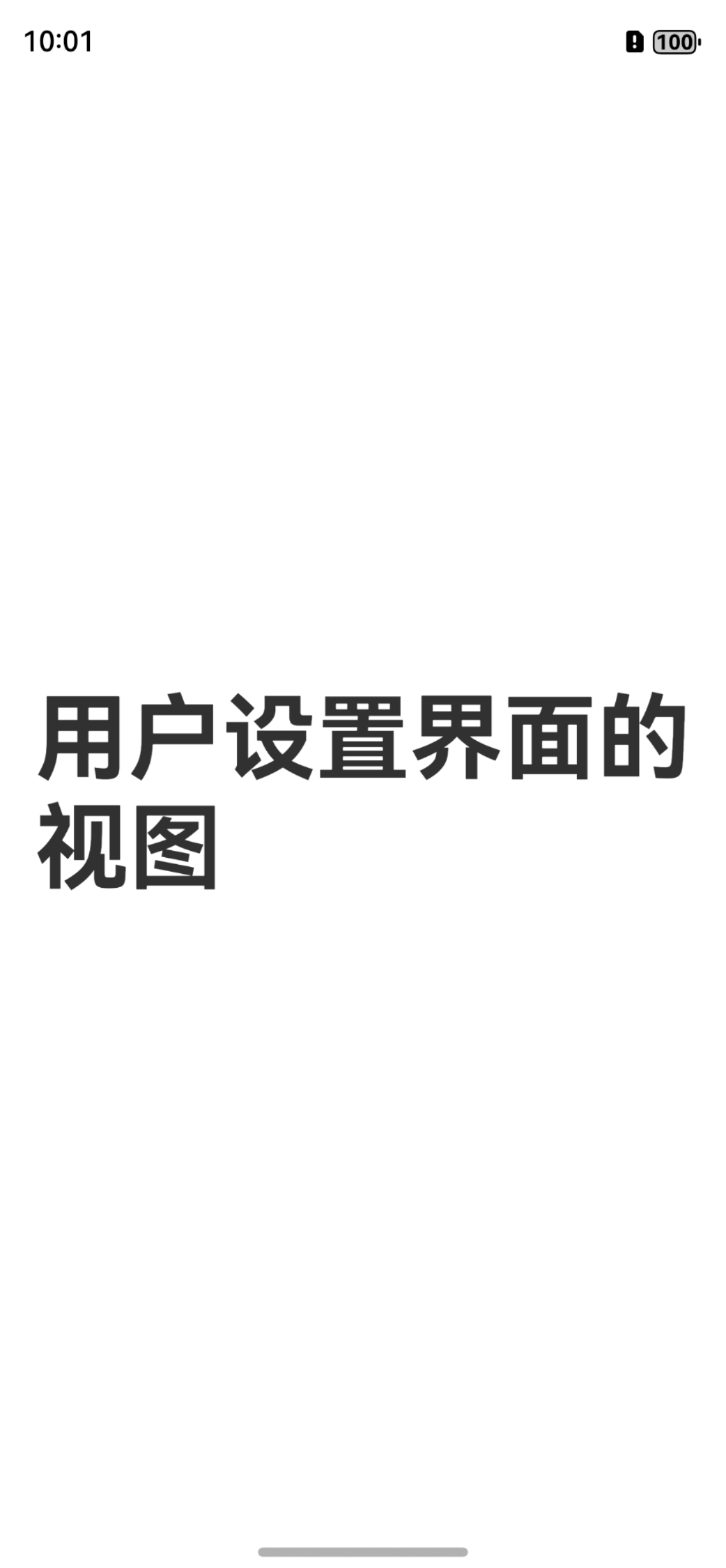
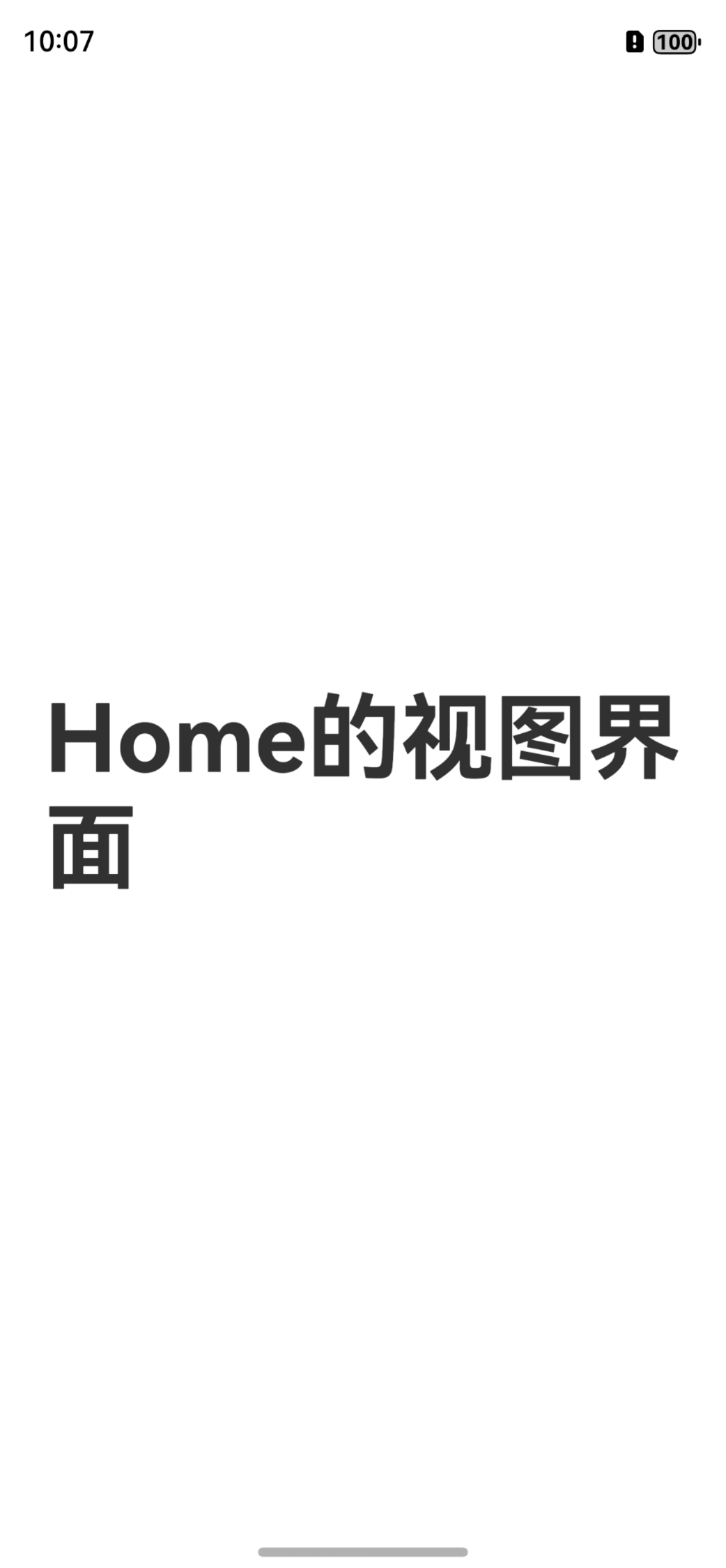
2.创建应用动态快捷方式
2.1 string.json
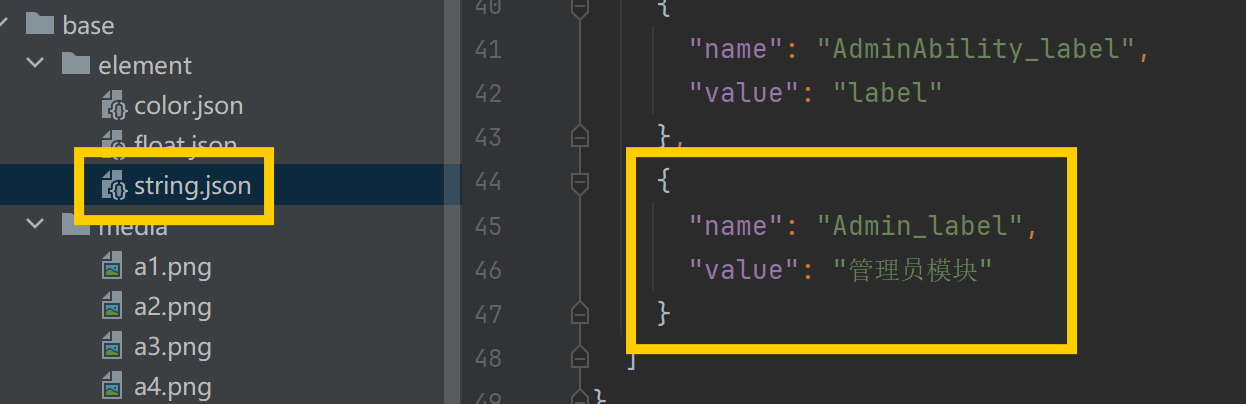
{
  "string": [
    {
      "name": "module_desc",
      "value": "module description"
    },
    {
      "name": "EntryAbility_desc",
      "value": "description"
    },
    {
      "name": "EntryAbility_label",
      "value": "label"
    },
    {
      "name": "User_label",
      "value": "用户模块"
    },
    {
      "name": "UserAbility_desc",
      "value": "description"
    },
    {
      "name": "UserAbility_label",
      "value": "label"
    },
    {
      "name": "Home_label",
      "value": "主页模块"
    },
    {
      "name": "Set_label",
      "value": "设置模块"
    },

    {
      "name": "AdminAbility_desc",
      "value": "description"
    },
    {
      "name": "AdminAbility_label",
      "value": "label"
    },
    {
      "name": "Admin_label",
      "value": "管理员模块"
    }
  ]
}
2.2 shortcuts_config.json
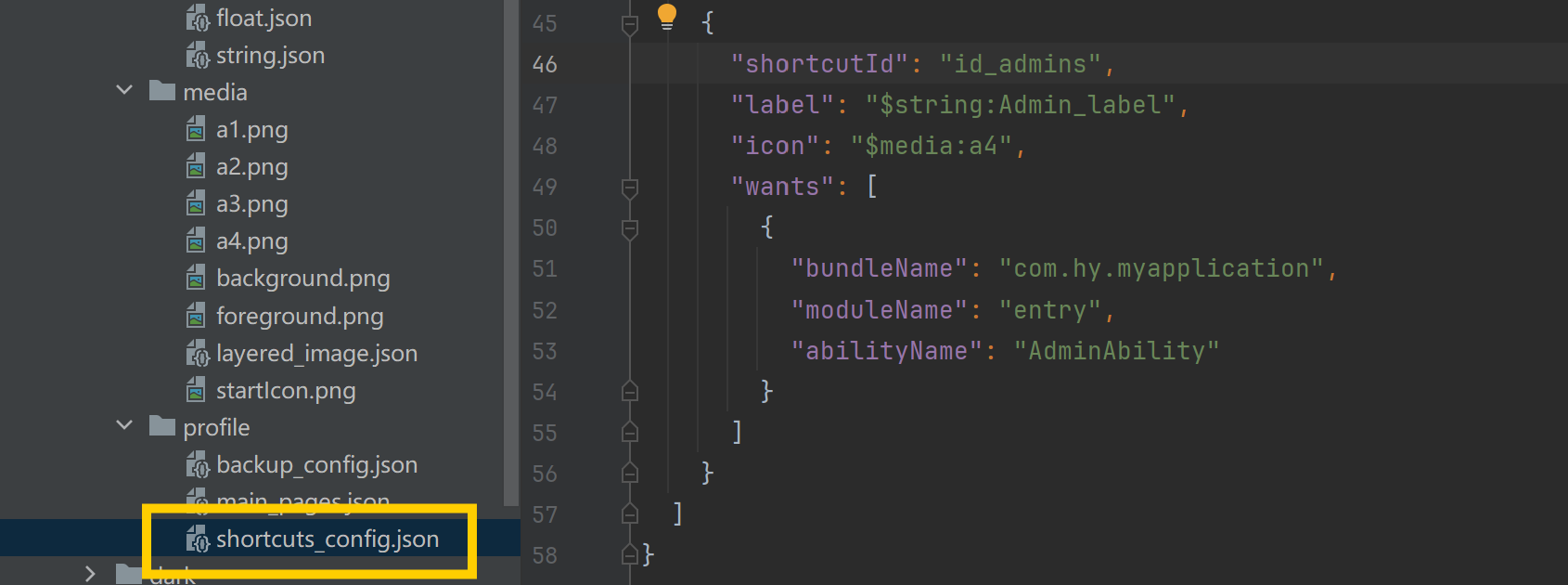
{
  "shortcuts": [
    {
      "shortcutId": "id_users",
      "label": "$string:User_label",
      "icon": "$media:a1",
      "wants": [
        {
          "bundleName": "com.hy.myapplication",
          "moduleName": "entry",
          "abilityName": "UserAbility"
        }
      ]
    },
    {
      "shortcutId": "id_homes",
      "label": "$string:Home_label",
      "icon": "$media:a2",
      "wants": [
        {
          "bundleName": "com.hy.myapplication",
          "moduleName": "entry",
          "abilityName": "EntryAbility",
          "parameters": {
            "shortCutKey": "gohome"
          }
        }
      ]
    },
    {
      "shortcutId": "id_sets",
      "label": "$string:Set_label",
      "icon": "$media:a3",
      "wants": [
        {
          "bundleName": "com.hy.myapplication",
          "moduleName": "entry",
          "abilityName": "EntryAbility",
          "parameters": {
            "shortCutKey": "goset"
          }
        }
      ]
    },
    {
      "shortcutId": "id_admins",
      "label": "$string:Admin_label",
      "icon": "$media:a4",
      "wants": [
        {
          "bundleName": "com.hy.myapplication",
          "moduleName": "entry",
          "abilityName": "AdminAbility"
        }
      ]
    }
  ]
}
2.3 AdminAbility.ets
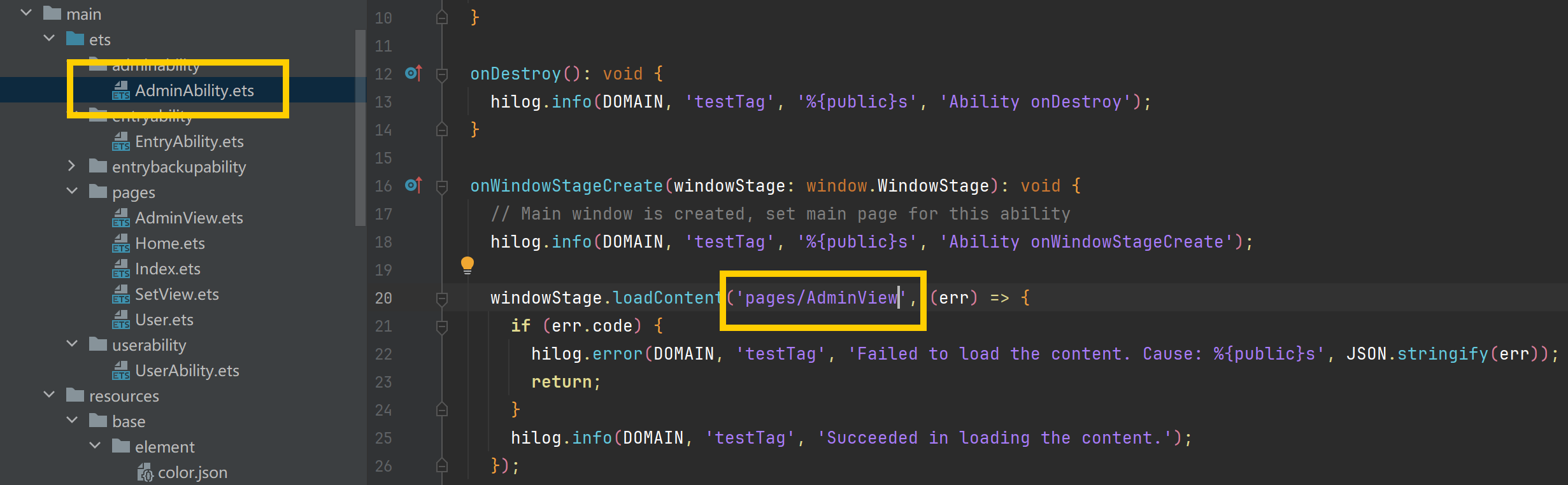
import { AbilityConstant, UIAbility, Want } from '@kit.AbilityKit';
import { hilog } from '@kit.PerformanceAnalysisKit';
import { window } from '@kit.ArkUI';

const DOMAIN = 0x0000;

export default class AdminAbility extends UIAbility {
  onCreate(want: Want, launchParam: AbilityConstant.LaunchParam): void {
    hilog.info(DOMAIN, 'testTag', '%{public}s', 'Ability onCreate');
  }

  onDestroy(): void {
    hilog.info(DOMAIN, 'testTag', '%{public}s', 'Ability onDestroy');
  }

  onWindowStageCreate(windowStage: window.WindowStage): void {
    // Main window is created, set main page for this ability
    hilog.info(DOMAIN, 'testTag', '%{public}s', 'Ability onWindowStageCreate');

    windowStage.loadContent('pages/AdminView', (err) => {
      if (err.code) {
        hilog.error(DOMAIN, 'testTag', 'Failed to load the content. Cause: %{public}s', JSON.stringify(err));
        return;
      }
      hilog.info(DOMAIN, 'testTag', 'Succeeded in loading the content.');
    });
  }

  onWindowStageDestroy(): void {
    // Main window is destroyed, release UI related resources
    hilog.info(DOMAIN, 'testTag', '%{public}s', 'Ability onWindowStageDestroy');
  }

  onForeground(): void {
    // Ability has brought to foreground
    hilog.info(DOMAIN, 'testTag', '%{public}s', 'Ability onForeground');
  }

  onBackground(): void {
    // Ability has back to background
    hilog.info(DOMAIN, 'testTag', '%{public}s', 'Ability onBackground');
  }
}
2.4 AdminView.ets
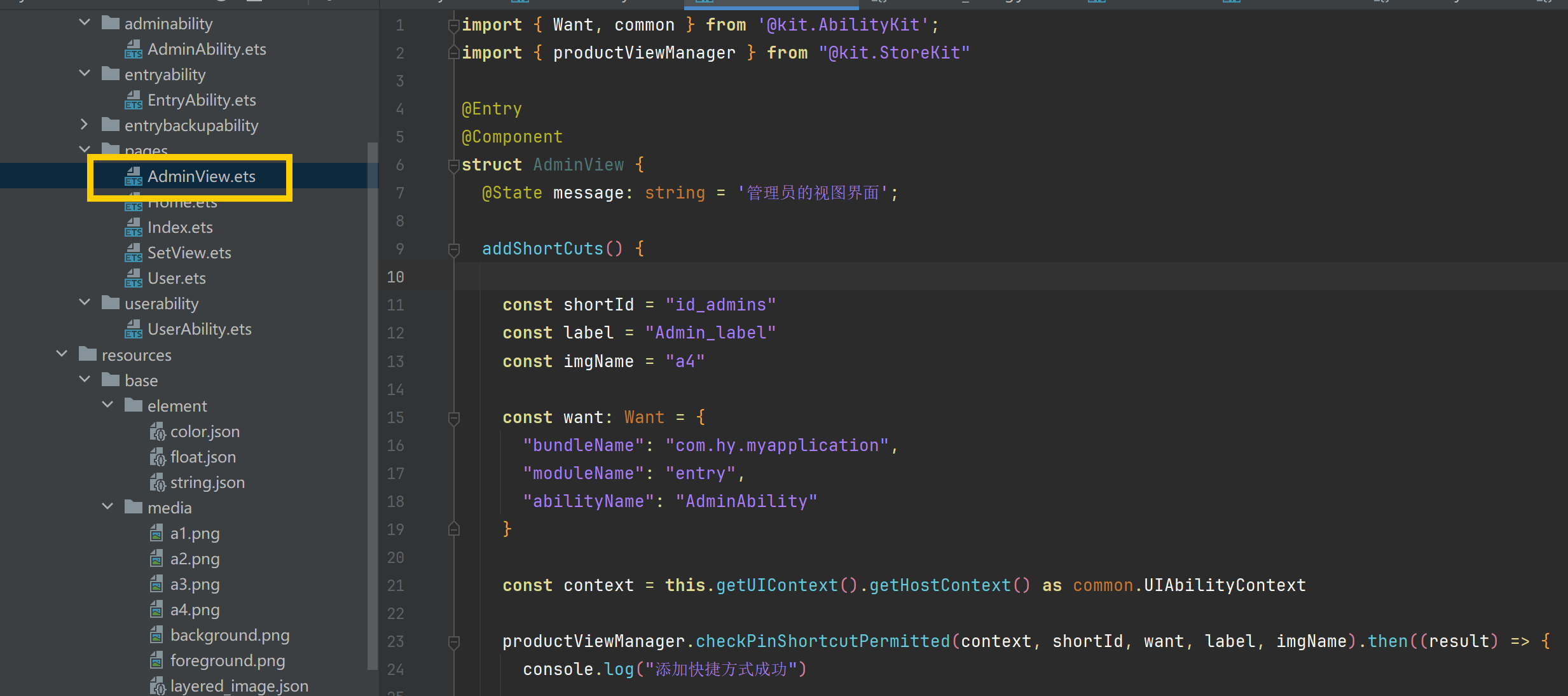
import { Want, common } from '@kit.AbilityKit';
import { productViewManager } from "@kit.StoreKit"

@Entry
@Component
struct AdminView {
  @State message: string = '管理员的视图界面';

  addShortCuts() {

    const shortId = "id_admins"
    const label = "Admin_label"
    const imgName = "a4"

    const want: Want = {
      "bundleName": "com.hy.myapplication",
      "moduleName": "entry",
      "abilityName": "AdminAbility"
    }

    const context = this.getUIContext().getHostContext() as common.UIAbilityContext

    productViewManager.checkPinShortcutPermitted(context, shortId, want, label, imgName).then((result) => {
      console.log("添加快捷方式成功")

      //确认添加快捷方式成功
      productViewManager.requestNewPinShortcut(context, result.tid).then(() => {
        console.log("成功")
      }).catch(() => {
        console.log("失败")
      })
    }).catch((error: Error) => {
      console.log("添加快捷方式失败")
    })

  }

  build() {
    Column() {
      Row() {
        Button("设置为快捷页面").width("90%").fontSize(16)
          .backgroundColor("#ffafabff")
          .onClick(() => {
          this.addShortCuts()
        })
      }.width("100%")
      .height("12%")
      .justifyContent(FlexAlign.Center)
    }.width("100%").height("100%")
    .justifyContent(FlexAlign.Center)
  }
}
2.5 Index.ets
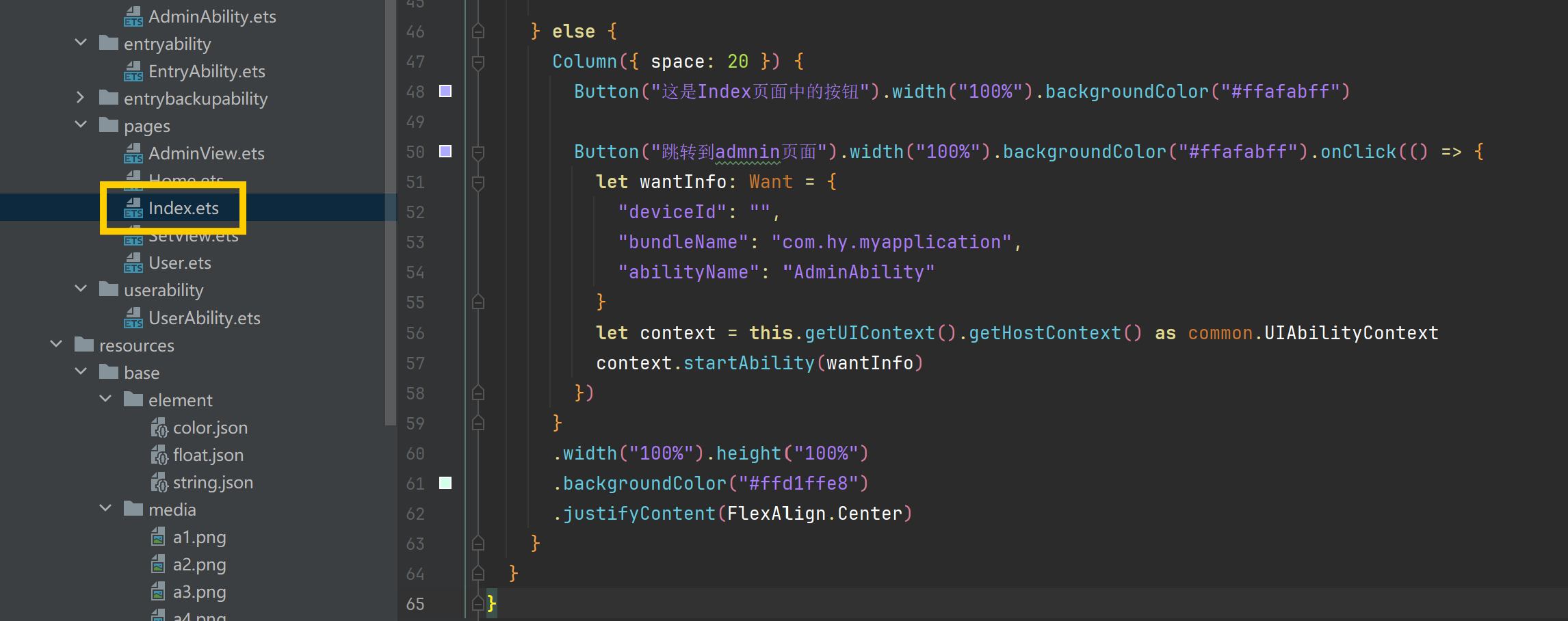
import { common, Want } from '@kit.AbilityKit'

@Entry
@Component
struct Index {
  @State flag: boolean = true
  @State message: string = 'Hello World';

  forwardPage(want: Want) {
    let keyValue = want?.parameters?.shortCutKey
    console.log("获取want对象中页面信息的数据为:" + keyValue)

    if (keyValue == "gohome") {
      this.getUIContext().getRouter().pushUrl({ "url": "pages/Home" })
    }
    if (keyValue == "goset") {
      this.getUIContext().getRouter().pushUrl({ "url": "pages/SetView" })
    }

  }

  //页面展示的生命周期函数
  onPageShow(): void {
    if (AppStorage.has("want")) {
      console.log("有want这个对象")
      let want: Want | undefined = AppStorage.get("want")
      if (want) {
        this.forwardPage(want)
        AppStorage.delete("want")
      }
      this.flag = true
    } else {
      console.log("没有want这个对象")
      this.flag = false
    }
  }

  build() {
    if (this.flag) {
      Column() {

      }
      .width("100%").height("100%")
      .backgroundColor("#cdcdcd")

    } else {
      Column({ space: 20 }) {
        Button("这是Index页面中的按钮").width("100%").backgroundColor("#ffafabff")

        Button("跳转到admnin页面").width("100%").backgroundColor("#ffafabff").onClick(() => {
          let wantInfo: Want = {
            "deviceId": "",
            "bundleName": "com.hy.myapplication",
            "abilityName": "AdminAbility"
          }
          let context = this.getUIContext().getHostContext() as common.UIAbilityContext
          context.startAbility(wantInfo)
        })
      }
      .width("100%").height("100%")
      .backgroundColor("#ffd1ffe8")
      .justifyContent(FlexAlign.Center)
    }
  }
}
讨论HarmonyOS开发技术,专注于API与组件、DevEco Studio、测试、元服务和应用上架分发等。
更多推荐
 3
3 0
0- 0


 已为社区贡献4条内容

所有评论(0)