HarmonyOS中考试模板开发教程
本项目是一个 HarmonyOS 考试组件库(四种题型:单选题、多选题、判断题、填空题自动评分:内置评分算法状态管理:完整的答题状态跟踪灵活配置:数据驱动,易于扩展ExamResult属性类型说明answers用户的所有答案scorenumber得分number总分number正确题数totalCountnumber总题数导入和使用考试组件库创建四种类型的题目构建完整的考试页面自定义结果展示实现进
考试模板开发教程
此模板已经上到组件商城 大家可以直接使用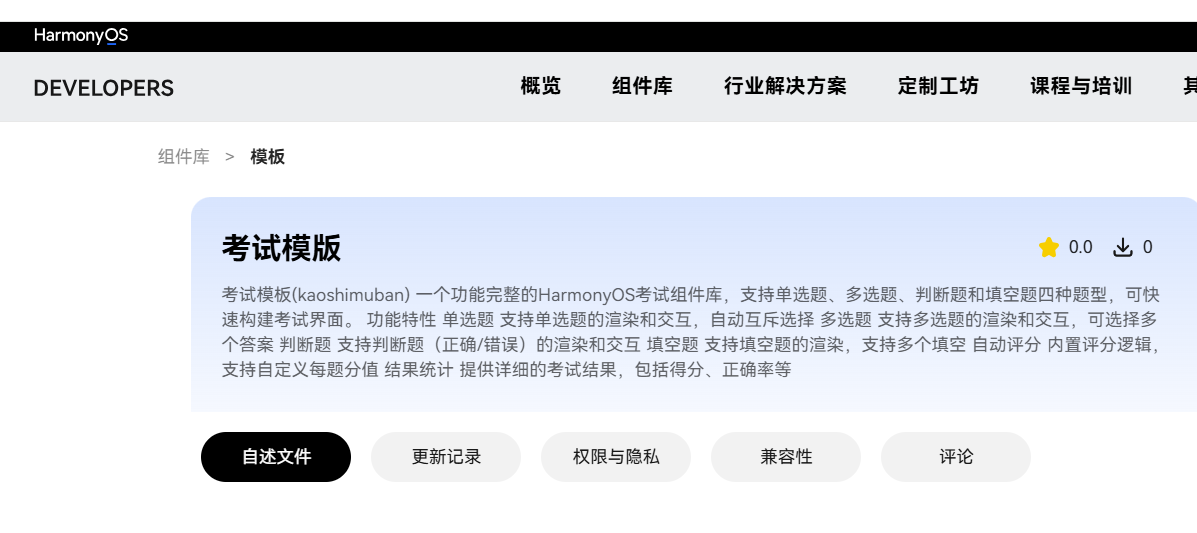
本教程将教你如何使用 HarmonyOS 考试模板组件库快速开发一个功能完整的考试应用。
目录
项目概述
本项目是一个 HarmonyOS 考试组件库(kaoshimuban),封装为 HAR 包,支持以下功能:
- 四种题型:单选题、多选题、判断题、填空题
- 自动评分:内置评分算法
- 状态管理:完整的答题状态跟踪
- 灵活配置:数据驱动,易于扩展
环境准备
1. 安装开发工具
下载并安装 DevEco Studio
2. 创建项目
- 打开 DevEco Studio
- 选择
File→New→Create Project - 选择
Empty Ability模板 - 填写项目信息并创建
3. 导入考试模板库
将 library 目录复制到你的项目中,或通过本地依赖方式引用。
项目结构
lesson80/
├── library/                        # 考试组件库(HAR包)
│   ├── src/main/ets/
│   │   ├── components/             # 组件文件
│   │   │   ├── ExamComponent.ets           # 主考试组件
│   │   │   ├── SingleChoiceQuestion.ets    # 单选题组件
│   │   │   ├── MultipleChoiceQuestion.ets  # 多选题组件
│   │   │   ├── TrueFalseQuestion.ets       # 判断题组件
│   │   │   └── FillBlankQuestion.ets       # 填空题组件
│   │   └── models/                 # 数据模型
│   │       └── ExamModels.ets               # 考试数据模型
│   ├── Index.ets                   # 库导出文件
│   └── oh-package.json5            # 库配置
│
└── entry/                          # 应用入口模块
    └── src/main/ets/
        └── pages/
            └── Index.ets           # 考试页面(示例)
快速开始
步骤 1:导入组件
在你的页面文件中导入考试组件:
import {
  ExamComponent,
  ExamData,
  ExamResult,
  QuestionType,
  QuestionData
} from 'kaoshimuban';
步骤 2:创建状态变量
@Entry
@Component
struct MyExamPage {
  @State examData: ExamData = this.createExamData();
  @State showResult: boolean = false;
  @State examResult: ExamResult | null = null;
步骤 3:创建考试数据方法
private createExamData(): ExamData {
  const questions: QuestionData[] = [
    // 在这里添加题目
  ];

  return new ExamData('考试标题', questions, 总分, 时长(分钟));
}
步骤 4:构建UI
build() {
  Column() {
    if (this.showResult && this.examResult !== null) {
      // 结果页面
      this.ResultView()
    } else {
      // 考试组件
      ExamComponent({
        examData: this.examData,
        onSubmit: (result: ExamResult) => {
          this.examResult = result;
          this.showResult = true;
        }
      })
    }
  }
}
创建考试数据
数据模型说明
QuestionData(题目数据)
| 参数 | 类型 | 说明 | 必填 |
|---|---|---|---|
| id | string | 题目唯一标识 | 是 |
| type | QuestionType | 题目类型枚举 | 是 |
| content | string | 题干内容 | 是 |
| correctAnswer | string | string[] | boolean | 正确答案 | 是 |
| points | number | 分值 | 是 |
| options | string[] | 选项列表(单选/多选) | 否 |
| blankCount | number | 填空数量(填空题) | 否 |
ExamData(考试数据)
| 参数 | 类型 | 说明 | 必填 |
|---|---|---|---|
| title | string | 考试标题 | 是 |
| questions | QuestionData[] | 题目列表 | 是 |
| totalPoints | number | 总分 | 是 |
| timeLimit | number | 时间限制(分钟) | 否 |
题型详解
1. 单选题(SINGLE)
单选题只有一个正确答案,用户需要从多个选项中选择一个。
new QuestionData(
  'q1',                          // 题目ID
  QuestionType.SINGLE,            // 题型
  'HarmonyOS是由哪家公司开发的操作系统?',  // 题干
  '华为',                         // 正确答案(字符串)
  10,                            // 分值
  ['华为', '小米', '苹果', '谷歌'] // 选项列表
)
要点:
correctAnswer是字符串类型,值必须是options中的一个options必填,至少2个选项
2. 多选题(MULTIPLE)
多选题有多个正确答案,用户需要选择所有正确的选项。
new QuestionData(
  'q2',
  QuestionType.MULTIPLE,
  '以下哪些是HarmonyOS的核心特性?(多选)',
  ['分布式架构', '微内核设计', '全场景覆盖'],  // 正确答案(数组)
  15,
  ['分布式架构', '微内核设计', '全场景覆盖', '仅支持手机']
)
要点:
correctAnswer是字符串数组类型- 数组中的每个值都必须在
options中 - 用户必须选中所有正确答案才能得分
3. 判断题(TRUE_FALSE)
判断题只有"正确"和"错误"两个选项。
new QuestionData(
  'q3',
  QuestionType.TRUE_FALSE,
  'ArkTS是HarmonyOS应用开发的主要编程语言。',
  true,    // 正确答案(布尔值)
  5        // 分值
  // 注意:判断题不需要 options 参数
)
要点:
correctAnswer是布尔类型(true或false)options不需要填写,系统会自动生成"正确/错误"选项true表示"正确",false表示"错误"
4. 填空题(FILL_BLANK)
填空题要求用户输入文本答案。
// 单个填空
new QuestionData(
  'q8',
  QuestionType.FILL_BLANK,
  'HarmonyOS的分布式能力可以实现____协同。',
  ['多设备'],  // 正确答案(数组)
  10,
  undefined,  // 填空题不需要 options
  1           // 填空数量
)

// 多个填空
new QuestionData(
  'q5',
  QuestionType.FILL_BLANK,
  'HarmonyOS中,用于声明组件的装饰器是____,用于声明入口组件的装饰器是____。',
  ['@Component', '@Entry'],  // 按顺序对应每个空
  10,
  undefined,
  2  // 两个填空
)
要点:
correctAnswer是字符串数组类型- 数组长度应与
blankCount一致 - 按顺序对应每个填空的答案
- 答案比较不区分大小写
完整示例
下面是一个完整的考试页面示例:
import {
  ExamComponent,
  ExamData,
  ExamResult,
  QuestionType,
  QuestionData
} from 'kaoshimuban';

@Entry
@Component
struct MyExamPage {
  @State examData: ExamData = this.createExamData();
  @State showResult: boolean = false;
  @State examResult: ExamResult | null = null;

  // 创建考试数据
  private createExamData(): ExamData {
    const questions: QuestionData[] = [
      // 单选题
      new QuestionData(
        'q1',
        QuestionType.SINGLE,
        'HarmonyOS是由哪家公司开发的操作系统?',
        '华为',
        10,
        ['华为', '小米', '苹果', '谷歌']
      ),

      // 多选题
      new QuestionData(
        'q2',
        QuestionType.MULTIPLE,
        '以下哪些是HarmonyOS的核心特性?(多选)',
        ['分布式架构', '微内核设计'],
        15,
        ['分布式架构', '微内核设计', '全场景覆盖', '仅支持手机']
      ),

      // 判断题
      new QuestionData(
        'q3',
        QuestionType.TRUE_FALSE,
        'ArkTS是HarmonyOS应用开发的主要编程语言。',
        true,
        5
      ),

      // 填空题
      new QuestionData(
        'q4',
        QuestionType.FILL_BLANK,
        'HarmonyOS的UI开发框架叫____。',
        ['ArkUI'],
        10,
        undefined,
        1
      )
    ];

    return new ExamData('HarmonyOS 基础测试', questions, 40, 10);
  }

  // 构建页面
  build() {
    Column() {
      if (this.showResult && this.examResult !== null) {
        this.ResultView()
      } else {
        ExamComponent({
          examData: this.examData,
          onSubmit: (result: ExamResult) => {
            this.examResult = result;
            this.showResult = true;
          }
        })
      }
    }
    .width('100%')
    .height('100%')
  }

  // 结果页面
  @Builder
  ResultView() {
    Column() {
      Text('考试完成!')
        .fontSize(24)
        .margin({ top: 20, bottom: 20 })

      Text(`得分:${this.examResult!.score} / ${this.examResult!.totalPoints}`)
        .fontSize(20)

      Button('重新考试')
        .margin({ top: 20 })
        .onClick(() => {
          this.showResult = false;
          this.examResult = null;
          this.examData = this.createExamData();
        })
    }
    .width('100%')
    .height('100%')
    .justifyContent(FlexAlign.Center)
  }
}
自定义结果页面
ExamResult 包含以下信息:
| 属性 | 类型 | 说明 |
|---|---|---|
| answers | UserAnswer[] | 用户的所有答案 |
| score | number | 得分 |
| totalPoints | number | 总分 |
| correctCount | number | 正确题数 |
| totalCount | number | 总题数 |
获取错题列表
你可以遍历题目,使用 isAnswerCorrect 函数判断每题是否答对:
import { isAnswerCorrect } from 'kaoshimuban';

private getWrongQuestions(): QuestionData[] {
  const wrongList: QuestionData[] = [];

  for (let i = 0; i < this.examData.questions.length; i++) {
    const question = this.examData.questions[i];
    let userAnswer: UserAnswer | null = null;

    // 查找用户答案
    for (let j = 0; j < this.examResult.answers.length; j++) {
      if (this.examResult.answers[j].questionId === question.id) {
        userAnswer = this.examResult.answers[j];
        break;
      }
    }

    // 判断是否答错
    if (userAnswer && !isAnswerCorrect(question, userAnswer.answer)) {
      wrongList.push(question);
    }
  }

  return wrongList;
}
进阶功能
1. 从 JSON 文件加载题目
创建 questions.json:
{
  "title": "HarmonyOS 考试",
  "timeLimit": 15,
  "questions": [
    {
      "id": "q1",
      "type": "single",
      "content": "HarmonyOS是由哪家公司开发的?",
      "correctAnswer": "华为",
      "points": 10,
      "options": ["华为", "小米", "苹果", "谷歌"]
    }
  ]
}
加载并解析:
import { questionsJson } from './questions.json'

private loadExamFromJson(): ExamData {
  const questions: QuestionData[] = questionsJson.questions.map(q => {
    const type = this.parseQuestionType(q.type);
    return new QuestionData(
      q.id,
      type,
      q.content,
      q.correctAnswer,
      q.points,
      q.options,
      q.blankCount
    );
  });

  return new ExamData(
    questionsJson.title,
    questions,
    questions.reduce((sum, q) => sum + q.points, 0),
    questionsJson.timeLimit
  );
}
2. 添加计时器
@State remainingTime: number = 0; // 秒
private timer: number = -1;

aboutToAppear() {
  this.remainingTime = this.examData.timeLimit * 60;
  this.startTimer();
}

private startTimer() {
  this.timer = setInterval(() => {
    this.remainingTime--;
    if (this.remainingTime <= 0) {
      clearInterval(this.timer);
      // 自动提交
    }
  }, 1000);
}

aboutToDisappear() {
  if (this.timer !== -1) {
    clearInterval(this.timer);
  }
}
3. 答题进度保存
使用 Preferences API 保存答题进度:
import dataPreferences from '@ohos.data.preferences';

private async saveProgress() {
  const preferences = await dataPreferences.getPreferences(getContext(), 'exam_progress');
  await preferences.put('current_answers', JSON.stringify(this.userAnswers));
  await preferences.flush();
}

private async loadProgress() {
  const preferences = await dataPreferences.getPreferences(getContext(), 'exam_progress');
  const saved = await preferences.get('current_answers', '');
  if (saved) {
    this.userAnswers = JSON.parse(saved as string);
  }
}
常见问题
Q: 如何修改题目选项的顺序?
A: 直接修改 options 数组中元素的顺序即可。
Q: 填空题答案是否区分大小写?
A: 不区分,系统会自动转换为小写进行比较。
Q: 如何实现题目乱序显示?
A: 在创建 ExamData 前对 questions 数组进行 shuffle 操作。
Q: 可以在一道题中混合多种题型吗?
A: 目前不支持,每道题只能是单一题型。
总结
通过本教程,你已经学会了:
- 导入和使用考试组件库
- 创建四种类型的题目
- 构建完整的考试页面
- 自定义结果展示
- 实现进阶功能
现在可以开始创建你自己的考试应用了!

讨论HarmonyOS开发技术,专注于API与组件、DevEco Studio、测试、元服务和应用上架分发等。
更多推荐

 23
23 0
0- 0


 已为社区贡献114条内容

所有评论(0)