Flutter 框架跨平台鸿蒙开发——TextFormField综合应用实战
fill:#333;important;important;fill:none;color:#333;color:#333;important;fill:none;fill:#333;height:1em;综合应用技术要点表单验证状态管理实时验证提交验证密码强度控制器管理数据模型异步提交// 密码强度枚举weak,medium,strong,✅ 将每个输入字段提取为独立的Widget方法✅ 使用M
TextFormField综合应用实战
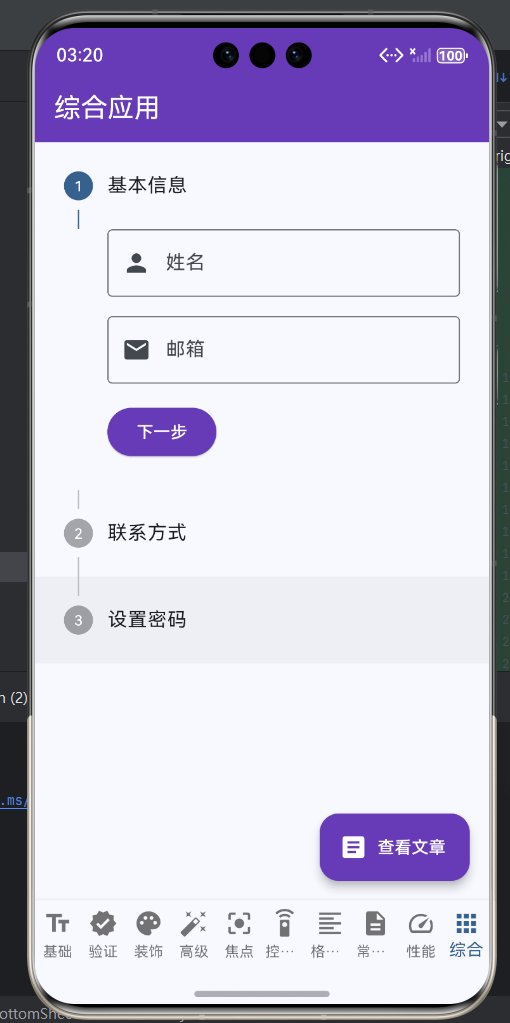
一、综合应用概述
综合应用将前面学习到的TextFormField知识整合到一个完整的表单场景中。本篇将构建一个用户注册表单,包含各种输入类型、验证规则、状态管理和用户交互,展示TextFormField在实际项目中的完整应用。
注册表单功能模块
这个综合应用涵盖了表单开发的各个方面,是一个完整的学习案例。
二、表单数据模型
用户注册模型
// 用户注册数据模型
class RegistrationData {
  String username;
  String realName;
  String gender;
  String birthDate;
  String email;
  String phone;
  String address;
  String password;
  String confirmPassword;
  String captcha;

  RegistrationData({
    required this.username,
    required this.realName,
    required this.gender,
    required this.birthDate,
    required this.email,
    required this.phone,
    required this.address,
    required this.password,
    required this.confirmPassword,
    required this.captcha,
  });

  // 从控制器创建模型
  factory RegistrationData.fromControllers(
    Map<String, TextEditingController> controllers,
  ) {
    return RegistrationData(
      username: controllers['username']?.text ?? '',
      realName: controllers['realName']?.text ?? '',
      gender: controllers['gender']?.text ?? '男',
      birthDate: controllers['birthDate']?.text ?? '',
      email: controllers['email']?.text ?? '',
      phone: controllers['phone']?.text ?? '',
      address: controllers['address']?.text ?? '',
      password: controllers['password']?.text ?? '',
      confirmPassword: controllers['confirmPassword']?.text ?? '',
      captcha: controllers['captcha']?.text ?? '',
    );
  }

  // 验证
  List<String>? validate() {
    final errors = <String>[];

    if (username.isEmpty) errors.add('请输入用户名');
    if (username.length < 3) errors.add('用户名至少3个字符');
    if (realName.isEmpty) errors.add('请输入真实姓名');
    if (email.isEmpty) errors.add('请输入邮箱');
    if (!email.contains('@')) errors.add('邮箱格式错误');
    if (phone.isEmpty) errors.add('请输入手机号');
    if (password.isEmpty) errors.add('请输入密码');
    if (password.length < 6) errors.add('密码至少6位');
    if (password != confirmPassword) errors.add('两次密码不一致');

    if (errors.isEmpty) return null;
    return errors;
  }

  // 转换为JSON
  Map<String, dynamic> toJson() {
    return {
      'username': username,
      'realName': realName,
      'gender': gender,
      'birthDate': birthDate,
      'email': email,
      'phone': phone,
      'address': address,
      'password': password,
    };
  }
}
三、表单状态管理
注册表单状态
class _RegistrationFormPageState extends State<RegistrationFormPage> {
final _formKey = GlobalKey<FormState>();
final _controllers = {
'username': TextEditingController(),
'realName': TextEditingController(),
'gender': TextEditingController(text: '男'),
'birthDate': TextEditingController(),
'email': TextEditingController(),
'phone': TextEditingController(),
'address': TextEditingController(),
'password': TextEditingController(),
'confirmPassword': TextEditingController(),
'captcha': TextEditingController(),
};
bool _isSubmitting = false;
bool _acceptTerms = false;
String? _errorMessage;
PasswordStrength _passwordStrength = PasswordStrength.weak;
void dispose() {
_controllers.values.forEach((controller) => controller.dispose());
super.dispose();
}
// 检查密码强度
void _checkPasswordStrength(String password) {
setState(() {
_passwordStrength = _calculateStrength(password);
});
}
PasswordStrength _calculateStrength(String password) {
if (password.isEmpty) return PasswordStrength.weak;
int score = 0;
if (password.length >= 6) score++;
if (password.length >= 10) score++;
if (password.contains(RegExp(r'[a-z]'))) score++;
if (password.contains(RegExp(r'[A-Z]'))) score++;
if (password.contains(RegExp(r'[0-9]'))) score++;
if (password.contains(RegExp(r'[!@#$%^&*(),.?":{}|<>]'))) score++;
if (score <= 2) return PasswordStrength.weak;
if (score <= 4) return PasswordStrength.medium;
return PasswordStrength.strong;
}
// 选择日期
Future<void> _selectDate() async {
final selected = await showDatePicker(
context: context,
initialDate: DateTime(1990),
firstDate: DateTime(1950),
lastDate: DateTime.now(),
);
if (selected != null) {
final formatter = DateFormat('yyyy-MM-dd', 'zh_CN');
_controllers['birthDate']!.text = formatter.format(selected);
}
}
// 提交表单
Future<void> _submitForm() async {
if (!_acceptTerms) {
ScaffoldMessenger.of(context).showSnackBar(
const SnackBar(
content: Text('请先阅读并同意用户协议'),
backgroundColor: Colors.orange,
),
);
return;
}
if (!_formKey.currentState!.validate()) {
return;
}
setState(() {
_isSubmitting = true;
_errorMessage = null;
});
try {
// 创建数据模型
final data = RegistrationData.fromControllers(_controllers);
// 验证数据
final errors = data.validate();
if (errors != null) {
setState(() {
_isSubmitting = false;
});
ScaffoldMessenger.of(context).showSnackBar(
SnackBar(
content: Text(errors.join(', ')),
backgroundColor: Colors.red,
),
);
return;
}
// 模拟网络请求
await Future.delayed(const Duration(seconds: 2));
print('注册数据: ${data.toJson()}');
if (mounted) {
ScaffoldMessenger.of(context).showSnackBar(
const SnackBar(
content: Text('注册成功!'),
backgroundColor: Colors.green,
),
);
Navigator.pop(context);
}
} catch (e) {
setState(() {
_errorMessage = '注册失败: $e';
});
} finally {
setState(() {
_isSubmitting = false;
});
}
}
// 重置表单
void _resetForm() {
_formKey.currentState!.reset();
_controllers.values.forEach((controller) => controller.clear());
_controllers['gender']!.text = '男';
setState(() {
_passwordStrength = PasswordStrength.weak;
_errorMessage = null;
});
}
}
四、表单UI构建
完整表单界面
Widget build(BuildContext context) {
return Scaffold(
appBar: AppBar(
title: const Text('用户注册'),
backgroundColor: Colors.blue,
foregroundColor: Colors.white,
),
body: SingleChildScrollView(
padding: const EdgeInsets.all(16.0),
child: Form(
key: _formKey,
child: Column(
crossAxisAlignment: CrossAxisAlignment.stretch,
children: [
// 基本信息
_buildSectionTitle('基本信息', Icons.person),
const SizedBox(height: 12),
_buildUsernameField(),
const SizedBox(height: 12),
_buildRealNameField(),
const SizedBox(height: 12),
_buildGenderField(),
const SizedBox(height: 12),
_buildBirthDateField(),
const SizedBox(height: 24),
// 联系方式
_buildSectionTitle('联系方式', Icons.contact_phone),
const SizedBox(height: 12),
_buildEmailField(),
const SizedBox(height: 12),
_buildPhoneField(),
const SizedBox(height: 12),
_buildAddressField(),
const SizedBox(height: 24),
// 账户设置
_buildSectionTitle('账户设置', Icons.lock),
const SizedBox(height: 12),
_buildPasswordField(),
const SizedBox(height: 12),
_buildConfirmPasswordField(),
const SizedBox(height: 12),
_buildCaptchaField(),
const SizedBox(height: 24),
// 用户协议
_buildTermsCheckbox(),
const SizedBox(height: 16),
// 错误信息
if (_errorMessage != null)
Padding(
padding: const EdgeInsets.only(bottom: 16),
child: Text(
_errorMessage!,
style: const TextStyle(color: Colors.red),
textAlign: TextAlign.center,
),
),
// 提交按钮
if (_isSubmitting)
const Center(child: CircularProgressIndicator())
else
ElevatedButton(
onPressed: _submitForm,
style: ElevatedButton.styleFrom(
backgroundColor: Colors.blue,
foregroundColor: Colors.white,
padding: const EdgeInsets.symmetric(vertical: 16),
shape: RoundedRectangleBorder(
borderRadius: BorderRadius.circular(8),
),
),
child: const Text('注册', style: TextStyle(fontSize: 16)),
),
const SizedBox(height: 12),
OutlinedButton(
onPressed: _resetForm,
style: OutlinedButton.styleFrom(
padding: const EdgeInsets.symmetric(vertical: 16),
shape: RoundedRectangleBorder(
borderRadius: BorderRadius.circular(8),
),
),
child: const Text('重置', style: TextStyle(fontSize: 16)),
),
],
),
),
),
);
}
// 构建章节标题
Widget _buildSectionTitle(String title, IconData icon) {
return Row(
children: [
Icon(icon, color: Colors.blue),
const SizedBox(width: 8),
Text(
title,
style: const TextStyle(
fontSize: 18,
fontWeight: FontWeight.bold,
color: Colors.blue,
),
),
],
);
}
// 用户名字段
Widget _buildUsernameField() {
return TextFormField(
controller: _controllers['username'],
decoration: const InputDecoration(
labelText: '用户名',
hintText: '3-20个字符',
prefixIcon: Icon(Icons.person_outline),
border: OutlineInputBorder(),
),
validator: (value) {
if (value == null || value.isEmpty) {
return '请输入用户名';
}
if (value.length < 3 || value.length > 20) {
return '用户名长度为3-20个字符';
}
return null;
},
);
}
// 真实姓名字段
Widget _buildRealNameField() {
return TextFormField(
controller: _controllers['realName'],
decoration: const InputDecoration(
labelText: '真实姓名',
hintText: '请输入真实姓名',
prefixIcon: Icon(Icons.badge),
border: OutlineInputBorder(),
),
textCapitalization: TextCapitalization.words,
validator: (value) {
if (value == null || value.isEmpty) {
return '请输入真实姓名';
}
return null;
},
);
}
// 性别字段
Widget _buildGenderField() {
return DropdownButtonFormField<String>(
value: _controllers['gender']!.text,
decoration: const InputDecoration(
labelText: '性别',
prefixIcon: Icon(Icons.wc),
border: OutlineInputBorder(),
),
items: const [
DropdownMenuItem(value: '男', child: Text('男')),
DropdownMenuItem(value: '女', child: Text('女')),
],
onChanged: (value) {
setState(() {
_controllers['gender']!.text = value ?? '男';
});
},
);
}
// 出生日期字段
Widget _buildBirthDateField() {
return TextFormField(
controller: _controllers['birthDate'],
readOnly: true,
decoration: InputDecoration(
labelText: '出生日期',
hintText: '选择出生日期',
prefixIcon: const Icon(Icons.calendar_today),
border: const OutlineInputBorder(),
suffixIcon: IconButton(
icon: const Icon(Icons.calendar_month),
onPressed: _selectDate,
),
),
onTap: _selectDate,
validator: (value) {
if (value == null || value.isEmpty) {
return '请选择出生日期';
}
return null;
},
);
}
// 邮箱字段
Widget _buildEmailField() {
return TextFormField(
controller: _controllers['email'],
decoration: const InputDecoration(
labelText: '邮箱',
hintText: 'example@mail.com',
prefixIcon: Icon(Icons.email),
border: OutlineInputBorder(),
),
keyboardType: TextInputType.emailAddress,
validator: (value) {
if (value == null || value.isEmpty) {
return '请输入邮箱';
}
if (!value.contains('@')) {
return '邮箱格式不正确';
}
return null;
},
);
}
// 手机号字段
Widget _buildPhoneField() {
return TextFormField(
controller: _controllers['phone'],
decoration: const InputDecoration(
labelText: '手机号',
hintText: '11位手机号码',
prefixIcon: Icon(Icons.phone),
border: OutlineInputBorder(),
),
keyboardType: TextInputType.phone,
inputFormatters: [
FilteringTextInputFormatter.digitsOnly,
LengthLimitingTextInputFormatter(11),
],
validator: (value) {
if (value == null || value.isEmpty) {
return '请输入手机号';
}
if (!RegExp(r'^1[3-9]\d{9}$').hasMatch(value)) {
return '手机号格式不正确';
}
return null;
},
);
}
// 地址字段
Widget _buildAddressField() {
return TextFormField(
controller: _controllers['address'],
maxLines: 3,
decoration: const InputDecoration(
labelText: '地址',
hintText: '请输入详细地址',
prefixIcon: Icon(Icons.location_on),
border: OutlineInputBorder(),
),
validator: (value) {
if (value == null || value.isEmpty) {
return '请输入地址';
}
return null;
},
);
}
// 密码字段
Widget _buildPasswordField() {
final password = _controllers['password']!.text;
return Column(
crossAxisAlignment: CrossAxisAlignment.start,
children: [
TextFormField(
controller: _controllers['password'],
obscureText: true,
onChanged: _checkPasswordStrength,
decoration: const InputDecoration(
labelText: '密码',
hintText: '至少6位',
prefixIcon: Icon(Icons.lock),
border: OutlineInputBorder(),
),
validator: (value) {
if (value == null || value.isEmpty) {
return '请输入密码';
}
if (value.length < 6) {
return '密码至少6位';
}
return null;
},
),
if (password.isNotEmpty) ...[
const SizedBox(height: 8),
_buildPasswordStrengthIndicator(),
],
],
);
}
// 密码强度指示器
Widget _buildPasswordStrengthIndicator() {
Color color;
String text;
switch (_passwordStrength) {
case PasswordStrength.weak:
color = Colors.red;
text = '弱';
break;
case PasswordStrength.medium:
color = Colors.orange;
text = '中';
break;
case PasswordStrength.strong:
color = Colors.green;
text = '强';
break;
}
return Container(
padding: const EdgeInsets.symmetric(horizontal: 12, vertical: 8),
decoration: BoxDecoration(
color: color.withOpacity(0.1),
borderRadius: BorderRadius.circular(4),
border: Border.all(color: color),
),
child: Row(
children: [
Icon(Icons.info_outline, size: 16, color: color),
const SizedBox(width: 8),
Text(
'密码强度: $text',
style: TextStyle(color: color, fontSize: 12),
),
],
),
);
}
// 确认密码字段
Widget _buildConfirmPasswordField() {
return TextFormField(
controller: _controllers['confirmPassword'],
obscureText: true,
decoration: const InputDecoration(
labelText: '确认密码',
hintText: '再次输入密码',
prefixIcon: Icon(Icons.lock_outline),
border: OutlineInputBorder(),
),
validator: (value) {
if (value == null || value.isEmpty) {
return '请确认密码';
}
if (value != _controllers['password']!.text) {
return '两次密码不一致';
}
return null;
},
);
}
// 验证码字段
Widget _buildCaptchaField() {
return Row(
children: [
Expanded(
child: TextFormField(
controller: _controllers['captcha'],
decoration: const InputDecoration(
labelText: '验证码',
hintText: '请输入验证码',
prefixIcon: Icon(Icons.verified_user),
border: OutlineInputBorder(),
),
validator: (value) {
if (value == null || value.isEmpty) {
return '请输入验证码';
}
return null;
},
),
),
const SizedBox(width: 12),
Container(
width: 100,
height: 50,
decoration: BoxDecoration(
color: Colors.grey.shade200,
borderRadius: BorderRadius.circular(4),
border: Border.all(color: Colors.grey.shade300),
),
child: const Center(
child: Text(
'1234',
style: TextStyle(
fontSize: 20,
fontWeight: FontWeight.bold,
letterSpacing: 8,
),
),
),
),
],
);
}
// 用户协议复选框
Widget _buildTermsCheckbox() {
return Row(
children: [
Checkbox(
value: _acceptTerms,
onChanged: (value) {
setState(() {
_acceptTerms = value ?? false;
});
},
),
Expanded(
child: GestureDetector(
onTap: () {
setState(() {
_acceptTerms = !_acceptTerms;
});
},
child: const Text.rich(
TextSpan(
text: '我已阅读并同意',
style: TextStyle(fontSize: 14),
children: [
TextSpan(
text: '《用户协议》',
style: TextStyle(
color: Colors.blue,
decoration: TextDecoration.underline,
),
),
TextSpan(text: '和'),
TextSpan(
text: '《隐私政策》',
style: TextStyle(
color: Colors.blue,
decoration: TextDecoration.underline,
),
),
],
),
),
),
),
],
);
}
五、综合应用总结
技术要点回顾
关键技术要点
-
表单验证:实现了多层验证机制,包括实时验证和提交验证
-
状态管理:使用StatefulWidget管理复杂的表单状态
-
数据模型:封装了完整的注册数据模型,便于管理和验证
-
用户体验:提供了密码强度检测、日期选择、验证码等丰富功能
-
错误处理:完善的错误捕获和用户友好的错误提示
-
UI设计:采用分组设计,清晰展示表单结构
通过这个综合应用,我们掌握了TextFormField在实际项目中的完整应用流程,为开发复杂的表单应用打下了坚实基础。
六、完整可运行代码
密码强度枚举定义
// 密码强度枚举
enum PasswordStrength {
  weak,
  medium,
  strong,
}
完整注册表单页面
import 'package:flutter/material.dart';
import 'package:flutter/services.dart';
import 'package:intl/intl.dart';
void main() {
runApp(const TextFormFieldApp());
}
class TextFormFieldApp extends StatelessWidget {
const TextFormFieldApp({super.key});
Widget build(BuildContext context) {
return MaterialApp(
title: 'TextFormField综合应用',
theme: ThemeData(
colorScheme: ColorScheme.fromSeed(seedColor: Colors.blue),
useMaterial3: true,
),
home: const RegistrationFormPage(),
debugShowCheckedModeBanner: false,
);
}
}
class RegistrationFormPage extends StatefulWidget {
const RegistrationFormPage({super.key});
State<RegistrationFormPage> createState() => _RegistrationFormPageState();
}
class _RegistrationFormPageState extends State<RegistrationFormPage> {
final _formKey = GlobalKey<FormState>();
final _controllers = {
'username': TextEditingController(),
'realName': TextEditingController(),
'gender': TextEditingController(text: '男'),
'birthDate': TextEditingController(),
'email': TextEditingController(),
'phone': TextEditingController(),
'address': TextEditingController(),
'password': TextEditingController(),
'confirmPassword': TextEditingController(),
'captcha': TextEditingController(),
};
bool _isSubmitting = false;
bool _acceptTerms = false;
bool _obscurePassword = true;
bool _obscureConfirmPassword = true;
String? _errorMessage;
PasswordStrength _passwordStrength = PasswordStrength.weak;
String? _capturedCaptcha = '1234';
int _captchaCountdown = 0;
Timer? _captchaTimer;
void dispose() {
_controllers.values.forEach((controller) => controller.dispose());
_captchaTimer?.cancel();
super.dispose();
}
// 检查密码强度
void _checkPasswordStrength(String password) {
setState(() {
_passwordStrength = _calculateStrength(password);
});
}
PasswordStrength _calculateStrength(String password) {
if (password.isEmpty) return PasswordStrength.weak;
int score = 0;
if (password.length >= 6) score++;
if (password.length >= 10) score++;
if (password.contains(RegExp(r'[a-z]'))) score++;
if (password.contains(RegExp(r'[A-Z]'))) score++;
if (password.contains(RegExp(r'[0-9]'))) score++;
if (password.contains(RegExp(r'[!@#$%^&*(),.?":{}|<>]'))) score++;
if (score <= 2) return PasswordStrength.weak;
if (score <= 4) return PasswordStrength.medium;
return PasswordStrength.strong;
}
// 选择日期
Future<void> _selectDate() async {
final selected = await showDatePicker(
context: context,
initialDate: DateTime(1990),
firstDate: DateTime(1950),
lastDate: DateTime.now(),
);
if (selected != null) {
final formatter = DateFormat('yyyy-MM-dd', 'zh_CN');
_controllers['birthDate']!.text = formatter.format(selected);
}
}
// 发送验证码
void _sendCaptcha() {
if (_controllers['phone']!.text.isEmpty) {
ScaffoldMessenger.of(context).showSnackBar(
const SnackBar(
content: Text('请先输入手机号'),
backgroundColor: Colors.orange,
),
);
return;
}
if (!RegExp(r'^1[3-9]\d{9}$').hasMatch(_controllers['phone']!.text)) {
ScaffoldMessenger.of(context).showSnackBar(
const SnackBar(
content: Text('手机号格式不正确'),
backgroundColor: Colors.red,
),
);
return;
}
// 生成新验证码
final random = (1000 + (DateTime.now().millisecondsSinceEpoch % 9000)).toString();
setState(() {
_capturedCaptcha = random;
_captchaCountdown = 60;
});
// 开始倒计时
_captchaTimer?.cancel();
_captchaTimer = Timer.periodic(const Duration(seconds: 1), (timer) {
setState(() {
_captchaCountdown--;
});
if (_captchaCountdown <= 0) {
timer.cancel();
}
});
ScaffoldMessenger.of(context).showSnackBar(
SnackBar(
content: Text('验证码已发送: $random'),
backgroundColor: Colors.green,
duration: const Duration(seconds: 2),
),
);
}
// 刷新验证码
void _refreshCaptcha() {
final random = (1000 + (DateTime.now().millisecondsSinceEpoch % 9000)).toString();
setState(() {
_capturedCaptcha = random;
});
}
// 提交表单
Future<void> _submitForm() async {
if (!_acceptTerms) {
ScaffoldMessenger.of(context).showSnackBar(
const SnackBar(
content: Text('请先阅读并同意用户协议'),
backgroundColor: Colors.orange,
),
);
return;
}
if (!_formKey.currentState!.validate()) {
return;
}
// 验证验证码
if (_controllers['captcha']!.text != _capturedCaptcha) {
setState(() {
_errorMessage = '验证码错误';
});
return;
}
setState(() {
_isSubmitting = true;
_errorMessage = null;
});
try {
// 创建数据模型
final data = RegistrationData.fromControllers(_controllers);
// 验证数据
final errors = data.validate();
if (errors != null) {
setState(() {
_isSubmitting = false;
});
ScaffoldMessenger.of(context).showSnackBar(
SnackBar(
content: Text(errors.join(', ')),
backgroundColor: Colors.red,
),
);
return;
}
// 模拟网络请求
await Future.delayed(const Duration(seconds: 2));
print('注册数据: ${data.toJson()}');
if (mounted) {
_showSuccessDialog(data);
}
} catch (e) {
setState(() {
_errorMessage = '注册失败: $e';
});
} finally {
setState(() {
_isSubmitting = false;
});
}
}
// 显示成功对话框
void _showSuccessDialog(RegistrationData data) {
showDialog(
context: context,
barrierDismissible: false,
builder: (context) => AlertDialog(
icon: const Icon(Icons.check_circle, color: Colors.green, size: 60),
title: const Text('注册成功'),
content: SingleChildScrollView(
child: Column(
mainAxisSize: MainAxisSize.min,
crossAxisAlignment: CrossAxisAlignment.start,
children: [
const SizedBox(height: 16),
_buildInfoRow('用户名', data.username),
_buildInfoRow('真实姓名', data.realName),
_buildInfoRow('性别', data.gender),
_buildInfoRow('出生日期', data.birthDate),
_buildInfoRow('邮箱', data.email),
_buildInfoRow('手机号', data.phone),
_buildInfoRow('地址', data.address),
],
),
),
actions: [
TextButton(
onPressed: () {
Navigator.of(context).pop();
Navigator.of(context).pop();
},
child: const Text('确定'),
),
],
),
);
}
Widget _buildInfoRow(String label, String value) {
return Padding(
padding: const EdgeInsets.only(bottom: 8),
child: Row(
crossAxisAlignment: CrossAxisAlignment.start,
children: [
SizedBox(
width: 80,
child: Text(
'$label:',
style: const TextStyle(fontWeight: FontWeight.bold),
),
),
Expanded(child: Text(value)),
],
),
);
}
// 重置表单
void _resetForm() {
_formKey.currentState!.reset();
_controllers.values.forEach((controller) => controller.clear());
_controllers['gender']!.text = '男';
_captchaTimer?.cancel();
setState(() {
_passwordStrength = PasswordStrength.weak;
_errorMessage = null;
_acceptTerms = false;
_captchaCountdown = 0;
_capturedCaptcha = '1234';
_obscurePassword = true;
_obscureConfirmPassword = true;
});
}
Widget build(BuildContext context) {
return Scaffold(
appBar: AppBar(
title: const Text('用户注册'),
backgroundColor: Colors.blue,
foregroundColor: Colors.white,
centerTitle: true,
elevation: 2,
),
body: SingleChildScrollView(
padding: const EdgeInsets.all(16.0),
child: Form(
key: _formKey,
child: Column(
crossAxisAlignment: CrossAxisAlignment.stretch,
children: [
// 基本信息
_buildSectionTitle('基本信息', Icons.person),
const SizedBox(height: 12),
_buildUsernameField(),
const SizedBox(height: 12),
_buildRealNameField(),
const SizedBox(height: 12),
_buildGenderField(),
const SizedBox(height: 12),
_buildBirthDateField(),
const SizedBox(height: 24),
// 联系方式
_buildSectionTitle('联系方式', Icons.contact_phone),
const SizedBox(height: 12),
_buildEmailField(),
const SizedBox(height: 12),
_buildPhoneField(),
const SizedBox(height: 12),
_buildAddressField(),
const SizedBox(height: 24),
// 账户设置
_buildSectionTitle('账户设置', Icons.lock),
const SizedBox(height: 12),
_buildPasswordField(),
const SizedBox(height: 12),
_buildConfirmPasswordField(),
const SizedBox(height: 12),
_buildCaptchaField(),
const SizedBox(height: 24),
// 用户协议
_buildTermsCheckbox(),
const SizedBox(height: 16),
// 错误信息
if (_errorMessage != null)
Container(
margin: const EdgeInsets.only(bottom: 16),
padding: const EdgeInsets.all(12),
decoration: BoxDecoration(
color: Colors.red.shade50,
borderRadius: BorderRadius.circular(8),
border: Border.all(color: Colors.red.shade300),
),
child: Row(
children: [
const Icon(Icons.error_outline, color: Colors.red),
const SizedBox(width: 8),
Expanded(
child: Text(
_errorMessage!,
style: const TextStyle(color: Colors.red),
),
),
],
),
),
// 提交按钮
if (_isSubmitting)
const Center(
child: Padding(
padding: EdgeInsets.all(16),
child: CircularProgressIndicator(),
),
)
else
ElevatedButton(
onPressed: _submitForm,
style: ElevatedButton.styleFrom(
backgroundColor: Colors.blue,
foregroundColor: Colors.white,
padding: const EdgeInsets.symmetric(vertical: 16),
shape: RoundedRectangleBorder(
borderRadius: BorderRadius.circular(8),
),
elevation: 2,
),
child: const Text(
'注册',
style: TextStyle(fontSize: 16, fontWeight: FontWeight.bold),
),
),
const SizedBox(height: 12),
OutlinedButton(
onPressed: _resetForm,
style: OutlinedButton.styleFrom(
padding: const EdgeInsets.symmetric(vertical: 16),
shape: RoundedRectangleBorder(
borderRadius: BorderRadius.circular(8),
),
side: BorderSide(color: Colors.grey.shade400),
),
child: Text(
'重置',
style: TextStyle(fontSize: 16, color: Colors.grey.shade700),
),
),
],
),
),
),
);
}
// 构建章节标题
Widget _buildSectionTitle(String title, IconData icon) {
return Container(
padding: const EdgeInsets.symmetric(horizontal: 12, vertical: 8),
decoration: BoxDecoration(
color: Colors.blue.shade50,
borderRadius: BorderRadius.circular(8),
border: Border.all(color: Colors.blue.shade200),
),
child: Row(
children: [
Icon(icon, color: Colors.blue, size: 20),
const SizedBox(width: 8),
Text(
title,
style: const TextStyle(
fontSize: 16,
fontWeight: FontWeight.bold,
color: Colors.blue,
),
),
],
),
);
}
// 用户名字段
Widget _buildUsernameField() {
return TextFormField(
controller: _controllers['username'],
decoration: InputDecoration(
labelText: '用户名',
hintText: '3-20个字符',
prefixIcon: const Icon(Icons.person_outline),
border: const OutlineInputBorder(),
filled: true,
fillColor: Colors.grey.shade50,
),
validator: (value) {
if (value == null || value.isEmpty) {
return '请输入用户名';
}
if (value.length < 3 || value.length > 20) {
return '用户名长度为3-20个字符';
}
return null;
},
);
}
// 真实姓名字段
Widget _buildRealNameField() {
return TextFormField(
controller: _controllers['realName'],
decoration: const InputDecoration(
labelText: '真实姓名',
hintText: '请输入真实姓名',
prefixIcon: Icon(Icons.badge),
border: OutlineInputBorder(),
filled: true,
fillColor: Color(0xFFFAFAFA),
),
textCapitalization: TextCapitalization.words,
validator: (value) {
if (value == null || value.isEmpty) {
return '请输入真实姓名';
}
return null;
},
);
}
// 性别字段
Widget _buildGenderField() {
return DropdownButtonFormField<String>(
value: _controllers['gender']!.text,
decoration: const InputDecoration(
labelText: '性别',
prefixIcon: Icon(Icons.wc),
border: OutlineInputBorder(),
filled: true,
fillColor: Color(0xFFFAFAFA),
),
items: const [
DropdownMenuItem(value: '男', child: Text('男')),
DropdownMenuItem(value: '女', child: Text('女')),
],
onChanged: (value) {
setState(() {
_controllers['gender']!.text = value ?? '男';
});
},
);
}
// 出生日期字段
Widget _buildBirthDateField() {
return TextFormField(
controller: _controllers['birthDate'],
readOnly: true,
decoration: InputDecoration(
labelText: '出生日期',
hintText: '选择出生日期',
prefixIcon: const Icon(Icons.calendar_today),
border: const OutlineInputBorder(),
filled: true,
fillColor: const Color(0xFFFAFAFA),
suffixIcon: IconButton(
icon: const Icon(Icons.calendar_month),
onPressed: _selectDate,
),
),
onTap: _selectDate,
validator: (value) {
if (value == null || value.isEmpty) {
return '请选择出生日期';
}
return null;
},
);
}
// 邮箱字段
Widget _buildEmailField() {
return TextFormField(
controller: _controllers['email'],
decoration: const InputDecoration(
labelText: '邮箱',
hintText: 'example@mail.com',
prefixIcon: Icon(Icons.email),
border: OutlineInputBorder(),
filled: true,
fillColor: Color(0xFFFAFAFA),
),
keyboardType: TextInputType.emailAddress,
validator: (value) {
if (value == null || value.isEmpty) {
return '请输入邮箱';
}
if (!value.contains('@')) {
return '邮箱格式不正确';
}
return null;
},
);
}
// 手机号字段
Widget _buildPhoneField() {
return TextFormField(
controller: _controllers['phone'],
decoration: const InputDecoration(
labelText: '手机号',
hintText: '11位手机号码',
prefixIcon: Icon(Icons.phone),
border: OutlineInputBorder(),
filled: true,
fillColor: Color(0xFFFAFAFA),
),
keyboardType: TextInputType.phone,
inputFormatters: [
FilteringTextInputFormatter.digitsOnly,
LengthLimitingTextInputFormatter(11),
],
validator: (value) {
if (value == null || value.isEmpty) {
return '请输入手机号';
}
if (!RegExp(r'^1[3-9]\d{9}$').hasMatch(value)) {
return '手机号格式不正确';
}
return null;
},
);
}
// 地址字段
Widget _buildAddressField() {
return TextFormField(
controller: _controllers['address'],
maxLines: 3,
decoration: const InputDecoration(
labelText: '地址',
hintText: '请输入详细地址',
prefixIcon: Icon(Icons.location_on),
border: OutlineInputBorder(),
filled: true,
fillColor: Color(0xFFFAFAFA),
),
validator: (value) {
if (value == null || value.isEmpty) {
return '请输入地址';
}
return null;
},
);
}
// 密码字段
Widget _buildPasswordField() {
return Column(
crossAxisAlignment: CrossAxisAlignment.start,
children: [
TextFormField(
controller: _controllers['password'],
obscureText: _obscurePassword,
onChanged: _checkPasswordStrength,
decoration: InputDecoration(
labelText: '密码',
hintText: '至少6位',
prefixIcon: const Icon(Icons.lock),
border: const OutlineInputBorder(),
filled: true,
fillColor: const Color(0xFFFAFAFA),
suffixIcon: IconButton(
icon: Icon(
_obscurePassword ? Icons.visibility_off : Icons.visibility,
),
onPressed: () {
setState(() {
_obscurePassword = !_obscurePassword;
});
},
),
),
validator: (value) {
if (value == null || value.isEmpty) {
return '请输入密码';
}
if (value.length < 6) {
return '密码至少6位';
}
return null;
},
),
if (_controllers['password']!.text.isNotEmpty) ...[
const SizedBox(height: 8),
_buildPasswordStrengthIndicator(),
],
],
);
}
// 密码强度指示器
Widget _buildPasswordStrengthIndicator() {
Color color;
String text;
int progress;
switch (_passwordStrength) {
case PasswordStrength.weak:
color = Colors.red;
text = '弱';
progress = 33;
break;
case PasswordStrength.medium:
color = Colors.orange;
text = '中';
progress = 66;
break;
case PasswordStrength.strong:
color = Colors.green;
text = '强';
progress = 100;
break;
}
return Column(
crossAxisAlignment: CrossAxisAlignment.start,
children: [
Container(
padding: const EdgeInsets.symmetric(horizontal: 12, vertical: 8),
decoration: BoxDecoration(
color: color.withOpacity(0.1),
borderRadius: BorderRadius.circular(4),
border: Border.all(color: color),
),
child: Row(
children: [
Icon(Icons.info_outline, size: 16, color: color),
const SizedBox(width: 8),
Text(
'密码强度: $text',
style: TextStyle(color: color, fontSize: 12),
),
],
),
),
const SizedBox(height: 4),
ClipRRect(
borderRadius: BorderRadius.circular(2),
child: LinearProgressIndicator(
value: progress / 100,
backgroundColor: Colors.grey.shade300,
valueColor: AlwaysStoppedAnimation<Color>(color),
minHeight: 4,
),
),
],
);
}
// 确认密码字段
Widget _buildConfirmPasswordField() {
return TextFormField(
controller: _controllers['confirmPassword'],
obscureText: _obscureConfirmPassword,
decoration: InputDecoration(
labelText: '确认密码',
hintText: '再次输入密码',
prefixIcon: const Icon(Icons.lock_outline),
border: const OutlineInputBorder(),
filled: true,
fillColor: const Color(0xFFFAFAFA),
suffixIcon: IconButton(
icon: Icon(
_obscureConfirmPassword ? Icons.visibility_off : Icons.visibility,
),
onPressed: () {
setState(() {
_obscureConfirmPassword = !_obscureConfirmPassword;
});
},
),
),
validator: (value) {
if (value == null || value.isEmpty) {
return '请确认密码';
}
if (value != _controllers['password']!.text) {
return '两次密码不一致';
}
return null;
},
);
}
// 验证码字段
Widget _buildCaptchaField() {
return Row(
children: [
Expanded(
child: TextFormField(
controller: _controllers['captcha'],
decoration: InputDecoration(
labelText: '验证码',
hintText: '请输入验证码',
prefixIcon: const Icon(Icons.verified_user),
border: const OutlineInputBorder(),
filled: true,
fillColor: const Color(0xFFFAFAFA),
),
keyboardType: TextInputType.number,
inputFormatters: [
FilteringTextInputFormatter.digitsOnly,
LengthLimitingTextInputFormatter(4),
],
validator: (value) {
if (value == null || value.isEmpty) {
return '请输入验证码';
}
return null;
},
),
),
const SizedBox(width: 12),
InkWell(
onTap: _refreshCaptcha,
borderRadius: BorderRadius.circular(4),
child: Container(
width: 100,
height: 50,
decoration: BoxDecoration(
color: Colors.grey.shade200,
borderRadius: BorderRadius.circular(4),
border: Border.all(color: Colors.grey.shade300),
),
child: Stack(
children: [
Center(
child: Text(
_capturedCaptcha ?? '1234',
style: const TextStyle(
fontSize: 20,
fontWeight: FontWeight.bold,
letterSpacing: 8,
color: Colors.black87,
),
),
),
Positioned(
top: 4,
right: 4,
child: Icon(
Icons.refresh,
size: 16,
color: Colors.grey.shade600,
),
),
],
),
),
),
],
);
}
// 用户协议复选框
Widget _buildTermsCheckbox() {
return Container(
padding: const EdgeInsets.all(12),
decoration: BoxDecoration(
color: Colors.blue.shade50,
borderRadius: BorderRadius.circular(8),
border: Border.all(color: Colors.blue.shade200),
),
child: Row(
crossAxisAlignment: CrossAxisAlignment.start,
children: [
Checkbox(
value: _acceptTerms,
onChanged: (value) {
setState(() {
_acceptTerms = value ?? false;
});
},
visualDensity: VisualDensity.compact,
),
Expanded(
child: GestureDetector(
onTap: () {
setState(() {
_acceptTerms = !_acceptTerms;
});
},
child: const Text.rich(
TextSpan(
text: '我已阅读并同意',
style: TextStyle(fontSize: 14, color: Colors.black87),
children: [
TextSpan(
text: '《用户协议》',
style: TextStyle(
color: Colors.blue,
decoration: TextDecoration.underline,
),
),
TextSpan(text: '和'),
TextSpan(
text: '《隐私政策》',
style: TextStyle(
color: Colors.blue,
decoration: TextDecoration.underline,
),
),
],
),
),
),
),
],
),
);
}
}
七、功能特性详解
7.1 表单验证机制
表单验证是确保数据质量的重要环节。本应用实现了多层验证机制:
| 验证层级 | 验证时机 | 验证内容 | 错误提示 |
|---|---|---|---|
| 实时验证 | 用户输入时 | 邮箱格式、手机号格式 | 即时反馈 |
| 失焦验证 | 字段失去焦点时 | 字段长度、必填项 | 字段下方显示 |
| 提交验证 | 提交表单时 | 所有字段、密码一致性 | 顶部提示 |
7.2 密码强度检测算法
密码强度检测采用评分机制,综合考量多个维度:
// 密码强度评分规则
int _calculatePasswordScore(String password) {
  int score = 0;

  // 长度评分
  if (password.length >= 6) score += 1;
  if (password.length >= 10) score += 1;
  if (password.length >= 12) score += 1;

  // 字符类型评分
  if (password.contains(RegExp(r'[a-z]'))) score += 1;  // 小写字母
  if (password.contains(RegExp(r'[A-Z]'))) score += 1;  // 大写字母
  if (password.contains(RegExp(r'[0-9]'))) score += 1;  // 数字
  if (password.contains(RegExp(r'[!@#$%^&*(),.?":{}|<>]'))) score += 1;  // 特殊字符

  return score;
}
| 评分范围 | 强度等级 | 显示颜色 | 进度条 |
|---|---|---|---|
| 0-2 | 弱 | 红色 | 33% |
| 3-4 | 中 | 橙色 | 66% |
| 5-6 | 强 | 绿色 | 100% |
7.3 验证码功能
验证码功能包含发送验证码和图形验证码两种:
7.4 用户体验优化
为了提升用户体验,应用实现了多项优化:
| 优化项 | 实现方式 | 效果 |
|---|---|---|
| 密码可见性切换 | 点击眼睛图标切换 | 方便用户确认输入 |
| 字段分组 | 使用卡片容器分隔 | 清晰的视觉层次 |
| 实时反馈 | 密码强度即时显示 | 无需等待提交 |
| 错误提示 | 统一的错误容器 | 易于识别问题 |
| 加载状态 | 提交时显示进度条 | 避免重复提交 |
7.5 数据流转过程
八、表单验证规则详解
8.1 各字段验证规则
| 字段名 | 验证规则 | 错误提示 |
|---|---|---|
| 用户名 | 3-20个字符,必填 | 请输入用户名 / 用户名长度为3-20个字符 |
| 真实姓名 | 必填 | 请输入真实姓名 |
| 性别 | 必选 | (下拉选择,无需验证) |
| 出生日期 | 必填,日期格式 | 请选择出生日期 |
| 邮箱 | 必填,包含@ | 请输入邮箱 / 邮箱格式不正确 |
| 手机号 | 11位数字,1开头 | 请输入手机号 / 手机号格式不正确 |
| 地址 | 必填 | 请输入地址 |
| 密码 | 至少6位 | 请输入密码 / 密码至少6位 |
| 确认密码 | 与密码一致 | 请确认密码 / 两次密码不一致 |
| 验证码 | 4位数字,匹配 | 请输入验证码 / 验证码错误 |
8.2 正则表达式验证
// 手机号验证(中国大陆)
final phoneRegex = RegExp(r'^1[3-9]\d{9}$');

// 邮箱验证(基础版)
final emailRegex = RegExp(r'^[\w-\.]+@([\w-]+\.)+[\w-]{2,4}$');

// 密码强度检测
final hasLowercase = RegExp(r'[a-z]');
final hasUppercase = RegExp(r'[A-Z]');
final hasNumber = RegExp(r'[0-9]');
final hasSpecialChar = RegExp(r'[!@#$%^&*(),.?":{}|<>]');
九、表单状态管理
9.1 状态变量说明
| 变量名 | 类型 | 说明 |
|---|---|---|
_formKey |
GlobalKey<FormState> | 表单全局Key,用于调用验证方法 |
_controllers |
Map<String, TextEditingController> | 所有字段的控制器 |
_isSubmitting |
bool | 是否正在提交 |
_acceptTerms |
bool | 是否同意用户协议 |
_obscurePassword |
bool | 密码是否隐藏 |
_obscureConfirmPassword |
bool | 确认密码是否隐藏 |
_errorMessage |
String? | 错误消息 |
_passwordStrength |
PasswordStrength | 密码强度 |
_capturedCaptcha |
String? | 当前验证码 |
_captchaCountdown |
int | 验证码倒计时秒数 |
_captchaTimer |
Timer? | 验证码定时器 |
9.2 状态流转
十、最佳实践总结
10.1 代码组织
- ✅ 将每个输入字段提取为独立的Widget方法
- ✅ 使用Map管理多个TextEditingController
- ✅ 在dispose中及时释放资源
- ✅ 使用enum管理密码强度等状态
10.2 性能优化
- ✅ 使用const构造函数减少Widget重建
- ✅ 使用setState精准更新状态
- ✅ 避免在build方法中创建新对象
- ✅ 使用ListView处理大型表单
10.3 用户体验
- ✅ 提供实时反馈(密码强度)
- ✅ 使用Loading状态防止重复提交
- ✅ 友好的错误提示
- ✅ 支持密码可见性切换
- ✅ 提供表单重置功能
10.4 安全性
- ✅ 密码字段默认隐藏
- ✅ 验证码机制防止自动化攻击
- ✅ 必须同意用户协议才能提交
- ✅ 多层验证确保数据质量
10.5 可维护性
- ✅ 使用数据模型封装表单数据
- ✅ 统一的错误处理机制
- ✅ 清晰的代码注释
- ✅ 模块化的Widget组织
十一、扩展功能建议
11.1 可进一步添加的功能
| 功能 | 说明 | 难度 |
|---|---|---|
| 邮箱验证 | 发送验证码到邮箱 | 中等 |
| 头像上传 | 支持用户上传头像 | 中等 |
| 身份证验证 | 添加身份证号字段 | 简单 |
| 省市区选择 | 三级联动选择器 | 中等 |
| 表单缓存 | 自动保存草稿 | 中等 |
| 第三方登录 | 微信、QQ等 | 困难 |
| OAuth集成 | Google、GitHub登录 | 困难 |
| 表单步骤条 | 分步表单 | 中等 |
11.2 技术栈扩展
通过这个完整的综合应用,我们全面掌握了TextFormField在实际项目中的应用,包括表单验证、状态管理、用户体验优化、性能优化等多个方面的最佳实践。
欢迎加入开源鸿蒙跨平台社区:https://openharmonycrossplatform.csdn.net

讨论HarmonyOS开发技术,专注于API与组件、DevEco Studio、测试、元服务和应用上架分发等。
更多推荐


 3
3 0
0- 0



 已为社区贡献21条内容

所有评论(0)