【收尾以及复盘】flutter开发鸿蒙APP之互动卡片
鸿蒙的互动卡片添加到桌面
欢迎加入开源鸿蒙跨平台社区:https://openharmonycrossplatform.csdn.net
1.先看截图效果
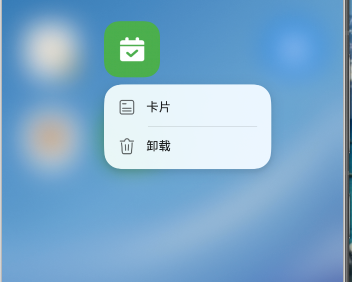
长按应用APP,会出现一个卡片点击
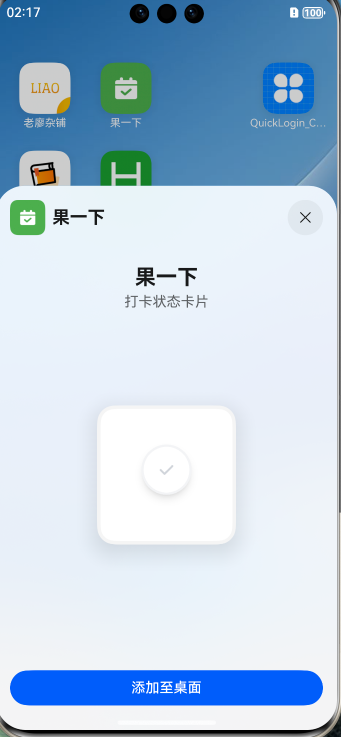
点击添加至桌面
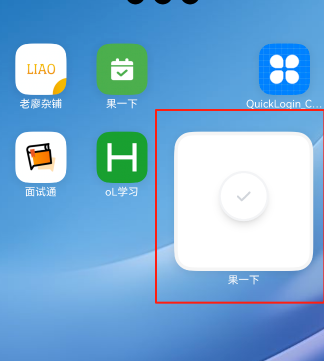
如截图所示,嘿嘿。
2.UI
CheckInCard.ets
- 路径:
ohos/entry/src/main/ets/widget/pages/CheckInCard.ets - 功能:
显示打卡状态图标(圆形+对勾)
处理点击跳转
3. 配置文件
form_config.json - 卡片配置
- 路径:
ohos/entry/src/main/resources/base/profile/form_config.json- 配置内容:
- 名称: CheckInWidget
- 默认尺寸: 2x2
- 支持尺寸: 2x2, 4x4
- 更新频率: 每小时
- 定时更新: 每天10:30
string.json - 字符串资源
- 路径:
ohos/entry/src/main/resources/base/element/string.json
新增内容:
CheckInWidget_desc: "打卡状态卡片"CheckInWidget_name: "打卡"
ohos/entry/src/main/
├── ets/
│ └── widget/
│ ├── CheckInWidget.ets # 卡片服务(后台逻辑,还在调试)
│ └── pages/
│ └── CheckInCard.ets # 卡片UI界面
├── resources/
│ └── base/
│ ├── element/
│ │ └── string.json # 字符串资源(卡片名称)
│ └── profile/
│ └── form_config.json # 卡片配置
└── module.json5 # 模块配置(注册卡片)
4.API
卡片点击跳转
// 在CheckInCard.ets中
.onClick(() => {
  postCardAction(this, {
    action: 'router',
    abilityName: 'EntryAbility',
    params: { targetPage: 'home' }
  });
})
卡片配置
form_config.json
{
  "forms": [{
    "name": "CheckInWidget",                    // 卡片名称
    "src": "./ets/widget/pages/CheckInCard.ets", // UI文件路径
    "defaultDimension": "2*2",                   // 默认尺寸
    "supportDimensions": ["2*2", "4*4"],         // 支持的尺寸
    "updateEnabled": true,                       // 允许更新
    "scheduledUpdateTime": "10:30",              // 定时更新时间
    "updateDuration": 1                          // 更新间隔(小时)
  }]
}
module.json5
{
  "extensionAbilities": [{
    "name": "CheckInWidget",
    "srcEntry": "./ets/widget/CheckInWidget.ets",
    "type": "form",
    "exported": true,
    "metadata": [{
      "name": "ohos.extension.form",
      "resource": "$profile:form_config"
    }]
  }]
}
UI组件
Column() // 垂直布局
Row() // 水平布局
Stack() // 堆叠布局
── ohos/entry/src/main/
│ ├── ets/widget/
│ │ ├── CheckInWidget.ets # 卡片服务
│ │ └── pages/
│ │ └── CheckInCard.ets # 卡片UI
│ ├── ets/plugins/
│ │ └── WidgetPlugin.ets # Method Channel插件(新增)
│ └── resources/base/
│ ├── media/
│ │ ├── check_in.png # 打卡图标(新增)
│ │ └── check_out.png # 未打卡图标(新增)
│ └── profile/
│ └── form_config.json # 卡片配置
在DevEco Studio或VS Code中打开项目
重要: 先运行App到真机
flutter run等待App成功启动并显示
保持App运行(可以按Home键回到桌面)
长按桌面添加"打卡"卡片
查看日志调试:
hdc shell hilog | grep CheckInWidget
ErrorCode 00402016
错误:
Start or debug the project first原因: App还没有运行
解决:
先运行App:
flutter run等待App启动成功
保持App运行
然后添加卡片

讨论HarmonyOS开发技术,专注于API与组件、DevEco Studio、测试、元服务和应用上架分发等。
更多推荐



 2
2 0
0- 0


 已为社区贡献5条内容

所有评论(0)