凸起效果怎么实现
·
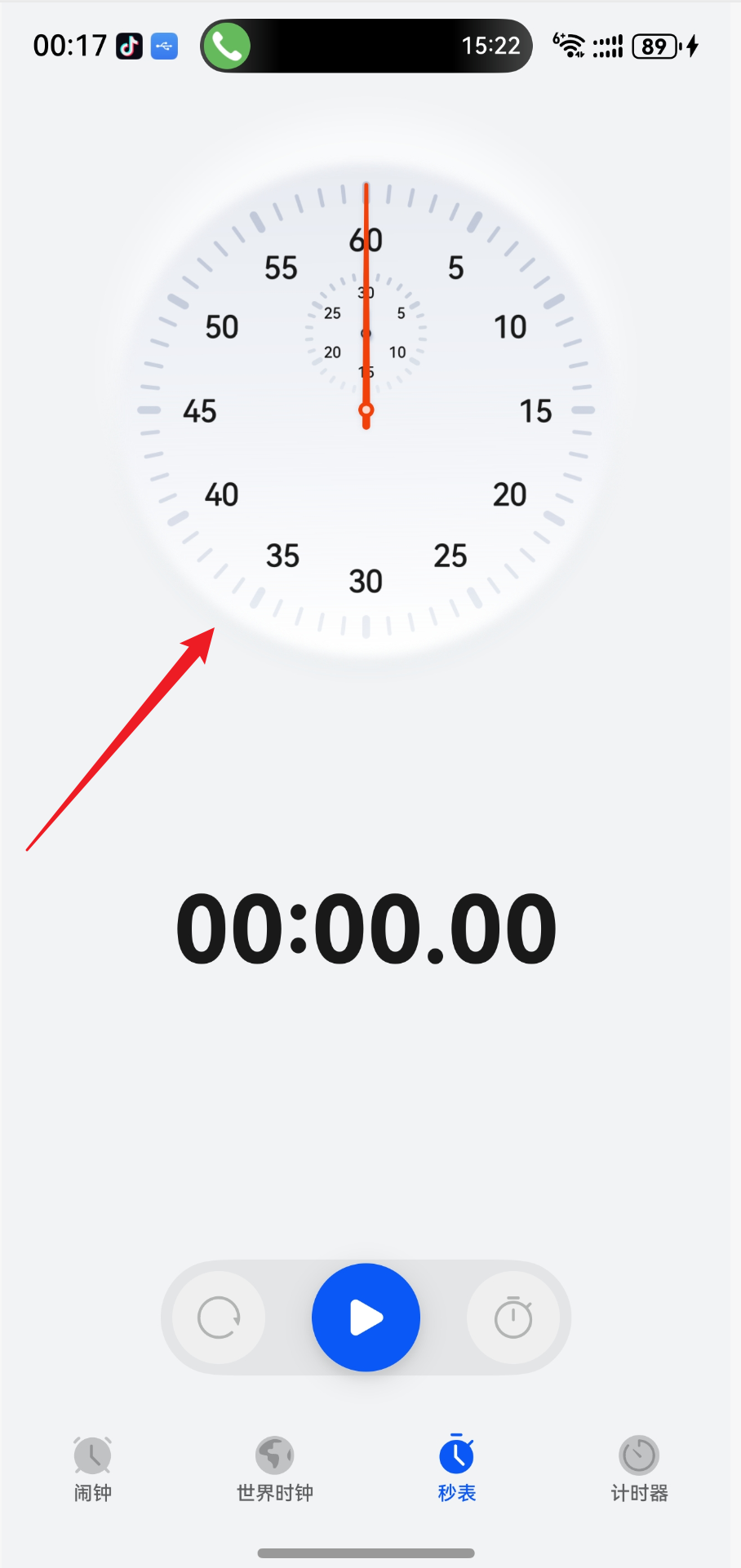
大佬们,时钟这种边缘凸起效果怎么实现的?
系统时钟的秒表里的这时钟边缘有种浮雕凸起效果,这种边缘效果是啥?怎么实现?
hadow
shadow(value: ShadowOptions | ShadowStyle): T
为组件添加阴影效果。
卡片能力: 从API version 9开始,该接口支持在ArkTS卡片中使用,ArkTS卡片上不支持参数为 ShadowStyle类型。
元服务API: 从API version 11开始,该接口支持在元服务中使用。
系统能力: SystemCapability.ArkUI.ArkUI.Full
参数:
| 参数名 | 类型 | 必填 | 说明 |
|---|---|---|---|
| value | ShadowOptions | ShadowStyle | 是 |
为当前组件添加阴影效果。 入参类型为ShadowOptions时,可以指定模糊半径、阴影的颜色、X轴和Y轴的偏移量。 入参类型为ShadowStyle时,可指定不同阴影样式。 |
返回值:
| 类型 | 说明 |
|---|---|
| T | 返回当前组件。 |
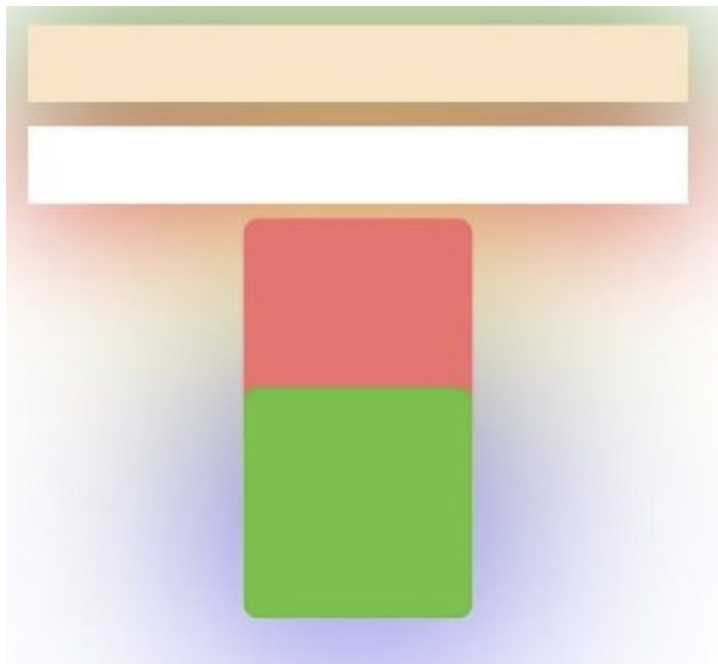
Demo:
// xxx.ets
@Entry
@Component
struct UseShadowBatchingExample {
  build() {
    Column() {
      Column({ space: 10 }) {
        Stack() {
        }
        .width('90%')
        .height(50)
        .margin({ top: 5 })
        .backgroundColor(0xFFE4C4)
        .shadow({
          radius: 120,
          color: Color.Green,
          offsetX: 0,
          offsetY: 0
        })
        .align(Alignment.TopStart)
        .shadow({
          radius: 120,
          color: Color.Green,
          offsetX: 0,
          offsetY: 0
        })
        Stack() {
        }
        .width('90%')
        .height(50)
        .margin({ top: 5 })
        .backgroundColor(0xFFE4C4)
        .align(Alignment.TopStart)
        .shadow({
          radius: 120,
          color: Color.Red,
          offsetX: 0,
          offsetY: 0
        })
        .width('90%')
        .backgroundColor(Color.White)
        Column() {
          Text()
            .fontWeight(FontWeight.Bold)
            .fontSize(20)
            .fontColor(Color.White)
        }
        .justifyContent(FlexAlign.Center)
        .width(150)
        .height(150)
        .borderRadius(10)
        .backgroundColor(0xf56c6c)
        .shadow({
          radius: 300,
          color: Color.Yellow,
          offsetX: 0,
          offsetY: 0
        })
        Column() {
          Text()
            .fontWeight(FontWeight.Bold)
            .fontSize(20)
            .fontColor(Color.White)
        }
        .justifyContent(FlexAlign.Center)
        .width(150)
        .height(150)
        .backgroundColor(0x67C23A)
        .borderRadius(10)
        .translate({ y: -50 })
        .shadow({
          radius: 220,
          color: Color.Blue,
          offsetX: 0,
          offsetY: 0
        })
      }
      .useShadowBatching(true)
    }
    .width('100%').margin({ top: 5 })
  }
}

讨论HarmonyOS开发技术,专注于API与组件、DevEco Studio、测试、元服务和应用上架分发等。
更多推荐


 9
9 0
0- 0


 已为社区贡献1条内容

所有评论(0)