Arkts基础<布局之层叠布局>
Arkts基础<布局之线性布局>
·
层叠布局(StackLayout)用于在屏幕上预留一块区域来显示组件中的元素,提供元素可以重叠的布局。层叠布局通过Stack容器组件实现位置的固定定位与层叠,容器中的子元素依次入栈,后一个子元素覆盖前一个子元素,子元素可以叠加,也可以设置位置。层叠布局具有较强的页面层叠、位置定位能力,其使用场景有广告、卡片层叠效果等。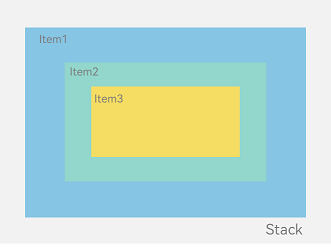
let mTop:Record<string,number> = { 'top': 50 }
struct Index {
build() {
Column(){
Stack({ }) {
Column(){}.width('90%').height('100%').backgroundColor('#ff58b87c')
Text('text').width('60%').height('60%').backgroundColor('#ffc3f6aa')
Button('button').width('30%').height('30%').backgroundColor('#ff8ff3eb').fontColor('#000')
}.width('100%').height(150).margin(mTop)
}
}
}
代码效果: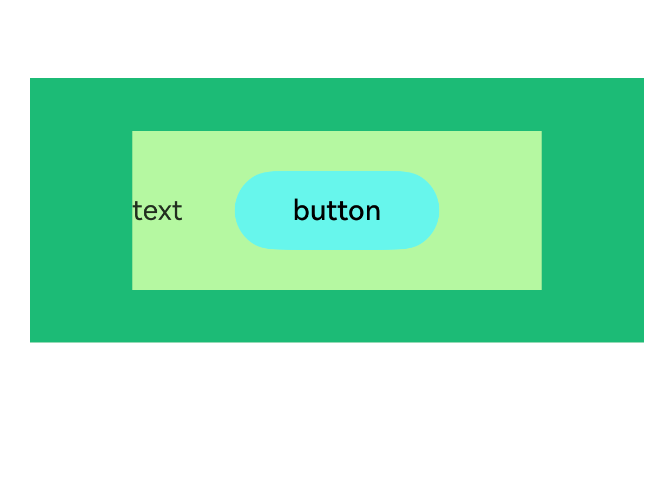
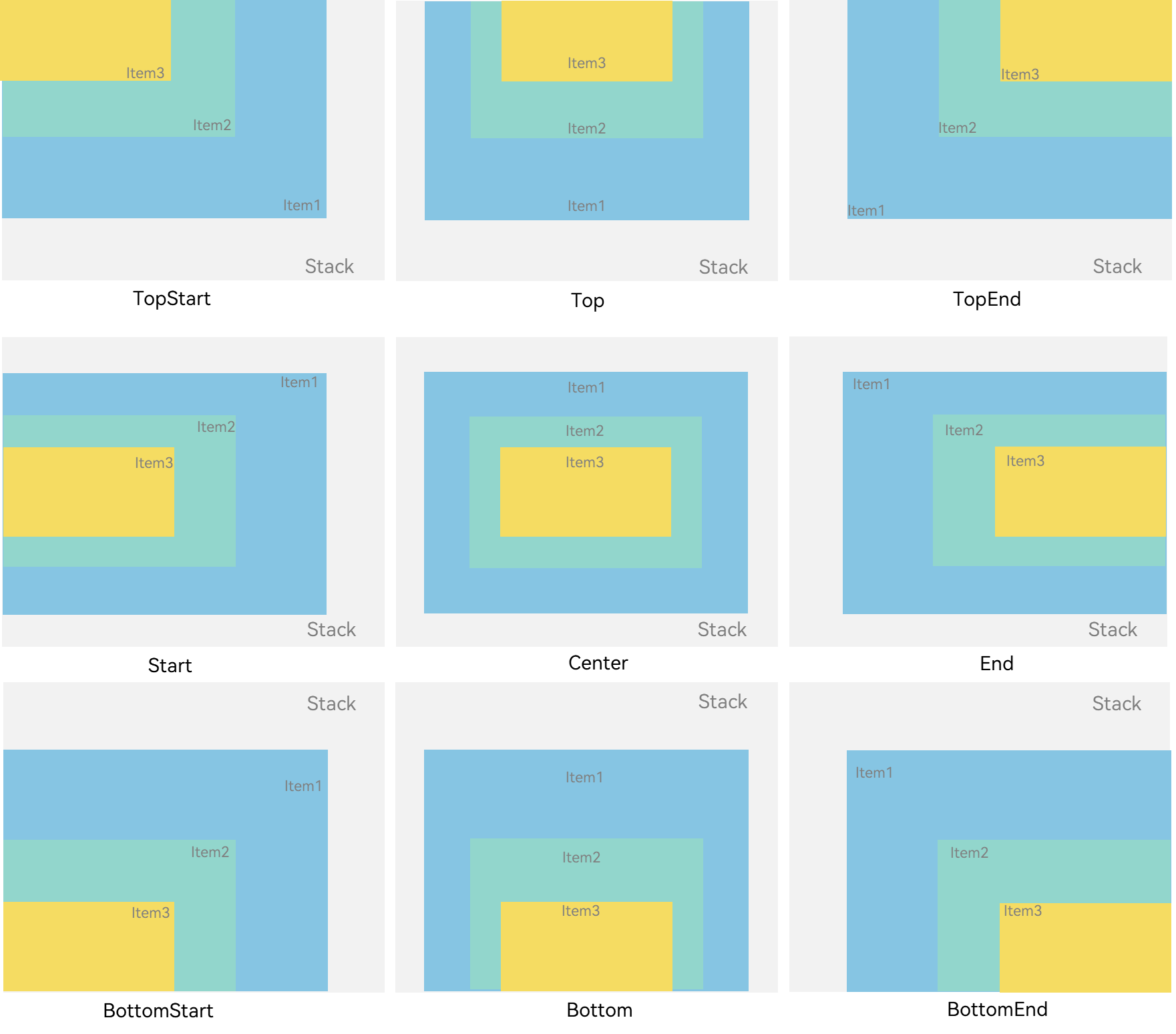
对齐方式:
.align(Alignment.Start)
Z序控制
Stack容器中兄弟组件显示层级关系可以通过Z序控制的zIndex属性改变。zIndex值越大,显示层级越高,即zIndex值大的组件会覆盖在zIndex值小的组件上方。
我们给上面的代码做一点小小的改动,添加zIndex。
struct Index {
build() {
Column(){
Stack() {
Column(){}.width('50%').height('50%').backgroundColor('#ff58b87c').zIndex(3)
Text('text').width('60%').height('60%').backgroundColor('#ffc3f6aa')
Button('button').width('30%').height('30%').backgroundColor('#ff8ff3eb').fontColor('#000')
}.width('100%').height(150)
}
}
}
对子组件Column设置.zIndex(3),这时候它的层级最高,就会显示在最上面。
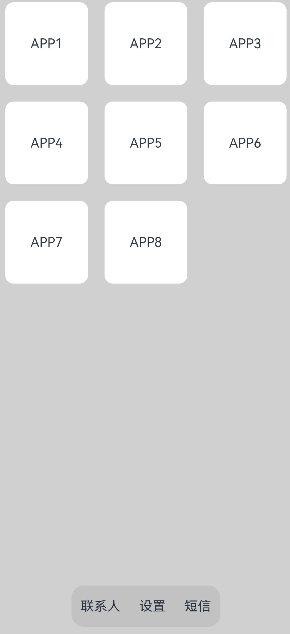
开发场景使用:
struct StackSample {
private arr: string[] = ['APP1', 'APP2', 'APP3', 'APP4', 'APP5', 'APP6', 'APP7', 'APP8'];
build() {
Stack({ alignContent: Alignment.Bottom }) {
Flex({ wrap: FlexWrap.Wrap }) {
ForEach(this.arr, (item:string) => {
Text(item)
.width(100)
.height(100)
.fontSize(16)
.margin(10)
.textAlign(TextAlign.Center)
.borderRadius(10)
.backgroundColor(0xFFFFFF)
}, (item:string):string => item)
}.width('100%').height('100%')
Flex({ justifyContent: FlexAlign.SpaceAround, alignItems: ItemAlign.Center }) {
// 请将$r('app.string.contacts')替换为实际资源文件,在本示例中该资源文件的value值为"联系人"
Text($r('app.string.contacts')).fontSize(16)
// 请将$r('app.string.setting')替换为实际资源文件,在本示例中该资源文件的value值为"设置"
Text($r('app.string.setting')).fontSize(16)
// 请将$r('app.string.text_message')替换为实际资源文件,在本示例中该资源文件的value值为"短信"
Text($r('app.string.text_message')).fontSize(16)
}
.width('50%')
.height(50)
.backgroundColor('#16302e2e')
.margin({ bottom: 15 })
.borderRadius(15)
}.width('100%').height('100%').backgroundColor('#CFD0CF')
}
}

讨论HarmonyOS开发技术,专注于API与组件、DevEco Studio、测试、元服务和应用上架分发等。
更多推荐
 6
6 0
0- 0


 已为社区贡献14条内容

所有评论(0)