鸿蒙页面双向跳转实操教程

打开 DevEco Studio 开发工具,进入设备管理器,启动华为手机模拟器
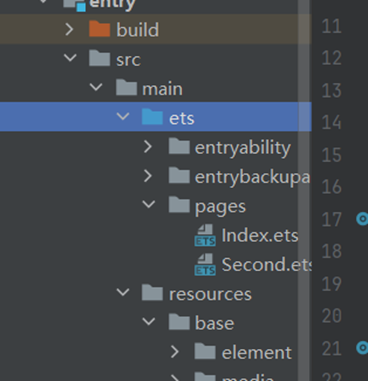
新建空白 ArkTS 项目,项目名称自定义,在 pages 目录下创建两个页面:
Index.ets (首页)Second.ets (第二跳转页面)
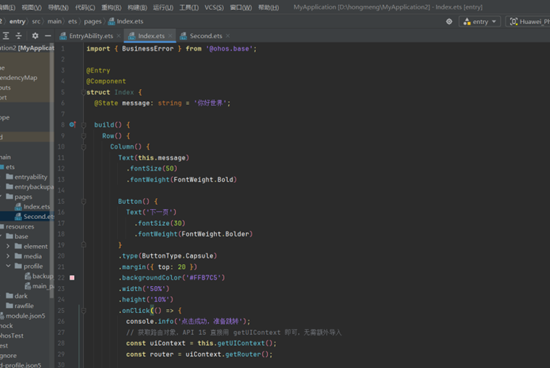
@Entry
@Component
struct Index {
@State message: string = '你好世界';
build() {
Column(){
Text(this.message)
.fontSize(50)
.fontWeight(FontWeight.Bold)
Button('下一页')
.margin({top:20})
.onClick(()=>{
let router = this.getUIContext().getRouter(); router.pushUrl({url:"pages/Second"});
})
}
.width('100%')
.height('100%')
.justifyContent(FlexAlign.Center)
}
}
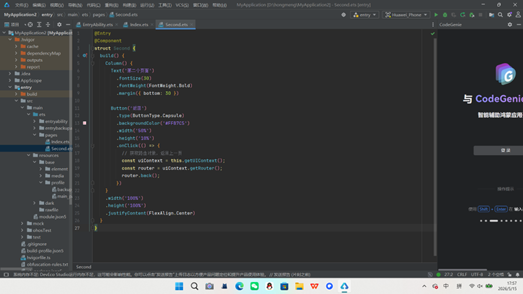
@Entry
@Component
struct Second {
build() {
Column() {
Text('第二个页面')
.fontSize(30)
.margin({bottom:30})
Button('返回')
.onClick(()=>{
let router = this.getUIContext().getRouter();
router.back();
})
}
.width('100%')
.height('100%')
.justifyContent(FlexAlign.Center)
}
}

点击运行按钮编译项目
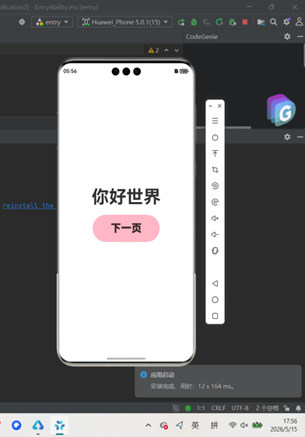
点击「下一页」,成功跳转到第二页面
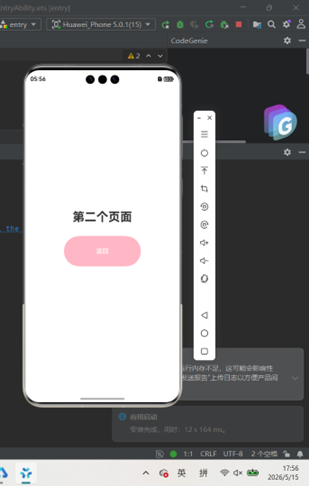
点击「返回」按钮,自动回到首页实现两个页面自由来回跳转。

讨论HarmonyOS开发技术,专注于API与组件、DevEco Studio、测试、元服务和应用上架分发等。
更多推荐

 0
0 0
0- 0


 已为社区贡献3条内容

所有评论(0)