鸿蒙应用开发第一步,安装开发软件,保姆级教程!!!
·
1、nodejs 已经安装了
2、下载与安装DevEco Studio
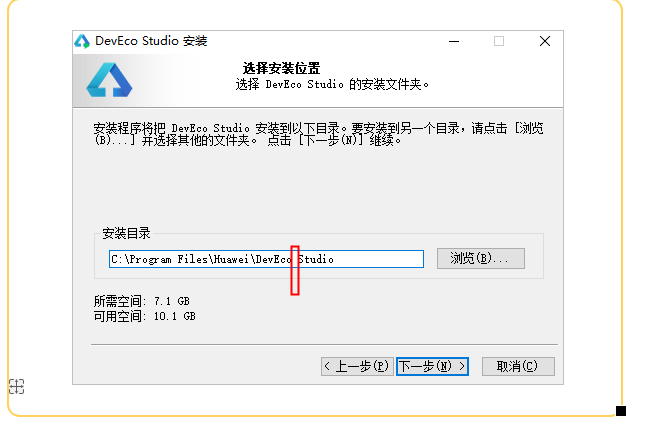
一直下一步就好但是记住安装目录中不要包含空格,默认有空格是删除掉,否则后面要踩坑报错:
- Try the following: > Space is not supported in HVIGOR_USER_HOME. Remove the space in HVIGOR_USER_HOME to fix the issue.
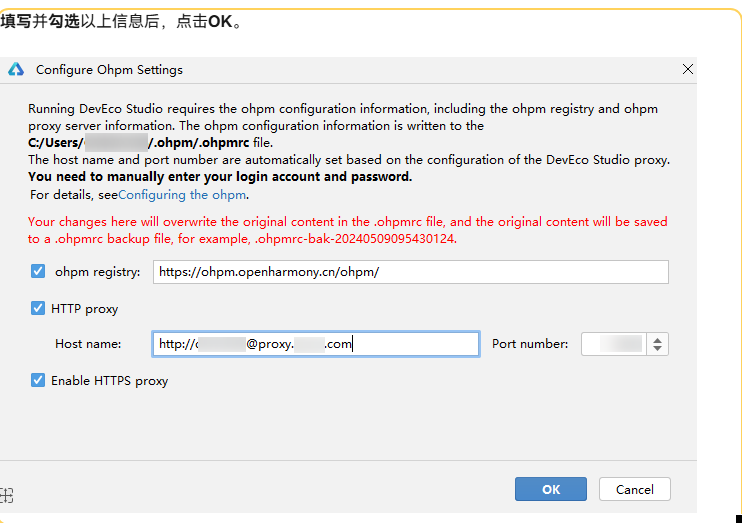
3、设置代理。如果公司网络可能会有网络代理。
如果下图圈红的不是 勾。要设置网络
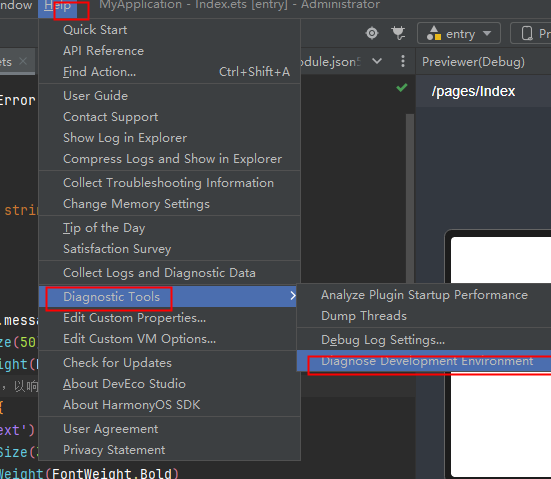
设置代理
4、可以开始开发了
创建第一个应用:https://developer.huawei.com/consumer/cn/doc/harmonyos-guides/start-with-ets-stage

讨论HarmonyOS开发技术,专注于API与组件、DevEco Studio、测试、元服务和应用上架分发等。
更多推荐

 2
2 0
0- 0


 已为社区贡献1条内容

所有评论(0)