MyBatis—操作数据库_mybatis操作数据库(1),面试HarmonyOS鸿蒙岗
自我介绍一下,小编13年上海交大毕业,曾经在小公司待过,也去过华为、OPPO等大厂,18年进入阿里一直到现在。
深知大多数HarmonyOS鸿蒙开发工程师,想要提升技能,往往是自己摸索成长或者是报班学习,但对于培训机构动则几千的学费,着实压力不小。自己不成体系的自学效果低效又漫长,而且极易碰到天花板技术停滞不前!
因此收集整理了一份《2024年HarmonyOS鸿蒙开发全套学习资料》,初衷也很简单,就是希望能够帮助到想自学提升又不知道该从何学起的朋友,同时减轻大家的负担。
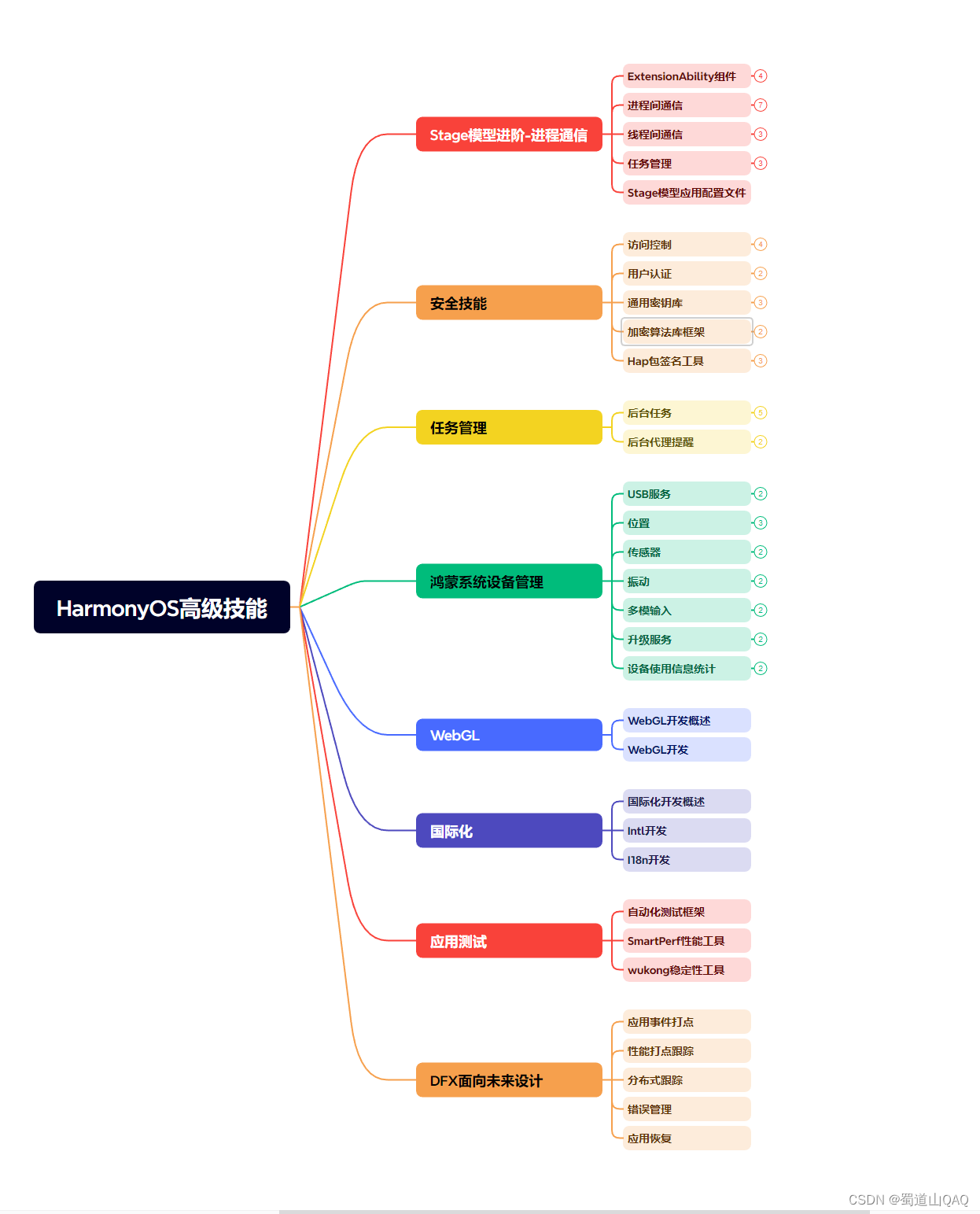
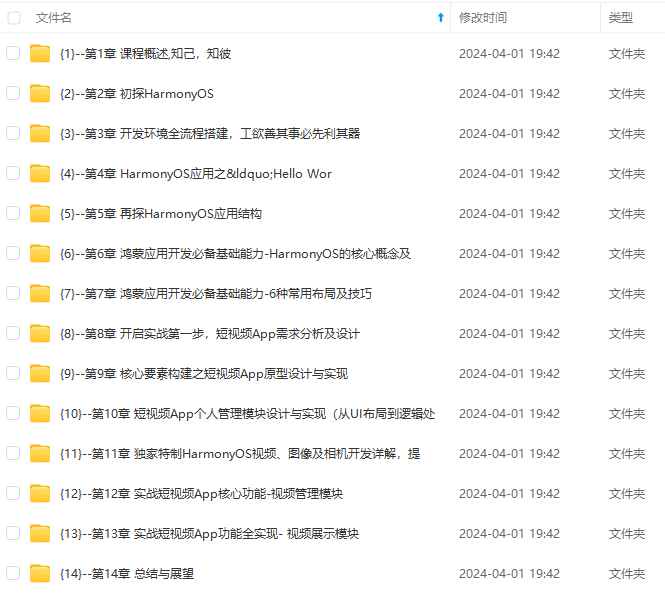
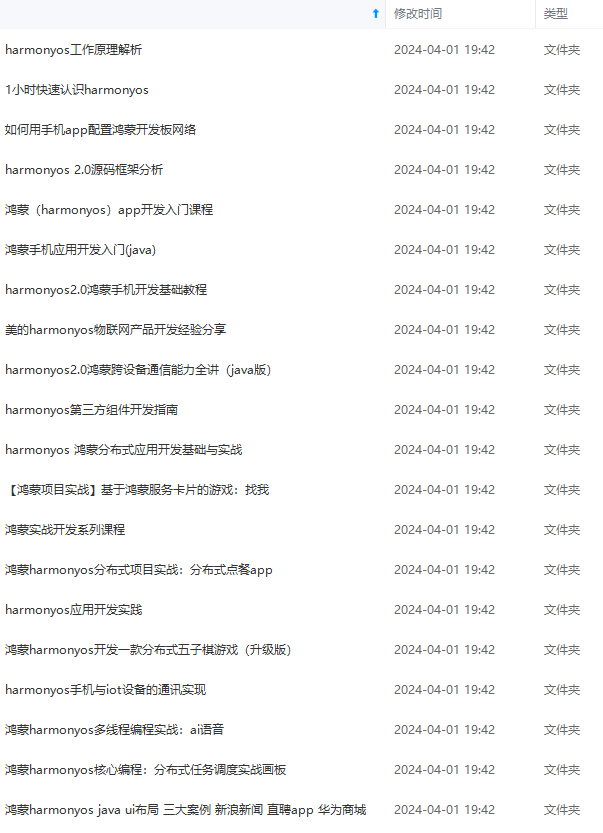
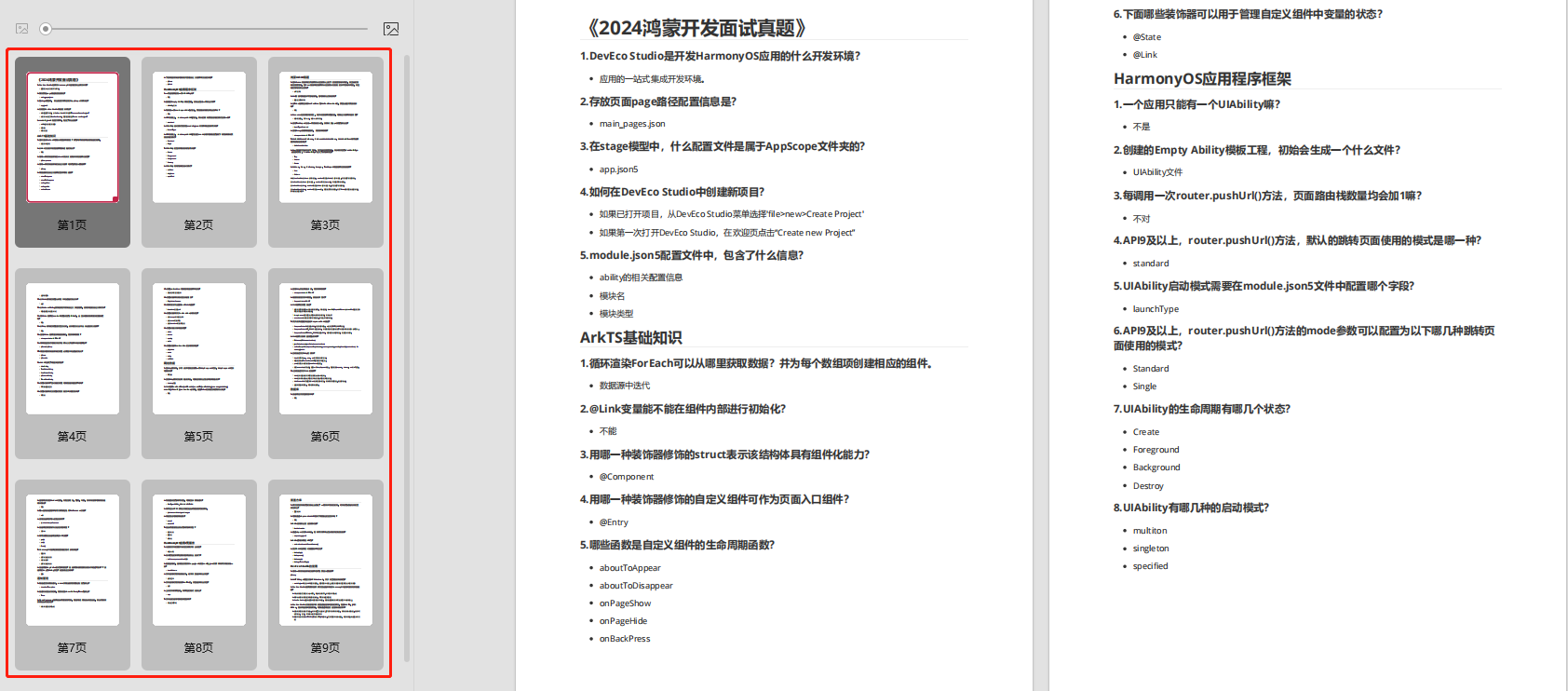
既有适合小白学习的零基础资料,也有适合3年以上经验的小伙伴深入学习提升的进阶课程,基本涵盖了95%以上HarmonyOS鸿蒙开发知识点,真正体系化!
由于文件比较大,这里只是将部分目录大纲截图出来,每个节点里面都包含大厂面经、学习笔记、源码讲义、实战项目、讲解视频,并且会持续更新
如果你觉得这些内容对你有帮助,可以添加VX:vip204888 (备注鸿蒙获取)

一个人可以走的很快,但一群人才能走的更远。不论你是正从事IT行业的老鸟或是对IT行业感兴趣的新人,都欢迎扫码加入我们的的圈子(技术交流、学习资源、职场吐槽、大厂内推、面试辅导),让我们一起学习成长!

在 xml 中实现方法
<update id="updateUserInfo">
    update userinfo set username = #{username}, password = #{password} where id = #{id}
</update>

单元测试验证效果


🔎MyBatis—配置打印执行的 SQL
# 设置 Mybatis 的 xml 保存路径
mybatis:
  mapper-locations: classpath:mapper/\*Mapper.xml
  configuration: # 配置打印 MyBatis 执行的 SQL
    log-impl: org.apache.ibatis.logging.stdout.StdOutImpl

# 设置日志级别
logging:
  level:
    com:
      example:
        demo: debug

效果测试🍭

🔎MyBatis—删除
删除用户信息
删除用户信息 → 此处使用的数据表为 userinfo(用户) 表
删除操作默认返回值为 Int 类型
删除操作的标签为<delete></delete>
使用<delete></delete>标签时需搭配 id 属性
在 Interface 中定义方法
/\*\*
\* 删除用户信息
\* @author bibubibu
\* @date 2023/7/3
\*/
int delUserInfo(@Param("id") Integer id);

在 xml 中实现方法
<delete id="delUserInfo">
    delete from userinfo where id = #{id};
</delete>

单元测试验证效果


不污染数据库进行单元测试
利用注解@Transactional
注解@Transactional既可以修饰类, 也可以修饰方法

举个栗子🌰
要求
测试删除功能是否正常 + 数据库中的数据不会被删除
(即不污染数据库进行单元测试)
此时可以利用注解@Transactional
删除功能正常🍂

数据库中的数据不会被删除🍂

🔎对比 # 与 $
根据 id 查询用户信息
/\*\*
\* 根据 Id 查询用户信息
\* @author bibubibu
\* @date 2023/7/2
\*/
UserInfo getUserById(@Param("id") Integer id);
使用 #🍂
<select id="getUserById" resultType="com.example.demo.entity.UserInfo">
    select * from userinfo where id = #{id}
</select>

使用 $🍂
<select id="getUserById" resultType="com.example.demo.entity.UserInfo">
    select * from userinfo where id = ${id}
</select>

运行结果🍂
均可正常运行
根据 username 查询用户信息
/\*\*
\* 根据 username 查询用户信息
\* @author bibubibu
\* @date 2023/7/3
\*/
List<UserInfo> getUserByName(@Param("username") String username);
使用 #🍂
<select id="getUserByName" resultType="com.example.demo.entity.UserInfo">
    select * from userinfo where username = #{username}
</select>

使用 $🍂
<select id="getUserByName" resultType="com.example.demo.entity.UserInfo">
    select * from userinfo where username = ${username}
</select>

运行结果🍂
使用 # 正常运行
使用 $ 无法正常运行
根据 id 进行排序
排序有 2 种类型
- 升序 → asc
- 降序 → desc
此处以降序举例
/\*\*
\* 根据 Id 进行排序
\* @author bibubibu
\* @date 2023/7/3
\*/
List<UserInfo> getUserOrderById(@Param("order") String order);
使用 #🍂
<select id="getUserOrderById" resultType="com.example.demo.entity.UserInfo">
    select * from userinfo order by id #{order}
</select>

使用 $🍂
<select id="getUserOrderById" resultType="com.example.demo.entity.UserInfo">
    select * from userinfo order by id ${order}
</select>

运行结果🍂
使用 # 无法正常运行
使用 $ 正常运行
总结
#{}→ 编译预处理, 不存在 SQL 注入问题${}→ 直接替换, 存在 SQL 注入问题
使用 $ 的注意事项🍂
一定是可穷举的值(例如关键字…), 在使用之前要对传递的值进行安全性验证
编译预处理是指 MyBatis 在处理 #{ } 时, 将 SQL 中的 #{ } 替换为 ?
直接替换是指 MyBatis 在处理 #{ } 时, 将 SQL 中的 #{ } 替换为参数的值
- 根据 id 查询用户信息🍂
#{}→ 将#{id}替换为?, 参数为 Integer id, 赋值 ? 为对应类型的值(数值型数据无需'')${}→ 将${id}替换为对应的 Integer id 的值- 即针对数值形数据,
#{}无需添加''(也可理解为直接替换的一种方式), 因此利用#可以运行成功 select * from userinfo where id = 1(✔)- 即针对数值形数据,
${}直接替换, 因此利用$可以运行成功 select * from userinfo where id = 1(✔)
- 即针对数值形数据,
- 根据 username 查询用户信息🍂
#{}→ 将#{username}替换为?, 参数为 String username, 赋值 ? 为对应类型的值(字符串型数据需'')${}→ 将${username}替换为对应的 String username 的值- 即针对字符串型数据,
#{}会添加'', 因此利用#可以运行成功 select * from username where username = 'Tom'(✔)- 即针对字符串型数据,
${}直接替换, 因此利用$无法运行成功 select * from username where username = Tom(✘)
- 即针对字符串型数据,
- 根据 id 进行排序🍂
#{}→ 将#{order}替换为?, 参数为 String order, 赋值 ? 为对应类型的值(字符串型数据需'')${}→ 将${order}替换为对应的 String order 的值- 即针对字符串型数据,
#{}会添加'', 因此利用#无法运行成功(关键字无需添加'') select * from userinfo order by id 'desc'(✘)- 即针对字符串型数据,
${}直接替换, 因此利用$可以运行成功(关键字无需添加'') select * from userinfo order by id desc(✔)
- 即针对字符串型数据,
简单来说就是针对不同的内容
#{}可能会对参数添加''(字符串型), 也可能是直接替换(数值型)
${}直接替换为对应参数的内容
SQL 注入
既然 # 对于字符串型数据会添加'', 那使用 $ 时对于字符串型手动添加''不可以么
答
使用 $ 是不安全的, 可能会引起 SQL 注入问题
什么是 SQL 注入?
举个栗子🌰
userinfo 表中的内容🍂

定义一个 login 方法🍂
UserInfo login(@Param("username") String username, @Param("password") String password);
实现该方法🍂
(对于字符串型手动添加'')
<select id="login" resultType="com.example.demo.entity.UserInfo">
    select * from userinfo where username = '${username}' and password = '${password}'
</select>
单元测试查看结果🍂
登录成功

修改密码后查看结果🍂
登录失败

利用 SQL 注入登录(使用错误的密码)🍂
登录成功

注意此时的密码
String password = "' or 1 = '1";
最终生成的 SQL 语句
select * from userinfo where username = 'admin' and password = '' or 1 = '1'
划分为 2 部分(优先级 → and > or)
username = 'admin' and password = '' / 1 = '1'
因此可以成功登录
🌸上述即为 SQL 注入, 因此推荐使用 # 而不是 $🌸
🔎like 查询
like 查询 → 此处使用的数据表为 userinfo(用户) 表
数据表中的数据

根据 username 查询用户信息
在 Interface 中定义方法🍂
/\*\*
\* Like 查询
\* @author bibubibu
\* @date 2023/7/3
\*/
List<UserInfo> getListByName(@Param("username") String username);

在 xml 中实现方法🍂
<select id="getListByName" resultType="com.example.demo.entity.UserInfo">
    select * from userinfo where username like '%#{username}%'
</select>

单元测试验证效果🍂

Error → 这是因为使用 # 处理字符串类型时, SQL 语句会添加''
即上述 SQL 语句变为select * from userinfo where username like '%'a'%'
期望的效果是select * from userinfo where username like '%a%'
可能有的小伙伴会说, 那可以用 $ 处理呀
答
不可以, 还记得上面说的使用 $ 时的注意事项么
使用 $ 时的注意事项 → 一定是可穷举的值(例如关键字…), 而 username 无法穷举, 因此应避免使用 $
使用 # 时的解决办法
解决办法 → 利用 concat() 进行拼接
<select id="getListByName" resultType="com.example.demo.entity.UserInfo">
    select * from userinfo where username like concat('%', #{username}, '%')
</select>
对比🍂
select * from userinfo where username like '%#{username}%'
select * from userinfo where username like concat('%', #{username}, '%')
单元测试验证效果🍂

🔎类中的属性与数据库的字段名不一致

数据表中的数据

查询数据
/\*\*
\* 查询全部信息
\* @author bibubibu
\* @date 2023/7/2
\*/
List<UserInfo> getAll();
<select id="getAll" resultType="com.example.demo.entity.UserInfo">
    select * from userinfo
</select>

分析结果发现类中的属性名与数据库的字段名不一致的均未被赋值
解决方法🍭
- resultMap
- 重命名
使用较多的是重命名
resultMap
使用resultMap将数据库中的字段与类中的属性映射

使用resultMap🍂
<select id="getAll" resultMap="bibubibu">
    select * from userinfo
</select>
问题🍂
并非所有的属性与字段名称都不一致, 需要全部进行映射么?
答
是的, 仅修改不一致的字段在单表查询时可能不会问题, 但多表查询时可能会出现 null
测试结果🍂

重命名
重命名, 更为简便的映射属性与字段
<select id="getAll" resultType="com.example.demo.entity.UserInfo">
    select id, username as name, password as pwd, photo, createtime, updatetime, state from userinfo;
</select>
测试结果🍂

🔎多表查询
多表查询的实现 → 联表查询(left join / right join / inner join) + xxxVO
举个栗子🌰
查询文章的作者(username)
此处查询的数据表为 userinfo(用户) 表,articleinfo(文章) 表
由于 articleinfo(文章) 表只有 uid(用户 id), 因此需要进行多表联查
下面为具体步骤
articleinfo 表与 userinfo 表🍂
articleinfo 表中的 uid 对应 userinfo 表中的 id

根据 articleinfo 表创建 ArticleInfo 实体类🍂


多表联查时返回数据需要包含文章作者(username)
因此扩展 articleinfo(文章) 表的实体类
扩展的实体类放入 objectview 包下, 继承 Articleinfo 类

在 Interface 中定义方法🍂
ArticleInfoVO getById(@Param("id") Integer id);

在 xml 中实现方法🍂
<select id="getById" resultType="com.example.demo.entity.viewobject.ArticleInfoVO">
    select a.*, u.username from articleinfo as a
    left join userinfo as u
    on a.uid = u.id
    where a.id = #{id}
</select>

单元测试验证效果🍂
发现只有 username 字段, 其他字段消失了

Debug 分析错误🍂
发现查询的结果是包含 username + 其他字段的

排查错误🍂
发现是 Lombok 重写 toString() 方法时的 BUG

重写 toString()🍂


单元测试验证效果🍂

另一种解决方法🍂
取消继承, 重写全部属性


注意事项🍂
实体类建议实现 Serializable 接口
目的是为了完成该类的序列化与反序列化操作

🔎动态 SQL 的使用
动态 SQL 是 MyBatis 的强⼤特性之⼀,能够完成不同条件下不同的 SQL 拼接
if 标签
在数据表中
一些字段必须填写(必填字段)
一些字段可以填写, 也可以不填写(非必填字段)
如果在编写 SQL 语句中有不确定的字段(非必填字段), 就需要使用 if 标签进行判断
语法🍂
<if test="">

</if>
举个栗子🌰
SQL 语句
insert into userinfo(username, password, photo) values('Lily', '6666', 'Lily.png');
xml 中实现
<insert id="add2">
    insert into userinfo(username, password
    <if test="photo != null">
        , photo
    </if>
    )
    values(#{username}, #{password}
    <if test="photo != null">
        , #{photo}
    </if>
    )
</insert>
trim 标签
如果所有字段都是非必填字段, 通常使用 trim 标签 + if 标签
trim 标签的属性🍂
- prefix, 表示整个代码块以 prefix 的值作为前缀
- suffix, 表示整个代码块以 suffix 的值作为后缀
- prefixOverrides, 表示整个代码块要去除的前缀
- suffixOverrides, 表示整个代码块要去除的后缀
语法🍂
<trim prefix="" suffix="" prefixOverrides="" suffixOverrides="">

</trim>
举个栗子🌰
SQL 语句
insert into userinfo(username, password, photo) values('Judy', 'Judy\_pwd', 'Judy.png');
xml 中实现
<insert id="add3">
	insert into userinfo
	<trim prefix="(" suffix=")" suffixOverrides=",">
	    <if test="username != null">
	        username,
	    </if>
	    <if test="password != null">
	        password,
	    </if>
	    <if test="photo != null">
	        photo
	    </if>
	</trim>
	values
	<trim prefix="(" suffix=")" suffixOverrides=",">
	    <if test="username != null">
	        #{username},
	    </if>
	    <if test="password != null">
	        #{password},
	    </if>
	    <if test="photo != null">
	        #{photo}
	    </if>
	</trim>
</insert>
where 标签
where 标签通常搭配 if 标签一起使用
where 标签的特点🍂
- where 标签会删除最前面的 and 关键字
- 如果 where 标签中没有内容(即 if 属性中的参数全部为 null), 就不会生成相对应的 where 语句
语法🍂
<where>

</where>
举个栗子🌰
SQL 语句
select \* from userinfo where username = 'Tom' and password = 'Tom\_pwd';
xml 中实现
<select id="getByCondition" resultType="com.example.demo.entity.UserInfo">
    select * from userinfo
	<where>
        <if test="username != null">
            username = #{username}
        </if>
        <if test="password != null">
            and password = #{password}
        </if>
    </where>
</select>
利用 trim 标签实现 where 标签🍂
<select id="getByCondition" resultType="com.example.demo.entity.UserInfo">
    select * from userinfo
	<trim prefix="where" prefixOverrides="and">
         <if test="username != null">
             username = #{username}
         </if>
         <if test="password != null">
             and password = #{password}
         </if>
     </trim>
</select>
set 标签
set 标签通常搭配 if 标签一起使用
set 标签的特点🍂
- set 标签会删除最后面的
,
语法🍂
<set>

</set>
举个栗子🌰
SQL 语句
update userinfo set username = 'Jackson', password = 'Jackson\_pwd', photo = 'Jackson.png' where id = 9;
xml 中实现
<update id="update">
    update userinfo
    <set>
        <if test="username != null">
            username = #{username},
        </if>
        <if test="password != null">
            password = #{password},
        </if>
        <if test="photo != null">
            photo = #{photo},
        </if>
    </set>
    where id = #{id}
</update>
利用 trim 标签实现 where 标签🍂
d = #{password}
        </if>
    </where>
</select>
利用 trim 标签实现 where 标签🍂
<select id="getByCondition" resultType="com.example.demo.entity.UserInfo">
    select * from userinfo
	<trim prefix="where" prefixOverrides="and">
         <if test="username != null">
             username = #{username}
         </if>
         <if test="password != null">
             and password = #{password}
         </if>
     </trim>
</select>
set 标签
set 标签通常搭配 if 标签一起使用
set 标签的特点🍂
- set 标签会删除最后面的
,
语法🍂
<set>

</set>
举个栗子🌰
SQL 语句
update userinfo set username = 'Jackson', password = 'Jackson\_pwd', photo = 'Jackson.png' where id = 9;
xml 中实现
<update id="update">
    update userinfo
    <set>
        <if test="username != null">
            username = #{username},
        </if>
        <if test="password != null">
            password = #{password},
        </if>
        <if test="photo != null">
            photo = #{photo},
        </if>
    </set>
    where id = #{id}
</update>
利用 trim 标签实现 where 标签🍂

讨论HarmonyOS开发技术,专注于API与组件、DevEco Studio、测试、元服务和应用上架分发等。
更多推荐
 25
25 0
0- 0


 已为社区贡献11条内容

所有评论(0)