学习HarmonyOS这么久,你有代码积累吗?_鸿蒙 preferences
}
/**
- 保存数据
- @param key 键
- @param value 值
- @returns
*/
saveData(key: string, value: string): boolean {
try {
preferences?.putSync(key, value);
preferences?.flush();
return true;
} catch (err) {
let code = (err as BusinessError).code;
let message = (err as BusinessError).message;
Logger.error(TAG,Failed to check the key 'startup'. Code:${code}, message:${message});
return false;
}
}
/**
- 获取数据
- @param key 键
- @returns 值,可能为null或""
*/
getDate(key: string): string {
try {
let val = preferences?.getSync(key, null) as string;
Logger.info(TAG,Succeeded in getting value of 'startup'. val: ${val}.);
return val;
} catch (err) {
let code = (err as BusinessError).code;
let message = (err as BusinessError).message;
Logger.error(TAG,Failed to get value of 'startup'. Code:${code}, message:${message});
return “”;
}
}
}
使用示例:
import Logger from ‘…/utils/Logger’;
import common from ‘@ohos.app.ability.common’;
import { BusinessError } from ‘@ohos.base’;
import { isBlank } from ‘…/utils/StringUtil’;
import { DataPreferencesUtil } from ‘…/utils/DataPreferencesUtil’;
const TAG = ‘[DataPreferencesPage]’;
@Entry
@Component
struct DataPreferencesPage {
@State message: string = ‘Hello World’
// ets文件中获取上下文
private context = getContext(this) as common.UIAbilityContext;
dataPreferences: DataPreferencesUtil = new DataPreferencesUtil(this.context);
onPageShow(): void {
try {
let result = this.dataPreferences.getDate(“Key”);
  this.message = isBlank(result) ? '没有数据' : result;
  Logger.info(TAG, "message: " + this.message);
} catch (err) {
  let code = (err as BusinessError).code;
  let message = (err as BusinessError).message;
  console.error(`Failed to get preferences. Code:${code},message:${message}`);
}
}
build() {
Row() {
  Column({ space: 12 }) {

    Text(this.message)


    Button('isBlank').onClick(() => {

      Logger.info(TAG, "isBlank(): " + isBlank(""));
      Logger.info(TAG, "isBlank(): " + isBlank(" "));
    })


    Button('保存数据').onClick(() => {
      let result = this.dataPreferences.saveData("Key", "hello");
      Logger.info(TAG, "saveData result: " + result);
    })


    Button('获取数据').onClick(() => {
      let result = this.dataPreferences.getDate("Key");
      Logger.info(TAG, "getDate result: " + result);
      this.message = result;
    })
  }
  .width('100%')
}
.height('100%')
}
}
## 4 PhotoPickerUtil


在HarmonyOS应用中,用户经常需要从相册中选择图片。PhotoPickerUtil工具类封装了ohos.file.picker的相关操作,使得从相册中选择照片变得简单快捷。


PhotoPickerUtil.ets:
import picker from ‘@ohos.file.picker’;
import Logger from ‘…/utils/Logger’;
import { BusinessError } from ‘@ohos.base’
const TAG = ‘[PhotoPickerUtil]’;
/**
- 从相册中获取图片路径
- @param callback,通过回调返回
*/
export function getPhotoPath(callback: Function) {
const photoSelectOptions = new picker.PhotoSelectOptions();
photoSelectOptions.MIMEType = picker.PhotoViewMIMETypes.IMAGE_TYPE; // 过滤选择媒体文件类型为IMAGE
photoSelectOptions.maxSelectNumber = 5; // 选择媒体文件的最大数目
const photoViewPicker = new picker.PhotoViewPicker();
photoViewPicker.select(photoSelectOptions).then((photoSelectResult) => {
let filePath = photoSelectResult.photoUris[0];
Logger.info(TAG, `filePath: ${filePath}`);

// 通过回调返回 filePath
if (callback && typeof callback === 'function') {
  callback(null, filePath); // 第一个参数为错误对象,为 null 表示没有错误
}
}).catch((err: BusinessError) => {
// 通过回调返回错误信息
if (callback && typeof callback === ‘function’) {
// 第二个参数为返回的数据,为 null 表示没有数据
callback(err, null);
}
Logger.error(TAG, `Invoke photoViewPicker.select failed, code is ${err.code}, message is ${err.message}`);
})
}
使用示例:
import picker from ‘@ohos.file.picker’;
import Logger from ‘…/utils/Logger’;
import { getPhotoPath } from ‘…/utils/PhotoPickerUtil’
import {BusinessError} from ‘@ohos.base’;
const TAG = ‘[PhotoViewPickerPage]’;
@Entry
@Component
struct PhotoViewPickerPage {
@State message: string = ‘Hello World’
@State imagePath: string = ‘’
getSelectedPhotoPath() {
const photoSelectOptions = new picker.PhotoSelectOptions();
photoSelectOptions.MIMEType = picker.PhotoViewMIMETypes.IMAGE_TYPE; // 过滤选择媒体文件类型为IMAGE
photoSelectOptions.maxSelectNumber = 5; // 选择媒体文件的最大数目

const photoViewPicker = new picker.PhotoViewPicker();
photoViewPicker.select(photoSelectOptions).then((photoSelectResult) => {
  let filePath = photoSelectResult.photoUris[0];

  Logger.info(TAG, "filePath:" + filePath)
  this.imagePath = filePath;

}).catch((err:BusinessError) => {
  console.error(`Invoke photoViewPicker.select failed, code is ${err.code}, message is ${err.message}`);
})
}
build() {
Row() {
Column() {
Button(‘从相册中选择照片’)
.margin(10)
.onClick(() => {
//this.getSelectedPhotoPath()
        // 调用PhotoPickerUtil中的getPhotoPath获取选择图片的路径
        getPhotoPath((err:BusinessError, filePath:string) => {
          if (err) {
            Logger.error(TAG, "getPhotoPath:" + err)

          } else {

            this.imagePath = filePath;
            Logger.info(TAG, "filePath:" + filePath)
          }
        });
      })


    Image(this.imagePath)
      .alt($r('app.media.icon')) // 使用alt,在图片加载成功前使用占位图
      .width(100)
      .height(100)
  }
  .width('100%')
}
.height('100%')
}
}
在HarmonyOS的开发旅程中,这些工具类成为了我的得力助手。它们不仅提高了我的开发效率,也让我能够更加专注于创新和用户体验的提升。如果你也在HarmonyOS的开发道路上探索,希望这些工具能够为你带来启发。
最后,有很多小伙伴不知道学习哪些鸿蒙开发技术?不知道需要重点掌握哪些鸿蒙应用开发知识点?而且学习时频繁踩坑,最终浪费大量时间。所以有一份实用的**鸿蒙(Harmony NEXT)资料**用来跟着学习是非常有必要的。
**这份鸿蒙(Harmony NEXT)资料包含了鸿蒙开发必掌握的核心知识要点,内容包含了**(**ArkTS、ArkUI开发组件、Stage模型、多端部署、分布式应用开发、音频、视频、WebGL、OpenHarmony****多媒体技术、Napi组件、OpenHarmony内核、Harmony南向开发、鸿蒙项目实战等等)鸿蒙(Harmony NEXT)**技术知识点。
希望这一份鸿蒙学习资料能够给大家带来帮助,有需要的小伙伴自行领取,**限时开源,先到先得~无套路领取!!**
**如果你是一名有经验的资深Android移动开发、Java开发、前端开发、对鸿蒙感兴趣以及转行人员,可以直接领取这份资料**
**获取这份完整版高清学习路线,请点击→**[纯血版全套鸿蒙HarmonyOS学习资料]( )****
#### ********腾讯T10级高工技术,安卓全套VIP内容****** →**************[Android全套学习资料]( )****************
### **鸿蒙(Harmony NEXT)最新学习路线**
**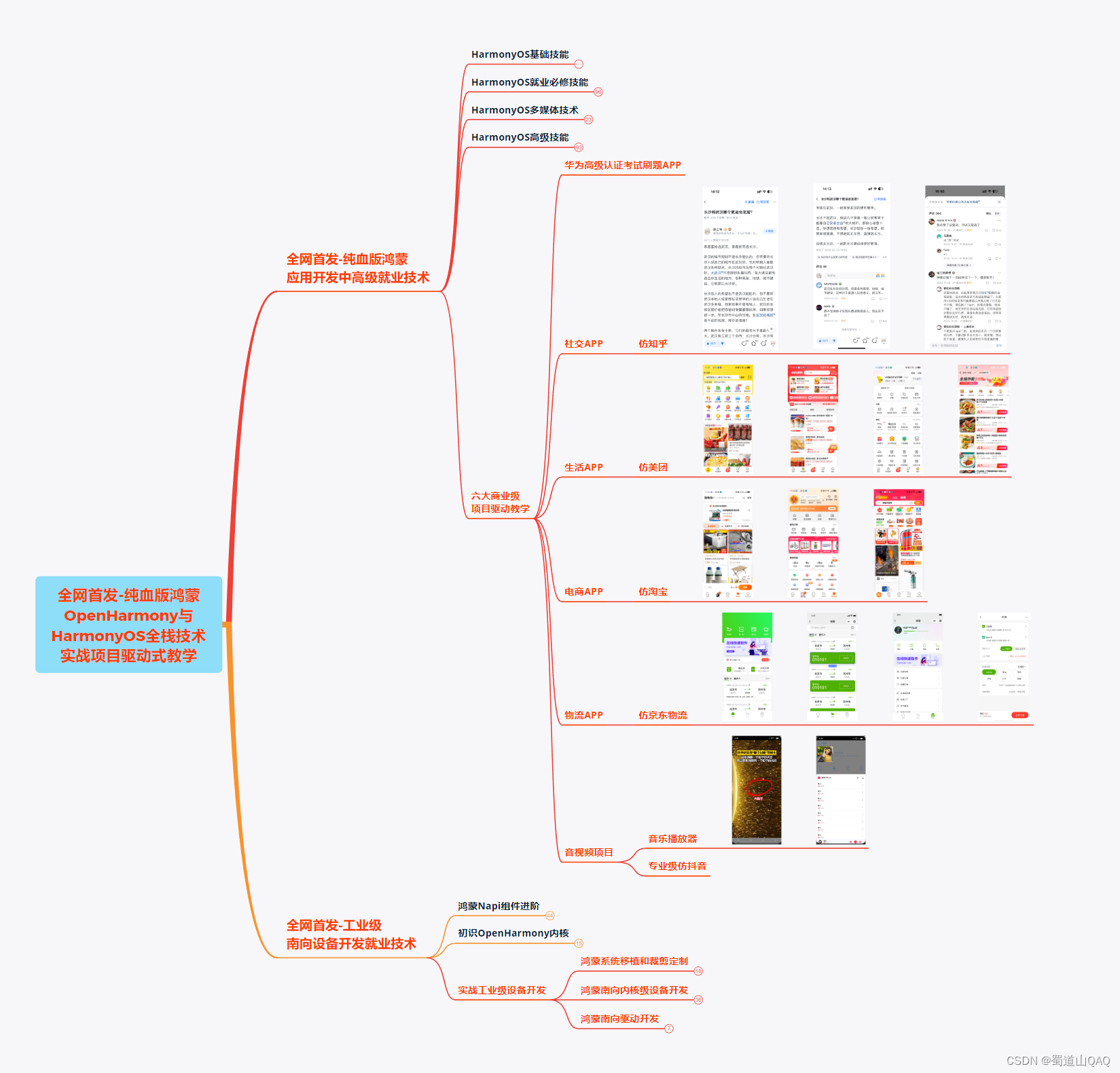**
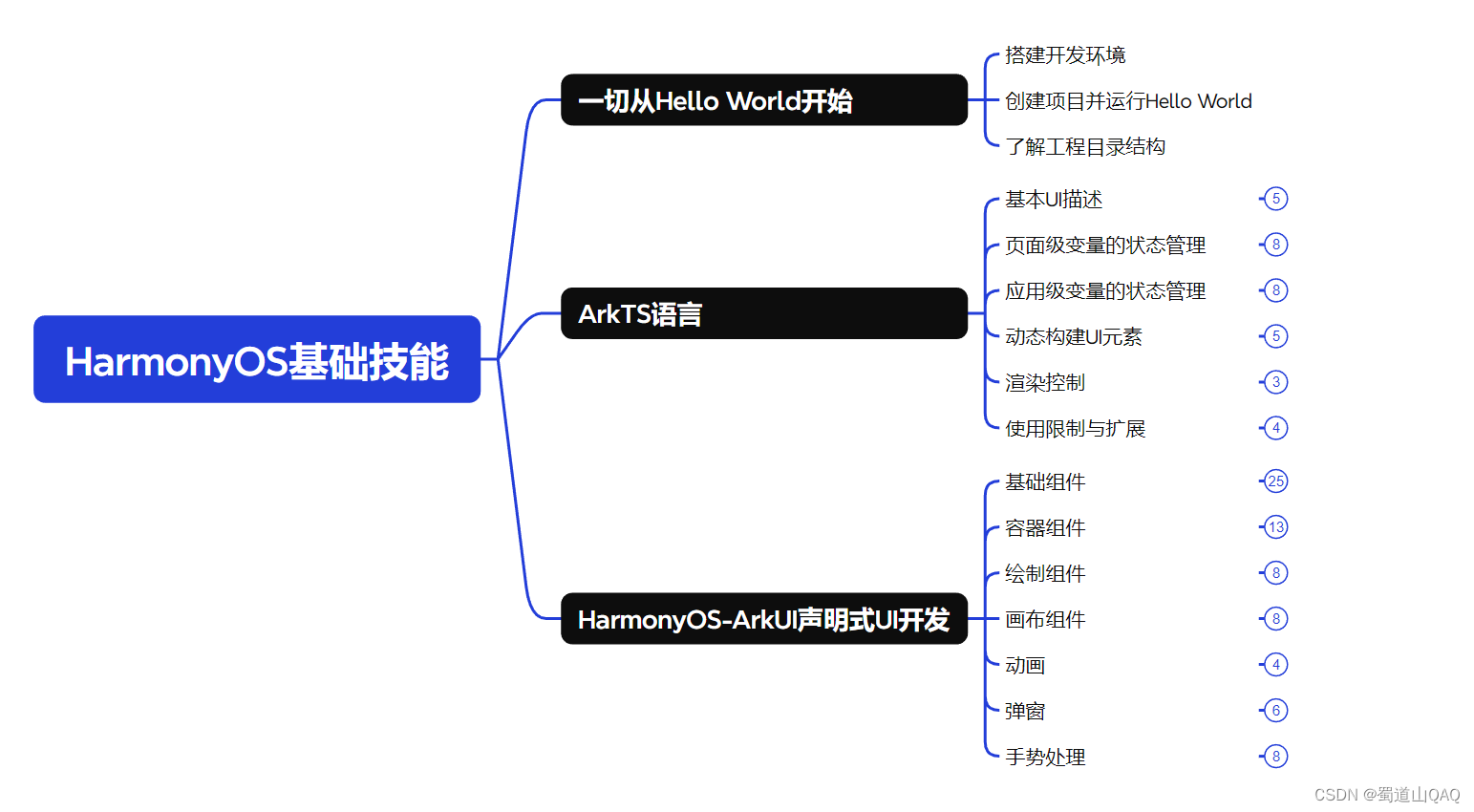
* **HarmonOS基础技能**
* **HarmonOS就业必备技能** 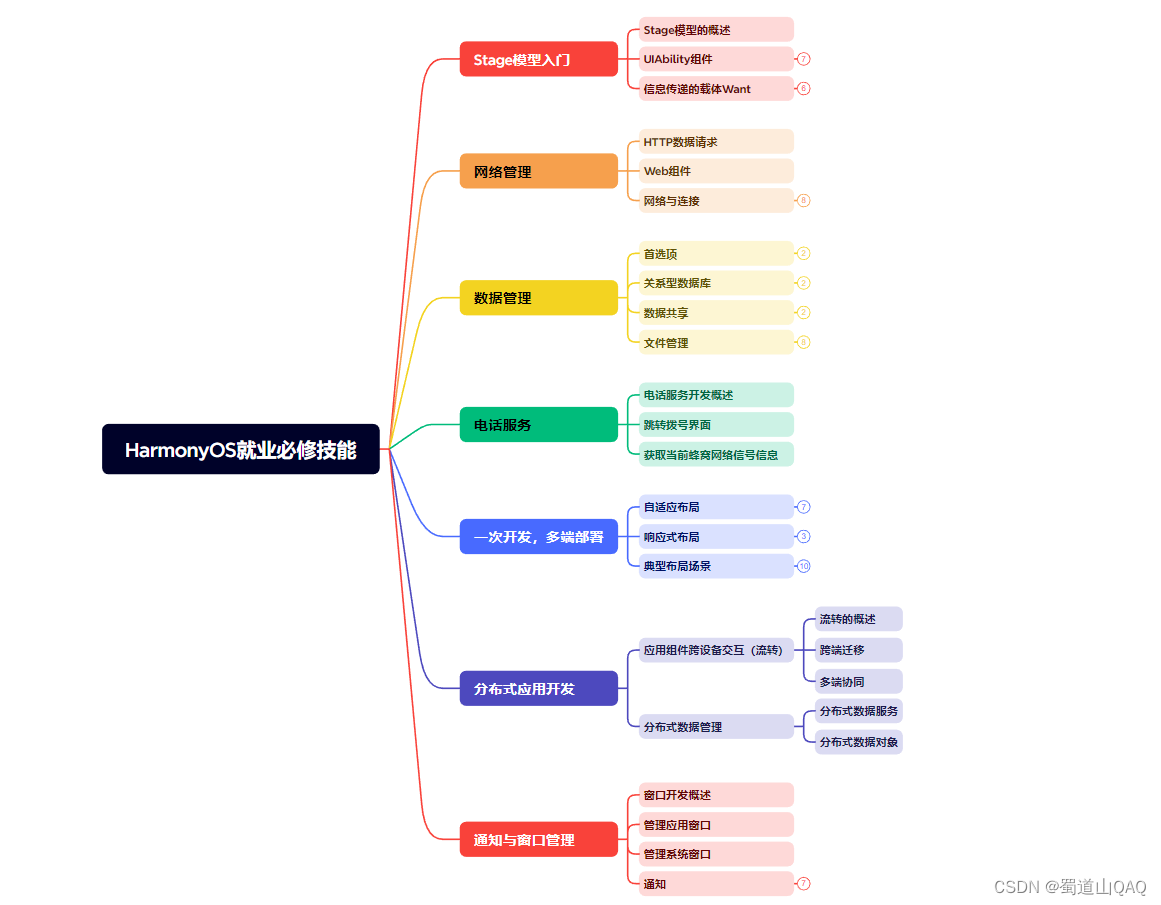
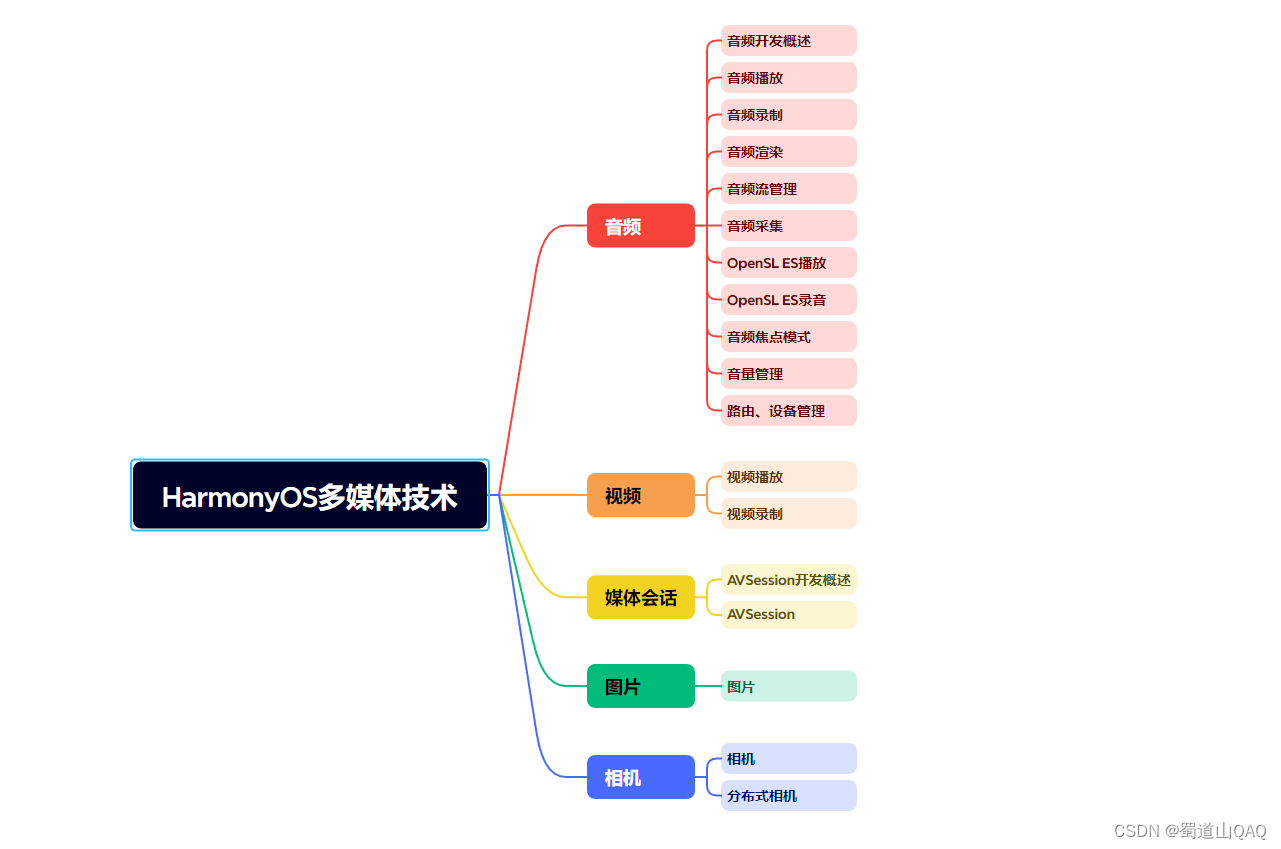
* **HarmonOS多媒体技术**
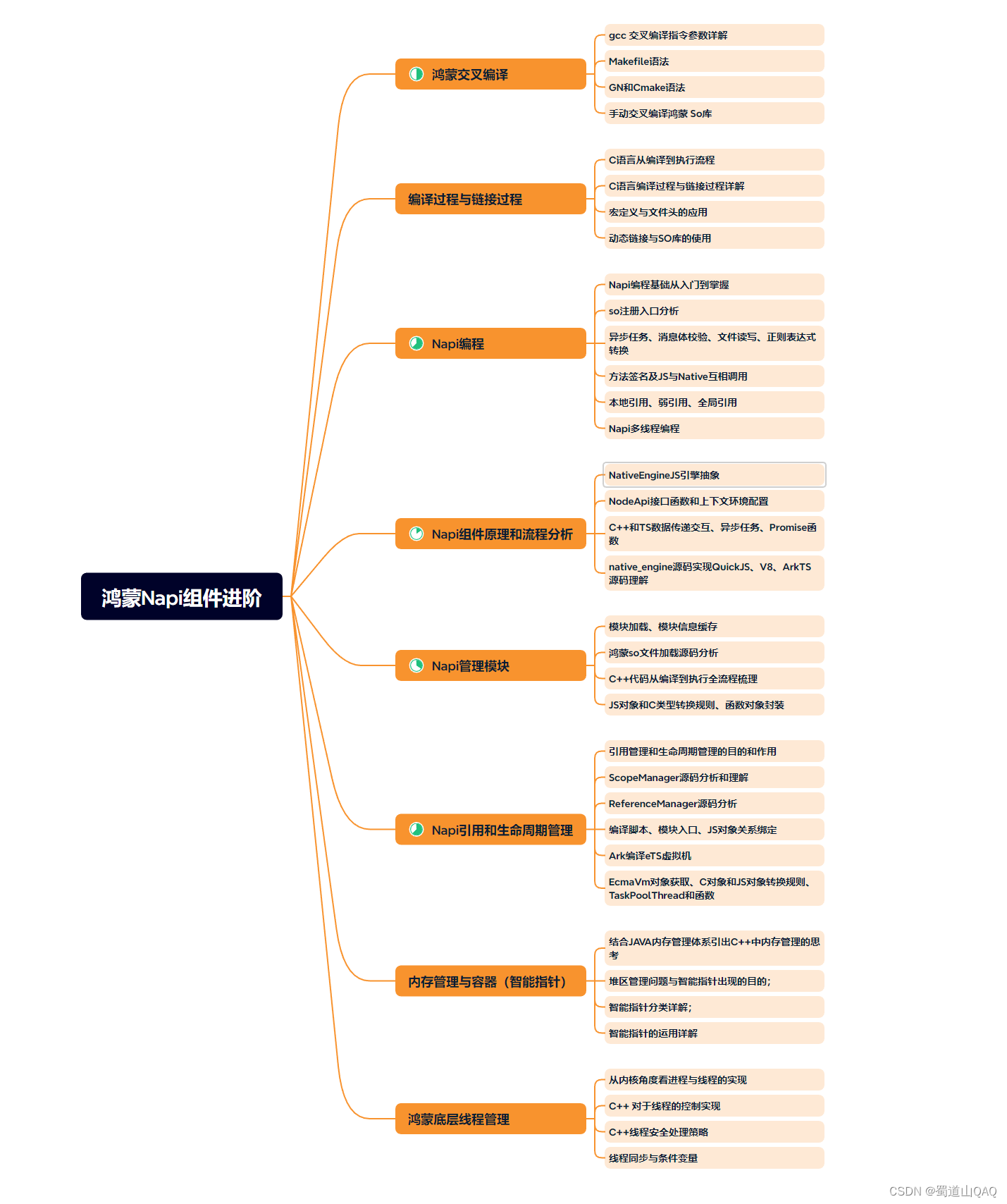
* **鸿蒙NaPi组件进阶**
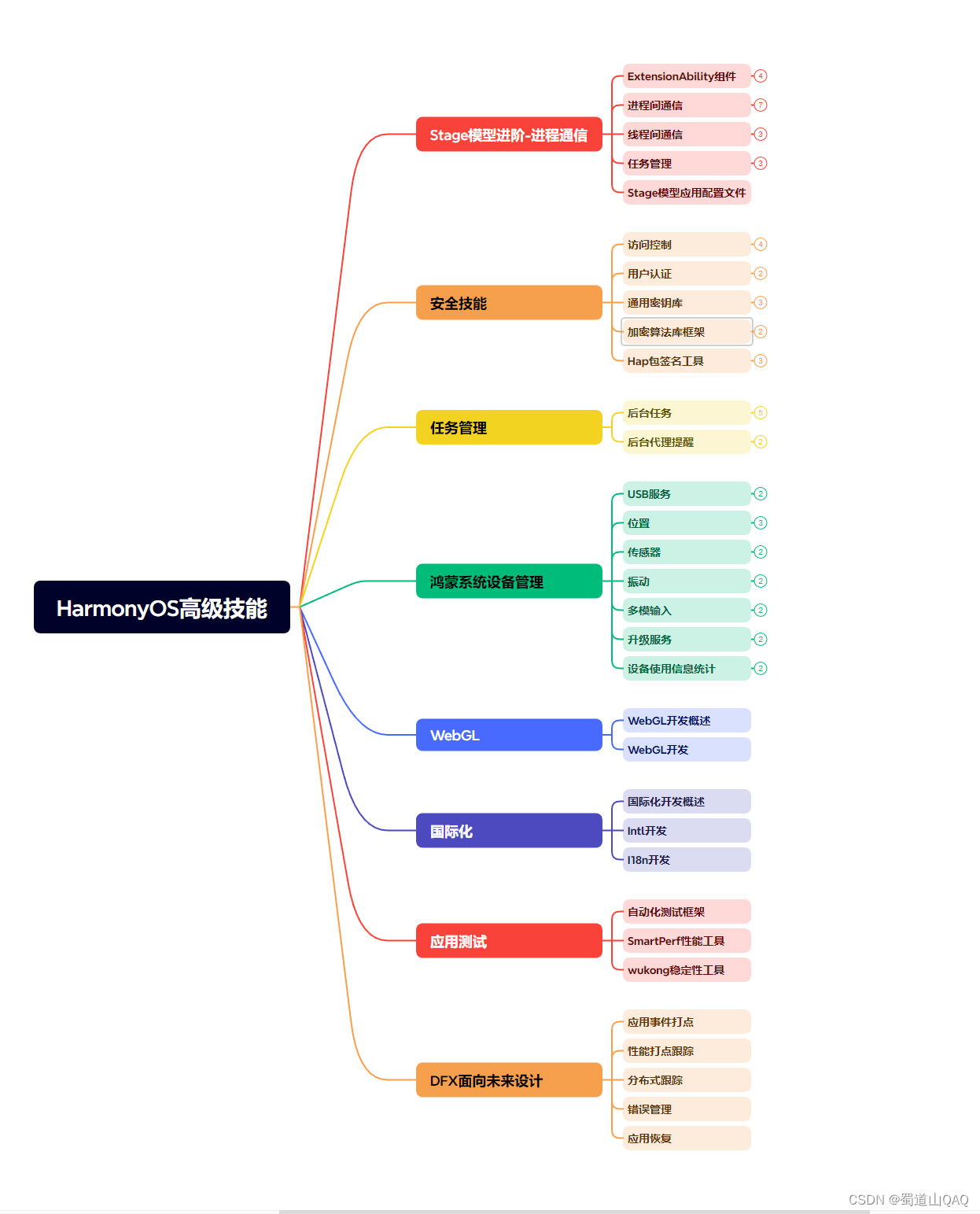
* **HarmonOS高级技能**
* **初识HarmonOS内核**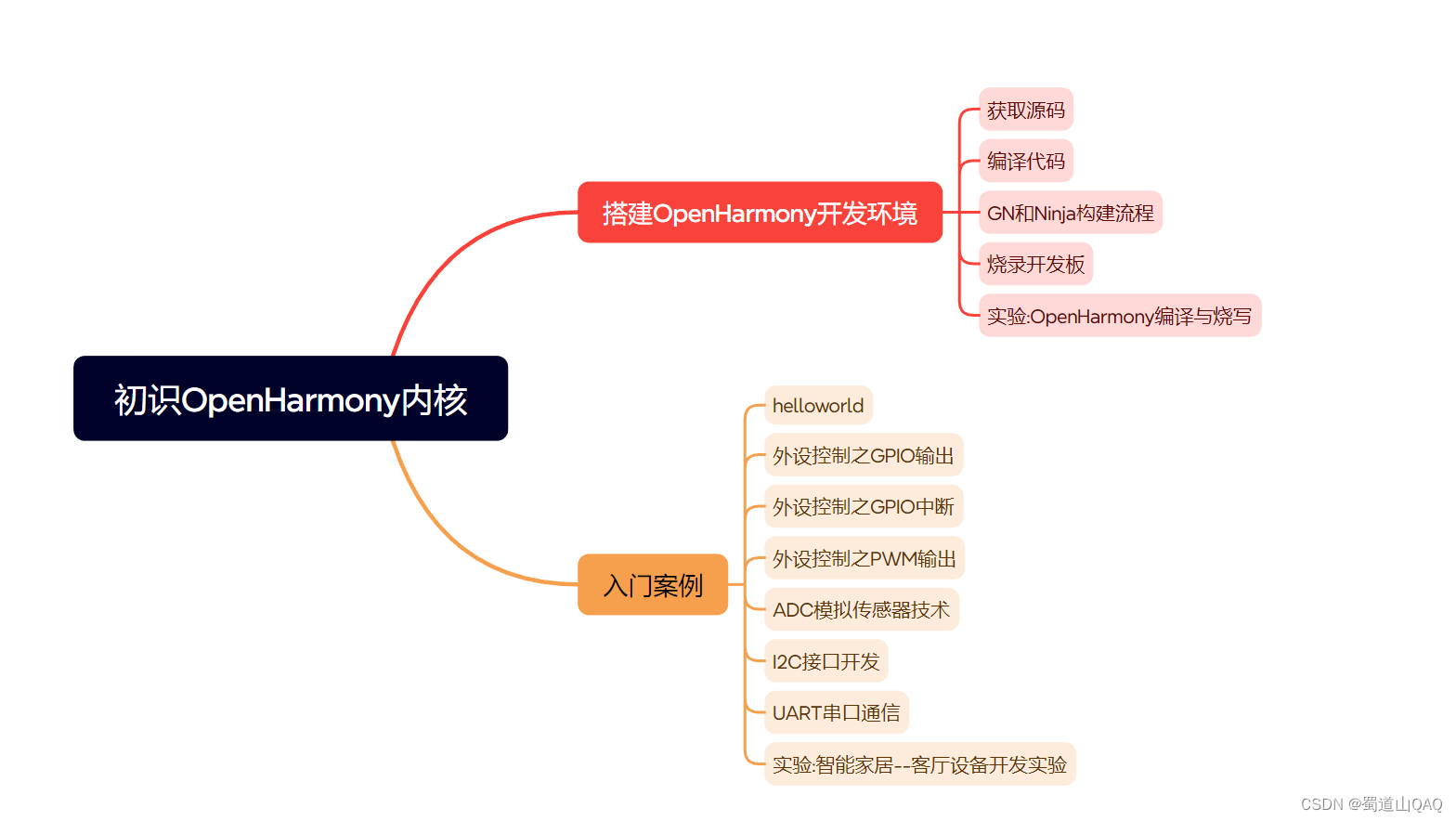
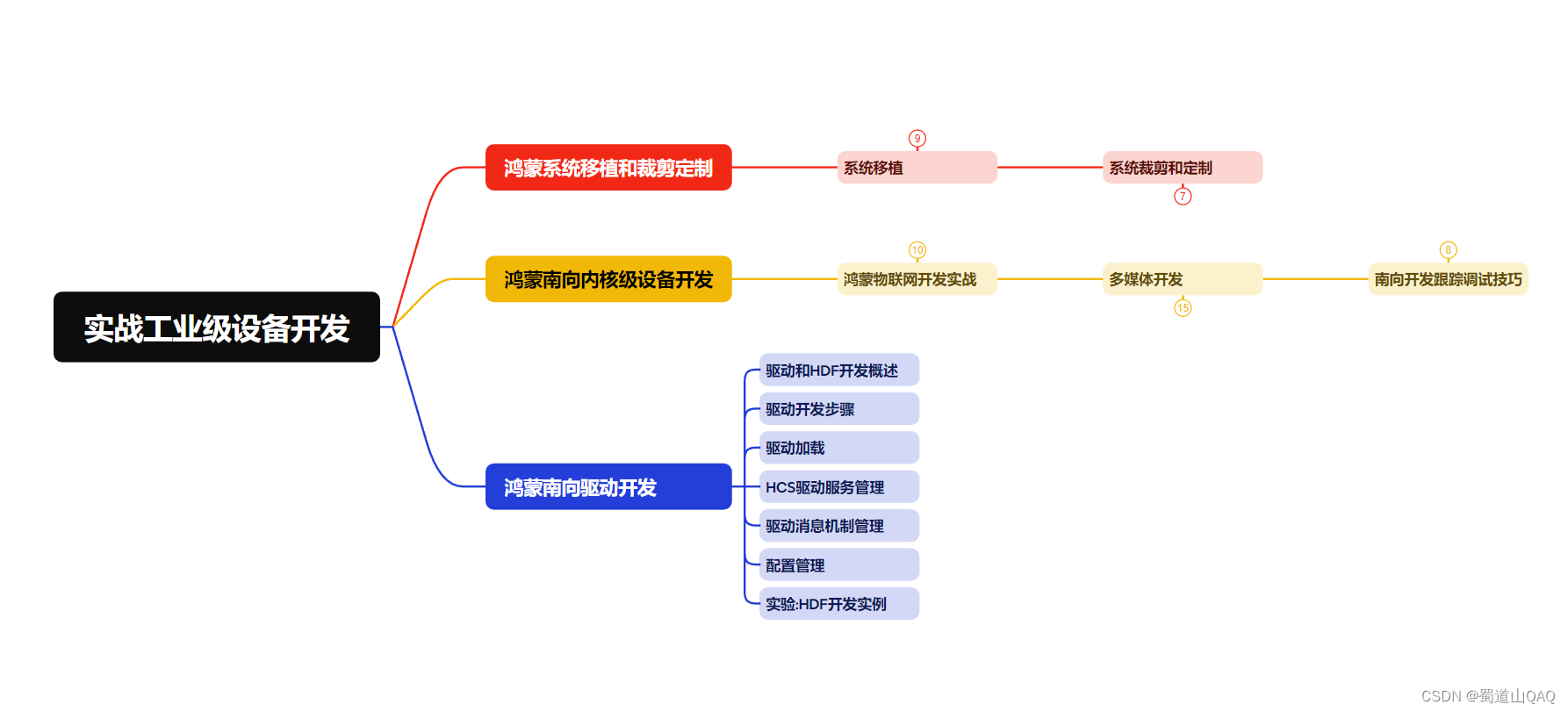
* **实战就业级设备开发**
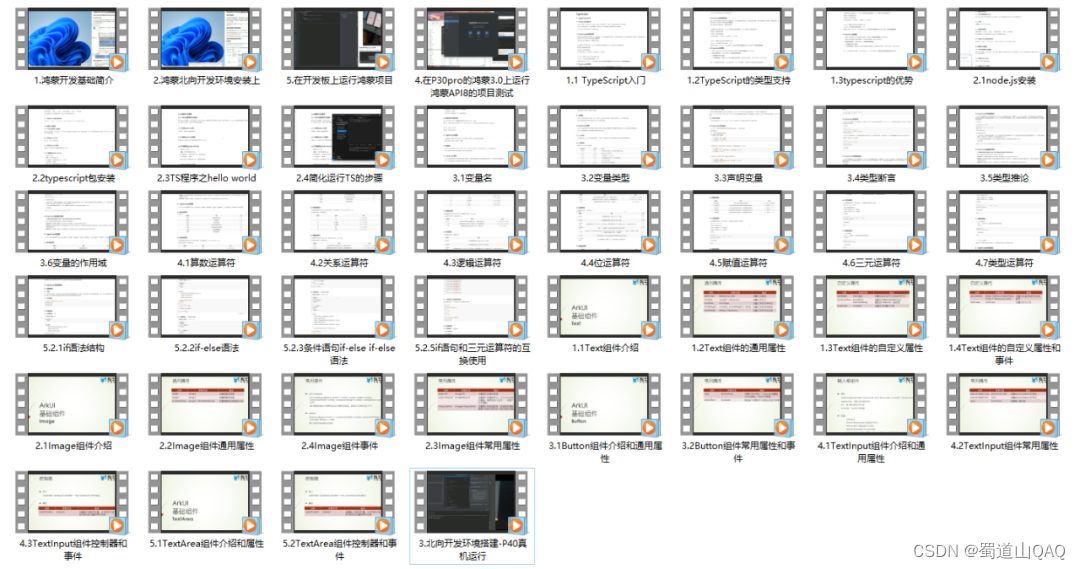
有了路线图,怎么能没有学习资料呢,小编也准备了一份联合鸿蒙官方发布笔记整理收纳的一套系统性的**鸿蒙(OpenHarmony )学习手册(共计1236页)**与**鸿蒙(OpenHarmony )开发入门教学视频**,内容包含:**ArkTS、ArkUI、Web开发、应用模型、资源分类…等知识点。**
**获取以上完整版高清学习路线,请点击→[纯血版全套鸿蒙HarmonyOS学习资料]( )**
#### **《鸿蒙 (OpenHarmony)开发入门教学视频》**
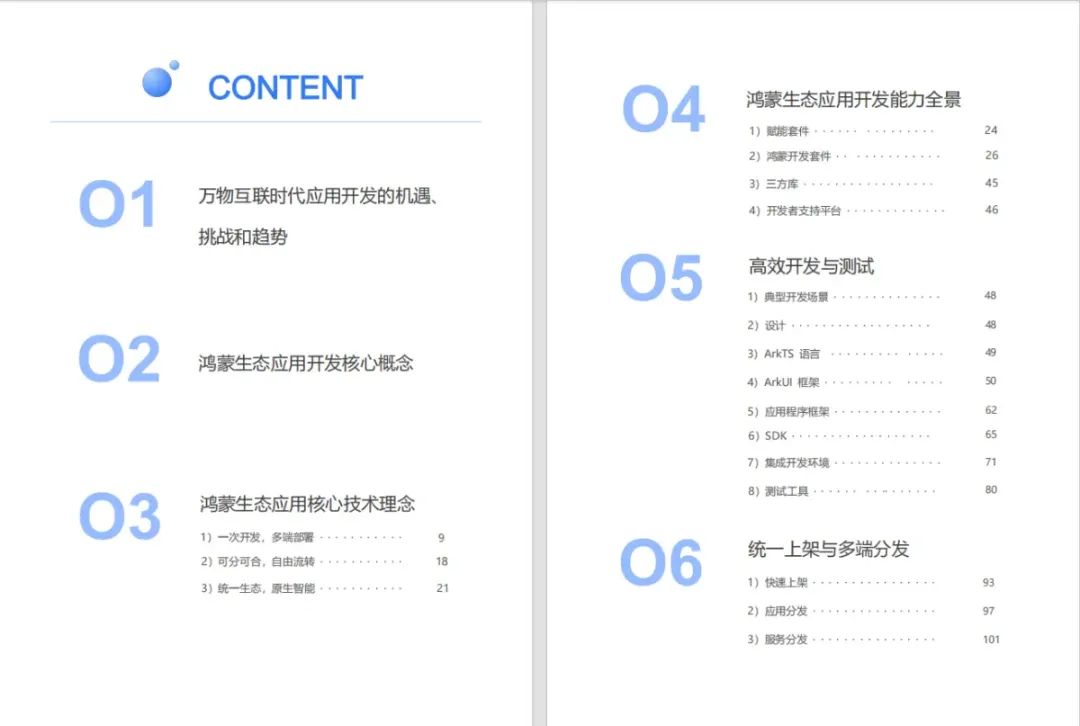
#### 《鸿蒙生态应用开发V2.0白皮书》
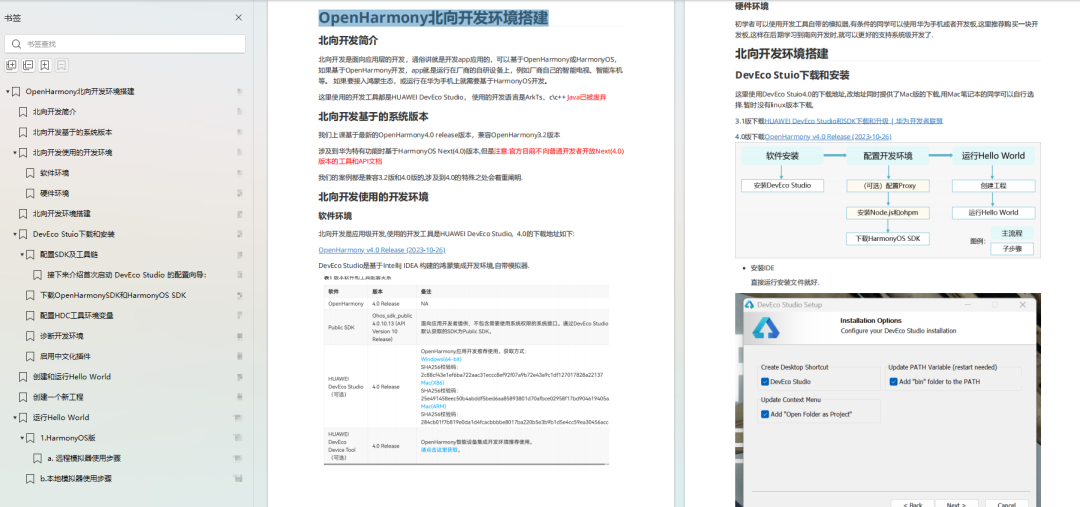
#### **《鸿蒙 (OpenHarmony)开发基础到实战手册》**
OpenHarmony北向、南向开发环境搭建
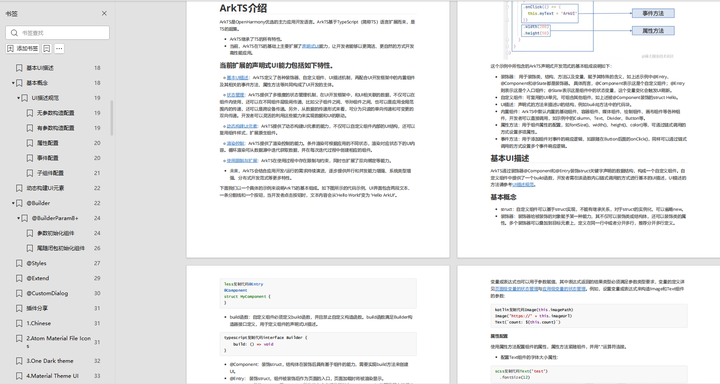
#### **《鸿蒙开发基础》**
* ArkTS语言
* 安装DevEco Studio
* 运用你的第一个ArkTS应用
* ArkUI声明式UI开发
* .……
#### **《鸿蒙开发进阶》**
* Stage模型入门
* 网络管理
* 数据管理
* 电话服务
* 分布式应用开发
* 通知与窗口管理
* 多媒体技术
* 安全技能
* 任务管理
* WebGL
* 国际化开发
* 应用测试
* DFX面向未来设计
* 鸿蒙系统移植和裁剪定制
* ……
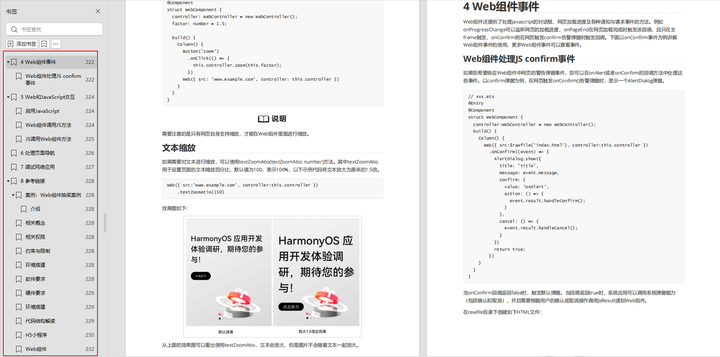
#### **《鸿蒙进阶实战》**
* ArkTS实践
* UIAbility应用
* 网络案例
* ……
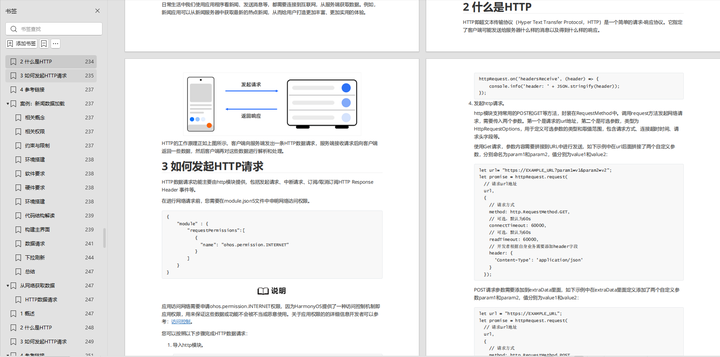
**获取以上完整鸿蒙HarmonyOS学习资料,请点击→[纯血版全套鸿蒙HarmonyOS学习资料]( )**
## 总结
**自我介绍一下,小编13年上海交大毕业,曾经在小公司待过,也去过华为、OPPO等大厂,18年进入阿里一直到现在。**
**深知大多数HarmonyOS鸿蒙开发工程师,想要提升技能,往往是自己摸索成长或者是报班学习,但对于培训机构动则几千的学费,着实压力不小。自己不成体系的自学效果低效又漫长,而且极易碰到天花板技术停滞不前!**
**因此收集整理了一份《2024年HarmonyOS鸿蒙开发全套学习资料》,初衷也很简单,就是希望能够帮助到想自学提升又不知道该从何学起的朋友,同时减轻大家的负担。**
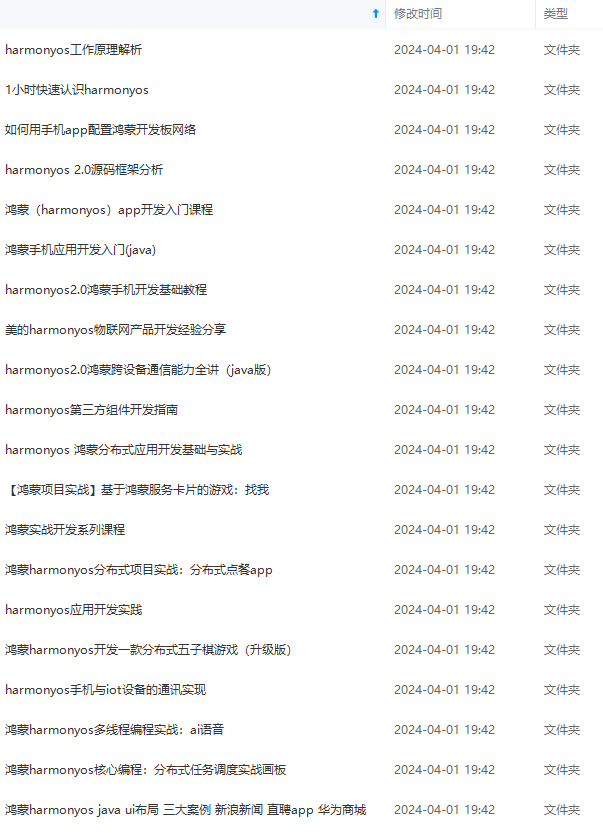
**既有适合小白学习的零基础资料,也有适合3年以上经验的小伙伴深入学习提升的进阶课程,基本涵盖了95%以上HarmonyOS鸿蒙开发知识点,真正体系化!**
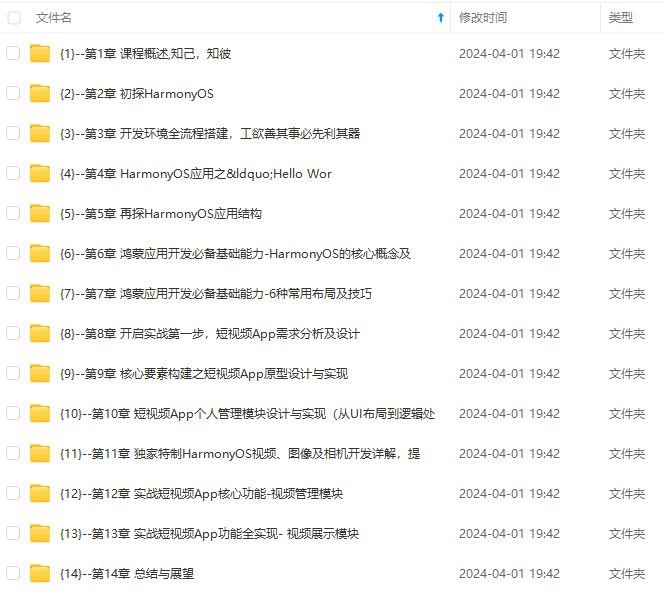
**由于文件比较大,这里只是将部分目录大纲截图出来,每个节点里面都包含大厂面经、学习笔记、源码讲义、实战项目、讲解视频,并且会持续更新**
**如果你觉得这些内容对你有帮助,可以添加VX:vip204888 (备注鸿蒙获取)**

**一个人可以走的很快,但一群人才能走的更远。不论你是正从事IT行业的老鸟或是对IT行业感兴趣的新人,都欢迎扫码加入我们的的圈子(技术交流、学习资源、职场吐槽、大厂内推、面试辅导),让我们一起学习成长!**
片转存中...(img-NOvtwkfL-1712895313073)]
**既有适合小白学习的零基础资料,也有适合3年以上经验的小伙伴深入学习提升的进阶课程,基本涵盖了95%以上HarmonyOS鸿蒙开发知识点,真正体系化!**
**由于文件比较大,这里只是将部分目录大纲截图出来,每个节点里面都包含大厂面经、学习笔记、源码讲义、实战项目、讲解视频,并且会持续更新**
**如果你觉得这些内容对你有帮助,可以添加VX:vip204888 (备注鸿蒙获取)**
[外链图片转存中...(img-PAGw10zI-1712895313073)]
**一个人可以走的很快,但一群人才能走的更远。不论你是正从事IT行业的老鸟或是对IT行业感兴趣的新人,都欢迎扫码加入我们的的圈子(技术交流、学习资源、职场吐槽、大厂内推、面试辅导),让我们一起学习成长!**

讨论HarmonyOS开发技术,专注于API与组件、DevEco Studio、测试、元服务和应用上架分发等。
更多推荐


 20
20 0
0- 0


 已为社区贡献7条内容

所有评论(0)