王学岗鸿蒙开发(北向)——————(七、八)ArkUi的各种装饰器
·
arts包含如下:1,装饰器 ;2,组件的描述(build函数);3,自定义组件(@Component修饰的),是可复用的单元;4,系统的组件(鸿蒙官方提供);等
装饰器的作用:装饰类、变量、方法、结构等。
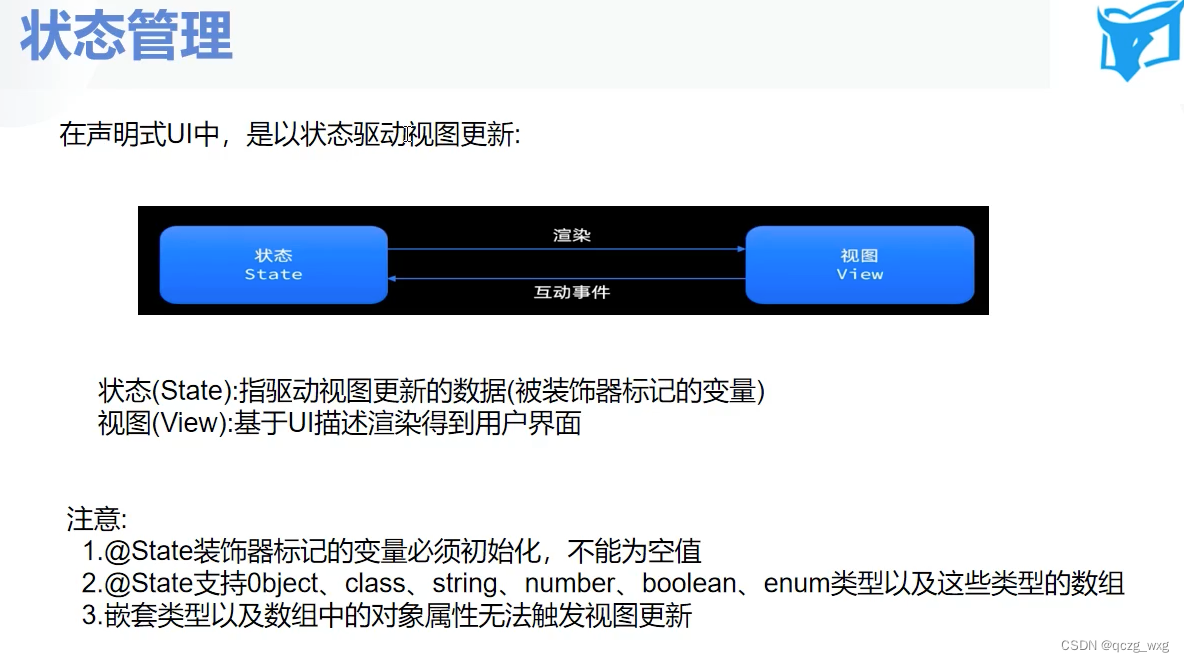
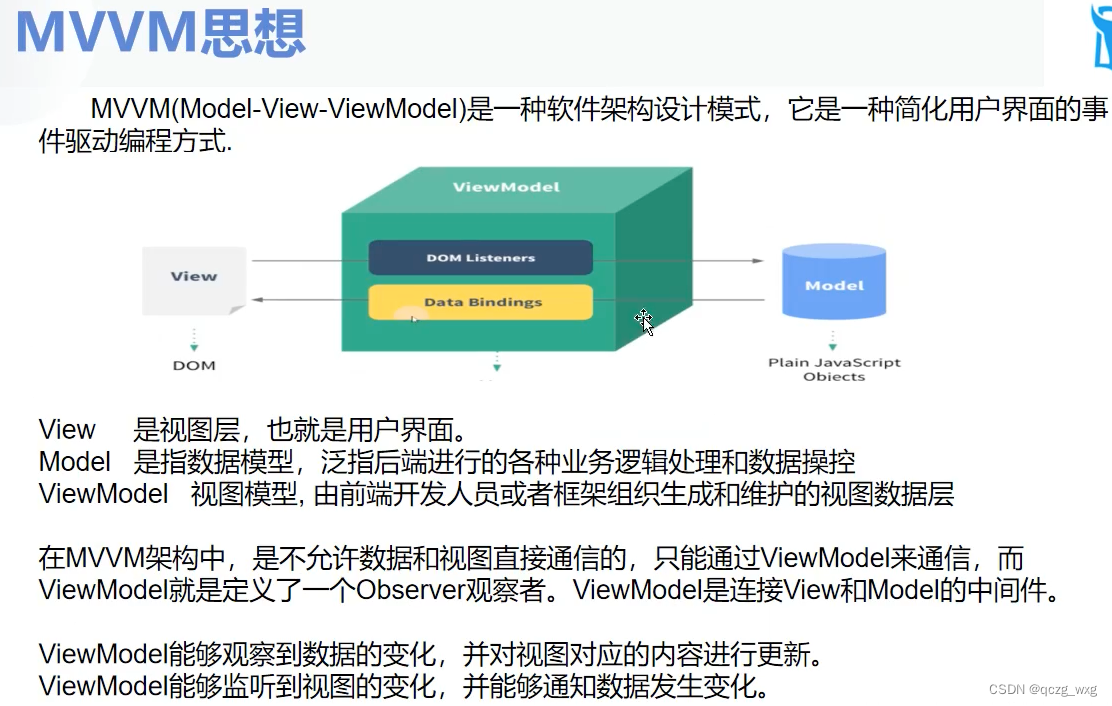
@State 可以用数据驱动UI更新。
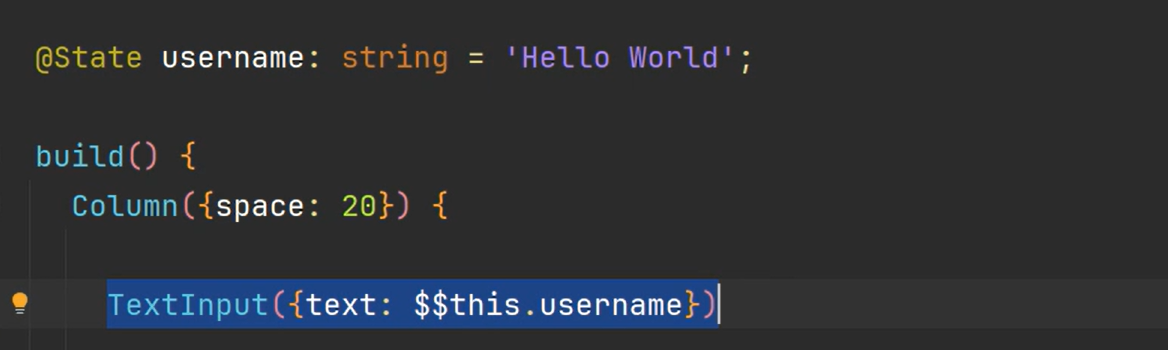
$$双向状态同步器
@Entry 入口文件
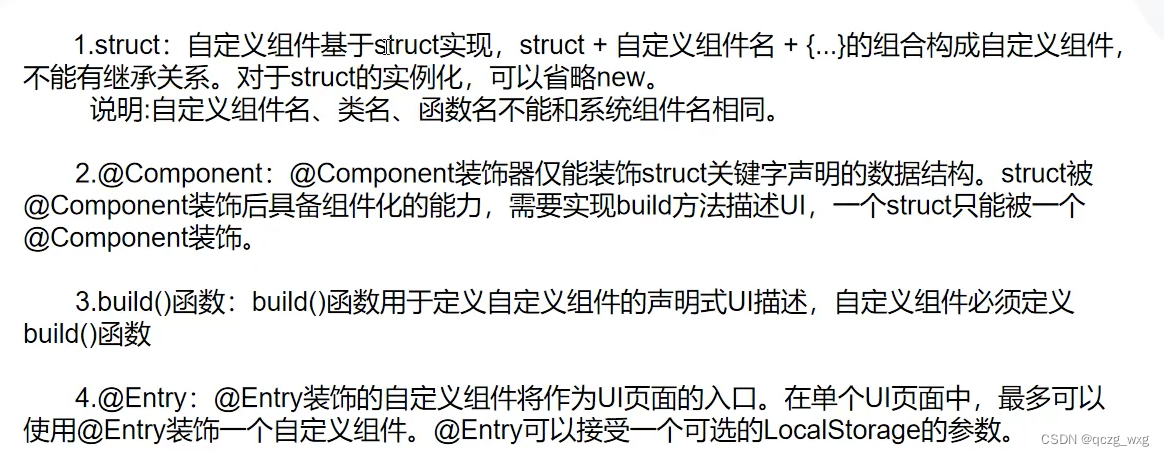
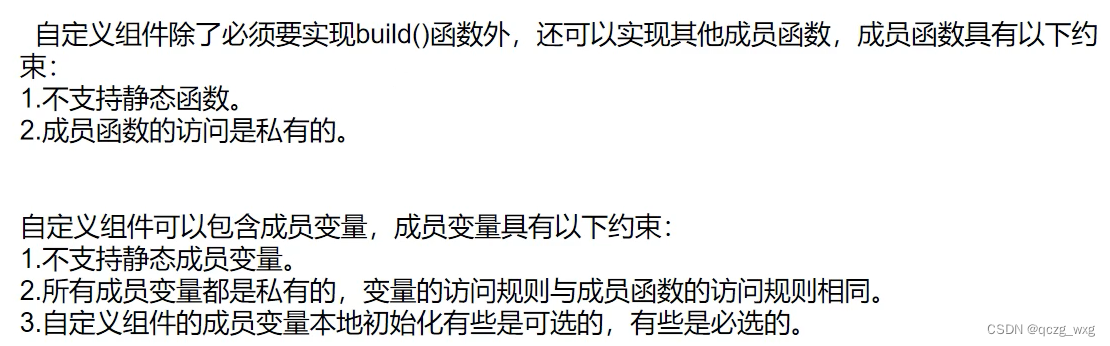
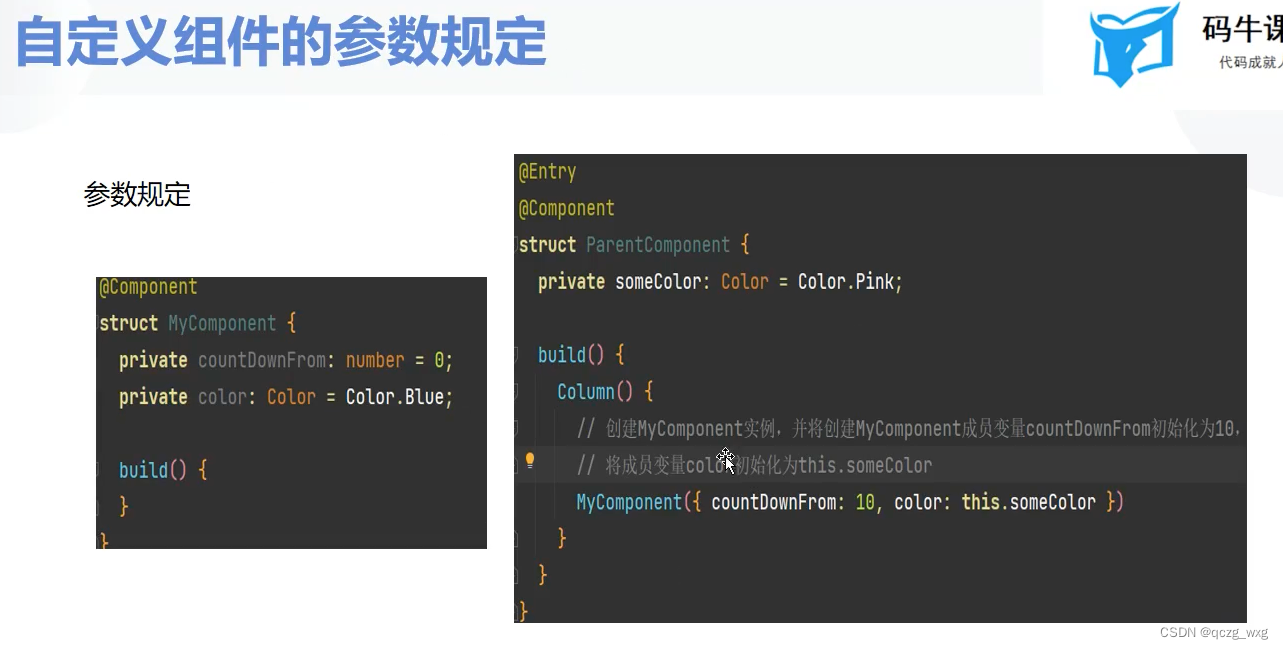
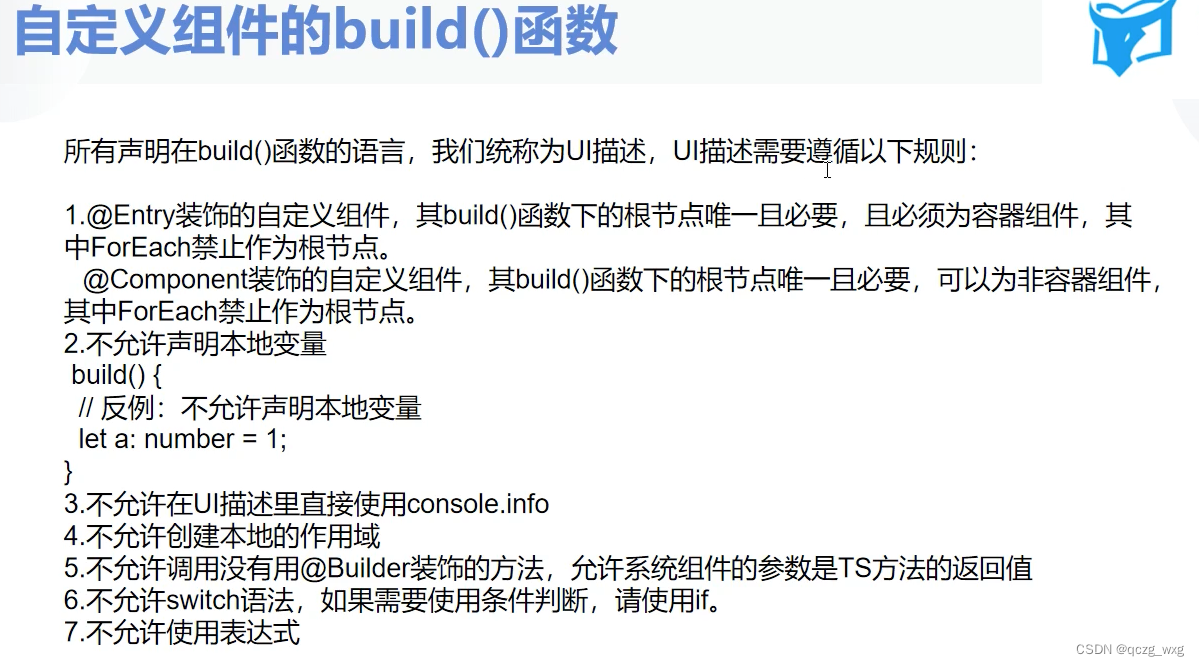
组件的调用
@Entry
@Component
@Preview
struct Index {
  @State message: string = 'Hello World'

  aboutToAppear() {

  }

  build() {
    Column() {
      //可以不传参
      Test()
      //也可以传参,使用{}
      Test({msg:'马超'})

    }.width('100%').height('100%').justifyContent(FlexAlign.Center)
  }

  aboutToDisappear() {

  }
}
//自定义组件
@Component
struct Test{
  private msg:string = '赵云';
  build(){
    Column(){
      Text(this.msg)
    }
  }
}
@Entry
@Component
@Preview
struct Index {
  @State message: string = 'Hello World'
   msg:string = '曹操'
  aboutToAppear() {

  }

  build() {
    Column() {
      //调用的时候需要使用this.this指代当前所属组件
      //注意,这里传递的是值不是引用。如果在Button的点击方法中更改了
      //this.msg的值,MyBuilderFunction1不会修改显示内容
      this.MyBuilderFunction1(this.msg)
      this.MyBuilderFunction2()
      this.MyBuilderFunction3()
      //调用全局构建函数,不能使用this
      GlobalBuilder()
      Button('按钮').onClick((event:ClickEvent)=>{
        console.log("点击了按钮")
        this.msg = '曹丕'})
    }.width('100%').height('100%').justifyContent(FlexAlign.Center)
  }

  aboutToDisappear() {

  }

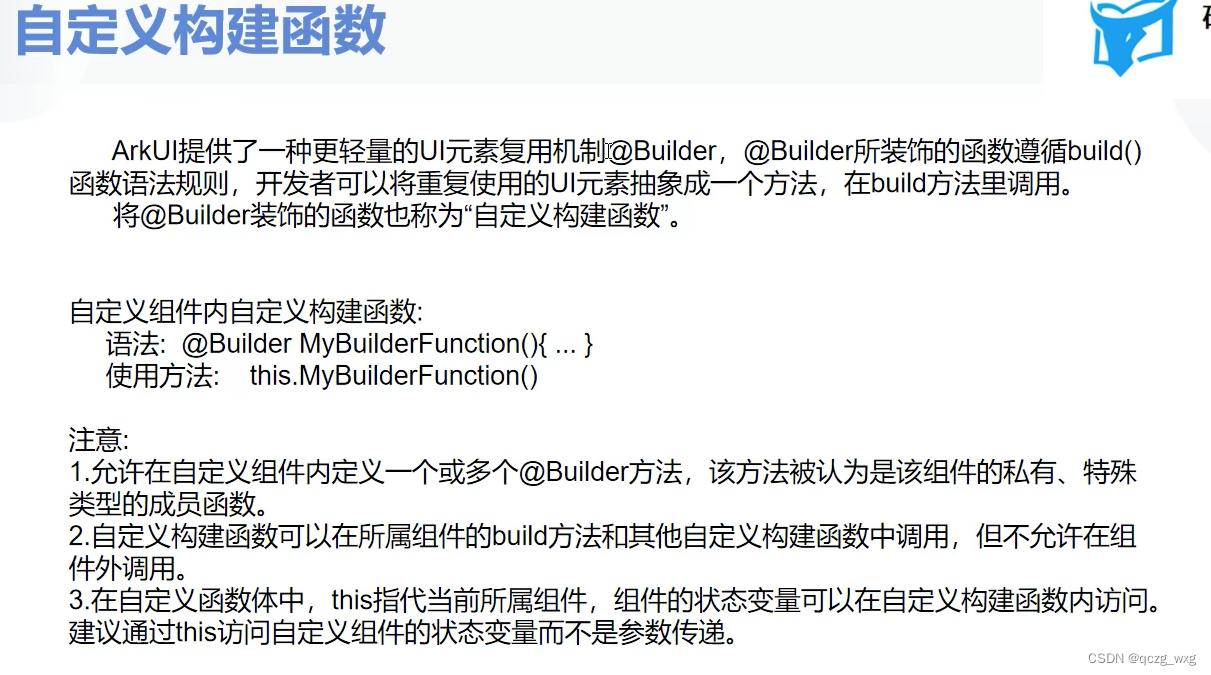
  @Builder //自定义组件内构建函数
  MyBuilderFunction0() {
    Text(this.message).fontSize(50)
  }

  @Builder //自定义组件内构建函数
  MyBuilderFunction1(msg:string) {
    Text(msg).fontSize(50)
  }

  @Builder //自定义组件内构建函数
  MyBuilderFunction2() {
    Text('刘备').fontSize(50)
  }

  @Builder //自定义组件内构建函数
  MyBuilderFunction3() {
    Text('孙坚').fontSize(50)
  }

}

//全局构建函数,需要使用function
@Builder
function GlobalBuilder(){

  Text('我是全局的构建函数').fontSize(40)
}
@Entry
@Component
@Preview
struct Index {
  @State message: string = 'Hello World'
   msg:string = '曹操'
  aboutToAppear() {

  }

  build() {
    Column() {
      //MyBuilderFunction后这里不能用括号
     Child({builder:this.MyBuilderFunction})
    }.width('100%').height('100%').justifyContent(FlexAlign.Center)
  }

  aboutToDisappear() {

  }
  @Builder
  MyBuilderFunction(){
    Text('我爱你爱你').fontSize(50)
  }
}
//子组件被父组件调用,
@Component
struct Child{
  //不初始化会报错
  //Property 'builder' in the custom component 'Child' is missing assignment or initialization.
 // @BuilderParam装饰器:引用@Builder函数
  //  当开发者创建了自定义组件,并想对该组件添加特定功能时,例如在自定义组件中添加一个点击跳转操作。
  //  若直接在组件内嵌入事件方法,将会导致所有引入该自定义组件的地方均增加了该功能。
  //  为解决此问题,ArkUI引入了@BuilderParam装饰器,@BuilderParam用来装饰指向@Builder方法的变量,
  //  开发者可在初始化自定义组件时对此属性进行赋值,为自定义组件增加特定的功能。该装饰器用于声明任意UI描述的一个元素,
  //  类似slot占位符。

  @BuilderParam builder:()=>void;
  build(){
    Column(){
      this.builder()
      Text('吕玲绮').fontSize(50)
    }
  }
}
@Entry
@Component
@Preview
struct Index {
  @State message: string = 'Hello World'
  msg: string = '曹操'

  aboutToAppear() {

  }

  build() {
    Column() {
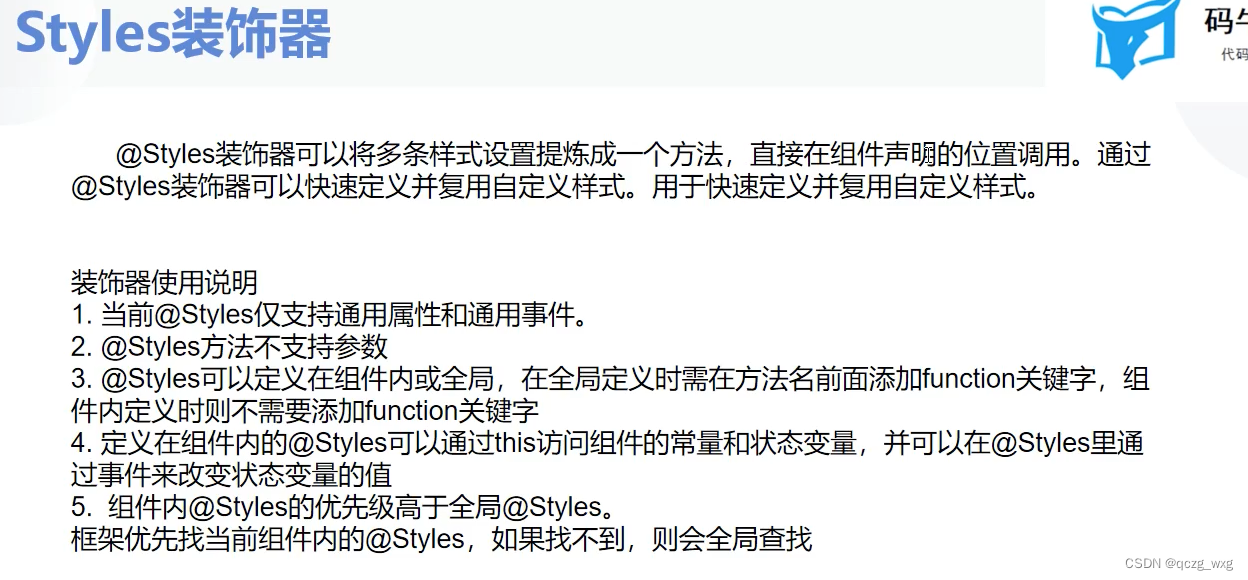
    //如果名字相同,都叫MyStyle,组件内的优先级高
    //@Styles不能传递参数
      Text('曹操').MyStyle1()
      Text('刘备').MyStyle2()
      Text('孙权').MyStyle1()
      Text('吕布').MyStyle2()
    }.justifyContent(FlexAlign.Center).height('100%').width('100%')
  }
  //自定义样式,组件内不需要function,只能是通用属性和事件,
  @Styles
  MyStyle1(){
    .width('100%')
    .height(100)
    .backgroundColor('green')
  }
}
//自定义样式,组件外需要function,只能是通用样式,不能传递参数
@Styles
function MyStyle2(){
  .width('100%')
  .height(100)
  .backgroundColor('blue')
}
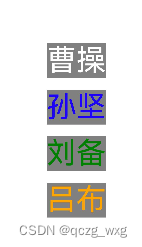
@Entry
@Component
@Preview
struct Index {
  @State message: string = 'Hello World'


  aboutToAppear() {

  }

  build() {
    Column({ space: 20 }) {
      Text('曹操').MyTextStyle(Color.White)
      Text('孙坚').MyTextStyle(Color.Blue)
      Text('刘备').MyTextStyle(Color.Green)
      Text('吕布').MyTextStyle()
    }.justifyContent(FlexAlign.Center).height('100%').width('100%')
  }
}
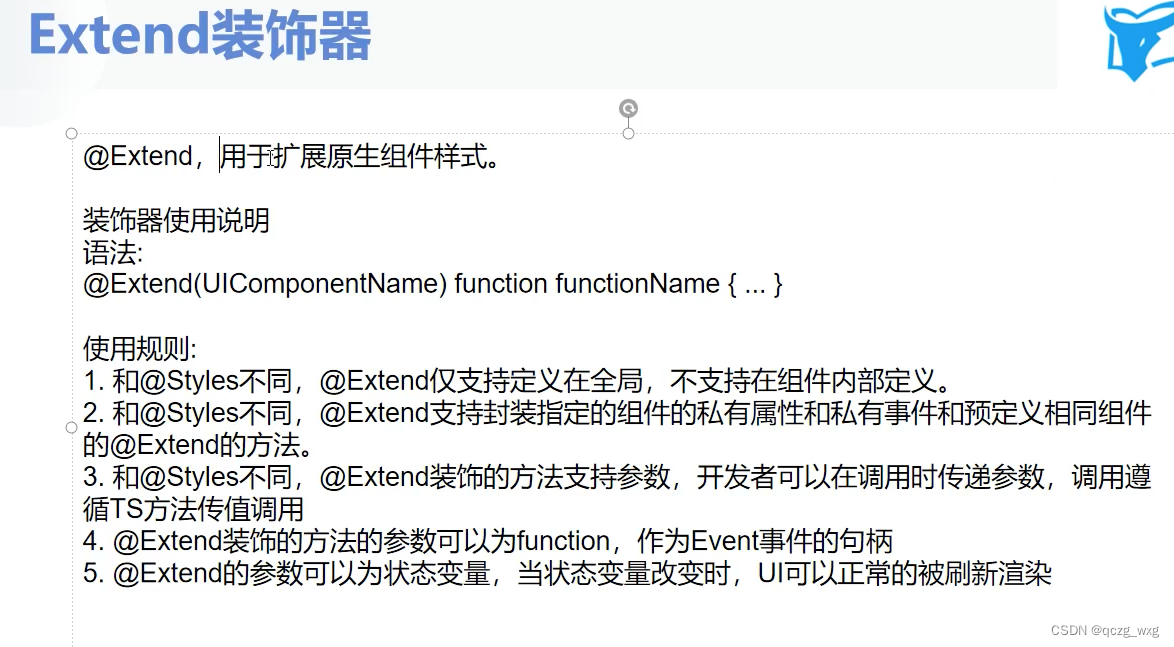
//扩展原生样式,可以用私有的,可以传递参数,参数可以设置默认值,有默认值的写在最后面
@Extend(Text) function MyTextStyle(color:Color = Color.Orange) {
  .fontSize(50)
  .fontColor(color)
  .backgroundColor(Color.Gray)

}
@Entry
@Component
@Preview
struct Index {
  //定义状态变量
  @State count: number = 0

  build() {
    Column({ space: 20 }) {
       Text(`count =${this.count}`).fontSize(50)
      Button('点击加一').onClick(()=>{this.count++})
    }.justifyContent(FlexAlign.Center).height('100%').width('100%')
  }
}
@Entry
@Component
@Preview
struct Index {
  //定义状态变量
  @State count: number = 0

  build() {
    Column({ space: 20 }) {
      Text(`父组件的count${this.count}`).fontSize(40)
      Button('父点击加一').onClick(() => {
        this.count++
      })
      Child({ childCount: this.count })

    }.justifyContent(FlexAlign.Center).height('100%').width('100%')
  }
}

@Component
struct Child {
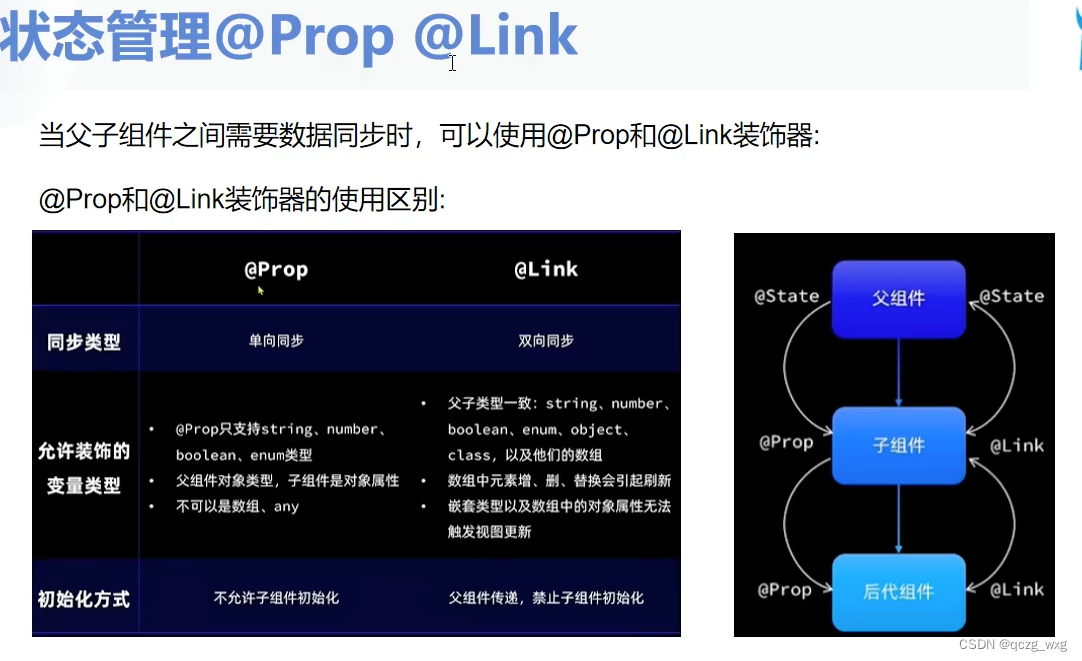
  //把count传递给子组件Child,使用@Prop修饰

  @Prop private childCount: number

  build() {
    Column() {
      Text(`子组件的count${this.childCount}`).fontSize(40)
      //prop是单向同步,这里点击加一变得只有child组件,父组件不变
      Button('子点击加一').onClick(() => {
        this.childCount++
      })
    }
  }
}
@Entry
@Component
@Preview
struct Index {
  //定义状态变量
  @State count: number = 0

  build() {
    Column({ space: 20 }) {
      Text(`父组件的count${this.count}`).fontSize(40)
      Button('父点击加一').onClick(() => {
        this.count++
      })
      //@Link修饰的变量必须要加$
      Child({ childCount:$count})

    }.justifyContent(FlexAlign.Center).height('100%').width('100%')
  }
}

@Component
struct Child {
  //把count传递给子组件Child,使用@Prop修饰

  @Link private childCount: number

  build() {
    Column() {
      Text(`子组件的count${this.childCount}`).fontSize(40)
      //link是单向同步,这里点击加一变得父组件与子组件都会变
      Button('子点击加一').onClick(() => {
        this.childCount++
      })
    }
  }
}
@prop不能是数组、对象,但支持枚举类型,不允许初始化
@link支持类型比较多,详见上图

@Provider 和@Consume是生产者和消费者模式
@Entry
@Component
@Preview
struct Index {
  //定义状态变量
  @Provide count: number = 0

  build() {
    Column({ space: 20 }) {
      Text(`父组件的count ${this.count}`).fontSize(40)
      Button('父点击加一').onClick(() => {
        this.count++
      })
      //不需要传递参数了
      Child()
    }.justifyContent(FlexAlign.Center).height('100%').width('100%')
  }
}

@Component
struct Child {
  @Consume count: number

  build() {
    Column() {
      Text(`子组件${this.count}`).fontSize(40)
      GrandSon()
    }
  }
}

@Component
struct GrandSon {
  @Consume count: number

  build() {
    Column() {
      Text(`孙组件${this.count}`).fontSize(40)
      Button('孙点击加一').onClick(() => {
        //孙组件点击改变count,父组件,子组件也会改变
        this.count++
      })
    }
  }
}
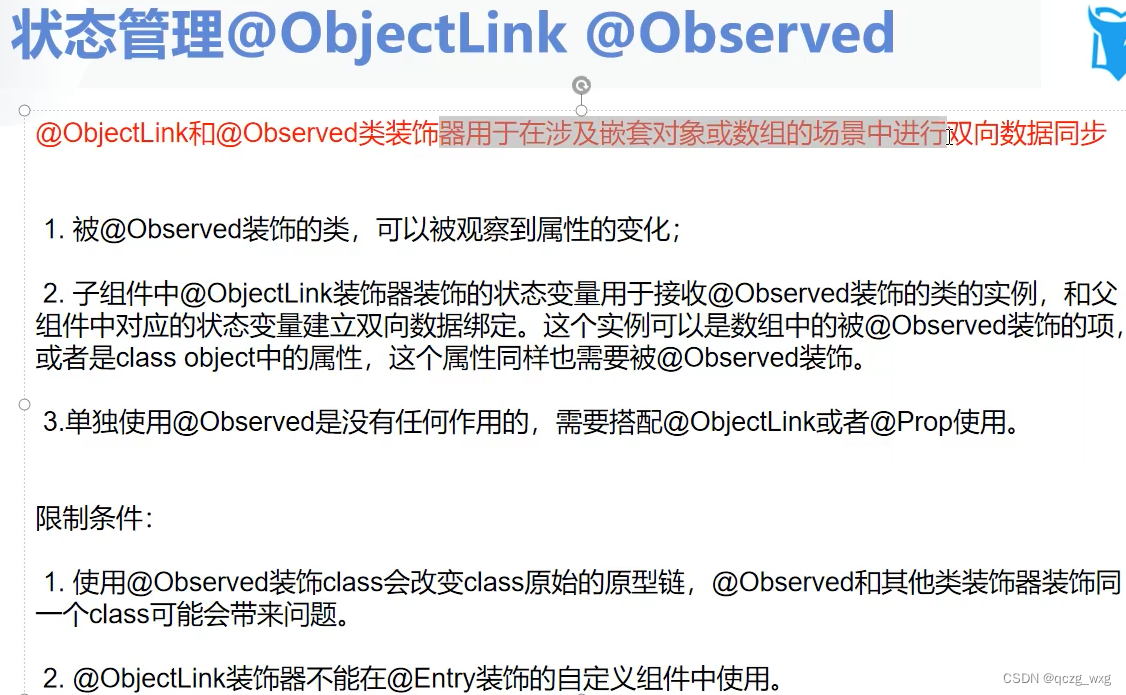
@Entry
@Component
@Preview
struct Index {
  @State grade:Grade = new Grade(new Student('孙悟空',18))
  build() {
    Column({ space: 20 }) {
      Text(`父组件中的name=${this.grade.stu.name},年龄=${this.grade.stu.age}`).fontSize(30)
      Button('父组件').onClick(()=>{
        this.grade.stu.age+=1
        console.log(`年龄${this.grade.stu.age}`)
      })
      Child({stu:this.grade.stu})
    }.justifyContent(FlexAlign.Center).height('100%').width('100%')
  }
}
//子组件
@Component
struct Child{
  //传递学生对象,增加@ObjectLink后,在父组件中点击修改年龄,子组件可以响应,也会修改
  @ObjectLink stu:Student
  build(){
    Column(){
      Text(`子组件中的name=${this.stu.name},年龄=${this.stu.age}`).fontSize(30)
    }
  }
}
//学生类,单独使用Observed没任何效果,需要搭配@ObjectLink或者@Prop
@Observed
class Student {
  name: string = ''
  age: number = 18

  constructor(name: string, age: number) {
    this.name = name;
    this.age = age;
  }
}
//年级
@Observed
class Grade {
   stu: Student

  constructor(stu: Student) {
    this.stu = stu;
  }
}
@Watch,监听某个值,一旦值变化了,会调用某个函数
@Entry
@Component
@Preview
struct Index {
  @State
  @Watch('myCallBack')//@Watch的作用是监听count的值,只要count值发生变化,myCallBack就会被回调一次
  count:number = 0
  @State message:string = '@Watch回调函数被第0次调用'
  build() {
    Column({ space: 20 }) {
      Text(this.message).fontSize(40).fontColor(Color.Green)
      Button('点击count+1').onClick(()=>{
        //如果这里注释掉,myCallBack函数不会调用,因为count值没有变化
        this.count++
      })
    }.justifyContent(FlexAlign.Center).height('100%').width('100%')
  }
  myCallBack(){
    console.log('callback被调用了');
  }
}
@Watch修饰的可以是类
@Entry
@Component
@Preview
struct Index {
  @State
  @Watch('myCallBack')//@Watch的作用是监听count的值,只要count值发生变化,myCallBack就会被回调一次
  person:Person = new Person(1)
  build() {
    Column({ space: 20 }) {
      Text(`${this.person.count}`).fontSize(40).fontColor(Color.Green)
      Button('点击count+1').onClick(()=>{
        //如果这里注释掉,myCallBack函数不会调用,因为count值没有变化
        this.person.count++
      })
    }.justifyContent(FlexAlign.Center).height('100%').width('100%')
  }
  myCallBack(){
    console.log('callback被调用了');
  }

}
class Person{
 count:number;

  constructor(count:number) {
    this.count = count;
  }
}
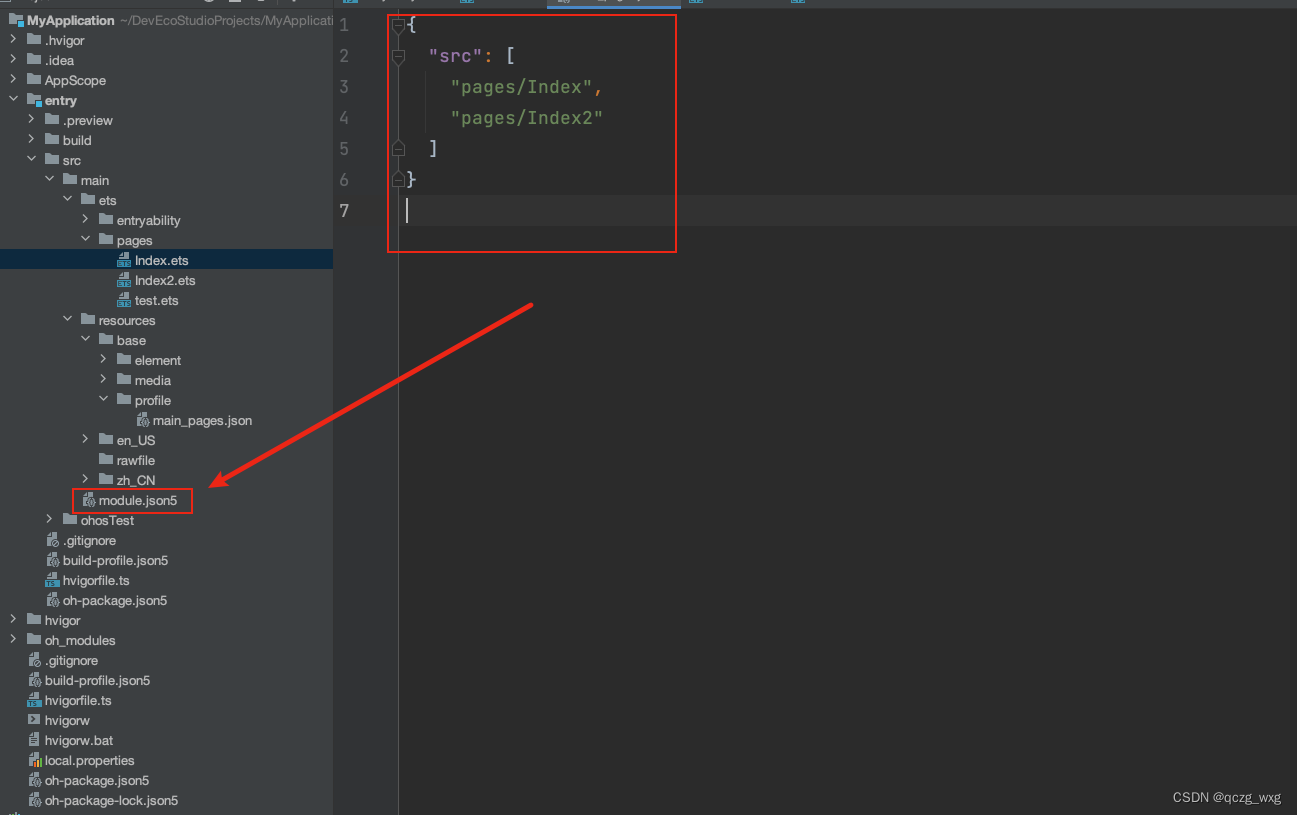
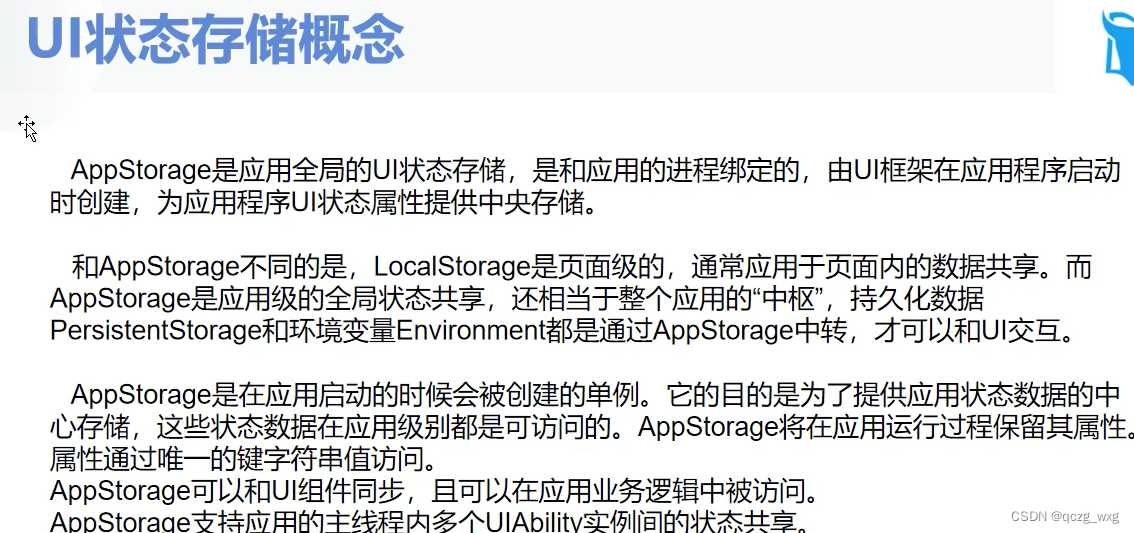
UI状态存储,上面讲述的是组件传值,组件传值是在一个界面传值,多个界面传值无法使用。
多个界面如下配置
import router from '@ohos.router'
@Entry
@Component
@Preview
struct Index {

  build() {
    Column({ space: 20 }) {

      Button('界面跳转').onClick(()=>{
        //界面跳转,
         router.pushUrl({url:'pages/Index2'})
      })
    }.justifyContent(FlexAlign.Center).height('100%').width('100%')
  }
}
界面跳转的写法
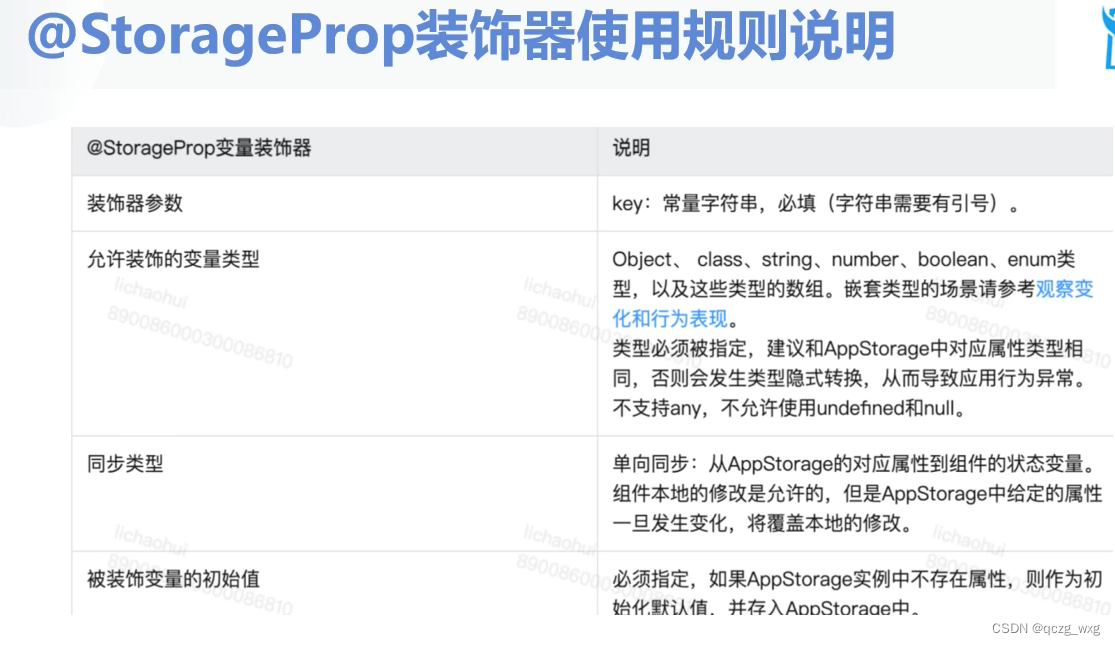
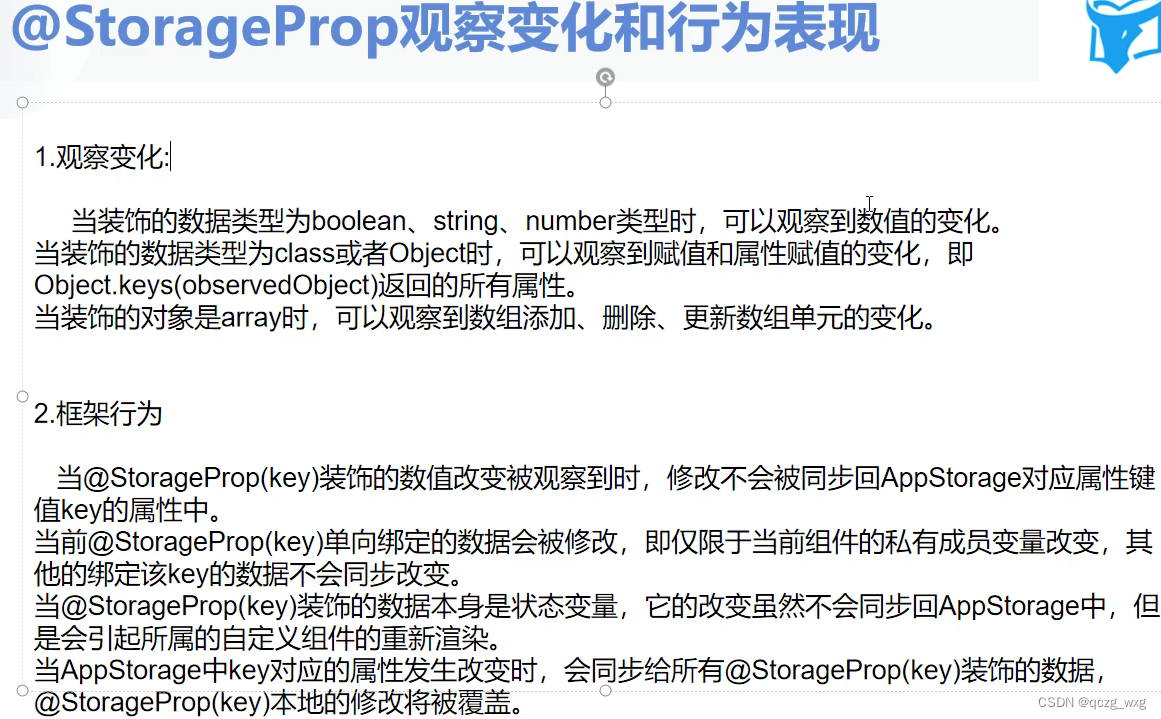
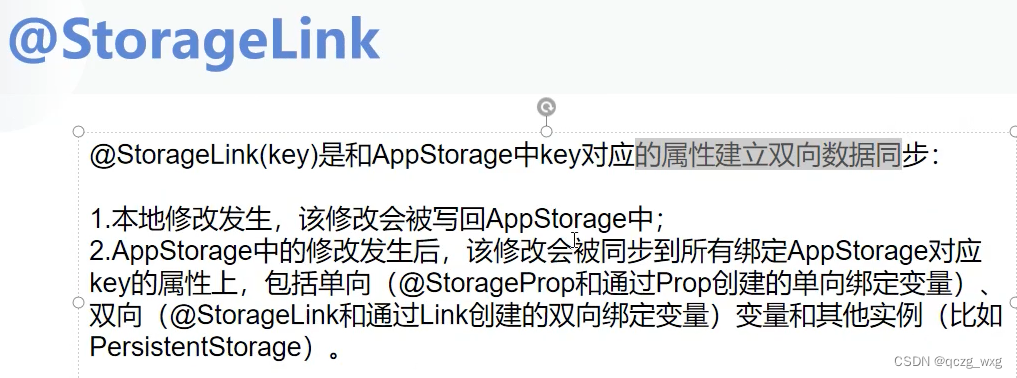
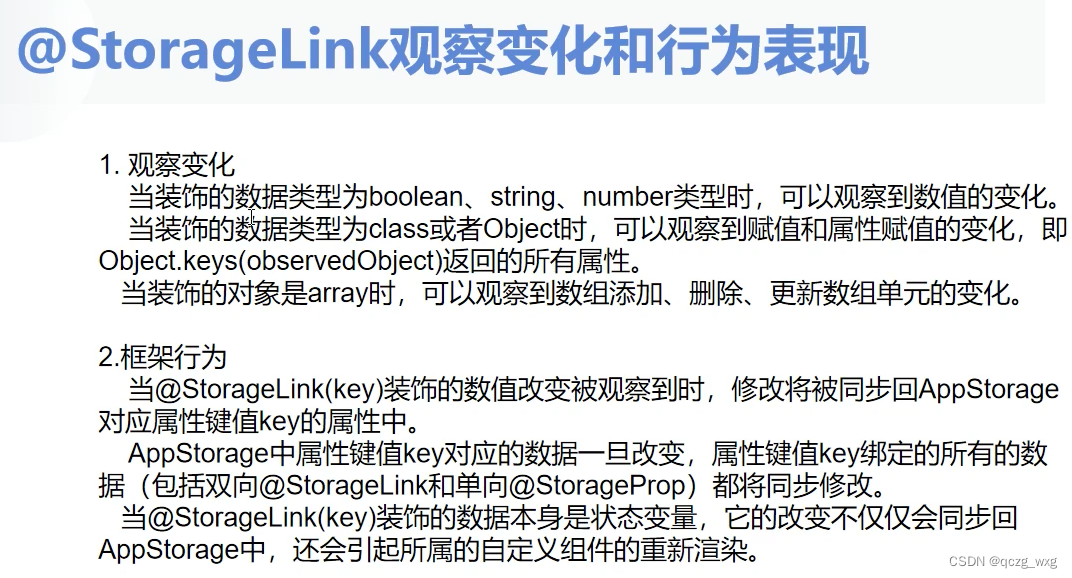

上代码:
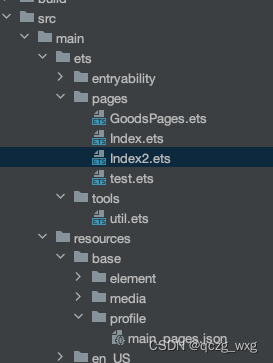
//定义常量,购物车中存取都用这个键
export const Key: string = 'cart_key'
//添加购物车,这里直接使用string,不再新建一个类
export const addCart = (goods:string) => {
  //从购物车中取出对应的商品,从AppStorage中通过键取,没有值就给个空字符串
  const myGoods = AppStorage.Get(Key) as string || ''
  //字符串拼接下,
  let str = goods.concat(myGoods)
  //将购物车信息放入到AppStorage中
  AppStorage.SetOrCreate(Key,str)
}
//清空购物车
export const clearCart = ()=>{
  AppStorage.SetOrCreate(Key,'')
}
//不要忘记了export
import router from '@ohos.router'
@Entry
@Component
@Preview
struct Index {

  build() {
    Column({ space: 20 }) {

      Button('界面跳转').onClick(()=>{
        //界面跳转,
         router.pushUrl({url:'pages/GoodsPages'})
      })
    }.justifyContent(FlexAlign.Center).height('100%').width('100%')
  }
}
import promptAction from '@ohos.promptAction'
import router from '@ohos.router'
import { addCart } from '../tools/util'
@Entry
@Component
@Preview
struct GoodsPages {
  //商品页面
  build() {
    Column({ space: 20 }) {

      Button('苹果手机加入购物车').onClick(()=>{
              addCart('苹果手机')
        promptAction.showToast({message:"苹果购买成功"})
      })

      Button('华为手机加入购物车').onClick(()=>{
        addCart('华为手机')
        promptAction.showToast({message:"华为购买成功"})
      })
      Button('跳转到购物车界面').onClick(()=>{
        router.pushUrl({url:'pages/Index2'})
      })
    }.justifyContent(FlexAlign.Center).height('100%').width('100%')
  }

}
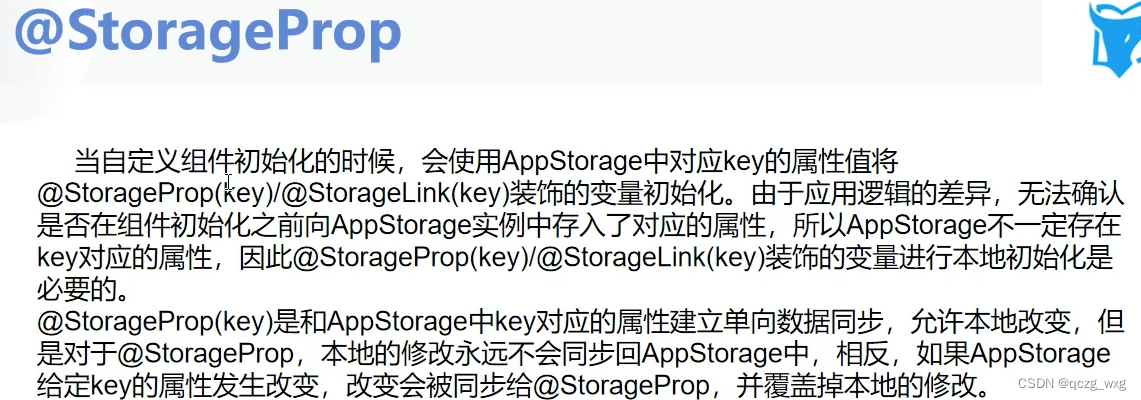
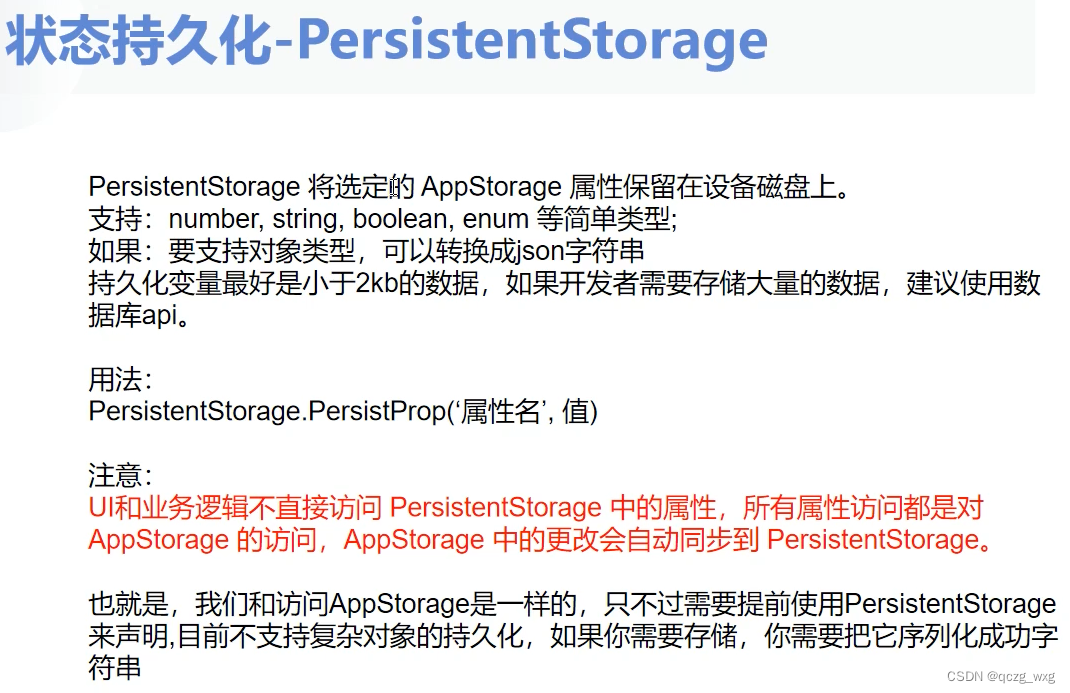
上述代码有一个问题,数据没有持久化存储,观点app在重新打开,购物车里的商品会消失

需要持久化
//一句话实现持久化存储
PersistentStorage.PersistProp(Key,‘’)
import { Key } from '../tools/util'
//一句话实现持久化存储
PersistentStorage.PersistProp(Key,'')
@Entry
@Component
@Preview
struct Index2 {
  //购物车界面,有添加商品,跳转到别的界面,购物车信息依然可以共享
  //大部分的时候存储的是json字符串,AppStorage是存储在内存中,需要持久化
  @StorageProp(Key)//必须初始化,如果有值就取出来,如果没值就把初始化的值存入AppStorage
  cart:string = ''
  build() {
    Column({ space: 20 }) {
       Text(`购物车的商品:${this.cart}`).fontSize(30)

    }.justifyContent(FlexAlign.Center).height('100%').width('100%')
  }
   // test(){
   //   JSON.parse(this.cart)
   //   JSON.stringify()
   // }
}
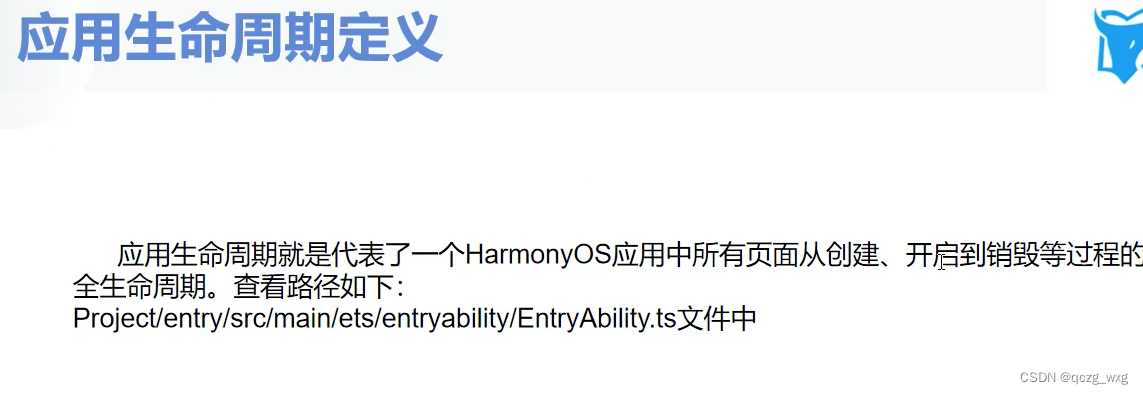
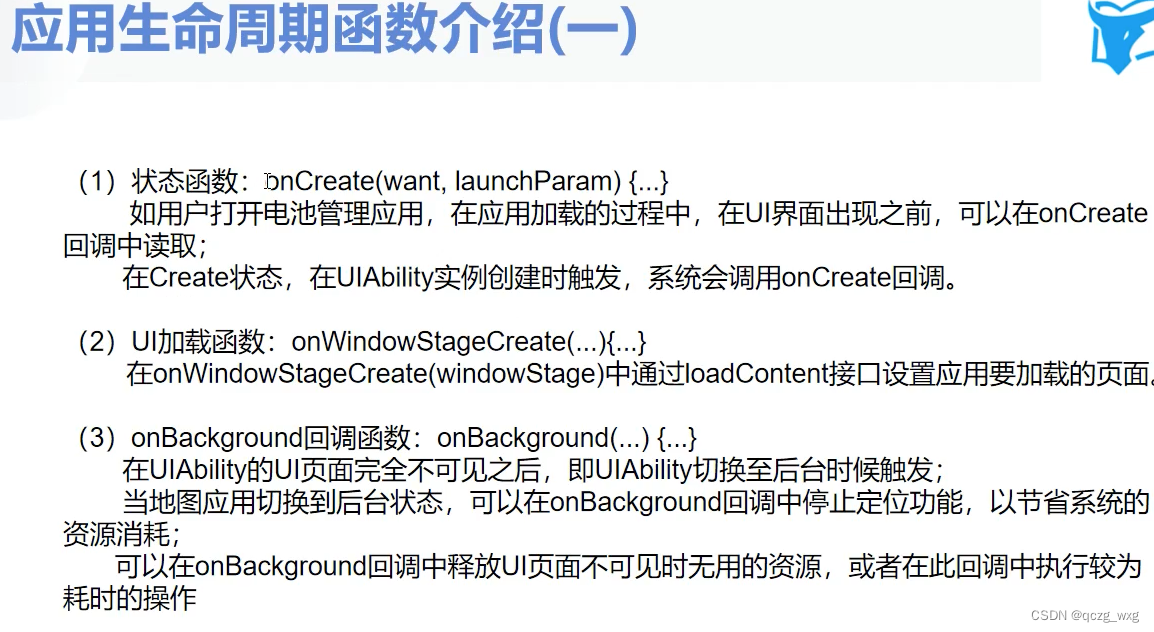
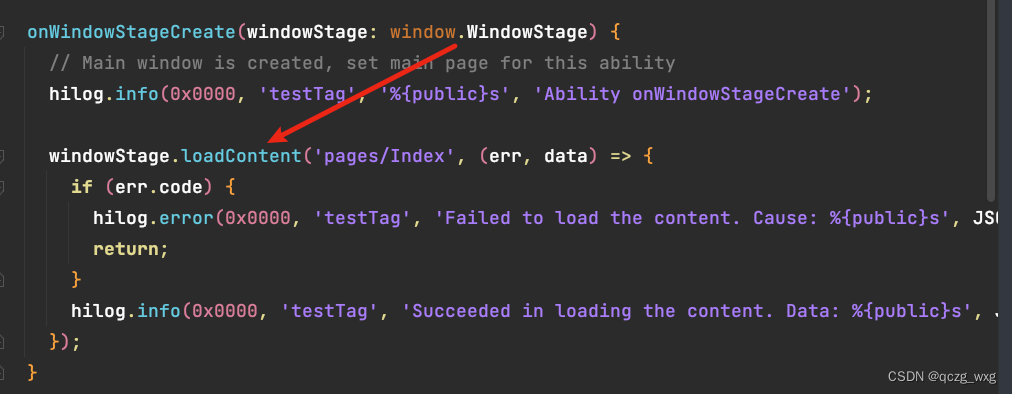
在src/main/ets/entryability/EntryAbility.ts的onWindowStageCreate()中加载默认启动的界面
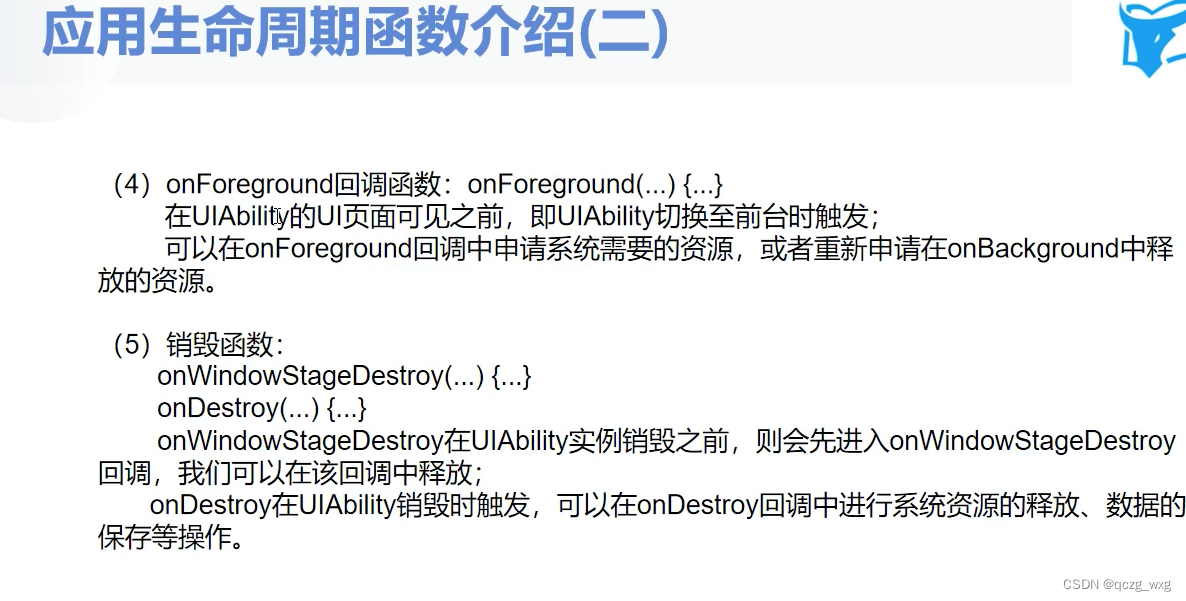
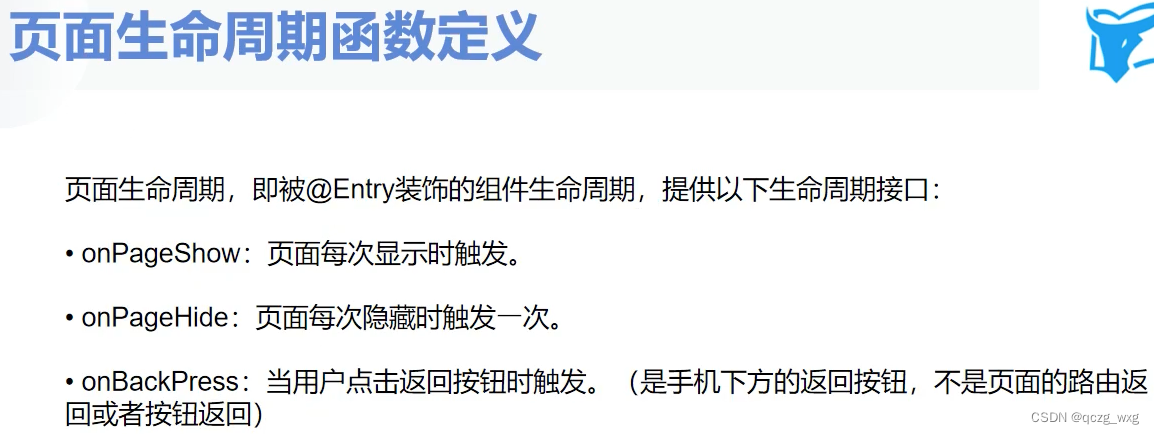
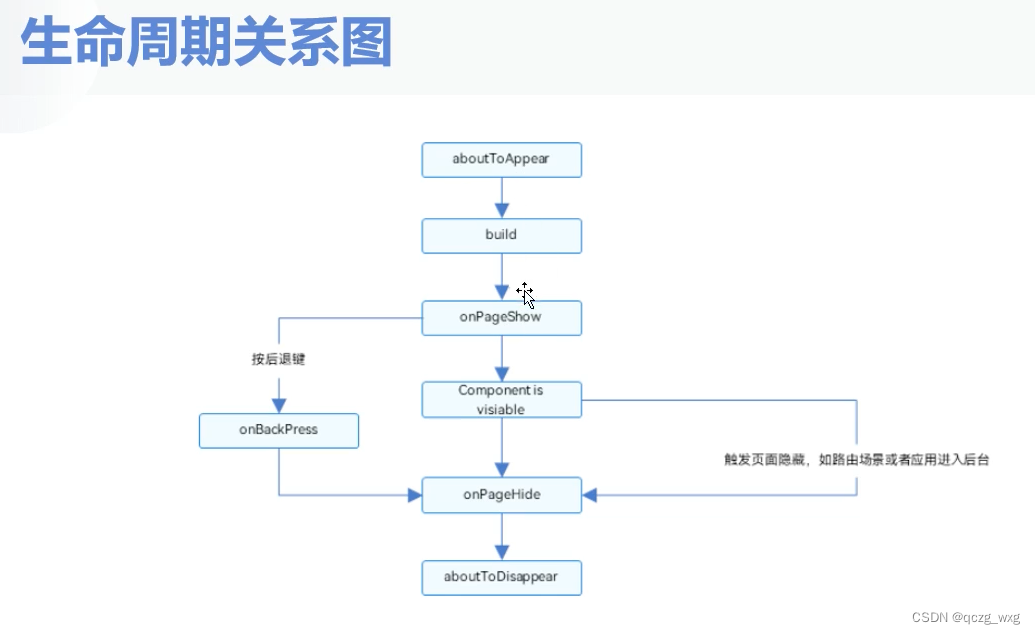
//组件在界面中的生命周期函数
//界面出现时候的回调
aboutToAppear(){}
//界面销毁时候的回调
aboutToDisappear(){}
import router from '@ohos.router'
@Entry
@Component
@Preview
struct Index {
  aboutToAppear(){
    console.log("马超","aboutToAppear")
  }
  aboutToDisappear(){
    console.log("马超","aboutToDisappear")
  }
  onPageShow(){
    console.log("马超","onPageShow")
  }
  onPageHide(){
    console.log("马超","onPageHide")
  }

  build() {
    Column({ space: 20 }) {

      Button('界面跳转').onClick(()=>{
        //界面跳转,
         router.pushUrl({url:'pages/GoodsPages'})
      })
    }.justifyContent(FlexAlign.Center).height('100%').width('100%')
  }
}
启动app时候的打印
06-09 16:53:36.367 20540-974/? I 0FEFE/JsApp: 马超 aboutToAppear
06-09 16:53:36.368 20540-974/? I 0FEFE/JsApp: 马超 onPageShow
屏幕息屏的时候调用
06-09 16:54:06.228 20540-974/com.example.myapplication I 0FEFE/JsApp: 马超 onPageHide
pushUrl时候的跳转
06-09 16:55:12.002 20540-974/com.example.myapplication I 0FEFE/JsApp: 马超 onPageHide
replaceUrl时候的跳转
06-09 16:56:29.723 22798-1042/com.example.myapplication I 0FEFE/JsApp: 马超 aboutToDisappear
退出app时候的跳转
06-09 16:56:29.723 22798-1042/com.example.myapplication I 0FEFE/JsApp: 马超 aboutToDisappear
只有@Component修饰而没有@Entry修饰的组件只有下面两个方法
aboutToAppear(){
console.log("马超","aboutToAppear")
}
aboutToDisappear(){
console.log("马超","aboutToDisappear")
}```

讨论HarmonyOS开发技术,专注于API与组件、DevEco Studio、测试、元服务和应用上架分发等。
更多推荐

 2
2 0
0- 0


 已为社区贡献7条内容

所有评论(0)