[HarmonyOS Next示例代码] 鸿蒙功能开发 - 机器学习-场景化视觉服务
本示例展示了使用视觉类AI能力中的人脸活体验证能力。本示例模拟了在应用里,跳转人脸活体验证控件,获取到验证结果并展示出来。需要使用hiai引擎框架人脸活体验证接口@kit.VisionKit.d.ts。
·
介绍
本示例展示了使用视觉类AI能力中的人脸活体验证能力。
本示例模拟了在应用里,跳转人脸活体验证控件,获取到验证结果并展示出来。
需要使用hiai引擎框架人脸活体验证接口@kit.VisionKit.d.ts。
效果预览
| 主窗口 | 开始检测 | 检测成功 | 检测失败 | 检测结果成功 | 检测结果失败 |
|---|---|---|---|---|---|
|
|
|
|
|
|
|
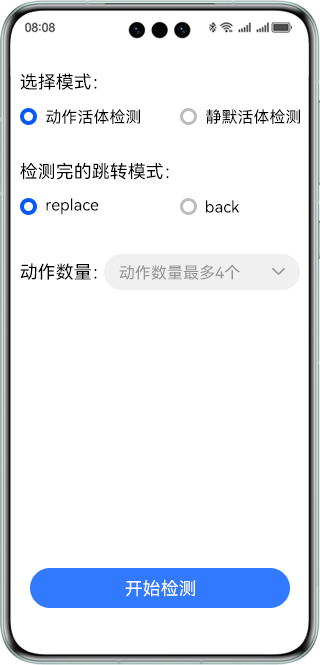
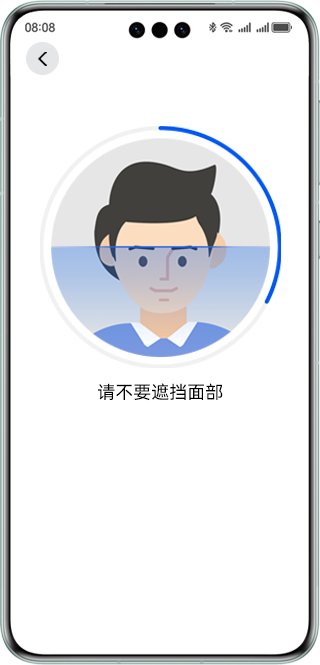
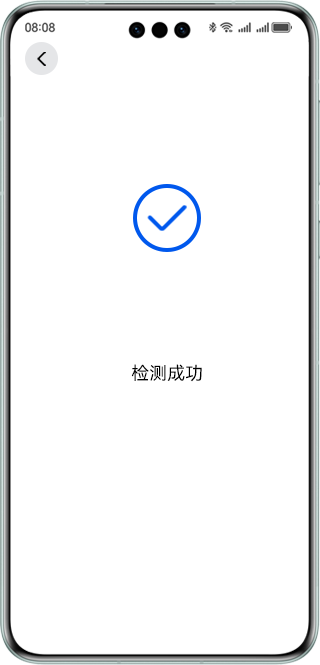
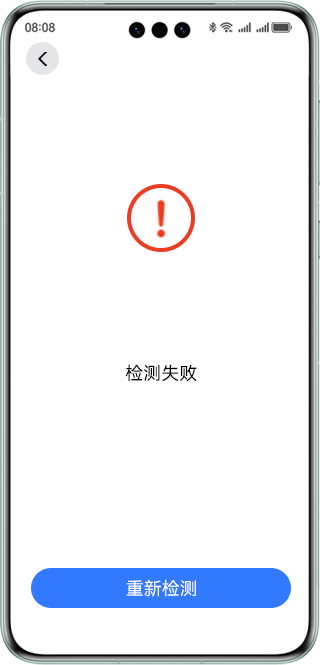
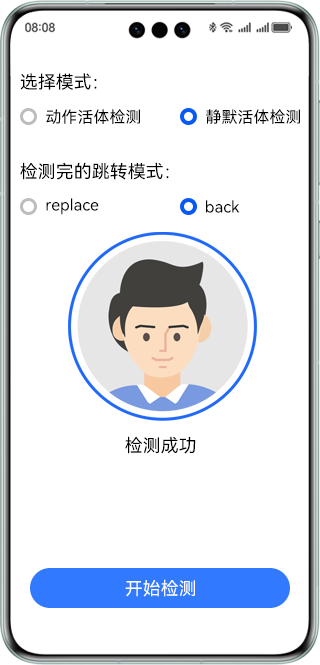
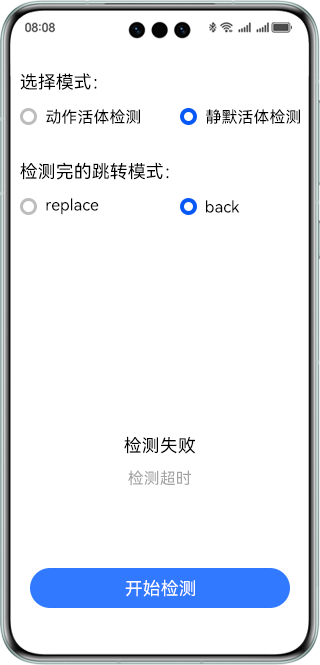
使用说明:
- 在手机的主屏幕,点击”faceDetectionDemo“,启动应用。
- 点击“开始检测”按钮,进入人脸检测验证控件。
- 验证结束后返回到主屏幕获取到验证结果并展示出来。
具体实现
本示例展示的控件在@kit.VisionKit.d.ts定义了活体检测API:
/**
 * Entry to the face liveness detection page.
 * The security camera needs to apply for network permissions.
 *
 * @permission ohos.permission.CAMERA
 * @permission ohos.permission.INTERNET
 * @param { config } Liveness detection configuration item.
 * @returns { Promise<boolean> } Result of entering the liveness detection control.
 * @throws { BusinessError } 1008301002 Route switching failed.
 * @syscap SystemCapability.AI.Component.LivenessDetect
 * @atomicservice
 * @since 5.0.0(12)
 * */
function startLivenessDetection(config: InteractiveLivenessConfig): Promise<boolean>;

/**
 * Obtains the face and liveness detection result.
 *
 * @returns { Promise<InteractiveLivenessResult> } The results of the liveness test.
 * @throws { BusinessError } 1008302000 Detection algorithm initialization.
 * @throws { BusinessError } 1008302001 Detection timeout.
 * @throws { BusinessError } 1008302002 Action mutual exclusion error.
 * @throws { BusinessError } 1008302003 Continuity Check Failure.
 * @throws { BusinessError } 1008302004 The test is not complete.
 * @syscap SystemCapability.AI.Component.LivenessDetect
 * @atomicservice
 * @since 5.0.0(12)
 * */
function getInteractiveLivenessResult(): Promise<InteractiveLivenessResult>;
业务使用时,需要先进行import导入interactiveLiveness。 调用进入活体控件接口和验证结果接口,接收处理返回的结果。参考entry/src/main/ets/pages/index.ets.
相关权限
ohos.permission.CAMERA。
依赖
不涉及。

讨论HarmonyOS开发技术,专注于API与组件、DevEco Studio、测试、元服务和应用上架分发等。
更多推荐
 4
4 0
0- 0


 已为社区贡献159条内容

所有评论(0)