鸿蒙应用开发-ArkUI入门创建轮播
·
Swiper组件提供滑动轮播显示的能力。
Swiper本身是一个容器组件,当设置了多个子组件后,可以对这些子组件进行轮播显示。
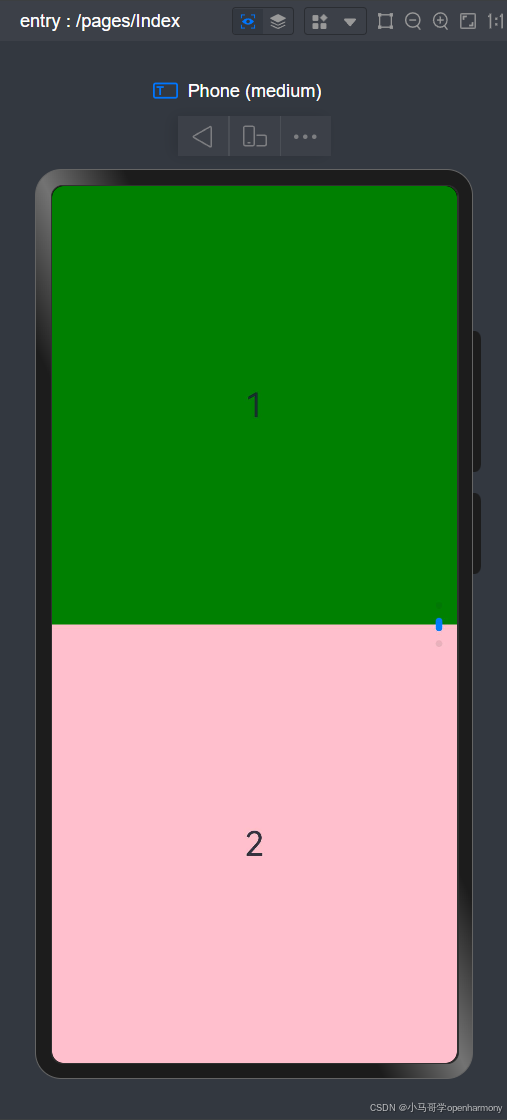
话不多说写代码看注解查效果!!!
//日志模块
import hilog from '@ohos.hilog';

@Entry
@Component
struct Index {
  build() {
    Swiper() {
      Text('0')
        .width('100%')
        .height('100%')
        .backgroundColor(Color.Gray)
        .textAlign(TextAlign.Center)
        .fontSize(30)

      Text('1')
        .width('100%')
        .height('100%')
        .backgroundColor(Color.Green)
        .textAlign(TextAlign.Center)
        .fontSize(30)

      Text('2')
        .width('100%')
        .height('100%')
        .backgroundColor(Color.Pink)
        .textAlign(TextAlign.Center)
        .fontSize(30)
    }
    //是否展示导航点
    .indicator(true)
    //控制是否循环播放
    .loop(true)
    //控制是否自动轮播子组件
    .autoPlay(true)
    //播放间隔通过interval属性设置
    .interval(3000)
    //控制水平和垂直方向上进行轮播
    .vertical(true)
    //Swiper支持在一个页面内同时显示多个子组件,通过displayCount属性设置。
    .displayCount(2)
  }
}

讨论HarmonyOS开发技术,专注于API与组件、DevEco Studio、测试、元服务和应用上架分发等。
更多推荐



 2
2 0
0- 0


 已为社区贡献13条内容

所有评论(0)