鸿蒙应用开发-ArkUI入门线性布局
·
线性布局(LinearLayout)是开发中最常用的布局,通过线性容器Row和Column构建。
基本概念
-
布局容器:具有布局能力的容器组件,可以承载其他元素作为其子元素,布局容器会对其子元素进行尺寸计算和布局排列。
-
布局子元素:布局容器内部的元素。
-
主轴:线性布局容器在布局方向上的轴线,子元素默认沿主轴排列。Row容器主轴为水平方向,Column容器主轴为垂直方向。
-
交叉轴:垂直于主轴方向的轴线。Row容器交叉轴为垂直方向,Column容器交叉轴为水平方向。
-
间距:布局子元素的间距。在布局容器内,可以通过space属性设置排列方向上子元素的间距,使各子元素在排列方向上有等间距效果。
Column容器内排列方向的间距
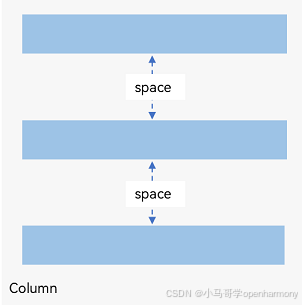
示例:
    Column({ space: 50 }) {
      Text('space: 50').fontSize(15).fontColor(Color.Gray).width('90%')
      Row().width('50%').height(50).backgroundColor(0xF5DEB3)
      Row().width('70%').height(50).backgroundColor(0xD2B48C)
      Row().width('90%').height(50).backgroundColor(0xF5DEB3)
    }.width('100%')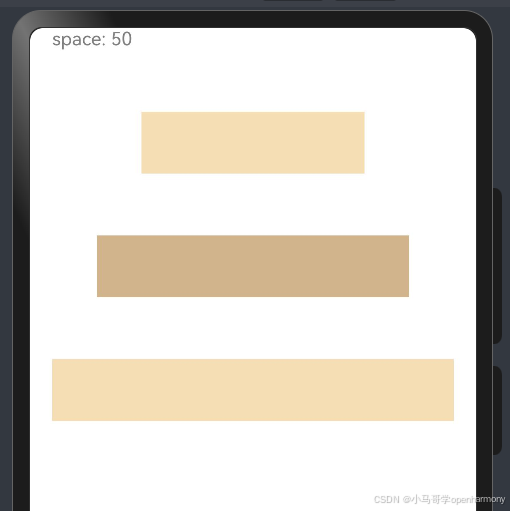
Row容器内排列方向上的间距
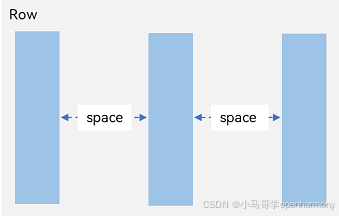
示例:
    Row({ space: 25 }) {
      Text('space: 25').fontSize(15).fontColor(Color.Gray)
      Row().width('20%').height(150).backgroundColor(0xF5DEB3)
      Row().width('20%').height(150).backgroundColor(0xD2B48C)
      Row().width('20%').height(150).backgroundColor(0xF5DEB3)
    }.width('100%')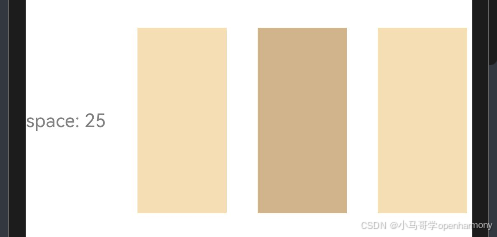
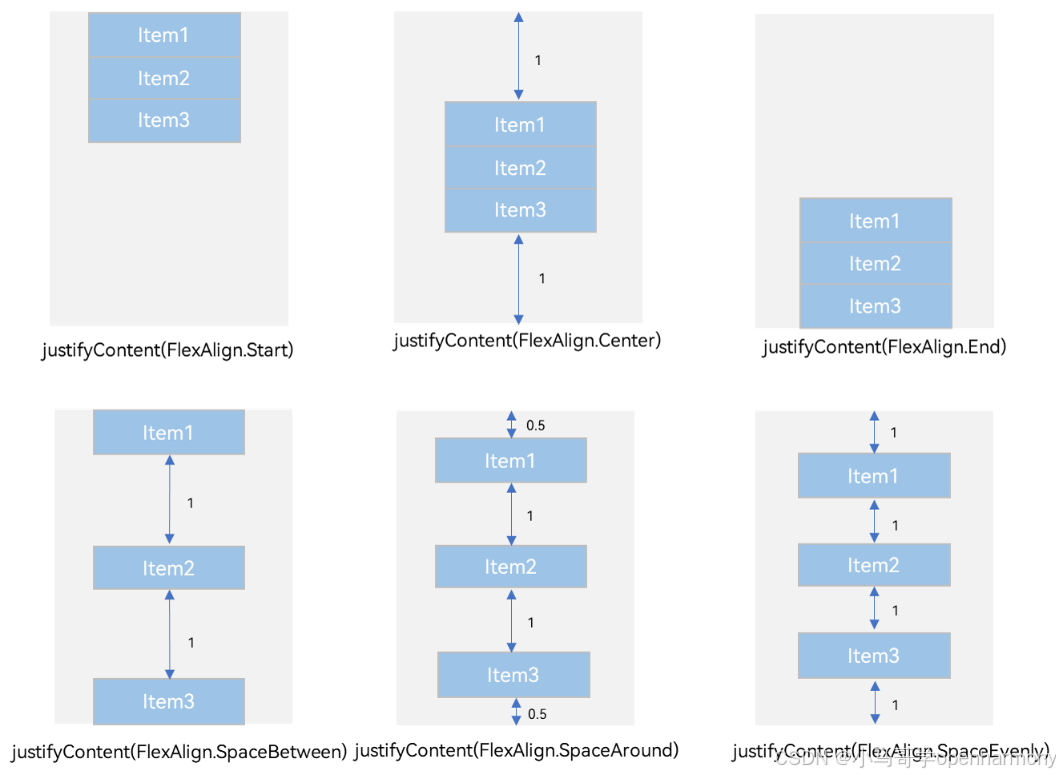
布局子元素在主轴上的排列方式
Column容器内子元素在垂直方向上的排列
Column({}) {
      Column() {
      }.width('80%').height(50).backgroundColor(0xF5DEB3)

      Column() {
      }.width('80%').height(50).backgroundColor(0xD2B48C)

      Column() {
      }.width('80%').height(50).backgroundColor(0xF5DEB3)
    }.width('100%')
    .height(300)
    .backgroundColor('rgb(242,242,242)')
    //FlexAlign.Start 顶部排列
    //FlexAlign.Center 居中排列
    //FlexAlign.End 底部排列
    //FlexAlign.SpaceBetween 顶部底部对齐散列
    //FlexAlign.SpaceAround 垂直间隔均分散列
    //FlexAlign.SpaceEvenly 垂直绝对均分散列
    .justifyContent(FlexAlign.SpaceEvenly)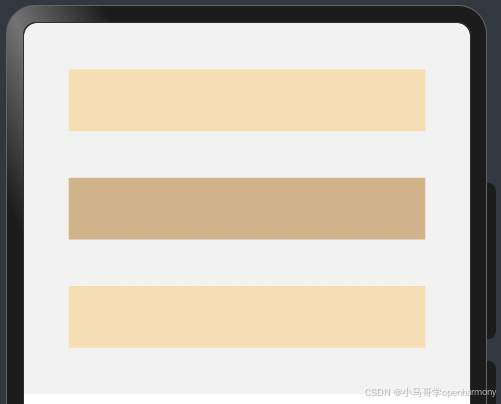
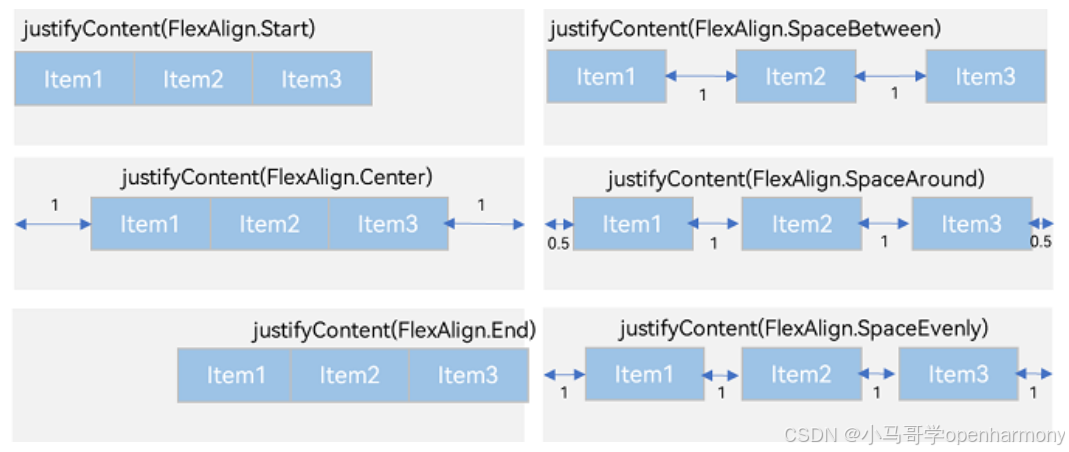
Row容器内子元素在水平方向上的排列
Row({}) {
      Column() {
      }.width('20%').height(30).backgroundColor(0xF5DEB3)

      Column() {
      }.width('20%').height(30).backgroundColor(0xD2B48C)

      Column() {
      }.width('20%').height(30).backgroundColor(0xF5DEB3)
    }.width('100%').height(200).backgroundColor('rgb(242,242,242)')
    //FlexAlign.Start 左排列 FlexAlign.Center 居中排列  FlexAlign.End 右排列
    //FlexAlign.SpaceBetween 收尾对齐间隔均分散列
    //FlexAlign.SpaceAround 间隔均分散列
    //FlexAlign.SpaceEvenly 绝对均分散列
    .justifyContent(FlexAlign.SpaceBetween)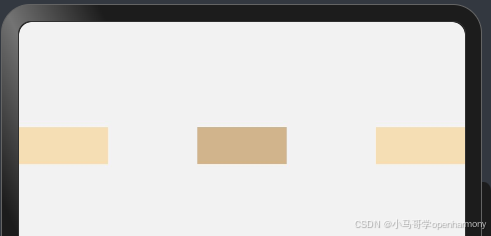
布局子元素在交叉轴上的对齐方式
Column({}) {
      Column() {
      }.width('80%').height(50).backgroundColor(0xF5DEB3)

      Column() {
      }.width('80%').height(50).backgroundColor(0xD2B48C)

      Column() {
      }.width('80%').height(50).backgroundColor(0xF5DEB3)
    }.width('100%')
    //HorizontalAlign.Start  左对齐
    //HorizontalAlign.Center  水平居中
    //HorizontalAlign.End  右对齐
    .alignItems(HorizontalAlign.End)
    .backgroundColor('rgb(242,242,242)')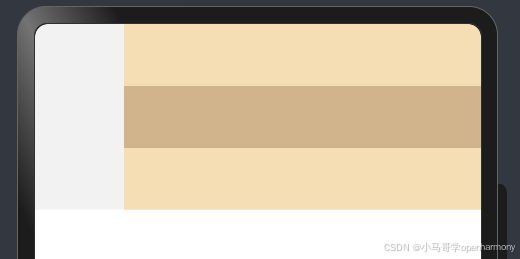
Row({}) {
      Column() {
      }.width('20%').height(30).backgroundColor(0xF5DEB3)

      Column() {
      }.width('20%').height(30).backgroundColor(0xD2B48C)

      Column() {
      }.width('20%').height(30).backgroundColor(0xF5DEB3)
    }.width('100%')
    .height(100)
    //VerticalAlign.Top 顶部对齐
    //VerticalAlign.Center 垂直居中
    //VerticalAlign.Bottom 底部对齐
    .alignItems(VerticalAlign.Bottom)
    .backgroundColor('rgb(242,242,242)')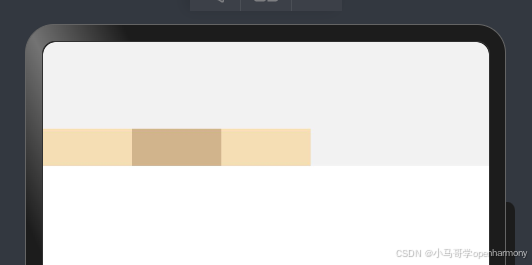

讨论HarmonyOS开发技术,专注于API与组件、DevEco Studio、测试、元服务和应用上架分发等。
更多推荐


 3
3 0
0- 0


 已为社区贡献13条内容

所有评论(0)