鸿蒙应用开发-ArkUI入门媒体查询
·
概述
媒体查询常用于下面两种场景:
-
针对设备和应用的属性信息(比如显示区域、深浅色、分辨率),设计出相匹配的布局。
-
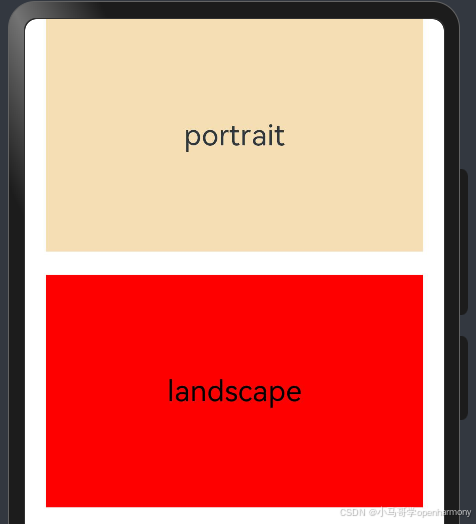
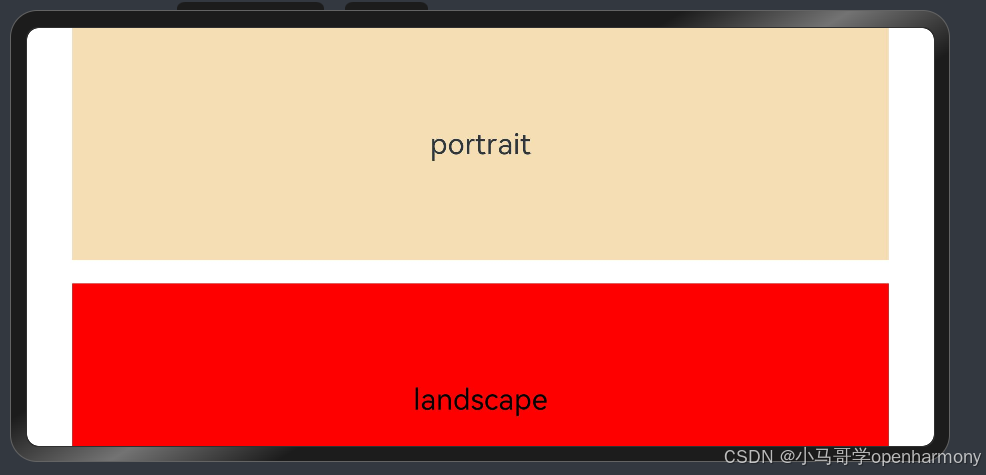
当屏幕发生动态改变时(比如分屏、横竖屏切换),同步更新应用的页面布局。
引入与使用
//日志模块
import hilog from '@ohos.hilog';
//1.引入媒体查询模块
import mediaquery from '@ohos.mediaquery';
import common from '@ohos.app.ability.common';
import window from '@ohos.window';

@Entry
@Component
struct Index {
  // 2.监听事件 当设备横屏时条件成立
  listener: mediaquery.MediaQueryListener =
  mediaquery.matchMediaSync('(orientation: landscape)'); //媒体条件过滤

  // 3.创建回调函数 当满足媒体查询条件时,触发回调
  onPortrait(mediaQueryResult: mediaquery.MediaQueryResult) {
    if (mediaQueryResult.matches as boolean) {
      // do something here
      hilog.info(0xFF00, "test", "%{public}s", "landscape");
    } else {
      // do something here
      hilog.info(0xFF00, "test", "%{public}s", "portrait");
    }
  }

  aboutToAppear() {
    hilog.info(0xFF00, "test", "%{public}s", "aboutToAppear");
    // let portraitFunc = (mediaQueryResult: mediaquery.MediaQueryResult): void => this.onPortrait(mediaQueryResult)
    // this.listener.on('change', portraitFunc);

    //4.绑定回调函数
    this.listener.on('change', (mediaQueryResult: mediaquery.MediaQueryResult) => {
      this.onPortrait(mediaQueryResult)
    });
  }

  aboutToDisappear() {
    hilog.info(0xFF00, "test", "%{public}s", "aboutToDisappear");
    this.listener.off('change')
  }

  private changeOrientation(isLandscape: boolean) {
    let context: common.UIAbilityContext = getContext() as common.UIAbilityContext
    window.getLastWindow(context).then((lastWindow) => {
      lastWindow.setPreferredOrientation(isLandscape ? window.Orientation.LANDSCAPE : window.Orientation.PORTRAIT)
    });
  }

  build() {
    Column({ space: 20 }) {
      Row() {
        Text('portrait').fontSize(25)
      }
      .backgroundColor(0xF5DEB3)
      .justifyContent(FlexAlign.Center)
      .height('200')
      .width('90%')
      .onClick(() => {
        this.changeOrientation(false);
      })

      Text('landscape')
        .fontSize(25)
        .fontColor(Color.Black)
        .width('90%')
        .height('200')
        .textAlign(TextAlign.Center)
        .backgroundColor(Color.Red)

    }.width('100%')
    .height('100%')
    .onClick(() => {
      this.changeOrientation(true);
    })
  }
}


讨论HarmonyOS开发技术,专注于API与组件、DevEco Studio、测试、元服务和应用上架分发等。
更多推荐



 2
2 0
0- 0


 已为社区贡献13条内容

所有评论(0)