鸿蒙应用开发-ArkUI入门层叠布局
·
层叠布局通过Stack容器组件实现位置的固定定位与层叠,容器中的子元素依次入栈,后一个子元素覆盖前一个子元素,子元素可以叠加,也可以设置位置。
Stack组件通过alignContent参数实现位置的相对移动。支持九种对齐方式。
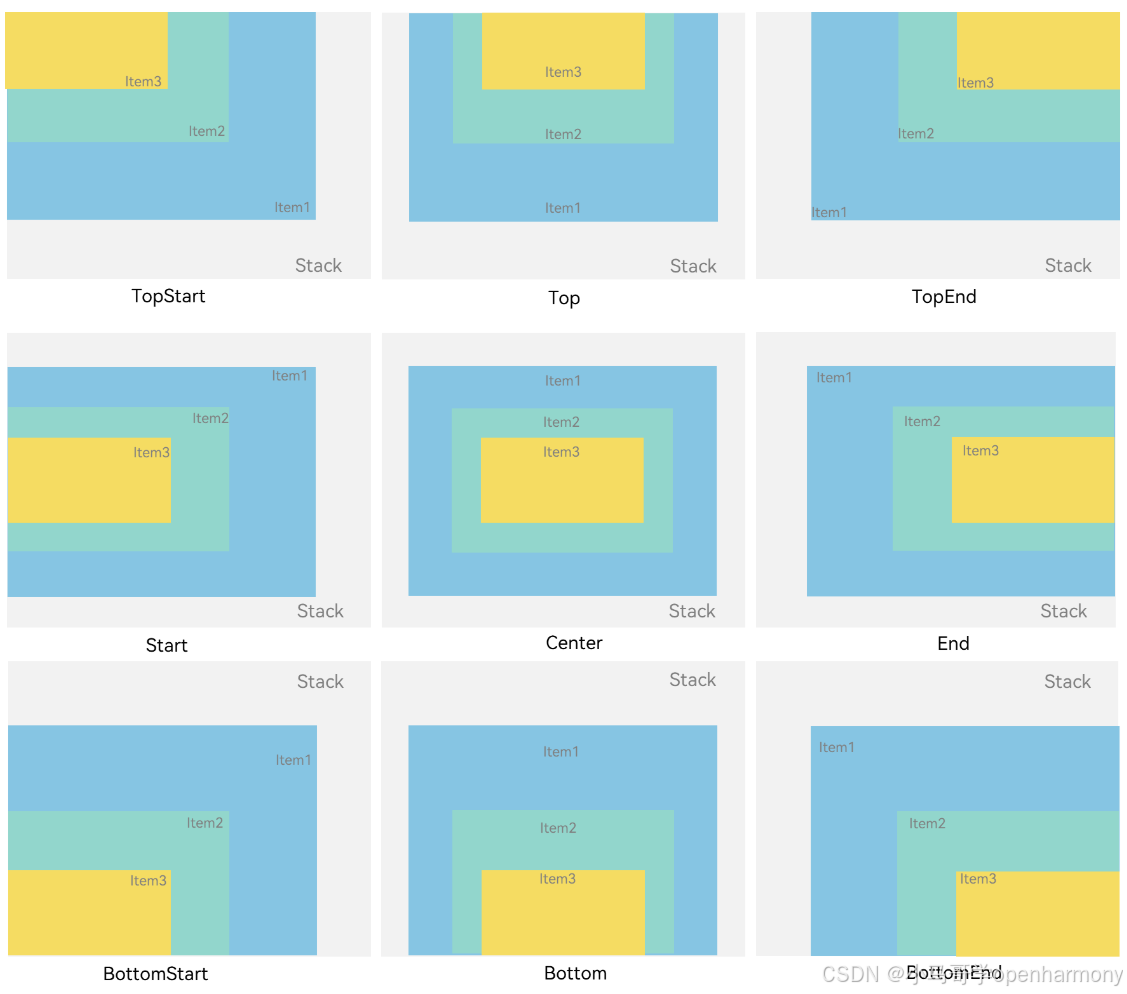
Stack({ alignContent: Alignment.TopStart }) {
      Text('Stack')
        .width('100%')
        .height('100%')
        .backgroundColor('#e1dede')
        .align(Alignment.Bottom)
        .textAlign(TextAlign.End)
      Text('Item 1')
        .width('80%')
        .height('80%')
        .backgroundColor(0xd2cab3)
        .align(Alignment.Bottom)
        .textAlign(TextAlign.End)
      Text('Item 2')
        .width('60%')
        .height('60%')
        .backgroundColor(0xc1cbac)
        .align(Alignment.Bottom)
        .textAlign(TextAlign.End)
    }.width('100%').height(200).margin({ top: 5 })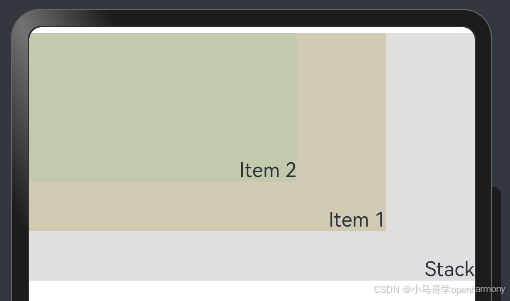
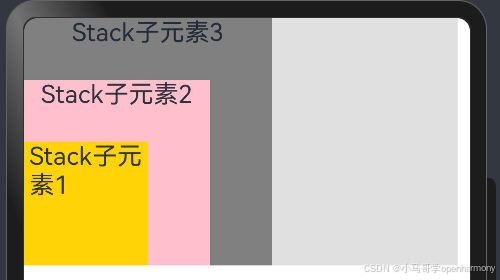
Stack容器中兄弟组件显示层级关系可以通过Z序控制的zIndex属性改变。zIndex值越大,显示层级越高,即zIndex值大的组件会覆盖在zIndex值小的组件上方。
Stack({ alignContent: Alignment.BottomStart }) {

      Column() {
        Text('Stack子元素1').fontSize(20)
      }.width(100).height(100).backgroundColor(0xffd306).zIndex(2)

      Column() {
        Text('Stack子元素2').fontSize(20)
      }.width(150).height(150).backgroundColor(Color.Pink).zIndex(1)

      Column() {
        Text('Stack子元素3').fontSize(20)
      }.width(200).height(200).backgroundColor(Color.Grey).zIndex(0)

    }.width(350).height(200).backgroundColor(0xe0e0e0)

  }

讨论HarmonyOS开发技术,专注于API与组件、DevEco Studio、测试、元服务和应用上架分发等。
更多推荐


 2
2 0
0- 0


 已为社区贡献13条内容

所有评论(0)