ArkTS基础实验 (二)
·
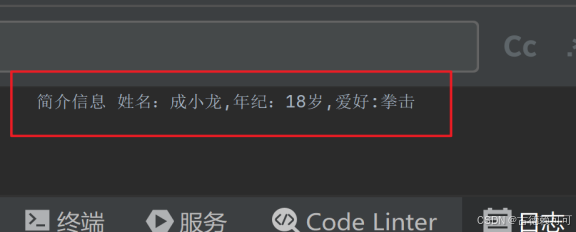
任务一:使用模板字符串相关知识,实现多个变量的拼接。同学们可以把自己的姓名、年纪和爱好这三个变量进行拼接。把代码和日志中console.log的打印结果截图保留。
预期效果:
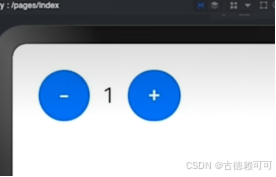
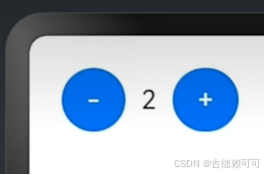
任务二:使用状态变量和点击事件相关知识实现计数器案例,购物车的计数器可以通过点击按钮使得计数的数值增大或减少。
预期效果:
任务三:美团购物车
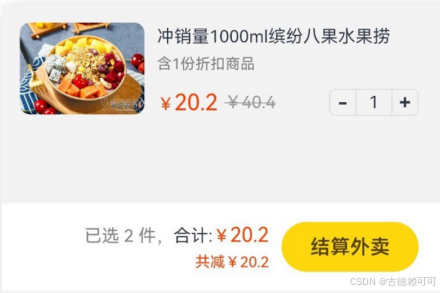
需求分析:
商品区域:数字框 + -
底部结算:联动计算 并 渲染展示
① 已选件数
② 总价格
③ 优惠价格
参考资料:55-综合案例-美团购物车_哔哩哔哩_bilibili
预期效果:
核心思路:
1.提取状态:数量、原价、现价
2.界面绑定
3.点击修改数据,自动更新
实验过程:
// 定义变量
let name = "张三";
let age = 18;
let hobby = "打篮球";

// 使用模板字符串拼接
let result = `${name}今年${age}岁,爱好是${hobby}。`;

// 打印结果
console.log(result);


@Entry
@Component
struct Index {
  @State count: number = 1

  build() {
    Row() {
      Button('-')
        .onClick(() => {
          this.count = this.count-1
        })
      Text(this.count.toString()).margin(10)
      Button('+')
        .onClick(() => {
          this.count = this.count + 1
        })
    }
    .padding(20)
  }
}


@Entry
@Component
struct Index {
  // 核心思路:
  // 1. 提取状态: 数量, 原价, 现价
  // 2. 结合状态渲染
  // 3. 修改状态, 界面自动更新
  @State count: number = 5
  @State oldPrice: number = 40.4
  @State newPrice: number = 10.4
  build() {
    Column() {
      Column() {
        // 产品
        Row({ space: 10}){
          // 图片
          Image($r('app.media.img'))
            .width(100)
            .borderRadius(8)
          // 文字
          Column({space: 10}) {
            Column({ space: 6}) {
              Text('冲销量1000ml缤纷八果水果捞')
                .lineHeight(20)
                .fontSize(14)
              Text('含1份折扣商品')
                .fontSize(12)
                .fontColor('#7f7f7f')
            }
            .width('100%')
            .alignItems(HorizontalAlign.Start)
            Row(){
              // 价格
              Row({ space: 5}) {
                Text() {
                  Span('¥')
                    .fontSize(14)
                  Span(this.newPrice.toFixed(2))
                    .fontSize(18)
                }
                .fontColor('#ff4000')
                Text() {
                  Span('¥')
                  Span(this.oldPrice.toFixed(2))
                }
                .fontSize(14)
                .fontColor('#999')
                .decoration({type: TextDecorationType.LineThrough, color: '#999'})
              }
              // 加减
              Row() {
                Text('-')
                  .width(22)
                  .height(22)
                  .border({width:1, color: '#e1e1e1', radius: {topLeft: 5, bottomLeft: 5}})
                  .textAlign(TextAlign.Center)
                  .fontWeight(700)
                  .onClick(() => {
                    // this.count = this.count - 1
                    // 让状态变量,在原有数据的基础上自减1
                    this.count--
                  })
                Text(this.count.toString())
                  .height(22)
                  .border({width: { top:1, bottom: 1 }, color: '#e1e1e1'})
                  .padding({left: 10, right: 10})
                  .fontSize
讨论HarmonyOS开发技术,专注于API与组件、DevEco Studio、测试、元服务和应用上架分发等。
更多推荐
 7
7 0
0- 0


 已为社区贡献3条内容

所有评论(0)