ArkUI---抽奖
·
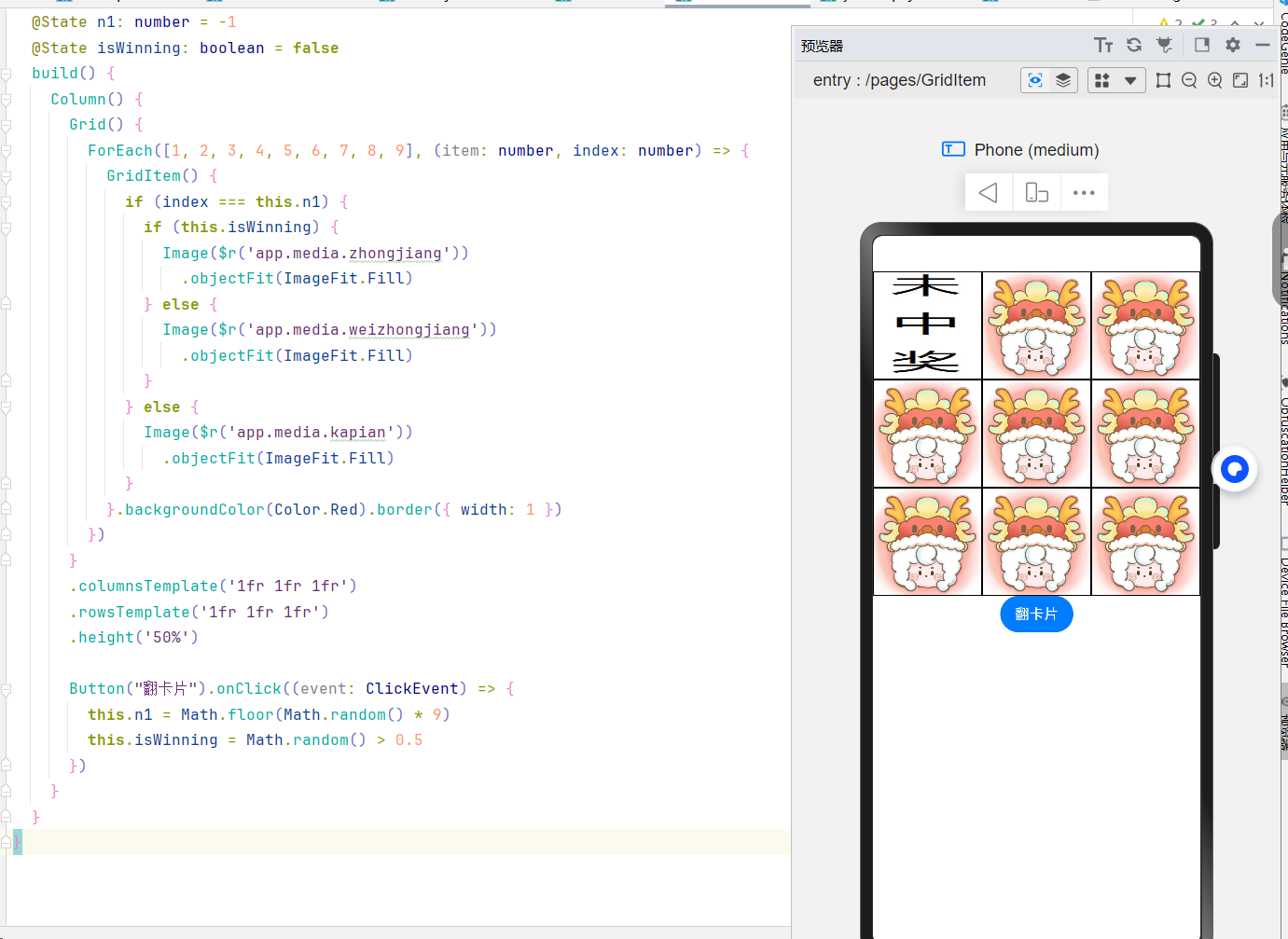
本文介绍了一个名为Index46的组件,用于实现一个简单的翻卡片游戏。组件通过Grid布局展示9张卡片,点击“翻卡片”按钮会随机选择一张卡片并判断是否中奖。如果中奖,显示中奖图片;否则显示未中奖图片。卡片背景为红色,带有1像素的边框。Grid采用3x3的布局,按钮点击事件通过随机数生成卡片索引和中奖状态。该组件展示了如何使用状态管理和条件渲染来实现动态交互效果。
@Entry
@Component
struct Index46 {
  @State n1: number = -1
  @State isWinning: boolean = false
  build() {
    Column() {
      Grid() {
        ForEach([1, 2, 3, 4, 5, 6, 7, 8, 9], (item: number, index: number) => {
          GridItem() {
            if (index === this.n1) {
              if (this.isWinning) {
                Image($r('app.media.zhongjiang'))
                  .objectFit(ImageFit.Fill)
              } else {
                Image($r('app.media.weizhongjiang'))
                  .objectFit(ImageFit.Fill)
              }
            } else {
              Image($r('app.media.kapian'))
                .objectFit(ImageFit.Fill)
            }
          }.backgroundColor(Color.Red).border({ width: 1 })
        })
      }
      .columnsTemplate('1fr 1fr 1fr')
      .rowsTemplate('1fr 1fr 1fr')
      .height('50%')

      Button("翻卡片").onClick((event: ClickEvent) => {
        this.n1 = Math.floor(Math.random() * 9)
        this.isWinning = Math.random() > 0.5
      })
    }
  }
}

讨论HarmonyOS开发技术,专注于API与组件、DevEco Studio、测试、元服务和应用上架分发等。
更多推荐


 4
4 0
0- 0


 已为社区贡献8条内容

所有评论(0)