鸿蒙应用开发:扩充组件安全区、stack层叠组件、组件的快捷键写法、组件导入导出、layoutWeight布局解释、给模拟器配置网络权限、轮播图组件、tabs选项卡、List布局方向调整、不显示滚动条
·
1.扩充组件安全区
.expandSafeArea([SafeAreaType.SYSTEM], [SafeAreaEdge.TOP,SafeAreaEdge.BOTTOM])
2.组件即将显示时 build函数执行前 延迟执行代码 延迟时间为毫秒单位
  // 过3s自动跳转到Layout页面  当Start页面一打开就开始计时
  // 页面打开时执行  start组件被加载后 自动执行的函数
  aboutToAppear(): void { //生命周期  void代表这个函数没有返回值
    setTimeout(()=>{
      this.pathStack.replacePathByName("Layout",null,false)
    },3000)
  }
3.Stack层叠容器组件如何调整内容对齐方式
- Button的位置 内容对齐方式:Stack({alignContent: Alignment.TopEnd}){
  // 在容器组件的小括号里面可以加参数去调
  // 内容对齐方式
  Stack({alignContent: Alignment.TopEnd}){
    Image($r('app.media.start'))
      .width('100%')
      .height('100%')
      .expandSafeArea([SafeAreaType.SYSTEM], [SafeAreaEdge.TOP,SafeAreaEdge.BOTTOM])
    Button('跳过')
      .height(30)
      .backgroundColor(Color.Grey)
      .margin(15)
      .onClick(()=>{
        // this.pathStack.pushPathByName("Layout",null,false)
        // 不支持点返回功能的用replace
        this.pathStack.replacePathByName("Layout",null,false)
      })
  }
4.组件的快捷键写法
comp
MyApplication – Recommend.ets
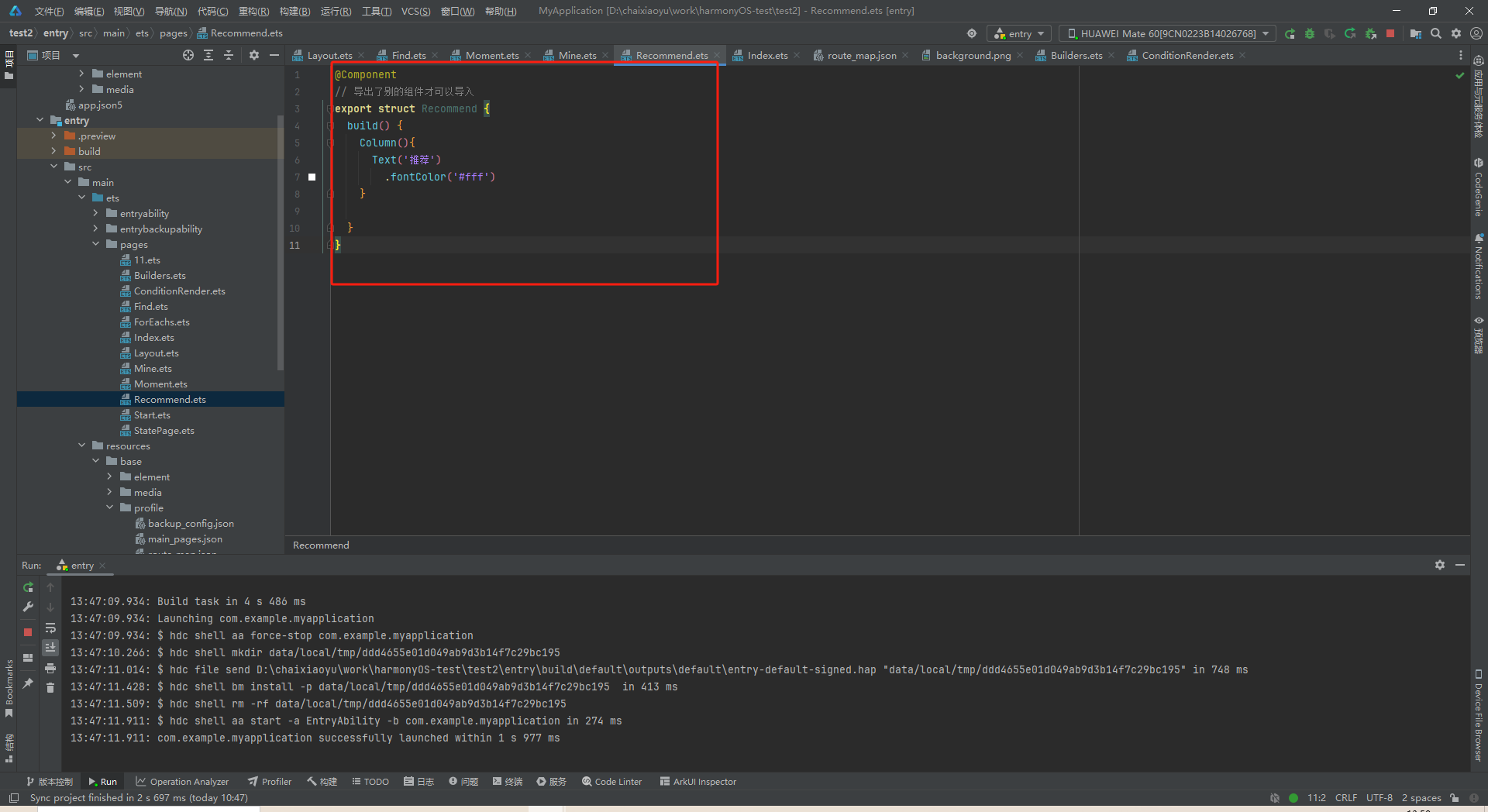
5.组件导出导入
- 组件导出,以下是recommend.ets 文件
@Component
// 导出了别的组件才可以导入
export struct Recommend {
  build() {
    Column(){
      Text('推荐')
        .fontColor('#fff')
    }
  }
}
- 组件导入
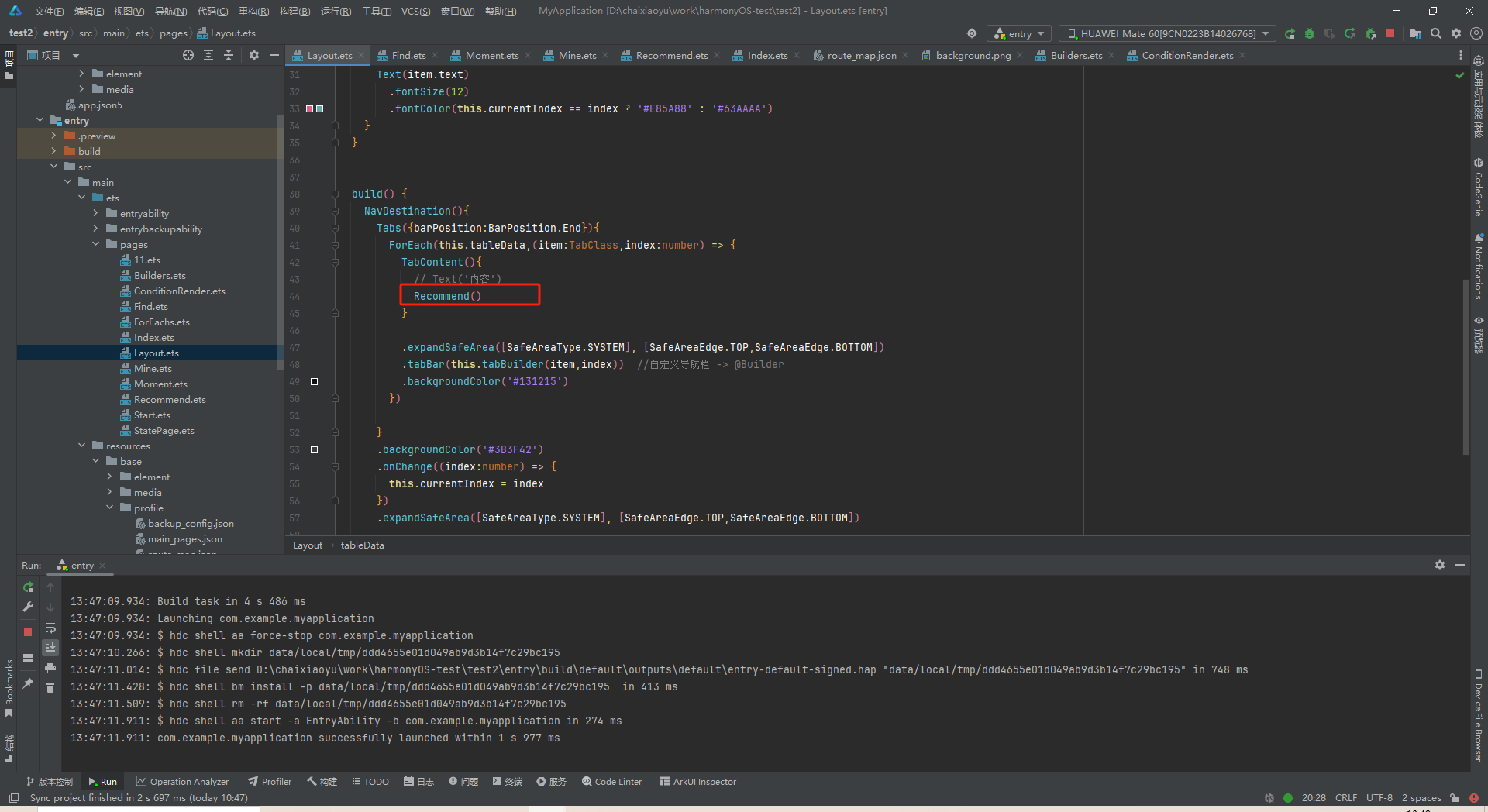
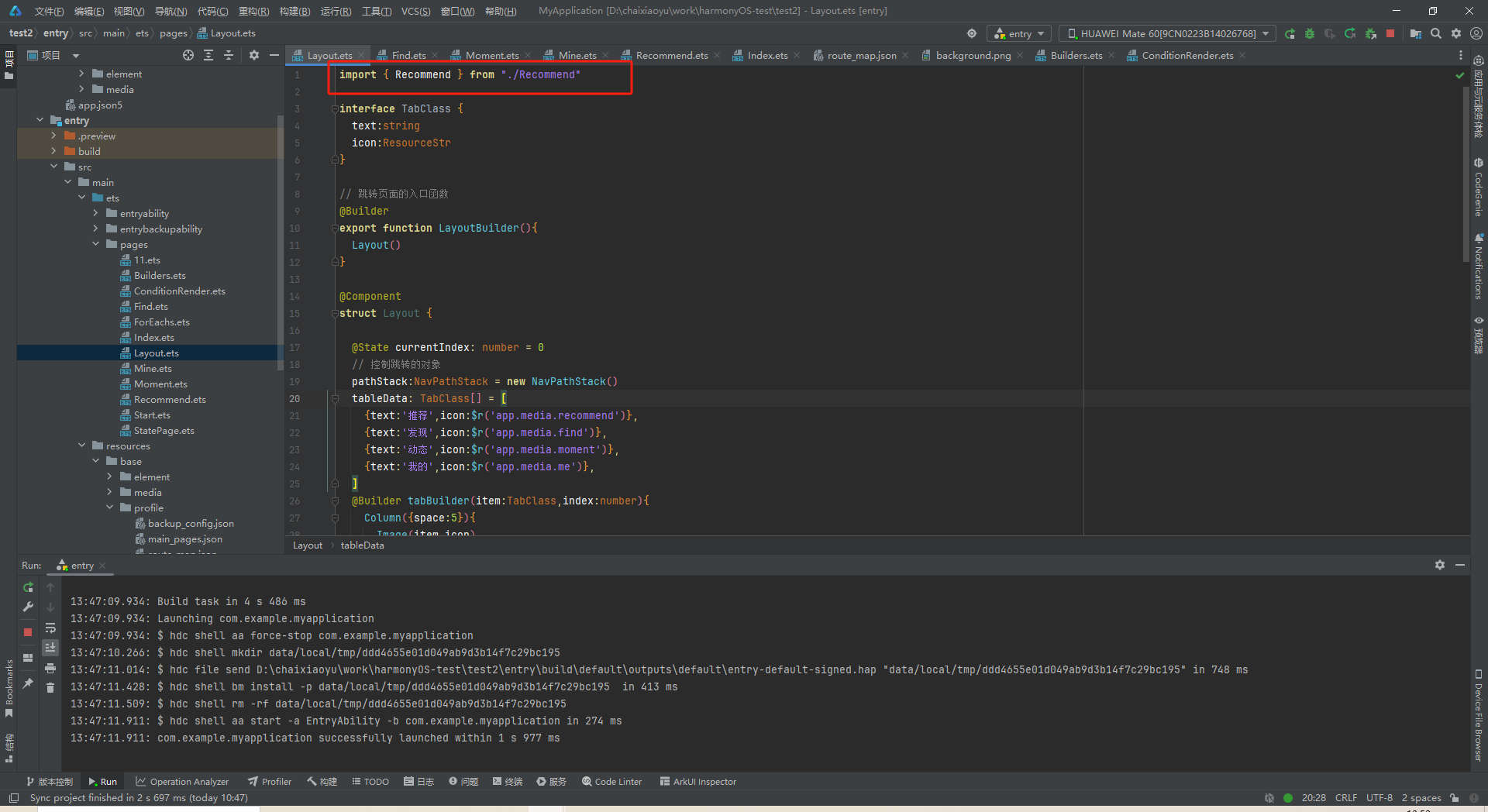
6.layoutWeight
.layoutWeight(1),这意味着在 Row 布局中,这个文本输入框会根据可用空间自动扩展,占据除固定宽度的图标之外的所有剩余空间。
  Row(){
    Image($r('app.media.search'))
      .width(22)
      .fillColor('#817D83')
    TextInput({placeholder:'只因你太美'})
      .placeholderColor('#817D83')
      .fontColor('#999')
      .padding({left:5})
      .layoutWeight(1)
    Image($r('app.media.scan'))
      .width(20)
      .fillColor('#817D83')
  }
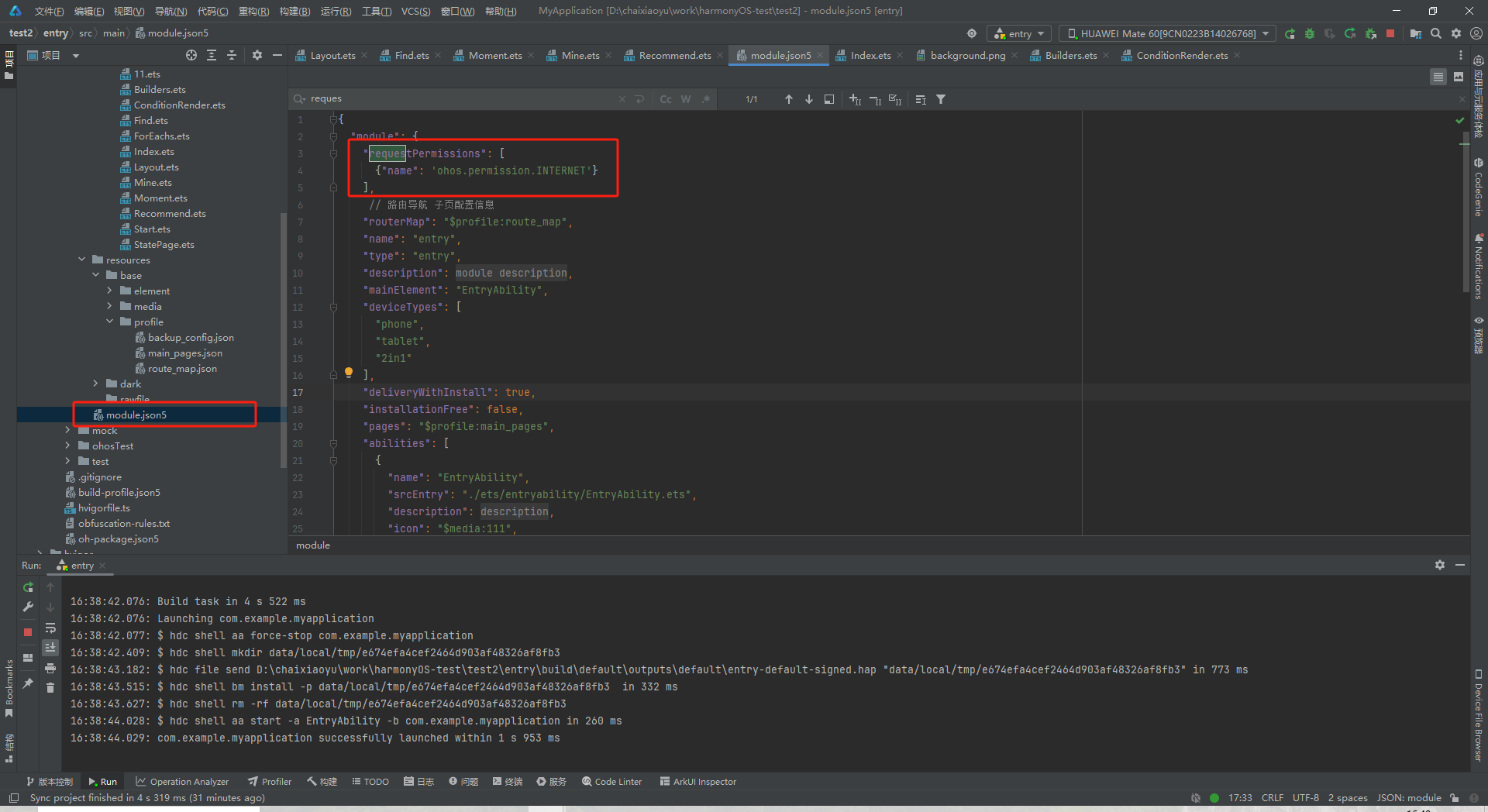
7.模拟器不支持联网,需要给项目 配置网络权限
    "requestPermissions": [
      {"name": 'ohos.permission.INTERNET'}
    ],
8.轮播图组件
@Component
// 导出
export struct Recommend {
  swiperList:string[] = [
    "http://ip:端口/static/img/banner1.09b9f09c.jpeg",
    "http://ip:端口/static/img/banner2.34c7ad67.jpeg",
    "http://ip:端口/static/img/banner3.965e1f57.jpg",
    "http://ip:端口/static/img/banner4.fd44f61e.jpeg",
    "http://ip:端口/static/img/banner5.75dbc46e.png"
  ]
  build() {
    Column(){
      Swiper(){
        ForEach(this.swiperList,(item:string) => {
          Image(item)
            .width('100%')
            .height('25%')
            .border({radius:10})
        })
      }
      .autoPlay(true)
    }
    .width('100%')
    .height('100%')
    .padding({left:10,right:10,top:5,bottom:5})
  }
}
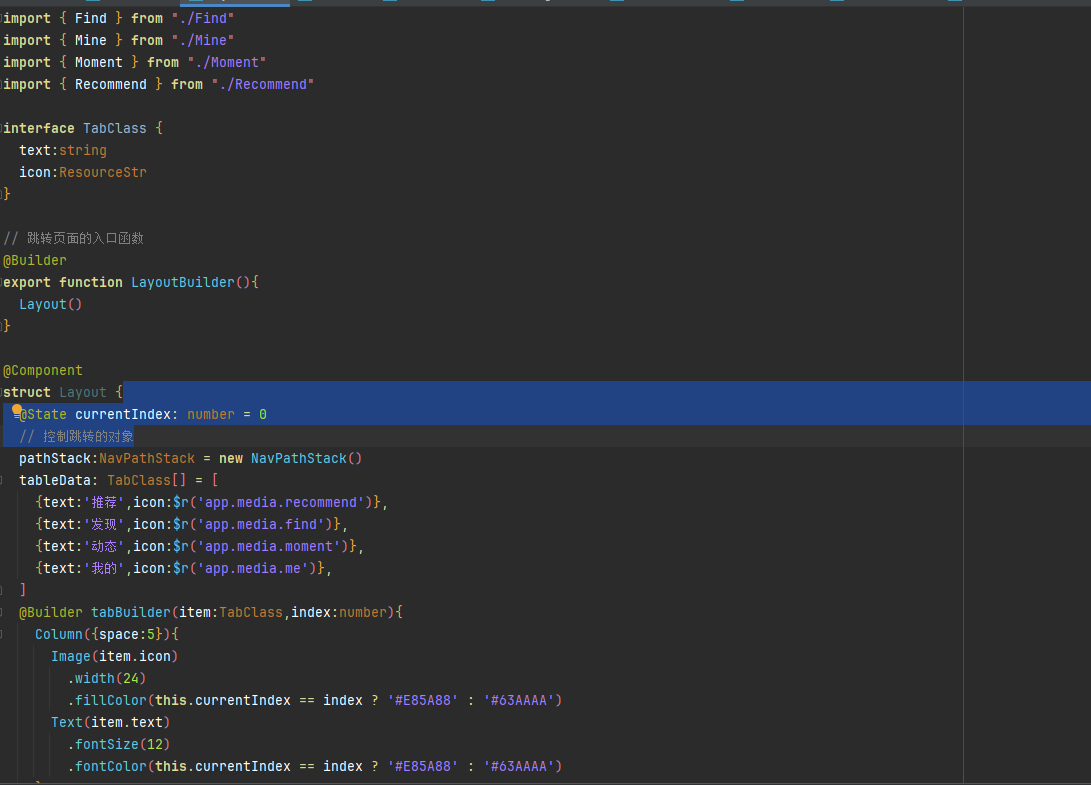
9.Tabs选项卡
import { Find } from "./Find"
import { Mine } from "./Mine"
import { Moment } from "./Moment"
import { Recommend } from "./Recommend"

interface TabClass {
  text:string
  icon:ResourceStr
}

// 跳转页面的入口函数
@Builder
export function LayoutBuilder(){
  Layout()
}

@Component
struct Layout {

  @State currentIndex: number = 0
  // 控制跳转的对象
  pathStack:NavPathStack = new NavPathStack()
  tableData: TabClass[] = [
    {text:'推荐',icon:$r('app.media.recommend')},
    {text:'发现',icon:$r('app.media.find')},
    {text:'动态',icon:$r('app.media.moment')},
    {text:'我的',icon:$r('app.media.me')},
  ]
  @Builder tabBuilder(item:TabClass,index:number){
    Column({space:5}){
      Image(item.icon)
        .width(24)
        .fillColor(this.currentIndex == index ? '#E85A88' : '#63AAAA')
      Text(item.text)
        .fontSize(12)
        .fontColor(this.currentIndex == index ? '#E85A88' : '#63AAAA')
    }
  }


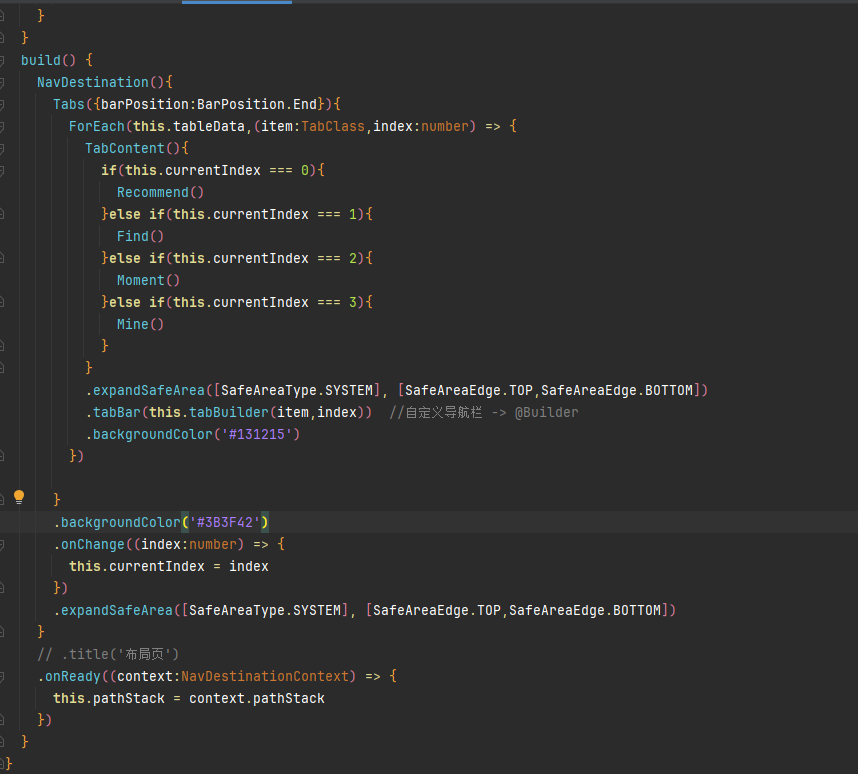
  build() {
    NavDestination(){
      Tabs({barPosition:BarPosition.End}){
        ForEach(this.tableData,(item:TabClass,index:number) => {
          TabContent(){
            if(this.currentIndex === 0){
              Recommend()
            }else if(this.currentIndex === 1){
              Find()
            }else if(this.currentIndex === 2){
              Moment()
            }else if(this.currentIndex === 3){
              Mine()
            }
          }

          .expandSafeArea([SafeAreaType.SYSTEM], [SafeAreaEdge.TOP,SafeAreaEdge.BOTTOM])
          .tabBar(this.tabBuilder(item,index))  //自定义导航栏 -> @Builder
          .backgroundColor('#131215')
        })

      }
      .backgroundColor('#3B3F42')
      .onChange((index:number) => {
        this.currentIndex = index
      })
      .expandSafeArea([SafeAreaType.SYSTEM], [SafeAreaEdge.TOP,SafeAreaEdge.BOTTOM])

    }
    // .title('布局页')
    .onReady((context:NavDestinationContext) => {
      this.pathStack = context.pathStack
    })
  }
}
10.List组件布局方向调整
- .listDirection(Axis.Horizontal) //调整了List组件布局的方向
- .maxLines(2) //文本显示最大的行数
.textOverflow({overflow:TextOverflow.Ellipsis}) //文本溢出的显示方式 -> 省略号 - .clip(true) //裁剪
      List(){
        ForEach(this.dailyRecommed,(item:recommendDailyType) => {
          ListItem(){
            Column(){
              Text(item.type)
                .width('100%')
                .height(40)
                .backgroundColor(item.top)
                .padding({left:5})
                .fontSize(14)
                .fontColor('#fff')
              Image(item.img)
                .width('100%')
                .height(150)
              Text(item.title)
                .width('100%')
                .backgroundColor(item.bottom)
                .padding(5)
                .fontSize(14)
                .fontColor('#fff')
                .maxLines(2) //文本显示最大的行数
                .textOverflow({overflow:TextOverflow.Ellipsis}) //文本溢出的显示方式 -> 省略号

            }
            .width('40%')
            // .height(200)
            // .backgroundColor(Color.Pink)
            .border({
              radius:10
            })
            .margin({right:10})
            .clip(true) //裁剪
          }
        })
      }
      .listDirection(Axis.Horizontal) //调整了List组件布局的方向
11.不显示滚动条
.scrollBar(BarState.Off)
12.生命周期 页面打开时执行
  // 页面打开时执行  start组件被加载后 自动执行的函数
  aboutToAppear(): void { //生命周期  void代表这个函数没有返回值
    setTimeout(()=>{
      this.pathStack.replacePathByName("Layout",null,false)
    },3000)
  }

讨论HarmonyOS开发技术,专注于API与组件、DevEco Studio、测试、元服务和应用上架分发等。
更多推荐

 4
4 0
0- 0


 已为社区贡献9条内容

所有评论(0)