第34篇|前后双拍能力探测:并发信息为什么必须先查
第 34 篇进入双拍能力。前后双摄同时工作不是“设备有前摄和后摄就一定能开”,HarmonyOS CameraKit 需要通过并发能力查询确认。项目先拿到前后摄设备,再调用 getCameraConcurrentInfos,只有返回并发信息时才进入双摄预览;为空时走单摄或顺序双拍。 本文是 21 天「智能相机开发实战」训练营中的一篇实操记录。所有代码片段都来自当前项目,配图围绕
第34篇|前后双拍能力探测:并发信息为什么必须先查
第 34 篇进入双拍能力。前后双摄同时工作不是“设备有前摄和后摄就一定能开”,HarmonyOS CameraKit 需要通过并发能力查询确认。项目先拿到前后摄设备,再调用 getCameraConcurrentInfos,只有返回并发信息时才进入双摄预览;为空时走单摄或顺序双拍。
本文是 21 天「智能相机开发实战」训练营中的一篇实操记录。所有代码片段都来自当前项目,配图围绕运行页面和源码关键路径展开,读完以后可以直接回到工程里按函数名定位。
本篇目标
- 理解前后摄同时工作必须先做并发能力探测。
- 读懂 safeGetCameraConcurrentInfos、findConcurrentCameraPair 和官方组合优先策略。
- 知道并发信息为空是能力结果,不应该当成崩溃处理。
- 为第 35 篇双预览会话建立设备基础。
代码位置
entry/src/main/ets/pages/Index.ets
一、能力探测先于预览创建
运行页里看到的是双拍按钮和前后摄控制,但工程必须先问设备是否支持并发。很多黑屏问题来自跳过探测直接创建两个 CameraInput。项目把探测作为双摄链路第一步:设备列表、前后摄组合、并发信息、是否支持双摄,顺序不能乱。
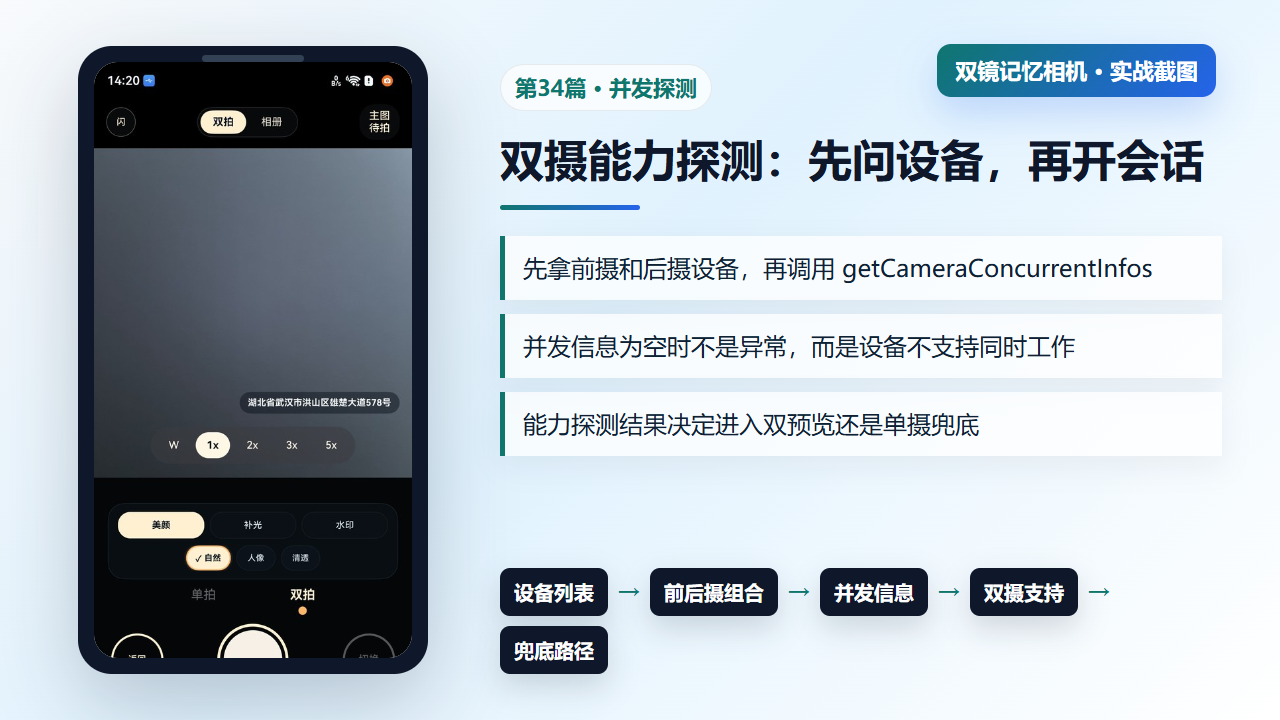
图1 双摄能力探测从设备列表到并发信息,再决定预览路径
二、safeGetCameraConcurrentInfos:把官方能力查询变成可恢复结果
getCameraConcurrentInfos 是决定是否可并发的关键 API。项目用 safeGetCameraConcurrentInfos 包住它:成功则返回并发信息数组,失败则记录日志并返回空数组。这样上层可以把“查不到并发能力”处理成降级路径,而不是让异常打断页面。
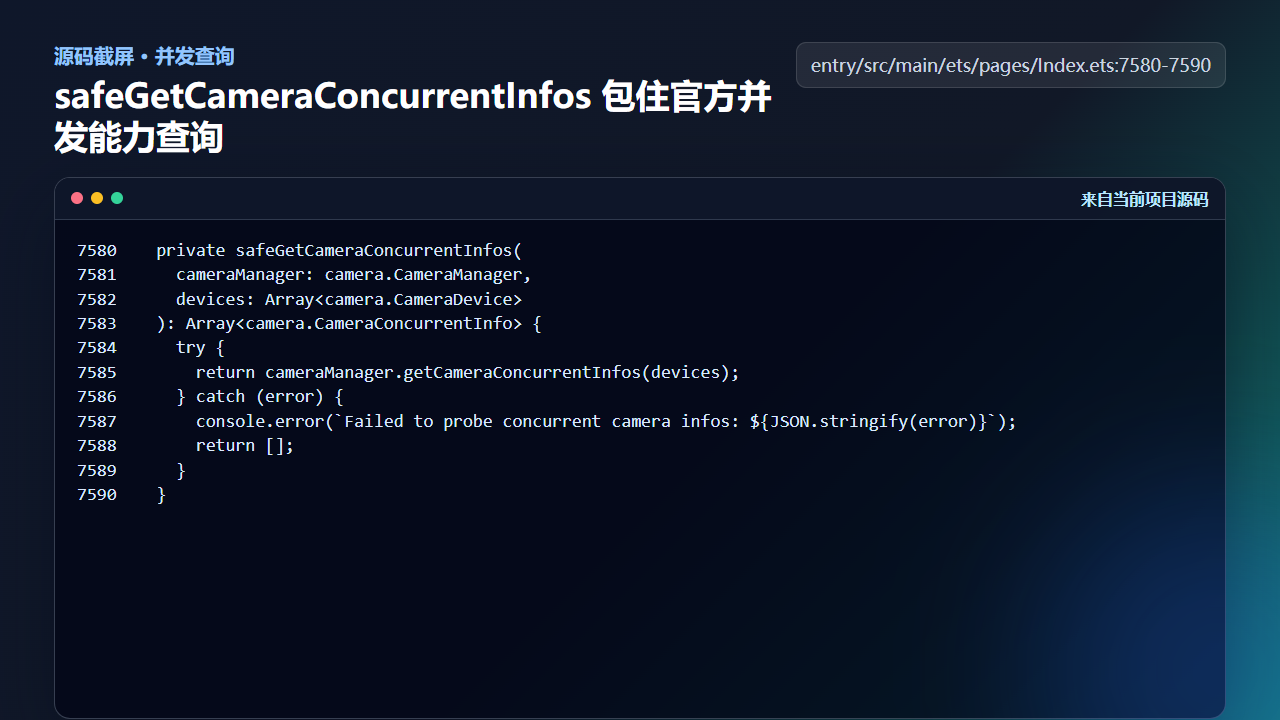
图2 safeGetCameraConcurrentInfos 包装并发能力查询
  private safeGetCameraConcurrentInfos(
    cameraManager: camera.CameraManager,
    devices: Array<camera.CameraDevice>
  ): Array<camera.CameraConcurrentInfo> {
    try {
      return cameraManager.getCameraConcurrentInfos(devices);
    } catch (error) {
      console.error(`Failed to probe concurrent camera infos: ${JSON.stringify(error)}`);
      return [];
    }
  }
空数组在这里有明确语义:当前组合不可并发或查询失败,需要走非双摄路径。它不是可以忽略的错误,也不是继续强开双预览的理由。
三、findConcurrentCameraPair:遍历前后摄组合
如果设备存在多个后摄或多个前摄,不能只拿数组里的第一个。findConcurrentCameraPair 会遍历前后摄组合,对每一组调用并发查询,直到找到返回内容的组合。这样在多镜头设备上更容易选到真正可用的一组。
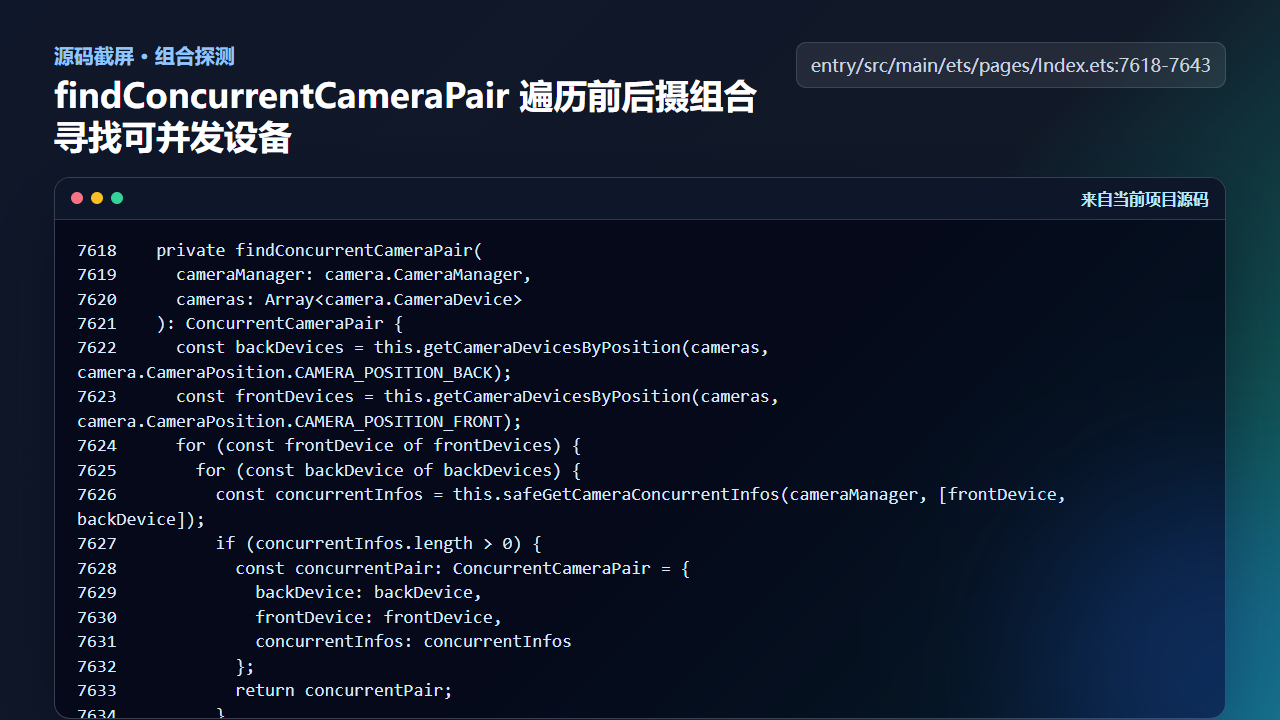
图3 findConcurrentCameraPair 遍历前后摄组合寻找可并发设备
  private findConcurrentCameraPair(
    cameraManager: camera.CameraManager,
    cameras: Array<camera.CameraDevice>
  ): ConcurrentCameraPair {
    const backDevices = this.getCameraDevicesByPosition(cameras, camera.CameraPosition.CAMERA_POSITION_BACK);
    const frontDevices = this.getCameraDevicesByPosition(cameras, camera.CameraPosition.CAMERA_POSITION_FRONT);
    for (const frontDevice of frontDevices) {
      for (const backDevice of backDevices) {
        const concurrentInfos = this.safeGetCameraConcurrentInfos(cameraManager, [frontDevice, backDevice]);
        if (concurrentInfos.length > 0) {
          const concurrentPair: ConcurrentCameraPair = {
            backDevice: backDevice,
            frontDevice: frontDevice,
            concurrentInfos: concurrentInfos
          };
          return concurrentPair;
        }
      }
    }
    const fallbackPair: ConcurrentCameraPair = {
      backDevice: backDevices[0],
      frontDevice: frontDevices[0],
      concurrentInfos: []
    };
    return fallbackPair;
  }
这个函数把“有设备”和“设备能一起工作”分开。前者来自 getSupportedCameras,后者来自并发能力查询。
四、官方组合优先:减少手动试错
项目还提供 getOfficialConcurrentCameraPair。它先询问系统是否有推荐的前后摄组合,并用这组设备查询并发信息。官方组合可用时优先使用;不可用时再考虑遍历。这比盲目排列组合更稳,也更符合设备厂商对多摄资源的限制。
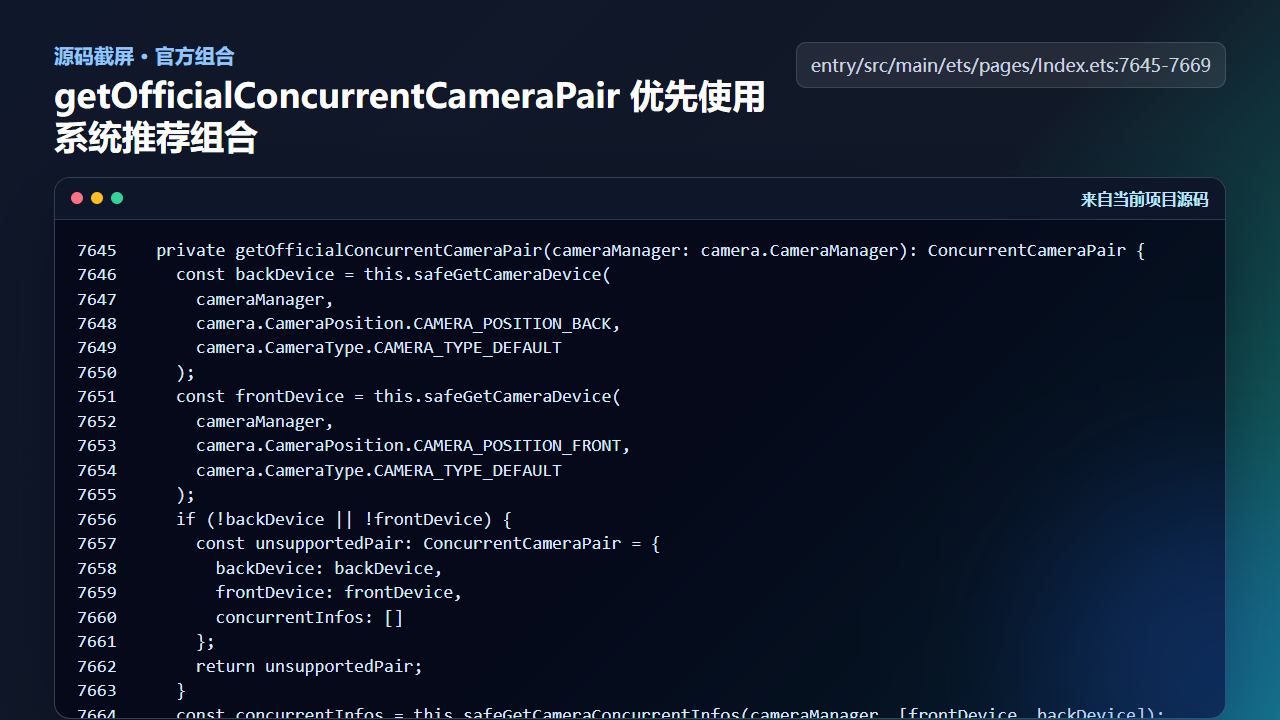
图4 getOfficialConcurrentCameraPair 优先使用系统推荐的并发组合
  private getOfficialConcurrentCameraPair(cameraManager: camera.CameraManager): ConcurrentCameraPair {
    const backDevice = this.safeGetCameraDevice(
      cameraManager,
      camera.CameraPosition.CAMERA_POSITION_BACK,
      camera.CameraType.CAMERA_TYPE_DEFAULT
    );
    const frontDevice = this.safeGetCameraDevice(
      cameraManager,
      camera.CameraPosition.CAMERA_POSITION_FRONT,
      camera.CameraType.CAMERA_TYPE_DEFAULT
    );
    if (!backDevice || !frontDevice) {
      const unsupportedPair: ConcurrentCameraPair = {
        backDevice: backDevice,
        frontDevice: frontDevice,
        concurrentInfos: []
      };
      return unsupportedPair;
    }
    const concurrentInfos = this.safeGetCameraConcurrentInfos(cameraManager, [frontDevice, backDevice]);
    const officialPair: ConcurrentCameraPair = {
      backDevice: backDevice,
      frontDevice: frontDevice,
      concurrentInfos: concurrentInfos
    };
训练营实现要记住一句话:双摄支持是探测出来的,不是写死出来的。
工程检查清单
- 双摄预览前必须先调用并发能力查询。
- 并发信息为空时走降级,不重复创建失败会话。
- 多摄设备上需要遍历组合或使用系统推荐组合。
- 日志里保留前后摄 id 和并发 profile 数量,方便真机排查。
- 能力探测结果要进入页面状态,后续按钮和提示才能保持一致。
今日练习
- 在真机日志里打印并发 profile 数量,确认当前设备的双摄能力。
- 把
findConcurrentCameraPair的返回结果和页面上的双摄状态对应起来。 - 思考为什么不能用“前摄存在 + 后摄存在”直接判断双拍可用。
下一篇会继续沿着同一条工程链路往下拆:先看用户能看到的效果,再回到源码确认状态、文件和服务边界是否闭合。

讨论HarmonyOS开发技术,专注于API与组件、DevEco Studio、测试、元服务和应用上架分发等。
更多推荐



 4
4 0
0- 0


 已为社区贡献207条内容

所有评论(0)