第38篇|双拍完成闭环:合成、保存、失败重试和相册落点
第 38 篇把双拍主链路收束起来。并发双摄触发后,后摄和前摄会分别产生 JPEG 回调;只有两路都交付,项目才尝试合成双镜作品。合成成功时记录指向 compositePath,合成失败时保留原始两张图,最终都进入 GalleryMoment 和相册刷新闭环。 本文是 21 天「智能相机开发实战」训练营中的一篇实操记录。所有代码片段都来自当前项目,配图围绕运行页面和源码关键路径展
第38篇|双拍完成闭环:合成、保存、失败重试和相册落点
第 38 篇把双拍主链路收束起来。并发双摄触发后,后摄和前摄会分别产生 JPEG 回调;只有两路都交付,项目才尝试合成双镜作品。合成成功时记录指向 compositePath,合成失败时保留原始两张图,最终都进入 GalleryMoment 和相册刷新闭环。
本文是 21 天「智能相机开发实战」训练营中的一篇实操记录。所有代码片段都来自当前项目,配图围绕运行页面和源码关键路径展开,读完以后可以直接回到工程里按函数名定位。
本篇目标
- 读懂 triggerDualCapture 如何同时触发两路拍照。
- 理解两路回调到齐后才创建同一条记录。
- 掌握 composeDualCaptureIfPossible 的成功与失败返回。
- 把双拍、合成、入库、相册地图刷新串成完整闭环。
代码位置
entry/src/main/ets/pages/Index.etsentry/src/main/ets/services/DualPhotoComposerService.etsentry/src/main/ets/services/GalleryRecordService.ets
一、双拍闭环的难点是“两路结果一致归档”
双拍不是触发两次单拍。它需要保证后摄图、前摄图、地点快照、captureId、合成文件和相册记录属于同一次作品。任意一路晚到、失败或合成异常,都要有明确落点。
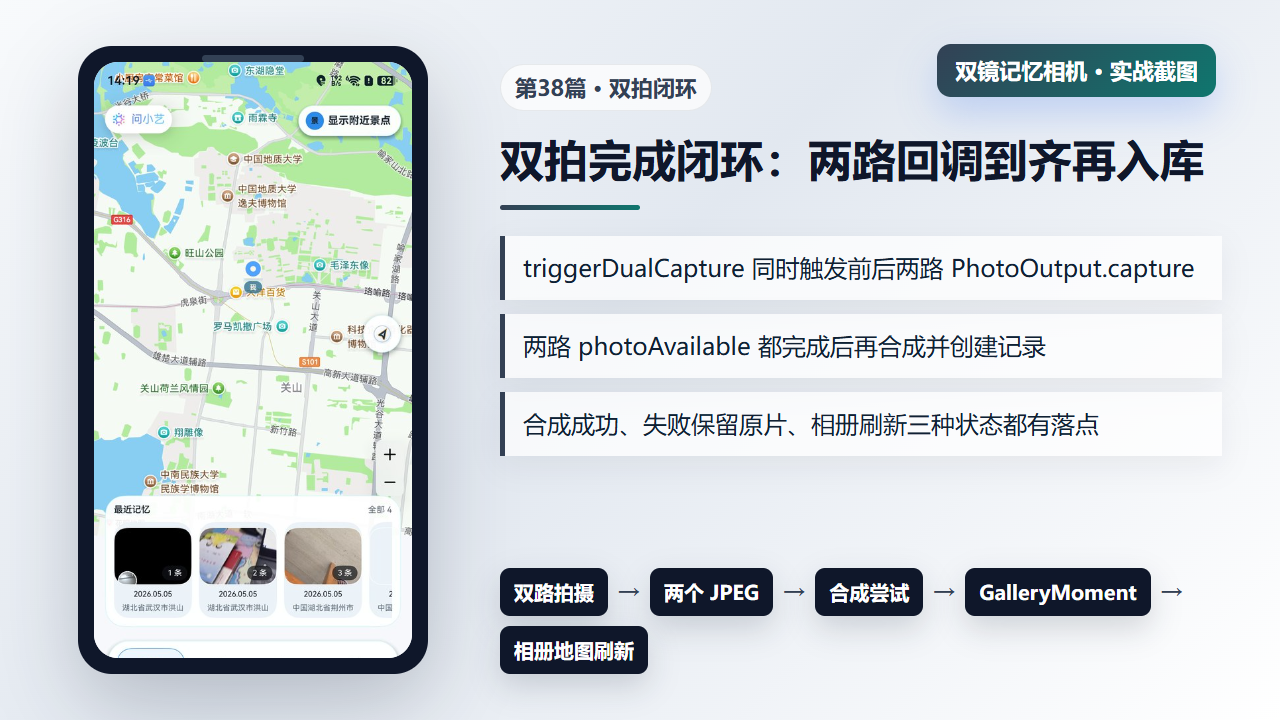
图1 双拍闭环:两路 JPEG、合成尝试、GalleryMoment 和相册地图刷新
二、triggerDualCapture:同时触发前后两路 PhotoOutput
双摄路径先确认 dualCameraSupported、两路 PhotoOutput、会话状态和两路预览 live。随后它构建地点快照,生成后摄和前摄两个目标路径,设置水印上下文,最后通过 Promise.all 同时触发两路 capture。
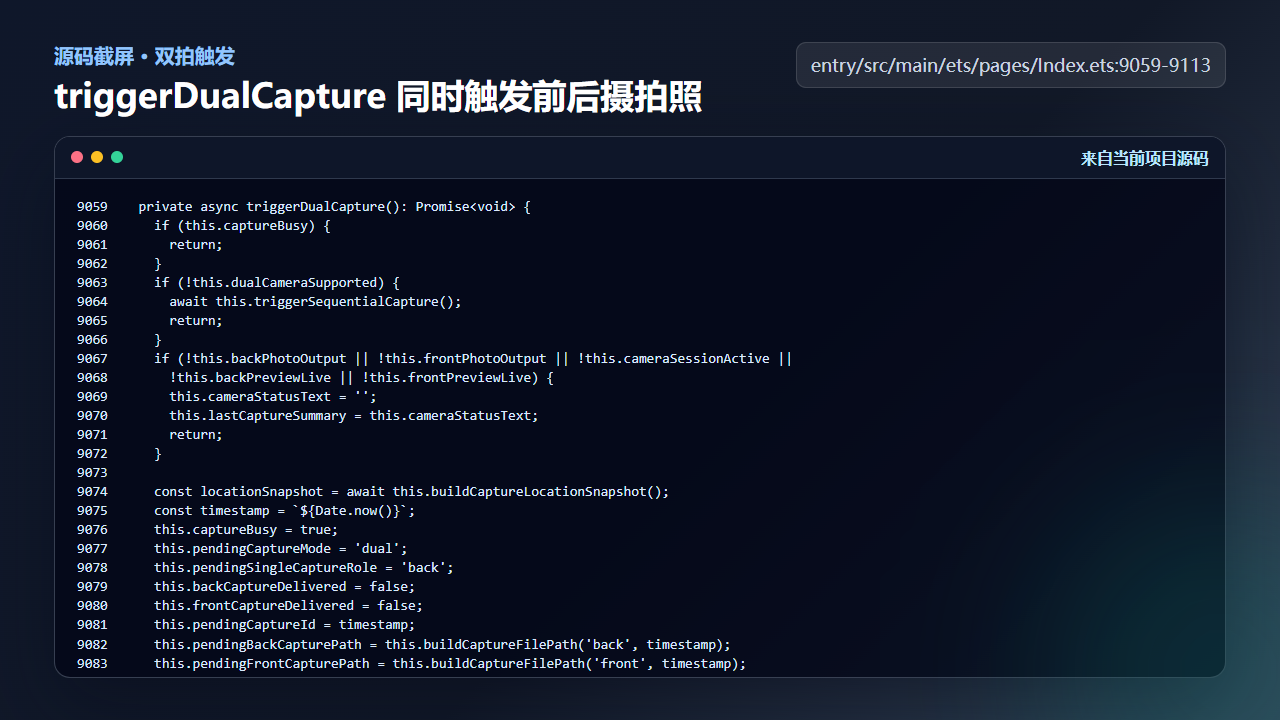
图2 triggerDualCapture 同时触发前后摄拍照
  private async triggerDualCapture(): Promise<void> {
    if (this.captureBusy) {
      return;
    }
    if (!this.dualCameraSupported) {
      await this.triggerSequentialCapture();
      return;
    }
    if (!this.backPhotoOutput || !this.frontPhotoOutput || !this.cameraSessionActive ||
      !this.backPreviewLive || !this.frontPreviewLive) {
      this.cameraStatusText = '';
      this.lastCaptureSummary = this.cameraStatusText;
      return;
    }

    const locationSnapshot = await this.buildCaptureLocationSnapshot();
    const timestamp = `${Date.now()}`;
    this.captureBusy = true;
    this.pendingCaptureMode = 'dual';
    this.pendingSingleCaptureRole = 'back';
    this.backCaptureDelivered = false;
    this.frontCaptureDelivered = false;
    this.pendingCaptureId = timestamp;
    this.pendingBackCapturePath = this.buildCaptureFilePath('back', timestamp);
    this.pendingFrontCapturePath = this.buildCaptureFilePath('front', timestamp);
    this.pendingCaptureLatitude = locationSnapshot.latitude;
    this.pendingCaptureLongitude = locationSnapshot.longitude;
    this.pendingCapturePlace = locationSnapshot.place;
    this.pendingCaptureTitle = locationSnapshot.memoryTitle;
    this.armPendingWatermark(parseInt(timestamp, 10), locationSnapshot.place, 'dual');
    this.cameraStatusText = '';
    this.lastCaptureSummary = this.buildCaptureSummary(locationSnapshot);
    this.setPhotoOutputReady('dualBack', false);
    this.setPhotoOutputReady('dualFront', false);

    const backCaptureSetting: camera.PhotoCaptureSetting = {
      quality: this.captureQualityLevel,
      rotation: camera.ImageRotation.ROTATION_0,
      mirror: false
    };
    const frontCaptureSetting: camera.PhotoCaptureSetting = {
      quality: this.captureQualityLevel,
      rotation: camera.ImageRotation.ROTATION_0,
      mirror: true
    };
    try {
      await Promise.all([
        this.backPhotoOutput.capture(backCaptureSetting),
        this.frontPhotoOutput.capture(frontCaptureSetting)
      ]);
    } catch (error) {
      const err = error as BusinessError;
      this.failDualCapture(`双镜拍照触发失败 ${err.code}`);
    }
  }
这里的路径是成对生成的,地点快照也是同一个。这样两张照片虽然来自不同摄像头,但仍属于同一条记忆。
三、composeDualCaptureIfPossible:合成失败也要返回可用结果
两张图都写入后,上层调用 composeDualCaptureIfPossible。如果输入路径缺失或相同,它直接返回;如果合成成功,则删除原始临时图并返回 compositePath;如果合成失败,则记录日志并返回原始路径。这样一次图像处理失败不会毁掉拍摄结果。
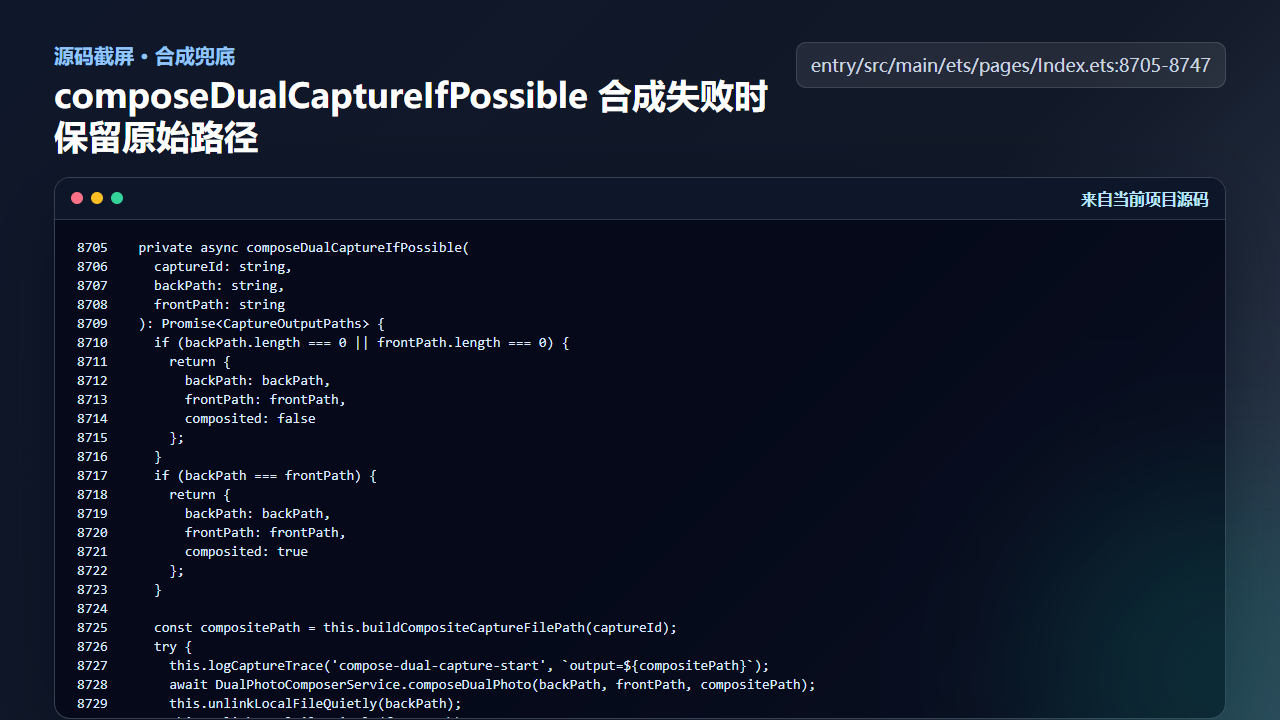
图3 composeDualCaptureIfPossible 合成失败时保留原始路径
  private async composeDualCaptureIfPossible(
    captureId: string,
    backPath: string,
    frontPath: string
  ): Promise<CaptureOutputPaths> {
    if (backPath.length === 0 || frontPath.length === 0) {
      return {
        backPath: backPath,
        frontPath: frontPath,
        composited: false
      };
    }
    if (backPath === frontPath) {
      return {
        backPath: backPath,
        frontPath: frontPath,
        composited: true
      };
    }

    const compositePath = this.buildCompositeCaptureFilePath(captureId);
    try {
      this.logCaptureTrace('compose-dual-capture-start', `output=${compositePath}`);
      await DualPhotoComposerService.composeDualPhoto(backPath, frontPath, compositePath);
      this.unlinkLocalFileQuietly(backPath);
      this.unlinkLocalFileQuietly(frontPath);
      this.logCaptureTrace('compose-dual-capture-finished', `output=${compositePath}`);
      return {
        backPath: compositePath,
        frontPath: compositePath,
        composited: true
      };
    } catch (error) {
      const message = error instanceof Error ? error.message : JSON.stringify(error);
      console.error(`Failed to compose dual capture: ${message}`);
      this.logCaptureTrace('compose-dual-capture-failed', message);
      return {
        backPath: backPath,
        frontPath: frontPath,
        composited: false
      };
    }
  }
这个函数体现了作品优先级:能合成最好,不能合成也要保留照片,让用户有结果可看。
四、两路交付后创建同一条 GalleryMoment
markCaptureDelivered 会分别标记后摄和前摄是否交付。只有 backCaptureDelivered 和 frontCaptureDelivered 都为 true,才会合成、加水印、创建记录、复位 pending 状态,并调用 appendGalleryRecord。
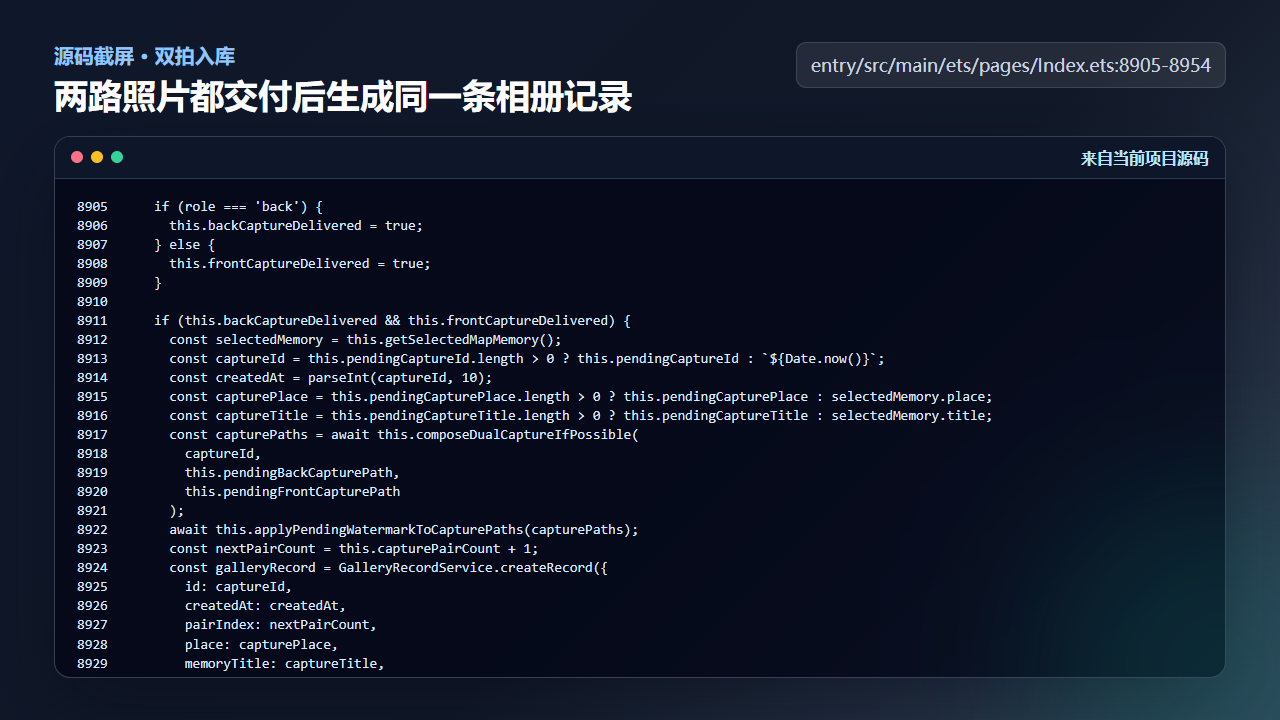
图4 两路照片都交付后生成同一条 GalleryMoment
    if (role === 'back') {
      this.backCaptureDelivered = true;
    } else {
      this.frontCaptureDelivered = true;
    }

    if (this.backCaptureDelivered && this.frontCaptureDelivered) {
      const selectedMemory = this.getSelectedMapMemory();
      const captureId = this.pendingCaptureId.length > 0 ? this.pendingCaptureId : `${Date.now()}`;
      const createdAt = parseInt(captureId, 10);
      const capturePlace = this.pendingCapturePlace.length > 0 ? this.pendingCapturePlace : selectedMemory.place;
      const captureTitle = this.pendingCaptureTitle.length > 0 ? this.pendingCaptureTitle : selectedMemory.title;
      const capturePaths = await this.composeDualCaptureIfPossible(
        captureId,
        this.pendingBackCapturePath,
        this.pendingFrontCapturePath
      );
      await this.applyPendingWatermarkToCapturePaths(capturePaths);
      const nextPairCount = this.capturePairCount + 1;
      const galleryRecord = GalleryRecordService.createRecord({
        id: captureId,
        createdAt: createdAt,
        pairIndex: nextPairCount,
        place: capturePlace,
        memoryTitle: captureTitle,
        latitude: this.pendingCaptureLatitude,
        longitude: this.pendingCaptureLongitude,
        backPath: capturePaths.backPath,
        frontPath: capturePaths.frontPath,
        watermarkStyle: this.pendingWatermarkStyle,
        watermarkText: this.pendingWatermarkText
      });
      this.captureBusy = false;
      this.sequentialCaptureQueued = false;
      this.capturePairCount = nextPairCount;
      this.backCaptureDelivered = false;
      this.frontCaptureDelivered = false;
      this.pendingCaptureMode = 'dual';
      this.pendingSingleCaptureRole = 'back';
      this.pendingCaptureId = '';
      this.pendingBackCapturePath = '';
      this.pendingFrontCapturePath = '';
      this.pendingCaptureLatitude = 0;
      this.pendingCaptureLongitude = 0;
      this.pendingCapturePlace = '';
      this.pendingCaptureTitle = '';
      this.clearPendingWatermark();
      this.cameraStatusText = capturePaths.composited ? '' : '双摄合成失败,已保留原片';
      this.lastCaptureSummary = this.cameraStatusText;
      void this.appendGalleryRecord(galleryRecord);
这也是双拍和两次单拍的区别:最终用户得到的是一个作品记录,而不是两个互不相关的文件。
工程检查清单
- 双摄拍照前确认两路预览都 live,避免半路触发。
- 后摄和前摄路径要在同一 captureId 下生成。
- 两路回调都完成后再创建记录,不能先到先入库。
- 合成失败要保留原片路径,并给用户可理解提示。
- 入库后复用第 33 篇的相册、地图和持久化刷新闭环。
今日练习
- 真机触发一次双拍,按日志顺序记录 back/front 两路回调是否都到达。
- 人为让合成失败一次,确认相册是否仍能看到原片记录。
- 把第 34-38 篇的函数画成一条完整时序线。
下一篇会继续沿着同一条工程链路往下拆:先看用户能看到的效果,再回到源码确认状态、文件和服务边界是否闭合。

讨论HarmonyOS开发技术,专注于API与组件、DevEco Studio、测试、元服务和应用上架分发等。
更多推荐



 7
7 0
0- 0


 已为社区贡献207条内容

所有评论(0)