【HarmonyOS实战】 为什么要用Constants类?魔法数字的正确消灭方式
文章目录
前言
打开 GasStationPage.ets,你会发现代码里从来不直接写 16、12、100% 这样的数字,而是写 Constants.SPACE_16、Constants.PADDING_LEFT_12、Constants.FULL_PERCENT。
第一次见到这种写法,很多人会觉得多此一举——直接写个数字多方便,为啥要绕这么一圈?
这篇文章解释清楚两件事:为什么要用常量管理,以及项目里的 Constants 类是怎么设计的。
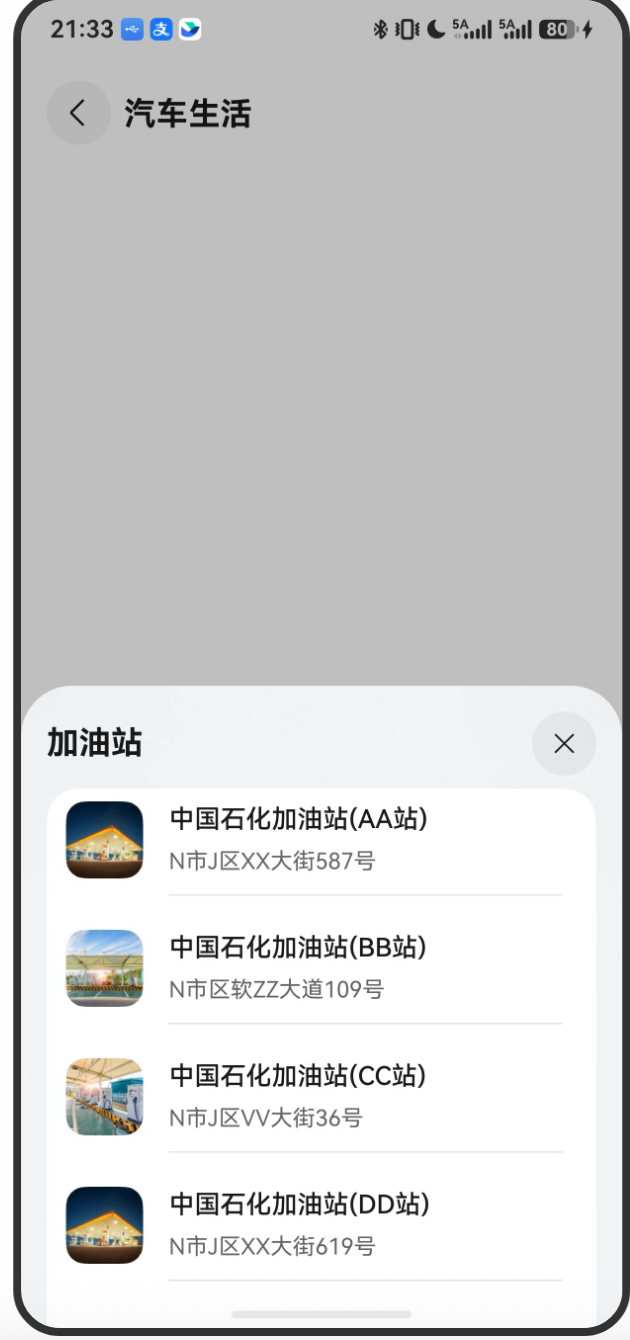
项目预览

一、什么是"魔法数字"?
所谓"魔法数字"(Magic Number),就是代码里没有任何解释、凭空出现的数字或字符串。
比如这段代码:
// 糟糕的写法
Row()
  .height(72)
  .padding({ left: 12, right: 12 })
  .borderRadius(16)
问题来了:
72是什么高度?为什么是 72?12是什么间距?和别的12是同一个概念吗?16是圆角半径,还是字体大小?
这些数字毫无上下文,三个月后连你自己都看不懂。更惨的是,如果 UI 设计改了,要把所有 72 改成 80,你得全文件搜索,还得判断每个 72 是不是这个高度——搞不好改漏了,也搞不好把别的 72 改错了。
二、Constants 类的设计
项目里的解决方案是把所有数字/字符串常量集中到一个 Constants 类里:
// entry/src/main/ets/common/Constants.ets
export class Constants {
  // ========== 数值常量 ==========
  static readonly ZERO: number = 0;
  static readonly ONE: number = 1;
  static readonly TWO: number = 2;

  // ========== 间距 ==========
  static readonly SPACE_6: number = 6;
  static readonly SPACE_8: number = 8;
  static readonly SPACE_12: number = 12;
  static readonly SPACE_16: number = 16;

  // ========== 分割线 ==========
  static readonly STROKE_WIDTH: number = 0.5;

  // ========== 字重 ==========
  static readonly FONT_WEIGHT_400: number = 400;
  static readonly FONT_WEIGHT_500: number = 500;
  static readonly FONT_WEIGHT_700: number = 700;

  // ========== 字体大小 ==========
  static readonly FONT_SIZE_14: number = 14;
  static readonly FONT_SIZE_16: number = 16;
  static readonly FONT_SIZE_20: number = 20;

  // ========== 行高 ==========
  static readonly LINE_HEIGHT_19: number = 19;
  static readonly LINE_HEIGHT_21: number = 21;
  static readonly LINE_HEIGHT_27: number = 27;

  // ========== 尺寸 ==========
  static readonly HEIGHT_80: number = 80;
  static readonly GAS_STATION_IMAGE_WIDTH: number = 48;
  static readonly GAS_STATION_IMAGE_HEIGHT: number = 48;
  static readonly PAGE_BUILDER_HEIGHT: number = 72;
  static readonly MY_BUILDER_HEIGHT: number = 300;
  static readonly MY_BUILDER_COLUMN_HEIGHT: number = 380;
  static readonly BIND_SHEET_HEIGHT: number = 400;

  // ========== 内边距 ==========
  static readonly PADDING_TOP_8: number = 8;
  static readonly PADDING_LEFT_12: number = 12;
  static readonly PADDING_RIGHT_12: number = 12;
  static readonly PADDING_LEFT_16: number = 16;
  static readonly PADDING_RIGHT_16: number = 16;
  static readonly PADDING_LEFT_30: number = 30;

  // ========== 外边距 ==========
  static readonly MARGIN_LEFT_16: number = 16;
  static readonly MARGIN_RIGHT_16: number = 16;

  // ========== 图片尺寸 ==========
  static readonly IMAGE_BACK_WIDTH: number = 40;
  static readonly IMAGE_BACK_HEIGHT: number = 40;
  static readonly IMAGE_NEXT_WIDTH: number = 12;
  static readonly IMAGE_NEXT_HEIGHT: number = 24;

  // ========== 其他 ==========
  static readonly LAY_OUT_WEIGHT: number = 5;
  static readonly BORDER_RADIUS_16: number = 16;
  static readonly BORDER_RADIUS: number = 20;
  static readonly POSITION_TOP: number = 50;
  static readonly TIME: number = 1000;

  // ========== 百分比字符串 ==========
  static readonly HALF_FULL_PERCENT: string = '50%';
  static readonly PERCENT_70: string = '70%';
  static readonly FULL_PERCENT: string = '100%';
}
2.1 设计要点
static readonly 是核心:
static:不需要实例化Constants类,直接Constants.XXX使用readonly:只读,不能被修改,真正的常量
// 正确用法
let h = Constants.PAGE_BUILDER_HEIGHT;  // 72

// 尝试修改会报错(TypeScript编译阶段就报错)
Constants.PAGE_BUILDER_HEIGHT = 100;    // ❌ Error: Cannot assign to 'PAGE_BUILDER_HEIGHT' because it is a read-only property.
命名规范:全大写 + 下划线分隔(SCREAMING_SNAKE_CASE),这是常量的行业通用命名规范。看到全大写就知道这是常量,一眼识别。
三、使用前后对比
使用前(魔法数字):
// 看不懂这些数字代表什么含义
Column({ space: 12 }) {
  Row({ space: 16 }) {
    Image(gasStation.image)
      .width(48)
      .height(48)
    Column({ space: 12 }) {
      Text(gasStation.name)
        .fontSize(16)
        .fontWeight(500)
        .lineHeight(21)
    }
    .width('70%')
  }
  .height(80)
  .width('100%')
}
.height(80)
.padding({ top: 8, left: 12, right: 12 })
使用后(常量引用):
// 每个数字的含义一目了然
Column({ space: Constants.SPACE_12 }) {
  Row({ space: Constants.SPACE_16 }) {
    Image(gasStation.image)
      .width(Constants.GAS_STATION_IMAGE_WIDTH)
      .height(Constants.GAS_STATION_IMAGE_HEIGHT)
    Column({ space: Constants.SPACE_12 }) {
      Text(gasStation.name)
        .fontSize(Constants.FONT_SIZE_16)
        .fontWeight(Constants.FONT_WEIGHT_500)
        .lineHeight(Constants.LINE_HEIGHT_21)
    }
    .width(Constants.PERCENT_70)
  }
  .height(Constants.HEIGHT_80)
  .width(Constants.FULL_PERCENT)
}
.height(Constants.HEIGHT_80)
.padding({
  top: Constants.PADDING_TOP_8,
  left: Constants.PADDING_LEFT_12,
  right: Constants.PADDING_RIGHT_12
})
四、常量管理的三大好处
4.1 可读性提升
Constants.GAS_STATION_IMAGE_WIDTH 比 48 表达的信息量大得多:
- 这是加油站图片的宽度(不是别的什么东西)
- 单位是像素
- 和
GAS_STATION_IMAGE_HEIGHT是一对
4.2 改动一处,全局生效
假设设计稿改了,加油站图片从 48×48 改成 56×56:
// 只需改这一处
static readonly GAS_STATION_IMAGE_WIDTH: number = 56;   // 原来是 48
static readonly GAS_STATION_IMAGE_HEIGHT: number = 56;  // 原来是 48
所有用到 Constants.GAS_STATION_IMAGE_WIDTH 和 Constants.GAS_STATION_IMAGE_HEIGHT 的地方自动更新,不需要全文件搜索替换。
4.3 避免手误
如果 padding 应该是 16,手误写成了 61,这种 bug 很难发现。但如果用常量:
.padding({ left: Constants.PADDING_LEFT_16 })
只要常量定义对了,就不会出错。
五、如何在其他文件使用?
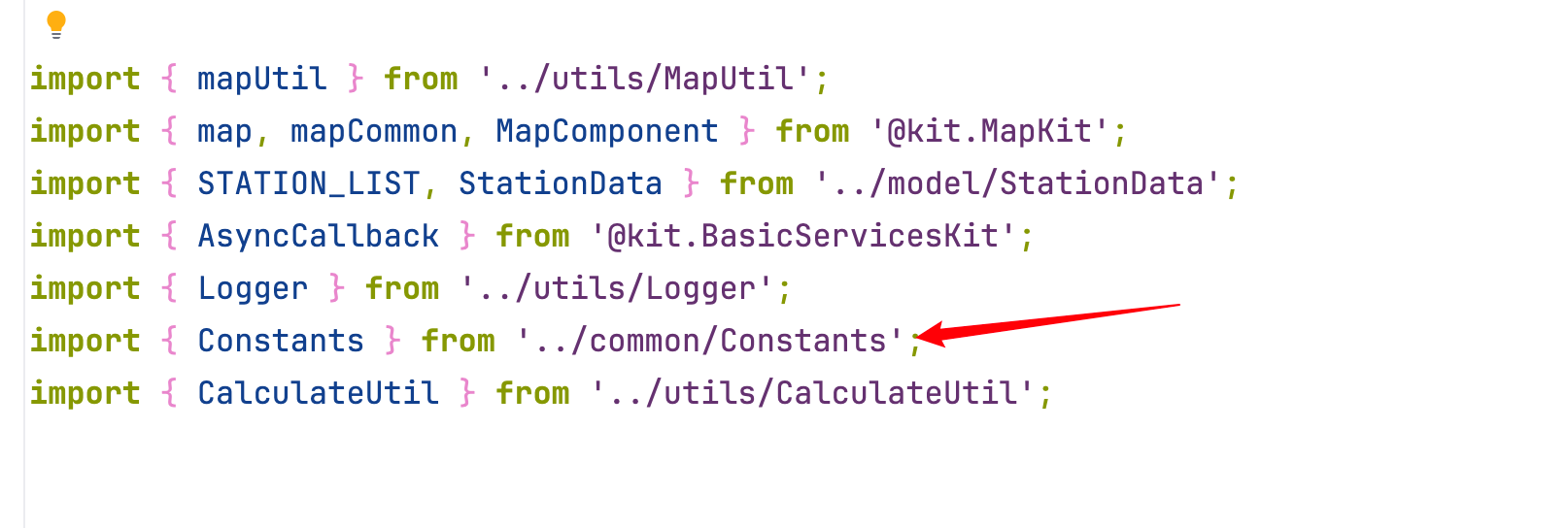
使用前先 import:
// 在任何需要用常量的文件顶部添加这行
import { Constants } from '../common/Constants';
然后就可以用了:
Text('加油站')
  .fontSize(Constants.FONT_SIZE_16)
  .fontWeight(Constants.FONT_WEIGHT_500)
提示:DevEco Studio 支持自动导入。当你输入
Constants.时,IDE 会自动弹出所有可用常量的提示,选中后自动帮你加 import。
六、扩展:什么时候需要新增常量?
判断标准很简单:
- 同一个数字/字符串在代码里出现了两次以上 → 抽成常量
- 一个数字有特定的业务含义 → 抽成常量(哪怕只用一次)
- 未来可能会改的配置值 → 抽成常量
不需要抽成常量的:
0、1这种无语义的基础数值(虽然项目里抽了ZERO和ONE,这是更严格的做法)- 只在一处用、且含义完全清晰的临时计算值
七、与资源文件的区别
你可能注意到,颜色值不在 Constants 类里,而是在 resources/ 目录:
| 放在 Constants.ets | 放在 resources/ |
|---|---|
| 布局尺寸(px值) | 颜色值 |
| 间距大小 | 字符串文本 |
| 动画时长 | 图片资源 |
| 逻辑相关配置 | 主题相关样式 |
为什么颜色放 resources?因为 resources 支持亮色/暗色模式自动切换,详见第 24 篇。
总结
Constants 类是代码整洁度的第一道防线:
- 用
static readonly定义不可修改的常量 - 命名用 SCREAMING_SNAKE_CASE(全大写+下划线)
- 把所有"有名字的数字"都放进来,消灭魔法数字
- 修改时一处改动,全局生效
这个习惯养成了,代码质量立刻提升一个档次。下一篇我们讲资源文件管理——color.json、string.json、图片资源是怎么组织的。

讨论HarmonyOS开发技术,专注于API与组件、DevEco Studio、测试、元服务和应用上架分发等。
更多推荐


 17
17 0
0- 0


 已为社区贡献333条内容

所有评论(0)