第74篇 | HarmonyOS 保险箱模型:公开相册和私密相册如何分层
第74篇 | HarmonyOS 保险箱模型:公开相册和私密相册如何分层
第 74 篇进入第 16 天,开始系统拆保险箱。很多项目会把“私密相册”做成一个单独列表,但双镜记忆相机选择了更稳的做法:所有照片仍然是同一种 GalleryMoment,只是通过 visibility 字段分成公开记录和私密记录。这样数据模型统一,页面呈现分层。
统一模型的好处是所有照片都能复用地点、时间、AI 文案、云同步和前后镜头路径;分层字段的好处是普通相册、地图、保险箱可以用同一组记录过滤出不同视图。本文会从创建、加载、标准化和列表过滤四个角度把这套模型讲清楚。
本篇目标
- 理解统一
GalleryMoment模型对相册和保险箱的复用价值。 - 掌握新建照片为什么默认是 public。
- 理解加载旧数据时为什么要 normalize 可见性字段。
- 学会用过滤函数生成公开相册和保险箱两个视图。
对应源码位置
superImage/entry/src/main/ets/services/GalleryRecordService.etssuperImage/entry/src/main/ets/pages/Index.ets
分层模型让页面各取所需
保险箱页面展示的是同一批照片记录的 private 视图,而不是另起一套数据表。运行效果上,用户看到的是独立的保险箱;工程实现上,列表过滤、详情查看、恢复公开相册都围绕同一条记录完成。
这种模型对训练营项目很适合。前面已经有相册、地图、短片、云同步等能力,如果保险箱另建一套结构,后续每个能力都要写两遍。统一记录模型让功能扩展更稳,也更容易讲清楚数据流。
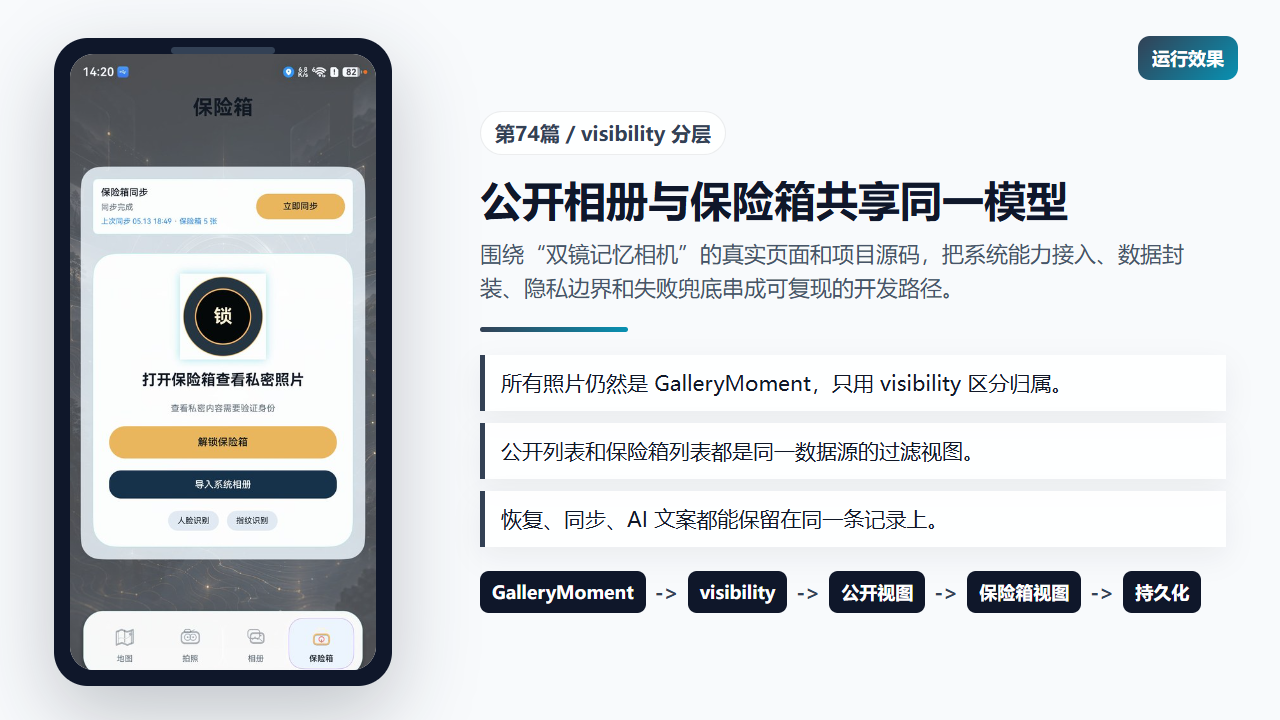
保险箱页面来自 GalleryMoment 的 private 过滤视图
模型字段把隐私属性写进记录
GalleryMomentVisibility 只有两个值:public 和 private。这个字段放在记录模型中,和照片路径、地点、前后镜头 URI、AI 状态等字段同级。也就是说,隐私归属是照片记录的一部分。
这比在页面里维护两个数组更可靠。页面数组只适合渲染,模型字段适合持久化、同步和恢复。后续不管从 Preferences 读取、从云端合并,还是重新排序,都可以通过 visibility 重新得到正确视图。
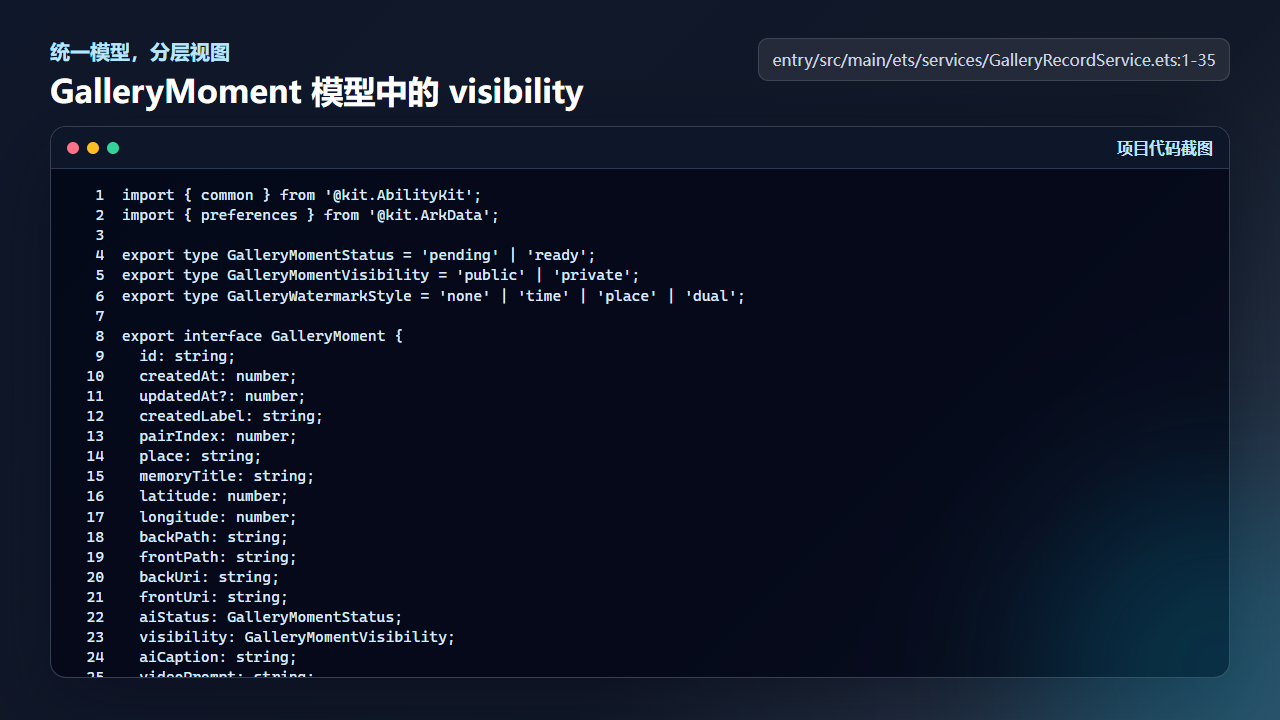
GalleryMoment 把 public/private 作为记录字段保存
import { common } from '@kit.AbilityKit';
import { preferences } from '@kit.ArkData';

export type GalleryMomentStatus = 'pending' | 'ready';
export type GalleryMomentVisibility = 'public' | 'private';
export type GalleryWatermarkStyle = 'none' | 'time' | 'place' | 'dual';

export interface GalleryMoment {
  id: string;
  createdAt: number;
  updatedAt?: number;
  createdLabel: string;
  pairIndex: number;
  place: string;
  memoryTitle: string;
  latitude: number;
  longitude: number;
  backPath: string;
  frontPath: string;
  backUri: string;
  frontUri: string;
  aiStatus: GalleryMomentStatus;
  visibility: GalleryMomentVisibility;
  aiCaption: string;
  videoPrompt: string;
  watermarkStyle?: GalleryWatermarkStyle;
  watermarkText?: string;
  userNote?: string;
  aiPoem?: string;
  ownerKey?: string;
  syncDirty?: boolean;
  cloudRevision?: number;
  cloudBackAssetDataUrl?: string;
  cloudFrontAssetDataUrl?: string;
}
新照片默认进入公开相册
createRecord 创建新照片时把 visibility 设为 public。这是一个合理默认值:用户拍照后先进入普通相册,只有明确点击“保险箱”才转为 private。默认公开能让地图、相册、短片生成这些基础流程立即可用。
同时,新记录会设置 syncDirty: true 和 cloudRevision: 0。这意味着照片刚生成就等待同步,而不是等用户后续操作才纳入数据管理。保险箱分层也要继承这套同步机制。
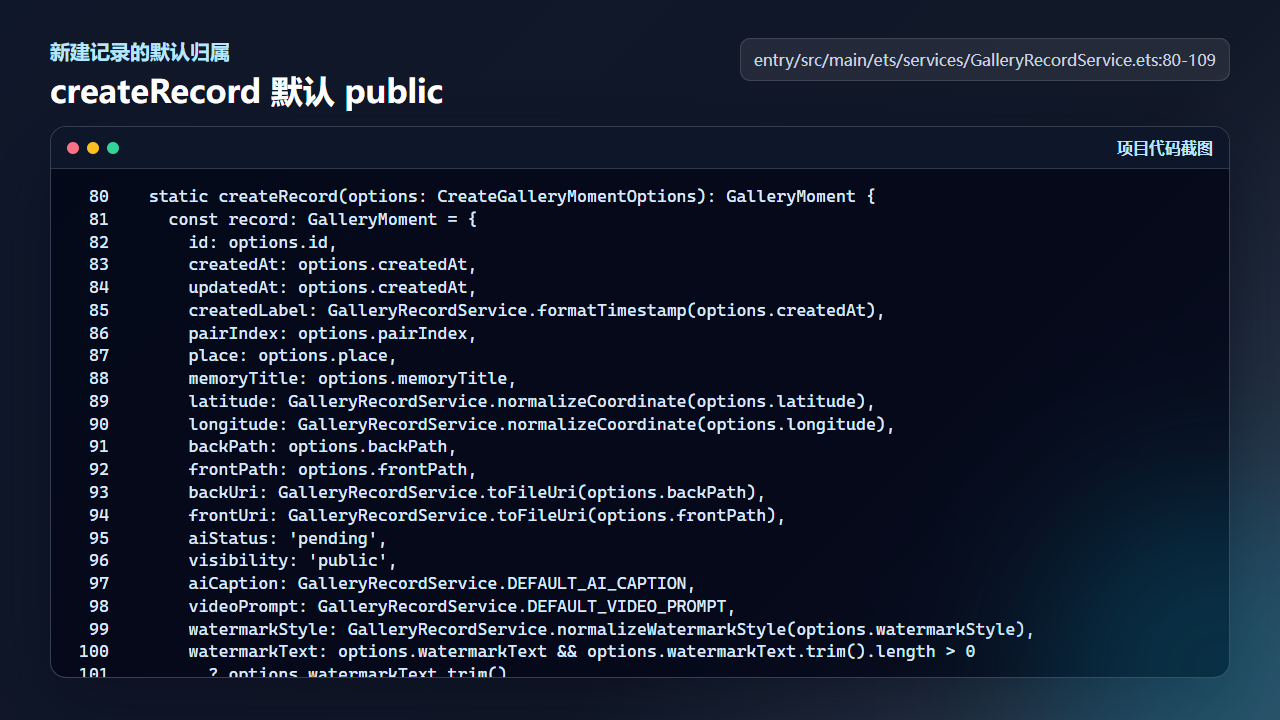
新建 GalleryMoment 默认进入公开相册
  static createRecord(options: CreateGalleryMomentOptions): GalleryMoment {
    const record: GalleryMoment = {
      id: options.id,
      createdAt: options.createdAt,
      updatedAt: options.createdAt,
      createdLabel: GalleryRecordService.formatTimestamp(options.createdAt),
      pairIndex: options.pairIndex,
      place: options.place,
      memoryTitle: options.memoryTitle,
      latitude: GalleryRecordService.normalizeCoordinate(options.latitude),
      longitude: GalleryRecordService.normalizeCoordinate(options.longitude),
      backPath: options.backPath,
      frontPath: options.frontPath,
      backUri: GalleryRecordService.toFileUri(options.backPath),
      frontUri: GalleryRecordService.toFileUri(options.frontPath),
      aiStatus: 'pending',
      visibility: 'public',
      aiCaption: GalleryRecordService.DEFAULT_AI_CAPTION,
      videoPrompt: GalleryRecordService.DEFAULT_VIDEO_PROMPT,
      watermarkStyle: GalleryRecordService.normalizeWatermarkStyle(options.watermarkStyle),
      watermarkText: options.watermarkText && options.watermarkText.trim().length > 0
        ? options.watermarkText.trim()
        : '',
      userNote: GalleryRecordService.DEFAULT_USER_NOTE,
      aiPoem: GalleryRecordService.DEFAULT_AI_POEM,
      syncDirty: true,
      cloudRevision: 0
    };
    return record;
  }
加载旧数据时重新标准化
真实项目经常会经历字段新增。旧版本记录可能没有 visibility,也可能存了异常值。normalizeRecord 会把不是 private 的值统一回 public,这样旧数据不会因为字段缺失而进入保险箱,也不会让列表渲染遇到不可预期状态。
同一个函数还会修正 URI、AI 状态、备注、云端资产等字段。保险箱模型并不是孤立字段,它要和整个相册记录的标准化流程一起运行,保证每次加载后的数据都是可渲染、可同步、可过滤的。
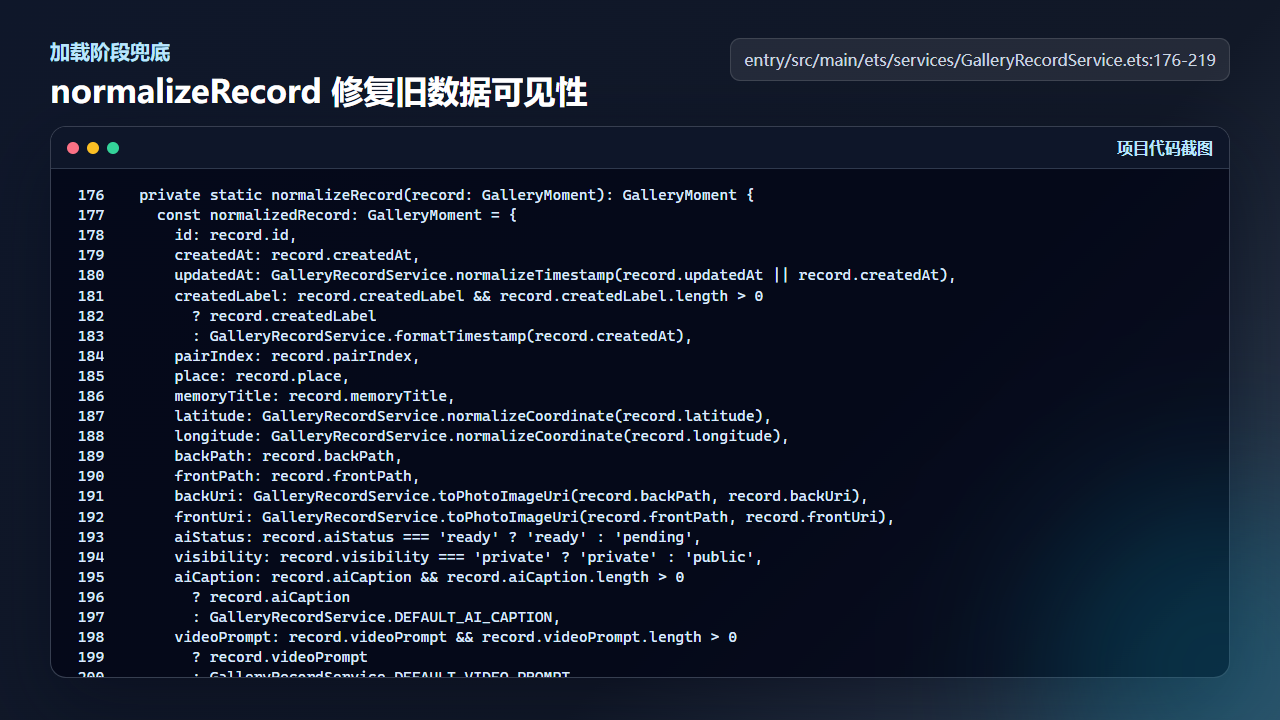
normalizeRecord 把缺失或异常 visibility 回退为 public
  private static normalizeRecord(record: GalleryMoment): GalleryMoment {
    const normalizedRecord: GalleryMoment = {
      id: record.id,
      createdAt: record.createdAt,
      updatedAt: GalleryRecordService.normalizeTimestamp(record.updatedAt || record.createdAt),
      createdLabel: record.createdLabel && record.createdLabel.length > 0
        ? record.createdLabel
        : GalleryRecordService.formatTimestamp(record.createdAt),
      pairIndex: record.pairIndex,
      place: record.place,
      memoryTitle: record.memoryTitle,
      latitude: GalleryRecordService.normalizeCoordinate(record.latitude),
      longitude: GalleryRecordService.normalizeCoordinate(record.longitude),
      backPath: record.backPath,
      frontPath: record.frontPath,
      backUri: GalleryRecordService.toPhotoImageUri(record.backPath, record.backUri),
      frontUri: GalleryRecordService.toPhotoImageUri(record.frontPath, record.frontUri),
      aiStatus: record.aiStatus === 'ready' ? 'ready' : 'pending',
      visibility: record.visibility === 'private' ? 'private' : 'public',
      aiCaption: record.aiCaption && record.aiCaption.length > 0
        ? record.aiCaption
        : GalleryRecordService.DEFAULT_AI_CAPTION,
      videoPrompt: record.videoPrompt && record.videoPrompt.length > 0
        ? record.videoPrompt
        : GalleryRecordService.DEFAULT_VIDEO_PROMPT,
      watermarkStyle: GalleryRecordService.normalizeWatermarkStyle(record.watermarkStyle),
      watermarkText: record.watermarkText && record.watermarkText.trim().length > 0
        ? record.watermarkText.trim()
        : ''
    };
    normalizedRecord.userNote = record.userNote && record.userNote.length > 0
      ? record.userNote
      : GalleryRecordService.DEFAULT_USER_NOTE;
    normalizedRecord.aiPoem = record.aiPoem && record.aiPoem.length > 0
      ? record.aiPoem
      : GalleryRecordService.DEFAULT_AI_POEM;
    normalizedRecord.ownerKey = record.ownerKey ?? '';
    normalizedRecord.syncDirty = record.syncDirty === true;
    normalizedRecord.cloudRevision = typeof record.cloudRevision === 'number' && Number.isFinite(record.cloudRevision)
      ? record.cloudRevision
      : 0;
    normalizedRecord.cloudBackAssetDataUrl = record.cloudBackAssetDataUrl ?? '';
    normalizedRecord.cloudFrontAssetDataUrl = record.cloudFrontAssetDataUrl ?? '';
    return normalizedRecord;
两个列表来自两个过滤函数
getPublicGalleryRecords 和 getVaultRecords 是最直接的视图分层。公开相册排除 private,保险箱只保留 private。这样的函数虽然短,但它们是相册、地图、短片选择、保险箱网格的源头。
写文章时可以提醒读者:不要在各个页面散写过滤条件。把 public/private 的过滤集中在函数里,后续如果隐私策略改变,例如增加 archived 或 shared 状态,也能从这一层统一调整。
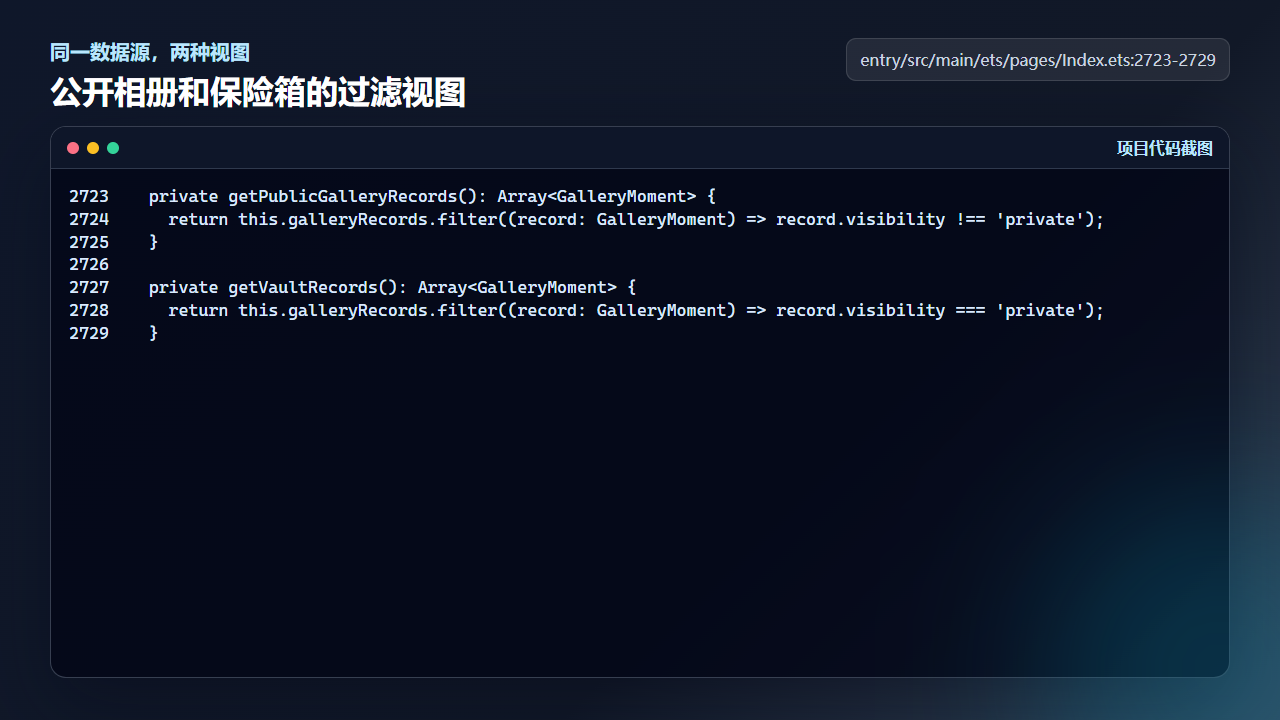
公开相册和保险箱都从 galleryRecords 过滤得到
  private getPublicGalleryRecords(): Array<GalleryMoment> {
    return this.galleryRecords.filter((record: GalleryMoment) => record.visibility !== 'private');
  }

  private getVaultRecords(): Array<GalleryMoment> {
    return this.galleryRecords.filter((record: GalleryMoment) => record.visibility === 'private');
  }
工程检查清单
- 所有照片记录共用
GalleryMoment模型。 - 新建记录默认 public,用户操作后才进入 private。
- 加载旧数据时要修正缺失或异常 visibility。
- 公开列表和保险箱列表的过滤逻辑集中封装。
今日练习
- 手动构造一条没有 visibility 的旧记录,观察 normalize 后是否为 public。
- 把
getPublicGalleryRecords临时打印数量,和保险箱数量相加对比总记录数。 - 尝试增加一个 archived 字段,思考应该放在模型层还是页面层。
训练营里的每一篇都建议按同一个节奏复盘:先看页面行为,再回到源码定位状态和服务层,最后自己改一个很小的参数验证结果。这样写文章时不会停留在 API 名词,读者也能沿着真实工程把功能跑通。

讨论HarmonyOS开发技术,专注于API与组件、DevEco Studio、测试、元服务和应用上架分发等。
更多推荐

 5
5 0
0- 0


 已为社区贡献256条内容

所有评论(0)