【鸿蒙原生应用实战】第三篇:装备详情页——路由传参与多维信息展示
【鸿蒙原生应用实战】第三篇:装备详情页——路由传参与多维信息展示
前言
前两篇我们完成了首页和装备库的开发。本篇将开发 装备详情页(GearDetailPage),这是 App 中信息密度最高的页面。
装备详情页需要展示:
- 渐变头部背景 + 装备图标
- 重量/价格/状态/分类 四维信息卡
- 装备状况条(含 Progress 进度条)
- 详细参数表格
- 使用统计
- 使用笔记
- 保养指南(洗涤/干燥/周期)
- 保养记录时间线
- 搭配推荐
通过本页面的开发,你将学到路由传参、条件渲染、Progress 组件、渐变背景、Builder 参数化等 ArkTS 核心技能。
一、路由传参
1.1 跳转时传递参数
从装备库跳转到详情页时,需要传递装备 ID:
// GearPage.ets 中
.onClick(() => {
  router.pushUrl({
    url: 'pages/GearDetailPage',
    params: { gearId: gear.id }
  });
})
params 是一个键值对对象,可以传递任意可序列化的数据。
1.2 接收参数
在详情页的 aboutToAppear 中接收参数:
aboutToAppear(): void {
  const params: Record<string, Object> = router.getParams() as Record<string, Object>;
  if (params && params['gearId'] !== undefined) {
    this.gearId = params['gearId'] as number;
  }
  this.loadGear();
}
关键点:
router.getParams()返回Record<string, Object>类型- 使用
as进行类型断言(TypeScript 类型转换语法) - 需要判空:
if (params && params['gearId'] !== undefined) - 取出的值再断言为目标类型:
as number
1.3 返回上一页
Text('←')
  .fontSize(22).fontColor(Color.White)
  .onClick(() => { router.back(); })
router.back() 不带参数,直接返回上一页。如果需要回传数据,可以在 back 前通过其他方式(如 AppStorage 或全局变量)传递。
1.4 路由传参的完整流程
GearPage                        GearDetailPage
   │                                │
   │  router.pushUrl({              │
   │    url: 'pages/GearDetailPage',│
   │    params: { gearId: 1 }       │
   │  })                            │
   │ ───────────────────────────►   │
   │                                │ aboutToAppear()
   │                                │   params = router.getParams()
   │                                │   gearId = params['gearId']
   │                                │   loadGear()
   │                                │
   │           ←  router.back()     │
   │                                │
二、数据模型
2.1 GearDetail 接口
详情页的数据结构比列表页更丰富:
interface GearDetail {
  id: number;           // 装备ID
  name: string;         // 名称
  category: string;     // 分类
  brand: string;        // 品牌
  weight: string;       // 重量
  price: string;        // 价格
  purchaseDate: string; // 购买日期
  condition: string;    // 状况描述
  notes: string;        // 使用笔记
  icon: string;         // Emoji 图标
}
相比 Gear 接口,GearDetail 多了 brand、price、purchaseDate、condition、notes 字段——这些信息只会在详情页展示。
2.2 注意类型断言的安全写法
const params = router.getParams() as Record<string, Object>;
if (params && params['gearId'] !== undefined) {
  this.gearId = params['gearId'] as number;
}
这种 if 判空是必须的,因为:
- 用户可能通过非正常途径进入此页面(无参数)
- 参数名可能拼写错误
- 参数类型可能不匹配
三、渐变头部
3.1 使用 linearGradient
详情页最醒目的是绿色渐变头部:
@Builder buildHeader() {
  Stack() {
    // 渐变背景层
    Column()
      .width('100%').height(160)
      .linearGradient({
        direction: GradientDirection.Bottom,
        colors: [['#2ECC71', 0], ['#27AE60', 1]]
      })

    // 内容层
    Column() {
      // 顶部操作栏
      Row() {
        Text('←').fontSize(22).fontColor(Color.White)
          .onClick(() => { router.back(); })
        Blank()
        Text('···').fontSize(22).fontColor(Color.White)
      }
      .width('100%').padding({ left: 16, right: 16 })
      .position({ top: 40 })

      // 装备图标+名称
      if (this.gear) {   // ← 条件渲染,确保 gear 不为 null
        Column() {
          Text(this.gear.icon).fontSize(48)
          Text(this.gear.name)
            .fontSize(22).fontWeight(FontWeight.Bold).fontColor(Color.White)
            .margin({ top: 4 })
          Text(this.gear.brand)
            .fontSize(13).fontColor('rgba(255,255,255,0.8)').margin({ top: 4 })
        }
        .alignItems(HorizontalAlign.Center)
        .width('100%').position({ top: 68 })
      }
    }
    .width('100%').height('100%')
  }
  .width('100%').height(160)
}
渐变 API 详解:
.linearGradient({
  direction: GradientDirection.Bottom,  // 方向:从上到下
  colors: [
    ['#2ECC71', 0],   // 起始颜色 + 位置(0%)
    ['#27AE60', 1]    // 结束颜色 + 位置(100%)
  ]
})
direction 支持的值:
GradientDirection.Left/Right/Top/BottomGradientDirection.LeftTop/LeftBottom/RightTop/RightBottom
3.2 Stack 布局技巧
┌──────────────────────────────────────┐
│  ←                    ···     ← position(top: 40)
│                                      │
│            🧥                        │
│          冲锋衣             ← position(top: 68)
│         Arc'teryx                    │
│                                      │
│    [渐变背景: #2ECC71 → #27AE60]     │
└──────────────────────────────────────┘
关键点:Stack 允许多个元素重叠。position 设置相对于父容器的绝对偏移。这里背景层占满 160px,按钮在 top:40,图标名称在 top:68。
四、四维信息卡
4.1 布局实现
@Builder buildInfoCards() {
  if (this.gear) {
    Row() {
      Column() {
        Text(this.gear.weight)
          .fontSize(16).fontWeight(FontWeight.Bold).fontColor('#FF6B35')
        Text('重量').fontSize(10).fontColor('#999999').margin({ top: 2 })
      }
      .layoutWeight(1).alignItems(HorizontalAlign.Center)

      Column() {
        Text(this.gear.price)
          .fontSize(16).fontWeight(FontWeight.Bold).fontColor('#E74C3C')
        Text('价格').fontSize(10).fontColor('#999999').margin({ top: 2 })
      }
      .layoutWeight(1).alignItems(HorizontalAlign.Center)

      Column() {
        Text(this.gear.condition)
          .fontSize(14).fontWeight(FontWeight.Bold).fontColor('#2ECC71')
        Text('状态').fontSize(10).fontColor('#999999').margin({ top: 2 })
      }
      .layoutWeight(1).alignItems(HorizontalAlign.Center)

      Column() {
        Text(this.gear.category)
          .fontSize(13).fontWeight(FontWeight.Bold).fontColor('#3498DB')
        Text('分类').fontSize(10).fontColor('#999999').margin({ top: 2 })
      }
      .layoutWeight(1).alignItems(HorizontalAlign.Center)
    }
    .width('100%').padding(14)
    .backgroundColor('#FFFFFF').borderRadius(10)
    .margin({ top: 8, left: 16, right: 16 })
  }
}
每个指标使用不同的主题色:
| 指标 | 颜色值 | 语义 |
|---|---|---|
| 重量 | #FF6B35 橙色 |
注意 |
| 价格 | #E74C3C 红色 |
花费 |
| 状态 | #2ECC71 绿色 |
良好 |
| 分类 | #3498DB 蓝色 |
信息 |
五、装备状况模块
5.1 星级评分 + Progress 进度条
@Builder buildConditionSection() {
  Column() {
    Text('装备状况').fontSize(15).fontWeight(FontWeight.Bold).fontColor('#1A1A2E')

    Text(this.getConditionStars(this.conditionLevel))
      .fontSize(20).margin({ top: 6 })

    Row() {
      Text('损耗程度:').fontSize(12).fontColor('#666666')
      Progress({ value: 20, total: 100, style: ProgressStyle.Linear })
        .width('60%').height(6).value(20).color('#2ECC71')
        .backgroundColor('#F0F0F0').borderRadius(3).margin({ left: 8 })
      Text('20%').fontSize(11).fontColor('#2ECC71').margin({ left: 6 })
    }
    .width('100%').margin({ top: 8 })
  }
  .width('100%').padding(16)
  .backgroundColor('#FFFFFF').borderRadius(10)
  .margin({ top: 8, left: 16, right: 16 })
  .alignItems(HorizontalAlign.Start)
}
5.2 辅助方法
getConditionStars(level: number): string {
  return '⭐'.repeat(level) + '☆'.repeat(5 - level);
}
level 取值范围 1-5,如 level=4 输出 "⭐⭐⭐⭐☆"。
5.3 Progress 组件详解
Progress({ value: 20, total: 100, style: ProgressStyle.Linear })
value:当前值(20)total:最大值(100)style:ProgressStyle.Linear(线形)或ProgressStyle.Ring(环形)
设置颜色和值可以链式调用:
Progress({...}).value(20).color('#2ECC71')
注意:Progress 的
value既可以在构造函数中传入,也可以通过链式.value()设置。如果两者都设置,链式调用的值会覆盖构造函数中的值。
六、详细资料表格
使用 Row 对实现键值对展示:
@Builder buildDetails() {
  if (this.gear) {
    Column() {
      Text('详细资料').fontSize(15).fontWeight(FontWeight.Bold).fontColor('#1A1A2E')

      Row() {
        Text('购买日期').fontSize(13).fontColor('#999999')
        Blank()
        Text(this.gear.purchaseDate).fontSize(13).fontColor('#333333')
      }.width('100%').margin({ top: 8 })

      Row() {
        Text('品牌').fontSize(13).fontColor('#999999')
        Blank()
        Text(this.gear.brand).fontSize(13).fontColor('#333333')
      }.width('100%').margin({ top: 6 })

      // ... 分类、重量、价格同理
    }
    .width('100%').padding(16)
    .backgroundColor('#FFFFFF').borderRadius(10)
    .margin({ top: 8, left: 16, right: 16 })
    .alignItems(HorizontalAlign.Start)
  }
}
布局技巧:Blank() 在 Row 中会自动填充中间空间,实现"标签居左,值居右"的效果。
七、使用统计
@Builder buildUsageStats() {
  Column() {
    Text('📊 使用统计').fontSize(15).fontWeight(FontWeight.Bold).fontColor('#1A1A2E')

    Row() {
      Column() {
        Text('12').fontSize(20).fontWeight(FontWeight.Bold).fontColor('#FF6B35')
        Text('使用次数').fontSize(11).fontColor('#999999').margin({ top: 2 })
        Text('近半年').fontSize(10).fontColor('#DDDDDD').margin({ top: 1 })
      }
      .layoutWeight(1).alignItems(HorizontalAlign.Center)

      Column() {
        Text('30+').fontSize(20).fontWeight(FontWeight.Bold).fontColor('#3498DB')
        Text('累计天数').fontSize(11).fontColor('#999999').margin({ top: 2 })
        Text('含各类活动').fontSize(10).fontColor('#DDDDDD').margin({ top: 1 })
      }
      .layoutWeight(1).alignItems(HorizontalAlign.Center)

      Column() {
        Text('8/10').fontSize(18).fontWeight(FontWeight.Bold).fontColor('#2ECC71')
        Text('满意度评分').fontSize(11).fontColor('#999999').margin({ top: 2 })
        Text('强烈推荐').fontSize(10).fontColor('#DDDDDD').margin({ top: 1 })
      }
      .layoutWeight(1).alignItems(HorizontalAlign.Center)
    }
    .width('100%').margin({ top: 10 })
  }
  .width('100%').padding(16)
  .backgroundColor('#FFFFFF').borderRadius(10)
  .margin({ top: 8, left: 16, right: 16 })
  .alignItems(HorizontalAlign.Start)
}
结构与首页的统计行类似,但这里展示了每个指标带有一条辅助说明文字(近半年、含各类活动、强烈推荐),让信息更加完整。
八、保养指南
8.1 图文并茂的指南卡片
@Builder buildWashInstructions() {
  Column() {
    Text('🧼 保养指南')
      .fontSize(15).fontWeight(FontWeight.Bold).fontColor('#1A1A2E').width('100%')

    // 洗涤方式
    Row() {
      Text('🧺').fontSize(24)
      Column() {
        Text('洗涤方式').fontSize(13).fontWeight(FontWeight.Medium).fontColor('#333333')
        Text('冷水手洗或机洗(柔洗模式),不可漂白')
          .fontSize(12).fontColor('#666666').margin({ top: 2 })
      }
      .alignItems(HorizontalAlign.Start).margin({ left: 10 }).layoutWeight(1)
    }
    .width('100%').margin({ top: 6 })

    // 干燥方式
    Row() {
      Text('☀️').fontSize(24)
      Column() {
        Text('干燥方式').fontSize(13).fontWeight(FontWeight.Medium).fontColor('#333333')
        Text('阴凉处晾干,避免暴晒和烘干')
          .fontSize(12).fontColor('#666666').margin({ top: 2 })
      }
      .alignItems(HorizontalAlign.Start).margin({ left: 10 }).layoutWeight(1)
    }
    .width('100%').margin({ top: 8 })

    // 保养周期
    Row() {
      Text('🔧').fontSize(24)
      Column() {
        Text('保养周期').fontSize(13).fontWeight(FontWeight.Medium).fontColor('#333333')
        Text('每使用3-4次或每季度做一次防水保养')
          .fontSize(12).fontColor('#666666').margin({ top: 2 })
      }
      .alignItems(HorizontalAlign.Start).margin({ left: 10 }).layoutWeight(1)
    }
    .width('100%').margin({ top: 8 })

    // 注意事项
    Row() {
      Text('⚠️').fontSize(24)
      Column() {
        Text('注意事项').fontSize(13).fontWeight(FontWeight.Medium).fontColor('#333333')
        Text('不可使用柔顺剂,会破坏防水层')
          .fontSize(12).fontColor('#E74C3C').margin({ top: 2 })
      }
      .alignItems(HorizontalAlign.Start).margin({ left: 10 }).layoutWeight(1)
    }
    .width('100%').margin({ top: 8 })

    Text('正确的保养可以延长装备使用寿命2-3倍')
      .fontSize(11).fontColor('#BBBBBB').width('100%').margin({ top: 6 })
  }
  .width('100%').padding(16)
  .backgroundColor('#FFFFFF').borderRadius(10)
  .margin({ top: 8, left: 16, right: 16 })
  .alignItems(HorizontalAlign.Start)
}
设计要点:每条指南由 Emoji + 标题 + 描述组成,左侧 Emoji 作为视觉锚点,让用户快速定位不同类型的保养建议。
九、搭配推荐
@Builder buildAccessoryRecommendation() {
  Column() {
    Text('🛒 搭配推荐')
      .fontSize(15).fontWeight(FontWeight.Bold).fontColor('#1A1A2E').width('100%')

    const accessories: string[][] = [
      ['🧤 保暖手套', '冬季必备', '#E8F5E9'],
      ['🧢 遮阳帽', '夏季防晒', '#FFF8E1'],
      ['🌂 雨衣', '防雨备用', '#E3F2FD']
    ];

    ForEach(accessories, (acc: string[]) => {
      Row() {
        Column()
          .width(36).height(36).borderRadius(8).backgroundColor(acc[2] as string)
          .justifyContent(FlexAlign.Center).alignItems(HorizontalAlign.Center)
        Text(acc[0]).fontSize(14).fontWeight(FontWeight.Medium)
          .fontColor('#333333').margin({ left: 10 }).layoutWeight(1)
        Text(acc[1]).fontSize(11).fontColor('#999999')
      }
      .width('100%').padding({ left: 16, right: 16, top: 6, bottom: 6 })
      .backgroundColor('#FFFFFF')
    }, (acc: string[]) => acc[0])
  }
  .width('100%').backgroundColor('#FFFFFF').margin({ top: 8 })
}
注意:这里 acc[2] 是字符串类型,但 backgroundColor 接受 ResourceColor 类型。我们用 as string 断言一下,这在 ArkTS 严格模式下是必要的。
十、页面组装
build(): void {
  Column() {
    Scroll() {
      Column() {
        this.buildHeader()                // 渐变头部
        this.buildInfoCards()             // 四维信息卡
        this.buildConditionSection()      // 装备状况
        this.buildDetails()               // 详细资料
        this.buildUsageStats()            // 使用统计
        this.buildNotes()                 // 使用笔记
        this.buildWashInstructions()      // 保养指南
        this.buildMaintenanceLog()        // 保养记录
        this.buildAccessoryRecommendation() // 搭配推荐
      }
      .width('100%').padding({ bottom: 30 })
    }
    .scrollable(ScrollDirection.Vertical)
    .layoutWeight(1).width('100%')
  }
  .width('100%').height('100%').backgroundColor('#F5F5F5')
}
信息密度分析:这个页面共有 9 个 Builder 模块,是 App 中内容最丰富的页面。从上到下依次是:
- 视觉吸引 → 渐变头部
- 核心数据 → 四维卡 + 状况
- 详细信息 → 详细资料 + 统计
- 实用内容 → 笔记 + 保养指南
- 扩展推荐 → 保养记录 + 搭配推荐
这个信息层级符合用户的阅读习惯:先看概览,再看详情,最后看延伸内容。
十一、ArkTS 严格模式踩坑记录
11.1 遇到的问题
在开发中遇到的一个典型错误:
arkts-no-untyped-obj-literals: Object literals used in typed context must have explicit type annotations.
这是因为 ArkTS 严格模式下,对象字面量必须有显式类型。
11.2 解决方案
// ❌ 错误写法(对象字面量类型不明确)
const params = router.getParams();
const id = params['gearId'];

// ✅ 正确写法(显式类型断言)
const params: Record<string, Object> = router.getParams() as Record<string, Object>;
if (params && params['gearId'] !== undefined) {
  this.gearId = params['gearId'] as number;
}
11.3 其他常见严格模式规则
| 规则 | 说明 | 解决方案 |
|---|---|---|
arkts-no-untyped-obj-literals |
对象字面量需要类型 | 显式声明类型或 as 断言 |
arkts-no-noninferrable-arr-literals |
数组字面量需可推断 | 赋值给已声明类型的变量 |
arkts-no-any |
禁止 any 类型 |
使用具体类型或 Object |
十二、本页架构总结
12.1 数据流
router.pushUrl({ params: { gearId } })
  → aboutToAppear() 读取参数
  → loadGear() 加载装备数据(目前硬编码)
  → @State gear 更新
  → UI 自动重新渲染(9个 Builder 全部使用 gear 数据)
12.2 状态管理
本页的状态:
@State gearId: number = -1— 装备 ID(-1 表示未初始化)@State gear: GearDetail | null = null— 装备数据(null 表示未加载)@State conditionLevel: number = 4— 状况等级
GearDetail | null 联合类型:声明 gear 要么是 GearDetail 类型,要么是 null。在 Builder 中用 if (this.gear) 做条件守卫。
12.3 条件渲染的三种模式
ArkTS 中条件渲染的写法:
// 1. if 表达式
if (this.gear) {
  // 渲染区块
}

// 2. 三目运算符(用于属性值)
.fontColor(this.gear ? '#333333' : '#999999')

// 3. 空值合并(不常用,但有效)
Text(this.gear?.name ?? '未知装备')
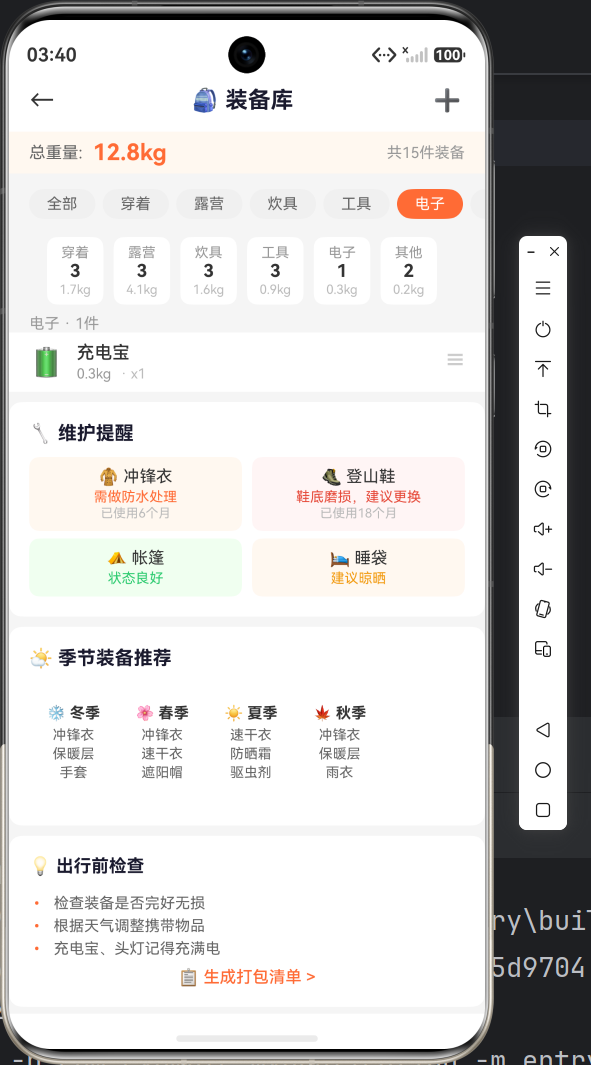
总结
本篇我们完成了装备详情页的开发,涵盖:
- ✅ 路由传参与参数接收
- ✅ 渐变背景的
linearGradientAPI - ✅
Stack+position实现叠加布局 - ✅
Progress组件的使用 - ✅ 多维信息展示的卡片设计
- ✅ ArkTS 严格模式的注意事项
下一篇我们将开发 打包清单页面,实现勾选交互、进度计算、重量估算和天气检查等实用功能!
项目信息:API 23 (compatible) / API 24 (target) | Stage 模型 | ArkTS

讨论HarmonyOS开发技术,专注于API与组件、DevEco Studio、测试、元服务和应用上架分发等。
更多推荐
 0
0 0
0- 0


 已为社区贡献35条内容

所有评论(0)