第97篇 | HarmonyOS 真机回归路线:从拍照到分享的一次完整验收
第97篇 | HarmonyOS 真机回归路线:从拍照到分享的一次完整验收
最后几天的文章不能只讲单点能力,要把真实用户路径串起来。双镜记忆相机的一次完整回归可以从拍照开始,经过本地落盘、相册展示、AI 图解、地图沉淀、保险箱、系统相册导出和系统分享,最后再回到多设备或社区发布材料。
这一篇给出一条真机回归路线,并把每个节点对应到源码函数。目标是让验收不是“我点了几下看起来可以”,而是每一步都有输入、输出、失败路径和截图证据。
本篇目标
- 把拍照、落盘、相册、导出、分享串成一条端到端路线。
- 确认
markCaptureDelivered会把拍摄结果写成 GalleryMoment。 - 检查系统分享和系统相册导出两个跨应用能力。
- 形成发布前真机回归记录。
对应源码位置
superImage/entry/src/main/ets/pages/Index.etssuperImage/entry/src/main/ets/services/GalleryRecordService.ets
拍摄完成后要生成记录
相机拍完并不等于用户路径完成。markCaptureDelivered 会根据单拍、双拍或顺序双拍结果生成 GalleryMoment,写入本地记录,并更新相册状态。这个函数是拍摄到相册之间的关键桥。
真机回归时要记录:拍摄按钮、文件路径、记录 id、相册是否出现、地图是否出现记忆点。少任何一步,都可能说明链路没有闭合。
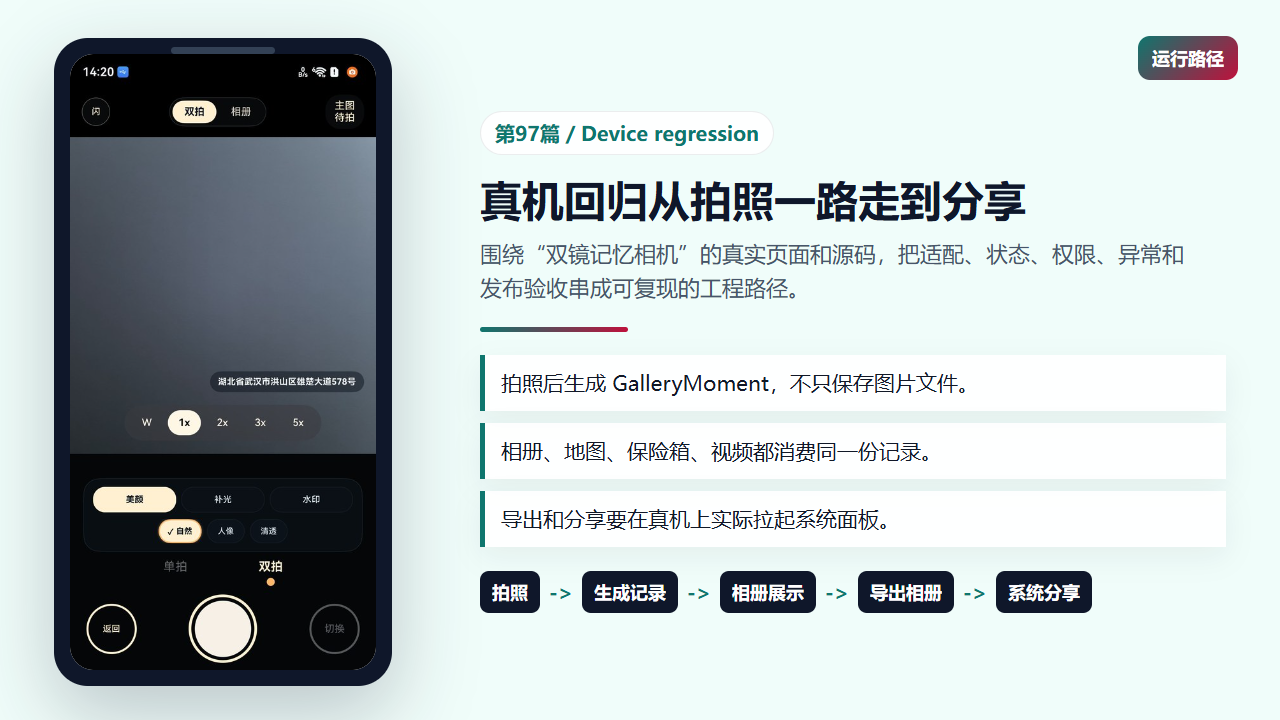
真机回归要从用户动作一路验收到跨应用结果
  private async markCaptureDelivered(role: 'back' | 'front'): Promise<void> {
    this.logCaptureTrace(
      'mark-capture-delivered-enter',
      `role=${role} backPath=${this.pendingBackCapturePath} frontPath=${this.pendingFrontCapturePath}`
    );
    if (this.pendingCaptureMode === 'sequence') {
      if (role === 'back') {
        this.backCaptureDelivered = true;
        if (!this.frontCaptureDelivered) {
          this.captureBusy = false;
          this.pendingSingleCaptureRole = 'front';
          this.cameraSequentialThumbnailUri = this.toPhotoImageUri(this.pendingBackCapturePath, '');
          this.cameraSequentialThumbnailLabel = '主图已拍';
          this.hideCameraCapturePreview();
          this.cameraStatusText = '请确认副图画面后继续拍照';
          this.lastCaptureSummary = '';
          void this.prepareSequentialFrontCapture();
          return;
        }
      } else {
        this.frontCaptureDelivered = true;
        if (!this.backCaptureDelivered) {
          this.captureBusy = false;
          this.pendingSingleCaptureRole = 'back';
          this.cameraSequentialThumbnailUri = this.toPhotoImageUri(this.pendingFrontCapturePath, '');
          this.cameraSequentialThumbnailLabel = '副图已拍';
          this.hideCameraCapturePreview();
          this.cameraStatusText = '请确认主图画面后继续拍照';
          this.lastCaptureSummary = '';
          void this.prepareSequentialBackCapture();
          return;
        }
      }

      if (this.backCaptureDelivered && this.frontCaptureDelivered) {
        const selectedMemory = this.getSelectedMapMemory();
        const captureId = this.pendingCaptureId.length > 0 ? this.pendingCaptureId : `${Date.now()}`;
        const createdAt = parseInt(captureId, 10);
        const capturePlace = this.pendingCapturePlace.length > 0 ? this.pendingCapturePlace : selectedMemory.place;
        const captureTitle = this.pendingCaptureTitle.length > 0 ? this.pendingCaptureTitle : selectedMemory.title;
        const capturePaths = await this.composeDualCaptureIfPossible(
          captureId,
          this.pendingBackCapturePath,
          this.pendingFrontCapturePath
        );
        await this.applyPendingWatermarkToCapturePaths(capturePaths);
        const nextPairCount = this.capturePairCount + 1;
        const galleryRecord = GalleryRecordService.createRecord({
          id: captureId,
          createdAt: createdAt,
          pairIndex: nextPairCount,
          place: capturePlace,
          memoryTitle: captureTitle,
          latitude: this.pendingCaptureLatitude,
          longitude: this.pendingCaptureLongitude,
          backPath: capturePaths.backPath,
          frontPath: capturePaths.frontPath,
          watermarkStyle: this.pendingWatermarkStyle,
          watermarkText: this.pendingWatermarkText
本地保存失败也要可见
记录最终会通过 GalleryRecordService.saveRecords 写入首选项。服务层捕获保存失败并写日志,页面层也要把失败变成可理解状态。否则用户拍完照片回到相册却看不到记录,会不知道问题发生在哪里。
回归时可以关注两类问题:文件已经存在但记录没写入、记录写入了但图片路径不可读。二者表现类似,定位方式不同。
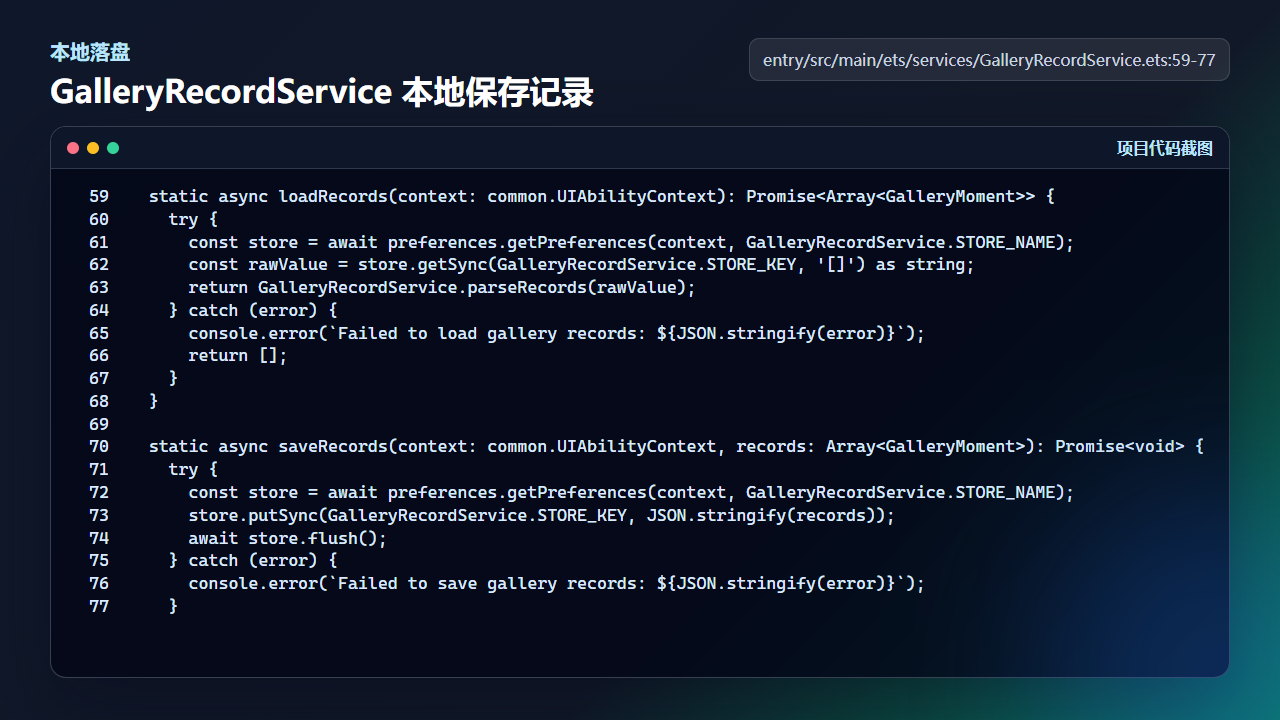
相册记录保存是拍摄链路闭环的一部分,不只是 UI 刷新
  static async loadRecords(context: common.UIAbilityContext): Promise<Array<GalleryMoment>> {
    try {
      const store = await preferences.getPreferences(context, GalleryRecordService.STORE_NAME);
      const rawValue = store.getSync(GalleryRecordService.STORE_KEY, '[]') as string;
      return GalleryRecordService.parseRecords(rawValue);
    } catch (error) {
      console.error(`Failed to load gallery records: ${JSON.stringify(error)}`);
      return [];
    }
  }

  static async saveRecords(context: common.UIAbilityContext, records: Array<GalleryMoment>): Promise<void> {
    try {
      const store = await preferences.getPreferences(context, GalleryRecordService.STORE_NAME);
      store.putSync(GalleryRecordService.STORE_KEY, JSON.stringify(records));
      await store.flush();
    } catch (error) {
      console.error(`Failed to save gallery records: ${JSON.stringify(error)}`);
    }
系统分享必须真机点一遍
系统分享涉及 SharedData、SharedRecord、ShareController 和目标应用面板。代码里能构造分享数据,不代表真机上所有目标应用都能接收,所以发布前必须至少拉起一次系统分享面板。
分享验收要覆盖公开相册、保险箱照片、生成视频三类内容。保险箱分享前还要确认认证状态,不允许未解锁时直接分享私密内容。
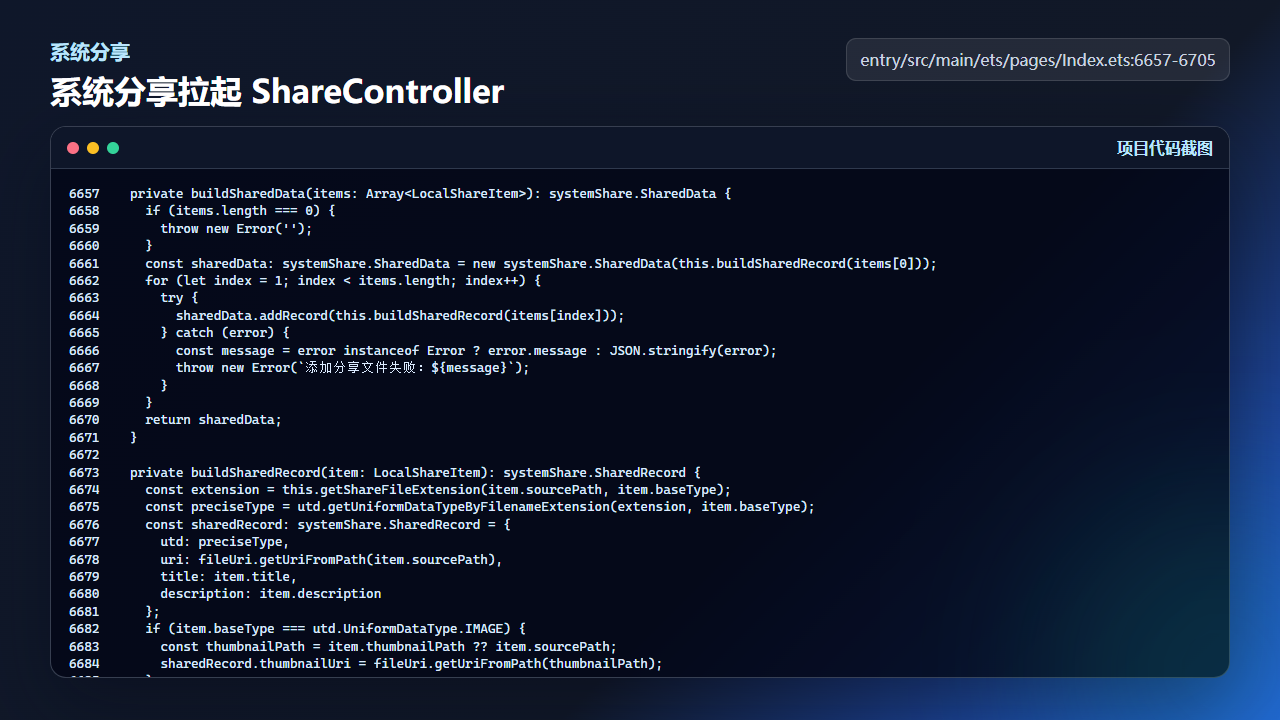
系统分享需要在真机上确认面板可拉起、目标应用可接收
  private async shareRecordWithSystemShare(
    record: GalleryMoment,
    scope: 'gallery' | 'vault'
  ): Promise<void> {
    if (this.systemShareBusy) {
      return;
    }

    const shareItems = this.buildRecordShareItems(record);
    if (shareItems.length === 0) {
      this.updateRecordExportStatus(scope, '');
      return;
    }

    this.systemShareBusy = true;
    this.updateRecordExportStatus(scope, `正在分享 ${shareItems.length} 个文件...`);
    try {
      await this.showSystemSharePanel(shareItems);
      this.updateRecordExportStatus(scope, '');
    } catch (error) {
      const message = error instanceof Error ? error.message : JSON.stringify(error);
      this.updateRecordExportStatus(scope, `系统分享失败:${message}`);
    } finally {
      this.systemShareBusy = false;
导出系统相册要检查授权弹窗
导出系统相册不是直接写系统图库,而是通过系统创建请求拿到目标 URI,再把应用沙箱文件复制过去。这个过程会拉起系统授权或创建面板,真机体验需要实际点击。
验收时要记录三种结果:成功保存、用户取消、源文件不可用。成功不是唯一重要结果,取消后页面能恢复,才算完整。
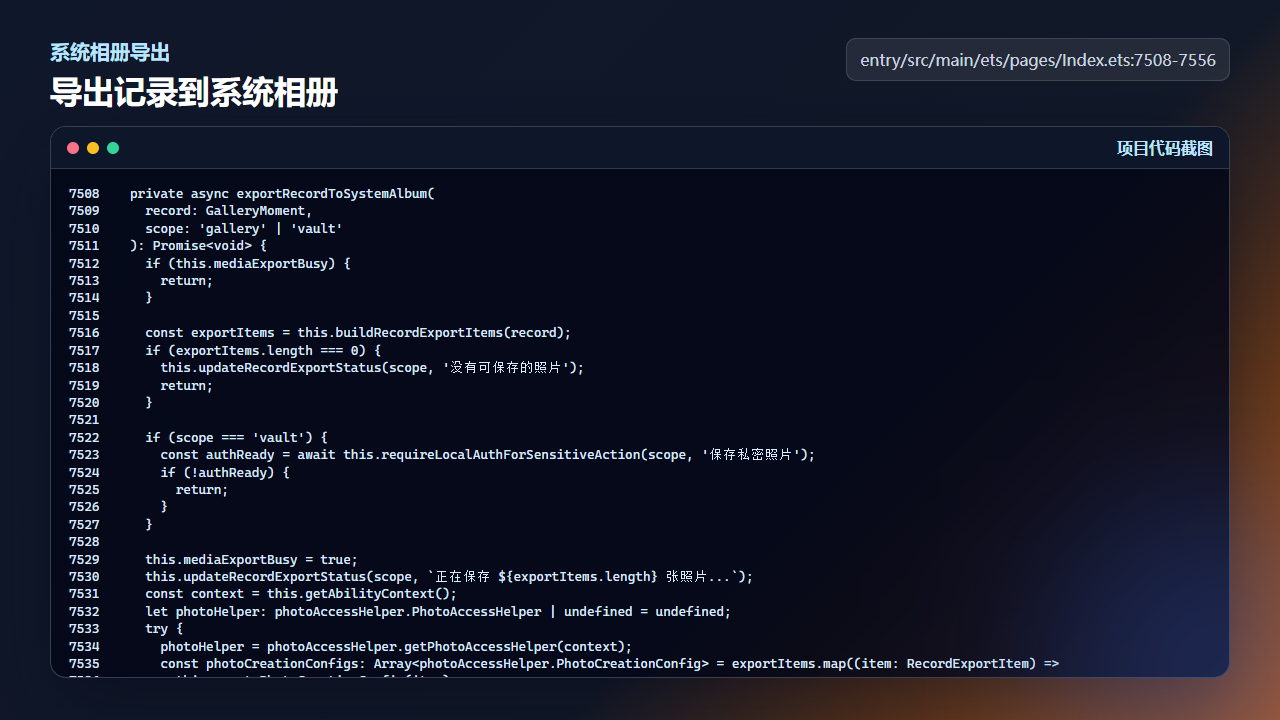
导出系统相册要验证系统弹窗、目标 URI 和取消路径
一条好的真机回归记录至少包含:设备型号、系统版本、操作路径、通过截图、失败截图、日志关键字和是否可重试。
工程验收表
| 检查项 | 通过标准 |
|---|---|
| 拍照链路 | 拍照后生成记录,记录出现在相册并能进入详情。 |
| 本地落盘 | 图片路径可读,记录保存失败能定位。 |
| 系统分享 | 公开照片、私密照片、生成视频分别拉起分享面板。 |
| 系统相册 | 成功保存、用户取消、文件不可用都有可见状态。 |
真机复测口令
按一条完整用户路径跑:打开应用 -> 拍照 -> 相册查看 -> 在线图解 -> 地图查看 -> 保险箱认证 -> 导出系统相册 -> 系统分享。每一步都记录输入、输出、源码入口和失败文案。
回归路线不要只保留成功截图。至少补一张权限拒绝、一张网络失败、一张保险箱未解锁或导出取消的证据。这样以后改相机、地图、分享或保险箱时,可以快速判断是主流程坏了,还是某个边界状态没有收口。
今日练习
- 用一条新拍记录跑完整链路,记录每一步对应的源码函数。
- 在保险箱未解锁时尝试分享,确认流程会被拦住。
- 导出到系统相册后回到应用,检查记录状态没有丢失。

讨论HarmonyOS开发技术,专注于API与组件、DevEco Studio、测试、元服务和应用上架分发等。
更多推荐



 7
7 0
0- 0


 已为社区贡献284条内容

所有评论(0)