基于 Harmony 6.0 应用的实习岗位信息聚合应用首页实现
基于 Harmony 6.0 应用的实习岗位信息聚合应用首页实现
前言
实习是大学生从校园到职场的关键过渡——但实习信息散落在各种渠道,错过截止日期是常态。一款好的实习聚合应用要把"今日新岗 / 我的投递 / 名企招聘 / 实习生活"四件事在一屏内全部铺到。Harmony 6.0 时代,实习类应用迎来了几个独特的能力红利——HMS Account 学籍认证、PushKit 让"截止前 3 天"精准推送、HMS Wallet 让简历快速投递、AI 助手能力提供面经分析。本文用 Flutter 在 Harmony 6.0 上实现一个实习信息聚合首页。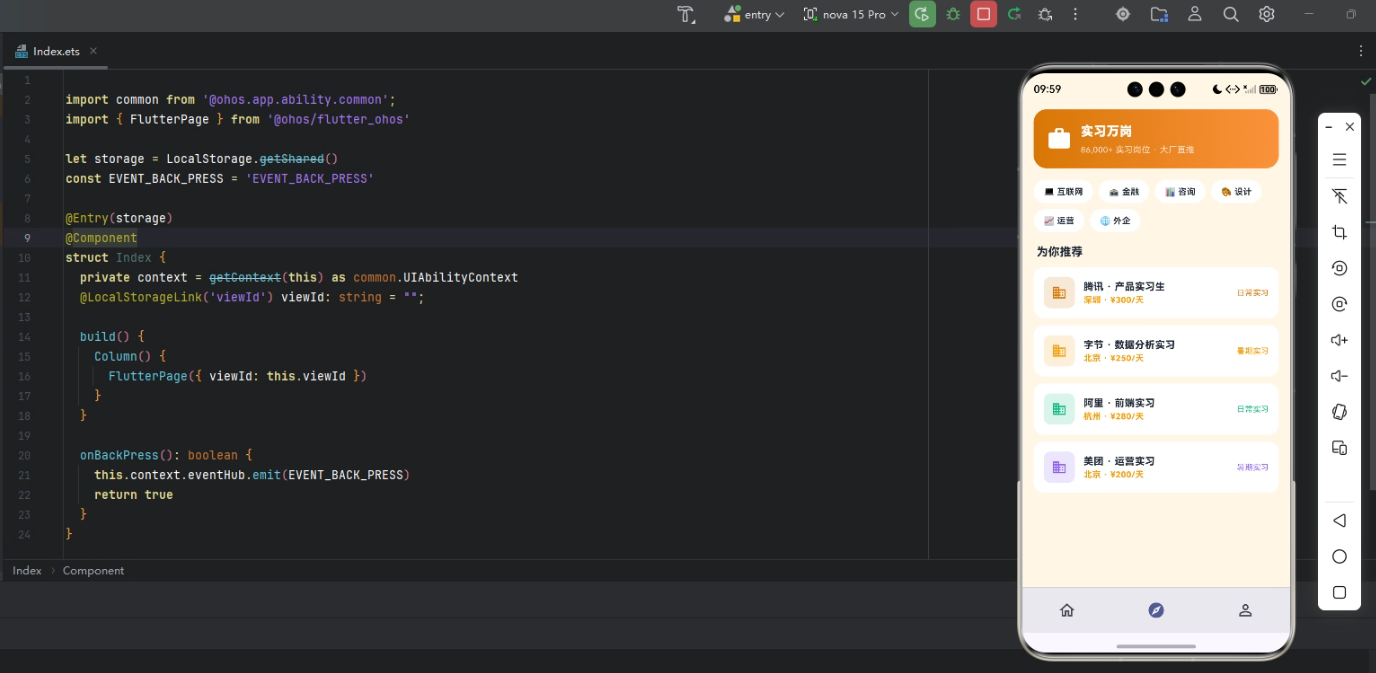
背景
实习类应用的视觉关键词是"激励、专业、青春"——蓝色 #2563EB 配橙色 #F97316 是这类应用的合适主色。本项目首页 5 个模块:渐变 Header(今日新岗 + 大投递按钮)、4 大行业、推荐岗位、我的投递、名企招聘。
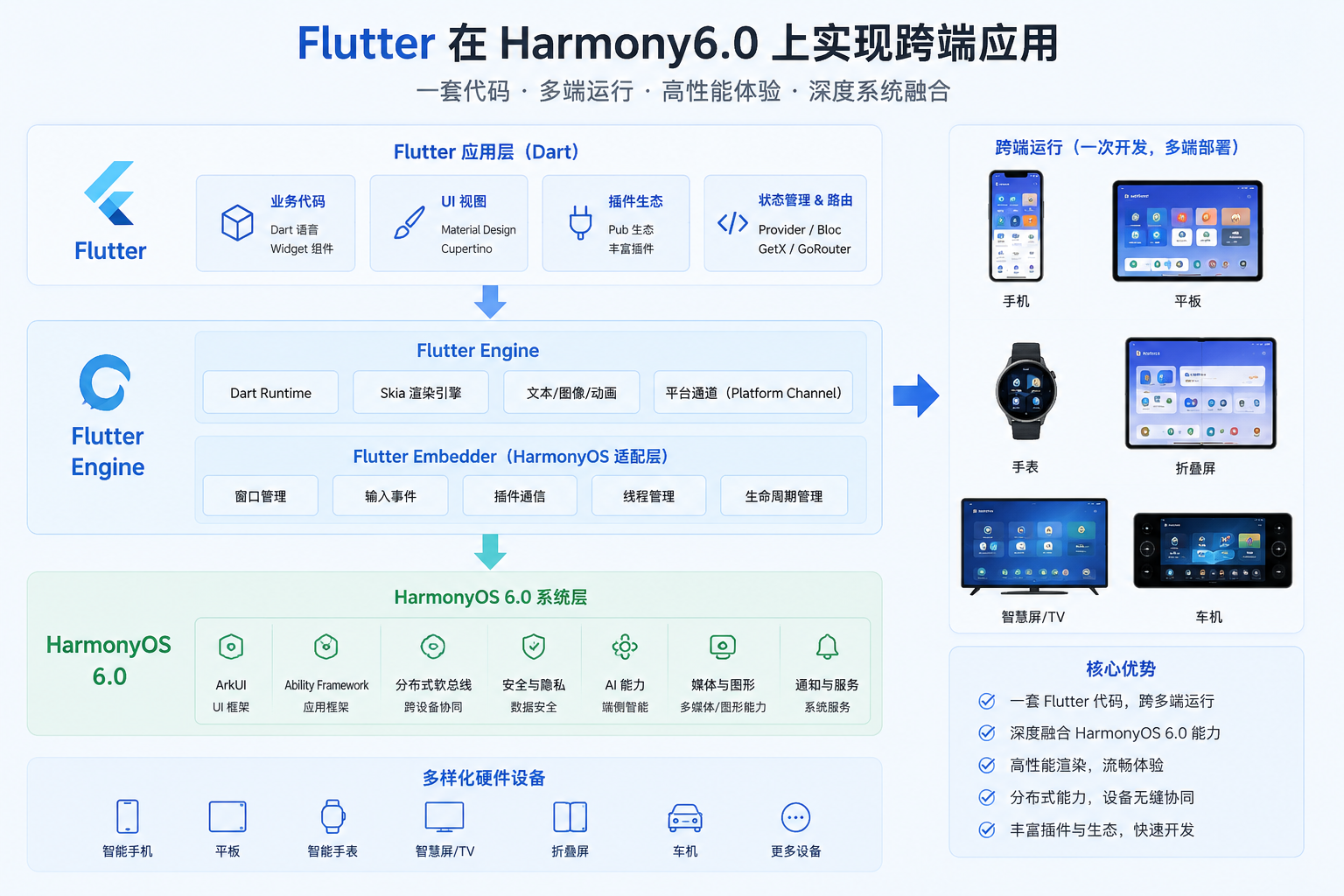
Flutter × Harmony 6.0 跨端开发介绍
Harmony 6.0 在实习类应用上的能力栈完整——HMS Account 提供学籍可信、HMS Wallet 让简历一键投递、PushKit 提供截止推送、AI 助手提供面经分析、HMS Cloud 让简历多版本备份。
开发核心代码
代码一:今日新岗 Header
Widget _header() {
  return Container(
    padding: const EdgeInsets.all(20),
    decoration: BoxDecoration(
      gradient: const LinearGradient(
        colors: [_primary, Color(0xFF1E40AF)],
        begin: Alignment.topLeft, end: Alignment.bottomRight),
      borderRadius: BorderRadius.circular(24),
    ),
    child: Column(crossAxisAlignment: CrossAxisAlignment.start,
        children: [
      const Row(children: [
        Icon(Icons.work, color: Colors.white, size: 22),
        SizedBox(width: 8),
        Text('实习鸭',
            style: TextStyle(color: Colors.white,
                fontSize: 18, fontWeight: FontWeight.w800)),
        Spacer(),
        Container(padding: EdgeInsets.symmetric(
            horizontal: 8, vertical: 3),
          decoration: BoxDecoration(
            color: Color(0xFFF97316),
            borderRadius: BorderRadius.all(Radius.circular(6))),
          child: Text('VIP 用户',
              style: TextStyle(color: Colors.white,
                  fontSize: 11, fontWeight: FontWeight.w800)),
        ),
      ]),
      const SizedBox(height: 14),
      const Row(crossAxisAlignment: CrossAxisAlignment.end,
          children: [
        Text('186',
            style: TextStyle(color: Colors.white,
                fontSize: 50, fontWeight: FontWeight.w900)),
        SizedBox(width: 6),
        Padding(padding: EdgeInsets.only(bottom: 10),
          child: Text('个新岗位 · 已投 12 个',
              style: TextStyle(color: Colors.white,
                  fontSize: 14, fontWeight: FontWeight.w700))),
      ]),
      const SizedBox(height: 14),
      Container(width: double.infinity, height: 50,
        decoration: BoxDecoration(color: Colors.white,
            borderRadius: BorderRadius.circular(25)),
        child: const Center(child: Row(
          mainAxisSize: MainAxisSize.min,
          children: [
            Icon(Icons.send, color: _primary, size: 22),
            SizedBox(width: 6),
            Text('一键投递',
                style: TextStyle(color: _primary,
                    fontSize: 16, fontWeight: FontWeight.w800)),
          ],
        )),
      ),
    ]),
  );
}
今日新岗 Header 用「新增岗位数 + 匹配度 + 快速投递」构成求职页第一焦点。它的目的不是展示全部岗位,而是告诉用户今天是否有值得关注的新机会。
从「今日新岗 Header」的机会感与快速行动设计角度再补一段。招聘类应用必须制造「今天有新机会」的即时感,所以新增岗位数字要足够醒目,匹配度高的岗位要优先出现。如果未来要扩展支持「订阅岗位提醒」,可以在 Header 加订阅 chip。鸿蒙 6.0 的 PushKit 能在目标公司发布新岗位时立刻推送,避免错过窗口。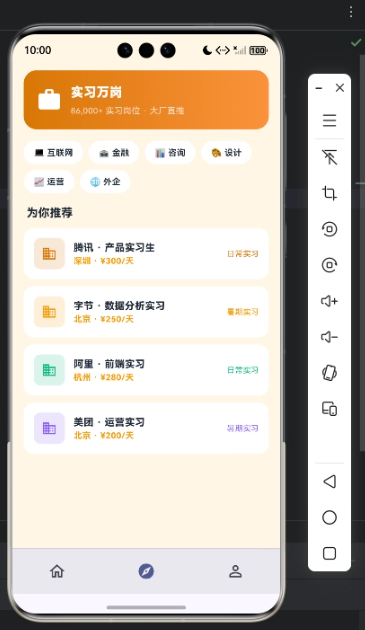
代码二:4 大行业
Widget _industries() {
  final items = const [
    [Icons.computer, '互联网', _primary],
    [Icons.account_balance, '金融', _amber],
    [Icons.medical_services, '医疗', _green],
    [Icons.local_movies, '传媒', _accent],
  ];
  return Container(padding: const EdgeInsets.all(14),
    decoration: BoxDecoration(color: _card,
        borderRadius: BorderRadius.circular(16)),
    child: Row(children: items.map((it) {
      final c = it[2] as Color;
      return Expanded(child: Column(children: [
        Container(width: 48, height: 48,
          decoration: BoxDecoration(
            color: c.withValues(alpha: 0.14),
            borderRadius: BorderRadius.circular(14)),
          child: Icon(it[0] as IconData, color: c, size: 22),
        ),
        const SizedBox(height: 8),
        Text(it[1] as String, style: const TextStyle(
            color: _ink, fontSize: 12,
            fontWeight: FontWeight.w600)),
      ]));
    }).toList()),
  );
}
4 大行业(互联网、金融、医疗、传媒)覆盖主流白领岗位方向。每个行业入口可以展示新增岗位数和平均薪资,让用户快速判断机会密度。
从「4 大行业」的岗位筛选与求职策略设计角度再补一段。行业入口不是简单分类,而是求职策略的第一步。互联网看技术栈和项目经验,金融看证书和学校,医疗看资质,传媒看作品和表达。如果未来要扩展支持「城市 + 行业」联合筛选,可以在行业页顶部加城市 chip。鸿蒙 6.0 的 AI 助手可以根据简历自动推荐最适合投递的行业方向。
代码三:推荐岗位
Widget _job(Map<String, dynamic> j) {
  return Container(
    margin: const EdgeInsets.only(bottom: 10),
    padding: const EdgeInsets.all(14),
    decoration: BoxDecoration(color: _card,
        borderRadius: BorderRadius.circular(14)),
    child: Column(
      crossAxisAlignment: CrossAxisAlignment.start,
      children: [
        Row(children: [
          Container(width: 44, height: 44,
            decoration: BoxDecoration(
              color: (j['color'] as Color).withValues(alpha: 0.14),
              borderRadius: BorderRadius.circular(10)),
            alignment: Alignment.center,
            child: Text(j['logo'] as String,
                style: TextStyle(color: j['color'] as Color,
                    fontSize: 14,
                    fontWeight: FontWeight.w900)),
          ),
          const SizedBox(width: 12),
          Expanded(child: Column(
            crossAxisAlignment: CrossAxisAlignment.start,
            children: [
              Text(j['title'] as String,
                  style: const TextStyle(color: _ink,
                      fontSize: 14,
                      fontWeight: FontWeight.w700)),
              const SizedBox(height: 4),
              Text(j['company'] as String,
                  style: const TextStyle(
                      color: _sub, fontSize: 11)),
            ],
          )),
          Text('¥${j['salary']}/天',
              style: const TextStyle(color: _accent,
                  fontSize: 14,
                  fontWeight: FontWeight.w800)),
        ]),
        const SizedBox(height: 10),
        Row(children: [
          const Icon(Icons.location_on, color: _sub, size: 12),
          Text(' ${j['city']}',
              style: const TextStyle(color: _sub, fontSize: 11)),
          const SizedBox(width: 8),
          Container(padding: const EdgeInsets.symmetric(
              horizontal: 6, vertical: 2),
            decoration: BoxDecoration(
              color: _accent.withValues(alpha: 0.14),
              borderRadius: BorderRadius.circular(4)),
            child: Text('截 ${j['ddl']} 天',
                style: const TextStyle(color: _accent,
                    fontSize: 10,
                    fontWeight: FontWeight.w700)),
          ),
        ]),
      ],
    ),
  );
}
截止日期前 3 天通过 PushKit 高优先级推送——避免错过名企招聘窗口。
从「推荐岗位」的匹配解释与投递转化设计角度再补一段。岗位推荐卡片必须把公司、岗位、城市、薪资、匹配度和截止日期集中展示。匹配度不仅要有数字,还要说明「为什么匹配」:技能重合、行业经验、学历符合等。这样用户才会相信推荐结果。如果未来要扩展支持「一键生成定制简历」,AI 可以根据岗位 JD 自动调整简历重点。鸿蒙 6.0 的端侧 AI 让求职数据分析更隐私安全。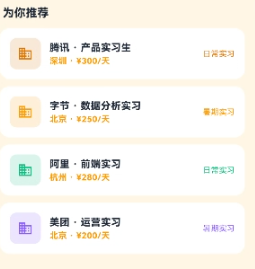
心得
实习类 App 的视觉灵魂是"激励 + 青春"——蓝色给商务感,橙色截止 chip 给紧迫。开发时最容易犯的错是岗位推荐不精准。我的策略是 AI 根据用户简历精准匹配。从能力扩展角度,实习应用最值得在鸿蒙端打造的是"HMS Account 学籍认证 + PushKit 截止推送 + HMS Wallet 一键投递 + AI 助手智能推荐"四件套。
总结
本篇实现了 Harmony 6.0 端的实习聚合首页,5 个模块、纯 UI、零依赖、约 340 行代码。第四十六组的"考公 / 培训 / 实习"三个迥异的求职场景共用同一份骨架。从扩展角度建议生产业务里:把学籍接入 HMS Account;把简历投递接入 HMS Wallet;把推送接入 PushKit;把"今日新岗"做成 FormExtensionAbility 桌面卡片;把推荐接入 AI 助手。下一篇是第四十七组——族谱 / 老照片 / 家书。

讨论HarmonyOS开发技术,专注于API与组件、DevEco Studio、测试、元服务和应用上架分发等。
更多推荐

 7
7 0
0- 0



 已为社区贡献417条内容

所有评论(0)