纵向和水平布局演示
·
1.Row 是水平线性布局容器,子组件沿水平主轴从左到右依次并排排列,是一维单行布局,默认不会自动换行,子元素超出容器宽度会直接裁切
eg:
@Entry
@Component
struct ColumnDemo{
  build() {
    Column({space:25}){
      Text('鸿蒙应用开发')
        .fontSize(24)
        .fontWeight(FontWeight.Bolder)

      Text('ArkUI布局实训')
        .fontSize(22)
        .fontColor(Color.Red)

      Text(' 第一部分,基本布局')
        .fontSize(20)
        .fontColor(0x007dff)

    }
    .width('80%')
    .height('100%')
    .justifyContent(FlexAlign.SpaceEvenly)
    .alignItems(HorizontalAlign.Center)
    .backgroundColor(0XF5F5F5)
  }
}
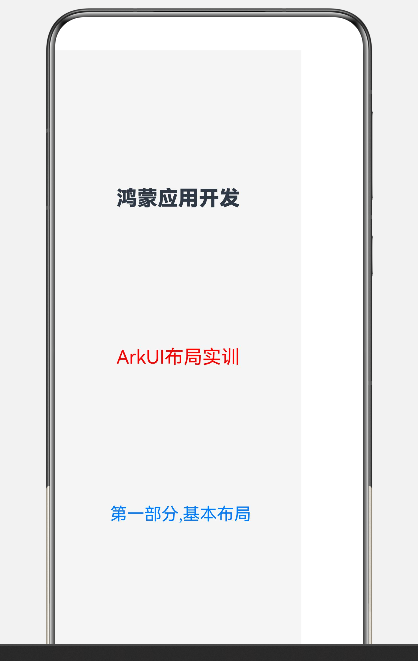
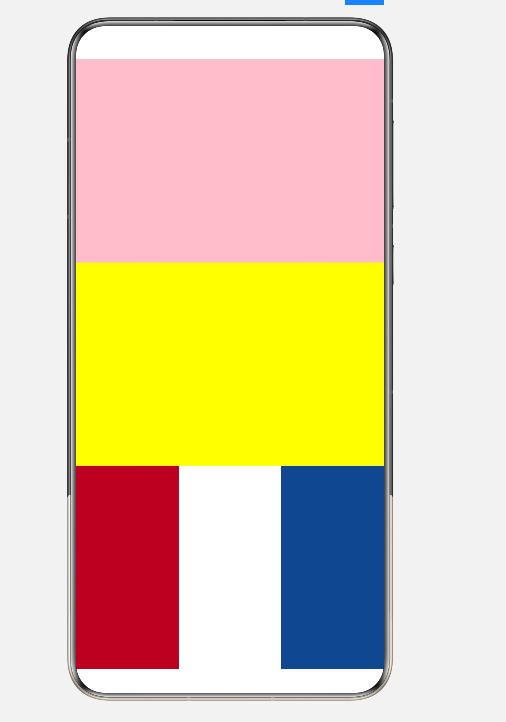
2.Column 是垂直线性布局容器,子组件沿垂直主轴从上到下纵向堆叠排列,一维单列布局,不自动换行,子元素超出高度会被裁切
eg:
@Entry
@Component
struct ThreeFlags {
  build() {

     Row() {
        Column()
          .width('33.33%')
          .height('100%')
          .backgroundColor(0xAE1C28)

        Column()
          .width('33.33%')
          .height('100%')
          .backgroundColor(Color.White)

        Column()
          .width('33.33%')
          .height('100%')
          .backgroundColor(0x21468B)
      }
      .width("100%")
      .height(200) //
      .width('100%')
      .height('33.33%')
    }
    .width('100%')
    .height('100%')
  }
}

讨论HarmonyOS开发技术,专注于API与组件、DevEco Studio、测试、元服务和应用上架分发等。
更多推荐



 5
5 0
0- 0


 已为社区贡献6条内容

所有评论(0)