HarmonyOS5 汽车类行业实践 - 仪表盘自定义(四)
·
场景介绍
自定义仪表盘是汽车类应用的典型场景之一。
本示例基于 Canvas 实现仪表盘样式自定义。
效果预览
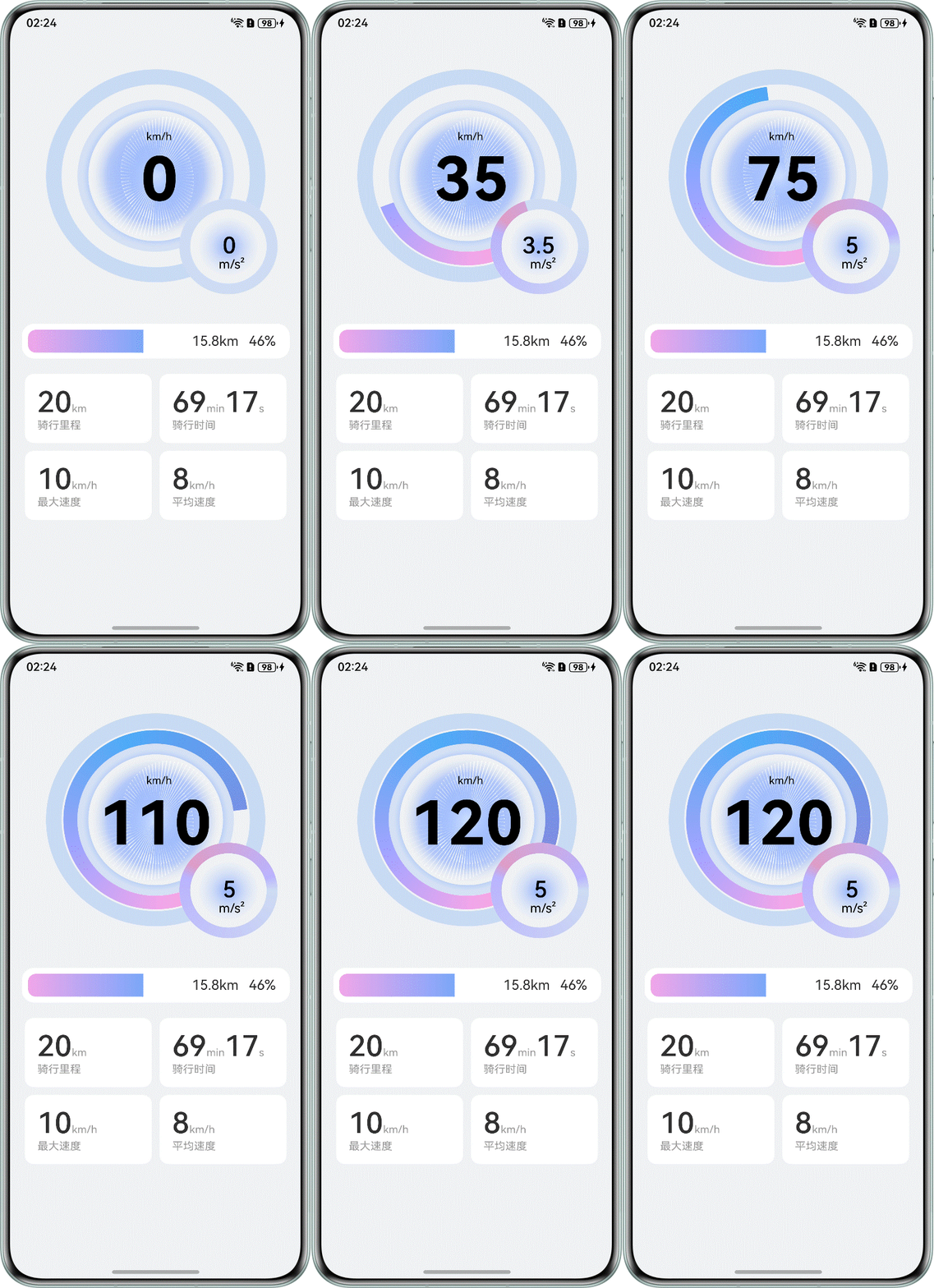
实现思路
通过 beginPath 创建一个新的绘制路径,通过 arc 在 Canvas 上绘制圆弧路径,再通过 stroke 根据路径进行边框绘制,从而实现仪表盘效果。
- drawCircleMiddle(centerx: number, centery: number) {
- let grad = this.context.createConicGradient(this.degToRad(70), centerx, centery)
- grad.addColorStop(0.0, '#FE9AE3')
- grad.addColorStop(0.25, '#A19FFF')
- grad.addColorStop(0.5, '#58B0F5')
- grad.addColorStop(0.9, '#ce6e6dd7')
- this.radius = this.canvasSize * 0.293
- this.context.lineWidth = 18
- this.context.strokeStyle = grad
- this.context.beginPath()
- if (this.speed <= this.maxSpeed) {
- this.context.arc(centerx, centery, this.radius, this.degToRad(this.startAngle),
- this.degToRad(this.startAngle + this.speed * 310 / this.maxSpeed + 0.1))
- } else {
- this.context.arc(centerx, centery, this.radius, this.degToRad(this.startAngle),
- this.degToRad(this.startAngle + this.maxSpeed * 310 / this.maxSpeed + 0.1))
- }
- this.context.stroke()
- }
约束与限制
- 本示例支持 API Version 17 Release 及以上版本。
- 本示例支持 HarmonyOS 5.0.5 Release SDK 及以上版本。
- 本示例需要使用 DevEco Studio 5.0.5 Release 及以上版本进行编译运行。
工程目录
- ├──entry/src/main/ets
- │ ├──entryability
- │ │ └──EntryAbility.ets
- │ ├──entrybackupability
- │ │ └──EntryBackupAbility.ets
- │ ├──model
- │ │ └──GridInfo.ets // 网格内容
- │ ├──pages
- │ │ └──MainPage.ets // 主页
- │ └──utils
- │ └──Dashboard.ets // 仪表盘组件
- └──entry/src/main/resources // 应用资源目录
参考文档
代码下载
欢迎加入我的 HarmonyOS 班级,一起学习技术、分享成果,还有机会把精美的 HarmonyOS 礼盒带回家!快来报名,我们一起在 HarmonyOS 的世界里探索成长~
报名链接:

讨论HarmonyOS开发技术,专注于API与组件、DevEco Studio、测试、元服务和应用上架分发等。
更多推荐
 26
26 0
0- 0


 已为社区贡献4条内容

所有评论(0)