HarmonyOS
@Entry
@Component
struct StyleDemo1{
build() {
Column({space:20}){
Image($r("app.media.4"))
.width(80)
.height(80)
.borderRadius(40)
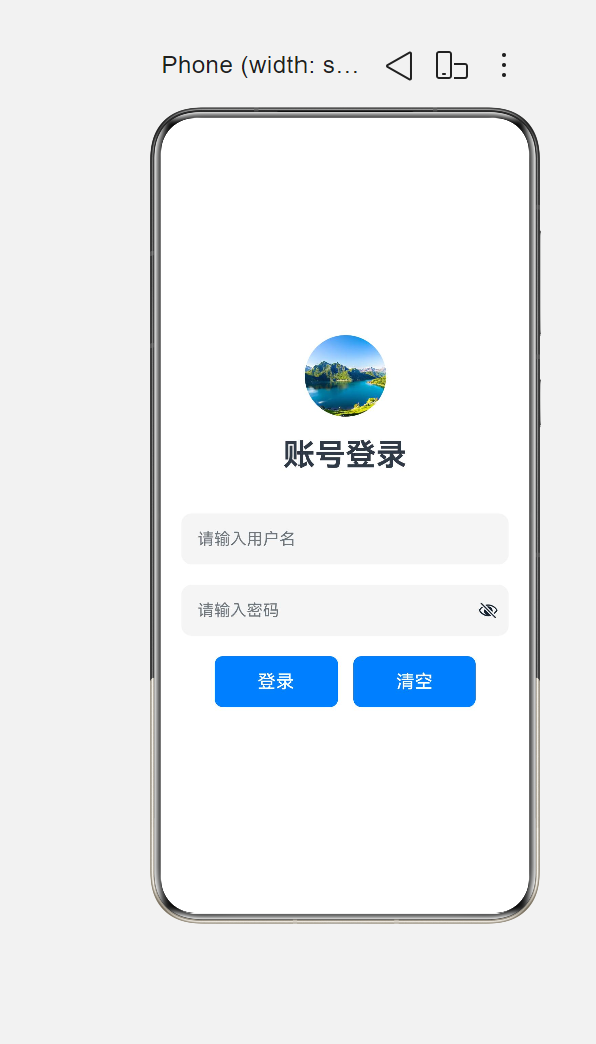
Text('账号登录')
.fontSize(30)
.fontWeight(FontWeight.Bold)
.width("100%")
.textAlign(TextAlign.Center)
.margin({ bottom: 20 })
TextInput({ placeholder: "请输入用户名" })
.width(320)
.height(50)
.backgroundColor(0xf5f5f5)
.fontSize(20)
.borderRadius(10)
TextInput({ placeholder: "请输入密码" })
.type(InputType.Password)
.width(320)
.height(50)
.backgroundColor(0xf5f5f5)
.fontSize(20)
.borderRadius(10)
Row({space:15}){
Button("登录")
.width(120)
.height(50)
.borderRadius(8)
.backgroundColor(0x007dff)
.fontSize(18)
.fontColor(Color.White)
Button("清空")
.width(120)
.height(50)
.borderRadius(8)
.backgroundColor(0x007dff)
.fontSize(18)
.fontColor(Color.White)
}
.width("100%")
.justifyContent(FlexAlign.Center)
}
.width('100%')
.height('100%')
.padding(15)
.justifyContent(FlexAlign.Center)
.alignItems(HorizontalAlign.Center)
}
}
 二、视频二二、(只能在Index文件中写)
注意:要把视频上传到
C:\Huawei\Application\entry\src\main\resources\rawfile这个文件中在Index中写入下方代码
@Entry
@Component
struct LocalVideoPlayer {
private videoController: VideoController = new VideoController();
build() {
Column() {
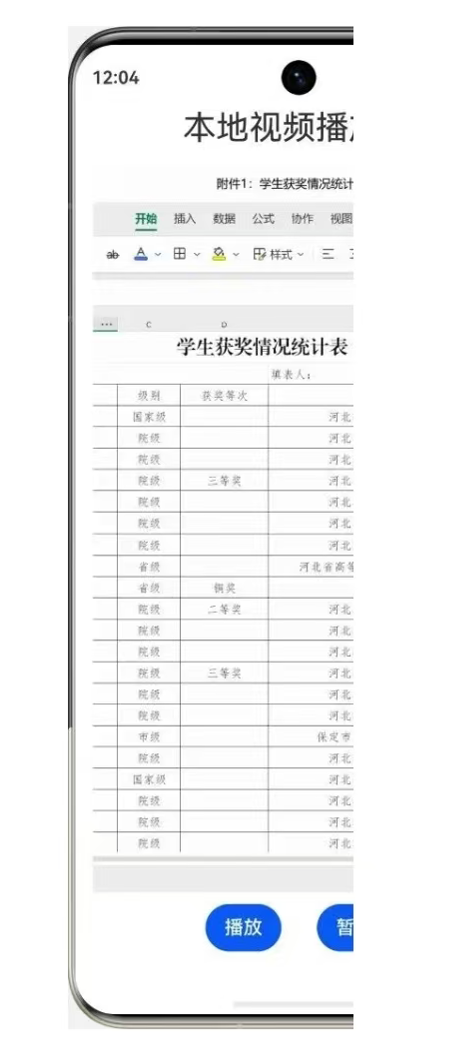
Text('本地视频播放器')
.fontSize(28)
.textAlign(TextAlign.Center)
.width('100%')
.margin({ bottom: 15 });
Video({
src: $rawfile('1.mp4'),
previewUri: $r('app.media.background'),
controller: this.videoController
})
.width('100%')
.layoutWeight(1) // 核心修改:占满剩余高度,限制视频不溢出屏幕
.controls(false)
.autoPlay(true)
.loop(true)
.muted(false)
.objectFit(ImageFit.Cover)
.margin({ bottom: 10 });
Row({ space: 30 }) {
Button('播放')
Button('暂停')
}
.justifyContent(FlexAlign.Center)
.margin({ bottom: 10 })
}
.padding(15)
.width('100%')
.height('100%');
}
}
运行结果

讨论HarmonyOS开发技术,专注于API与组件、DevEco Studio、测试、元服务和应用上架分发等。
更多推荐
 7
7 0
0- 0


 已为社区贡献6条内容

所有评论(0)