Flutter 鸿蒙图片水印功能实现:水印位置与透明度
·
Flutter 鸿蒙图片水印功能实现:水印位置与透明度
欢迎加入开源鸿蒙跨平台社区! https://openharmonycrossplatform.csdn.net
效果展示
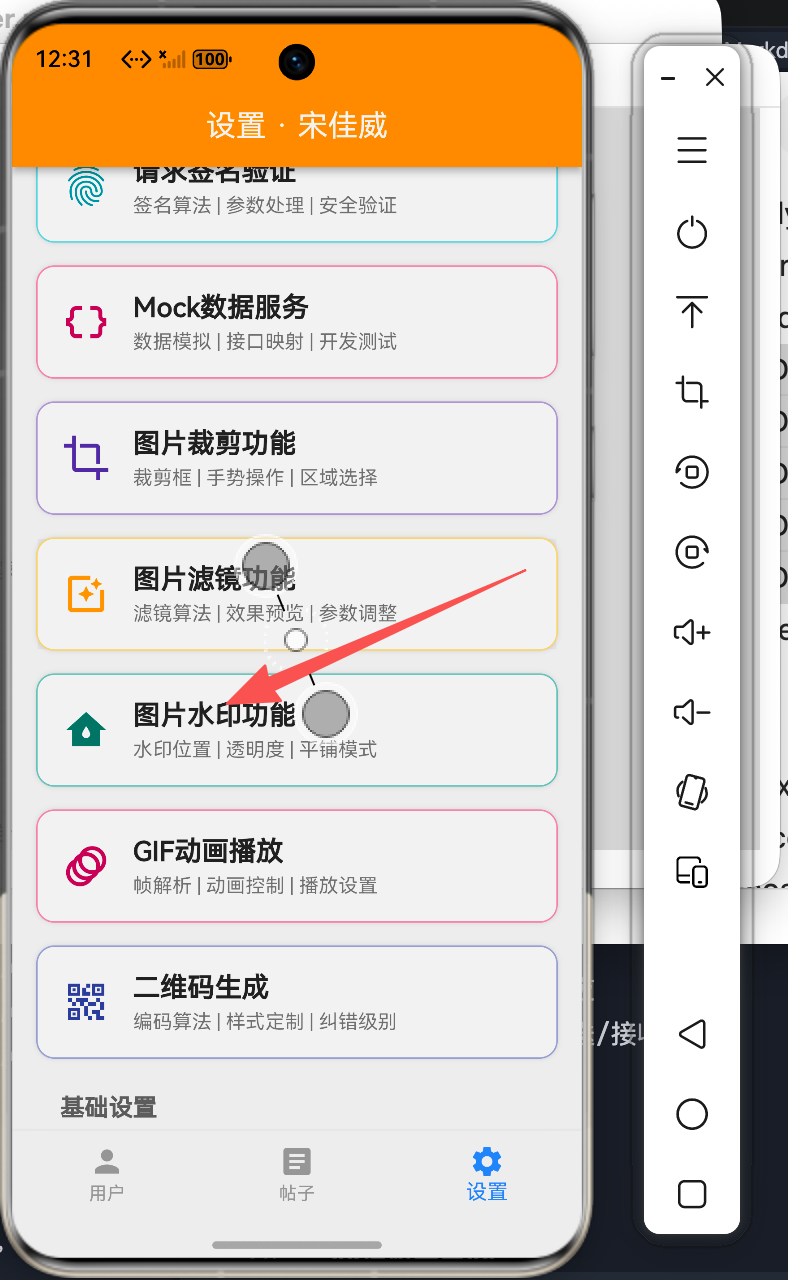

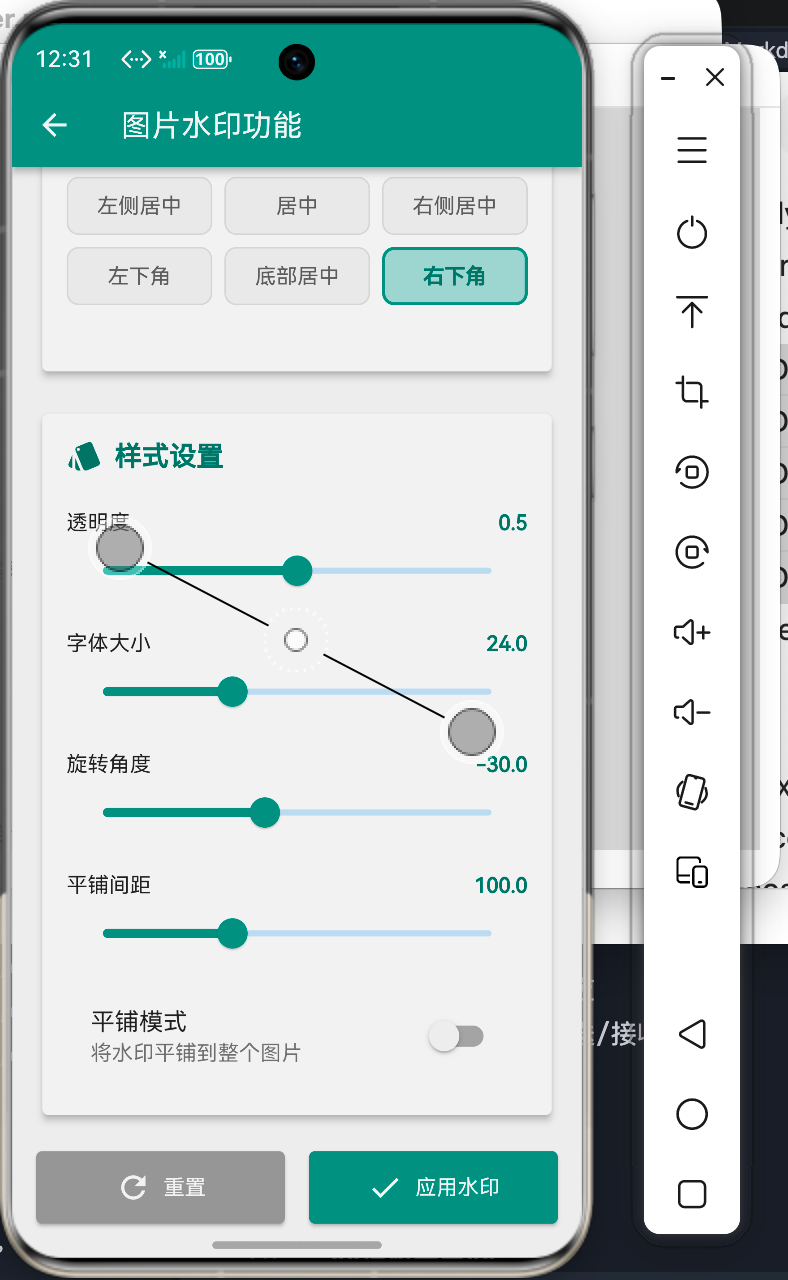
图片水印演示
水印类型
- 文字水印:自定义文字内容
- 图片水印:Logo或图标
水印位置
- 九宫格位置选择
- 自定义位置调整
- 平铺模式覆盖
水印效果展示
样式设置
- 透明度调节
- 旋转角度
- 字体大小
- 水印颜色
高级功能
- 平铺水印
- 阴影效果
- 背景遮罩
实现步骤
1. 水印绘制实现
核心类设计
class WatermarkPainter extends CustomPainter {
final String text;
final double opacity;
final double rotation;
final bool tileMode;
void paint(Canvas canvas, Size size) {
final paint = Paint()
..color = Colors.white.withOpacity(opacity);
final textPainter = TextPainter(
text: TextSpan(
text: text,
style: TextStyle(
color: Colors.white,
fontSize: 24,
fontWeight: FontWeight.bold,
),
),
textDirection: TextDirection.ltr,
)..layout();
canvas.save();
canvas.rotate(rotation);
if (tileMode) {
_drawTiledWatermark(canvas, size, textPainter);
} else {
_drawSingleWatermark(canvas, size, textPainter);
}
canvas.restore();
}
}
2. 位置控制
九宫格位置
Alignment getAlignment(String position) {
  switch (position) {
    case 'topLeft':
      return Alignment.topLeft;
    case 'topCenter':
      return Alignment.topCenter;
    case 'topRight':
      return Alignment.topRight;
    case 'center':
      return Alignment.center;
    case 'bottomLeft':
      return Alignment.bottomLeft;
    case 'bottomRight':
      return Alignment.bottomRight;
    default:
      return Alignment.bottomRight;
  }
}
3. 平铺水印
平铺绘制
void _drawTiledWatermark(
  Canvas canvas,
  Size size,
  TextPainter textPainter,
) {
  for (var y = 0.0; y < size.height; y += spacing) {
    for (var x = 0.0; x < size.width; x += spacing) {
      textPainter.paint(canvas, Offset(x, y));
    }
  }
}
4. 水印内容
文字水印
Opacity(
  opacity: opacity,
  child: Container(
    padding: EdgeInsets.symmetric(horizontal: 8, vertical: 4),
    decoration: BoxDecoration(
      color: Colors.black.withOpacity(0.3),
      borderRadius: BorderRadius.circular(4),
    ),
    child: Text(
      watermarkText,
      style: TextStyle(
        color: watermarkColor,
        fontSize: fontSize,
        fontWeight: FontWeight.bold,
        shadows: [
          Shadow(
            color: Colors.black54,
            offset: Offset(1, 1),
            blurRadius: 2,
          ),
        ],
      ),
    ),
  ),
)
功能特性
1. 水印类型
文字水印
RadioListTile<String>(
  title: Text('文字水印'),
  secondary: Icon(Icons.text_fields),
  value: 'text',
  groupValue: watermarkType,
  onChanged: (v) {
    setState(() => watermarkType = v!);
  },
)
图片水印
RadioListTile<String>(
  title: Text('图片水印'),
  secondary: Icon(Icons.image),
  value: 'image',
  groupValue: watermarkType,
  onChanged: (v) {
    setState(() => watermarkType = v!);
  },
)
2. 位置选择
九宫格布局
GridView.count(
  crossAxisCount: 3,
  children: positions.map((pos) {
    return InkWell(
      onTap: () {
        setState(() => watermarkPosition = pos);
      },
      child: Container(
        decoration: BoxDecoration(
          color: isSelected ? Colors.teal : Colors.grey,
        ),
        child: Text(pos.name),
      ),
    );
  }).toList(),
)
3. 样式调整
透明度
Slider(
  value: opacity,
  min: 0,
  max: 1,
  onChanged: (v) {
    setState(() => opacity = v);
  },
)
旋转角度
Slider(
  value: rotation,
  min: -180,
  max: 180,
  onChanged: (v) {
    setState(() => rotation = v);
  },
)
4. 颜色选择
颜色选择器
GestureDetector(
  onTap: () async {
    final color = await showColorPickerDialog();
    if (color != null) {
      setState(() => watermarkColor = color);
    }
  },
  child: Container(
    width: 40,
    height: 40,
    decoration: BoxDecoration(
      color: watermarkColor,
      borderRadius: BorderRadius.circular(8),
    ),
  ),
)
使用说明
基本使用
-
选择水印类型
- 文字水印或图片水印
- 输入水印内容
- 选择水印颜色
-
设置水印位置
- 点击九宫格选择位置
- 或开启平铺模式
- 调整间距
-
调整样式
- 设置透明度
- 调整旋转角度
- 修改字体大小
高级功能
平铺模式
SwitchListTile(
  title: Text('平铺模式'),
  subtitle: Text('将水印平铺到整个图片'),
  value: tileMode,
  onChanged: (v) {
    setState(() => tileMode = v);
  },
)
阴影效果
Text(
  watermarkText,
  style: TextStyle(
    shadows: [
      Shadow(
        color: Colors.black54,
        offset: Offset(1, 1),
        blurRadius: 2,
      ),
    ],
  ),
)
技术要点
1. 图层合成
Canvas绘制
canvas.saveLayer(null, Paint());
// 绘制原图
canvas.drawImage(source, Offset.zero, Paint());
// 绘制水印
canvas.save();
canvas.rotate(rotation);
textPainter.paint(canvas, position);
canvas.restore();
canvas.restore();
2. 性能优化
预渲染水印
final watermarkImage = await _renderWatermark();

Future<Image> _renderWatermark() async {
  final recorder = PictureRecorder();
  final canvas = Canvas(recorder);
  // 绘制水印
  return recorder.endRecording().toImage(width, height);
}
3. 防盗图
信息嵌入
String generateWatermark() {
  final userId = getCurrentUserId();
  final timestamp = DateTime.now().millisecondsSinceEpoch;
  return '© $userId $timestamp';
}
最佳实践
1. 水印设计
可见性平衡
- 透明度适中(30%-50%)
- 位置不遮挡主体
- 大小与图片协调
2. 版权保护
信息完整
String copyright = '''
© ${DateTime.now().year} Company Name
All Rights Reserved
User: $userId
Time: $timestamp
''';
3. 性能考虑
批量处理
Future<void> batchAddWatermark(
  List<Image> images,
  WatermarkConfig config,
) async {
  for (var image in images) {
    await addWatermark(image, config);
  }
}
应用场景
1. 版权保护
版权水印
WatermarkConfig(
  text: '© 2024 Company Name',
  position: 'bottomRight',
  opacity: 0.5,
)
2. 品牌推广
Logo水印
WatermarkConfig(
  type: 'image',
  image: logoImage,
  position: 'bottomRight',
  opacity: 0.7,
)
3. 防盗图
用户信息
WatermarkConfig(
  text: '用户ID: $userId',
  tileMode: true,
  opacity: 0.3,
  rotation: -30,
)
总结
Flutter鸿蒙图片水印功能实现了完整的水印解决方案,包括:
- ✅ 文字/图片水印
- ✅ 九宫格位置选择
- ✅ 平铺模式
- ✅ 透明度调节
- ✅ 旋转角度设置
该功能为Flutter for OpenHarmony应用提供了专业的水印能力,适用于版权保护、品牌推广等场景。

讨论HarmonyOS开发技术,专注于API与组件、DevEco Studio、测试、元服务和应用上架分发等。
更多推荐

 0
0 0
0- 0


 已为社区贡献77条内容

所有评论(0)