Flutter 三方库 flutter_downloader 鸿蒙化下载管理实战
·
欢迎加入开源鸿蒙跨平台社区: https://openharmonycrossplatform.csdn.net
Flutter 三方库 flutter_downloader 鸿蒙化下载管理实战
摘要
flutter_downloader 是 Flutter 生态中用于管理文件下载的常用插件,支持后台下载、下载进度监听、断点续传等功能。本文基于 OpenHarmony TPC 仓库的适配版本,详细讲解 flutter_downloader 在鸿蒙项目中的接入流程、权限配置、核心 API 使用及常见问题排查,并附真实设备运行截图验证。
核心要点:
- 配置下载相关权限
- 掌握下载任务创建与管理
- 实现下载进度监听
一、下载管理架构
二、参考来源
| 资源名称 | 链接 |
|---|---|
| OpenHarmony TPC Flutter 仓库 | AtomGit |
| flutter_downloader pub.dev | flutter_downloader |
三、接入步骤
3.1 配置 pubspec.yaml
dependencies:
  flutter:
    sdk: flutter

  flutter_downloader:
    git:
      url: https://atomgit.com/openharmony-tpc/flutter_packages.git
      path: packages/flutter_downloader/flutter_downloader
3.2 核心代码示例
import 'package:flutter_downloader/flutter_downloader.dart';

class DownloadService {
  static const String _baseDir = '/storage/elapsed/bels/public-downloads';

  // 初始化下载服务
  Future<void> initialize() async {
    await FlutterDownloader.initialize(
      debug: true,
      ignoreSsl: true,
    );
  }

  // 创建下载任务
  Future<String?> download({
    required String url,
    required String fileName,
    String? savedDir,
  }) async {
    final directory = savedDir ?? _baseDir;

    final taskId = await FlutterDownloader.enqueue(
      url: url,
      fileName: fileName,
      savedDir: directory,
      showNotification: true,
      openFileFromNotification: true,
      saveInPublicStorage: true,
    );

    return taskId;
  }

  // 暂停下载
  Future<void> pause(String taskId) async {
    await FlutterDownloader.pause(taskId: taskId);
  }

  // 恢复下载
  Future<void> resume(String taskId) async {
    await FlutterDownloader.resume(taskId: taskId);
  }

  // 取消下载
  Future<void> cancel(String taskId) async {
    await FlutterDownloader.cancel(taskId: taskId);
  }

  // 删除下载文件
  Future<void> delete(String taskId) async {
    await FlutterDownloader.delete(taskId: taskId);
  }

  // 获取下载进度流
  Stream<DownloadProgress> watchProgress(String taskId) {
    return FlutterDownloader.callback_stream.map((status) {
      return DownloadProgress(
        taskId: status.taskId,
        progress: status.progress,
        status: status.status,
      );
    }).where((progress) => progress.taskId == taskId);
  }
}

class DownloadProgress {
  final String taskId;
  final int progress;
  final DownloadTaskStatus status;

  DownloadProgress({
    required this.taskId,
    required this.progress,
    required this.status,
  });
}
3.3 完整使用示例
import 'package:flutter/material.dart';
import 'package:flutter_downloader/flutter_downloader.dart';
class DownloadDemo extends StatefulWidget {
_DownloadDemoState createState() => _DownloadDemoState();
}
class _DownloadDemoState extends State<DownloadDemo> {
final DownloadService _downloadService = DownloadService();
String? _currentTaskId;
int _downloadProgress = 0;
DownloadTaskStatus? _status;
void initState() {
super.initState();
_downloadService.initialize();
}
Widget build(BuildContext context) {
return Scaffold(
appBar: AppBar(
title: Text('Download Demo'),
),
body: Center(
child: Column(
mainAxisAlignment: MainAxisAlignment.center,
children: [
Icon(
_getStatusIcon(),
size: 80,
color: _getStatusColor(),
),
SizedBox(height: 20),
Text(
_getStatusText(),
style: TextStyle(fontSize: 24, fontWeight: FontWeight.bold),
),
if (_currentTaskId != null) ...[
SizedBox(height: 16),
Text('Task ID: $_currentTaskId'),
],
if (_status == DownloadTaskStatus.running) ...[
SizedBox(height: 16),
SizedBox(
width: 200,
child: LinearProgressIndicator(value: _downloadProgress / 100),
),
SizedBox(height: 8),
Text('$_downloadProgress%'),
],
SizedBox(height: 32),
ElevatedButton.icon(
onPressed: _startDownload,
icon: Icon(Icons.download),
label: Text('开始下载'),
),
if (_status == DownloadTaskStatus.running) ...[
SizedBox(height: 16),
ElevatedButton.icon(
onPressed: _pauseDownload,
icon: Icon(Icons.pause),
label: Text('暂停'),
),
],
if (_status == DownloadTaskStatus.paused) ...[
SizedBox(height: 16),
ElevatedButton.icon(
onPressed: _resumeDownload,
icon: Icon(Icons.play_arrow),
label: Text('继续'),
),
],
if (_status != null) ...[
SizedBox(height: 16),
ElevatedButton.icon(
onPressed: _cancelDownload,
icon: Icon(Icons.cancel),
label: Text('取消'),
),
],
],
),
),
);
}
Future<void> _startDownload() async {
final taskId = await _downloadService.download(
url: 'https://example.com/samplefile.pdf',
fileName: 'samplefile.pdf',
);
setState(() {
_currentTaskId = taskId;
_status = DownloadTaskStatus.running;
});
}
Future<void> _pauseDownload() async {
if (_currentTaskId != null) {
await _downloadService.pause(_currentTaskId!);
setState(() {
_status = DownloadTaskStatus.paused;
});
}
}
Future<void> _resumeDownload() async {
if (_currentTaskId != null) {
await _downloadService.resume(_currentTaskId!);
setState(() {
_status = DownloadTaskStatus.running;
});
}
}
Future<void> _cancelDownload() async {
if (_currentTaskId != null) {
await _downloadService.cancel(_currentTaskId!);
setState(() {
_currentTaskId = null;
_status = null;
_downloadProgress = 0;
});
}
}
IconData _getStatusIcon() {
switch (_status) {
case DownloadTaskStatus.running:
return Icons.downloading;
case DownloadTaskStatus.paused:
return Icons.pause_circle;
case DownloadTaskStatus.complete:
return Icons.check_circle;
case DownloadTaskStatus.failed:
return Icons.error;
default:
return Icons.cloud_download;
}
}
Color _getStatusColor() {
switch (_status) {
case DownloadTaskStatus.running:
return Colors.blue;
case DownloadTaskStatus.paused:
return Colors.orange;
case DownloadTaskStatus.complete:
return Colors.green;
case DownloadTaskStatus.failed:
return Colors.red;
default:
return Colors.grey;
}
}
String _getStatusText() {
switch (_status) {
case DownloadTaskStatus.running:
return '下载中';
case DownloadTaskStatus.paused:
return '已暂停';
case DownloadTaskStatus.complete:
return '下载完成';
case DownloadTaskStatus.failed:
return '下载失败';
default:
return '准备就绪';
}
}
}
四、验证步骤
| 步骤 | 验证内容 | 预期结果 |
|---|---|---|
| Step 1 | 开始下载任务 | 创建下载任务并开始 |
| Step 2 | 监听下载进度 | 进度实时更新 |
| Step 3 | 暂停/继续下载 | 状态正确切换 |
| Step 4 | 取消下载任务 | 任务被取消 |
五、常见问题排查
| 现象 | 根因 | 处理方式 |
|---|---|---|
| 下载失败 | 权限未配置 | 检查存储权限 |
| 进度不更新 | 回调未注册 | 检查 FlutterDownloader 初始化 |
| 文件未保存 | 路径配置错误 | 检查 savedDir 路径 |
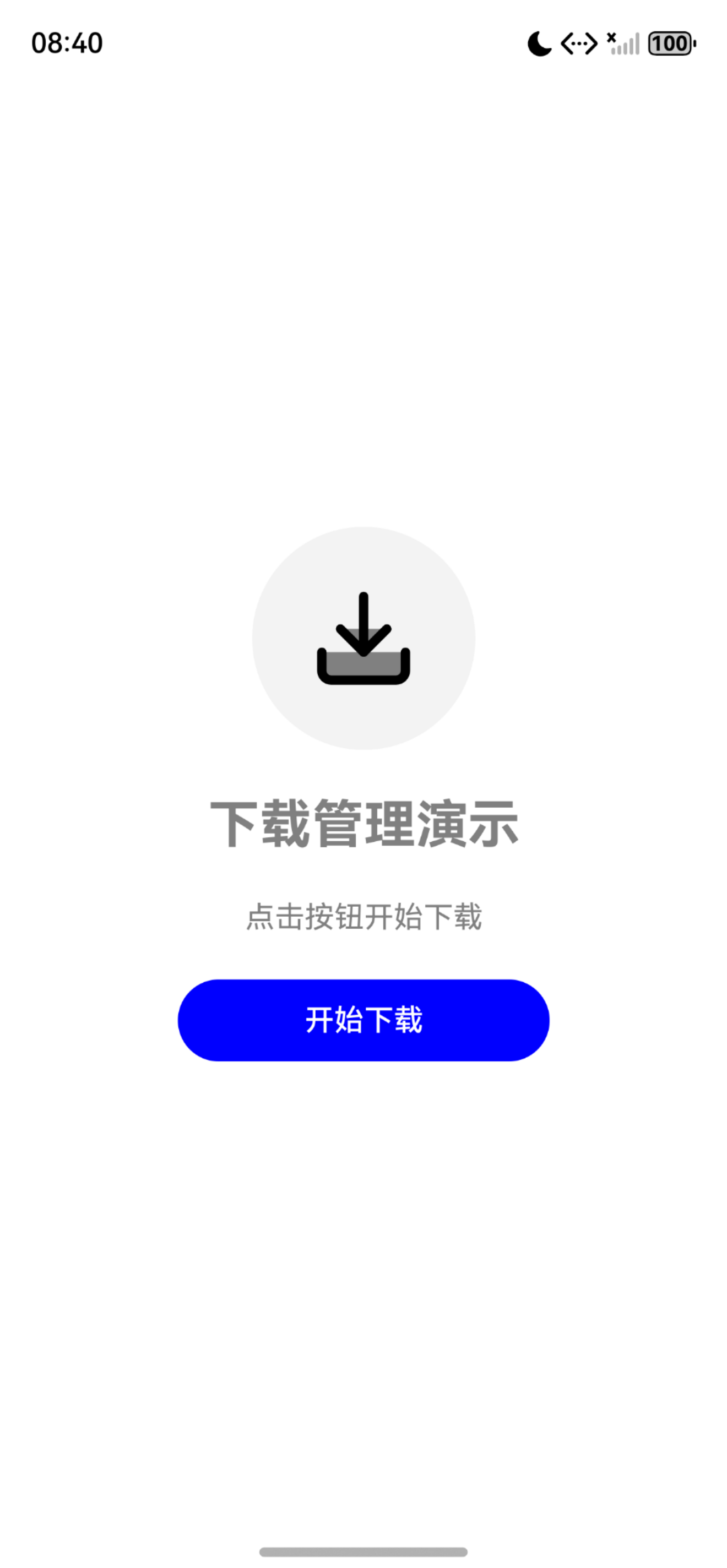
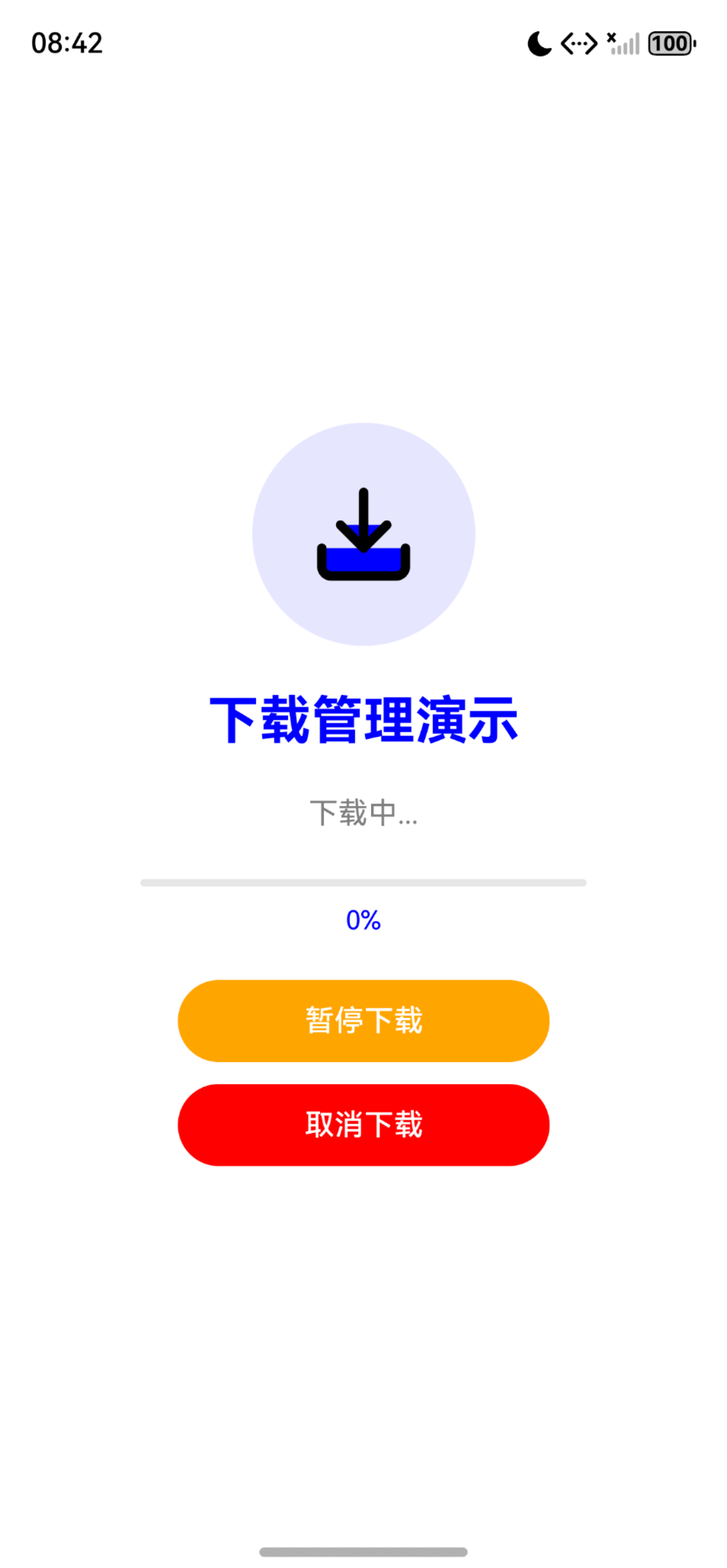
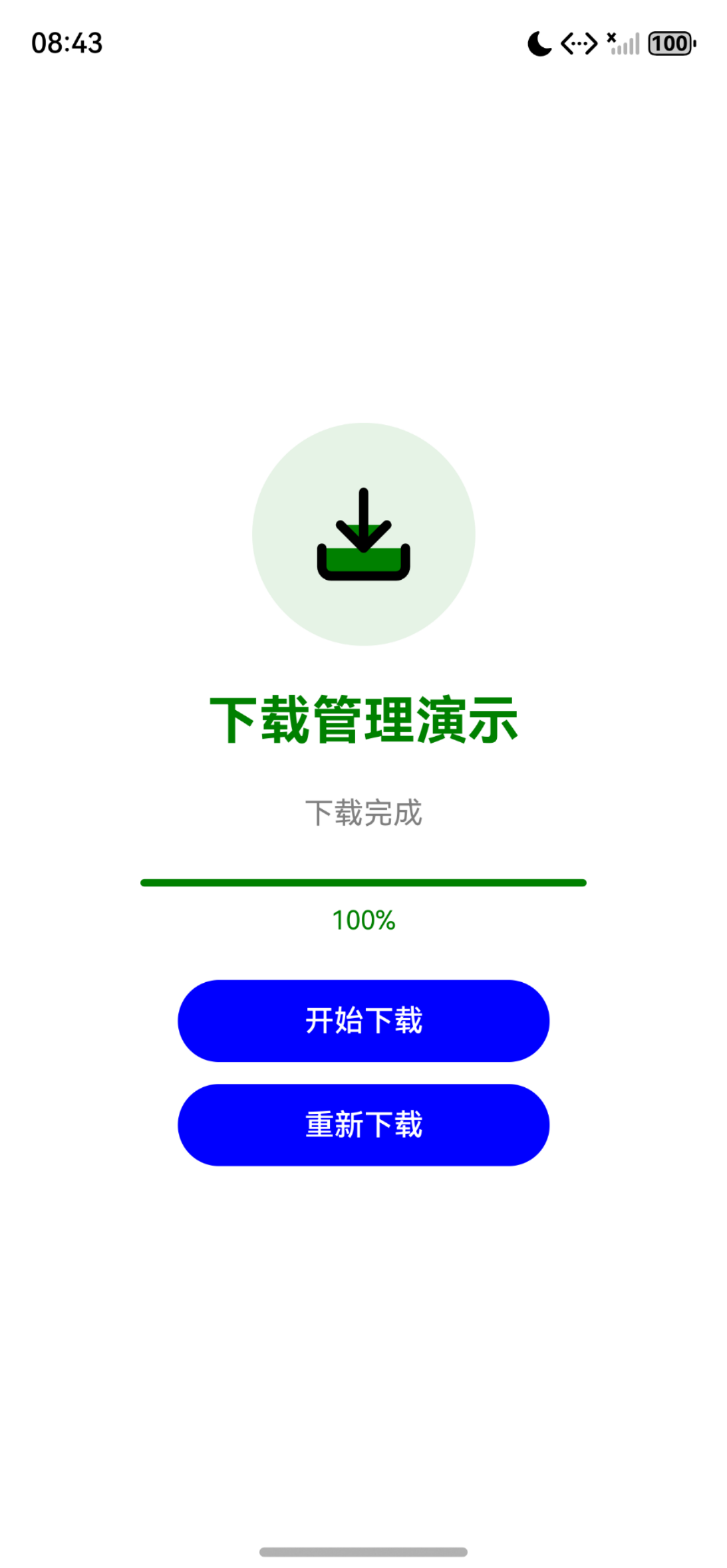
六、运行成功截图
初始页面
下载中状态
下载完成状态
七、总结
flutter_downloader 是实现文件下载功能的核心插件,在 OpenHarmony 平台上的适配完善。通过后台下载和断点续传功能,可以实现大文件下载、批量下载等多种业务场景,是下载类应用的必备工具。
附录:Schema.org 结构化数据
<script type="application/ld+json">
{
  "@context": "https://schema.org",
  "@type": "BlogPosting",
  "headline": "Flutter 三方库 flutter_downloader 鸿蒙化下载管理实战",
  "description": "基于 OpenHarmony TPC 仓库,详细讲解 flutter_downloader 在鸿蒙项目中的接入流程、下载任务管理与进度监听功能实现。",
  "author": { "@type": "Person", "name": "OpenHarmony 跨平台开发者" },
  "publisher": { "@type": "Organization", "name": "OpenHarmony 跨平台社区", "url": "https://openharmonycrossplatform.csdn.net" },
  "datePublished": "2026-05-07",
  "dateModified": "2026-05-07",
  "mainEntityOfPage": "https://openharmonycrossplatform.csdn.net",
  "keywords": ["开源鸿蒙", "OpenHarmony", "Flutter for OpenHarmony", "flutter_downloader", "下载管理", "三方库适配"],
  "inLanguage": "zh-CN"
}
</script>

讨论HarmonyOS开发技术,专注于API与组件、DevEco Studio、测试、元服务和应用上架分发等。
更多推荐


 14
14 0
0- 0


 已为社区贡献3条内容

所有评论(0)