ArkUI线性布局(Column/Row)介绍
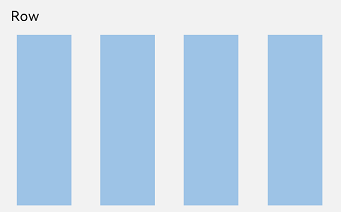
线性布局(LinearLayout)是开发中最常用的布局,通过线性容器Row和Column构建。线性布局是其他布局的基础,其子元素在线性方向上(水平方向和垂直方向)依次排列。线性布局的排列方向由所选容器组件决定,Row容器内子元素按照水平方向排列,Column容器内子元素按照垂直方向排列。根据不同的排列方向,开发者可选择使用Row或Column容器创建线性布局。
说明
在复杂界面中使用多组件嵌套时,若布局组件的嵌套层数过深或嵌套的组件数量过多,将会产生额外开销。建议通过移除冗余节点、利用布局边界减少布局计算、合理采用渲染控制语法及布局组件方法来优化性能。最佳实践请参考布局优化指导。
图1 Column容器内子元素排列示意图
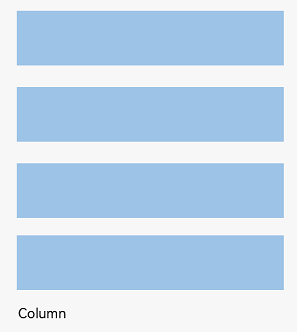
图2 Row容器内子元素排列示意图
基本概念
-
布局容器:具有布局能力的容器组件,可以承载其他元素作为其子元素,布局容器会对其子元素进行尺寸计算和布局排列。
-
布局子元素:布局容器内部的元素。
-
主轴:线性布局容器在布局方向上的轴线,子元素默认沿主轴排列。Row容器主轴为水平方向,Column容器主轴为垂直方向(图示可参考弹性布局基本概念中的主轴)。
-
交叉轴:垂直于主轴方向的轴线。Row容器交叉轴为垂直方向,Column容器交叉轴为水平方向(图示可参考弹性布局基本概念中的交叉轴)。
-
间距:布局子元素的间距。
布局子元素在排列方向上的间距
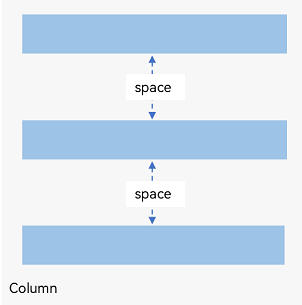
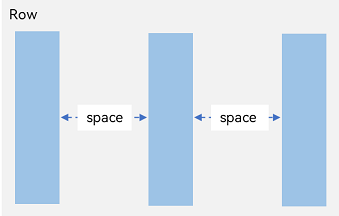
在布局容器内,可以通过Row组件的space属性或Column组件的space属性设置排列方向上子元素的间距,使各子元素在排列方向上有等间距效果。
Column容器内排列方向上的间距
图3 Column容器内排列方向的间距图
- Column({ space: 20 }) {
- Text('space: 20').fontSize(15).fontColor(Color.Gray).width('90%')
- Row().width('90%').height(50).backgroundColor(0xF5DEB3)
- Row().width('90%').height(50).backgroundColor(0xD2B48C)
- Row().width('90%').height(50).backgroundColor(0xF5DEB3)
- }.width('100%')
Row容器内排列方向上的间距
图4 Row容器内排列方向的间距图
- Row({ space: 35 }) {
- Text('space: 35').fontSize(15).fontColor(Color.Gray)
- Row().width('10%').height(150).backgroundColor(0xF5DEB3)
- Row().width('10%').height(150).backgroundColor(0xD2B48C)
- Row().width('10%').height(150).backgroundColor(0xF5DEB3)
- }.width('90%')
布局子元素在主轴上的排列方式
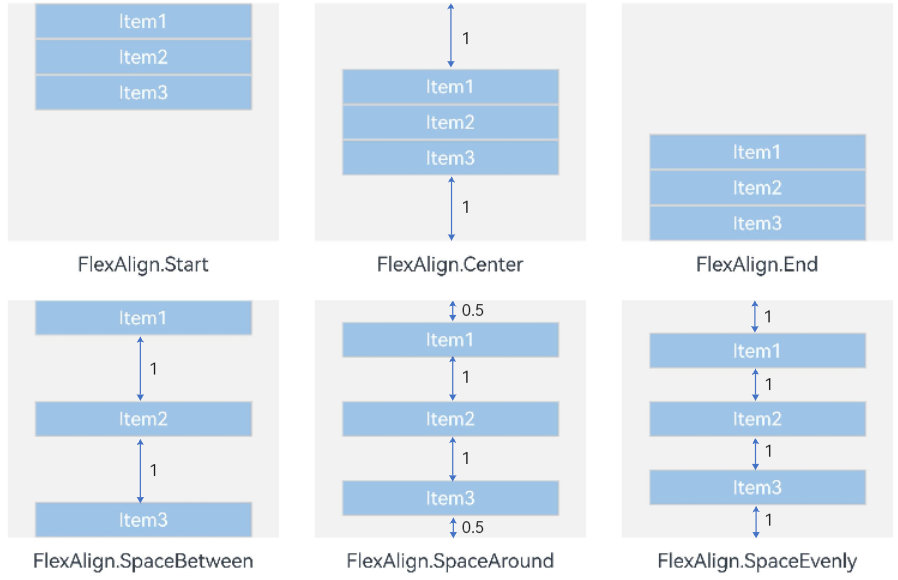
在布局容器内,可以通过justifyContent属性设置子元素在容器主轴上的排列方式。可以从主轴起始位置开始排布,也可以从主轴结束位置开始排布,或者均匀分割主轴的空间。
Column容器内子元素在垂直方向上的排列
图5 Column容器内子元素在垂直方向上的排列图
-
justifyContent(FlexAlign.Start,默认值):元素在垂直方向首端对齐,第一个元素与行首对齐,同时后续的元素与前一个对齐。
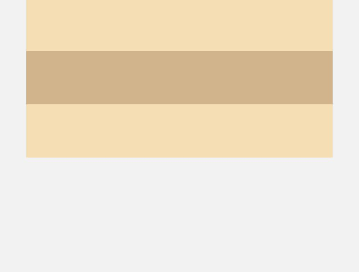
- Column({}) {
- Column() {
- }.width('80%').height(50).backgroundColor(0xF5DEB3)
- Column() {
- }.width('80%').height(50).backgroundColor(0xD2B48C)
- Column() {
- }.width('80%').height(50).backgroundColor(0xF5DEB3)
- }.width('100%').height(300).backgroundColor('rgb(242,242,242)').justifyContent(FlexAlign.Start)
-
justifyContent(FlexAlign.Center):元素在垂直方向中心对齐,第一个元素与行首的距离与最后一个元素与行尾距离相同。
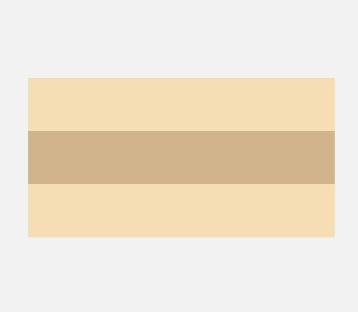
- Column({}) {
- Column() {
- }.width('80%').height(50).backgroundColor(0xF5DEB3)
- Column() {
- }.width('80%').height(50).backgroundColor(0xD2B48C)
- Column() {
- }.width('80%').height(50).backgroundColor(0xF5DEB3)
- }.width('100%').height(300).backgroundColor('rgb(242,242,242)').justifyContent(FlexAlign.Center)
-
justifyContent(FlexAlign.End):元素在垂直方向尾部对齐,最后一个元素与行尾对齐,其他元素与后一个对齐。
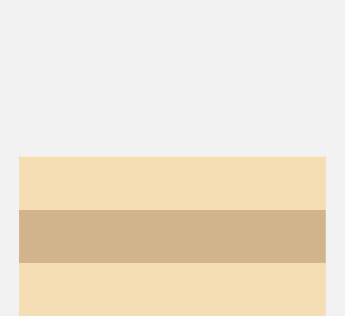
- Column({}) {
- Column() {
- }.width('80%').height(50).backgroundColor(0xF5DEB3)
- Column() {
- }.width('80%').height(50).backgroundColor(0xD2B48C)
- Column() {
- }.width('80%').height(50).backgroundColor(0xF5DEB3)
- }.width('100%').height(300).backgroundColor('rgb(242,242,242)').justifyContent(FlexAlign.End)
-
justifyContent(FlexAlign.SpaceBetween):垂直方向均匀分配元素,相邻元素之间距离相同。第一个元素与行首对齐,最后一个元素与行尾对齐。
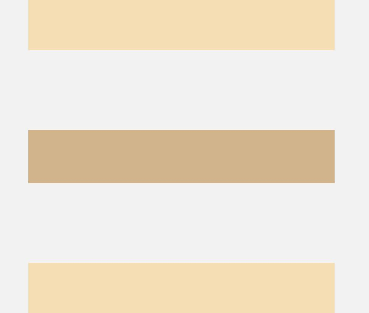
- Column({}) {
- Column() {
- }.width('80%').height(50).backgroundColor(0xF5DEB3)
- Column() {
- }.width('80%').height(50).backgroundColor(0xD2B48C)
- Column() {
- }.width('80%').height(50).backgroundColor(0xF5DEB3)
- }.width('100%').height(300).backgroundColor('rgb(242,242,242)').justifyContent(FlexAlign.SpaceBetween)
-
justifyContent(FlexAlign.SpaceAround):垂直方向均匀分配元素,相邻元素之间距离相同。第一个元素到行首的距离和最后一个元素到行尾的距离是相邻元素之间距离的一半。
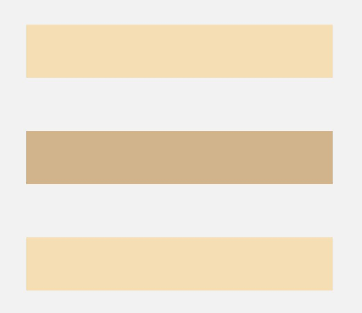
- Column({}) {
- Column() {
- }.width('80%').height(50).backgroundColor(0xF5DEB3)
- Column() {
- }.width('80%').height(50).backgroundColor(0xD2B48C)
- Column() {
- }.width('80%').height(50).backgroundColor(0xF5DEB3)
- }.width('100%').height(300).backgroundColor('rgb(242,242,242)').justifyContent(FlexAlign.SpaceAround)
-
justifyContent(FlexAlign.SpaceEvenly):垂直方向均匀分配元素,相邻元素之间的距离、第一个元素与行首的间距、最后一个元素到行尾的间距都完全一样。
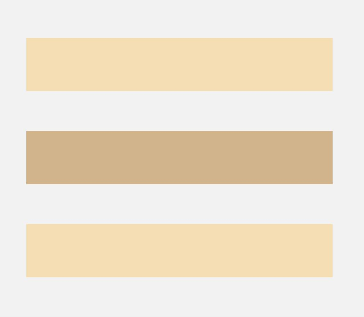
- Column({}) {
- Column() {
- }.width('80%').height(50).backgroundColor(0xF5DEB3)
- Column() {
- }.width('80%').height(50).backgroundColor(0xD2B48C)
- Column() {
- }.width('80%').height(50).backgroundColor(0xF5DEB3)
- }.width('100%').height(300).backgroundColor('rgb(242,242,242)').justifyContent(FlexAlign.SpaceEvenly)
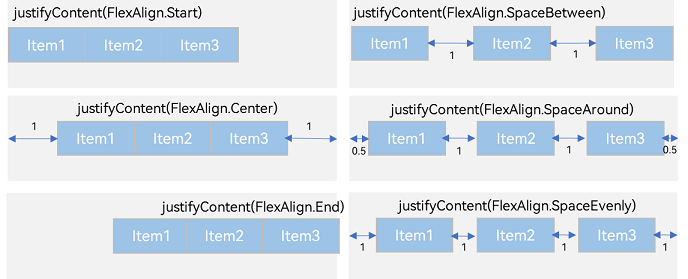
Row容器内子元素在水平方向上的排列
图6 Row容器内子元素在水平方向上的排列图
-
justifyContent(FlexAlign.Start,默认值):元素在水平方向首端对齐,第一个元素与行首对齐,同时后续的元素与前一个对齐。
- Row({}) {
- Column() {
- }.width('20%').height(30).backgroundColor(0xF5DEB3)
- Column() {
- }.width('20%').height(30).backgroundColor(0xD2B48C)
- Column() {
- }.width('20%').height(30).backgroundColor(0xF5DEB3)
- }.width('100%').height(200).backgroundColor('rgb(242,242,242)').justifyContent(FlexAlign.Start)
-
justifyContent(FlexAlign.Center):元素在水平方向中心对齐,第一个元素与行首的距离与最后一个元素与行尾距离相同。
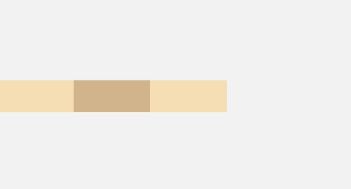
- Row({}) {
- Column() {
- }.width('20%').height(30).backgroundColor(0xF5DEB3)
- Column() {
- }.width('20%').height(30).backgroundColor(0xD2B48C)
- Column() {
- }.width('20%').height(30).backgroundColor(0xF5DEB3)
- }.width('100%').height(200).backgroundColor('rgb(242,242,242)').justifyContent(FlexAlign.Center)
-
justifyContent(FlexAlign.End):元素在水平方向尾部对齐,最后一个元素与行尾对齐,其他元素与后一个对齐。
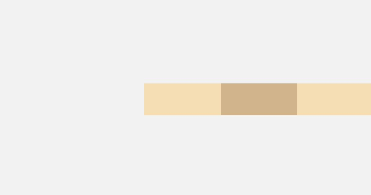
- Row({}) {
- Column() {
- }.width('20%').height(30).backgroundColor(0xF5DEB3)
- Column() {
- }.width('20%').height(30).backgroundColor(0xD2B48C)
- Column() {
- }.width('20%').height(30).backgroundColor(0xF5DEB3)
- }.width('100%').height(200).backgroundColor('rgb(242,242,242)').justifyContent(FlexAlign.End)
-
justifyContent(FlexAlign.SpaceBetween):水平方向均匀分配元素,相邻元素之间距离相同。第一个元素与行首对齐,最后一个元素与行尾对齐。
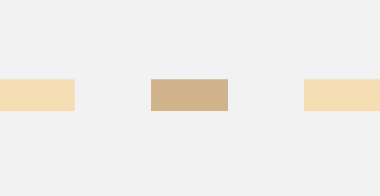
- Row({}) {
- Column() {
- }.width('20%').height(30).backgroundColor(0xF5DEB3)
- Column() {
- }.width('20%').height(30).backgroundColor(0xD2B48C)
- Column() {
- }.width('20%').height(30).backgroundColor(0xF5DEB3)
- }.width('100%').height(200).backgroundColor('rgb(242,242,242)').justifyContent(FlexAlign.SpaceBetween)
-
justifyContent(FlexAlign.SpaceAround):水平方向均匀分配元素,相邻元素之间距离相同。第一个元素到行首的距离和最后一个元素到行尾的距离是相邻元素之间距离的一半。
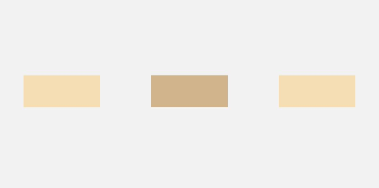
- Row({}) {
- Column() {
- }.width('20%').height(30).backgroundColor(0xF5DEB3)
- Column() {
- }.width('20%').height(30).backgroundColor(0xD2B48C)
- Column() {
- }.width('20%').height(30).backgroundColor(0xF5DEB3)
- }.width('100%').height(200).backgroundColor('rgb(242,242,242)').justifyContent(FlexAlign.SpaceAround)
-
justifyContent(FlexAlign.SpaceEvenly):水平方向均匀分配元素,相邻元素之间的距离、第一个元素与行首的间距、最后一个元素到行尾的间距都完全一样。
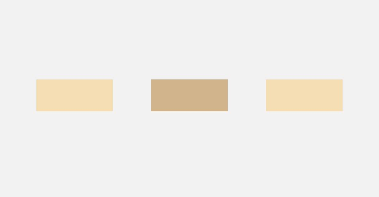
- Row({}) {
- Column() {
- }.width('20%').height(30).backgroundColor(0xF5DEB3)
- Column() {
- }.width('20%').height(30).backgroundColor(0xD2B48C)
- Column() {
- }.width('20%').height(30).backgroundColor(0xF5DEB3)
- }.width('100%').height(200).backgroundColor('rgb(242,242,242)').justifyContent(FlexAlign.SpaceEvenly)
*以上内容均参考于以下网页线性布局 (Row/Column)-构建布局-组件布局-UI开发 (ArkTS声明式开发范式)-ArkUI(方舟UI框架)-应用框架 - 华为HarmonyOS开发者

讨论HarmonyOS开发技术,专注于API与组件、DevEco Studio、测试、元服务和应用上架分发等。
更多推荐
 0
0 0
0- 0


 已为社区贡献9条内容

所有评论(0)