ArkUI 状态管理与页面交互核心:@State、弹窗与路由
·
一、@State:组件内部的「状态大脑」
核心本质
@State 是 ArkUI 中实现数据驱动视图的基础装饰器,它就像组件的「内部记忆」,专门用来存储和管理组件自身的状态数据。当数据发生变化时,页面会自动同步更新,无需手动刷新 UI。
1.1.标准书写语法
格式:@State 变量名: 数据类型 = 默认初始值
实例:

1.2核心特性
私有性:仅当前组件内部可读写,父子组件无法直接访问
响应式更新:变量重新赋值后,UI 自动刷新
基础类型优先:适合 string/number/boolean 等简单数据
必须赋初始值:声明时必须指定默认值,否则编译报错
二、弹窗:页面交互反馈组件
弹窗是应用与用户交互的关键组件,它会在当前页面之上弹出一个临时窗口,用于提示信息、确认操作或收集输入,不会改变页面路由结构。
2.1代码演示
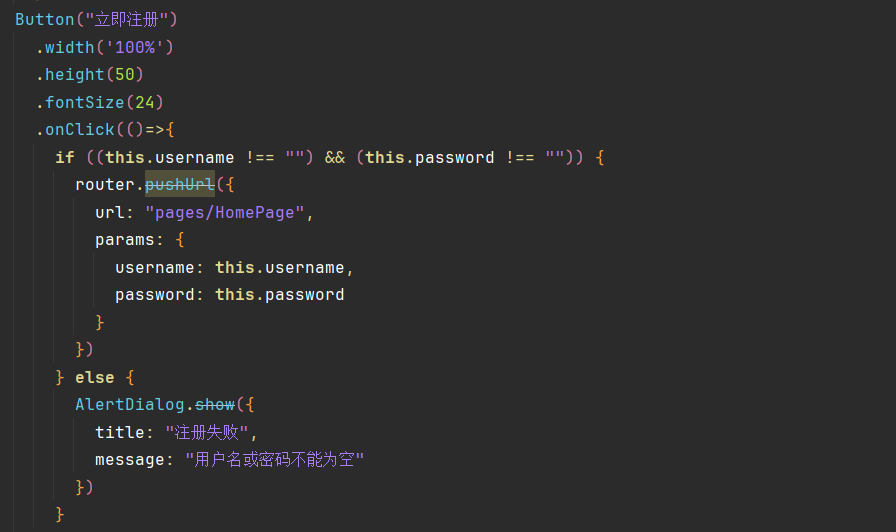
系统弹窗(AlertDialog):用于简单的确认 / 提示场景
与 @State 的联动
弹窗的显隐完全由 @State 布尔变量控制,通过修改变量值来触发弹窗的打开 / 关闭,实现了状态与视图的同步。
三、路由:应用页面的「导航地图」
路由(@ohos.router)是 ArkUI 中管理多页面跳转的核心模块,它就像应用的「导航系统」,负责页面之间的切换、返回和参数传递,让用户可以在不同功能页面间流畅操作。
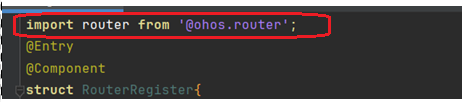
3.1导入模版
import router from '@ohos.router'
3.2代码演示
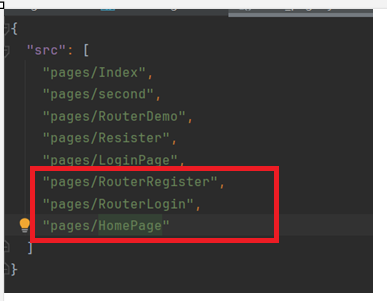
在 DevEco Studio(鸿蒙开发工具,基于 IntelliJ IDEA 内核) 中,连续按两次 Shift 键,会调出 Search Everywhere(随处搜索) 窗口。
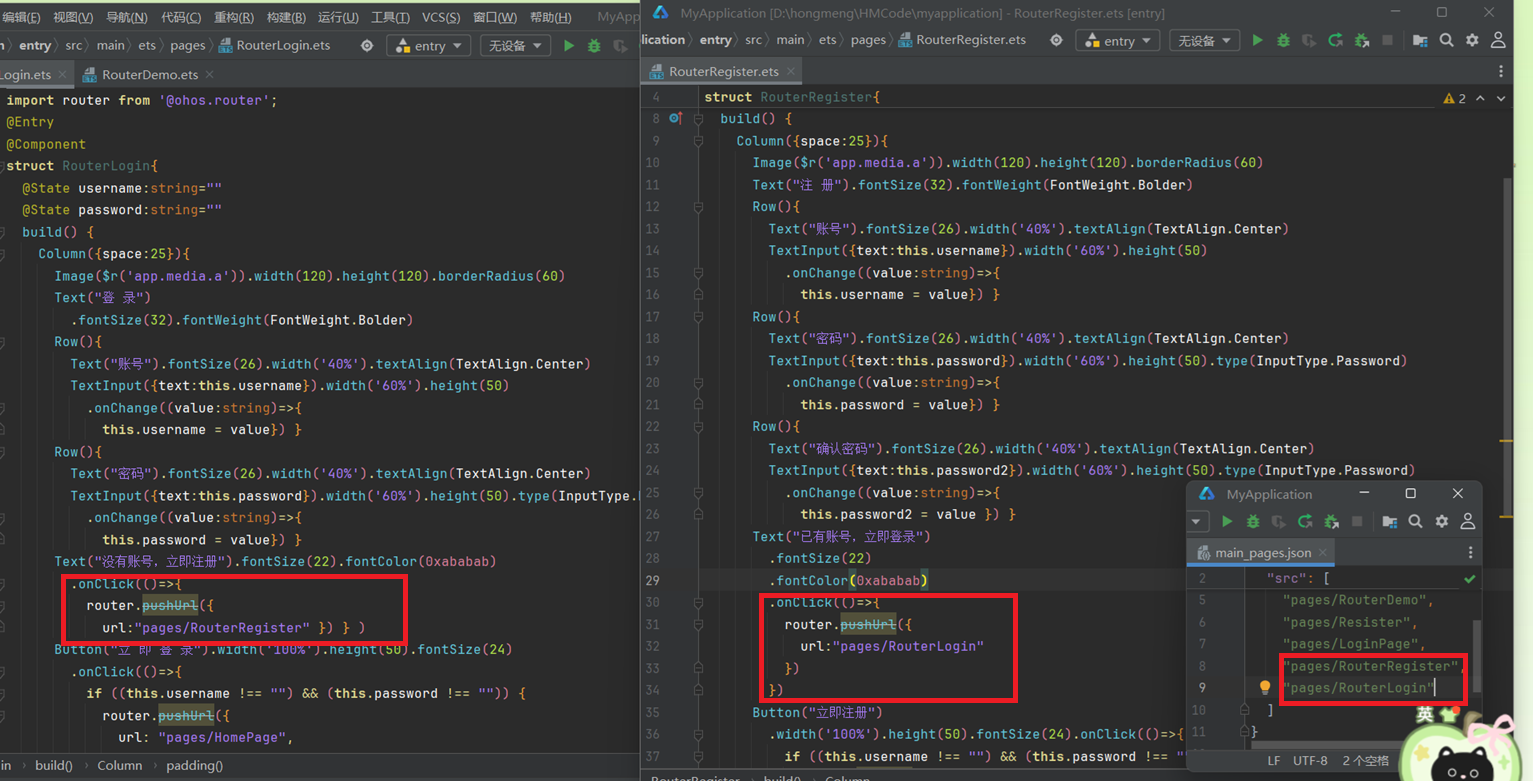
写完跳转页面后,必须在 main_pages.json(FA 模型)的页面列表中,添加该页面的完整路径。
3.3核心属性与方法
| 方法 / 属性 | 作用 |
|---|---|
pushUrl() | 跳转到新页面,保留当前页 |
replaceUrl() | 跳转到新页面,替换当前页 |
back() | 返回上一页 |
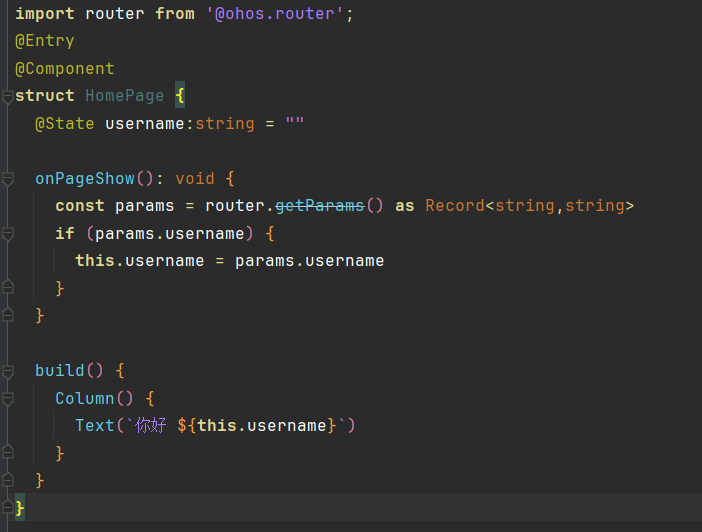
getParams() | 获取上一页传递的参数 |
clear() | 清除页面栈,仅保留当前页 |
登录与注册完整代码
import router from '@ohos.router';
@Entry
@Component
struct RouterLogin{
  @State username:string=""
  @State password:string=""
  build() {
    Column({space:25}){
      Image($r('app.media.a')).width(120).height(120).borderRadius(60)
      Text("登 录")
        .fontSize(32).fontWeight(FontWeight.Bolder)
      Row(){
        Text("账号").fontSize(26).width('40%').textAlign(TextAlign.Center)
        TextInput({text:this.username}).width('60%').height(50)
          .onChange((value:string)=>{
            this.username = value}) }
      Row(){
        Text("密码").fontSize(26).width('40%').textAlign(TextAlign.Center)
        TextInput({text:this.password}).width('60%').height(50).type(InputType.Password)
          .onChange((value:string)=>{
            this.password = value}) }
      Text("没有账号,立即注册").fontSize(22).fontColor(0xababab)
        .onClick(()=>{
          router.pushUrl({
            url:"pages/RouterRegister" }) } )
      Button("立 即 登 录").width('100%').height(50).fontSize(24)
        .onClick(()=>{
          if ((this.username !== "") && (this.password !== "")) {
            router.pushUrl({
              url: "pages/HomePage",
              params: {
                username: this.username,
                password: this.password } })
          } else {
            AlertDialog.show({
              title: "登录失败",
              message: "用户名或密码不能为空" })}
        })
    }
    .width('100%').height('100%').padding(15)
  }
}
import router from '@ohos.router';
@Entry
@Component
struct RouterRegister{
  @State username:string=""
  @State password:string=""
  @State password2:string=""
  build() {
    Column({space:25}){
      Image($r('app.media.a')).width(120).height(120).borderRadius(60)
      Text("注 册").fontSize(32).fontWeight(FontWeight.Bolder)
      Row(){
        Text("账号").fontSize(26).width('40%').textAlign(TextAlign.Center)
        TextInput({text:this.username}).width('60%').height(50)
          .onChange((value:string)=>{
            this.username = value}) }
      Row(){
        Text("密码").fontSize(26).width('40%').textAlign(TextAlign.Center)
        TextInput({text:this.password}).width('60%').height(50).type(InputType.Password)
          .onChange((value:string)=>{
            this.password = value}) }
      Row(){
        Text("确认密码").fontSize(26).width('40%').textAlign(TextAlign.Center)
        TextInput({text:this.password2}).width('60%').height(50).type(InputType.Password)
          .onChange((value:string)=>{
            this.password2 = value }) }
      Text("已有账号,立即登录")
        .fontSize(22)
        .fontColor(0xababab)
        .onClick(()=>{
          router.pushUrl({
            url:"pages/RouterLogin"
          })
        })
      Button("立即注册")
        .width('100%').height(50).fontSize(24).onClick(()=>{
          if ((this.username !== "") && (this.password !== "")) {
            router.pushUrl({
              url: "pages/HomePage",
              params: {
                username: this.username,
                password: this.password
              }
            })
          } else {
            AlertDialog.show({
              title: "注册失败",
              message: "用户名或密码不能为空"
            })
          }
        })
    }
    .width('100%').height('100%').padding(15)
  }
}
import router from '@ohos.router';
@Entry
@Component
struct HomePage {
  @State username:string = ""

  onPageShow(): void {
    const params = router.getParams() as Record<string,string>
    if (params.username) {
      this.username = params.username
    }
  }

  build() {
    Column() {
      Text(`你好 ${this.username}`)
    }
  }
}

讨论HarmonyOS开发技术,专注于API与组件、DevEco Studio、测试、元服务和应用上架分发等。
更多推荐



 4
4 0
0- 0


 已为社区贡献5条内容

所有评论(0)