【鸿蒙】Navigation的使用(路由跳转)
·
参考文档
还有基于Navigation封装的第三方插件 HMRouter
简单使用方法
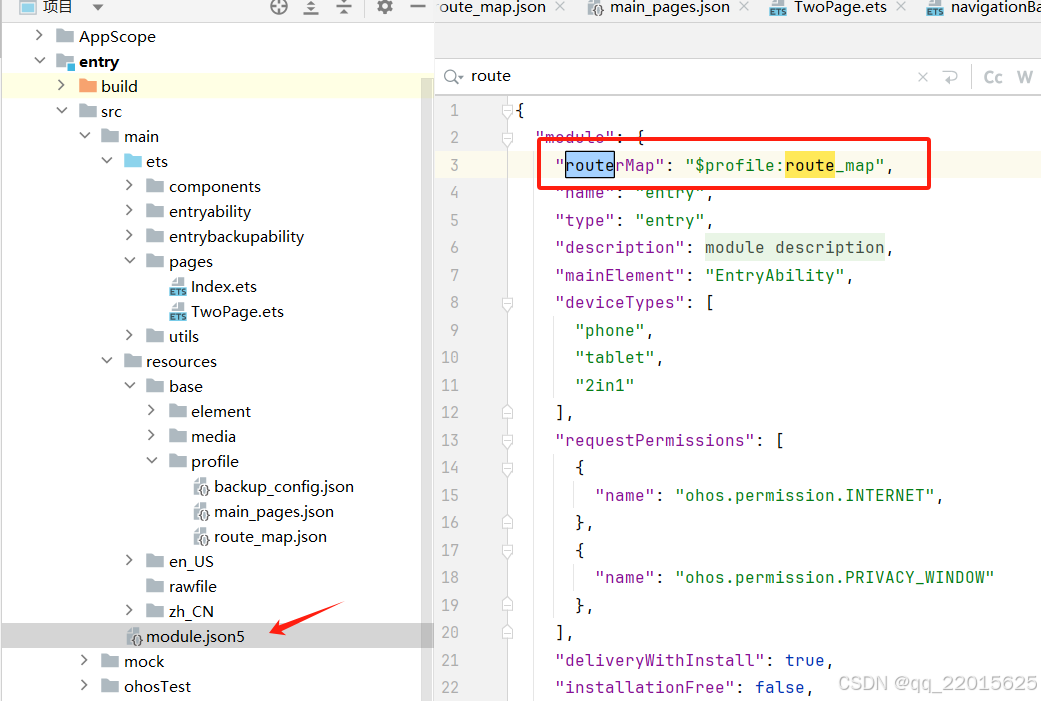
1、在 \entry\src\main\resources\base\profile\router_map.json 目录下新建文件“router_map.json”
并在文件中写入如下实例代码
{
  "routerMap": [
    {
      "name": "Index",
      "pageSourceFile": "src/main/ets/pages/Index.ets",
      "buildFunction": "IndexPageBuilder"
    },
    {
      "name": "TwoPage",
      "pageSourceFile": "src/main/ets/pages/TwoPage.ets",
      "buildFunction": "TwoPageBuilder"
    }
  ]
}
2、在module.json5中写入引用
3、每个页面都需要加这个
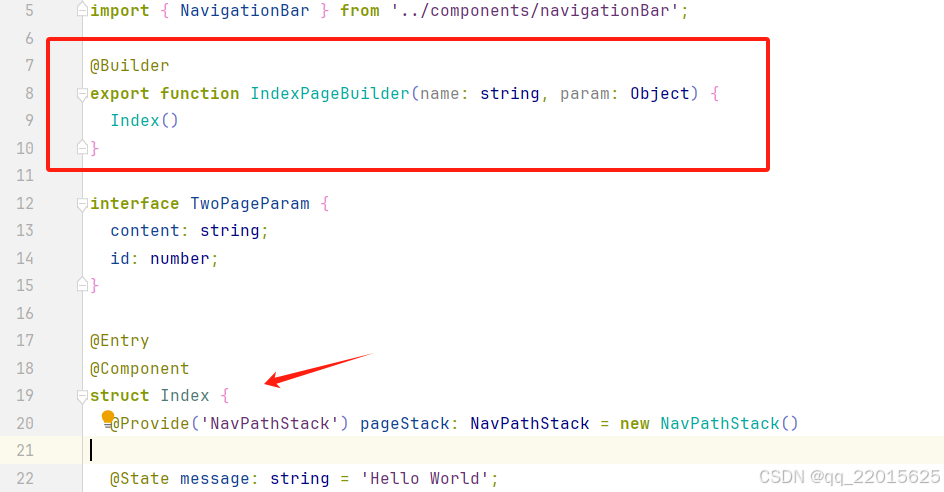
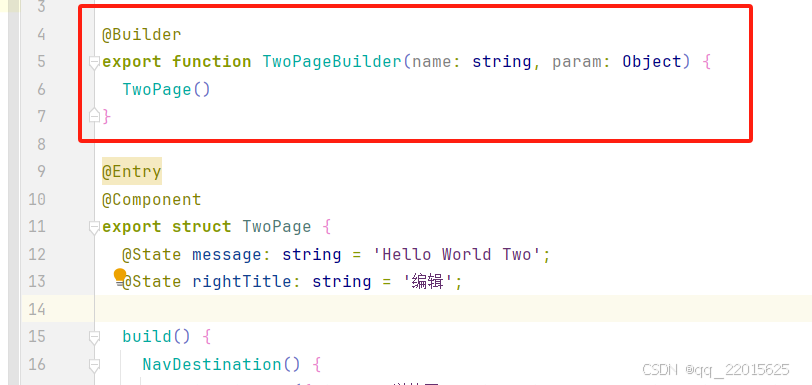
示例可复制代码:
@Builder
export function IndexPageBuilder(name: string, param: Object) {
  Index()
}
4、在Index主入口的build中新增 Navigation
声明:
@Provide('NavPathStack') pageStack: NavPathStack = new NavPathStack()
5、在布局最外层使用Navigation包裹,可以设置隐藏自带的导航栏等
下面是自定义组件中使用,需要声明,然后用 NavDestination 包裹
其中
NavDestination的生命周期可以参考文档(如:onShown,onWillShow等),直接在组件后.onShown使用
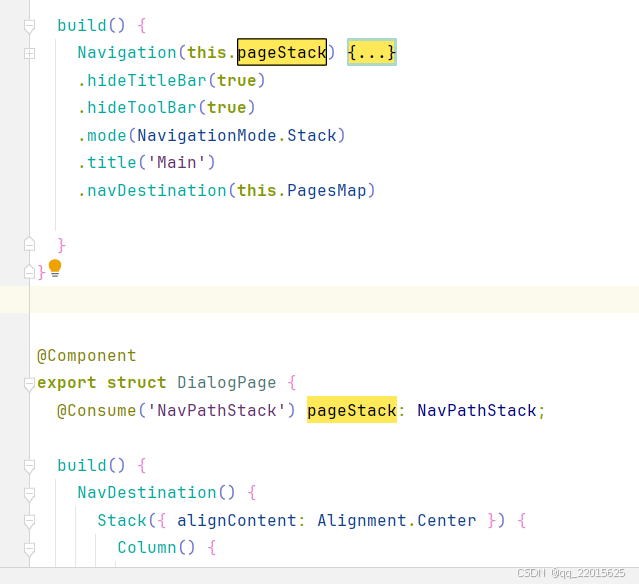
5.1、.navDestination()里面可以写通用的Builder,这样就不需要每个页面都写Builder了
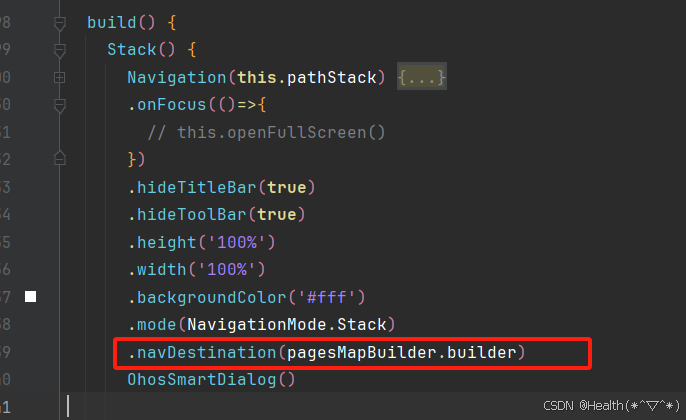
pagesMapBuilder文件:
import { HomePage } from './HomePage'

@Builder
function pagesMap(name: string) {
  if (name === 'HomePage') {
    HomePage()
  } else if ...
}


export const pagesMapBuilder: WrappedBuilder<[string]> = wrapBuilder(pagesMap);
6、在页面中使用也需要用 NavDestination 包裹,否则跳转不过来
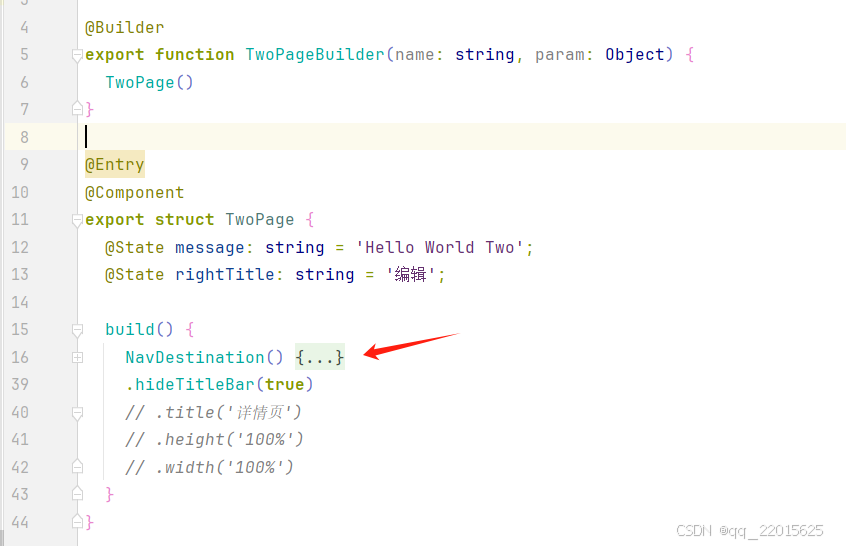
6、返回上一个页面时回调传参
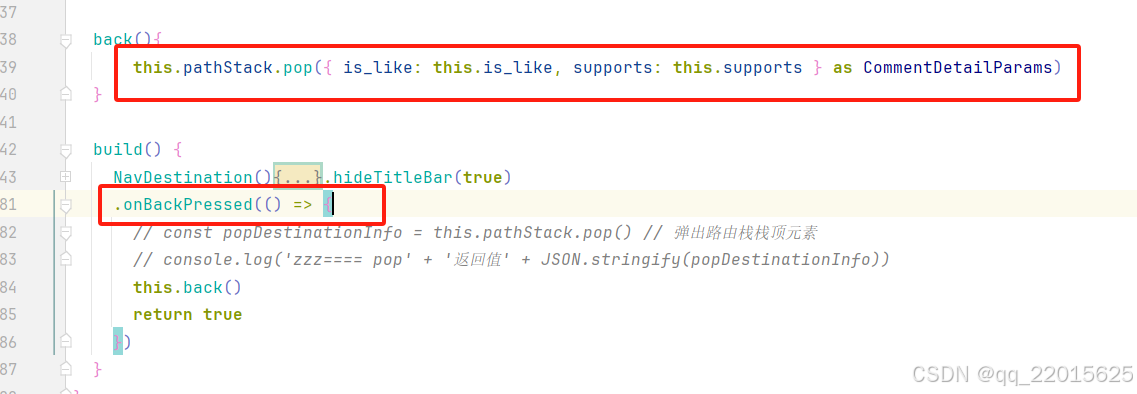
使用 onBackPressed 重写返回pop,并传递参数
接收返回参数示例:
      .onClick(() => {
        // this.pathStack.pushPathByName('CommentDetailsPage', { show_id: this.show_id, comment_id: this.item.id, comment_item: this.item, uid: this.uid, is_like: this.is_like, supports: this.supports } as CommentDetailParams)

        this.pathStack.pushPathByName('CommentDetailsPage',  { show_id: this.show_id, comment_id: this.item.id, comment_item: this.item, uid: this.uid, is_like: this.is_like, supports: this.supports } as CommentDetailParams,
          (popInfo) => {
          let params: CommentDetailParams = popInfo.result as CommentDetailParams
            this.is_like = params.is_like
            this.supports = params.supports
          console.log('zzz==== Pop page name is: ' + popInfo.info.name + ', result: ' +                     JSON.stringify(popInfo.result))
        })

      })
6、跳转方法和返回方法等
跳转:
this.pageStack.pushPathByName('TwoPage', '')
// this.pageStack.pushPath({ name: "TwoPage", param: "PageOne Param" })
跳转传参和接收:
 this.pageStack.pushPathByName('TwoPage', 'id')
this.pathStack.pushPathByName('FollowListPage', { type: FollowType.follow, uid: this.uid } as FollowParams)接收(注意接收时是一个数组)
export enum FollowType {
   follow = 0,
   fans = 1
}

export interface FollowParams{
  type: FollowType,
  uid: string | number,
}

@State params: FollowParams | undefined = undefined

this.params = this.pathStack.getParamByName('FollowListPage')[this.pathStack.getParamByName('FollowListPage').length - 1] as FollowParams
或pop时携带有参数
this.pageStack.pushPathByName('TwoPage', '', (popInfo) => {
    console.log('Pop page name is: ' + popInfo.info.name + ', result: ' +                     JSON.stringify(popInfo.result))
})
返回:
// 返回到上一页
this.pageStack.pop()
// 或携带参数
this.pageStack.pop('zss')
// 返回到上一个PageOne页面
this.pageStack.popToName("PageOne")
// 返回到索引为1的页面
this.pageStack.popToIndex(1)
// 返回到根首页(清除栈中所有页面)
this.pageStack.clear()
页面替换:
// 将栈顶页面替换为PageOne
this.pageStack.replacePath({ name: "PageOne", param: "PageOne Param" })
this.pageStack.replacePathByName("PageOne", "PageOne Param")
页面删除:
// 删除栈中name为PageOne的所有页面
this.pageStack.removeByName("PageOne")
// 删除指定索引的页面
this.pageStack.removeByIndexes([1,3,5])
参数获取:
// 获取栈中所有页面name集合
this.pageStack.getAllPathName()
// 获取索引为1的页面参数
this.pageStack.getParamByIndex(1)
// 获取PageOne页面的参数
this.pageStack.getParamByName("PageOne")
// 获取PageOne页面的索引集合
this.pageStack.getIndexByName("PageOne")
路由拦截:(可以拦截到所有的路由状态,包括onWillShow等)
this.pageStack.setInterception({
  willShow: (from: NavDestinationContext | "navBar", to: NavDestinationContext | "navBar",
    operation: NavigationOperation, animated: boolean) => {
    if (typeof to === "string") {
      console.log("target page is navigation home page.");
      return;
    }
    // 将跳转到PageTwo的路由重定向到PageOne
    let target: NavDestinationContext = to as NavDestinationContext;
    if (target.pathInfo.name === 'PageTwo') {
      target.pathStack.pop();
      target.pathStack.pushPathByName('PageOne', null);
    }
  }
})
讨论HarmonyOS开发技术,专注于API与组件、DevEco Studio、测试、元服务和应用上架分发等。
更多推荐


 5
5 0
0- 0


 已为社区贡献5条内容

所有评论(0)