【Flutter x HarmonyOS 6】挑战详情页面的逻辑实现
【Flutter x HarmonyOS 6】挑战详情页面的逻辑实现
上一篇我们聊了挑战详情页面的 UI 设计,这篇深入看看挑战详情页面的逻辑实现。
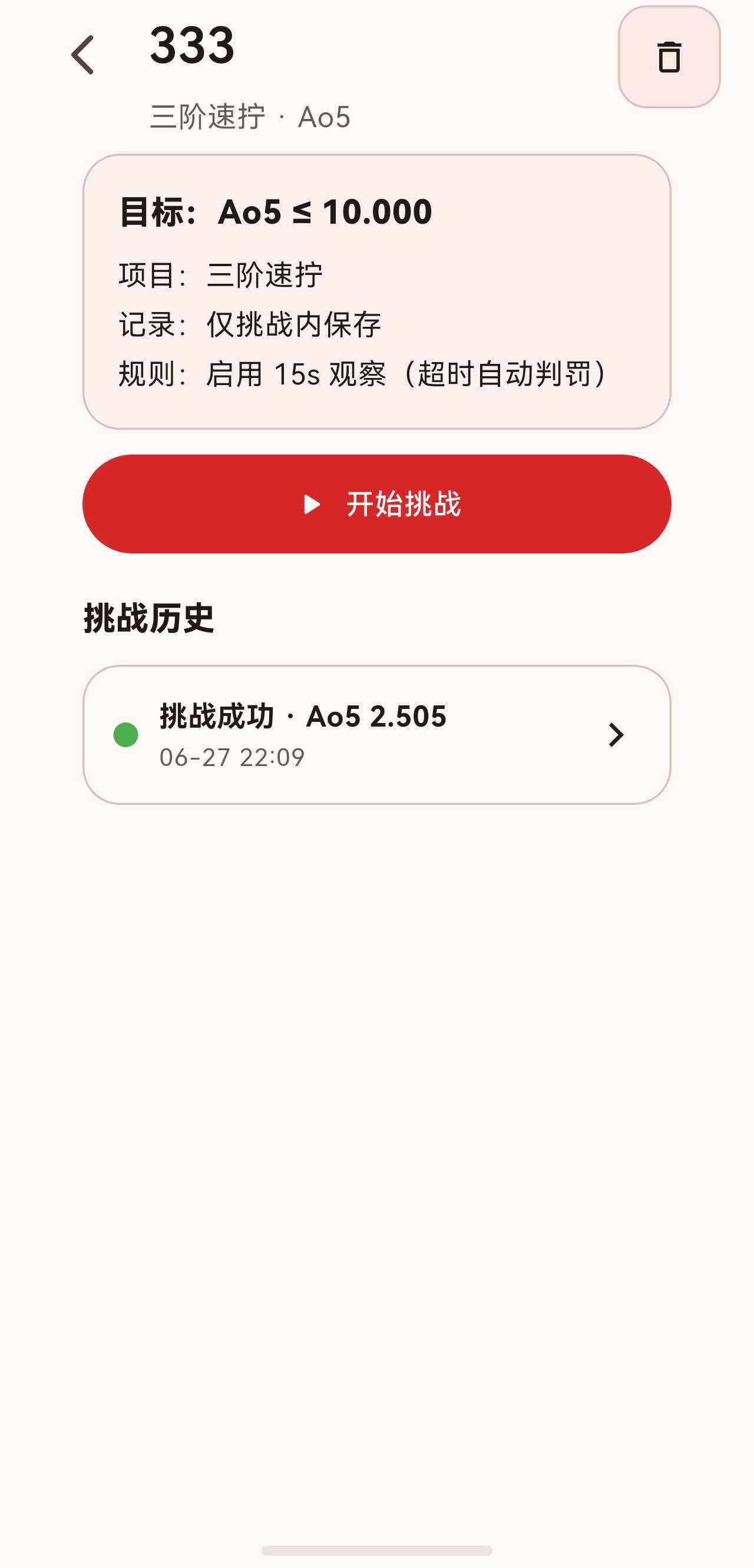
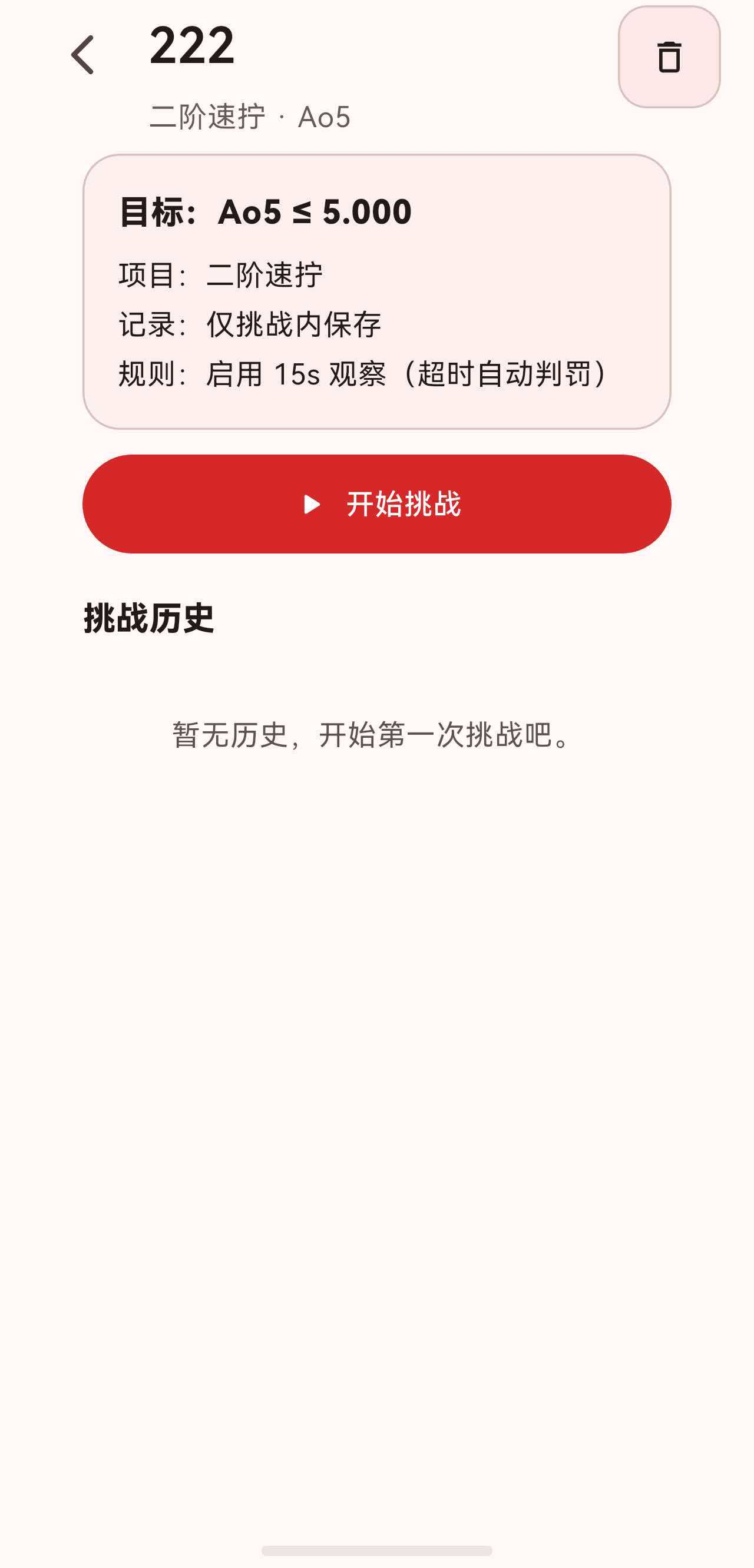
挑战详情页面涉及三个子页面的业务逻辑:挑战详情页、挑战计时页、挑战尝试详情页。这篇我们从数据模型到交互逻辑逐一拆解。
一、ChallengeAttempt 数据模型
ChallengeAttempt 是挑战尝试的核心数据模型:
class ChallengeAttempt {
  const ChallengeAttempt({
    required this.id,
    required this.challengeId,
    required this.windowSize,
    required this.targetDuration,
    required this.startedAt,
    required this.solves,
    this.finishedAt,
    this.averageStatus,
    this.averageDuration,
    this.succeeded,
  });

  final String id;
  final String challengeId;
  final int windowSize;
  final Duration targetDuration;
  final DateTime startedAt;
  final DateTime? finishedAt;

  final ChallengeAverageStatus? averageStatus;
  final Duration? averageDuration;
  final bool? succeeded;

  final List<ChallengeSolve> solves;

  bool get isFinished => finishedAt != null;
}
关键字段分为两组:
- 必填(创建时确定):id、challengeId、windowSize、targetDuration、startedAt、solves。
- 选填(完成后填充):finishedAt、averageStatus、averageDuration、succeeded。
isFinished 通过 finishedAt != null 判断,简洁高效。
1.1 ChallengeSolve
class ChallengeSolve {
  const ChallengeSolve({
    required this.rawDuration,
    required this.scramble,
    required this.recordedAt,
    this.penalty = SolvePenalty.none,
    this.note = '',
    this.linkedSolveHiveKey,
  });

  final Duration rawDuration;
  final String scramble;
  final DateTime recordedAt;
  final SolvePenalty penalty;
  final String note;
  final int? linkedSolveHiveKey;

  Duration? get effectiveDuration {
    if (isDNF) return null;
    if (penalty == SolvePenalty.plusTwo) return rawDuration + const Duration(seconds: 2);
    return rawDuration;
  }
}
linkedSolveHiveKey 是一个重要的关联字段:如果挑战配置了"计入记录/统计",每把成绩会同时写入 SolvesController,这里保存对应 SolveEntry 的 Hive 主键。
二、挑战详情页面逻辑
2.1 数据获取
class ChallengeDetailPage extends StatelessWidget {
Widget build(BuildContext context) {
final controller = context.watch<ChallengesController>();
final challenge = controller.findChallengeById(challengeId);
if (challenge == null) {
return const Scaffold(body: Center(child: Text('挑战不存在')));
}
final attempts = controller.attemptsForChallenge(challengeId);
// ...
}
}
使用 context.watch 监听控制器变化,任何数据变更(如添加成绩、放弃挑战)都会自动触发重建。
2.2 查找进行中的挑战
ChallengeAttempt? ongoingAttempt;
for (final attempt in attempts) {
  if (!attempt.isFinished) {
    ongoingAttempt = attempt;
    break;
  }
}
遍历所有尝试,找到第一个未完成的。用 for 循环而非 firstWhere,是因为找不到时需要返回 null 而非抛异常。
2.3 开始挑战
Future<void> _startChallenge(BuildContext context, Challenge challenge) async {
  final controller = context.read<ChallengesController>();
  final attempt = await controller.startAttempt(challenge);

  if (!context.mounted) return;

  await Navigator.of(context).push(
    MaterialPageRoute<void>(
      builder: (_) => ChallengeTimerPage(
        challengeId: challenge.id,
        attemptId: attempt.id,
      ),
    ),
  );
}
流程:
- 调用
controller.startAttempt()创建新的尝试。 - 检查
context.mounted,防止异步操作后页面已销毁。 - 跳转到计时页面。
2.4 继续挑战
Future<void> _resumeAttempt(
  BuildContext context,
  Challenge challenge,
  ChallengeAttempt attempt,
) async {
  await Navigator.of(context).push(
    MaterialPageRoute<void>(
      builder: (_) => ChallengeTimerPage(
        challengeId: challenge.id,
        attemptId: attempt.id,
      ),
    ),
  );
}
继续挑战不需要创建新尝试,直接用已有的 attemptId 跳转。
2.5 放弃挑战
Future<void> _confirmAbandonAttempt(
  BuildContext context,
  String attemptId,
  Challenge challenge,
) async {
  final warning = challenge.includeInRecords && challenge.targetGroupId != null
      ? '\n\n注意:如果该挑战已将部分成绩计入分组/记录页,放弃本轮不会删除那些已写入的成绩。'
      : '';

  final confirmed = await showDialog<bool>(
    context: context,
    builder: (context) => AlertDialog(
      title: const Text('放弃本轮挑战?'),
      content: Text('本轮尚未完成,放弃后将不会保留这一轮挑战内记录。$warning'),
      actions: [
        TextButton(
          onPressed: () => Navigator.of(context).pop(false),
          child: const Text('取消'),
        ),
        FilledButton(
          onPressed: () => Navigator.of(context).pop(true),
          style: FilledButton.styleFrom(
            backgroundColor: Theme.of(context).colorScheme.error,
          ),
          child: const Text('放弃'),
        ),
      ],
    ),
  );
  if (confirmed != true || !context.mounted) return;
  await context.read<ChallengesController>().abandonAttempt(attemptId);
  if (context.mounted) {
    ScaffoldMessenger.of(context).showSnackBar(
      const SnackBar(content: Text('已放弃本轮挑战')),
    );
  }
}
放弃逻辑的细节:
- 条件警告:如果挑战配置了"计入记录/统计",额外提示已写入的成绩不会被删除。
- 危险按钮样式:放弃按钮使用
colorScheme.error背景,视觉上强调这是不可逆操作。 - 双重 mounted 检查:
showDialog和abandonAttempt都是异步操作,每次回调前都要检查。
2.6 删除挑战
Future<void> _confirmDelete(BuildContext context, Challenge challenge) async {
  final warning = challenge.includeInRecords && challenge.targetGroupId != null
      ? '\n\n注意:该挑战已设置为"计入记录/统计"。删除挑战不会删除已写入分组/记录页的成绩,只会删除挑战本身与挑战历史。'
      : '';

  final confirmed = await showDialog<bool>(
    context: context,
    builder: (context) => AlertDialog(
      title: const Text('删除挑战'),
      content: Text('确定要删除该挑战及其所有挑战历史记录吗?该操作不可恢复。$warning'),
      actions: [
        TextButton(
          onPressed: () => Navigator.of(context).pop(false),
          child: const Text('取消'),
        ),
        FilledButton(
          onPressed: () => Navigator.of(context).pop(true),
          style: FilledButton.styleFrom(
            backgroundColor: Theme.of(context).colorScheme.error,
          ),
          child: const Text('删除'),
        ),
      ],
    ),
  );
  if (confirmed != true || !context.mounted) return;
  await context.read<ChallengesController>().deleteChallenge(challenge.id);
  if (context.mounted) {
    Navigator.of(context).pop();
  }
}
删除挑战后调用 Navigator.pop() 返回上一页(挑战列表页),因为当前详情页的数据已不存在。
三、ChallengesController 核心方法
3.1 开始尝试
Future<ChallengeAttempt> startAttempt(Challenge challenge) async {
  final attemptId = _repository.generateAttemptId();
  final attempt = ChallengeAttempt(
    id: attemptId,
    challengeId: challenge.id,
    windowSize: challenge.averageType.windowSize,
    targetDuration: challenge.targetDuration,
    startedAt: DateTime.now(),
    solves: const <ChallengeSolve>[],
  );
  await _repository.upsertAttempt(attempt);
  final current = _attemptsByChallenge[challenge.id] ?? <ChallengeAttempt>[];
  _attemptsByChallenge[challenge.id] = <ChallengeAttempt>[attempt, ...current];
  notifyListeners();
  return attempt;
}
新尝试插入列表头部,保证最新的在前面。
3.2 添加成绩
Future<ChallengeAttempt> addSolveToAttempt(
  String attemptId,
  ChallengeSolve solve,
) async {
  final current = _repository.findAttemptById(attemptId);
  if (current == null) {
    throw StateError('挑战尝试不存在');
  }
  if (current.isFinished) {
    return current;
  }

  final nextSolves = <ChallengeSolve>[...current.solves, solve];
  var next = current.copyWith(solves: nextSolves);

  if (nextSolves.length >= current.windowSize) {
    next = _finalizeAttempt(next);
  }

  await _repository.upsertAttempt(next);

  final list = _attemptsByChallenge[current.challengeId];
  if (list != null) {
    final index = list.indexWhere((a) => a.id == next.id);
    if (index != -1) {
      list[index] = next;
    }
  }
  notifyListeners();
  return next;
}
添加成绩的流程:
- 从 Repository 获取最新的尝试数据。
- 如果已完成,直接返回(防止重复添加)。
- 追加新成绩到 solves 列表。
- 关键判断:成绩数量 >= windowSize 时,调用
_finalizeAttempt完成挑战。 - 持久化并更新内存缓存。
3.3 完成挑战
ChallengeAttempt _finalizeAttempt(ChallengeAttempt attempt) {
  final durations = attempt.solves
      .take(attempt.windowSize)
      .map((solve) => solve.effectiveDuration)
      .toList();

  final aggregate = computeAverageOfN(durations);

  if (aggregate.isDNF) {
    return attempt.copyWith(
      finishedAt: DateTime.now(),
      averageStatus: ChallengeAverageStatus.dnf,
      averageDuration: null,
      succeeded: false,
    );
  }

  if (!aggregate.hasValue) {
    return attempt.copyWith(
      finishedAt: DateTime.now(),
      averageStatus: ChallengeAverageStatus.dnf,
      averageDuration: null,
      succeeded: false,
    );
  }

  final avg = aggregate.duration!;
  final succeeded = avg <= attempt.targetDuration;

  return attempt.copyWith(
    finishedAt: DateTime.now(),
    averageStatus: ChallengeAverageStatus.valid,
    averageDuration: avg,
    succeeded: succeeded,
  );
}
完成挑战的核心逻辑:
- 取前 windowSize 个成绩的有效时间。
- 调用
computeAverageOfN计算 WCA 标准平均。 - DNF 或无有效值 → 标记为失败。
- 有效值 → 与目标时间比较,
avg <= targetDuration即为成功。
3.4 更新成绩
Future<ChallengeAttempt> updateSolveInAttempt({
  required String attemptId,
  required int solveIndex,
  SolvePenalty? penalty,
  String? note,
}) async {
  final current = _repository.findAttemptById(attemptId);
  if (current == null) {
    throw StateError('挑战尝试不存在');
  }
  if (solveIndex < 0 || solveIndex >= current.solves.length) {
    throw StateError('挑战成绩不存在');
  }

  final solves = List<ChallengeSolve>.from(current.solves);
  final original = solves[solveIndex];
  solves[solveIndex] = original.copyWith(
    penalty: penalty ?? original.penalty,
    note: note ?? original.note,
  );

  var next = current.copyWith(solves: solves);
  if (next.isFinished && solves.length >= next.windowSize) {
    next = _finalizeAttempt(next);
  }

  await _repository.upsertAttempt(next);
  // 更新缓存...
  notifyListeners();
  return next;
}
更新成绩后重新计算平均——修改罚时可能影响最终结果。例如把一个 +2 改为 DNF,可能导致平均从有效变为 DNF。
四、挑战计时页面逻辑
4.1 计时状态机
计时页面使用 TimerController 管理状态,有四种阶段:
idle → holding → inspection → running → idle
                  ↓                      ↓
              (无观察时)              (完成)
                  ↓
              running → idle
- idle:空闲,显示信息卡片。
- holding:长按准备中。
- inspection:15 秒观察倒计时。
- running:计时中。
4.2 长按手势
void _handleLongPressStart(LongPressStartDetails details) {
  final controller = _timerController;
  if (controller == null) return;
  final phase = controller.state.phase;
  if (phase != TimerPhase.idle && phase != TimerPhase.holding) return;
  controller.startHold();
}

void _handleLongPressEnd(LongPressEndDetails details) {
  final controller = _timerController;
  if (controller == null) return;
  if (!controller.isHolding) return;
  if (_inspectionEnabled) {
    _startInspectionCountdown();
  } else {
    _startTiming();
  }
}

void _handleLongPressCancel() {
  final controller = _timerController;
  if (controller == null) return;
  if (controller.isInspection) return;
  controller.cancelHold();
}
手势逻辑:
- 长按开始 → 进入 holding 状态。
- 长按结束 → 根据是否启用观察,进入观察或直接开始计时。
- 长按取消 → 回到 idle(但观察中不取消)。
4.3 键盘支持
KeyEventResult _handleKeyEvent(FocusNode node, KeyEvent event) {
  final focused = FocusManager.instance.primaryFocus;
  final focusedWidget = focused?.context?.widget;
  if (focusedWidget is EditableText) {
    return KeyEventResult.ignored;
  }

  if (event.logicalKey != LogicalKeyboardKey.space) {
    return KeyEventResult.ignored;
  }

  if (event is KeyDownEvent) {
    if (_spacePressed) return KeyEventResult.handled;
    _spacePressed = true;
    _handleSpaceDown();
    return KeyEventResult.handled;
  }

  if (event is KeyUpEvent) {
    _spacePressed = false;
    _handleSpaceUp();
    return KeyEventResult.handled;
  }

  return KeyEventResult.handled;
}
鸿蒙 2in1 设备和桌面端支持空格键操控计时器:
- 空格按下 = 长按开始。
- 空格松开 = 长按结束。
- 计时中按空格 = 停止。
- 输入框内不打断(
EditableText检测)。
4.4 观察倒计时
void _startInspectionCountdown() {
  final controller = _timerController;
  if (controller == null || controller.isRunning || !controller.isHolding) return;
  _inspectionTimer?.cancel();
  _inspectionPenaltyNotified = false;
  _inspectionStart = DateTime.now();
  controller.startInspection(_inspectionLimit);
  _inspectionTimer = Timer.periodic(
    const Duration(milliseconds: 100),
    _handleInspectionTick,
  );
}

void _handleInspectionTick(Timer timer) {
  final controller = _timerController;
  final start = _inspectionStart;
  if (controller == null || start == null || !controller.isInspection) {
    timer.cancel();
    return;
  }
  final elapsed = DateTime.now().difference(start);
  final remaining = _inspectionLimit - elapsed;
  controller.updateInspectionRemaining(remaining.isNegative ? Duration.zero : remaining);

  if (elapsed > _inspectionPlusTwoLimit) {
    _applyInspectionPenalty(SolvePenalty.dnf);
  } else if (elapsed > _inspectionLimit) {
    _applyInspectionPenalty(SolvePenalty.plusTwo);
  }
}
观察逻辑:
- 100ms 一次 tick,更新剩余时间。
- 超过 15 秒自动 +2。
- 超过 17 秒自动 DNF。
_inspectionPenaltyNotified防止重复弹 SnackBar。
4.5 停止计时与成绩录入
Future<void> _handleTapStop() async {
  final controller = _timerController;
  if (controller == null || !controller.isRunning) return;
  _ticker.stop();
  _stopwatch.stop();
  final result = _stopwatch.elapsed;
  _stopwatch.reset();

  final challengeController = context.read<ChallengesController>();
  final challenge = challengeController.findChallengeById(widget.challengeId);
  if (challenge == null) {
    controller.completeSolve();
    controller.refreshScramble();
    return;
  }

  final inspectionPenalty = controller.state.inspectionPenalty;
  SolvePenalty penalty = inspectionPenalty ?? SolvePenalty.none;
  final scramble = controller.state.scramble;

  controller.completeSolve();

  // 如果没有自动判罚,让用户手动选择
  if (inspectionPenalty == null) {
    _spacePressed = false;
    final selected = await _showPenaltyDialog(result);
    _keyboardFocusNode.requestFocus();
    if (selected == null) {
      controller.refreshScramble();
      return;
    }
    penalty = selected;
  }

  if (!mounted) return;

  // 如果配置了"计入记录/统计",同步写入 SolvesController
  int? linkedKey;
  if (challenge.includeInRecords) {
    final targetGroupId = challenge.targetGroupId;
    if (targetGroupId != null) {
      final solvesController = context.read<SolvesController>();
      final stored = await solvesController.recordSolve(
        result, scramble, penalty,
        groupId: targetGroupId,
      );
      linkedKey = stored.hiveKey;
    }
  }

  final solve = ChallengeSolve(
    rawDuration: result,
    scramble: scramble,
    recordedAt: DateTime.now(),
    penalty: penalty,
    linkedSolveHiveKey: linkedKey,
  );

  final updatedAttempt = await challengeController.addSolveToAttempt(
    widget.attemptId, solve,
  );

  controller.refreshScramble();

  if (!mounted) return;

  // 挑战完成,显示结果弹窗
  if (updatedAttempt.isFinished) {
    await _showResultDialog(context, challenge, updatedAttempt);
    if (mounted) {
      Navigator.of(context).pop();
    }
  }
}
这是计时页面最核心的方法,流程:
- 停止计时:停止 Ticker 和 Stopwatch,获取原始时间。
- 确定罚时:
- 观察超时 → 自动判罚(+2 或 DNF)。
- 无自动判罚 → 弹出罚时选择对话框。
- 同步记录(如果配置了"计入记录/统计"):
- 写入
SolvesController。 - 保存
linkedSolveHiveKey关联记录成绩。
- 写入
- 添加成绩:调用
addSolveToAttempt,可能触发_finalizeAttempt。 - 完成处理:如果挑战完成,显示结果弹窗并返回详情页。
4.6 罚时选择对话框
class _PenaltyDialog extends StatelessWidget {
Widget build(BuildContext context) {
final theme = Theme.of(context);
final baseText = _formatDuration(baseDuration);
final plusTwoText = _formatDuration(baseDuration + const Duration(seconds: 2));
return AlertDialog(
title: const Text('确认本次处罚'),
content: Column(
mainAxisSize: MainAxisSize.min,
crossAxisAlignment: CrossAxisAlignment.start,
children: [
Text(baseText, style: theme.textTheme.headlineMedium?.copyWith(
fontWeight: FontWeight.w700,
)),
const SizedBox(height: 12),
Text('请选择本次成绩的处罚选项', style: theme.textTheme.bodyMedium),
const SizedBox(height: 8),
Text('+2 之后为 $plusTwoText', style: theme.textTheme.bodySmall?.copyWith(
color: theme.colorScheme.primary,
)),
],
),
actions: [
TextButton(
onPressed: () => Navigator.of(context).pop(SolvePenalty.dnf),
child: const Text('DNF'),
),
TextButton(
onPressed: () => Navigator.of(context).pop(SolvePenalty.plusTwo),
child: const Text('+2'),
),
FilledButton(
onPressed: () => Navigator.of(context).pop(SolvePenalty.none),
child: const Text('无惩罚'),
),
],
);
}
}
对话框的设计:
barrierDismissible: false,强制用户做出选择。- 显示原始时间和 +2 后的时间,帮助用户决策。
- "无惩罚"用
FilledButton突出,因为这是最常见的选项。
4.7 退出确认
Future<bool> _confirmAbandon() async {
  final controller = context.read<TimerController>();
  if (controller.state.phase != TimerPhase.idle) {
    return false;
  }

  final attemptsController = context.read<ChallengesController>();
  final attempt = attemptsController.findAttemptById(widget.attemptId);
  if (attempt == null || attempt.isFinished) {
    return true;
  }

  final hasProgress = attempt.solves.isNotEmpty;
  if (!hasProgress) {
    await attemptsController.abandonAttempt(widget.attemptId);
    return true;
  }

  final decision = await showDialog<_ChallengeExitDecision>(
    context: context,
    builder: (context) => AlertDialog(
      title: const Text('退出本轮挑战?'),
      content: Text('你可以暂存后退出,稍后在挑战详情页继续;或直接放弃本轮(不保留)。$warning'),
      actions: [
        TextButton(
          onPressed: () => Navigator.of(context).pop(_ChallengeExitDecision.continueRun),
          child: const Text('继续'),
        ),
        TextButton(
          onPressed: () => Navigator.of(context).pop(_ChallengeExitDecision.saveAndExit),
          child: const Text('暂存退出'),
        ),
        FilledButton(
          onPressed: () => Navigator.of(context).pop(_ChallengeExitDecision.abandon),
          style: FilledButton.styleFrom(
            backgroundColor: Theme.of(context).colorScheme.error,
          ),
          child: const Text('放弃'),
        ),
      ],
    ),
  );

  if (decision == _ChallengeExitDecision.abandon) {
    await attemptsController.abandonAttempt(widget.attemptId);
    return true;
  }
  if (decision == _ChallengeExitDecision.saveAndExit) {
    return true;
  }
  return false;
}
退出确认的三种决策:
- 继续:留在计时页面。
- 暂存退出:保留进度,返回详情页,稍后可继续。
- 放弃:删除本轮所有数据,返回详情页。
注意:如果已有成绩(hasProgress),才弹确认对话框;如果没有成绩,直接删除并退出。
五、挑战尝试详情页面逻辑
5.1 成绩详情查看
Future<void> _openSolveDetail(
  BuildContext context,
  ChallengeAttempt attempt,
  int index,
) async {
  final challengesController = context.read<ChallengesController>();
  final solve = attempt.solves[index];

  final linkedKey = solve.linkedSolveHiveKey;
  if (linkedKey != null) {
    // 成绩已同步到记录页,使用关联的 SolveEntry
    final solvesController = context.read<SolvesController>();
    final linked = solvesController.allEntries
        .cast<SolveEntry>()
        .firstWhere(
          (entry) => entry.hiveKey == linkedKey,
          orElse: () => SolveEntry(
            rawDuration: Duration.zero,
            scramble: '',
            recordedAt: DateTime.fromMillisecondsSinceEpoch(0),
          ),
        );

    if (linked.hiveKey == null) {
      ScaffoldMessenger.of(context).showSnackBar(
        const SnackBar(content: Text('未找到对应的记录成绩')),
      );
      return;
    }

    await showSolveDetailSheet(
      context,
      entry: linked,
      delegate: CallbackSolveDetailDelegate(
        groups: const <SolveGroup>[],
        canEditEntry: (entry) => entry.isMutable,
        onUpdate: (entry, {penalty, note, groupId}) async {
          final updated = await solvesController.updateSolve(
            entry: entry,
            penalty: penalty,
            note: note,
          );
          // 同步更新挑战内的成绩
          await challengesController.updateSolveInAttempt(
            attemptId: attemptId,
            solveIndex: index,
            penalty: updated.penalty,
            note: updated.note,
          );
          return updated;
        },
        onDelete: (entry) async {
          // 挑战复盘页暂不支持删除
        },
      ),
      allowGroupChange: false,
      allowDelete: false,
    );
    return;
  }

  // 成绩仅在挑战内,构建临时 SolveEntry
  final entry = SolveEntry(
    rawDuration: solve.rawDuration,
    scramble: solve.scramble,
    recordedAt: solve.recordedAt,
    penalty: solve.penalty,
    note: solve.note,
  );

  await showSolveDetailSheet(
    context,
    entry: entry,
    delegate: CallbackSolveDetailDelegate(
      groups: const <SolveGroup>[],
      canEditEntry: (_) => true,
      onUpdate: (entry, {penalty, note, groupId}) async {
        final updatedAttempt = await challengesController.updateSolveInAttempt(
          attemptId: attemptId,
          solveIndex: index,
          penalty: penalty,
          note: note,
        );
        final updatedSolve = updatedAttempt.solves[index];
        return entry.copyWith(
          penalty: updatedSolve.penalty,
          note: updatedSolve.note,
        );
      },
      onDelete: (entry) async {
        // 挑战内成绩暂不支持删除
      },
    ),
    allowGroupChange: false,
    allowDelete: false,
  );
}
查看成绩详情时,根据 linkedSolveHiveKey 分为两种情况:
-
有关联记录(
linkedSolveHiveKey != null):- 从
SolvesController查找关联的SolveEntry。 - 编辑时先更新
SolvesController,再同步更新挑战内的成绩。 - 双向保持一致性。
- 从
-
无关联记录(仅挑战内保存):
- 用
ChallengeSolve的数据构建临时SolveEntry。 - 编辑时只更新挑战内的成绩。
- 用
两种情况下都禁用分组变更和删除,因为挑战成绩的结构是固定的。
六、WCA 标准平均计算
SolveAggregateValue computeAverageOfN(List<Duration?> durations) {
  if (durations.isEmpty) {
    return const SolveAggregateValue.notEnough();
  }

  final dnfs = durations.where((value) => value == null).length;
  if (dnfs >= 2) {
    return const SolveAggregateValue.dnf();
  }

  final working = List<Duration?>.from(durations);

  // 去掉最好成绩
  int? minIndex;
  Duration? currentMin;
  for (var i = 0; i < working.length; i++) {
    final value = working[i];
    if (value == null) continue;
    if (currentMin == null || value < currentMin) {
      currentMin = value;
      minIndex = i;
    }
  }
  if (minIndex != null) {
    working.removeAt(minIndex);
  }

  // 去掉最差成绩
  int? worstIndex;
  if (dnfs == 1) {
    // DNF 是最差的,优先去掉
    worstIndex = working.indexWhere((value) => value == null);
  } else {
    Duration? currentMax;
    int? currentIndex;
    for (var i = 0; i < working.length; i++) {
      final value = working[i];
      if (value == null) continue;
      if (currentMax == null || value > currentMax) {
        currentMax = value;
        currentIndex = i;
      }
    }
    worstIndex = currentIndex;
  }
  if (worstIndex != null && worstIndex != -1) {
    working.removeAt(worstIndex);
  }

  if (working.any((value) => value == null)) {
    return const SolveAggregateValue.dnf();
  }

  final trimmed = working.cast<Duration>();
  if (trimmed.isEmpty) {
    return const SolveAggregateValue.dnf();
  }

  final totalMs = trimmed.fold<int>(0, (sum, d) => sum + d.inMilliseconds);
  return SolveAggregateValue.valid(Duration(milliseconds: totalMs ~/ trimmed.length));
}
这个算法与记录页的滚动平均完全一致,复用同一套规则:
- DNF >= 2 → 整体 DNF。
- 去掉最好成绩。
- 去掉最差成绩(1 个 DNF 时优先去掉 DNF)。
- 剩余成绩求算术平均。
七、系统 UI 适配
计时页面在计时和空闲两种状态下,需要不同的系统 UI 配置:
WidgetsBinding.instance.addPostFrameCallback((_) {
  final brightness = Theme.of(context).brightness;
  final inTimer = timerState.phase != TimerPhase.idle;

  if (inTimer) {
    SystemChrome.setEnabledSystemUIMode(SystemUiMode.immersiveSticky);
    SystemChrome.setSystemUIOverlayStyle(
      const SystemUiOverlayStyle(
        systemNavigationBarColor: Colors.transparent,
        systemNavigationBarIconBrightness: Brightness.light,
      ),
    );
  } else {
    SystemChrome.setEnabledSystemUIMode(SystemUiMode.edgeToEdge);
    SystemChrome.setSystemUIOverlayStyle(
      SystemUiOverlayStyle(
        statusBarColor: Colors.transparent,
        statusBarIconBrightness:
            brightness == Brightness.dark ? Brightness.light : Brightness.dark,
        systemNavigationBarColor: colorScheme.surface,
        systemNavigationBarIconBrightness:
            brightness == Brightness.dark ? Brightness.light : Brightness.dark,
      ),
    );
  }

  context
      .read<NavigationVisibilityController>()
      .setVisible(timerState.phase == TimerPhase.idle);
});
- 计时中:沉浸式全屏,隐藏状态栏和导航栏。
- 空闲时:边到边显示,状态栏透明,导航栏跟随主题色。
八、总结
这篇我们深入梳理了挑战详情页面的逻辑实现:
- 数据模型:
ChallengeAttempt通过finishedAt判断是否完成,ChallengeSolve通过linkedSolveHiveKey关联记录成绩。 - 挑战详情页:开始/继续/放弃/删除挑战,条件警告已写入的成绩不受影响。
- ChallengesController:
addSolveToAttempt在成绩数达标时自动调用_finalizeAttempt完成挑战;updateSolveInAttempt修改罚时后重新计算平均。 - 计时页面:四阶段状态机,长按手势 + 键盘空格双操控,观察 15s 自动判罚,完成后弹出结果并返回。
- 退出确认:三种决策(继续/暂存/放弃),无进度时直接退出。
- 成绩详情:根据
linkedSolveHiveKey区分两种编辑路径,双向同步保持一致。 - WCA 平均算法:与记录页复用同一套
computeAverageOfN,保证计算口径统一。 - 系统 UI 适配:计时中沉浸式全屏,空闲时恢复边到边显示。
挑战详情页面的逻辑实现,核心是"成绩即触发"——每次成绩录入都可能触发挑战完成,每次罚时修改都可能改变成功/失败的结果。

讨论HarmonyOS开发技术,专注于API与组件、DevEco Studio、测试、元服务和应用上架分发等。
更多推荐


 16
16 0
0- 0


 已为社区贡献8条内容

所有评论(0)